ad blue NISSAN PATHFINDER 2023 Owners Manual
[x] Cancel search | Manufacturer: NISSAN, Model Year: 2023, Model line: PATHFINDER, Model: NISSAN PATHFINDER 2023Pages: 665, PDF Size: 4.64 MB
Page 19 of 665
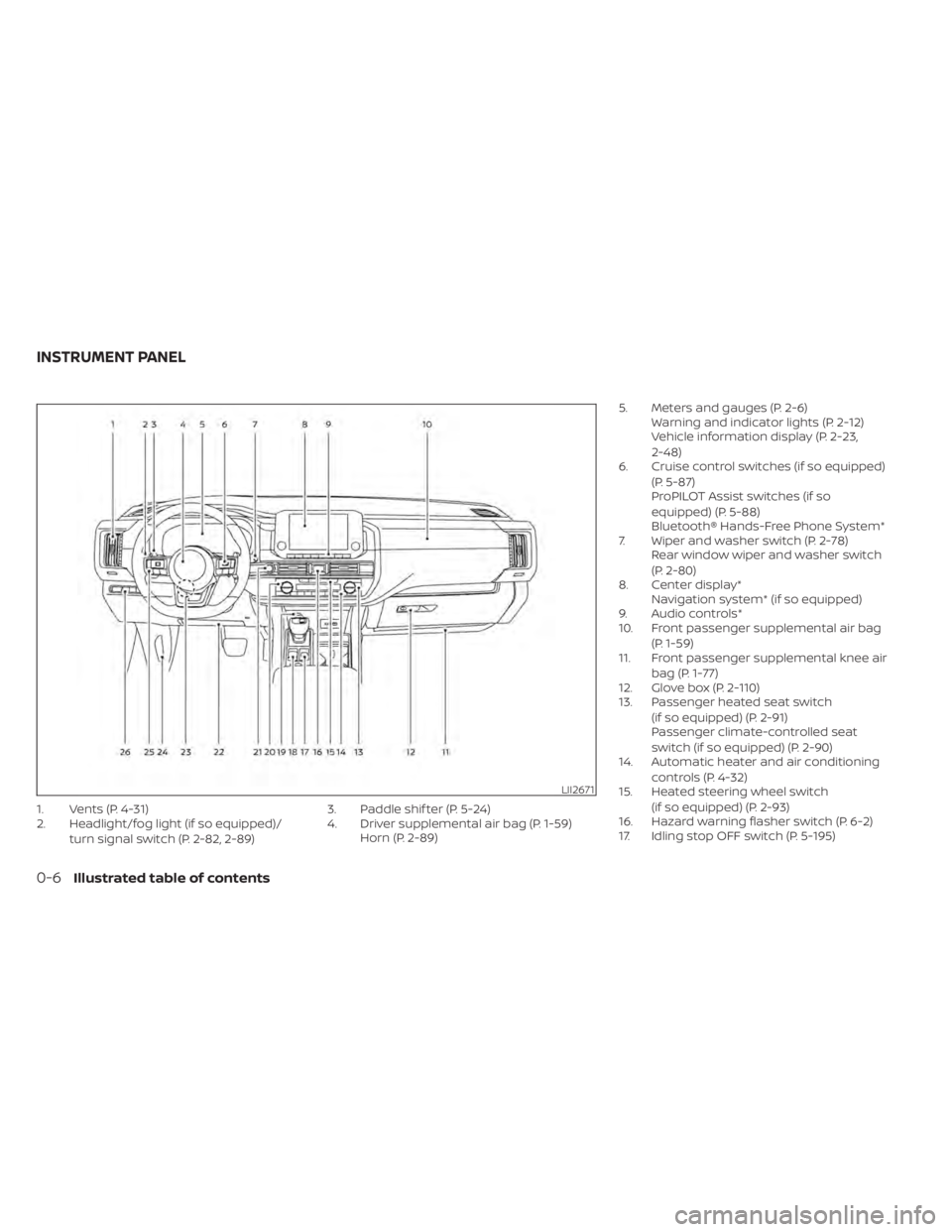
1. Vents (P. 4-31)
2. Headlight/fog light (if so equipped)/turn signal switch (P. 2-82, 2-89) 3. Paddle shif ter (P. 5-24)
4. Driver supplemental air bag (P. 1-59)
Horn (P. 2-89) 5. Meters and gauges (P. 2-6)
Warning and indicator lights (P. 2-12)
Vehicle information display (P. 2-23,
2-48)
6. Cruise control switches (if so equipped)
(P. 5-87)
ProPILOT Assist switches (if so
equipped) (P. 5-88)
Bluetooth® Hands-Free Phone System*
7. Wiper and washer switch (P. 2-78) Rear window wiper and washer switch
(P. 2-80)
8. Center display* Navigation system* (if so equipped)
9. Audio controls*
10. Front passenger supplemental air bag
(P. 1-59)
11. Front passenger supplemental knee air
bag (P. 1-77)
12. Glove box (P. 2-110)
13. Passenger heated seat switch
(if so equipped) (P. 2-91)
Passenger climate-controlled seat
switch (if so equipped) (P. 2-90)
14. Automatic heater and air conditioning
controls (P. 4-32)
15. Heated steering wheel switch
(if so equipped) (P. 2-93)
16. Hazard warning flasher switch (P. 6-2)
17. Idling stop OFF switch (P. 5-195)
LII2671
INSTRUMENT PANEL
0-6Illustrated table of contents
Page 23 of 665
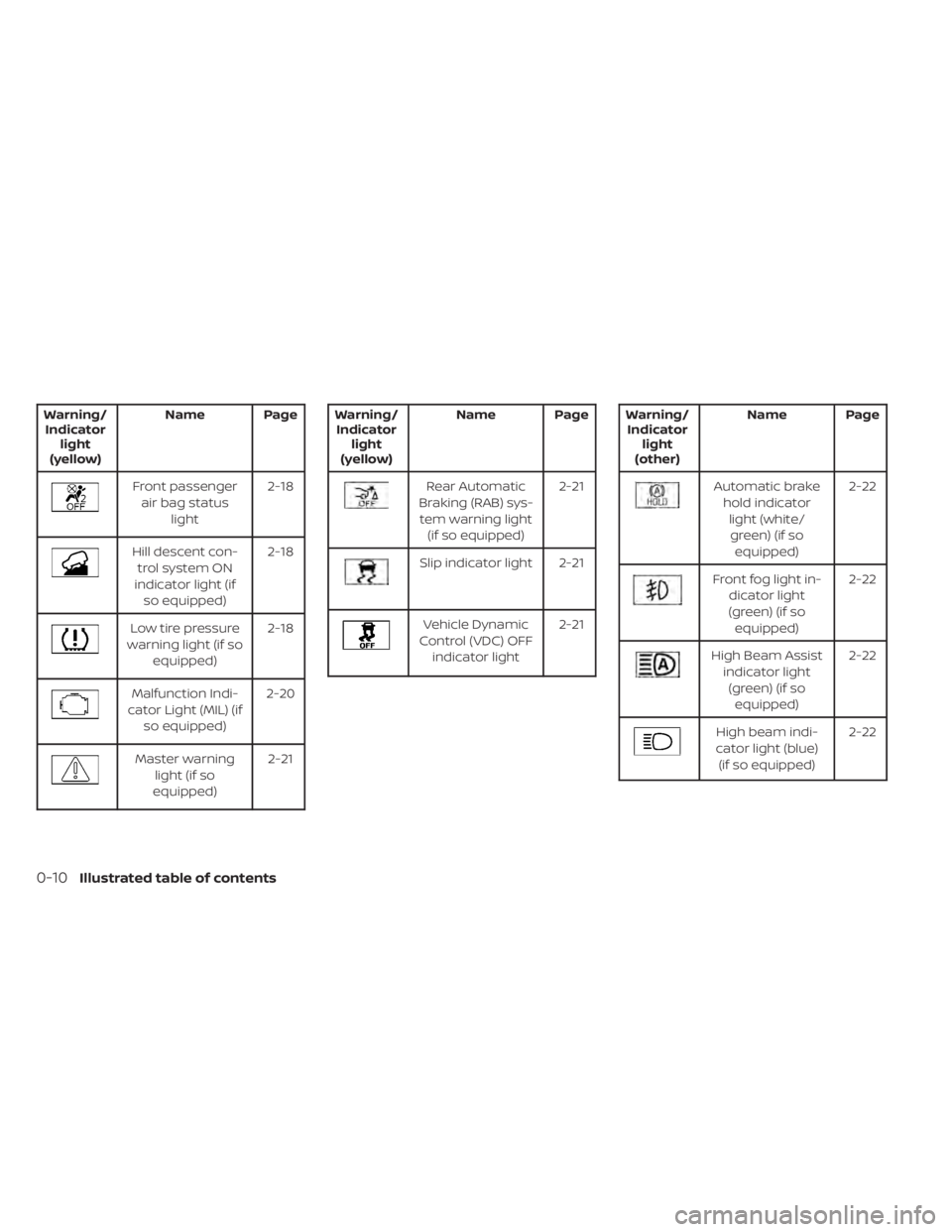
Warning/Indicator light
(yellow) Name Page
Front passenger
air bag status light 2-18
Hill descent con-
trol system ON
indicator light (if so equipped) 2-18
Low tire pressure
warning light (if so equipped) 2-18
Malfunction Indi-
cator Light (MIL) (if so equipped) 2-20
Master warning
light (if so
equipped) 2-21
Warning/
Indicator light
(yellow) Name Page
Rear Automatic
Braking (RAB) sys- tem warning light (if so equipped) 2-21
Slip indicator light 2-21
Vehicle Dynamic
Control (VDC) OFF indicator light 2-21
Warning/
Indicator light
(other) Name Page
Automatic brake
hold indicatorlight (white/green) (if so equipped) 2-22
Front fog light in-
dicator light
(green) (if so equipped) 2-22
High Beam Assist
indicator light(green) (if so equipped) 2-22
High beam indi-
cator light (blue) (if so equipped) 2-22
0-10Illustrated table of contents
Page 111 of 665
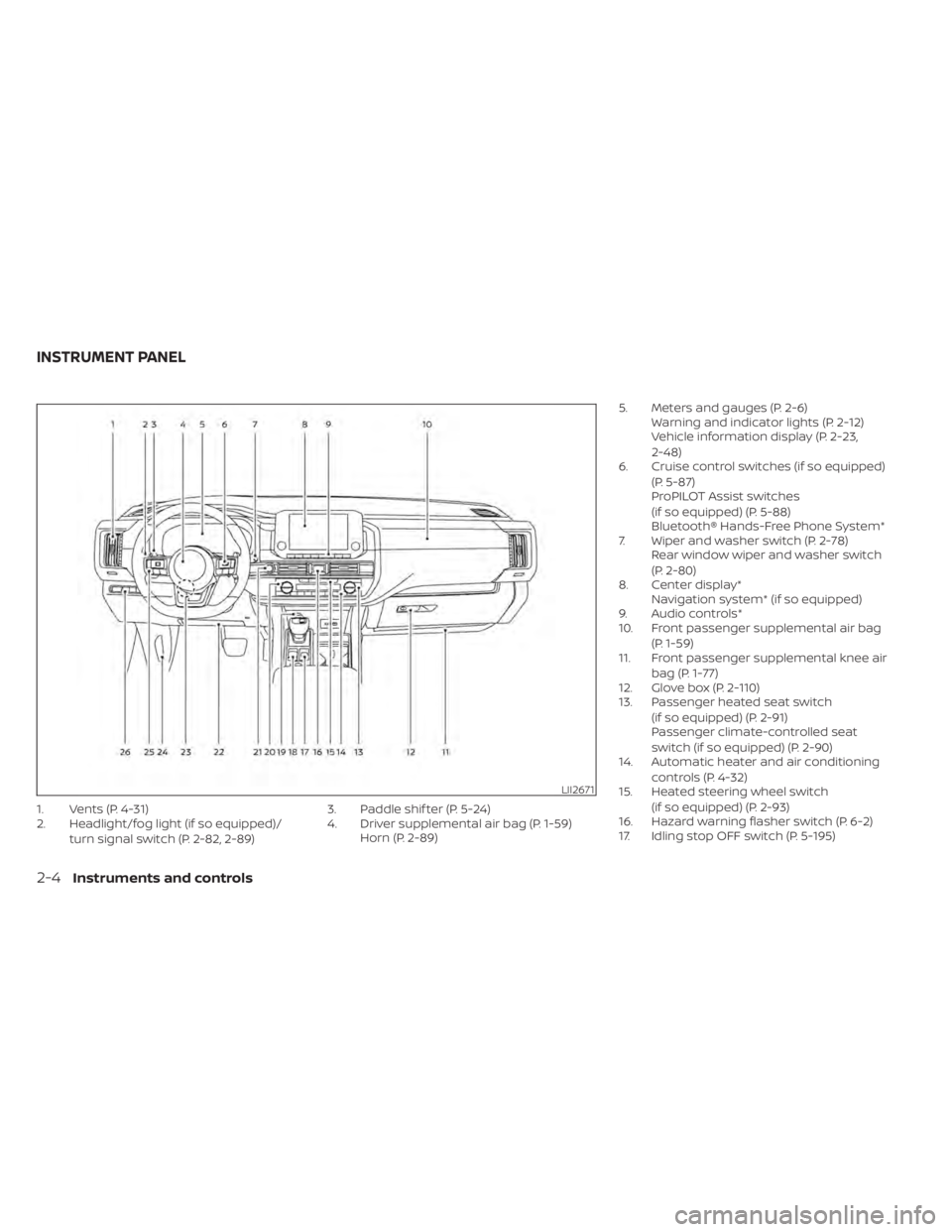
1. Vents (P. 4-31)
2. Headlight/fog light (if so equipped)/turn signal switch (P. 2-82, 2-89) 3. Paddle shif ter (P. 5-24)
4. Driver supplemental air bag (P. 1-59)
Horn (P. 2-89) 5. Meters and gauges (P. 2-6)
Warning and indicator lights (P. 2-12)
Vehicle information display (P. 2-23,
2-48)
6. Cruise control switches (if so equipped)
(P. 5-87)
ProPILOT Assist switches
(if so equipped) (P. 5-88)
Bluetooth® Hands-Free Phone System*
7. Wiper and washer switch (P. 2-78) Rear window wiper and washer switch
(P. 2-80)
8. Center display* Navigation system* (if so equipped)
9. Audio controls*
10. Front passenger supplemental air bag
(P. 1-59)
11. Front passenger supplemental knee air
bag (P. 1-77)
12. Glove box (P. 2-110)
13. Passenger heated seat switch
(if so equipped) (P. 2-91)
Passenger climate-controlled seat
switch (if so equipped) (P. 2-90)
14. Automatic heater and air conditioning
controls (P. 4-32)
15. Heated steering wheel switch
(if so equipped) (P. 2-93)
16. Hazard warning flasher switch (P. 6-2)
17. Idling stop OFF switch (P. 5-195)
LII2671
INSTRUMENT PANEL
2-4Instruments and controls
Page 119 of 665
Warning/Indicator light (red)Warning/Indicator light (yellow) Warning/Indicator light (other)
orBrake warning lightorAnti-lock Braking System (ABS)
warning lightAutomatic brake hold indicator light
(white/green) (if so equipped)
Charge warning lightAutomatic Emergency Braking (AEB) with
Pedestrian Detection system warning light
(if so equipped)Front fog light indicator light (green)
(if so equipped)
Electric shif t control system warning light
(if so equipped)Electric power steering warning lightHigh Beam Assist indicator light (green)
(if so equipped)
orElectronic parking brake
indicator light (if so equipped)Electronic parking brake warning light
(if so equipped)High beam indicator light (blue)
(if so equipped)
Engine oil pressure warning light
(if so equipped)Front passenger air bag status lightLow beam indicator light (green)
(if so equipped)
Master warning light (if so equipped)Hill descent control system ON indicator
light (if so equipped)Side light and headlight indicator light
(green) (if so equipped)
Seat belt warning light and chime
(if so equipped)Low tire pressure warning light
(if so equipped)Turn signal/hazard indicator lights (green)
(if so equipped)
WARNING LIGHTS, INDICATOR LIGHTS
AND AUDIBLE REMINDERS
2-12Instruments and controls
Page 129 of 665
While the VDC system is operating, you
might feel a slight vibration or hear the sys-
tem working when starting the vehicle or
accelerating, but this is normal.
WARNING
The VDC should remain on unless free-
ing a vehicle from mud or snow.
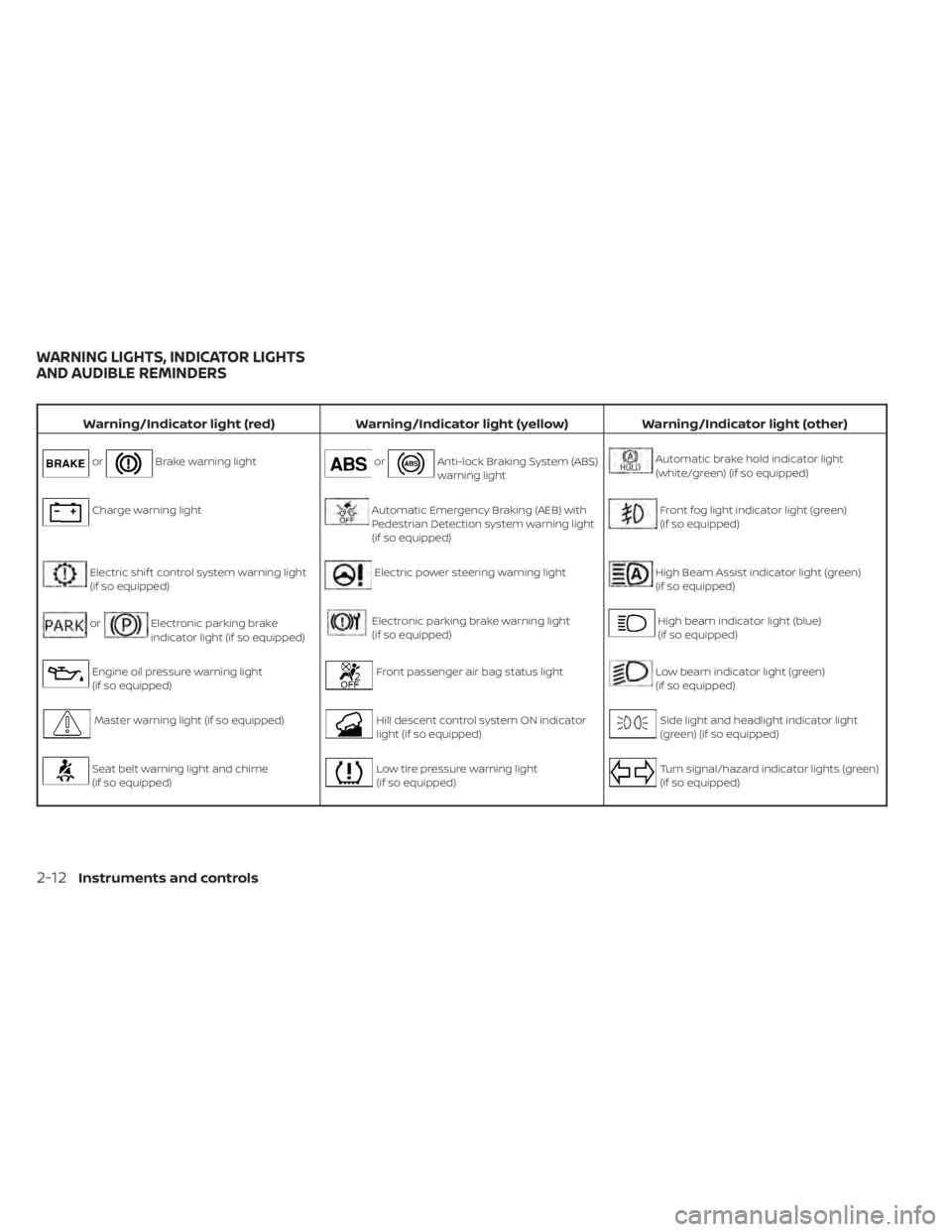
WARNING/INDICATOR LIGHTS
(other)
For additional information on warnings
and indicators, see “Vehicle information
display–7 inch (18 cm) Type A” (P. 2-23) or
“Vehicle information display—12.3 inch (31
cm) Type B” (P. 2-48).
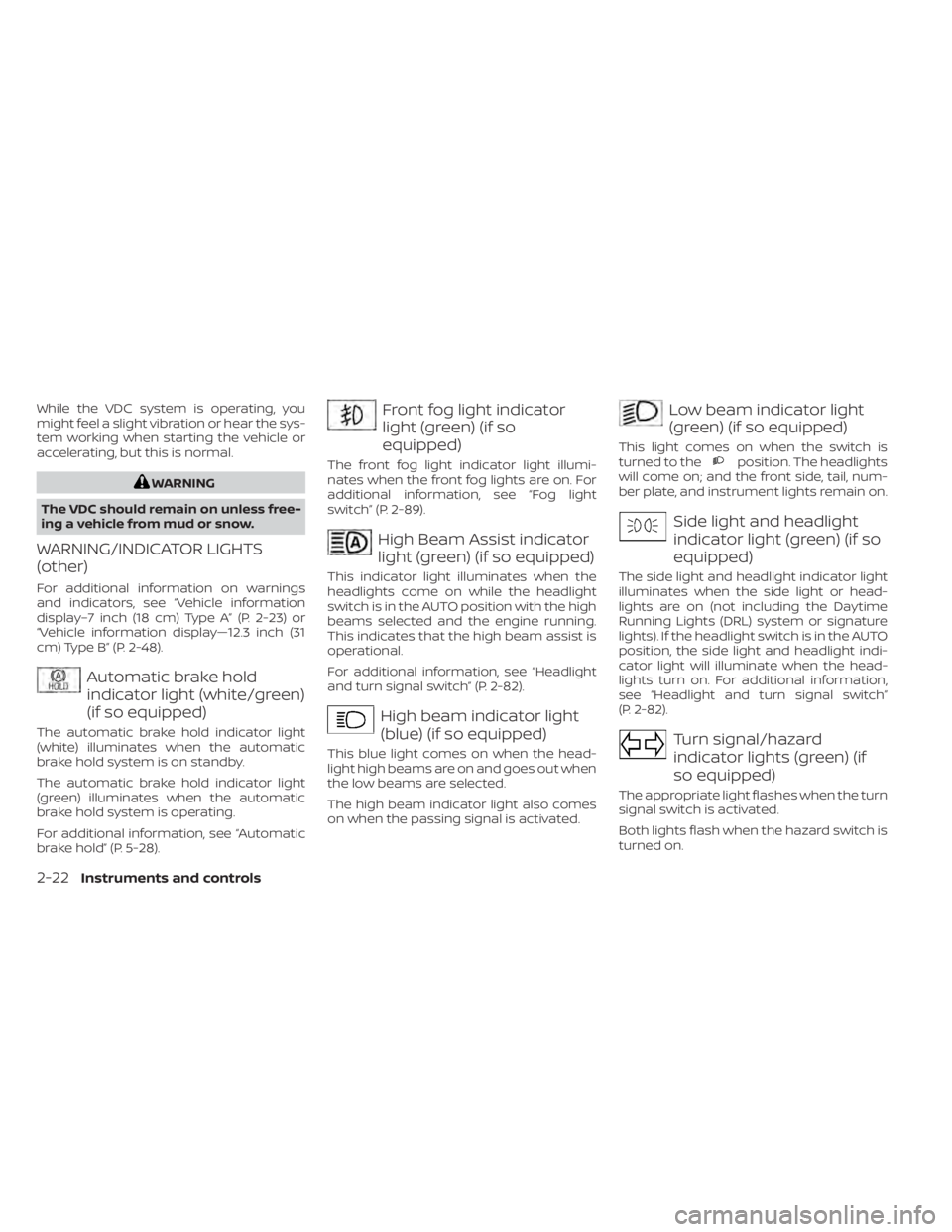
Automatic brake hold
indicator light (white/green)
(if so equipped)
The automatic brake hold indicator light
(white) illuminates when the automatic
brake hold system is on standby.
The automatic brake hold indicator light
(green) illuminates when the automatic
brake hold system is operating.
For additional information, see “Automatic
brake hold” (P. 5-28).
Front fog light indicator
light (green) (if so
equipped)
The front fog light indicator light illumi-
nates when the front fog lights are on. For
additional information, see “Fog light
switch” (P. 2-89).
High Beam Assist indicator
light (green) (if so equipped)
This indicator light illuminates when the
headlights come on while the headlight
switch is in the AUTO position with the high
beams selected and the engine running.
This indicates that the high beam assist is
operational.
For additional information, see “Headlight
and turn signal switch” (P. 2-82).
High beam indicator light
(blue) (if so equipped)
This blue light comes on when the head-
light high beams are on and goes out when
the low beams are selected.
The high beam indicator light also comes
on when the passing signal is activated.
Low beam indicator light
(green) (if so equipped)
This light comes on when the switch is
turned to theposition. The headlights
will come on; and the front side, tail, num-
ber plate, and instrument lights remain on.
Side light and headlight
indicator light (green) (if so
equipped)
The side light and headlight indicator light
illuminates when the side light or head-
lights are on (not including the Daytime
Running Lights (DRL) system or signature
lights). If the headlight switch is in the AUTO
position, the side light and headlight indi-
cator light will illuminate when the head-
lights turn on. For additional information,
see “Headlight and turn signal switch”
(P. 2-82).
Turn signal/hazard
indicator lights (green) (if
so equipped)
The appropriate light flashes when the turn
signal switch is activated.
Both lights flash when the hazard switch is
turned on.
2-22Instruments and controls
Page 174 of 665
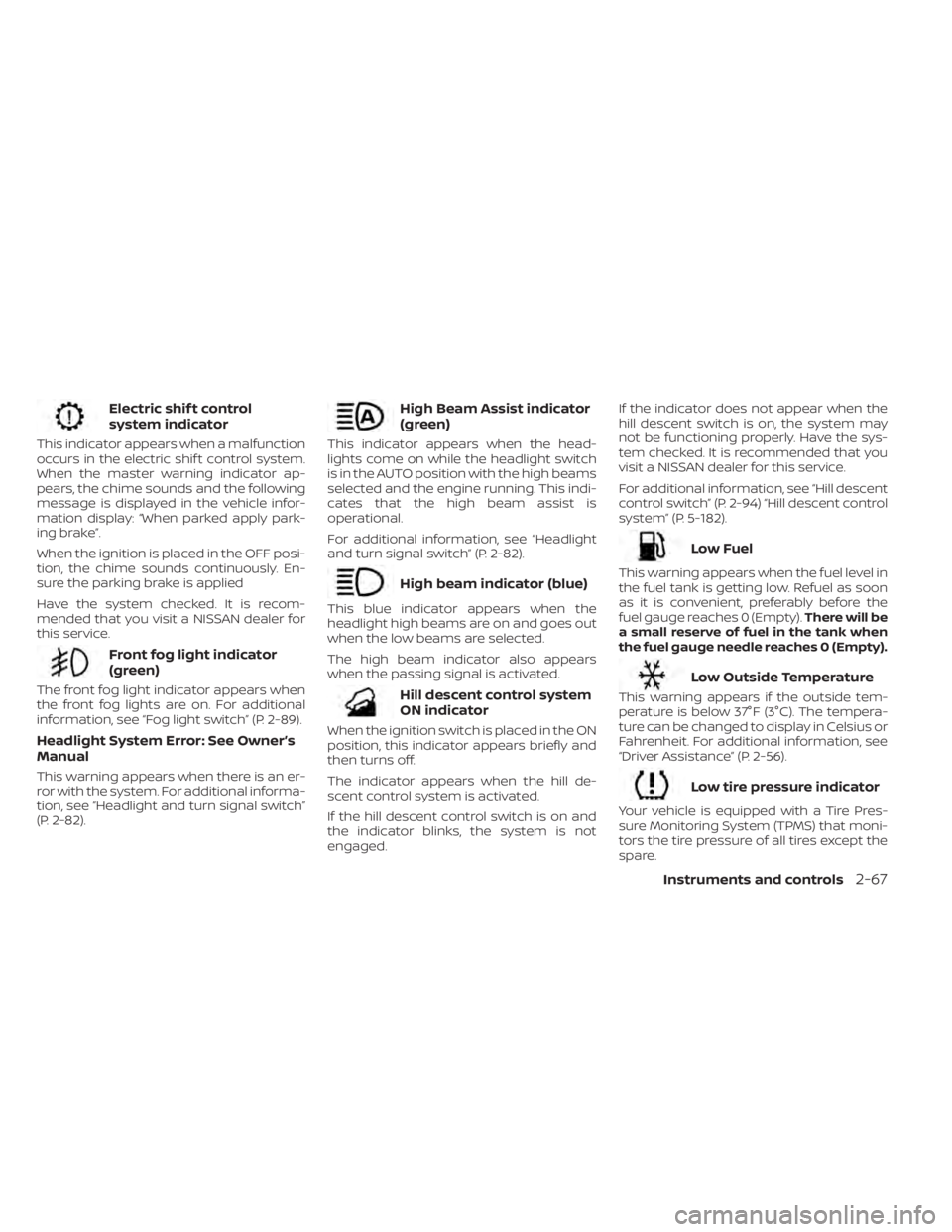
Electric shif t control
system indicator
This indicator appears when a malfunction
occurs in the electric shif t control system.
When the master warning indicator ap-
pears, the chime sounds and the following
message is displayed in the vehicle infor-
mation display: “When parked apply park-
ing brake”.
When the ignition is placed in the OFF posi-
tion, the chime sounds continuously. En-
sure the parking brake is applied
Have the system checked. It is recom-
mended that you visit a NISSAN dealer for
this service.
Front fog light indicator
(green)
The front fog light indicator appears when
the front fog lights are on. For additional
information, see “Fog light switch” (P. 2-89).
Headlight System Error: See Owner’s
Manual
This warning appears when there is an er-
ror with the system. For additional informa-
tion, see “Headlight and turn signal switch”
(P. 2-82).
High Beam Assist indicator
(green)
This indicator appears when the head-
lights come on while the headlight switch
is in the AUTO position with the high beams
selected and the engine running. This indi-
cates that the high beam assist is
operational.
For additional information, see “Headlight
and turn signal switch” (P. 2-82).
High beam indicator (blue)
This blue indicator appears when the
headlight high beams are on and goes out
when the low beams are selected.
The high beam indicator also appears
when the passing signal is activated.
Hill descent control system
ON indicator
When the ignition switch is placed in the ON
position, this indicator appears briefly and
then turns off.
The indicator appears when the hill de-
scent control system is activated.
If the hill descent control switch is on and
the indicator blinks, the system is not
engaged.If the indicator does not appear when the
hill descent switch is on, the system may
not be functioning properly. Have the sys-
tem checked. It is recommended that you
visit a NISSAN dealer for this service.
For additional information, see “Hill descent
control switch” (P. 2-94) “Hill descent control
system” (P. 5-182).
Low Fuel
This warning appears when the fuel level in
the fuel tank is getting low. Refuel as soon
as it is convenient, preferably before the
fuel gauge reaches 0 (Empty).
There will be
a small reserve of fuel in the tank when
the fuel gauge needle reaches 0 (Empty).
Low Outside Temperature
This warning appears if the outside tem-
perature is below 37°F (3°C). The tempera-
ture can be changed to display in Celsius or
Fahrenheit. For additional information, see
“Driver Assistance” (P. 2-56).
Low tire pressure indicator
Your vehicle is equipped with a Tire Pres-
sure Monitoring System (TPMS) that moni-
tors the tire pressure of all tires except the
spare.
Instruments and controls2-67
Page 283 of 665
Refer to the digital NissanConnect® Own-
er’s manual using the QR code on this
page, or your printed NissanConnect®
Owner’s manual (if so equipped). This
manual includes the following information:
• NissanConnect® Services (if so equipped)
• Navigation system (if so equipped)
• Audio system
• Apple CarPlay®
• Android Auto™
• Bluetooth® Hands-Free Phone system
• Viewing information
• Other settings• Voice recognition
• General system information
LHA5681
NISSANCONNECT® OWNER’S
MANUAL
4-2Monitor, climate, audio, phone and voice recognition systems
Page 338 of 665
Af ter a period of time, functions such as
radio, navigation (if so equipped), and
Bluetooth® Hands-Free Phone System
may be restarted by turning on the audio
system (see separate NissanConnect®
Owner’s Manual), or by pushing the UN-
LOCK button on the Intelligent Key for up to
a total of 30 minutes.
EMERGENCY ENGINE SHUT OFF
To shut off the engine in an emergency
situation while driving, perform the follow-
ing procedure:
• Rapidly push the ignition switch threeconsecutive times in less than 1.5 sec-
onds, or
• Push and hold the ignition switch for more than 2 seconds.
NISSAN INTELLIGENT KEY®
BATTERY DISCHARGE
If the battery of the NISSAN Intelligent Key®
is discharged or environmental conditions
interfere with the Intelligent Key operation,
start the engine according to the following
procedure:
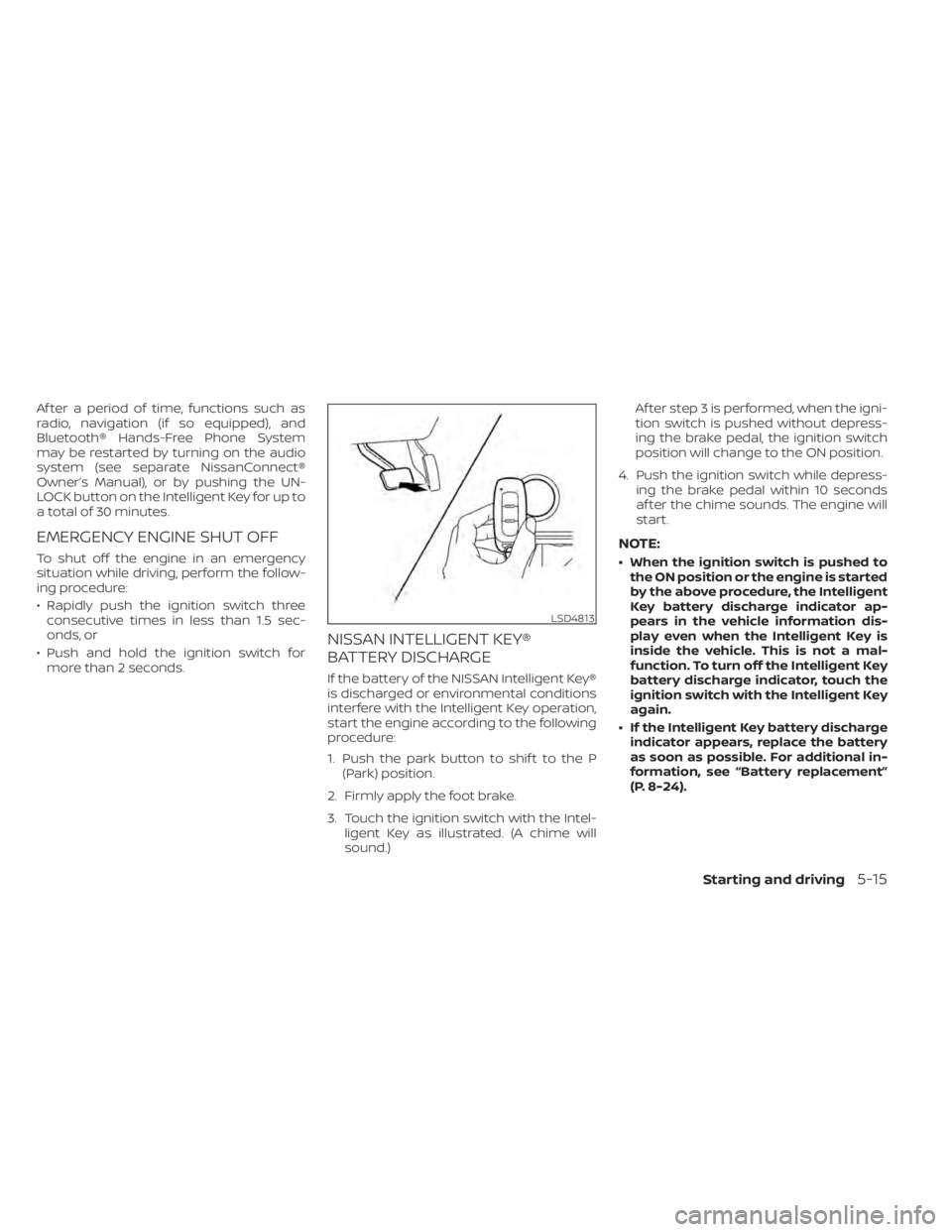
1. Push the park button to shif t to the P (Park) position.
2. Firmly apply the foot brake.
3. Touch the ignition switch with the Intel- ligent Key as illustrated. (A chime will
sound.) Af ter step 3 is performed, when the igni-
tion switch is pushed without depress-
ing the brake pedal, the ignition switch
position will change to the ON position.
4. Push the ignition switch while depress- ing the brake pedal within 10 seconds
af ter the chime sounds. The engine will
start.
NOTE:
• When the ignition switch is pushed tothe ON position or the engine is started
by the above procedure, the Intelligent
Key battery discharge indicator ap-
pears in the vehicle information dis-
play even when the Intelligent Key is
inside the vehicle. This is not a mal-
function. To turn off the Intelligent Key
battery discharge indicator, touch the
ignition switch with the Intelligent Key
again.
• If the Intelligent Key battery discharge indicator appears, replace the battery
as soon as possible. For additional in-
formation, see “Battery replacement”
(P. 8-24).
LSD4813
Starting and driving5-15
Page 417 of 665
• Steering Assist indicator (green):Steering Assist active
4. Set distance indicator
Displays the selected distance
5. Lane marker indicator
Indicates whether the system detects
lane markers • No lane markers displayed: Steering Assist is turned off
• Lane marker indicator (gray): No lane markers detected
• Lane marker indicator (green): Lane markers detected, Steering Assist is
active
• Lane marker indicator (orange): Lane departure is detected
6. ProPILOT Assist status indicator
Indicates the status of the ProPILOT As-
sist system by the color of the indicator – ProPILOT Assist status indicator (white): ProPILOT Assist is on but in
standby.
– ProPILOT Assist status indicator (blue): ProPILOT Assist active 7.
Steering Assist status indicator/
warning
Displays the status of the Steering Assist
by the color of the indicator/warning
• No Steering Assist status indicator displayed: Steering Assist is turned off
• Steering Assist indicator (gray): Steer- ing Assist standby
• Steering Assist indicator (green): Steering Assist active
• Steering Assist indicator (orange): Steering Assist malfunction
8. Speed control status indicator/set
distance indicator/lane marker indi-
cator (
)
Displays the status of speed control by
the color of the indicator, and displays
the selected distance by the number of
horizontal bars shown • Speed control status indicator (white): ICC standby
• Speed control status indicator (green): ICC (distance control mode) is active
– Green vehicle icon displayed: Vehicle detected ahead
– No vehicle icon shown: No vehicle de- tected ahead (Your vehicle maintains
the driver-selected set speed.) • Speed control status indicator (or-
ange): Indicates an ICC malfunction
For the lane marker indicator, see “Steering
Assist display and indicators” (P. 5-120).
9. Set vehicle speed indicator
Indicates the set vehicle speed
10. Vehicle set speed indicator (if so
equipped) (
)
Indicates the vehicle set speed
11. Road information indicator (if so
equipped) (
,)
Indicates the detected road
information.
For additional information, see “Speed
Adjust by Rout e-afeature of ProPILOT
Assist with Navi-link” (P. 5-111).
12. Detected speed limit indicator (if so
equipped) (
)
Indicates the currently detected speed
limit.
For additional information, see “Speed
Limit Assist-afe ature of ProPILOT As-
sist with Navi-link” (P. 5-109).
5-94Starting and driving
Page 420 of 665
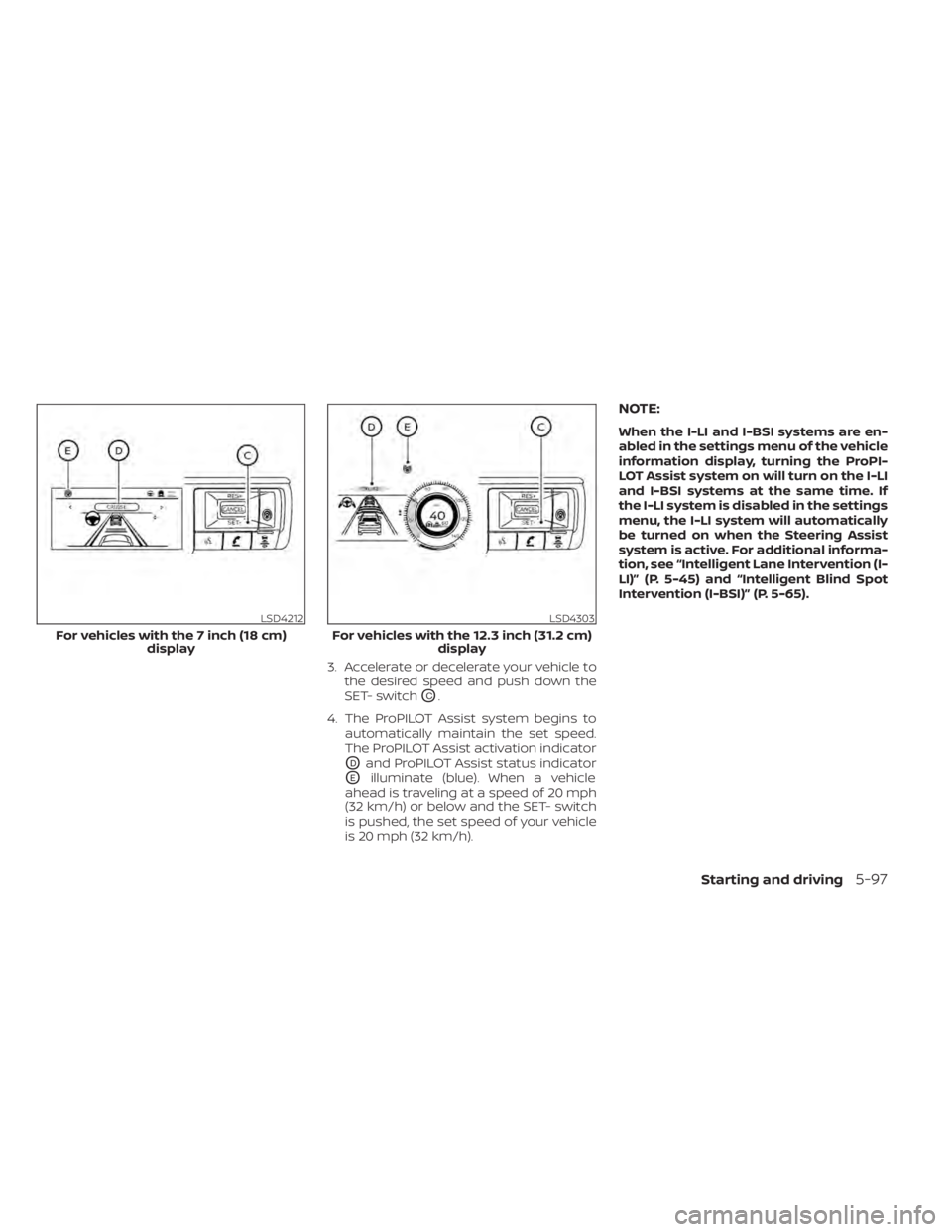
3. Accelerate or decelerate your vehicle tothe desired speed and push down the
SET- switch
OC.
4. The ProPILOT Assist system begins to automatically maintain the set speed.
The ProPILOT Assist activation indicator
ODand ProPILOT Assist status indicator
OEilluminate (blue). When a vehicle
ahead is traveling at a speed of 20 mph
(32 km/h) or below and the SET- switch
is pushed, the set speed of your vehicle
is 20 mph (32 km/h).
NOTE:
When the I-LI and I-BSI systems are en-
abled in the settings menu of the vehicle
information display, turning the ProPI-
LOT Assist system on will turn on the I-LI
and I-BSI systems at the same time. If
the I-LI system is disabled in the settings
menu, the I-LI system will automatically
be turned on when the Steering Assist
system is active. For additional informa-
tion, see “Intelligent Lane Intervention (I-
LI)” (P. 5-45) and “Intelligent Blind Spot
Intervention (I-BSI)” (P. 5-65).
LSD4212
For vehicles with the 7 inch (18 cm) display
LSD4303
For vehicles with the 12.3 inch (31.2 cm) display
Starting and driving5-97