4WD NISSAN PATHFINDER PLATINUM 2015 Owners Manual
[x] Cancel search | Manufacturer: NISSAN, Model Year: 2015, Model line: PATHFINDER PLATINUM, Model: NISSAN PATHFINDER PLATINUM 2015Pages: 558, PDF Size: 5.77 MB
Page 6 of 558
For descriptions specified for 4-wheel drive
models, a4WDmark is placed at the beginning
of the applicable sections/items.
As with other vehicles with features for
off-road use, failure to operate 4-wheel
drive models correctly may result in loss of
control or an accident. For additional infor-
mation, refer to “Driving safety precau-
tions” in the “Starting and driving” section
of this manual.
Page 373 of 558
●Do not drive across steep slopes. In-
stead drive either straight up or straight
down the slopes. Off-road vehicles can
tip over sideways much more easily
than they can forward or backward.
● Many hills are too steep for any vehicle.
If you drive up them, you may stall. If
you drive down them, you may not be
able to control your speed. If you drive
across them, you may roll over.
● Do not shift gears while driving on
downhill grades as this could cause
loss of control of the vehicle.
● Stay alert when driving to the top of a
hill. At the top there could be a drop-off
or other hazard that could cause an
accident.
● If your engine stalls or you cannot make
it to the top of a steep hill, never at-
tempt to turn around. Your vehicle could
tip or roll over. Always back straight
down in R (Reverse) gear and apply
brakes to control your speed.
● Heavy braking going down a hill could
cause your brakes to overheat and fade,
resulting in loss of control and an acci-
dent. Apply brakes lightly and use a low
gear to control your speed. ●
Unsecured cargo can be thrown around
when driving over rough terrain. Prop-
erly secure all cargo so it will not be
thrown forward and cause injury to you
or your passengers.
● Secure heavy loads in the cargo area as
far forward and as low as possible. Do
not equip the vehicle with tires larger
than specified in this manual. This could
cause your vehicle to roll over.
● Do not grip the inside or spokes of the
steering wheel when driving off-road.
The steering wheel could move sud-
denly and injure your hands. Instead
drive with your fingers and thumbs on
the outside of the rim.
● Before operating the vehicle, ensure
that the driver and all passengers have
their seat belts fastened.
● Always drive with the floor mats in place
as the floor may become hot.
● Lower your speed when encountering
strong crosswinds. With a higher center
of gravity, your NISSAN is more affected
by strong side winds. Slower speeds
ensure better vehicle control. ●
Do not drive beyond the performance
capability of the tires, even with 4WD
engaged.
● For 4WD equipped vehicles, do not at-
tempt to raise two wheels off the
ground and shift the transmission to
any drive or reverse position with the
engine running. Doing so may result in
drivetrain damage or unexpected ve-
hicle movement which could result in
serious vehicle damage or personal
injury.
● Do not attempt to test a 4WD equipped
vehicle on a 2-wheel dynamometer
(such as the dynamometers used by
some states for emissions testing) , or
similar equipment even if the other two
wheels are raised off the ground. Make
sure you inform test facility personnel
that your vehicle is equipped with 4WD
before it is placed on a dynamometer.
Using the wrong test equipment may
result in drivetrain damage or unex-
pected vehicle movement which could
result in serious vehicle damage or per-
sonal injury.
● When a wheel is off the ground due to
an unlevel surface, do not spin the
wheel excessively.
Starting and driving5-9
Page 427 of 558
●If a warning message continues to be
displayed after the above operations,
have your vehicle checked as soon as
possible. It is recommended that you
visit a NISSAN dealer for this service.
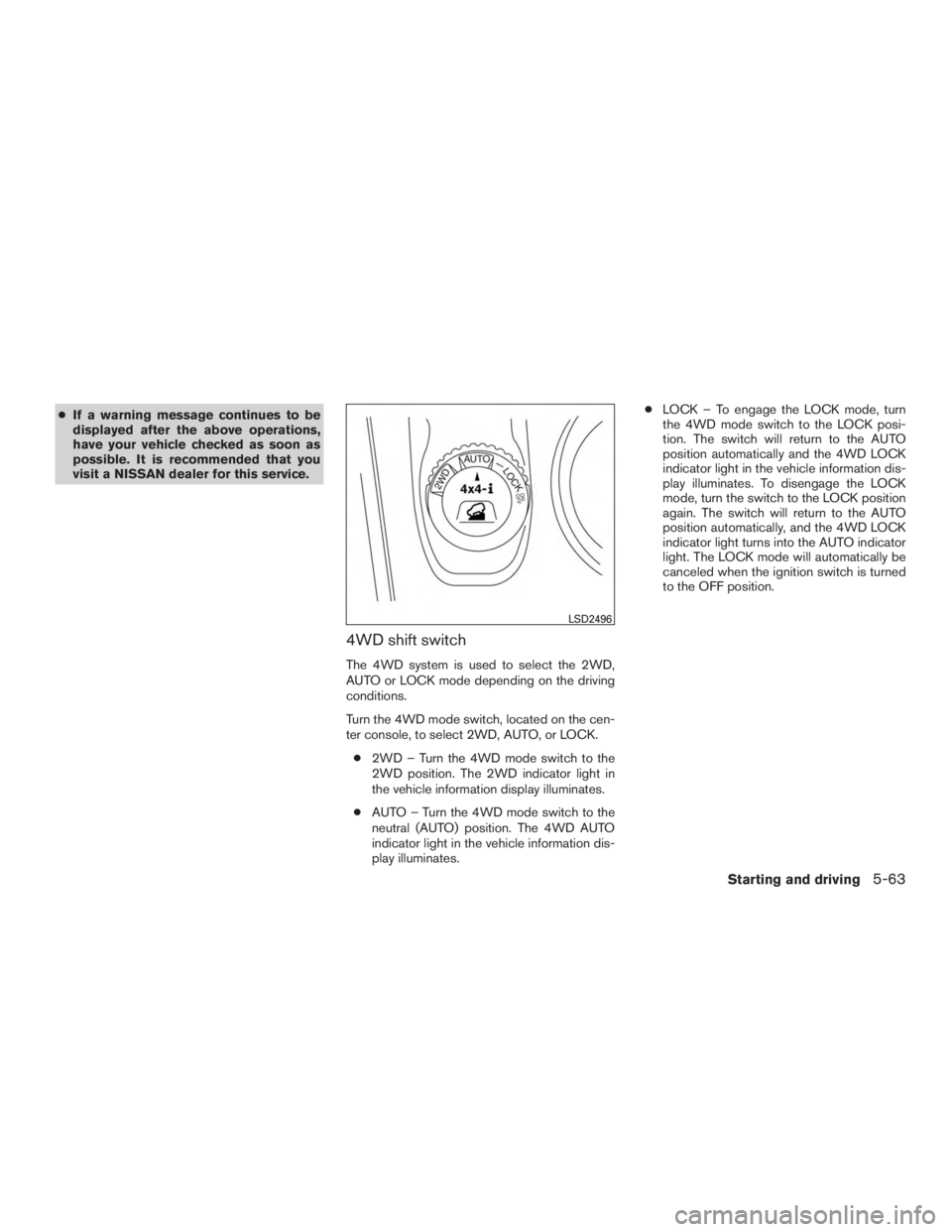
4WD shift switch
The 4WD system is used to select the 2WD,
AUTO or LOCK mode depending on the driving
conditions.
Turn the 4WD mode switch, located on the cen-
ter console, to select 2WD, AUTO, or LOCK.
● 2WD – Turn the 4WD mode switch to the
2WD position. The 2WD indicator light in
the vehicle information display illuminates.
● AUTO – Turn the 4WD mode switch to the
neutral (AUTO) position. The 4WD AUTO
indicator light in the vehicle information dis-
play illuminates. ●
LOCK – To engage the LOCK mode, turn
the 4WD mode switch to the LOCK posi-
tion. The switch will return to the AUTO
position automatically and the 4WD LOCK
indicator light in the vehicle information dis-
play illuminates. To disengage the LOCK
mode, turn the switch to the LOCK position
again. The switch will return to the AUTO
position automatically, and the 4WD LOCK
indicator light turns into the AUTO indicator
light. The LOCK mode will automatically be
canceled when the ignition switch is turned
to the OFF position.
Page 429 of 558
CAUTION
●Depending on the driving condition, the
4WD mode may automatically change
from 2WD to 4WD even when the 2WD
mode is selected. If this occurs while
driving, the 4WD mode indicator light
will not illuminate.
● Do not start the engine with the 4WD
mode switch in any mode in the follow-
ing cases:
– when the vehicle is placed on a fre- eroller or jacking up the vehicle with
the front tires raised and the rear
tires on the ground.
– when towing the vehicle with the rear tires raised from the ground.
● Operate the 4WD mode switch only
when driving straight. Do not operate
the 4WD mode switch when making a
turn or backing up.
● Do not operate the 4WD mode switch
with the front wheel spinning.
● Engine idling speed is high while warm-
ing up the engine. Be especially careful
when starting or driving on slippery sur-
faces with the 4WD mode switch set in
the AUTO mode.
4WD mode indicator lights
The 2WD, 4WD AUTO and LOCK mode indica-
tor lights are located in the vehicle information
display.
The 4WD mode indicator lights will display the
mode selected by the 4WD mode switch while
the engine is running.
The 4WD AUTO indicator light illuminates when
selecting the AUTO mode.
The 4WD LOCK indicator light illuminates when
selecting the LOCK mode and the 2WD indicator
light illuminates when selecting the 2WD mode.
Starting and driving5-65
Page 551 of 558
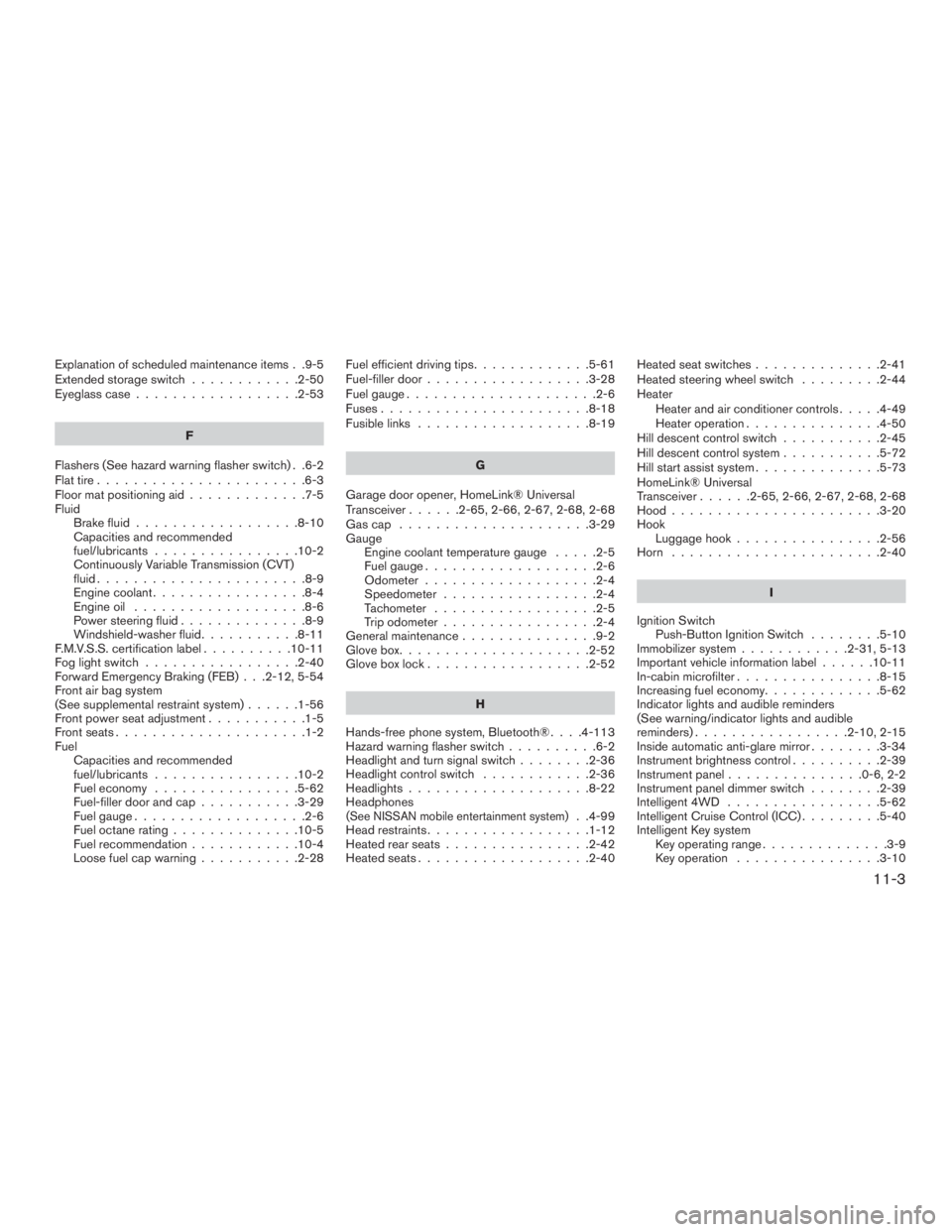
Explanation of scheduled maintenance items . .9-5
Extendedstorageswitch ............2-50
Eyeglass case..................2-53
F
Flashers (See hazard warning flasher switch) . .6-2
Flat tire .......................6-3
Floor mat positioning aid .............7-5
Fluid Brake fluid ..................8-10
Capacities and recommended
fuel/lubricants ................10-2
Continuously Variable Transmission (CVT)
fluid.......................8-9
Engine coolant .................8-4
Engine oil ...................8-6
Power steering fluid ..............8-9
Windshield-washerfluid...........8-11
F.M.V.S.S. certification label ..........10-11
Foglightswitch .................2-40
Forward Emergency Braking (FEB) . . .2-12, 5-54
Front air bag system
(See supplemental restraint system) ......1-56
Front power seat adjustment ...........1-5
Frontseats.....................1-2
Fuel Capacities and recommended
fuel/lubricants ................10-2
Fuel economy ................5-62
Fuel-filler door and cap ...........3-29
Fuel gauge ...................2-6
Fuel octane rating ..............10-5
Fuel recommendation ............10-4
Loose fuel cap warning ...........2-28 Fuel efficient driving tips
.............5-61
Fuel-filler door ..................3-28
Fuelgauge.....................2-6
Fuses.......................8-18
Fusiblelinks ...................8-19
G
Garage door opener, HomeLink® Universal
Transceiver ......2-65,2-66,2-67,2-68,2-68
Gascap .....................3-29
Gauge Engine coolant temperature gauge .....2-5
Fuel gauge ...................2-6
Odometer ...................2-4
Speedometer .................2-4
Tachometer ..................2-5
Trip odometer .................2-4
General maintenance ...............9-2
Glovebox.....................2-52
Gloveboxlock..................2-52
H
Hands-free phone system, Bluetooth® ....4-113
Hazard warning flasher switch ..........6-2
Headlight and turn signal switch ........2-36
Headlight control switch ............2-36
Headlights ....................8-22
Headphones
(See NISSAN mobile entertainment system). .4-99
Head restraints ..................1-12
Heated rear seats ................2-42
Heated seats ...................2-40 Heated seat switches
..............2-41
Heated steering wheel switch .........2-44
Heater Heater and air conditioner controls .....4-49
Heater operation ...............4-50
Hill descent control switch ...........2-45
Hill descent control system ...........5-72
Hill start assist system ..............5-73
HomeLink® Universal
Transceiver......2-65,2-66,2-67,2-68,2-68
Hood.......................3-20
Hook Luggage hook ................2-56
Horn .......................2-40
I
Ignition Switch Push-Button Ignition Switch ........5-10
Immobilizer system ............2-31,5-13
Important vehicle information label ......10-11
In-cabin microfilter ................8-15
Increasing fuel economy .............5-62
Indicator lights and audible reminders
(See warning/indicator lights and audible
reminders).................2-10,2-15
Inside automatic anti-glare mirror ........3-34
Instrument brightness control ..........2-39
Instrumentpanel...............0-6,2-2
Instrument panel dimmer switch ........2-39
Intelligent 4WD .................5-62
Intelligent Cruise Control (ICC) .........5-40
Intelligent Key system Key operating range ..............3-9
Key operation ................3-10
11-3