reset NISSAN QASHQAI 2014 Owner´s Manual
[x] Cancel search | Manufacturer: NISSAN, Model Year: 2014, Model line: QASHQAI, Model: NISSAN QASHQAI 2014Pages: 338, PDF Size: 4.87 MB
Page 181 of 338
be able to detect or signal low tyre pressure as
intended. TPMS malfunctions may occur for a vari-
ety of reasons including the installation of replace-
ment or alternate tyres or wheels on the vehicle that
prevent the TPMS from functioning properly. Always
check the TPMS indicator light after replacing one
or more tyres or wheels on your vehicle to ensure
that the replacement or alternate tyres and wheels
allow the TPMS to continue to function properly.
•The TPMS does not monitor the tyre pressure of
the spare tyre.
•The TPMS will activate only when the vehicle is
driven at speeds above 25 km/h (16 MPH). Also,
this system may not detect a sudden drop in tyre
pressure (for example a flat tyre while driving).
•The TPMS indicator light may not automatically
turn off when the tyre pressure is adjusted.After
the tyre is inflated to the recommended COLD
tyre pressure, drive the vehicle at speeds above
25 km/h (16 MPH) to activate the TPMS. See
“TPMS sensor ID and position recognition” later
in this section
•Following a change in the outside temperature,
the TPMS indicator light may illuminate even if
the tyre pressure has been adjusted properly.
Adjust the tyre pressure to the recommended
COLD tyre pressure again when the tyres are
cold, and reset the TPMS.
For additional information, see “[Check cold tyre]
message” later in this section.
WARNING
•If the TPMS indicator light illuminates while
driving:
– avoid sudden steering manoeuvres
– avoid abrupt braking
– reduce vehicle speed
– pull off the road to a safe location
– stop the vehicle as soon as possible
•Driving with under-inflated tyres may perma-
nently damage the tyres and increase the like-
lihood of tyre failure. Serious vehicle damage
could occur which may lead to an accident
and could result in serious personal injury.
•Check the tyre pressure for all four tyres. Ad-
just the tyre pressure to the recommended
COLD tyre pressure shown on the tyre plac-
ard to turn the TPMS indicator light “OFF”. In
case of a flat tyre, replace it with a spare tyre
as soon as possible. (See “Flat tyre” in the
“6. In case of emergency” section for chang-
ing a flat tyre.)
•When a spare tyre is mounted or a wheel is
replaced, the TPMS will not function and the
TPMS indicator light will flash for approxi-
mately 1 minute. The light will remain on after
1 minute. Be sure to follow all instructions for
wheel replacement and mount the TPMS sys-
tem correctly.
•Replacing tyres with those not originally speci-
fied by NISSAN could affect the proper opera-
tion of the TPMS.
•The Genuine NISSAN Emergency Tyre Repair
Sealant or equivalent can be used for tempo-
rarily repairing a tyre. Do not inject any other
tyre liquid or aerosol tyre sealant into the
tyres, as this may cause a malfunction of the
tyre pressure sensors.
•NISSAN recommends using only Genuine
NISSAN Emergency Tyre Sealant provided
with your vehicle. Other tyre sealants may
damage the valve stem seal which can cause
the tyre to lose air pressure. Visit a NISSAN
dealer or qualified workshop as soon as pos-
sible after using tyre repair sealant (for mod-
els equipped with the emergency tyre punc-
ture repair kit).
CAUTION
•The TPMS may not function properly when the
wheels are equipped with tyre chains or the
wheels are buried in snow.
•Do not place metalised film or any metal parts
(antenna, etc.) on the windows. This may
cause poor reception of the signals from the
tyre pressure sensors, and the TPMS will not
function properly.
Starting and driving5-5
Page 184 of 338
•Driving above 100 km/h (64 MPH)
•High acceleration
•High deceleration
•In stop and go traffic or traffic waves
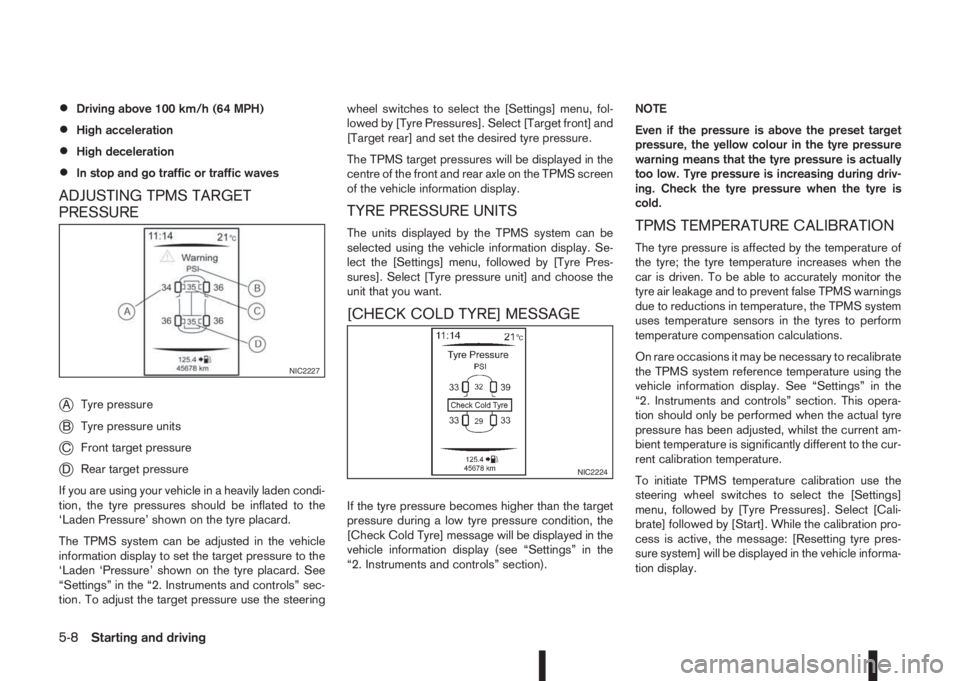
ADJUSTING TPMS TARGET
PRESSURE
j
ATyre pressure
jBTyre pressure units
jCFront target pressure
jDRear target pressure
If you are using your vehicle in a heavily laden condi-
tion, the tyre pressures should be inflated to the
‘Laden Pressure’ shown on the tyre placard.
The TPMS system can be adjusted in the vehicle
information display to set the target pressure to the
‘Laden ‘Pressure’ shown on the tyre placard. See
“Settings” in the “2. Instruments and controls” sec-
tion. To adjust the target pressure use the steeringwheel switches to select the [Settings] menu, fol-
lowed by [Tyre Pressures]. Select [Target front] and
[Target rear] and set the desired tyre pressure.
The TPMS target pressures will be displayed in the
centre of the front and rear axle on the TPMS screen
of the vehicle information display.
TYRE PRESSURE UNITS
The units displayed by the TPMS system can be
selected using the vehicle information display. Se-
lect the [Settings] menu, followed by [Tyre Pres-
sures]. Select [Tyre pressure unit] and choose the
unit that you want.
[CHECK COLD TYRE] MESSAGE
If the tyre pressure becomes higher than the target
pressure during a low tyre pressure condition, the
[Check Cold Tyre] message will be displayed in the
vehicle information display (see “Settings” in the
“2. Instruments and controls” section).NOTE
Even if the pressure is above the preset target
pressure, the yellow colour in the tyre pressure
warning means that the tyre pressure is actually
too low. Tyre pressure is increasing during driv-
ing. Check the tyre pressure when the tyre is
cold.
TPMS TEMPERATURE CALIBRATION
The tyre pressure is affected by the temperature of
the tyre; the tyre temperature increases when the
car is driven. To be able to accurately monitor the
tyre air leakage and to prevent false TPMS warnings
due to reductions in temperature, the TPMS system
uses temperature sensors in the tyres to perform
temperature compensation calculations.
On rare occasions it may be necessary to recalibrate
the TPMS system reference temperature using the
vehicle information display. See “Settings” in the
“2. Instruments and controls” section. This opera-
tion should only be performed when the actual tyre
pressure has been adjusted, whilst the current am-
bient temperature is significantly different to the cur-
rent calibration temperature.
To initiate TPMS temperature calibration use the
steering wheel switches to select the [Settings]
menu, followed by [Tyre Pressures]. Select [Cali-
brate] followed by [Start]. While the calibration pro-
cess is active, the message: [Resetting tyre pres-
sure system] will be displayed in the vehicle informa-
tion display.
NIC2227
NIC2224
5-8Starting and driving
Page 200 of 338
•When the driver’s seat belt is released or the
driver’s door is open. (XTRONIC transmission
models)
Use this system while waiting at stoplight, etc. When
the vehicle is stopped for long periods of time, turn
off the engine.
When the engine bonnet is opened with the Stop/
Start System on, the engine will be in the normal
stopped state with the buzzer sounding. In this case,
restart the engine with the ignition switch.
When the engine is stopped by the Stop/Start Sys-
tem, heating, cooling and dehumidifying functions
will be deactivated. To avoid the air conditioning
functions from being deactivated, turn off the Stop/
Start System by pressing the Stop/Start System
OFF switch.
The Stop/Start System is always engaged at the
start of a journey (once the engine has been started).
The engine is automatically stopped and restarted
during the journey if conditions are suitable
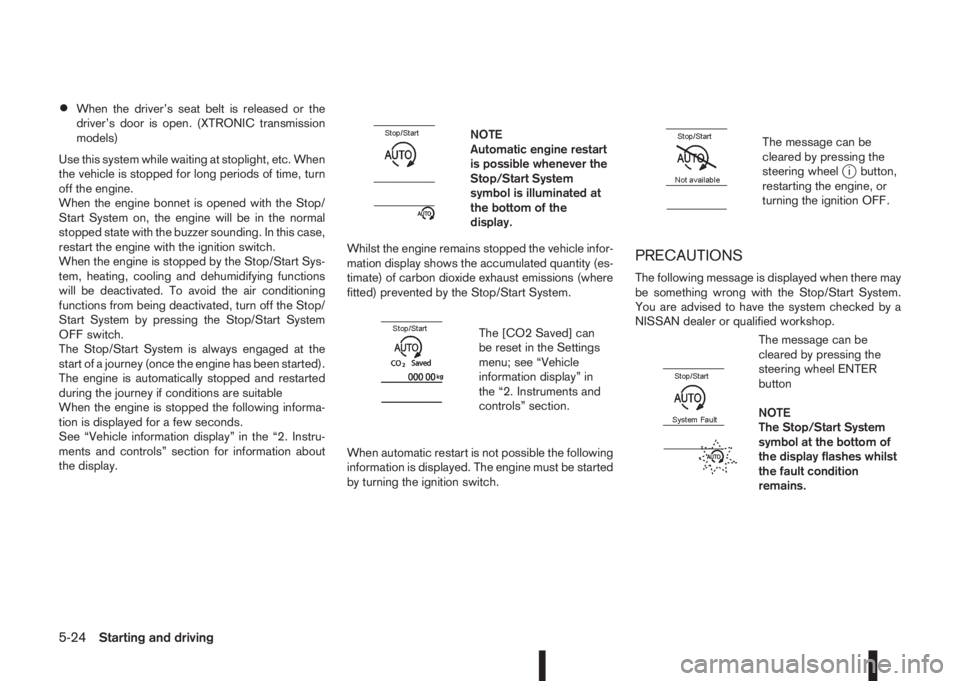
When the engine is stopped the following informa-
tion is displayed for a few seconds.
See “Vehicle information display” in the “2. Instru-
ments and controls” section for information about
the display.
m
NOTE
Automatic engine restart
is possible whenever the
Stop/Start System
symbol is illuminated at
the bottom of the
display.
Whilst the engine remains stopped the vehicle infor-
mation display shows the accumulated quantity (es-
timate) of carbon dioxide exhaust emissions (where
fitted) prevented by the Stop/Start System.
m
The [CO2 Saved] can
be reset in the Settings
menu; see “Vehicle
information display” in
the “2. Instruments and
controls” section.
When automatic restart is not possible the following
information is displayed. The engine must be started
by turning the ignition switch.
m
The message can be
cleared by pressing the
steering wheel
ji button,
restarting the engine, or
turning the ignition OFF.
PRECAUTIONS
The following message is displayed when there may
be something wrong with the Stop/Start System.
You are advised to have the system checked by a
NISSAN dealer or qualified workshop.
m
The message can be
cleared by pressing the
steering wheel ENTER
button
NOTE
The Stop/Start System
symbol at the bottom of
the display flashes whilst
the fault condition
remains.
5-24Starting and driving
Page 201 of 338
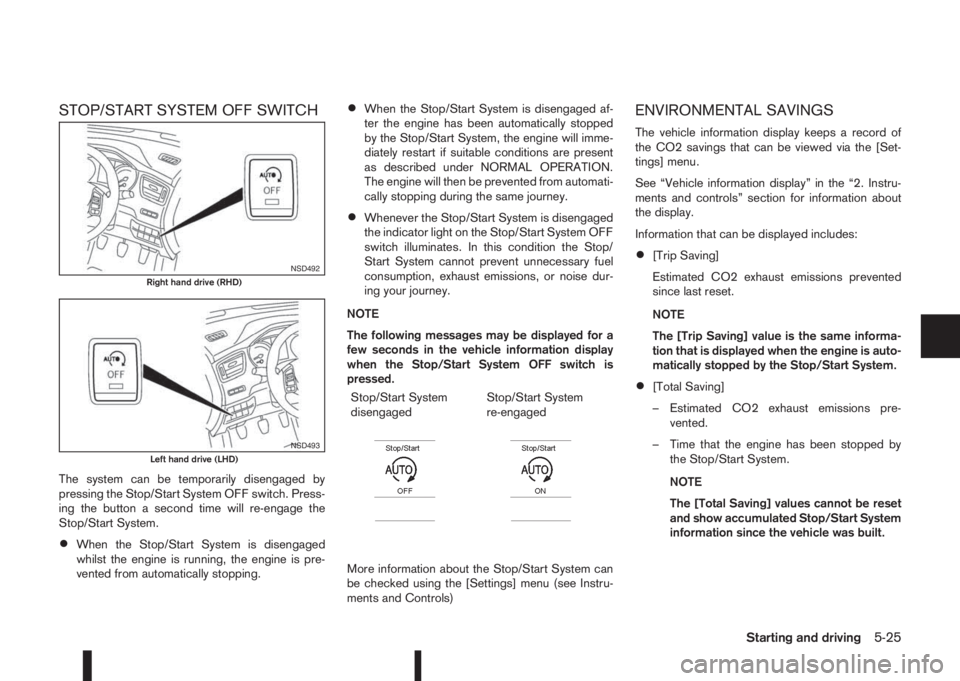
STOP/START SYSTEM OFF SWITCH
The system can be temporarily disengaged by
pressing the Stop/Start System OFF switch. Press-
ing the button a second time will re-engage the
Stop/Start System.
•When the Stop/Start System is disengaged
whilst the engine is running, the engine is pre-
vented from automatically stopping.
•When the Stop/Start System is disengaged af-
ter the engine has been automatically stopped
by the Stop/Start System, the engine will imme-
diately restart if suitable conditions are present
as described under NORMAL OPERATION.
The engine will then be prevented from automati-
cally stopping during the same journey.
•Whenever the Stop/Start System is disengaged
the indicator light on the Stop/Start System OFF
switch illuminates. In this condition the Stop/
Start System cannot prevent unnecessary fuel
consumption, exhaust emissions, or noise dur-
ing your journey.
NOTE
The following messages may be displayed for a
few seconds in the vehicle information display
when the Stop/Start System OFF switch is
pressed.
Stop/Start System
disengaged
m
Stop/Start System
re-engaged
m
More information about the Stop/Start System can
be checked using the [Settings] menu (see Instru-
ments and Controls)
ENVIRONMENTAL SAVINGS
The vehicle information display keeps a record of
the CO2 savings that can be viewed via the [Set-
tings] menu.
See “Vehicle information display” in the “2. Instru-
ments and controls” section for information about
the display.
Information that can be displayed includes:
•[Trip Saving]
Estimated CO2 exhaust emissions prevented
since last reset.
NOTE
The [Trip Saving] value is the same informa-
tion that is displayed when the engine is auto-
matically stopped by the Stop/Start System.
•[Total Saving]
– Estimated CO2 exhaust emissions pre-
vented.
– Time that the engine has been stopped by
the Stop/Start System.
NOTE
The [Total Saving] values cannot be reset
and show accumulated Stop/Start System
information since the vehicle was built.
NSD492Right hand drive (RHD)
NSD493Left hand drive (LHD)
Starting and driving5-25
Page 257 of 338
CAUTION
•Three-way catalyst equipped models (where
fitted) should not be started by pushing the
vehicle as the three-way catalyst may be dam-
aged.
•XTRONIC transmission (CVT) models cannot
be started by pushing the vehicle. This may
cause transmission damage.
•Never try to start the vehicle by towing it; when
the engine starts, the forward surge could
cause the vehicle to collide with the tow ve-
hicle.
WARNING
•Never continue driving if the engine of your
vehicle overheats. Doing so could cause a ve-
hicle fire.
•Never open the bonnet if steam is coming
out.
•Never remove engine coolant reservoir cap
when the engine is hot. If the engine coolant
reservoir cap is removed while the engine is
hot, pressurised hot water will spurt out and
possibly cause burning, scalding or serious
injury.
•If steam or coolant is coming out of the en-
gine, stand clear of the vehicle to prevent get-
ting injured.
•The engine cooling fan will start whenever the
coolant temperature exceeds preset degrees.
•Be careful not to allow your hands, hair, jewel-
lery or clothing to come into contact with, or
get caught in, the cooling fan or drive belts.
If the engine of your vehicle is overheating (indi-
cated by the engine coolant temperature gauge) or
if you feel a lack of engine power, detect unusual
noise, etc., proceed as follows:
1. Move and park the vehicle safely off the road and
away from traffic.
2. Turn on the hazard warning flasher lights.
3. Apply the parking brake.4. Shift the shift lever (MT models) into the N (Neu-
tral) position, XTRONIC transmission (CVT)
models: move the shift lever to the P (Park) posi-
tion.
DO NOT STOP THE ENGINE.
5. Open all windows.
6. Switch off the air conditioner system (where fit-
ted).
7. Set the heater or air conditioner temperature
control to maximum “HOT” and fan speed con-
trol to maximum speed.
8. Exit the vehicle.
9. Visually inspect and listen for steam or coolant
escaping from the radiator before opening the
bonnet. Wait until no steam or coolant can be
seen before proceeding.
10. Open the bonnet. For details, see “Bonnet
release” in the “3. Pre-driving checks and
adjustments” section.
11. Visually check if the cooling fan is running.
12. Visually check the radiator and radiator hoses
for leakage.
WARNING
If coolant is leaking, the cooling fan belt is
missing or loose or the cooling fan is not run-
ning, stop the engine.
PUSH-STARTING ENGINE OVERHEAT
In case of emergency6-13
Page 285 of 338
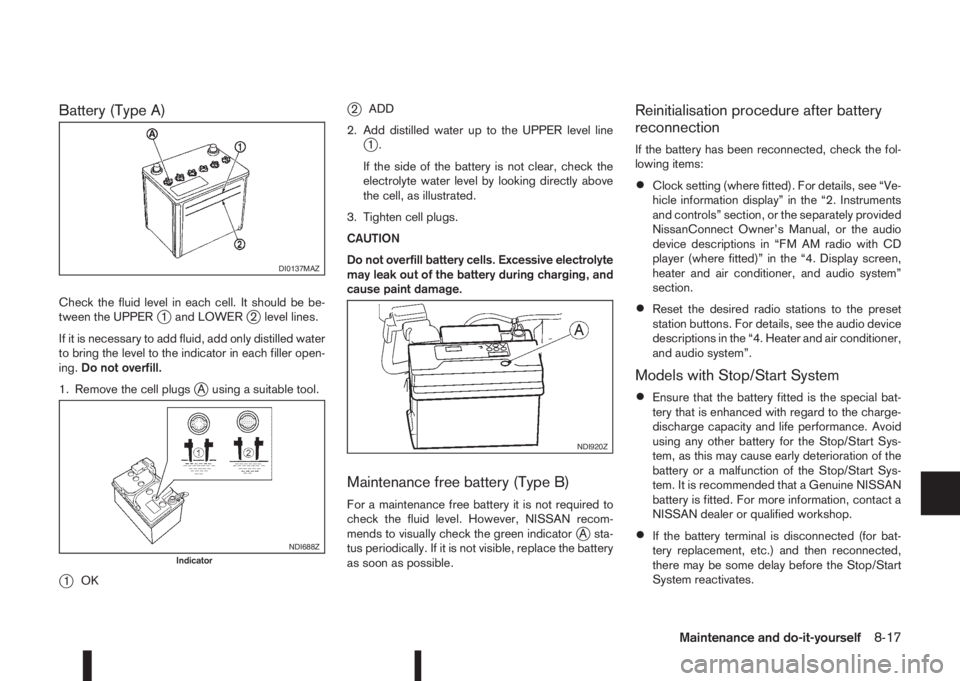
Battery (Type A)
Check the fluid level in each cell. It should be be-
tween the UPPERj1 and LOWERj2 level lines.
If it is necessary to add fluid, add only distilled water
to bring the level to the indicator in each filler open-
ing.Do not overfill.
1. Remove the cell plugs
jA using a suitable tool.
j1OK
j2ADD
2. Add distilled water up to the UPPER level line
j1.
If the side of the battery is not clear, check the
electrolyte water level by looking directly above
the cell, as illustrated.
3. Tighten cell plugs.
CAUTION
Do not overfill battery cells. Excessive electrolyte
may leak out of the battery during charging, and
cause paint damage.
Maintenance free battery (Type B)
For a maintenance free battery it is not required to
check the fluid level. However, NISSAN recom-
mends to visually check the green indicator
jA sta-
tus periodically. If it is not visible, replace the battery
as soon as possible.
Reinitialisation procedure after battery
reconnection
If the battery has been reconnected, check the fol-
lowing items:
•Clock setting (where fitted). For details, see “Ve-
hicle information display” in the “2. Instruments
and controls” section, or the separately provided
NissanConnect Owner’s Manual, or the audio
device descriptions in “FM AM radio with CD
player (where fitted)” in the “4. Display screen,
heater and air conditioner, and audio system”
section.
•Reset the desired radio stations to the preset
station buttons. For details, see the audio device
descriptions in the “4. Heater and air conditioner,
and audio system”.
Models with Stop/Start System
•Ensure that the battery fitted is the special bat-
tery that is enhanced with regard to the charge-
discharge capacity and life performance. Avoid
using any other battery for the Stop/Start Sys-
tem, as this may cause early deterioration of the
battery or a malfunction of the Stop/Start Sys-
tem. It is recommended that a Genuine NISSAN
battery is fitted. For more information, contact a
NISSAN dealer or qualified workshop.
•If the battery terminal is disconnected (for bat-
tery replacement, etc.) and then reconnected,
there may be some delay before the Stop/Start
System reactivates.
DI0137MAZ
NDI688ZIndicator
NDI920Z
Maintenance and do-it-yourself8-17