stop start NISSAN QASHQAI 2016 Owner´s Manual
[x] Cancel search | Manufacturer: NISSAN, Model Year: 2016, Model line: QASHQAI, Model: NISSAN QASHQAI 2016Pages: 338, PDF Size: 4.87 MB
Page 223 of 338
•When the vehicle is being towed
•When the doors (including the back door) are
not closed.
The following conditions may reduce the ability
of the system to detect other vehicles:
•Severe weather.
•Road spray.
•Ice build up on the vehicle.
•Frost on the vehicle.
•Dirt on the vehicle.
Do not attach stickers (including transparent ma-
terial), install accessories or apply additional
paint near the sonar sensors. These conditions
may reduce the ability of the system to detect
other vehicles.
The sonar sensors detect stationary objects be-
hind the vehicle. The sonar sensors may not de-
tect:
•Small or moving objects.
•Wedge-shaped objects.
•Objects close to the bumper.
•Thin objects such as rope, wire, or chain.
NOTE
Under the following conditions, the IPA may not
be able to predict precise courses and function
properly. There may be instances where sur-rounding objects and vehicles are displayed in-
side the clearance guidelines (red), or where the
vehicle cannot be parked in the correct spot fol-
lowing the IPA operation.
•When the shift lever is operated while driving.
•When sudden start, sudden stop or sudden
operation of the shift lever occurs.
•When tyre pressure is too low or a tyre is worn
out.
•When tyres are installed that are of a different
size from the tyres that were equipped at the
time of factory shipment.
•When the vehicle is heavily laden.
DEACTIVATION OF THE IPA SYSTEM
The IPA will deactivate under the following condi-
tions:
•When the steering wheel is operated manually.
•When 5 seconds have passed since the shift
lever was placed and kept in the Neutral (N)
position.
•When reversing operations are conducted more
than 10 times for steering corrections.
•When the system judges that conditions (such
as worn out or low pressure tyres, road condi-
tions for example) are not suitable for correct
course predictions.
•When the vehicle reverses to a position behind
the position where the IPA operation started.
•When the vehicle passes the reverse starting
position by more than 2 m (6.5 ft).
•When the vehicle speed exceeds approximately
7 km/h (4 MPH).
•When the driver does not follow the IPA guid-
ance.
Starting and driving5-47
Page 224 of 338
PARKING PROCEDURE USING THE
IPA SYSTEM
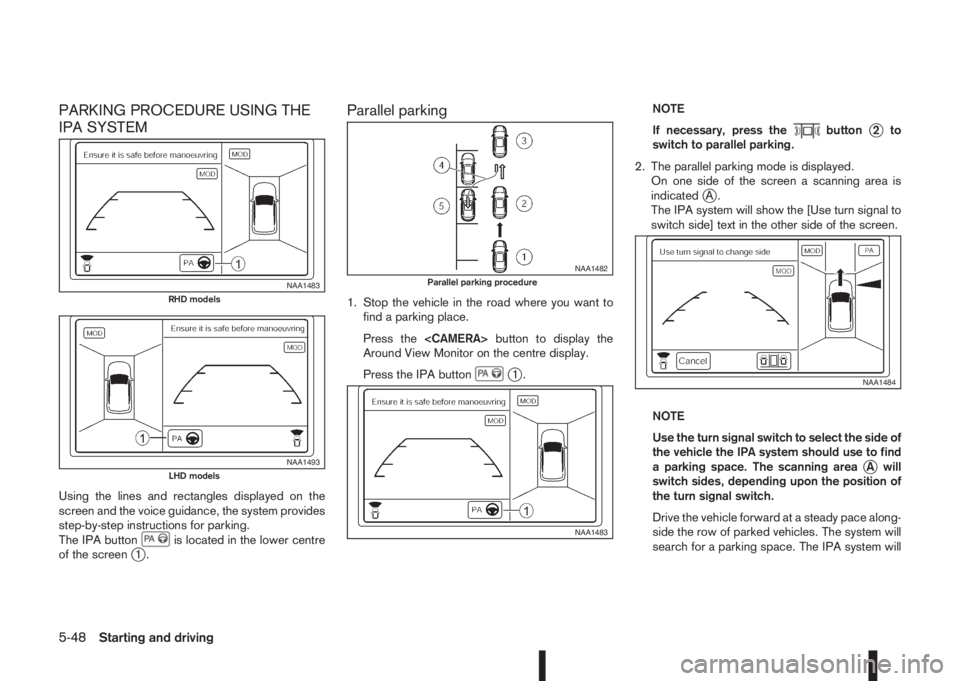
Using the lines and rectangles displayed on the
screen and the voice guidance, the system provides
step-by-step instructions for parking.
The IPA button
is located in the lower centre
of the screenj1.
Parallel parking
1. Stop the vehicle in the road where you want to
find a parking place.
Press the
Around View Monitor on the centre display.
Press the IPA button
j1.NOTE
If necessary, press the
buttonj2to
switch to parallel parking.
2. The parallel parking mode is displayed.
On one side of the screen a scanning area is
indicated
jA.
The IPA system will show the [Use turn signal to
switch side] text in the other side of the screen.
NOTE
Use the turn signal switch to select the side of
the vehicle the IPA system should use to find
a parking space. The scanning area
jA will
switch sides, depending upon the position of
the turn signal switch.
Drive the vehicle forward at a steady pace along-
side the row of parked vehicles. The system will
search for a parking space. The IPA system will
NAA1483RHD models
NAA1493LHD models
NAA1482Parallel parking procedure
NAA1483
NAA1484
5-48Starting and driving
Page 225 of 338
inform you when it finds a suitable parking space
between the parked vehicles. You will be told to
drive a short distance past the parking space,
and then stop.
3. Slowly move the vehicle forward to the correct
position until the IPA system instructs you to stop.
WARNING
If there is any doubt that the surroundings in
the path of the parking area and/or the park-
ing area itself are not free from obstacles im-
mediately stop the vehicle and check.
NOTE
Make sure the vehicle is stopped completely
before shifting the shift lever to the Reverse
(R) position.
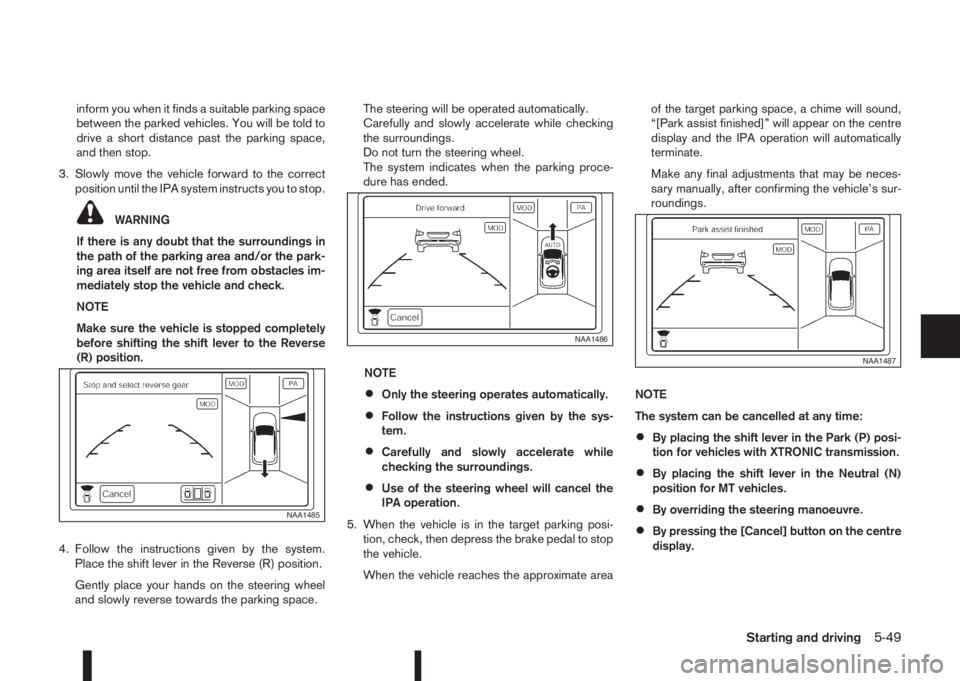
4. Follow the instructions given by the system.
Place the shift lever in the Reverse (R) position.
Gently place your hands on the steering wheel
and slowly reverse towards the parking space.The steering will be operated automatically.
Carefully and slowly accelerate while checking
the surroundings.
Do not turn the steering wheel.
The system indicates when the parking proce-
dure has ended.
NOTE
•Only the steering operates automatically.
•Follow the instructions given by the sys-
tem.
•Carefully and slowly accelerate while
checking the surroundings.
•Use of the steering wheel will cancel the
IPA operation.
5. When the vehicle is in the target parking posi-
tion, check, then depress the brake pedal to stop
the vehicle.
When the vehicle reaches the approximate areaof the target parking space, a chime will sound,
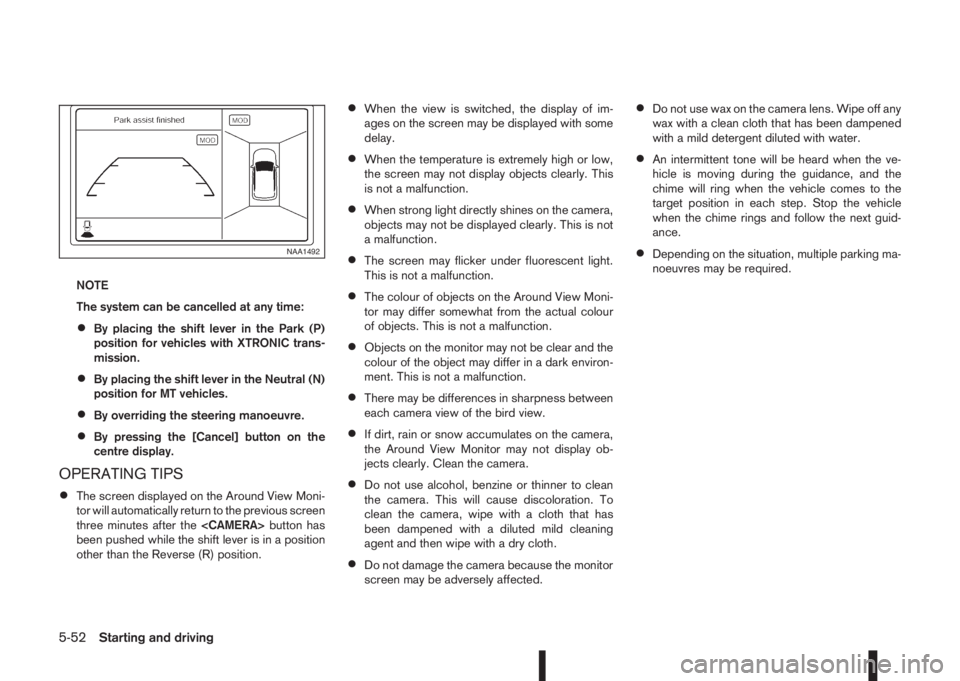
“[Park assist finished]” will appear on the centre
display and the IPA operation will automatically
terminate.
Make any final adjustments that may be neces-
sary manually, after confirming the vehicle’s sur-
roundings.
NOTE
The system can be cancelled at any time:
•By placing the shift lever in the Park (P) posi-
tion for vehicles with XTRONIC transmission.
•By placing the shift lever in the Neutral (N)
position for MT vehicles.
•By overriding the steering manoeuvre.
•By pressing the [Cancel] button on the centre
display.
NAA1485
NAA1486
NAA1487
Starting and driving5-49
Page 226 of 338
Parking in a bay
1. Stop the vehicle near to the space where you
wish to park.
2. Press the
IPA button
.NOTE
If the bird’s-eye view is not displayed on the
front passenger side of the screen, press the
displayed.
The IPA system will show the [Use turn signal to
switch side] text.
NOTE
Use the turn signal switch to select the side of
the vehicle where the parking bay is situated.
The scanning area
jA will switch sides, de-
pending upon the position of the turn signal
switch.
3. Press the
buttonj2 to switch to bay park-
ing.
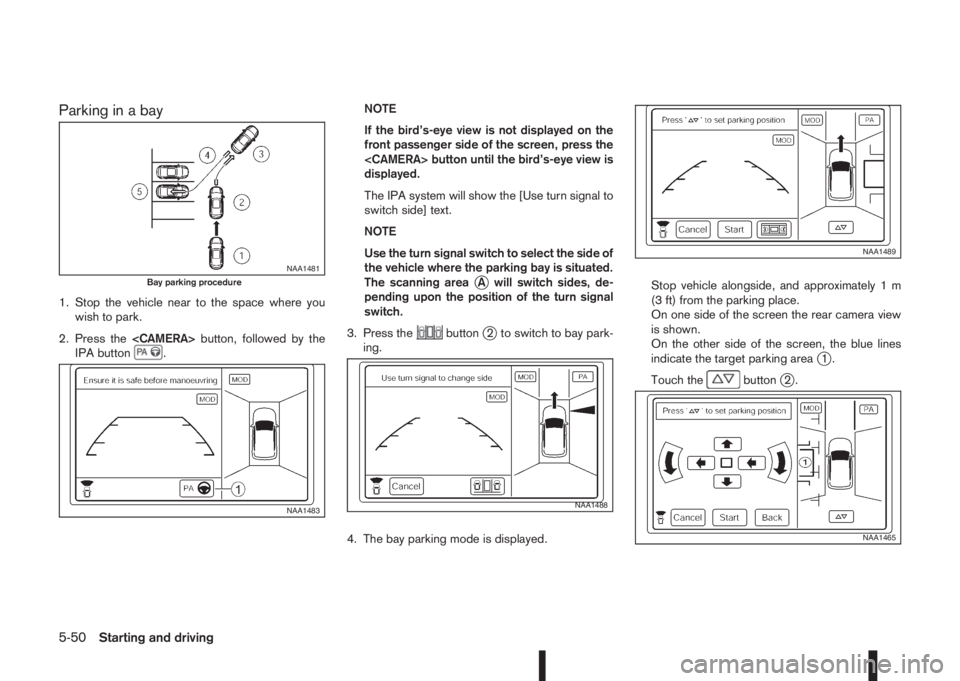
4. The bay parking mode is displayed.Stop vehicle alongside, and approximately 1 m
(3 ft) from the parking place.
On one side of the screen the rear camera view
is shown.
On the other side of the screen, the blue lines
indicate the target parking area
j1.
Touch the
buttonj2.
NAA1481Bay parking procedure
NAA1483NAA1488
NAA1489
NAA1465
5-50Starting and driving
Page 227 of 338
![NISSAN QASHQAI 2016 Owner´s Manual Adjust the target parking rectanglej1 (blue) us-
ing the arrow keys on the screen so that the
clearance guidelines do not overlap any
obstacles around the vehicle.
CAUTION
After pressing [Start] the v](/img/5/40324/w960_40324-226.png "NISSAN QASHQAI 2016 Owner´s Manual Adjust the target parking rectanglej1 (blue) us-
ing the arrow keys on the screen so that the
clearance guidelines do not overlap any
obstacles around the vehicle.
CAUTION
After pressing [Start] the v")
Adjust the target parking rectanglej1 (blue) us-
ing the arrow keys on the screen so that the
clearance guidelines do not overlap any
obstacles around the vehicle.
CAUTION
After pressing [Start] the vehicle will park within
the blue area. Make sure this area is free of ob-
stacles.
5. Press [Start].
The vehicle starts the parking procedure. The
IPA operation can be started when the following
conditions are met:
•The vehicle is completely stopped.
•The steering wheel is in the straight-ahead
position.
•The shift lever is in the Drive (D) or a forward
shift position.
NOTE
If the vehicle deviates from the parking rect-
angle while following the parking procedure,
stop and adjust the position.
WARNING
If there is any doubt that the surroundings in the
path of the parking area and/or the parking area
itself are not free from obstacles immediately
stop the vehicle and check.6. Gently place hands on the steering wheel and
slowly move forward the vehicle to the correct
position indicated in green in preparation for re-
versing.
Bring the vehicle to a standstill
The steering wheel will operate itself towards the
reverse starting position rectangle (green).
Depress the brake and stop the vehicle when it
approaches another vehicle or object, or when
the vehicle reaches the reverse starting position.
7. Place the shift lever in the Reverse (R) position
Gently place hands on the steering wheel and
slowly back up to the parking space
Steering will be operated automatically.NOTE
•Only the steering operates automatically.
•Follow the instructions given by the sys-
tem.
•Carefully and slowly accelerate while
checking the surroundings.
•Use of the steering wheel will cancel the
IPA operation.
8. When the vehicle is in the target parking posi-
tion, check, then depress the brake pedal to stop
the vehicle.
When the vehicle reaches the approximate area
of the target parking space, a chime will sound,
“[Park assist finished]” will appear on the centre
display and the IPA operation will automatically
terminate.
Make any final adjustments that may be neces-
sary manually, after confirming the vehicle’s sur-
roundings.
NAA1490
NAA1491
Starting and driving5-51
Page 228 of 338
NOTE
The system can be cancelled at any time:
•By placing the shift lever in the Park (P)
position for vehicles with XTRONIC trans-
mission.
•By placing the shift lever in the Neutral (N)
position for MT vehicles.
•By overriding the steering manoeuvre.
•By pressing the [Cancel] button on the
centre display.
OPERATING TIPS
•The screen displayed on the Around View Moni-
tor will automatically return to the previous screen
three minutes after the
been pushed while the shift lever is in a position
other than the Reverse (R) position.
•When the view is switched, the display of im-
ages on the screen may be displayed with some
delay.
•When the temperature is extremely high or low,
the screen may not display objects clearly. This
is not a malfunction.
•When strong light directly shines on the camera,
objects may not be displayed clearly. This is not
a malfunction.
•The screen may flicker under fluorescent light.
This is not a malfunction.
•The colour of objects on the Around View Moni-
tor may differ somewhat from the actual colour
of objects. This is not a malfunction.
•Objects on the monitor may not be clear and the
colour of the object may differ in a dark environ-
ment. This is not a malfunction.
•There may be differences in sharpness between
each camera view of the bird view.
•If dirt, rain or snow accumulates on the camera,
the Around View Monitor may not display ob-
jects clearly. Clean the camera.
•Do not use alcohol, benzine or thinner to clean
the camera. This will cause discoloration. To
clean the camera, wipe with a cloth that has
been dampened with a diluted mild cleaning
agent and then wipe with a dry cloth.
•Do not damage the camera because the monitor
screen may be adversely affected.
•Do not use wax on the camera lens. Wipe off any
wax with a clean cloth that has been dampened
with a mild detergent diluted with water.
•An intermittent tone will be heard when the ve-
hicle is moving during the guidance, and the
chime will ring when the vehicle comes to the
target position in each step. Stop the vehicle
when the chime rings and follow the next guid-
ance.
•Depending on the situation, multiple parking ma-
noeuvres may be required.NAA1492
5-52Starting and driving
Page 230 of 338
Your new vehicle was designed to be used primarily
to carry passengers and luggage.
Remember that towing a trailer will place additional
loads on your vehicle’s engine, drive-train, steering,
braking and other systems. Towing a trailer will also
exaggerate other conditions, such as sway caused
by crosswinds, rough road surfaces or passing
trucks. Driving style and speed must be adjusted
according to the circumstances. Before towing a
trailer, see a NISSAN dealer or qualified workshop
for an explanation of towing equipment and its
proper use.
OPERATING PRECAUTIONS
•Avoid towing a trailer during the running-in
schedule.
•Choose proper coupling devices (trailer hitch,
safety chain, roof carrier, etc.) for your vehicle
and trailer. These devices are available from a
NISSAN dealer or qualified workshop where you
can also obtain more detailed information about
trailer towing.
Heavy-duty kits are available at a NISSAN dealer
or qualified workshop.
•It is advisable to contact a NISSAN dealer or
qualified workshop for towing details, before
towing a trailer up steep slopes for long dis-
tances.
•Never allow the total trailer load (trailer weight
plus its cargo weight) to exceed the maximum
set for the coupling device.Contact a NISSAN dealer or qualified workshop
for more information on this matter.
•The trailer must be loaded so that heavy goods
are distributed over the axle and as low in the
trailer as possible. Poor load distribution can se-
riously affect the stability of the trailer and tow
vehicle.
•Do not exceed the maximum permitted vertical
load on the trailer hitch.
•Before driving, make sure that the lighting sys-
tem of the trailer works properly.
•When towing with 4WD models, the 4WD mode
switch should be in the AUTO position. Using
the vehicle in AUTO mode gives better traction,
particularly when moving off from stationary and/
or on an incline, as the vehicle is less likely to
wheel spin.
•Avoid abrupt starts, accelerations and stops.
•Avoid sharp turns and lane changes.
•Always drive your vehicle at a moderate speed.
•Always block the wheels on both vehicle and
trailer when parking. Apply the handbrake (where
fitted) on the trailer. Parking on a steep slope is
not recommended.
If parking on a steep slope is unavoidable it is
also advisable to put the vehicle into gear, or
select P (Park (XTRONIC models)), and turn the
front wheels into the kerb (in addition to the other
precautions described). Before parking on asteep slope consider the incline (the towing
weights quoted are for a 12% slope).
•Follow the trailer manufacturer’s instructions.
•Have your vehicle serviced more often than at
the intervals specified in the separately provided
Warranty Information and Maintenance booklet.
•Trailer towing requires more fuel than under nor-
mal circumstances because of a considerable
increase in traction power required and resis-
tance.
•When towing a trailer, observe the following re-
stricted towing speed:
Speed: below 100 km/h (62 MPH)
•Observe the legal maximum speeds for trailer
operation.
CAUTION
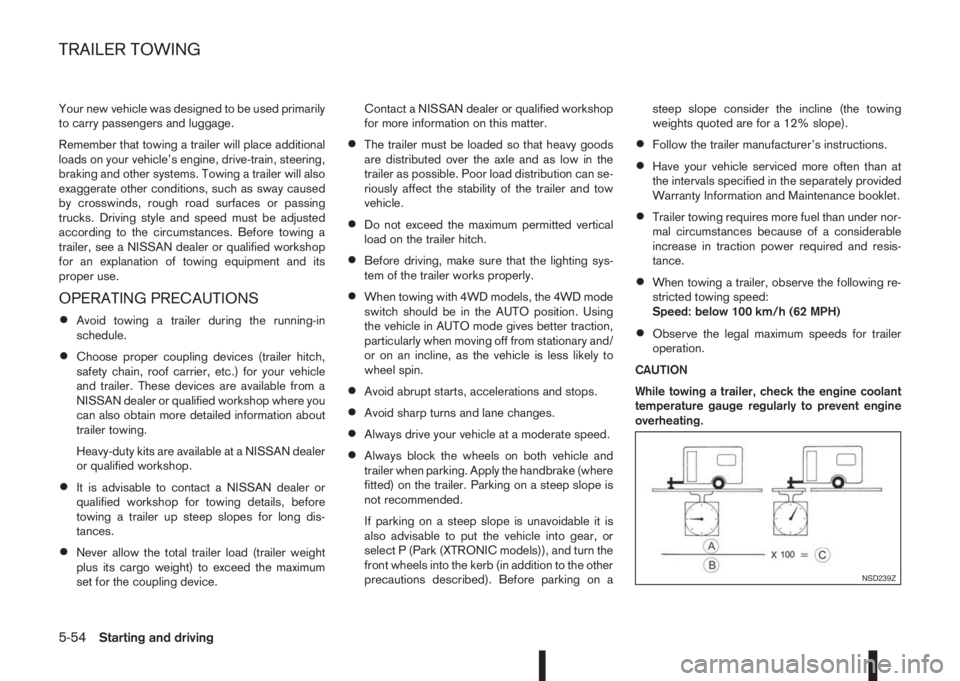
While towing a trailer, check the engine coolant
temperature gauge regularly to prevent engine
overheating.
NSD239Z
TRAILER TOWING
5-54Starting and driving
Page 234 of 338
You may hear a sound when the steering wheel
is operated quickly. However, this is not a mal-
function.
If the electric power steering warning light
illu-
minates while the engine is running, it may indicate
the electric power steering system is not functioning
properly and may need servicing. Have the electric
power steering system checked by a NISSAN dealer
or qualified workshop. (See “ Power steering warn-
ing light” in the “2. Instruments and controls” sec-
tion.)
When the electric power steering warning light illu-
minates with the engine running, the power assis-
tance for the steering will cease operation. You will
still have control of the vehicle. However, greater
steering effort is needed, especially in sharp turns
and at low speeds.The brake system has two separate hydraulic cir-
cuits. If one circuit malfunctions, two wheels will still
have braking ability.BRAKE PRECAUTIONS
Vacuum assisted brake
The brake booster aids braking by using engine
vacuum or vacuum from an engine-driven pump. If
the engine stops or the drive belt is broken, you can
stop the vehicle by depressing the brake pedal.
However, greater foot pressure on the brake pedal
will be required to stop the vehicle and the stopping
distance will be longer.
Wet brakes
When the vehicle is washed or driven through wa-
ter, the brakes may get wet. As a result, your brak-
ing distance will be longer and the vehicle may pull
to one side during braking.
To dry brakes, drive the vehicle at a safe speed
while lightly pressing the brake pedal to heat up the
brakes. Do this until the brakes return to normal.
Avoid driving the vehicle at high speeds until the
brakes function correctly.
Using the brakes
Avoid resting your foot on the brake pedal while
driving. This will overheat the brakes, wear out the
brake linings and pads faster and reduce fuel
economy performance.
To help reduce brake wear and to prevent the brakes
from overheating, reduce speed and shift to a lower
gear before going down a slope or long downhillgradient. Overheated brakes may reduce braking
performance and could result in loss of vehicle con-
trol.
CAUTION
While driving on a slippery surface, be careful
when braking, accelerating or downshifting.
Abrupt braking actions or sudden acceleration
could cause the wheels to skid and result in an
accident.
Be aware that brakes will fade if repeated heavy
brake applications are made.
Driving uphill
When starting on a steep gradient, it is sometimes
difficult to operate the brake or both the brake and
clutch (MT models). Use the parking brake to hold
the vehicle. Do not slip the clutch (MT models).
When ready to start, make sure that the shift lever is
in an appropriate forward or reverse driving posi-
tion, slowly release the parking brake while depress-
ing the accelerator pedal and releasing the clutch
(MT models) or depressing the accelerator pedal
(XTRONIC transmission models). If your vehicle has
an electric parking brake, this will automatically re-
lease when you depress the accelerator pedal and
release the clutch (MT models) or depress the ac-
celerator pedal (XTRONIC transmission models).
BRAKE SYSTEM
5-58Starting and driving
Page 235 of 338
Driving downhill
The engine braking action is effective for controlling
the vehicle while descending hills.
The shift lever (MT models) should be placed in a
gear position low enough to obtain sufficient engine
braking.
For XTRONIC transmission models, a low gear po-
sition in the manual shift mode, low enough to obtain
sufficient engine braking, should be selected.WARNING
•The Anti-lock Braking System (ABS) is a so-
phisticated device, but it cannot prevent acci-
dents resulting from careless or dangerous
driving techniques. It can help maintain ve-
hicle control during braking on slippery sur-
faces. Remember that stopping distances on
slippery surfaces will be longer than on nor-
mal surfaces even with ABS. Stopping dis-
tances may also be longer on rough, gravel or
snow covered roads, or if you are using snow
chains. Always maintain a safe distance from
the vehicle in front of you. Ultimately, the
driver is responsible for safety.
•Tyre type and condition may also affect brak-
ing effectiveness.
– When replacing tyres, install the specified
size of tyres on all four wheels.
– When installing a spare tyre, make sure
that it is the proper size and type as speci-
fied on the tyre placard. (See “Vehicle
identification” in the “9. Technical
information” section.)
– For detailed information, see “Wheels and
tyres” in the “8. Maintenance and
do-it-yourself” section.
The Anti-lock Braking System (ABS) controls the
brakes so the wheels do not lock during hard brak-
ing or when braking on slippery surfaces. The sys-
tem detects the rotation speed at each wheel and
varies the brake fluid pressure to prevent each wheelfrom locking and sliding. By preventing each wheel
from locking, the system helps the driver maintain
steering control and helps to minimise swerving and
spinning on slippery surfaces.
USING SYSTEM
Depress the brake pedal and hold it down. Depress
the brake pedal with firm steady pressure, but do
not pump the brakes. The ABS will operate to pre-
vent the wheels from locking up. Steer the vehicle to
avoid obstacles.
WARNING
Do not pump the brake pedal. Doing so may re-
sult in increased stopping distances.
SELF-TEST FEATURE
The ABS includes electronic sensors, electric
pumps, hydraulic solenoids and a computer. The
computer has a built-in diagnostic feature that tests
the system each time you start the engine and move
the vehicle at a low speed in forward or reverse.
When the self-test occurs, you may hear a “clunk”
noise and/or feel a pulsation in the brake pedal. This
is normal and does not indicate a malfunction. If the
computer senses a malfunction, it switches the ABS
off and illuminates the ABS warning light on the
instrument panel. The brake system then operates
normally, but without anti-lock assistance.
If the ABS warning light illuminates during the self-
test or while driving, have the vehicle checked by a
NISSAN dealer or qualified workshop.
ANTI-LOCK BRAKING SYSTEM
(ABS)
Starting and driving5-59
Page 240 of 338
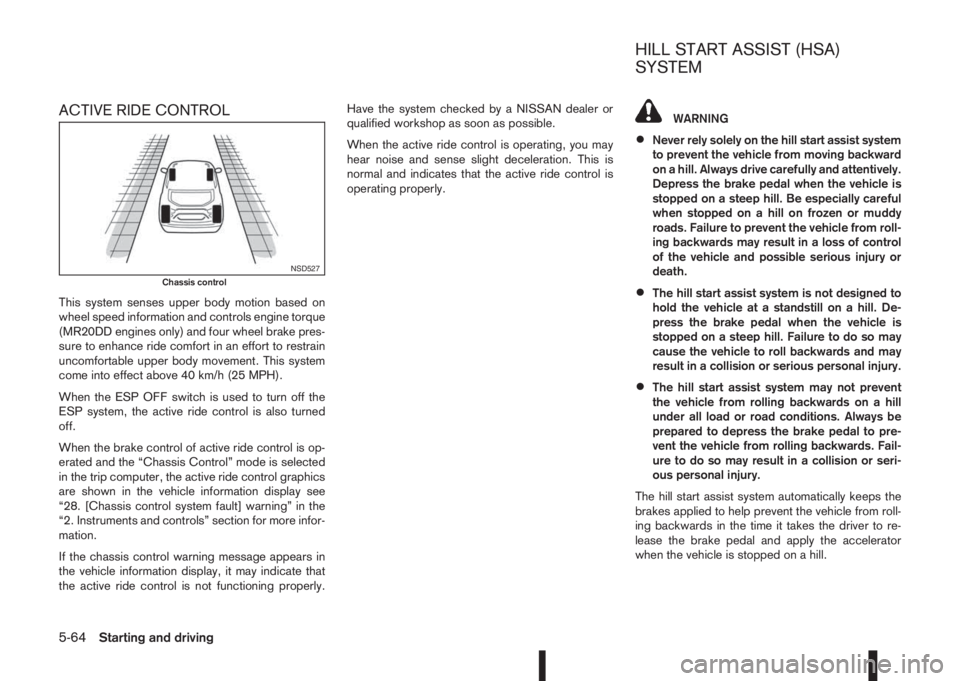
ACTIVE RIDE CONTROL
This system senses upper body motion based on
wheel speed information and controls engine torque
(MR20DD engines only) and four wheel brake pres-
sure to enhance ride comfort in an effort to restrain
uncomfortable upper body movement. This system
come into effect above 40 km/h (25 MPH).
When the ESP OFF switch is used to turn off the
ESP system, the active ride control is also turned
off.
When the brake control of active ride control is op-
erated and the “Chassis Control” mode is selected
in the trip computer, the active ride control graphics
are shown in the vehicle information display see
“28. [Chassis control system fault] warning” in the
“2. Instruments and controls” section for more infor-
mation.
If the chassis control warning message appears in
the vehicle information display, it may indicate that
the active ride control is not functioning properly.Have the system checked by a NISSAN dealer or
qualified workshop as soon as possible.
When the active ride control is operating, you may
hear noise and sense slight deceleration. This is
normal and indicates that the active ride control is
operating properly.
WARNING
•Never rely solely on the hill start assist system
to prevent the vehicle from moving backward
on a hill. Always drive carefully and attentively.
Depress the brake pedal when the vehicle is
stopped on a steep hill. Be especially careful
when stopped on a hill on frozen or muddy
roads. Failure to prevent the vehicle from roll-
ing backwards may result in a loss of control
of the vehicle and possible serious injury or
death.
•The hill start assist system is not designed to
hold the vehicle at a standstill on a hill. De-
press the brake pedal when the vehicle is
stopped on a steep hill. Failure to do so may
cause the vehicle to roll backwards and may
result in a collision or serious personal injury.
•The hill start assist system may not prevent
the vehicle from rolling backwards on a hill
under all load or road conditions. Always be
prepared to depress the brake pedal to pre-
vent the vehicle from rolling backwards. Fail-
ure to do so may result in a collision or seri-
ous personal injury.
The hill start assist system automatically keeps the
brakes applied to help prevent the vehicle from roll-
ing backwards in the time it takes the driver to re-
lease the brake pedal and apply the accelerator
when the vehicle is stopped on a hill.
NSD527Chassis control
HILL START ASSIST (HSA)
SYSTEM
5-64Starting and driving