ECU NISSAN QASHQAI 2017 Owner´s Manual
[x] Cancel search | Manufacturer: NISSAN, Model Year: 2017, Model line: QASHQAI, Model: NISSAN QASHQAI 2017Pages: 508, PDF Size: 2.68 MB
Page 96 of 508
appears in the vehicle information display. If
the fuel-filler cap is loose or missing, tighten
or install the cap and continue to drive the
vehicle. The
light should turn off after a
few driving trips. If thelight does not
turn off after a few driving trips, have the
vehicle inspected. It is recommended you
visit a NISSAN dealer for this service. You
do not need to have your vehicle towed to
the dealer.
.Malfunction indicator light blinking — An
engine misfire has been detected which may
damage the emission control system.
To reduce or avoid emission control system
damage:
1) Do not drive at speeds above 45 MPH
(72 km/h) .
2) Avoid hard acceleration or deceleration.
3) Avoid steep uphill grades.
4) If possible, reduce the amount of cargo
being hauled or towed.
The malfunction indicator light may stop
blinking and remain on.
Have the vehicle inspected. It is recom-
mended you visit a NISSAN dealer for this
service. You do not need to have your
vehicle towed to the dealer.
CAUTION
Continued vehicle operation without
having the emission control system
and/or CVT system checked and re-
paired as necessary could lead to poor
driveability, reduced fuel economy, and
possible damage to the emission con-
trol system.
Security indicator light
The light blinks when the ignition switch is in the
OFF or LOCK position. This function indicates
the security system equipped on the vehicle is
operational.
If the security system is malfunctioning, this light
will remain on while the ignition switch is in the
ON position. For additional information, see
“Security systems” (P.2-36) .
Turn signal/hazard indicator lights
The light flashes when the turn signal switch
lever or hazard switch is turned on.
Vehicle Dynamic Control (VDC) off
indicator light
When the ignition switch is in the ON position,
the Vehicle Dynamic Control (VDC) off indicator
light illuminates and then turns off.
The light comes on when the Vehicle Dynamic
Control (VDC) off switch is pushed to OFF. This
indicates that the VDC system and traction
control system are not operating.
AUDIBLE REMINDERS
Key reminder chime
Models with Intelligent Key:
A chime sounds if the driver’s door is opened
while the ignition switch is placed in the OFF
position with the Intelligent Key left in the
vehicle.
Make sure the ignition switch is placed in the
LOCK position, and carry it with you when
leaving the vehicle.
Models without Intelligent Key:
A chime sounds if the driver’s side door is
opened while the key is left in the ignition switch
and the ignition switch is in the OFF or LOCK
position. Be sure to remove the key and carry it
with you when you leave the vehicle.
Instruments and controls2-17
Page 97 of 508
2-18Instruments and controls
Light reminder chime
The light reminder chime will sound when the
driver side door is opened with the headlight
switch in the
orposition, and the
ignition switch is in the ACC, OFF or LOCK
position.
Turn the light switch off when you leave the
vehicle.
NISSAN Intelligent KeyŠdoor buzzer (if
so equipped)
The Intelligent Key door buzzer sounds if any
one of the following improper operations is
found.
.The Intelligent Key is left inside the vehicle
when locking the doors.
.The Intelligent Key is left outside the vehicle
when operating the vehicle.
When the buzzer sounds, be sure to check both
the vehicle and the Intelligent Key. For additional
information, refer to “Intelligent Key system”
(P.3-11) .
Brake pad wear warning
The disc brake pads have audible wear warn-
ings. When a brake pad requires replacement, it
will make a high pitched scraping sound when
the vehicle is in motion. This scraping sound will
first occur only when the brake pedal isdepressed. After more wear of the brake pad,
the sound will always be heard even if the brake
pedal is not depressed. Have the brakes
checked as soon as possible if the warning
sound is heard.
Parking brake reminder chime
The parking brake reminder chime will sound if
the vehicle is driven at more than 4 MPH (7
km/h) (models not equipped with electronic
parking brake) or 2 MPH (4 km/h) (models
equipped with electronic parking brake) with the
parking brake applied. Stop the vehicle and
release the parking brake.
Seat belt warning chime
The seat belt warning chime will sound for about
6 seconds unless the driver’s seat belt is
securely fastened.
JVI0641X
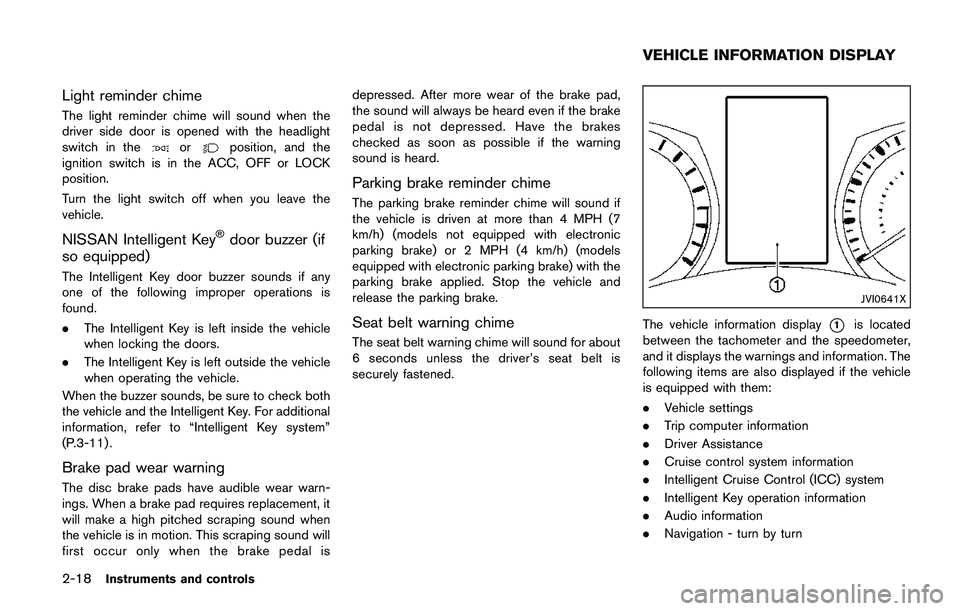
The vehicle information display*1is located
between the tachometer and the speedometer,
and it displays the warnings and information. The
following items are also displayed if the vehicle
is equipped with them:
.Vehicle settings
.Trip computer information
.Driver Assistance
.Cruise control system information
.Intelligent Cruise Control (ICC) system
.Intelligent Key operation information
.Audio information
.Navigation - turn by turn
VEHICLE INFORMATION DISPLAY
Page 108 of 508
10. Low Washer Fluid warning (if so
equipped)
This warning appears when the window washer
fluid is at a low level. Add window washer fluid
as necessary. For additional information, refer to
“Window washer fluid” (P.8-10) .
11. Door/liftgate open warning
This warning appears if any of the doors and/or
the liftgate are open or not closed securely. The
vehicle icon indicates which door or the liftgate
is open on the display.
12. Key System Error: See Owner’s
Manual warning (if so equipped)
This warning appears if there is a malfunction in
the Intelligent Key system.
If this warning appears while the engine is
stopped, the engine cannot be started. If this
warning appears while the engine is running, the
vehicle can be driven. However, it is recom-
mended that you visit a NISSAN dealer for repair
as soon as possible.
13. Loose Fuel Cap warning
This warning appears when the fuel-filler cap is
not tightened correctly after the vehicle has
been refueled. For additional information, refer to
“Fuel-filler cap” (P.3-27) .
14. Tire Pressure Low — Add Air
warning
This warning appears when the low tire pressure
warning light in the meter illuminates and low tire
pressure is detected. The warning appears each
time the ignition switch is placed in the ON
position as long as the low tire pressure warning
light remains illuminated. If this warning appears,
stop the vehicle and adjust the pressure to the
recommended COLD tire pressure shown on
the Tire and Loading Information label. (See
“Low tire pressure warning light” (P.2-13) and
“Tire Pressure Monitoring System (TPMS)” (P.5-
5) .)
15. Low Oil Pressure Stop Vehicle
warning
This warning appears if low engine oil pressure
is detected. If the warning appears during
normal driving, pull off the road in a safe area
and stop the engine immediately. It is recom-
mended that you call a NISSAN dealer.
The low oil pressure warning is not designed to
indicate a low oil level. Use the dipstick to checkthe oil level. (See “Engine oil” (P.8-6) .)
CAUTION
Running the engine with the engine oil
pressure warning displayed could
cause serious damage to the engine.
16. AWD Error: See Owner’s Manual
warning (if so equipped)
This warning appears when the All-Wheel Drive
(AWD) system is not functioning properly while
the engine is running. Reduce vehicle speed and
have the system checked. It is recommended
that you visit a NISSAN dealer for this service.
See “All-Wheel Drive (AWD)” (P.5-96) .
17. AWD High Temp. Stop vehicle
warning (if so equipped)
This warning may appear while trying to free a
stuck vehicle due to increased oil temperature.
The driving mode may change to Two-Wheel
Drive (2WD) . If this warning is displayed, stop
the vehicle with the engine idling, as soon as it is
safe to do so. Then if the warning turns off, you
can continue driving. See “All-Wheel Drive
(AWD)” (P.5-96) .
Instruments and controls2-29
Page 115 of 508
2-36Instruments and controls
JVI0932X
CLOCK AND OUTSIDE AIR TEM-
PERATURE
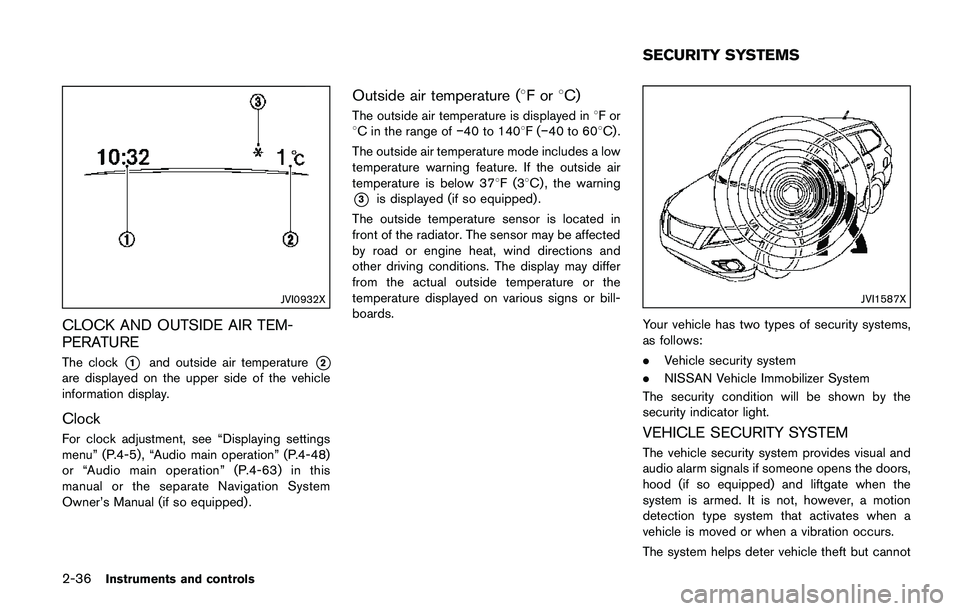
The clock*1and outside air temperature*2
are displayed on the upper side of the vehicle
information display.
Clock
For clock adjustment, see “Displaying settings
menu” (P.4-5) , “Audio main operation” (P.4-48)
or “Audio main operation” (P.4-63) in this
manual or the separate Navigation System
Owner’s Manual (if so equipped) .
Outside air temperature (8For8C)
The outside air temperature is displayed in8For
8C in the range ofí40 to 1408F(í40 to 608C) .
The outside air temperature mode includes a low
temperature warning feature. If the outside air
temperature is below 378F(38C) , the warning
*3is displayed (if so equipped) .
The outside temperature sensor is located in
front of the radiator. The sensor may be affected
by road or engine heat, wind directions and
other driving conditions. The display may differ
from the actual outside temperature or the
temperature displayed on various signs or bill-
boards.
JVI1587X
Your vehicle has two types of security systems,
as follows:
.Vehicle security system
.NISSAN Vehicle Immobilizer System
The security condition will be shown by the
security indicator light.
VEHICLE SECURITY SYSTEM
The vehicle security system provides visual and
audio alarm signals if someone opens the doors,
hood (if so equipped) and liftgate when the
system is armed. It is not, however, a motion
detection type system that activates when a
vehicle is moved or when a vibration occurs.
The system helps deter vehicle theft but cannot
SECURITY SYSTEMS
Page 116 of 508
prevent it, nor can it prevent the theft of interior
or exterior vehicle components in all situations.
Always secure your vehicle even if parking for a
brief period. Never leave your keys in the vehicle,
and always lock it when unattended. Be aware
of your surroundings, and park in secure, well-lit
areas whenever possible.
Many devices offering additional protection,
such as component locks, identification markers,
and tracking systems, are available at auto
supply stores and specialty shops. Your
NISSAN dealer may also offer such equipment.
Check with your insurance company to see if
you may be eligible for discounts for various
theft protection features.
SIC2045
How to arm the vehicle security system
1. Close all windows.The system can be
armed even if the windows are open.
2. Remove the keys from the vehicle.
3. Close all doors, hood (if so equipped) and
liftgate. Lock all doors. The doors can be
locked with the key fob (if so equipped) ,
Intelligent Key (if so equipped) , door handle
request switch (if so equipped) , power door
lock switch, or mechanical key.
4. Confirm that the security indicator light stays
on for about 30 seconds. The vehicle
security system is now pre-armed. The
vehicle security system will automaticallyshift into the armed phase. The security light
begins to flash once every three seconds. If
during the pre-armed phase one of the
following occurs, the system will not arm:
.Any door is unlocked with the key fob (if
so equipped) , the Intelligent Key (if so
equipped) , mechanical key, or door
request switch.
.Ignition switch is placed in the ON
position.
Even when the driver and/or passengers
are in the vehicle, the system will activate
with all the doors, hood (if so equipped)
and liftgate locked with the ignition switch
placed in the LOCK position. When placing
the ignition switch in the ON position, the
system will be released.
Vehicle security system activation
The vehicle security system will give the follow-
ing alarm:
.The headlights blink and the horn sounds
intermittently.
.The alarm automatically turns off after
approximately 50 seconds. However, the
alarm reactivates if the vehicle is tampered
with again.
The alarm is activated by:
Instruments and controls2-37
Page 118 of 508
SIC2045
Security indicator light
The security indicator light blinks whenever the
ignition switch is placed in the OFF or LOCK
position.
This function indicates the NISSAN Vehicle
Immobilizer System is operational.
If the NISSAN Vehicle Immobilizer System is
malfunctioning, the light will remain on while the
ignition switch is placed in the ON position.
If the light still remains on and/or the
engine will not start, seek service for the
NISSAN Vehicle Immobilizer System as
soon as possible. Please bring all regis-
tered keys that you have. It is recom-mended you visit a NISSAN dealer for
this service.
WARNING
In freezing temperatures the washer
solution may freeze on the windshield
and obscure your vision which may lead
to an accident. Warm windshield with
the defroster before you wash the
windshield.
CAUTION
.Do not operate the washer continu-
ously for more than 30 seconds.
.Do not operate the washer if the
reservoir tank is empty.
.Do not fill the window washer
reservoir tank with washer fluid
concentrates at full strength. Some
methyl alcohol based washer fluid
concentrates may permanently stain
the grille if spilled while filling the
window washer reservoir tank.
.Pre-mix washer fluid concentrates
with water to the manufacturer’s
recommended levels before pouring
the fluid into the window washer
Instruments and controls2-39
WIPER AND WASHER SWITCH
Page 134 of 508
liquid containers.
JVI0884X
Door (front and rear)
CARGO AREA (if so equipped)
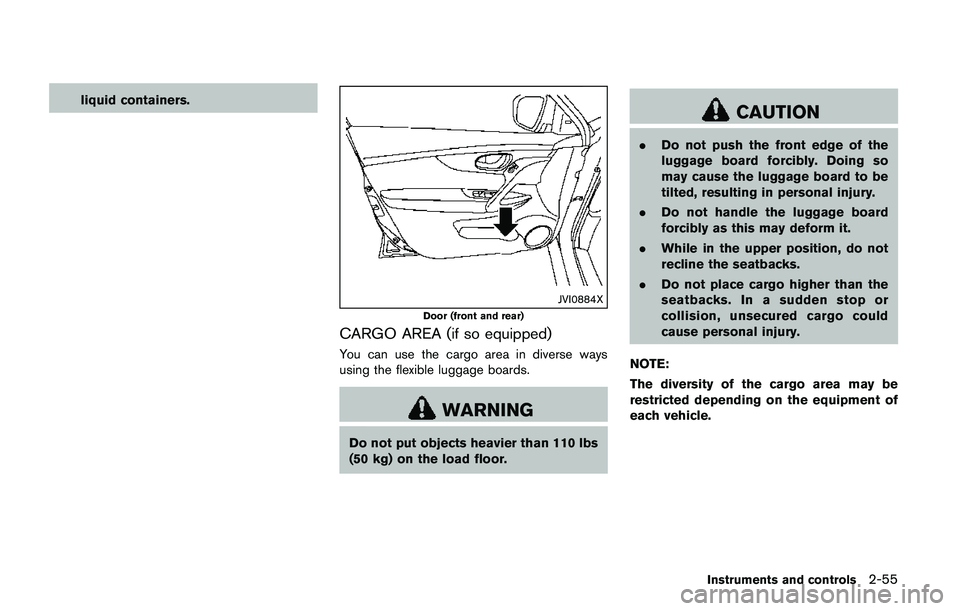
You can use the cargo area in diverse ways
using the flexible luggage boards.
WARNING
Do not put objects heavier than 110 lbs
(50 kg) on the load floor.
CAUTION
.Do not push the front edge of the
luggage board forcibly. Doing so
may cause the luggage board to be
tilted, resulting in personal injury.
.Do not handle the luggage board
forcibly as this may deform it.
.While in the upper position, do not
recline the seatbacks.
.Do not place cargo higher than the
seatbacks. In a sudden stop or
collision, unsecured cargo could
cause personal injury.
NOTE:
The diversity of the cargo area may be
restricted depending on the equipment of
each vehicle.
Instruments and controls2-55
Page 137 of 508
2-58Instruments and controls
JVI1686X
Cargo area
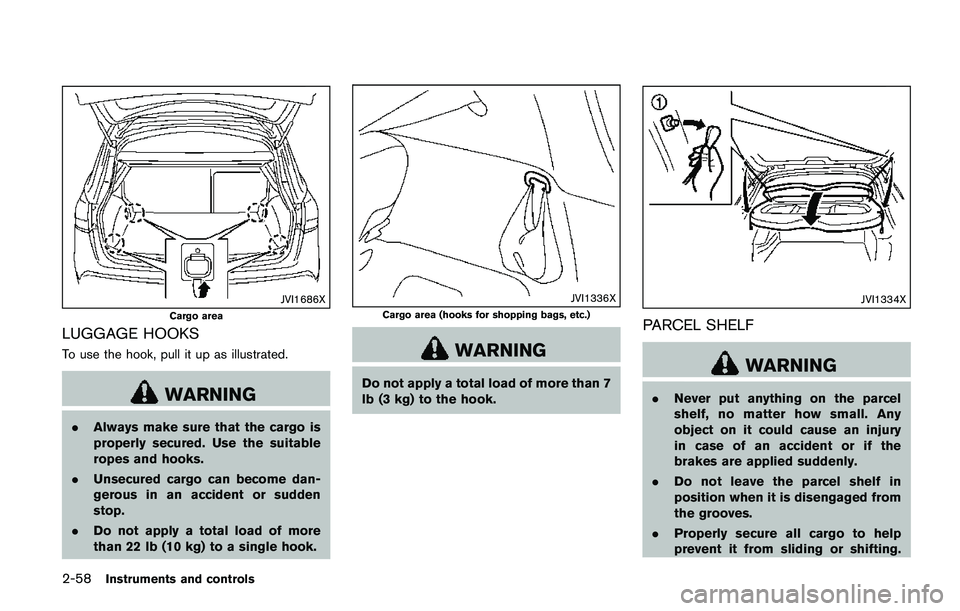
LUGGAGE HOOKS
To use the hook, pull it up as illustrated.
WARNING
.Always make sure that the cargo is
properly secured. Use the suitable
ropes and hooks.
.Unsecured cargo can become dan-
gerous in an accident or sudden
stop.
.Do not apply a total load of more
than 22 lb (10 kg) to a single hook.
JVI1336X
Cargo area (hooks for shopping bags, etc.)
WARNING
Do not apply a total load of more than 7
lb (3 kg) to the hook.
JVI1334X
PARCEL SHELF
WARNING
.Never put anything on the parcel
shelf, no matter how small. Any
object on it could cause an injury
in case of an accident or if the
brakes are applied suddenly.
.Do not leave the parcel shelf in
position when it is disengaged from
the grooves.
.Properly secure all cargo to help
prevent it from sliding or shifting.
Page 138 of 508
Do not place cargo higher than the
seatbacks. In a sudden stop or
collision, unsecured cargo could
cause personal injury
.The child restraint top tether strap
may be damaged by contact with
the parcel shelf or items in the cargo
area. Remove the parcel shelf from
the vehicle or store it in its storage
space. Also, secure any lose items in
the cargo area. Your child could be
seriously injured or killed in a colli-
sion if the top tether strap is da-
maged.
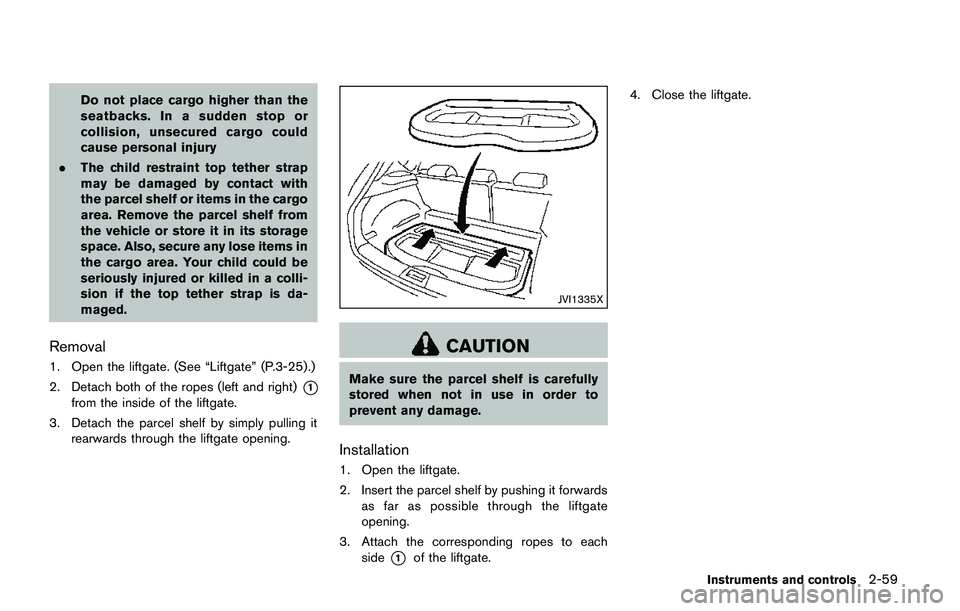
Removal
1. Open the liftgate. (See “Liftgate” (P.3-25) .)
2. Detach both of the ropes (left and right)
*1
from the inside of the liftgate.
3. Detach the parcel shelf by simply pulling it
rearwards through the liftgate opening.
JVI1335X
CAUTION
Make sure the parcel shelf is carefully
stored when not in use in order to
prevent any damage.
Installation
1. Open the liftgate.
2. Insert the parcel shelf by pushing it forwards
as far as possible through the liftgate
opening.
3. Attach the corresponding ropes to each
side
*1of the liftgate.4. Close the liftgate.
Instruments and controls2-59
Page 139 of 508
2-60Instruments and controls
JVI0889X
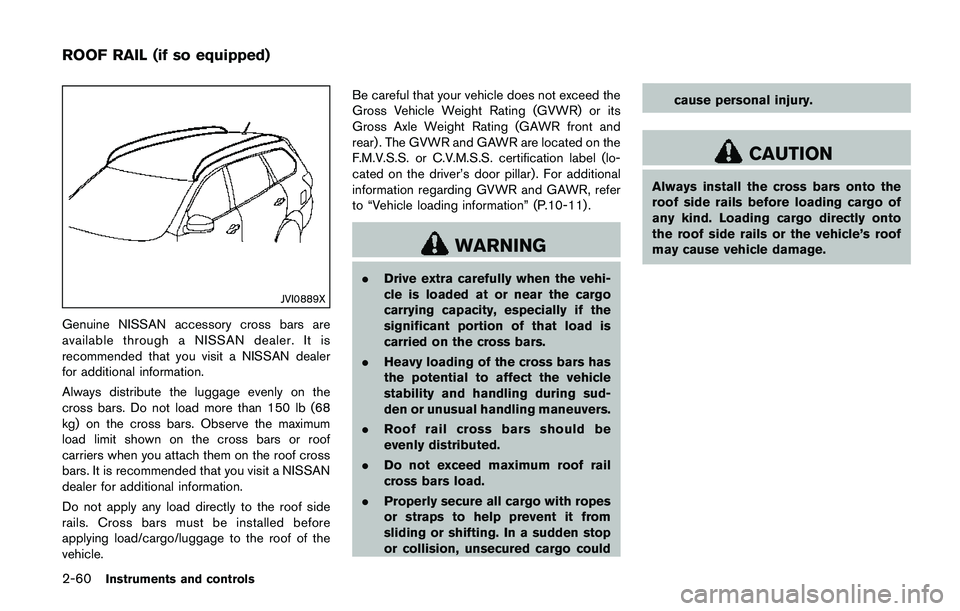
Genuine NISSAN accessory cross bars are
available through a NISSAN dealer. It is
recommended that you visit a NISSAN dealer
for additional information.
Always distribute the luggage evenly on the
cross bars. Do not load more than 150 lb (68
kg) on the cross bars. Observe the maximum
load limit shown on the cross bars or roof
carriers when you attach them on the roof cross
bars. It is recommended that you visit a NISSAN
dealer for additional information.
Do not apply any load directly to the roof side
rails. Cross bars must be installed before
applying load/cargo/luggage to the roof of the
vehicle.Be careful that your vehicle does not exceed the
Gross Vehicle Weight Rating (GVWR) or its
Gross Axle Weight Rating (GAWR front and
rear) . The GVWR and GAWR are located on the
F.M.V.S.S. or C.V.M.S.S. certification label (lo-
cated on the driver’s door pillar). For additional
information regarding GVWR and GAWR, refer
to “Vehicle loading information” (P.10-11) .
WARNING
.Drive extra carefully when the vehi-
cle is loaded at or near the cargo
carrying capacity, especially if the
significant portion of that load is
carried on the cross bars.
.Heavy loading of the cross bars has
the potential to affect the vehicle
stability and handling during sud-
den or unusual handling maneuvers.
.Roof rail cross bars should be
evenly distributed.
.Do not exceed maximum roof rail
cross bars load.
.Properly secure all cargo with ropes
or straps to help prevent it from
sliding or shifting. In a sudden stop
or collision, unsecured cargo couldcause personal injury.
CAUTION
Always install the cross bars onto the
roof side rails before loading cargo of
any kind. Loading cargo directly onto
the roof side rails or the vehicle’s roof
may cause vehicle damage.
ROOF RAIL (if so equipped)