check engine NISSAN QASHQAI 2017 Owner´s Manual
[x] Cancel search | Manufacturer: NISSAN, Model Year: 2017, Model line: QASHQAI, Model: NISSAN QASHQAI 2017Pages: 508, PDF Size: 2.68 MB
Page 319 of 508
5-34Starting and driving
3. Use thebuttons to navigate in the menu
and use the “OK” button to select or change
an item:
.Select “Lane” and press the “OK” button.
Use the “OK” button to check/uncheck
the box for “Warning”.
NOTE:
If you disable the LDW system, the system
will remain disabled the next time you start
the vehicle’s engine.
LDW SYSTEM LIMITATIONS
WARNING
Listed below are the system limitations
for the LDW system. Failure to follow
the warnings and instructions for prop-
er use of the LDW system could result in
serious injury or death.
.The system will not operate at
speeds below approximately 37
MPH (60 km/h) or if it cannot detect
lane markers.
.Excessive noise will interfere with
the warning chime sound, and the
chime may not be heard..Do not use the LDW system under
the following conditions as it may
not function properly:
— During bad weather (rain, fog,
snow, etc.) .
— When driving on slippery roads,
such as on ice or snow.
— When driving on winding or
uneven roads.
— When there is a lane closure due
to road repairs.
— When driving in a makeshift or
temporary lane.
— When driving on roads where
the lane width is too narrow.
— When driving without normal
tire conditions (for example, tire
wear, low tire pressure, installa-
tion of spare tire, tire chains,
non-standard wheels) .
— When the vehicle is equipped
with non-original brake parts or
suspension parts.
.The system may not function prop-
erly under the following conditions:— On roads where there are multi-
ple parallel lane markers; lane
markers that are faded or not
painted clearly; yellow painted
lane markers; non-standard lane
markers; or lane markers cov-
ered with water, dirt, snow, etc.
— On roads where discontinued
lane markers are still detect-
able.
— On roads where there are sharp
curves.
— On roads where there are shar-
ply contrasting objects, such as
shadows, snow, water, wheel
ruts, seams or lines remaining
after road repairs. (The LDW
system could detect these items
as lane markers.)
— On roads where the traveling
lane merges or separates.
— When the vehicle’s traveling di-
rection does not align with the
lane marker.
— When traveling close to the
vehicle in front of you, which
obstructs the lane camera unit
Page 320 of 508
detection range.
— When rain, snow, dirt or object
adheres to the windshield in
front of the lane camera unit.
— When the headlights are not
bright due to dirt on the lens or
if the aiming is not adjusted
properly.
— When strong light enters the
lane camera unit. (For example,
the light directly shines on the
front of the vehicle at sunrise or
sunset.)
— When a sudden change in
brightness occurs. (For example,
when the vehicle enters or exits
a tunnel or under a bridge.)
SYSTEM TEMPORARILY UNAVAIL-
ABLE
Condition A:
If the vehicle is parked in direct sunlight under
high temperature conditions (over approximately
1048F (408C)) and then started, the LDW
system may be deactivated automatically, the
LDW indicator will flash and the following
message will appear in the vehicle informationdisplay. - “Unavailable: High Cabin Tempera-
ture”
When the interior temperature is reduced, the
LDW system will resume operating automatically
and the LDW indicator will stop flashing.
Condition B:
The warning function of the LDW system is not
designed to work under the following condi-
tions:
.When you operate the lane change signal
and change traveling lanes in the direction of
the signal. (The LDW system will become
operable again approximately 2 seconds
after the lane change signal is turned off.)
.When the vehicle speed lowers to less than
approximately 37 MPH (60 km/h) .
Action to take:
After the above conditions have finished and the
necessary operating conditions are satisfied, the
LDW system will resume.SYSTEM MALFUNCTION
If the LDW system malfunctions, it will cancel
automatically and “Malfunction” will appear in
the vehicle information display. If “Malfunction”
appears in the vehicle information display, pull
off the road to a safe location and stop the
vehicle. Place the ignition switch in the OFF
position and restart the engine. If “Malfunction”continues to appear in the vehicle information
display, have the system checked. It is recom-
mended that you visit a NISSAN dealer for this
service.
Starting and driving5-35
Page 326 of 508

Temporary disabled status at high tem-
perature:
If the vehicle is parked in direct sunlight under
high temperature conditions (over approximately
1048F (408C)) and then the LDP system is
turned on, the LDP system may be deactivated
automatically and the following message will
appear on the vehicle information display:
“Unavailable: High Cabin Temperature.” When
the interior temperature is reduced, the system
will resume operating automatically.
SYSTEM MALFUNCTION
If the LDP system malfunctions, it will cancel
automatically. The LDP indicator (orange) will
illuminate and the “Malfunction” warning mes-
sage appear in the display.
If the LDP indicator (orange) illuminates in the
display, pull off the road to a safe location. Turn
the engine off and restart the engine. If the LDP
indicator (orange) continues to illuminate, have
the LDP system checked. It is recommended
that you visit a NISSAN dealer for this service.JVS1079X
SYSTEM MAINTENANCE
The lane camera unit*Afor the LDP system is
located above the inside mirror. To keep the
proper operation of the LDP system and prevent
a system malfunction, be sure to observe the
following:
.Always keep the windshield clean.
.Do not attach a sticker (including transpar-
ent material) or install an accessory near the
camera unit.
.Do not place reflective materials, such as
white paper or a mirror, on the instrument
panel. The reflection of sunlight may ad-
versely affect the camera unit’s capability of
detecting the lane markers..Do not strike or damage the areas around
the camera unit. Do not touch the camera
lens or remove the screw located on the
camera unit. If the camera unit is damaged
due to an accident, it is recommended that
you visit a NISSAN dealer.
Starting and driving5-41
Page 329 of 508

5-44Starting and driving
JVS1092X
*1Vehicle information display
*2Steering-wheel-mounted controls (left side)
*3Blind Spot Warning (BSW) switch (for models
without LDP system)
HOW TO ENABLE/DISABLE THE BSW
SYSTEM
Perform the following steps to enable or disablethe BSW system.
1. Press the
button until “Settings”
displays in the vehicle information display
and then press “OK” button. Use the
button to select “Driver Assistance”. Then
press the “OK” button.2. Select “Driving Aids” and press the “OK”
button.
3. Use the
buttons to navigate in the menu
and use the “OK” button to select or change
an item.
.Select “Blind Spot” and press the “OK”
button.
Use the “OK” button to check/uncheck
the box for “Warning.”
For models without LDP system:
To enable the BSW system, push the Blind Spot
Warning (BSW) switch on the instrument panel
after starting the engine.
The BSW ON indicator on the vehicle informa-
tion display will appear. Push the BSW switch
again to disable the BSW system. The BSW ON
indicator on the vehicle information display will
turn off.
NOTE:
The system will retain current settings in
the vehicle information display even if the
engine is restarted.
Page 334 of 508

JVS1090X
*1Vehicle information display
SYSTEM TEMPORARILY UNAVAIL-
ABLE
When radar blockage is detected, the BSW
system will be turned off automatically, a chime
will sound and the “Unavailable: Side Radar
Obstruction” warning message will appear in thevehicle information display
*1.
The system is not available until the conditions
no longer exist.
The radar sensors may be blocked by temporary
ambient conditions such as splashing water,
mist or fog. The blocked condition may also be
caused by objects such as ice, frost or dirtobstructing the radar sensors.
NOTE:
If the BSW system stops working, the
RCTA system will also stop working.
Action to take:
When the above conditions no longer exist, the
system will resume automatically.
If the “Unavailable: Side Radar Obstruction”
warning message continues to appear, have the
system checked. It is recommended that you
visit a NISSAN dealer for this service.
SYSTEM MALFUNCTION
When the BSW system malfunctions, it will be
turned off automatically and the system mal-
function warning message will appear in the
vehicle information display.
NOTE:
If the BSW system stops working, the
RCTA system will also stop working.
Action to take:
Stop the vehicle in a safe location, turn the
engine off and restart the engine. If the message
continues to appear, have the BSW system
checked. It is recommended that you visit a
NISSAN dealer for this service.
Starting and driving5-49
Page 341 of 508
5-56Starting and driving
JVS1090X
*1Vehicle information display
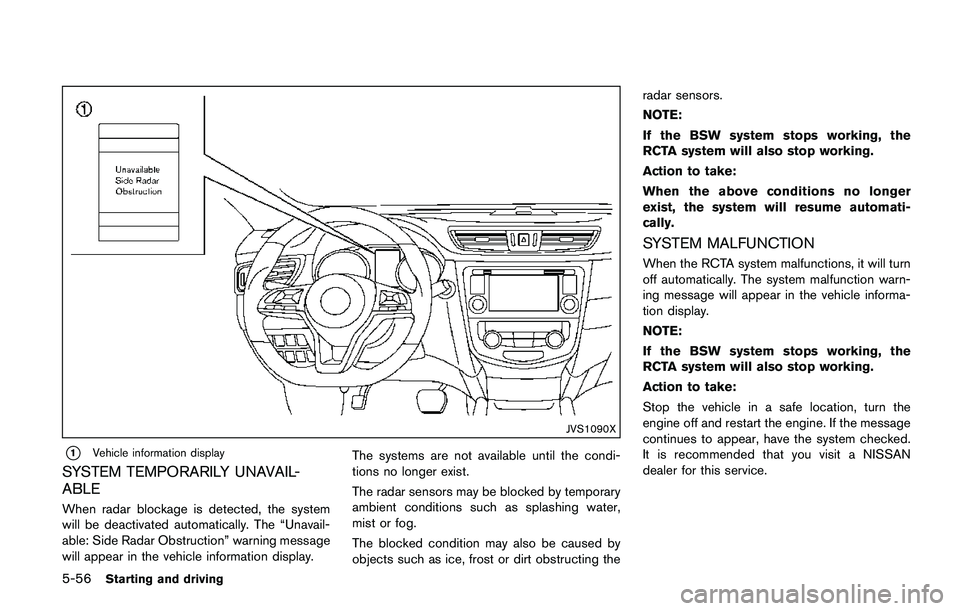
SYSTEM TEMPORARILY UNAVAIL-
ABLE
When radar blockage is detected, the system
will be deactivated automatically. The “Unavail-
able: Side Radar Obstruction” warning message
will appear in the vehicle information display.The systems are not available until the condi-
tions no longer exist.
The radar sensors may be blocked by temporary
ambient conditions such as splashing water,
mist or fog.
The blocked condition may also be caused by
objects such as ice, frost or dirt obstructing theradar sensors.
NOTE:
If the BSW system stops working, the
RCTA system will also stop working.
Action to take:
When the above conditions no longer
exist, the system will resume automati-
cally.
SYSTEM MALFUNCTION
When the RCTA system malfunctions, it will turn
off automatically. The system malfunction warn-
ing message will appear in the vehicle informa-
tion display.
NOTE:
If the BSW system stops working, the
RCTA system will also stop working.
Action to take:
Stop the vehicle in a safe location, turn the
engine off and restart the engine. If the message
continues to appear, have the system checked.
It is recommended that you visit a NISSAN
dealer for this service.
Page 343 of 508
5-58Starting and driving
JVS1005X
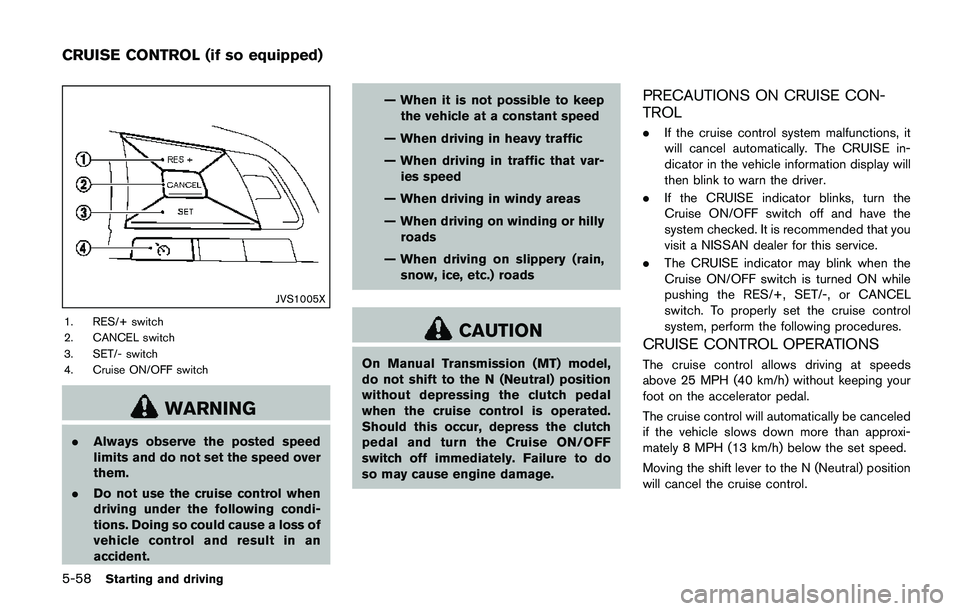
1. RES/+ switch
2. CANCEL switch
3. SET/- switch
4. Cruise ON/OFF switch
WARNING
.Always observe the posted speed
limits and do not set the speed over
them.
.Do not use the cruise control when
driving under the following condi-
tions. Doing so could cause a loss of
vehicle control and result in an
accident.— When it is not possible to keep
the vehicle at a constant speed
— When driving in heavy traffic
— When driving in traffic that var-
ies speed
— When driving in windy areas
— When driving on winding or hilly
roads
— When driving on slippery (rain,
snow, ice, etc.) roads
CAUTION
On Manual Transmission (MT) model,
do not shift to the N (Neutral) position
without depressing the clutch pedal
when the cruise control is operated.
Should this occur, depress the clutch
pedal and turn the Cruise ON/OFF
switch off immediately. Failure to do
so may cause engine damage.
PRECAUTIONS ON CRUISE CON-
TROL
.If the cruise control system malfunctions, it
will cancel automatically. The CRUISE in-
dicator in the vehicle information display will
then blink to warn the driver.
.If the CRUISE indicator blinks, turn the
Cruise ON/OFF switch off and have the
system checked. It is recommended that you
visit a NISSAN dealer for this service.
.The CRUISE indicator may blink when the
Cruise ON/OFF switch is turned ON while
pushing the RES/+, SET/-, or CANCEL
switch. To properly set the cruise control
system, perform the following procedures.
CRUISE CONTROL OPERATIONS
The cruise control allows driving at speeds
above 25 MPH (40 km/h) without keeping your
foot on the accelerator pedal.
The cruise control will automatically be canceled
if the vehicle slows down more than approxi-
mately 8 MPH (13 km/h) below the set speed.
Moving the shift lever to the N (Neutral) position
will cancel the cruise control.
CRUISE CONTROL (if so equipped)
Page 359 of 508
5-74Starting and driving
JVS1074X
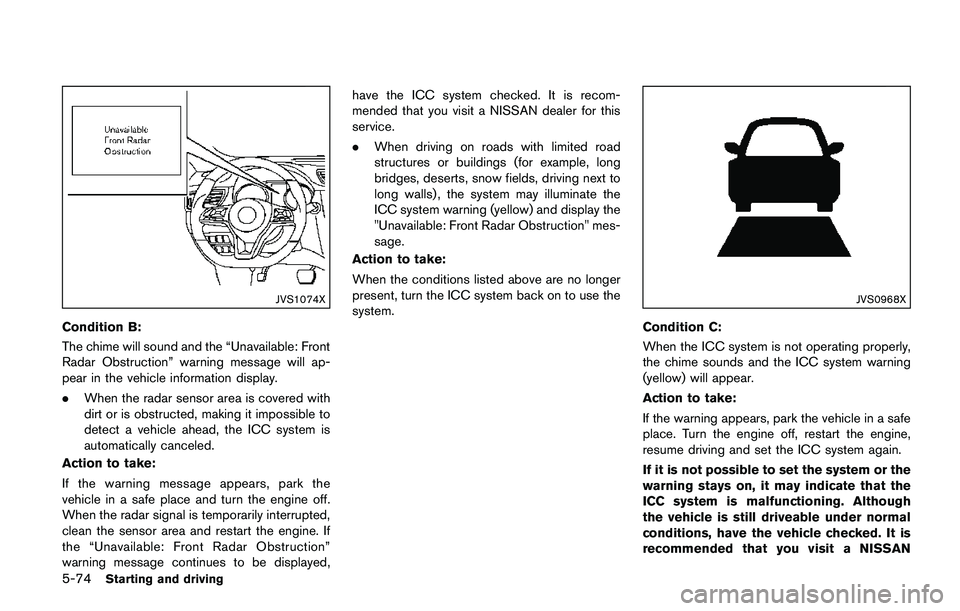
Condition B:
The chime will sound and the “Unavailable: Front
Radar Obstruction” warning message will ap-
pear in the vehicle information display.
.When the radar sensor area is covered with
dirt or is obstructed, making it impossible to
detect a vehicle ahead, the ICC system is
automatically canceled.
Action to take:
If the warning message appears, park the
vehicle in a safe place and turn the engine off.
When the radar signal is temporarily interrupted,
clean the sensor area and restart the engine. If
the “Unavailable: Front Radar Obstruction”
warning message continues to be displayed,have the ICC system checked. It is recom-
mended that you visit a NISSAN dealer for this
service.
.When driving on roads with limited road
structures or buildings (for example, long
bridges, deserts, snow fields, driving next to
long walls) , the system may illuminate the
ICC system warning (yellow) and display the
"Unavailable: Front Radar Obstruction" mes-
sage.
Action to take:
When the conditions listed above are no longer
present, turn the ICC system back on to use the
system.
JVS0968X
Condition C:
When the ICC system is not operating properly,
the chime sounds and the ICC system warning
(yellow) will appear.
Action to take:
If the warning appears, park the vehicle in a safe
place. Turn the engine off, restart the engine,
resume driving and set the ICC system again.
If it is not possible to set the system or the
warning stays on, it may indicate that the
ICC system is malfunctioning. Although
the vehicle is still driveable under normal
conditions, have the vehicle checked. It is
recommended that you visit a NISSAN
Page 364 of 508
the desired speed.
3. Push, then quickly release the SET/- switch.
Each time you do this, the set speed will
decrease by about 1 MPH (1.6 km/h) .
To resume the preset speed,push and
release the RES/+ switch. The vehicle will
resume the last set cruising speed when the
vehicle speed is over 25 MPH (40 km/h) .
System temporarily unavailable
A chime sounds under the following conditions
and the control is automatically canceled.
.When the vehicle slows down more than 8
MPH (13 km/h) below the set speed
.When the shift lever is not in the D (Drive) or
manual shift mode
.When the parking brake is applied.
.When the VDC (including the traction
control system) operates
.When a wheel slips
JVS1003X
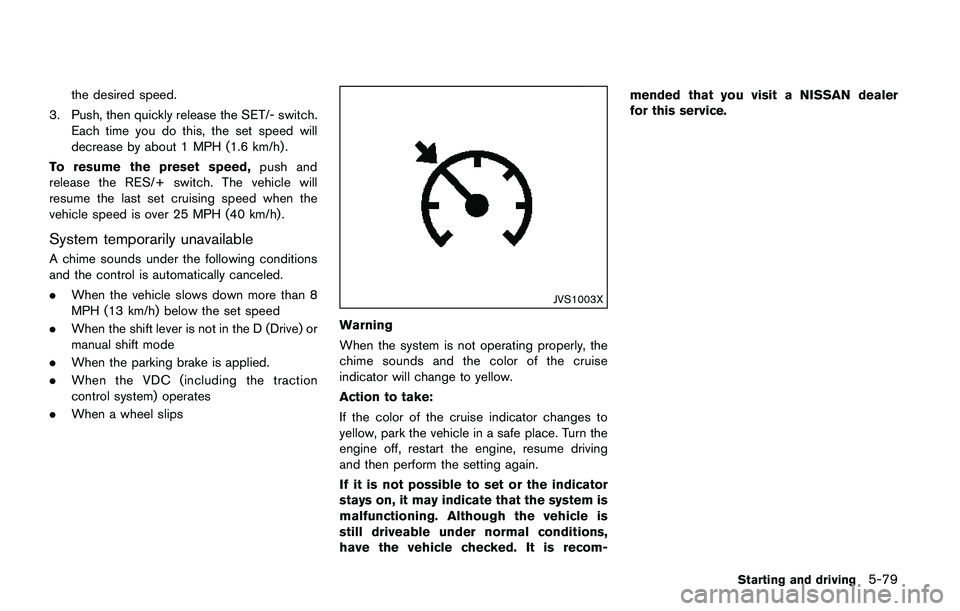
Warning
When the system is not operating properly, the
chime sounds and the color of the cruise
indicator will change to yellow.
Action to take:
If the color of the cruise indicator changes to
yellow, park the vehicle in a safe place. Turn the
engine off, restart the engine, resume driving
and then perform the setting again.
If it is not possible to set or the indicator
stays on, it may indicate that the system is
malfunctioning. Although the vehicle is
still driveable under normal conditions,
have the vehicle checked. It is recom-mended that you visit a NISSAN dealer
for this service.
Starting and driving5-79
Page 368 of 508
3. Use the “OK” button to check/uncheck the
box for “Emergency Brake.”
When the FEB system is turned off, the FEB
system warning light (orange)
*1illuminates.
NOTE:
The FEB system will be automatically
turned ON when the engine is restarted.
FEB SYSTEM LIMITATIONS
WARNING
Listed below are the system limitations
for the FEB system. Failure to operate
the vehicle in accordance with these
system limitations could result in ser-
ious injury or death.
.The FEB system cannot detect all
vehicles under all conditions.
.The radar sensor does not detect
the following objects:
— Pedestrians, animals or obsta-
cles in the roadway
— Oncoming vehicles
— Crossing vehicles
.The radar sensor has some perfor-
mance limitations. If a stationaryvehicle is in the vehicle’s path, the
FEB system will not function when
the vehicle is driven at speeds over
approximately 50 MPH (80 km/h) .
.The radar sensor may not detect a
vehicle ahead in the following con-
ditions:
— Dirt, ice, snow or other material
covering the radar sensor.
— Interference by other radar
sources.
— Snow or road spray from travel-
ing vehicles.
— If the vehicle ahead is narrow
(e.g. motorcycle)
— When driving on a steep down-
hill slope or roads with sharp
curves.
.In some road or traffic conditions,
the FEB system may unexpectedly
apply partial braking. When accel-
eration is necessary, continue to
depress the accelerator pedal to
override the system.
.The FEB system may react to a
roadside object (traffic sign, guard
rail etc.) ..Braking distances increase on slip-
pery surfaces.
.The system is designed to automa-
tically check the sensor’s function-
ality, within certain limitations. The
system may not detect some forms
of obstruction of the sensor area
such as ice, snow, stickers, for
example. In these cases, the system
may not be able to warn the driver
properly. Be sure that you check,
clean and clear the sensor area
regularly.
.Excessive noise will interfere with
the warning chime sound, and the
chime may not be heard.
Starting and driving5-83