fog light NISSAN ROGUE 2014 2.G User Guide
[x] Cancel search | Manufacturer: NISSAN, Model Year: 2014, Model line: ROGUE, Model: NISSAN ROGUE 2014 2.GPages: 442, PDF Size: 5.19 MB
Page 210 of 442
Heating and defogging
This mode heats the interior and defogs the wind-
shield.1. Press the
air flow control button.
2. Turn the fan control dial to the desired posi- tion.
3. Turn the temperature control dial to the de- sired position between the middle and the
hot position.
● When the
position is selected, the air
conditioner automatically turns on if the out-
side temperature is more than 36°F (2°C) .
The indicator light on the A/C button will
come on. This dehumidifies the air which
helps defog the windshield. The
indi-
cator automatically turns off, allowing out-
side air to be drawn into the passenger
compartment to further improve the defog-
ging performance.
Operating tips
Clear snow and ice from the wiper blades
and air inlet in front of the windshield. This
improves heater operation.
AIR CONDITIONER OPERATION
Start the engine, turn the fan control dial to the
desired position, and press the
button to
activate the air conditioner. When the air condi-
tioner is on, cooling and dehumidifying functions
are added to the heater operation.
The air conditioner cooling function oper-
ates only when the engine is running.
Cooling
This mode is used to cool and dehumidify the air.
1. Press the
air flow control button.
2. Turn the fan control dial to the desired posi- tion.
3. Push the
button. The indicator light
comes on.
4. Turn the temperature control dial to the de- sired position.
● For quick cooling, push the MAX A/C but-
ton. When the MAX A/C button is pushed,
the MAX A/C indicator light will turn on. It will
also activate the
mode. The amount of
air coming through the vents is the highest it
can go when in MAX A/C mode regardless
of the position of the FAN dial. The A/C
indicator light will turn on for this mode.
Dehumidified heating
This mode is used to heat and dehumidify the air.
1. Press the
button to the OFF position.
2. Press the
air flow control button.
3. Turn the fan control dial to the desired posi- tion.
4. Push the
button.
5. Turn the temperature control dial to the de- sired position.
Dehumidified defogging
This mode is used to defog the windows and
dehumidify the air.
1. Press the
air flow control button.
2. Turn the fan control dial to the desired posi- tion.
Monitor, climate, audio, phone and voice recognition systems4-29
Page 211 of 442
●When theorare selected, the
air conditioner automatically turns on (the
indicator light may or may not illuminate) if
the outside temperature is more than 36°F
(2°C) . This dehumidifies the air which helps
defog the windshield. The
mode au-
tomatically turns off, allowing outside air to
be drawn into the passenger compartment
to further improve the defogging perfor-
mance.
● The air conditioner is always on in
ormode, regardless of whether the
indicator light is on or off.
3. Turn the temperature control dial to the de- sired position.
Operating tips
●Keep the windows and moonroof closed
while the air conditioner is in operation.
● After parking in the sun, drive for 2 or 3 min-
utes with the windows open to vent hot air
from the passenger compartment. Then,
close the windows. This allows the air con-
ditioner to cool the interior more quickly. ●
The air conditioning system should be
operated for approximately 10 minutes
at least once a month. This helps pre-
vent damage to the system due to lack
of lubrication.
● A visible mist may be seen coming from the
ventilators in hot, humid conditions as the air
is cooled rapidly. This does not indicate a
malfunction.
● If the engine coolant temperature
gauge indicates engine coolant tem-
perature over the normal range, turn
the air conditioner off. See “If your
vehicle overheats” in the “In case of
emergency” section of this manual.
● If the engine coolant temperature becomes
too high,
will be activated and the
indicator light will come on automatically.
● When IGN is OFF, button characters will not
illuminate.
AIR FLOW CHARTS
The following charts show the button and dial
positions for MAXIMUM AND QUICK heating,
cooling or defrosting. The air recirculation in-
dicator should always be in the OFF posi-
tion for heating and defrosting.
4-30Monitor, climate, audio, phone and voice recognition systems
Page 216 of 442
NOTE:● Odors from inside and outside the vehicle
can build up in the air conditioner unit. Odor
can enter the passenger compartment
through the vents.
● When parking, set the heater and air condi-
tioner controls to turn off air recirculation to
allow fresh air into the passenger compart-
ment. This should help reduce odors inside
the vehicle.
AUTOMATIC OPERATION
Cooling and/or dehumidified heating
(AUTO)
This mode may be used all year round as the
system automatically works to keep a constant
temperature. Air flow distribution and fan speed
are also controlled automatically.
1. Press the AUTO button on. The indicator on the button will illuminate.
2. Turn the temperature control dial to the left or right to set the desired temperature.
● The temperature of the passenger compart-
ment will be maintained automatically. Air
flow distribution and fan speed are also con-
trolled automatically. ●
A visible mist may be seen coming from the
vents in hot, humid conditions as the air is
cooled rapidly. This does not indicate a mal-
function.
3. You can individually set driver’s and front passenger’s side temperature using each
temperature control dial. When the DUAL
button or passenger’s side temperature dial
is turned, the DUAL indicator will come on.
To turn off the passenger’s side temperature
control, press the DUAL button.
Heating (A/C OFF)
The air conditioner does not activate. When you
need to heat only, use this mode.
1. Press the A/C button. The A/C indicator will turn off.
2. Turn the temperature control dial to set the desired temperature.
● The temperature of the passenger compart-
ment will be maintained automatically. Air
flow distribution and fan speed are also con-
trolled automatically.
● Do not set the temperature lower than the
outside air temperature. Otherwise, the sys-
tem may not work properly.
● Not recommended if windows fog up.
Dehumidified defrosting or defogging
1. Press thefront defroster button on.
The indicator light on the button will come
on.
2. Turn the temperature control dial to set the maximum temperature to aid in defrosting or
defogging.
● To quickly remove ice from the outside of the
windows, use the fan speed control dial to
set the fan speed to maximum.
● As soon as possible after the windshield is
clean, press the AUTO button to return to
the automatic mode.
● When the
front defroster button is
pressed, the air conditioner will automati-
cally be turned on at outside temperatures
above 36°F (2°C) . The indicator light may or
may not illuminate. The air recirculate mode
automatically turns off, allowing outside air
to be drawn into the passenger compart-
ment to further improve the defogging per-
formance. When the air recirculate mode
automatically turns off, the air fresh mode will
automatically turn on.
Monitor, climate, audio, phone and voice recognition systems4-35
Page 318 of 442
– When the sensor area of the frontbumper gets dirty and it is impos-
sible to detect the distance from the
vehicle ahead.
– When the sensor signal is temporar- ily interrupted
● The system may not function properly
under the following conditions:
– A preceding vehicle is with a large amount of ground clearance or pro-
truding freight (including a small ve-
hicle such as motorcycles) .
– When the sensor area of the front bumper gets dirty or it is impossible
to detect the distance from the ve-
hicle ahead.
– When visibility is low (such as rain, fog, snow, etc.) .
– When snow or road spray from trav- eling vehicles is splashed.
– When excessively heavy baggage is loaded in the rear seat or the luggage
room of your vehicle.
– When abruptly accelerating or decelerating. – On a steep downhill slope or on
roads with sharp curves.
– When there is a highly reflective ob- ject near the vehicle ahead (for ex-
ample, being very close to another
vehicle, signboard, etc.)
– When you are towing a trailer.
● Depending on certain road conditions
(curved or beginning of a curve) , vehicle
conditions (steering position or vehicle
position) , or the preceding vehicle’s
conditions (position in lane, etc.) , the
system may not function properly. The
system may detect highly reflective ob-
jects such as guard rails, traffic signs
and other stationary objects on the road
or near the traveling lane and provide
unnecessary warning.
● The system may not function in offset
conditions.
● The system may not function when the
distance to the vehicle ahead is ex-
tremely close. ●
The system is designed to automatically
check the sensor’s functionality. If the
sensor area of the front bumper is cov-
ered with ice, a transparent or translu-
cent bag, etc., the system may not de-
tect them. In these instances, the
system may not be able to warn the
driver properly. Be sure to check and
clean the sensor area of the front bum-
per regularly.
● Excessive noise will interfere with the
warning chime sound, and the chime
may not be heard.
● A sudden appearance of a vehicle in
front (for example, it abruptly cuts in)
may not be detected and the system
may not warn the driver soon enough.
● The system will be cancelled automati-
cally with a beep sound, FCW light (or-
ange) will illuminate and a message will
pop up under the following conditions:
– When the sensor area of the front bumper is dirty
– When the system malfunctions
Starting and driving5-33
Page 360 of 442
8 Maintenance and do-it-yourself
Maintenance requirements..........................8-2
General maintenance ..............................8-2
Explanation of general maintenance items .........8-2
Maintenance precautions ...........................8-5
Engine compartment check locations ................8-6
Engine cooling system .............................8-7
Checking engine coolant level ...................8-8
Changing engine coolant ........................8-8
Engine oil .........................................8-9
Checking engine oil level ........................8-9
Changing engine oil ........................... 8-10
Changing engine oil filter .......................8-11
Continuously Variable Transmission (CVT) fluid ......8-12
Brake fluid ....................................... 8-12
Windshield-washer fluid ........................... 8-12
Windshield-washer fluid reservoir ...............8-12
Battery .......................................... 8-13
Jump starting ................................. 8-15
Variable voltage control system .....................8-15
Drive belt ........................................ 8-16
Spark plugs ...................................... 8-16
Replacing spark plugs ......................... 8-16Air cleaner
....................................... 8-17
In-cabin microfilter ............................. 8-18
Windshield wiper blades .......................... 8-18
Cleaning ..................................... 8-18
Replacing .................................... 8-18
Brakes .......................................... 8-20
Fuses ........................................... 8-21
Engine compartment ........................... 8-22
Passenger compartment .......................8-23
Battery replacement .............................. 8-24
NISSAN JACKKNIFE KEY (if so equipped) .......8-25
NISSAN Intelligent Key® (if so equipped) ........8-26
Lights ........................................... 8-27
Headlights .................................... 8-27
Fog lights (if so equipped) ......................8-28
Exterior and interior lights .......................8-28
Wheels
and tires ................................. 8-31
Tire pressure . . . ............................... 8-31
Tire labeling ................................... 8-35
Types of tires .................................. 8-37
Tire chains .................................... 8-39
Changing wheels and tires .....................8-40
Page 386 of 442
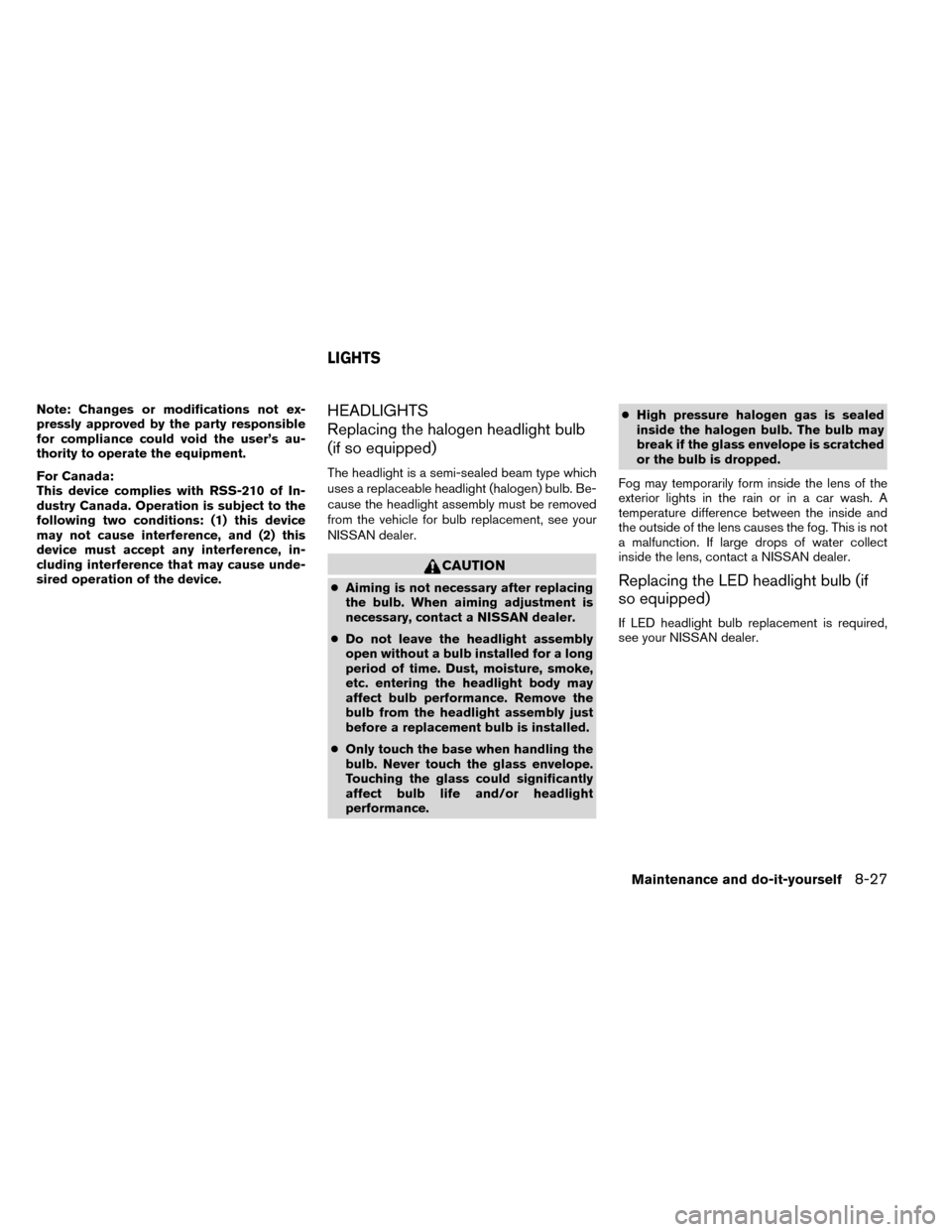
Note: Changes or modifications not ex-
pressly approved by the party responsible
for compliance could void the user’s au-
thority to operate the equipment.
For Canada:
This device complies with RSS-210 of In-
dustry Canada. Operation is subject to the
following two conditions: (1) this device
may not cause interference, and (2) this
device must accept any interference, in-
cluding interference that may cause unde-
sired operation of the device.HEADLIGHTS
Replacing the halogen headlight bulb
(if so equipped)
The headlight is a semi-sealed beam type which
uses a replaceable headlight (halogen) bulb. Be-
cause the headlight assembly must be removed
from the vehicle for bulb replacement, see your
NISSAN dealer.
CAUTION
●Aiming is not necessary after replacing
the bulb. When aiming adjustment is
necessary, contact a NISSAN dealer.
● Do not leave the headlight assembly
open without a bulb installed for a long
period of time. Dust, moisture, smoke,
etc. entering the headlight body may
affect bulb performance. Remove the
bulb from the headlight assembly just
before a replacement bulb is installed.
● Only touch the base when handling the
bulb. Never touch the glass envelope.
Touching the glass could significantly
affect bulb life and/or headlight
performance. ●
High pressure halogen gas is sealed
inside the halogen bulb. The bulb may
break if the glass envelope is scratched
or the bulb is dropped.
Fog may temporarily form inside the lens of the
exterior lights in the rain or in a car wash. A
temperature difference between the inside and
the outside of the lens causes the fog. This is not
a malfunction. If large drops of water collect
inside the lens, contact a NISSAN dealer.Replacing the LED headlight bulb (if
so equipped)
If LED headlight bulb replacement is required,
see your NISSAN dealer.
LIGHTS
Maintenance and do-it-yourself8-27
Page 387 of 442
FOG LIGHTS (if so equipped)
Replacing the fog light bulb
If replacement is required, see your NISSAN
dealer.
CAUTION
●High pressure halogen gas is sealed
inside the halogen bulb. The bulb may
break if the glass envelope is scratched
or the bulb is dropped.
● When handling the bulb, do not touch
the glass envelope.
● Use the same number and wattage as
originally installed as shown in the
chart.
● Do not leave the bulb out of the fog light
for a long period of time as dust, mois-
ture and smoke may enter the fog light
body and affect the performance of the
fog light.
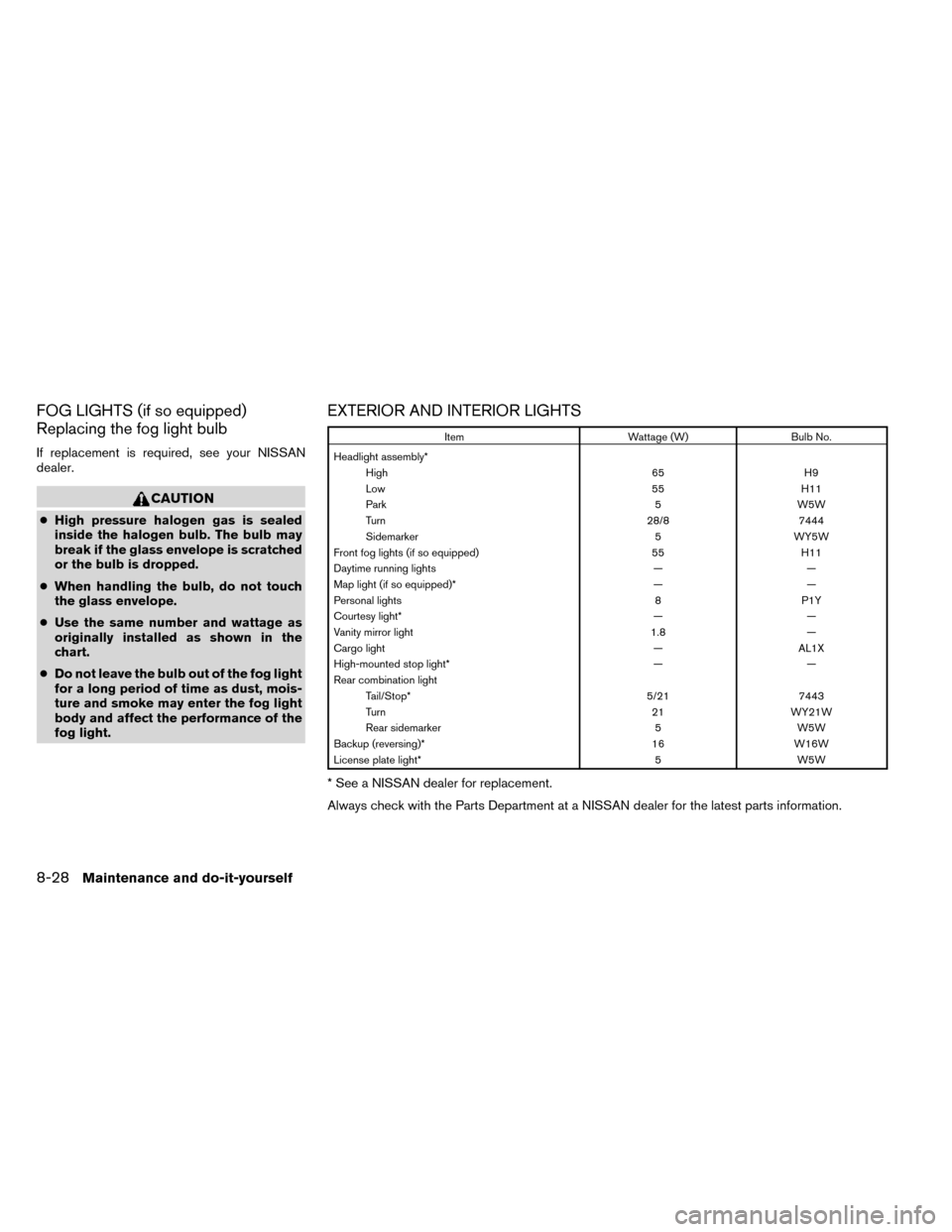
EXTERIOR AND INTERIOR LIGHTS
Item Wattage (W)Bulb No.
Headlight assembly* High 65H9
Low 55H11
Park 5W5W
Turn 28/87444
Sidemarker 5WY5W
Front fog lights (if so equipped) 55H11
Daytime running lights ——
Map light (if so equipped)* ——
Personal lights 8P1Y
Courtesy light* ——
Vanity mirror light 1.8—
Cargo light —AL1X
High-mounted stop light* ——
Rear combination light Tail/Stop* 5/217443
Turn 21WY21W
Rear sidemarker 5W5W
Backup (reversing)* 16W16W
License plate light* 5W5W
* See a NISSAN dealer for replacement.
Always check with the Parts Department at a NISSAN dealer for the latest parts information.
8-28Maintenance and do-it-yourself
Page 388 of 442
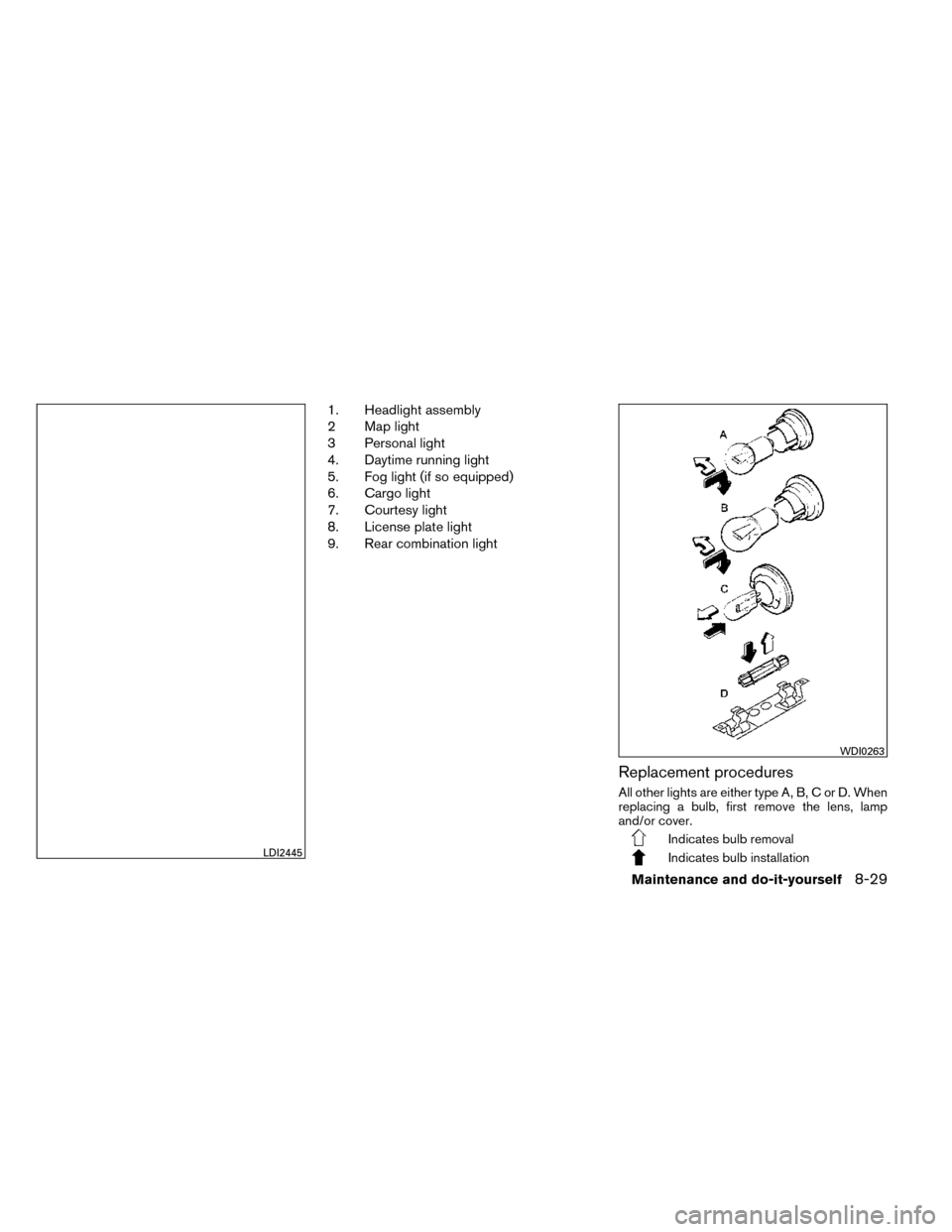
1. Headlight assembly
2 Map light
3 Personal light
4. Daytime running light
5. Fog light (if so equipped)
6. Cargo light
7. Courtesy light
8. License plate light
9. Rear combination light
Replacement procedures
All other lights are either type A, B, C or D. When
replacing a bulb, first remove the lens, lamp
and/or cover.
Indicates bulb removal
Indicates bulb installationLDI2445
WDI0263
Maintenance and do-it-yourself8-29
Page 435 of 442
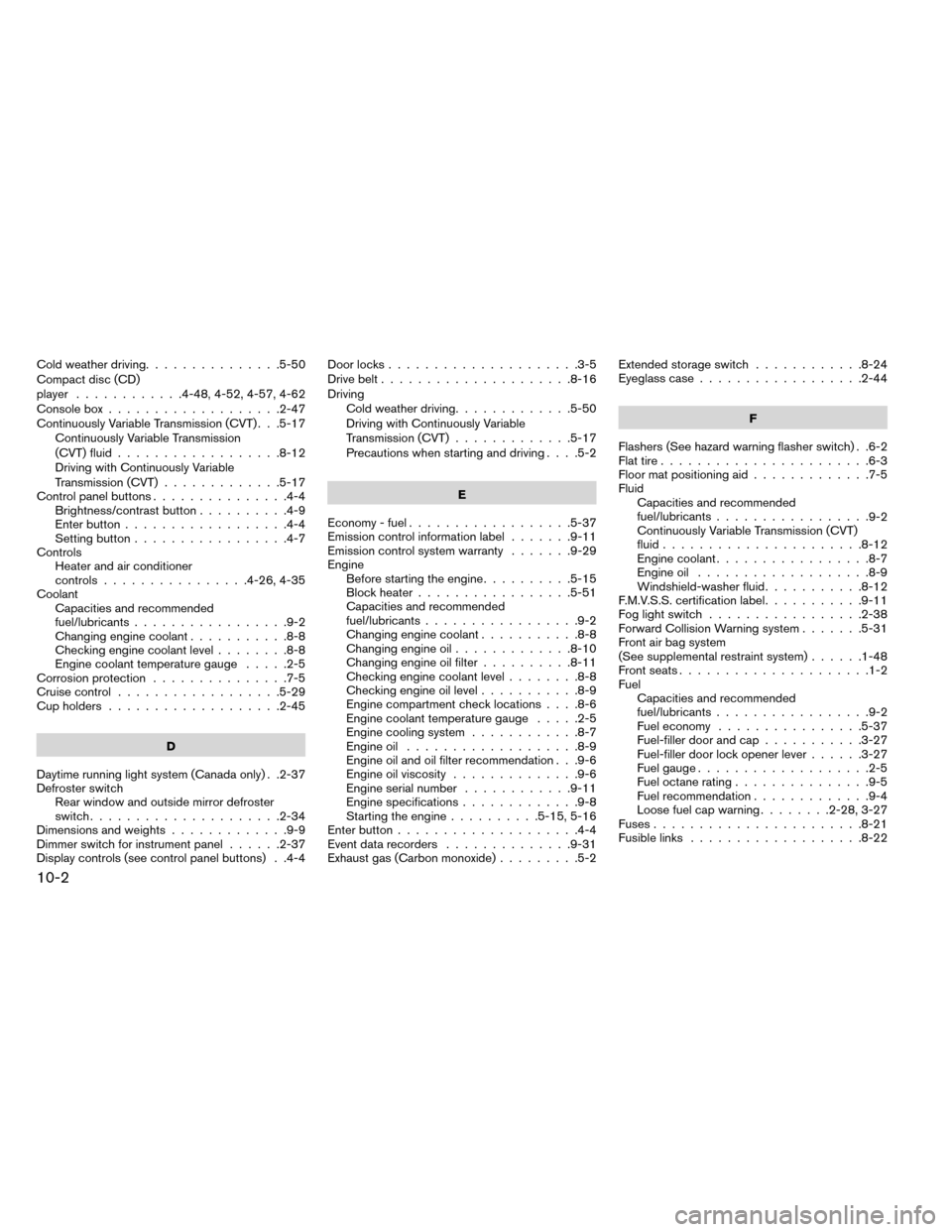
Cold weather driving...............5-50
Compact disc (CD)
player ............4-48,4-52,4-57,4-62
Console box ...................2-47
Continuously Variable Transmission (CVT) . . .5-17 Continuously Variable Transmission
(CVT) fluid ..................8-12
Driving with Continuously Variable
Transmission (CVT) .............5-17
Control panel buttons ...............4-4
Brightness/contrast button ..........4-9
Enterbutton..................4-4
Setting button .................4-7
Controls Heater and air conditioner
controls................4-26,4-35
Coolant Capacities and recommended
fuel/lubricants .................9-2
Changing engine coolant ...........8-8
Checking engine coolant level ........8-8
Engine coolant temperature gauge .....2-5
Corrosionprotection ...............7-5
Cruisecontrol..................5-29
Cupholders...................2-45
D
Daytime running light system (Canada only) . .2-37
Defroster switch Rear window and outside mirror defroster
switch.....................2-34
Dimensions and weights .............9-9
Dimmer switch for instrument panel ......2-37
Display controls (see control panel buttons) . .4-4 Door locks
.....................3-5
Drivebelt.....................8-16
Driving Cold weather driving .............5-50
Driving with Continuously Variable
Transmission (CVT) .............5-17
Precautions when starting and driving ....5-2
E
Economy - fuel ..................5-37
Emission control information label .......9-11
Emission control system warranty .......9-29
Engine Before starting the engine ..........5-15
Block heater .................5-51
Capacities and recommended
fuel/lubricants .................9-2
Changing engine coolant ...........8-8
Changing engine oil .............8-10
Changing engine oil filter ..........8-11
Checking engine coolant level ........8-8
Checking engine oil level ...........8-9
Engine compartment check locations ....8-6
Engine coolant temperature gauge .....2-5
Engine cooling system ............8-7
Engine oil ...................8-9
Engine oil and oil filter recommendation . . .9-6
Engine oil viscosity ..............9-6
Engine serial number ............9-11
Engine specifications .............9-8
Starting the engine ..........5-15,5-16
Enterbutton....................4-4
Event data recorders ..............9-31
Exhaust gas (Carbon monoxide) .........5-2Extended storage switch
............8-24
Eyeglass case ..................2-44
F
Flashers (See hazard warning flasher switch) . .6-2
Flat tire .......................6-3
Floormatpositioningaid.............7-5
Fluid Capacities and recommended
fuel/lubricants .................
9-2
Continuously Variable Transmission (CVT)
fluid......................8-12
Engine coolant .................8-7
Engine oil ...................8-9
Windshield-washer fluid ...........8-12
F.M.V.S.S. certification label ...........9-11
Foglightswitch .................2-38
Forward Collision Warning system .......5-31
Front air bag system
(See supplemental restraint system) ......1-48
Front seats .....................1-2
Fuel Capacities and recommended
fuel/lubricants .................9-2
Fuel economy ................5-37
Fuel-filler door and cap ...........3-27
Fuel-filler door lock opener lever ......3-27
Fuel gauge ...................2-5
Fuel octane rating ...............9-5
Fuel recommendation .............9-4
Loose fuel cap warning ........2-28,3-27
Fuses .......................8-21
Fusible links ...................8-22
10-2
Page 437 of 442
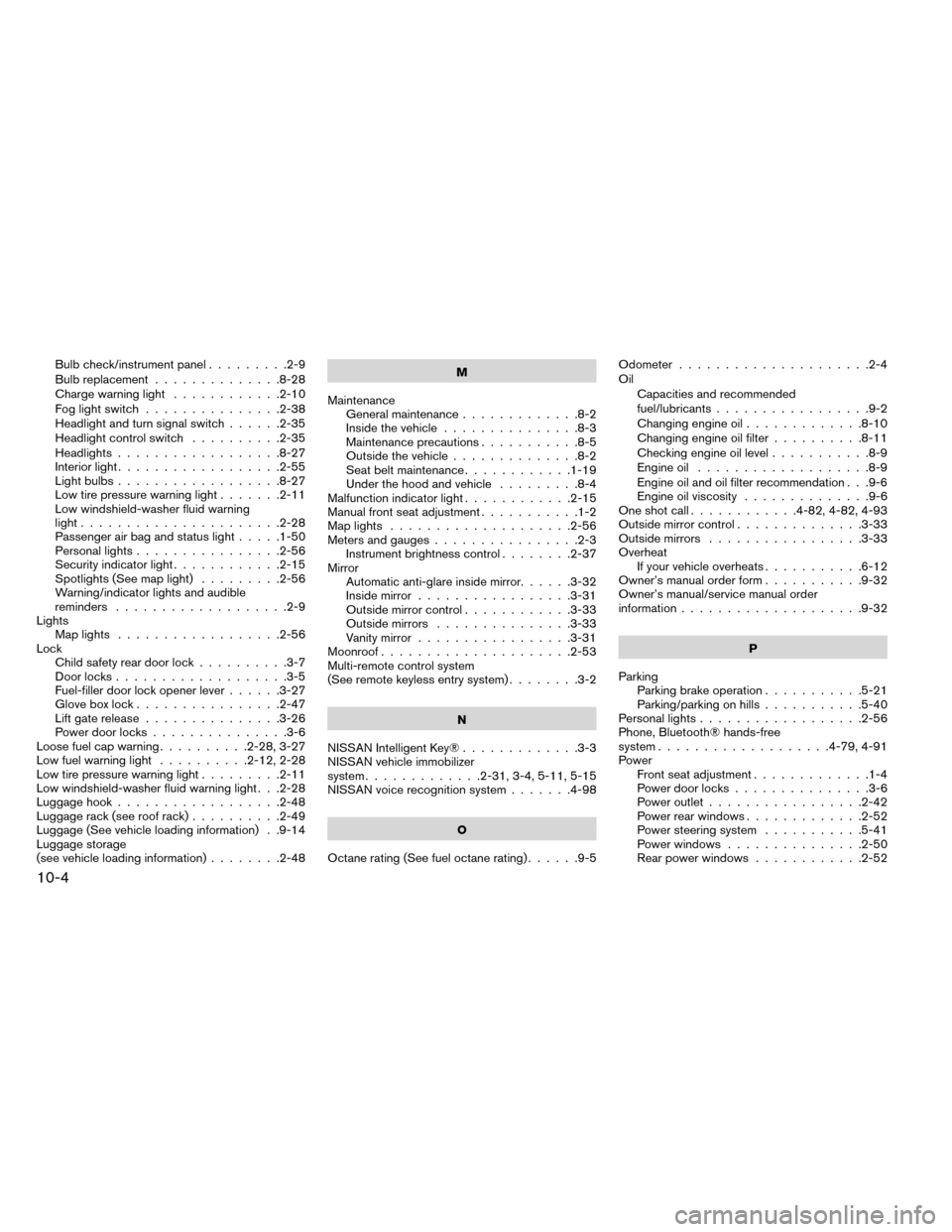
Bulb check/instrument panel.........2-9
Bulb replacement ..............8-28
Charge warning light ............2-10
Foglightswitch ...............2-38
Headlight and turn signal switch ......2-35
Headlight control switch ..........2-35
Headlights ..................8-27
Interiorlight..................2-55
Lightbulbs..................8-27
Low tire pressure warning light .......2-11
Low windshield-washer fluid warning
light......................2-28
Passenger air bag and status light .....1-50
Personal lights ................2-56
Security indicator light ............2-15
Spotlights(Seemaplight) .........2-56
Warning/indicator lights and audible
reminders ...................2-9
Lights Maplights ..................2-56
Lock Child safety rear door lock ..........3-7
Door locks ...................3-5
Fuel-filler door lock opener lever ......3-27
Gloveboxlock................2-47
Lift gate release ...............3-26
Power door locks ...............3-6
Loose fuel cap warning ..........2-28,3-27
Lowfuelwarninglight ..........2-12,2-28
Low tire pressure warning light .........2-11
Low windshield-washer fluid warning light . . .2-28
Luggage hook ..................2-48
Luggage rack (see roof rack) ..........2-49
Luggage (See vehicle loading information) . .9-14
Luggage storage
(see vehicle loading information) ........2-48 M
Maintenance General maintenance .............8-2
Inside the vehicle ...............8-3
Maintenance precautions ...........8-5
Outside the vehicle ..............8-2
Seat belt maintenance ............1-19
Under the hood and vehicle .........8-4
Malfunctionindicatorlight............2-15
Manual front seat adjustment ...........1-2
Maplights ....................2-56
Meters and gauges ................2-3
Instrument brightness control ........2-37
Mirror Automatic anti-glare inside mirror ......3-32
Inside mirror .................3-31
Outside mirror control ............3-33
Outside mirrors ...............3-33
Vanity mirror .................3-31
Moonroof .....................2-53
Multi-remote control system
(See remote keyless entry system) ........3-2
N
NISSAN Intelligent Key® .............3-3
NISSAN vehicle immobilizer
system .............2-31,3-4,5-11,5-15
NISSAN voice recognition system .......4-98
O
Octanerating(Seefueloctanerating)......9-5 Odometer
.....................2-4
Oil Capacities and recommended
fuel/lubricants .................9-2
Changing engine oil .............8-10
Changing engine oil filter ..........8-11
Checking engine oil level ...........8-9
Engine oil ...................8-9
Engine
oil and oil filter recommendation . . .9-6
Engine oil viscosity ..............9-6
One shot call ............4-82,4-82,4-93
Outside mirror control ..............3-33
Outside mirrors .................3-33
Overheat If your vehicle overheats ...........6-12
Owner’s manual order form ...........9-32
Owner’s manual/service manual order
information....................9-32
P
Parking Parking brake operation ...........5-21
Parking/parking on hills ...........5-40
Personal lights ..................2-56
Phone, Bluetooth® hands-free
system ...................4-79,4-91
Power Front seat adjustment .............1-4
Power door locks ...............3-6
Power outlet .................2-42
Power rear windows .............2-52
Power steering system ...........5-41
Power windows ...............2-50
Rear power windows ............2-52
10-4