belt NISSAN ROGUE 2021 Owner´s Manual
[x] Cancel search | Manufacturer: NISSAN, Model Year: 2021, Model line: ROGUE, Model: NISSAN ROGUE 2021Pages: 556, PDF Size: 2.7 MB
Page 338 of 556
5-84Starting and driving
Cancelling cruising speed
Use any one of the following methods to
cancel the vehicle set speed. (“Standby
Push RES+ to resume” message appears
in the display.)
.Push the CANCEL switch.
. Tap the foot brake pedal.
. Push the Cruise ON/OFF switch. The
cruise indicator will turn off. This section contains the information
about the following system features:
.
ProPILOT Assist (general system op-
eration)
. ProPILOT Assist with Navi-link (addi-
tional functionality, if so equipped)
WARNING
Failure to follow the warnings and
instructions for proper use of the
ProPILOT Assist system could result
in serious injury or death.
.ProPILOT Assist is not a self-driv-
ing system. Within the limits of its
capabilities, as described in this
manual, it helps the driver with
certain driving activities.
. The ProPILOT Assist system is not
a replacement for proper driving
procedures and is not designed
to correct careless, inattentive or
absent-minded driving. ProPILOT
Assist will not always steer the
vehicle to keep it in the lane. The
ProPILOT Assist system is not
designed to prevent loss of con-
trol. It is the driver’s responsibility
to stay alert, drive safely, keep
the vehicle in the traveling lane,
and be in control of the vehicle at all times.
. There are limitations to the Pro-
PILOT Assist system capability.
The ProPILOT Assist system does
not function in all driving, traffic,
weather, and road conditions. It is
the driver’s responsibility to stay
alert, drive safely, keep the vehi-
cle in the traveling lane, and be in
control of the vehicle at all times.
. The ProPILOT Assist system is
only an aid to assist the driver
and is not a collision warning or
avoidance device.
. The ProPILOT Assist system is for
highway use only and is not
intended for city driving. Failure
to apply the brakes or steer the
vehicle when necessary may re-
sult in a serious accident.
. Always observe posted speed
limits and do not set the speed
over them.
. Never take your hands off the
steering wheel when driving. Al-
ways keep your hands on the
steering wheel and drive your
vehicle safely.
. Never unfasten your safety belt
when using ProPILOT Assist.
Doing so automatically cancels
PROPILOT ASSIST (if so equipped)
Page 347 of 556
down, the vehicle set speed is 20 MPH
(30 km/h).
NOTE:
When the I-LI and I-BSI systems are
enabled in the settings menu of the
vehicle information display, turning the
ProPILOT Assist system on will turn on
the I-LI and I-BSI systems at the same
time. If the I-LI system is disabled in the
settings menu, the I-LI system will
automatically be turned on when the
Steering Assist system is active. For
additional information, see “Intelligent
Lane Intervention (I-LI)” (P.5-51), “Intelli-
gent Lane Intervention (I-LI)” (P.5-115)
and “Intelligent Blind Spot Intervention
(I-BSI)” (P.5-65).
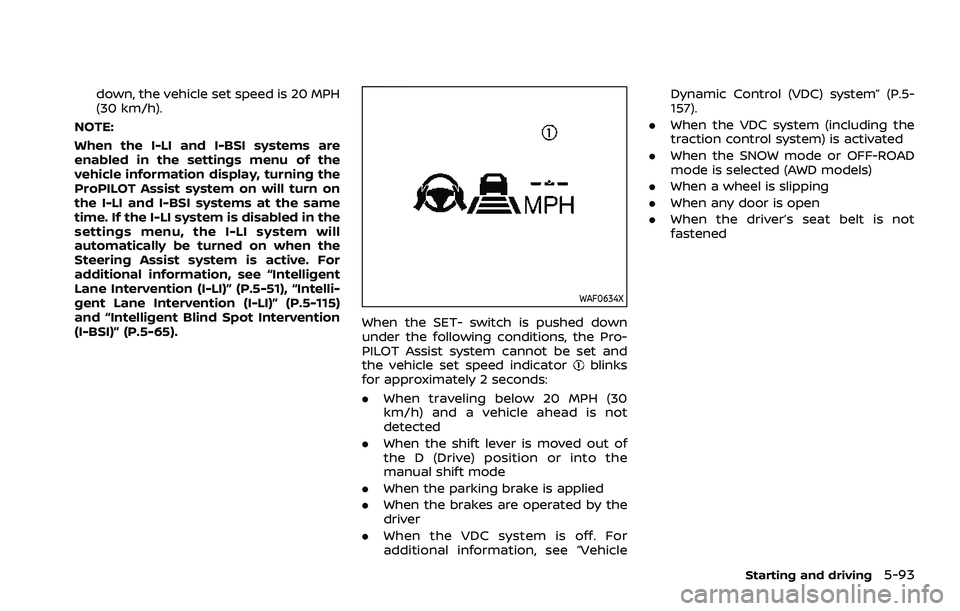
WAF0634X
When the SET- switch is pushed down
under the following conditions, the Pro-
PILOT Assist system cannot be set and
the vehicle set speed indicator
blinks
for approximately 2 seconds:
. When traveling below 20 MPH (30
km/h) and a vehicle ahead is not
detected
. When the shift lever is moved out of
the D (Drive) position or into the
manual shift mode
. When the parking brake is applied
. When the brakes are operated by the
driver
. When the VDC system is off. For
additional information, see “Vehicle Dynamic Control (VDC) system” (P.5-
157).
. When the VDC system (including the
traction control system) is activated
. When the SNOW mode or OFF-ROAD
mode is selected (AWD models)
. When a wheel is slipping
. When any door is open
. When the driver’s seat belt is not
fastened
Starting and driving5-93
Page 364 of 556
5-110Starting and driving
ICC system temporarily unavailable
The following are conditions in which the
ICC system may be temporarily unavail-
able. In these instances, the ICC system
may not cancel and may not be able to
maintain the selected following distance
from the vehicle ahead.
Condition A:
Under the following conditions, the ICC
system is automatically canceled. A chime
will sound and the system will not be able
to be set:
.Any door is open.
. The driver’s seat belt is unfastened.
. The vehicle ahead is not detected and
your vehicle is traveling below the
speed of 15 MPH (25 km/h). For
ProPILOT Assist with Navi-link
equipped vehicles on a limited access
freeway as identified in the navigation
map data, the ICC system cancels and
a warning chime sounds if your vehi-
cle is at a standstill for more than
approximately 3 seconds and a vehi-
cle is not detected ahead.
. Your vehicle has been stopped by the
ICC system for approximately 3 min-
utes or longer.
. The shift lever is moved out of the D
(Drive) position or into the manual
shift mode. .
The electronic parking brake is ap-
plied.
. The VDC system is turned off.
. The AEB applies harder braking
. VDC (including the traction control
system) operates.
. The SNOW mode or OFF-ROAD mode
is selected (AWD models).
. A wheel slips.
. When the front radar is impaired due
to dirt or an other obstruction block-
ing the radar sensor.
. When the radar signal is temporarily
interrupted.
Action to take:
When the conditions listed above are no
longer present, turn the system off using
the ProPILOT Assist switch. Turn the
ProPILOT Assist system back on to use
the system.
NOTE:
When the ICC system is canceled under
any of the following conditions at a
standstill, the electronic parking brake
is automatically activated:
. Any door is open.
. The driver’s seat belt is unfastened.
. Your vehicle has been stopped by
the ICC system for approximately 3
minutes or longer. .
The shift lever is moved out of the D
(Drive) position or into the manual
shift mode.
. The VDC system is turned off.
. When the front radar is impaired due
to dirt or an other obstruction block-
ing the radar sensor.
. When the radar signal is temporarily
interrupted.
Condition B:
When there is inclement weather (rain,
fog, snow, etc.) blocking the front radar
sensor, the ICC system will automatically
be canceled, the chime will sound and the
“Forward Driving Aids temporarily dis-
abled Front Sensor blocked” warning
message will appear in the vehicle infor-
mation display.
Action to take:
When the above condition is no longer
present, the warning message will no
longer be available in the vehicle informa-
tion display and the system will operate
normally. If the warning message con-
tinues to appear, have the system
checked. It is recommended that you visit
a NISSAN dealer for this service.
Condition C:
When the radar sensor on the front of the
vehicle is covered with dirt or is ob-
Page 441 of 556
CAUTION
Do not keep the starter motor en-
gaged for more than 10 seconds. If
the engine does not start right away,
place the ignition switch in the OFF
position and wait 10 seconds before
trying again.
8. After starting your engine, carefully disconnect the negative cable and
then the positive cable (
???). Do not attempt to start the engine by
pushing.
CAUTION
.
Continuously Variable Transmis-
sion (CVT) models cannot be
push-started or tow-started. At-
tempting to do so may cause
transmission damage.
. Three-way catalyst equipped
models should not be started by
pushing since the three way cat-
alyst may be damaged.
. Never try to start the vehicle by
towing it; when the engine starts,
the forward surge could cause
the vehicle to collide with the
tow vehicle.
WARNING
.Never continue driving if your
vehicle overheats. Doing so could
cause a vehicle fire.
. Never open the hood if steam is
coming out.
. Never remove the radiator or
coolant reservoir cap while the
engine is hot. If the radiator or
coolant reservoir cap is removed
when the engine is hot, pressur-
ized hot water will spurt out and
possibly cause burning, scalding
or serious injury.
. If steam or coolant is coming
from the engine, stand clear of
the vehicle to prevent getting
burned.
. The engine cooling fan will start
at anytime when the coolant
temperature exceeds preset de-
grees.
. Be careful not to allow your
hands, hair, jewelry or clothing
to come into contact with, or to
get caught in the cooling fan or
drive belts.
In case of emergency6-13
PUSH STARTING IF YOUR VEHICLE OVERHEATS
Page 442 of 556
6-14In case of emergency
If your vehicle is overheating (indicated by
an extremely high temperature gauge
reading), or if you feel a lack of engine
power, detect abnormal noise, etc., take
the following steps:
1. Move the vehicle safely off the roadand apply the parking brake.
2. Push the park button to shift to the P (Park) position.
Do not stop the engine.
3. Turn off the air conditioner (if so equipped). Open all the windows,
move the heater or air conditioner
temperature control to maximum hot
and fan control to high speed.
4. Get out of the vehicle. Look and listen for steam or coolant escaping from
the radiator before opening the hood.
(If steam or coolant is escaping, turn
off the engine.) Do not open the hood
further until no steam or coolant can
be seen.
5. Open the engine hood.
WARNING
If steam or water is coming from the
engine, stand clear to prevent get-
ting burned.
6. Visually check the drive belt for da- mage or looseness. Also check if the
cooling fan is running. The radiator
hoses and radiator should not leak
water. If coolant is leaking or the
cooling fan does not run, stop the
engine.
WARNING
Be careful not to allow your hands,
hair, jewelry or clothing to come into
contact with, or get caught in, engine
belts or the engine cooling fan. The
engine cooling fan can start at any
time. 7. After the engine cools down, check
the coolant level in the reservoir with
the engine running. Add coolant to
the reservoir if necessary. Have your
vehicle repaired. It is recommended
you visit a NISSAN dealer for this
service.
Page 447 of 556

7 Appearance and care
Cleaning exterior ........................................................................\
... 7-2Washing ........................................................................\
................. 7-2
Waxing ........................................................................\
.................... 7-3
Removing spots ...................................................................... 7-3
Underbody ........................................................................\
........... 7-3
Glass ........................................................................\
......................... 7-3
Wheels ........................................................................\
..................... 7-3
Aluminum alloy wheels ..................................................... 7-3
Chrome parts ........................................................................\
.... 7-4
Tire dressing ........................................................................\
...... 7-4 Cleaning interior ........................................................................\
... 7-4
Air fresheners ........................................................................\
. 7-5
Floor mats ........................................................................\
......... 7-5
Seat belts ........................................................................\
........... 7-7
Cleaning the seat tracks ............................................... 7-7
Corrosion protection ................................................................ 7-7
Most common factors contributing to
vehicle corrosion .................................................................. 7-7
Environmental factors influence the rate
of corrosion ........................................................................\
...... 7-7
To protect your vehicle from corrosion ............ 7-8
Page 453 of 556
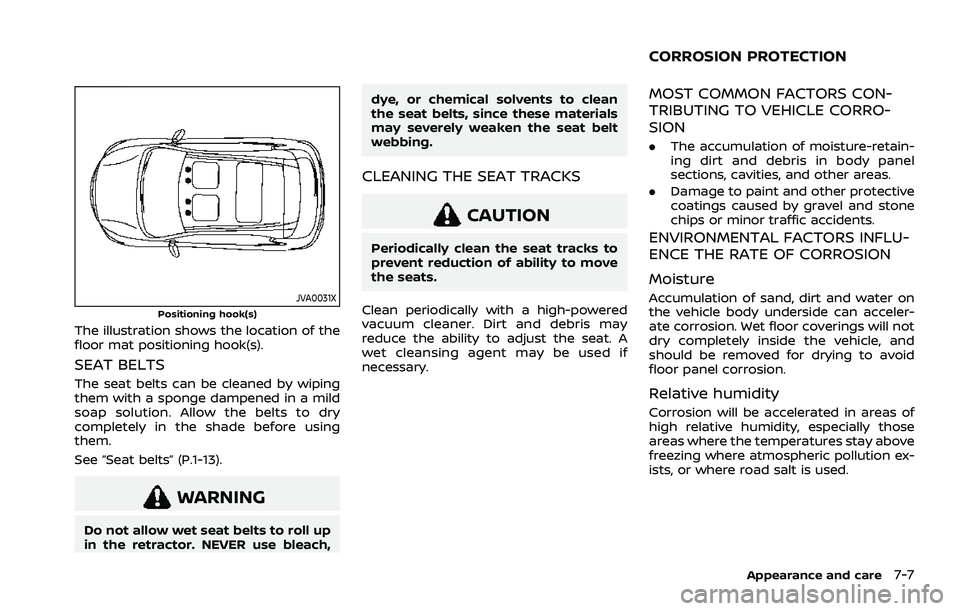
JVA0031XPositioning hook(s)
The illustration shows the location of the
floor mat positioning hook(s).
SEAT BELTS
The seat belts can be cleaned by wiping
them with a sponge dampened in a mild
soap solution. Allow the belts to dry
completely in the shade before using
them.
See “Seat belts” (P.1-13).
WARNING
Do not allow wet seat belts to roll up
in the retractor. NEVER use bleach,dye, or chemical solvents to clean
the seat belts, since these materials
may severely weaken the seat belt
webbing.
CLEANING THE SEAT TRACKS
CAUTION
Periodically clean the seat tracks to
prevent reduction of ability to move
the seats.
Clean periodically with a high-powered
vacuum cleaner. Dirt and debris may
reduce the ability to adjust the seat. A
wet cleansing agent may be used if
necessary.
MOST COMMON FACTORS CON-
TRIBUTING TO VEHICLE CORRO-
SION
. The accumulation of moisture-retain-
ing dirt and debris in body panel
sections, cavities, and other areas.
. Damage to paint and other protective
coatings caused by gravel and stone
chips or minor traffic accidents.
ENVIRONMENTAL FACTORS INFLU-
ENCE THE RATE OF CORROSION
Moisture
Accumulation of sand, dirt and water on
the vehicle body underside can acceler-
ate corrosion. Wet floor coverings will not
dry completely inside the vehicle, and
should be removed for drying to avoid
floor panel corrosion.
Relative humidity
Corrosion will be accelerated in areas of
high relative humidity, especially those
areas where the temperatures stay above
freezing where atmospheric pollution ex-
ists, or where road salt is used.
Appearance and care7-7
CORROSION PROTECTION
Page 455 of 556
8 Do-it-yourself
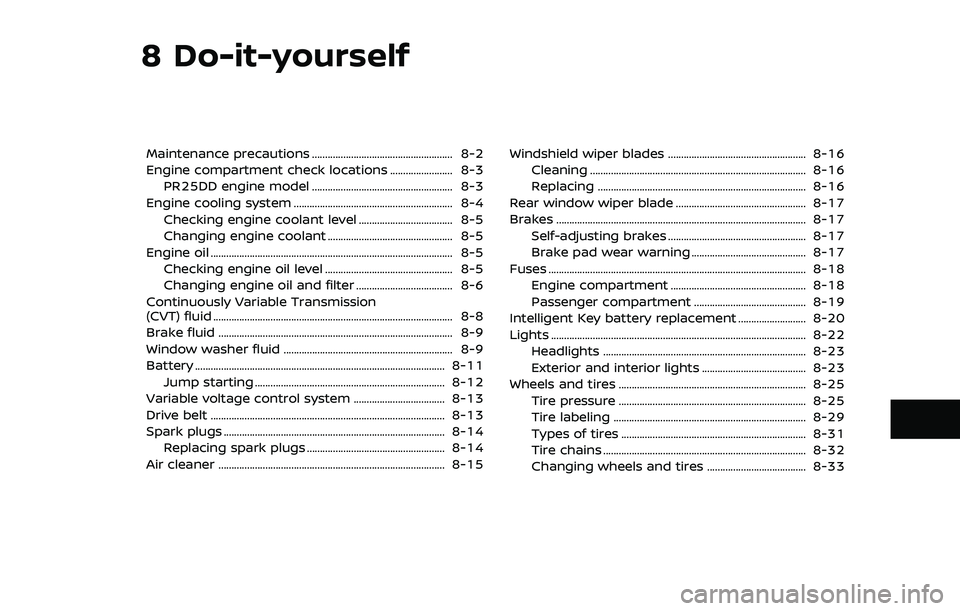
Maintenance precautions ...................................................... 8-2
Engine compartment check locations ........................ 8-3PR25DD engine model ...................................................... 8-3
Engine cooling system ............................................................. 8-4 Checking engine coolant level .................................... 8-5
Changing engine coolant ................................................ 8-5
Engine oil ........................................................................\
..................... 8-5 Checking engine oil level ................................................. 8-5
Changing engine oil and filter ..................................... 8-6
Continuously Variable Transmission
(CVT) fluid ........................................................................\
.................... 8-8
Brake fluid ........................................................................\
.................. 8-9
Window washer fluid ................................................................. 8-9
Battery ........................................................................\
........................ 8-11 Jump starting ........................................................................\
. 8-12
Variable voltage control system ................................... 8-13
Drive belt ........................................................................\
.................. 8-13
Spark plugs ........................................................................\
............. 8-14 Replacing spark plugs ..................................................... 8-14
Air cleaner ........................................................................\
............... 8-15 Windshield wiper blades ..................................................... 8-16
Cleaning ........................................................................\
........... 8-16
Replacing ........................................................................\
........ 8-16
Rear window wiper blade .................................................. 8-17
Brakes ........................................................................\
........................ 8-17 Self-adjusting brakes ..................................................... 8-17
Brake pad wear warning ............................................ 8-17
Fuses ........................................................................\
........................... 8-18 Engine compartment .................................................... 8-18
Passenger compartment ........................................... 8-19
Intelligent Key battery replacement .......................... 8-20
Lights ........................................................................\
.......................... 8-22 Headlights ........................................................................\
...... 8-23
Exterior and interior lights ........................................ 8-23
Wheels and tires ........................................................................\
8-25 Tire pressure ........................................................................\
8-25
Tire labeling ........................................................................\
.. 8-29
Types of tires ....................................................................... 8-31
Tire chains ........................................................................\
...... 8-32
Changing wheels and tires ...................................... 8-33
Page 456 of 556
8-2Do-it-yourself
When performing any inspection or main-
tenance work on your vehicle, always
take care to prevent serious accidental
injury to yourself or damage to the
vehicle. The following are general precau-
tions which should be closely observed.
WARNING
.Park the vehicle on a level sur-
face, apply the parking brake
securely and block the wheels to
prevent the vehicle from moving.
Push the park button to shift to
the P (Park) position.
. Be sure the ignition switch is in
the OFF position when perform-
ing any parts replacement or
repairs.
. If you must work with the engine
running, keep your hands, cloth-
ing, hair and tools away from
moving fans, belts and any other
moving parts.
. It is advisable to secure or re-
move any loose clothing and
remove any jewelry, such as
rings, watches, etc. before work-
ing on your vehicle. .
Always wear eye protection
whenever you work on your ve-
hicle.
. If you must run the engine in an
enclosed space such as a garage,
be sure there is proper ventilation
for exhaust gases to escape.
. Never get under the vehicle while
it is supported only by a jack. If it
is necessary to work under the
vehicle, support it with safety
stands.
. Because the fuel lines are under
high pressure even when the
engine is off, it is recommended
you visit a NISSAN dealer for
service of the fuel filter or fuel
lines.
. Keep smoking materials, flame
and sparks away from fuel and
the battery.
. On gasoline engine models with
the Multiport Fuel Injection (MFI)
system, the fuel filter and fuel
lines should be serviced because
the fuel lines are under high
pressure even when the engine
is turned off. It is recommended
that you visit a NISSAN dealer for
this service. .
Your vehicle is equipped with an
automatic engine cooling fan. It
may come on at any time without
warning, even if the ignition
switch is in the OFF position and
the engine is not running. To
avoid injury, always disconnect
the negative battery cable before
working near the fan.
CAUTION
.Do not work under the hood while
the engine is hot. Turn the engine
off and wait until it cools down.
. Avoid direct contact with used
engine oil and coolant. Impro-
perly disposed engine oil, and
engine coolant and/or other ve-
hicle fluids can damage the en-
vironment. Always conform to
local regulations for disposal of
vehicle fluid.
. Never leave the engine or the CVT
related component harnesses
disconnected while the ignition
switch is in the ON position.
. Never connect or disconnect the
battery or any transistorized
component while the ignition
MAINTENANCE PRECAUTIONS
Page 457 of 556

switch is in the ON position.
This “8. Do-it-yourself” section gives in-
structions regarding only those items
which are relatively easy for an owner to
perform.
A genuine NISSAN Service Manual is also
available. (See “Owner’s manual/service
manual order information” (P.10-31).)
You should be aware that incomplete or
improper servicing may result in operat-
ing difficulties or excessive emissions, and
could affect your warranty coverage. If in
doubt about any servicing, it is recom-
mended you have it done by a NISSAN
dealer.
WAA0174X
PR25DD ENGINE MODEL1. Engine coolant reservoir
2. Engine oil filler cap
3. Engine oil dipstick
4. Brake fluid reservoir
5. Battery
6. Fuse/fusible link box 7. Window washer fluid reservoir
8. Drive belt
9. Air cleaner
Do-it-yourself8-3
ENGINE COMPARTMENT CHECK LOCATIONS