ignition NISSAN TEANA 2008 Service Manual
[x] Cancel search | Manufacturer: NISSAN, Model Year: 2008, Model line: TEANA, Model: NISSAN TEANA 2008Pages: 5121, PDF Size: 69.03 MB
Page 1108 of 5121
CHG-10
< COMPONENT DIAGNOSIS >
L TERMINAL CIRCUIT (OPEN)
L TERMINAL CIRCUIT (OPEN)
DescriptionINFOID:0000000003860523
The “L” terminal circuit controls the charge warning lamp. The charge warning lamp illuminates when the igni-
tion switch is set to ON or START. When the alternator is providing sufficient voltage with the engine running,
the charge warning lamp will go off. If the charge warning lamp illuminates with the engine running, a malfunc-
tion is indicated.
Diagnosis ProcedureINFOID:0000000003860524
1.CHECK “L” TERMINAL CONNECTION
1. Turn ignition switch OFF.
2. Check if “L” terminal is clean and tight.
Is the inspection result normal?
YES >> GO TO 2.
NO >> Repair “L” terminal connection. Confirm repair by performing complete Starting/Charging system
test. Refer to Technical Service Bulletin.
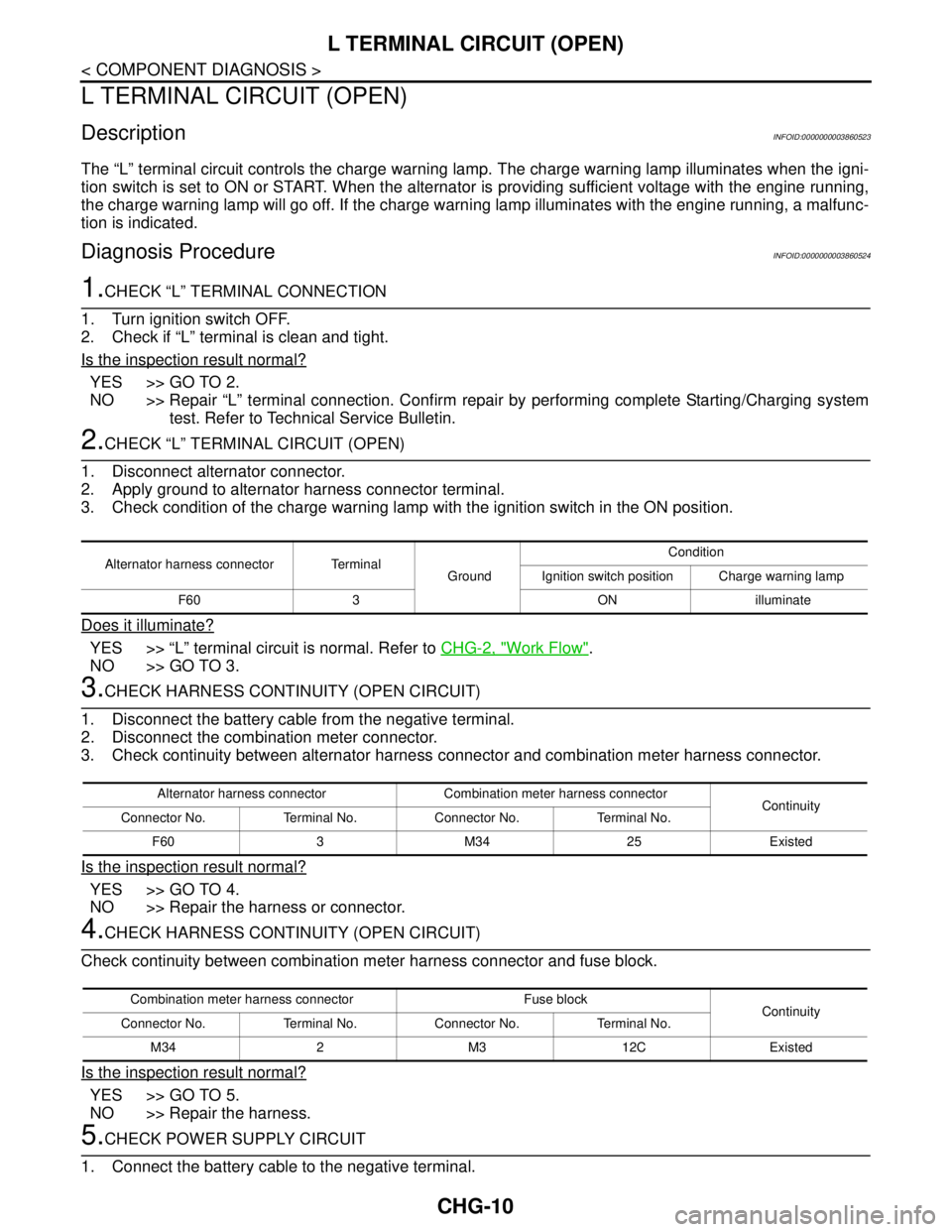
2.CHECK “L” TERMINAL CIRCUIT (OPEN)
1. Disconnect alternator connector.
2. Apply ground to alternator harness connector terminal.
3. Check condition of the charge warning lamp with the ignition switch in the ON position.
Does it illuminate?
YES >> “L” terminal circuit is normal. Refer to CHG-2, "Work Flow".
NO >> GO TO 3.
3.CHECK HARNESS CONTINUITY (OPEN CIRCUIT)
1. Disconnect the battery cable from the negative terminal.
2. Disconnect the combination meter connector.
3. Check continuity between alternator harness connector and combination meter harness connector.
Is the inspection result normal?
YES >> GO TO 4.
NO >> Repair the harness or connector.
4.CHECK HARNESS CONTINUITY (OPEN CIRCUIT)
Check continuity between combination meter harness connector and fuse block.
Is the inspection result normal?
YES >> GO TO 5.
NO >> Repair the harness.
5.CHECK POWER SUPPLY CIRCUIT
1. Connect the battery cable to the negative terminal.
Alternator harness connector Terminal
GroundCondition
Ignition switch position Charge warning lamp
F60 3 ON illuminate
Alternator harness connector Combination meter harness connector
Continuity
Connector No. Terminal No. Connector No. Terminal No.
F60 3 M34 25 Existed
Combination meter harness connector Fuse block
Continuity
Connector No. Terminal No. Connector No. Terminal No.
M34 2 M3 12C Existed
Page 1109 of 5121
CHG
L TERMINAL CIRCUIT (OPEN)
CHG-11
< COMPONENT DIAGNOSIS >
C
D
E
F
G
H
I
J
K
L B A
O
P N
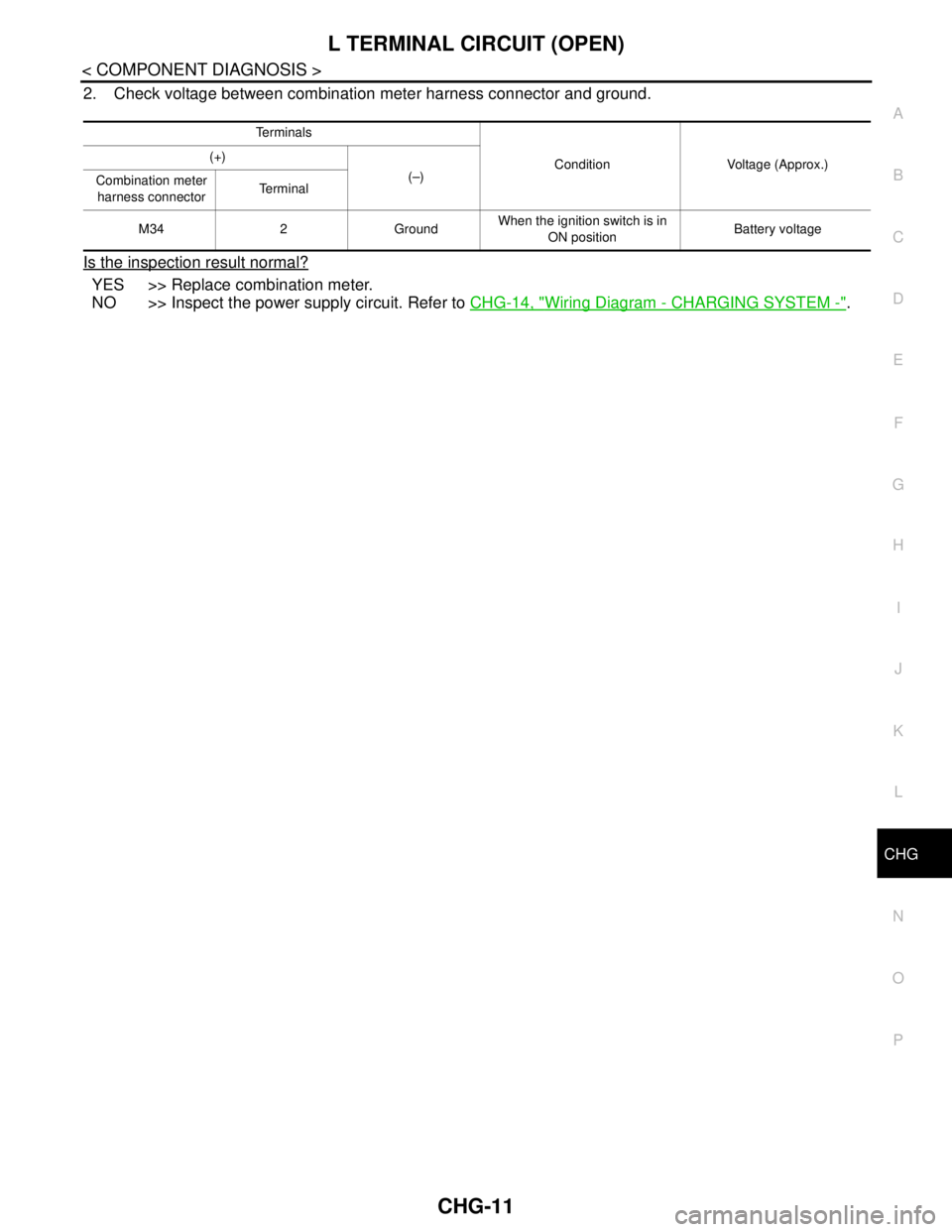
2. Check voltage between combination meter harness connector and ground.
Is the inspection result normal?
YES >> Replace combination meter.
NO >> Inspect the power supply circuit. Refer to CHG-14, "
Wiring Diagram - CHARGING SYSTEM -".
Te r m i n a l s
Condition Voltage (Approx.) (+)
(–)
Combination meter
harness connectorTe r m i n a l
M34 2 GroundWhen the ignition switch is in
ON positionBattery voltage
Page 1110 of 5121
CHG-12
< COMPONENT DIAGNOSIS >
L TERMINAL CIRCUIT (SHORT)
L TERMINAL CIRCUIT (SHORT)
DescriptionINFOID:0000000003860525
The “L” terminal circuit controls the charge warning lamp. The charge warning lamp illuminates when the igni-
tion switch is set to ON or START. When the alternator is providing sufficient voltage with the engine running,
the charge warning lamp will go off. If the charge warning lamp illuminates with the engine running, a malfunc-
tion is indicated.
Diagnosis ProcedureINFOID:0000000003860526
1.CHECK “L” TERMINAL CIRCUIT (SHORT)
1. Turn ignition switch OFF.
2. Disconnect alternator connector.
3. Turn ignition switch ON.
Does charge warning lamp illuminate?
YES >> GO TO 2.
NO >> Refer to CHG-2, "
Work Flow".
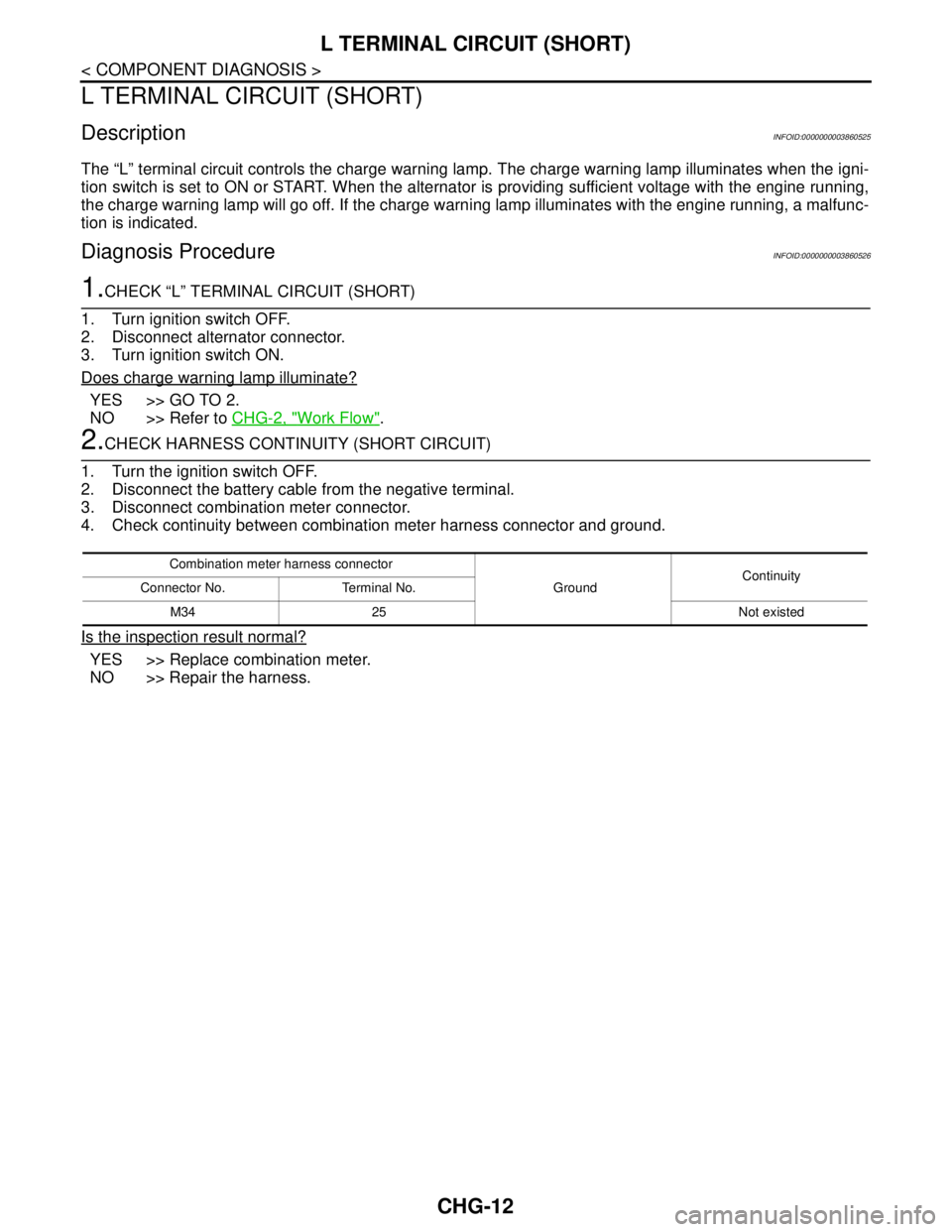
2.CHECK HARNESS CONTINUITY (SHORT CIRCUIT)
1. Turn the ignition switch OFF.
2. Disconnect the battery cable from the negative terminal.
3. Disconnect combination meter connector.
4. Check continuity between combination meter harness connector and ground.
Is the inspection result normal?
YES >> Replace combination meter.
NO >> Repair the harness.
Combination meter harness connector
GroundContinuity
Connector No. Terminal No.
M34 25 Not existed
Page 1111 of 5121
CHG
S TERMINAL CIRCUIT
CHG-13
< COMPONENT DIAGNOSIS >
C
D
E
F
G
H
I
J
K
L B A
O
P N
S TERMINAL CIRCUIT
DescriptionINFOID:0000000003860527
The output voltage of the alternator is controlled by the IC voltage regulator at the “S” terminal detecting the
input voltage.
The “S” terminal circuit detects the battery voltage to adjust the alternator output voltage with the IC voltage
regulator.
Diagnosis ProcedureINFOID:0000000003860528
1.CHECK “S” TERMINAL CONNECTION
1. Turn ignition switch OFF.
2. Check if “S” terminal is clean and tight.
Is the inspection result normal?
YES >> GO TO 2.
NO >> Repair “S” terminal connection. Confirm repair by performing complete Starting/Charging system
test. Refer to Technical Service Bulletin.
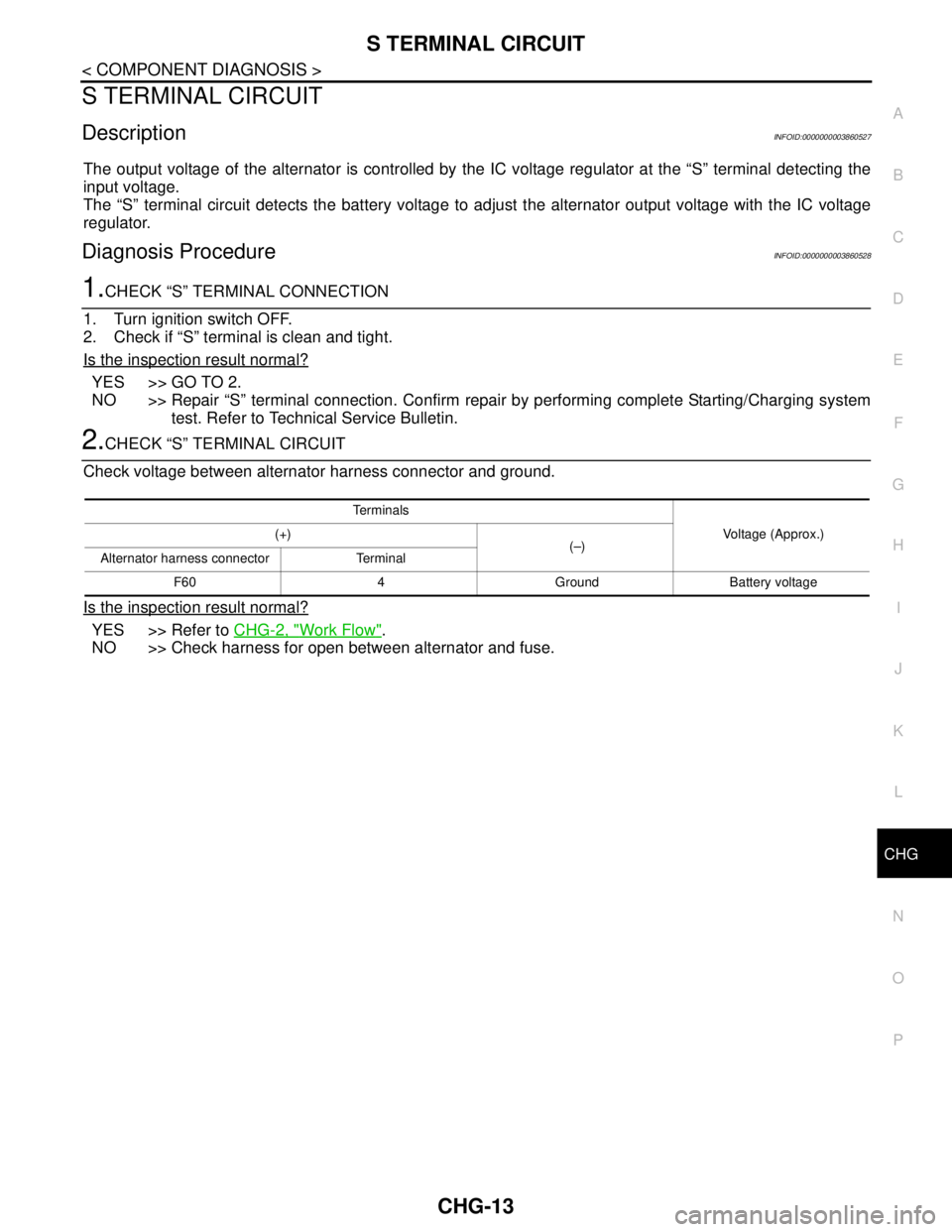
2.CHECK “S” TERMINAL CIRCUIT
Check voltage between alternator harness connector and ground.
Is the inspection result normal?
YES >> Refer to CHG-2, "Work Flow".
NO >> Check harness for open between alternator and fuse.
Te r m i n a l s
Voltage (Approx.) (+)
(–)
Alternator harness connector Terminal
F60 4 Ground Battery voltage
Page 1115 of 5121
CHG
CHARGING SYSTEM
CHG-17
< SYMPTOM DIAGNOSIS >
C
D
E
F
G
H
I
J
K
L B A
O
P N
SYMPTOM DIAGNOSIS
CHARGING SYSTEM
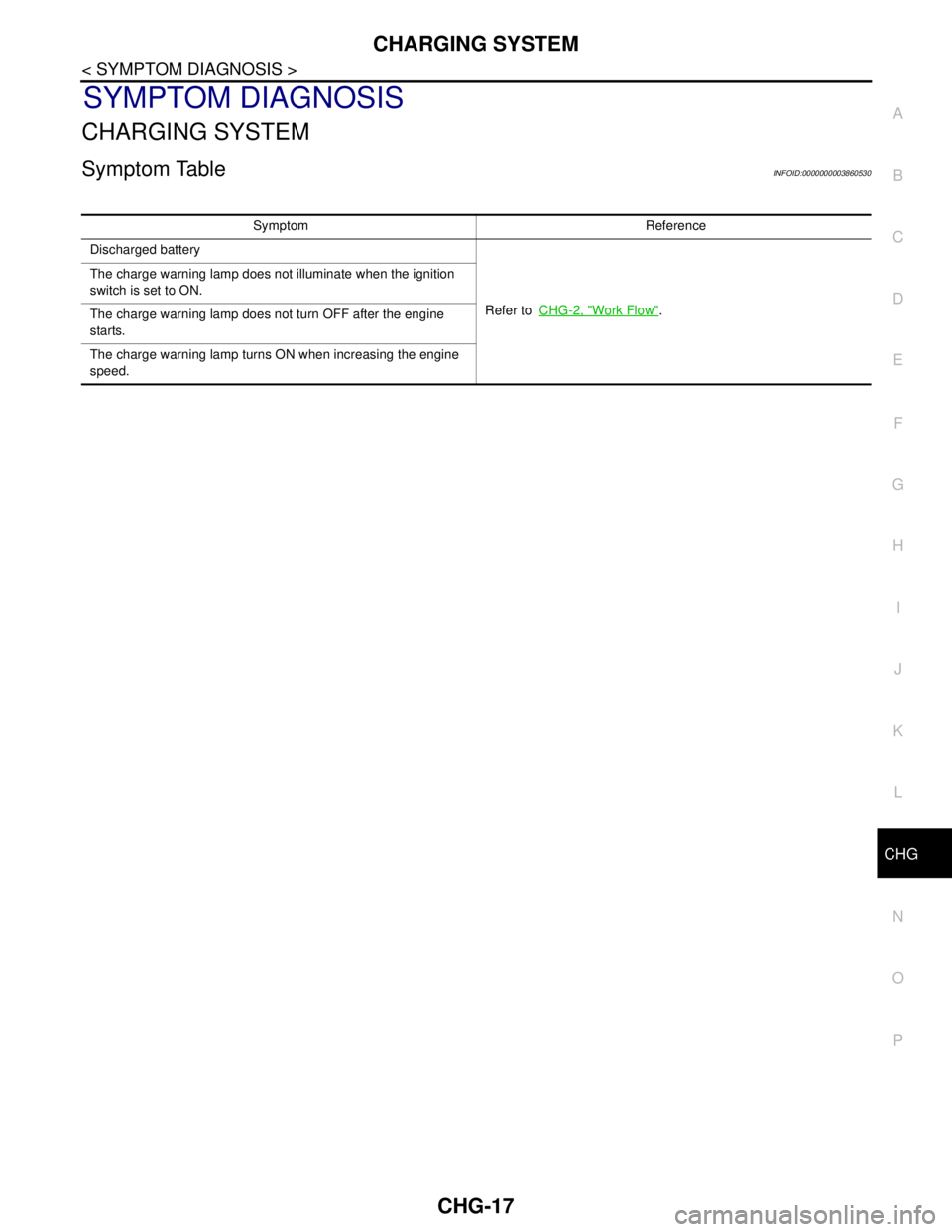
Symptom TableINFOID:0000000003860530
Symptom Reference
Discharged battery
Refer to CHG-2, "
Work Flow". The charge warning lamp does not illuminate when the ignition
switch is set to ON.
The charge warning lamp does not turn OFF after the engine
starts.
The charge warning lamp turns ON when increasing the engine
speed.
Page 1118 of 5121
CHG-20
< ON-VEHICLE MAINTENANCE >
CHARGING SYSTEM PRELIMINARY INSPECTION
ON-VEHICLE MAINTENANCE
CHARGING SYSTEM PRELIMINARY INSPECTION
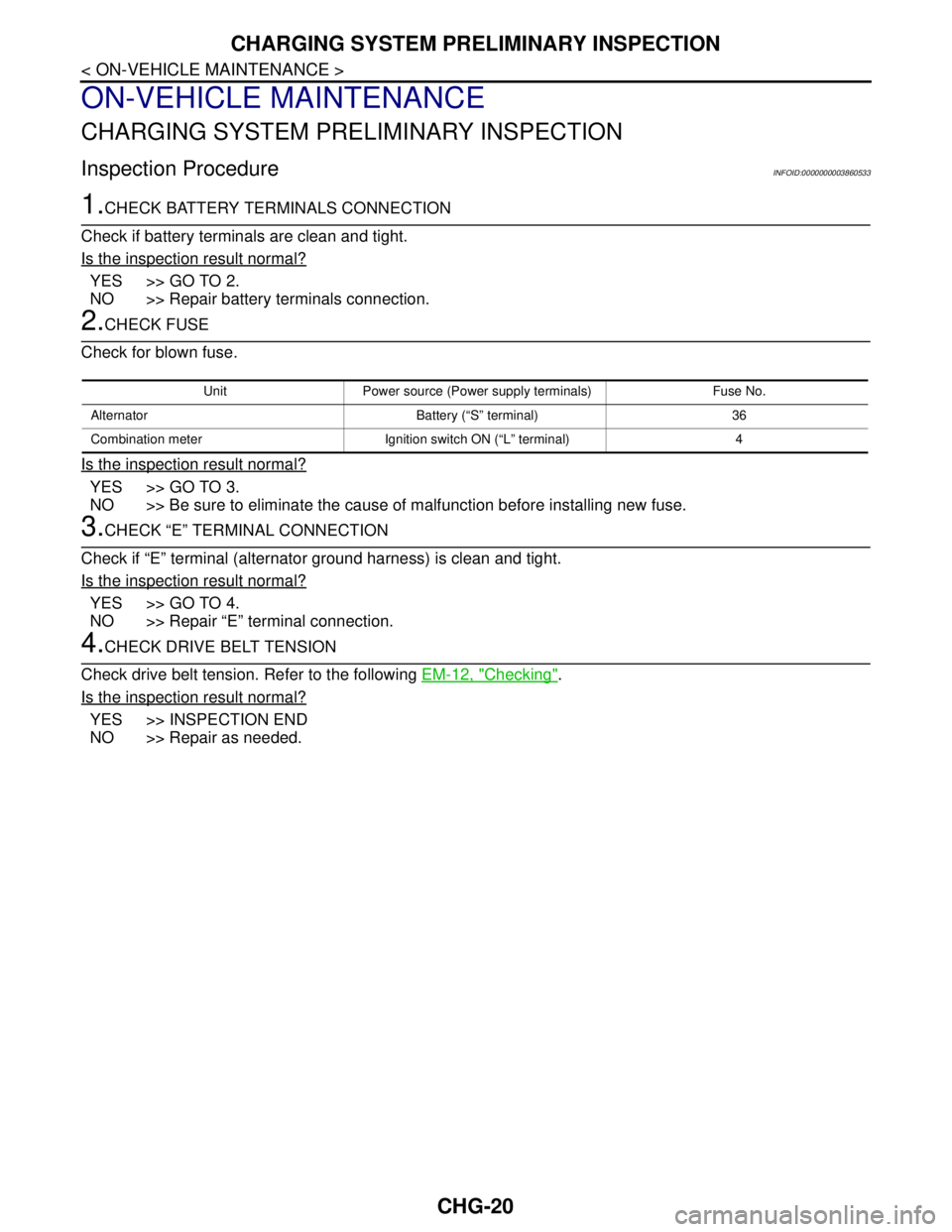
Inspection ProcedureINFOID:0000000003860533
1.CHECK BATTERY TERMINALS CONNECTION
Check if battery terminals are clean and tight.
Is the inspection result normal?
YES >> GO TO 2.
NO >> Repair battery terminals connection.
2.CHECK FUSE
Check for blown fuse.
Is the inspection result normal?
YES >> GO TO 3.
NO >> Be sure to eliminate the cause of malfunction before installing new fuse.
3.CHECK “E” TERMINAL CONNECTION
Check if “E” terminal (alternator ground harness) is clean and tight.
Is the inspection result normal?
YES >> GO TO 4.
NO >> Repair “E” terminal connection.
4.CHECK DRIVE BELT TENSION
Check drive belt tension. Refer to the following EM-12, "
Checking".
Is the inspection result normal?
YES >> INSPECTION END
NO >> Repair as needed.
Unit Power source (Power supply terminals) Fuse No.
Alternator Battery (“S” terminal) 36
Combination meter Ignition switch ON (“L” terminal) 4
Page 1127 of 5121

CO-4
< SYMPTOM DIAGNOSIS >
OVERHEATING CAUSE ANALYSIS
Except cool-
ing system
parts mal-
function— Overload on engineAbusive drivingHigh engine rpm under no
load
Driving in low gear for ex-
tended time
Driving at extremely high
speed
Powertrain system malfunc-
tion
— Installed improper size
wheels and tires
Dragging brakes
Improper ignition timing
Blocked or restricted air
flowBlocked bumper —
— Blocked radiator grilleInstalled car brassiere
Mud contamination or paper
clogging
Blocked radiator —
Blocked condenser
Blocked air flow
Installed large fog lamp Symptom Check items
Page 1154 of 5121
DEF-4
< FUNCTION DIAGNOSIS >
REAR WINDOW DEFOGGER SYSTEM
FUNCTION DIAGNOSIS
REAR WINDOW DEFOGGER SYSTEM
WITH AV CONTROL UNIT
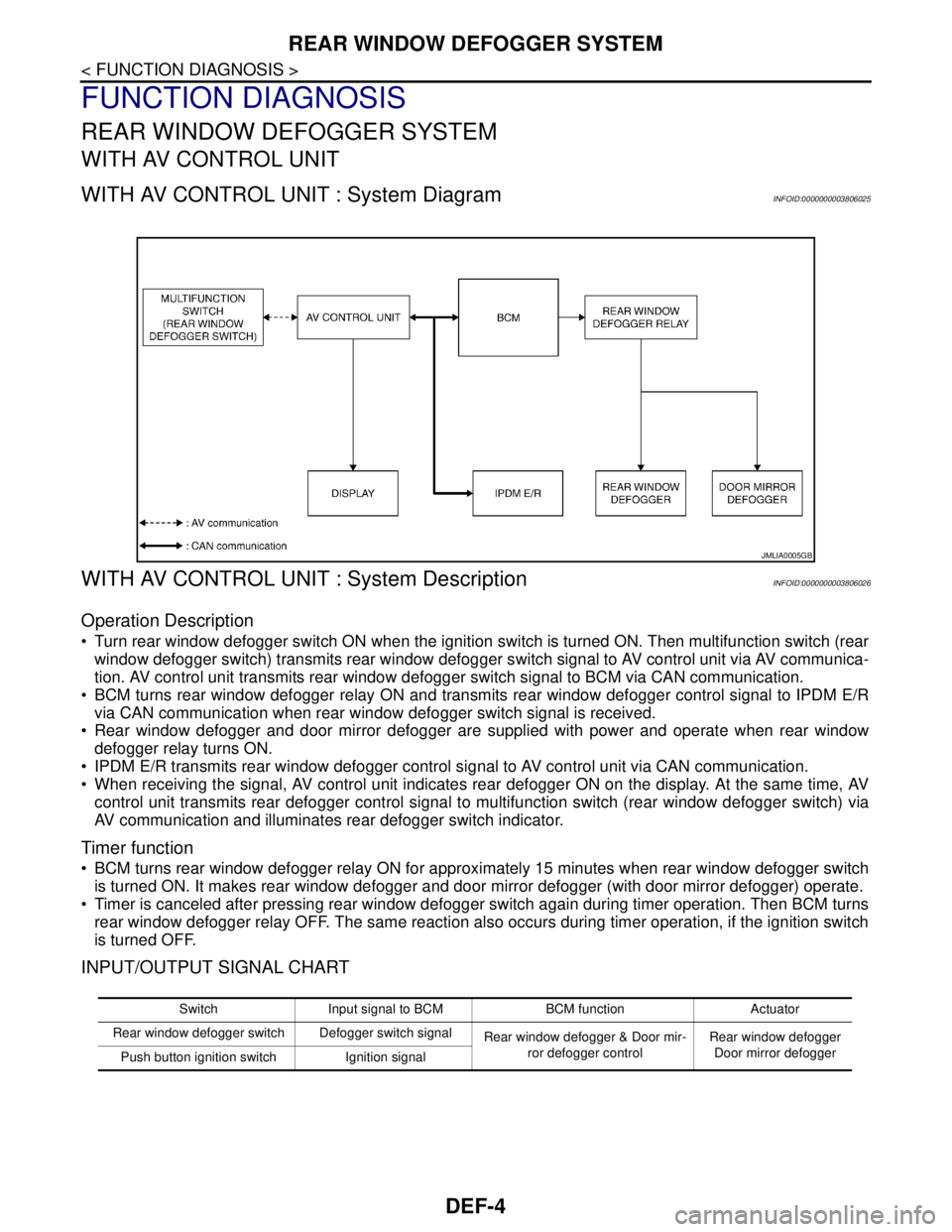
WITH AV CONTROL UNIT : System DiagramINFOID:0000000003806025
WITH AV CONTROL UNIT : System DescriptionINFOID:0000000003806026
Operation Description
Turn rear window defogger switch ON when the ignition switch is turned ON. Then multifunction switch (rear
window defogger switch) transmits rear window defogger switch signal to AV control unit via AV communica-
tion. AV control unit transmits rear window defogger switch signal to BCM via CAN communication.
BCM turns rear window defogger relay ON and transmits rear window defogger control signal to IPDM E/R
via CAN communication when rear window defogger switch signal is received.
Rear window defogger and door mirror defogger are supplied with power and operate when rear window
defogger relay turns ON.
IPDM E/R transmits rear window defogger control signal to AV control unit via CAN communication.
When receiving the signal, AV control unit indicates rear defogger ON on the display. At the same time, AV
control unit transmits rear defogger control signal to multifunction switch (rear window defogger switch) via
AV communication and illuminates rear defogger switch indicator.
Timer function
BCM turns rear window defogger relay ON for approximately 15 minutes when rear window defogger switch
is turned ON. It makes rear window defogger and door mirror defogger (with door mirror defogger) operate.
Timer is canceled after pressing rear window defogger switch again during timer operation. Then BCM turns
rear window defogger relay OFF. The same reaction also occurs during timer operation, if the ignition switch
is turned OFF.
INPUT/OUTPUT SIGNAL CHART
JMLIA0005GB
Switch Input signal to BCM BCM function Actuator
Rear window defogger switch Defogger switch signal
Rear window defogger & Door mir-
ror defogger controlRear window defogger
Door mirror defogger
Push button ignition switch Ignition signal
Page 1156 of 5121
DEF-6
< FUNCTION DIAGNOSIS >
REAR WINDOW DEFOGGER SYSTEM
WITHOUT AV CONTROL UNIT
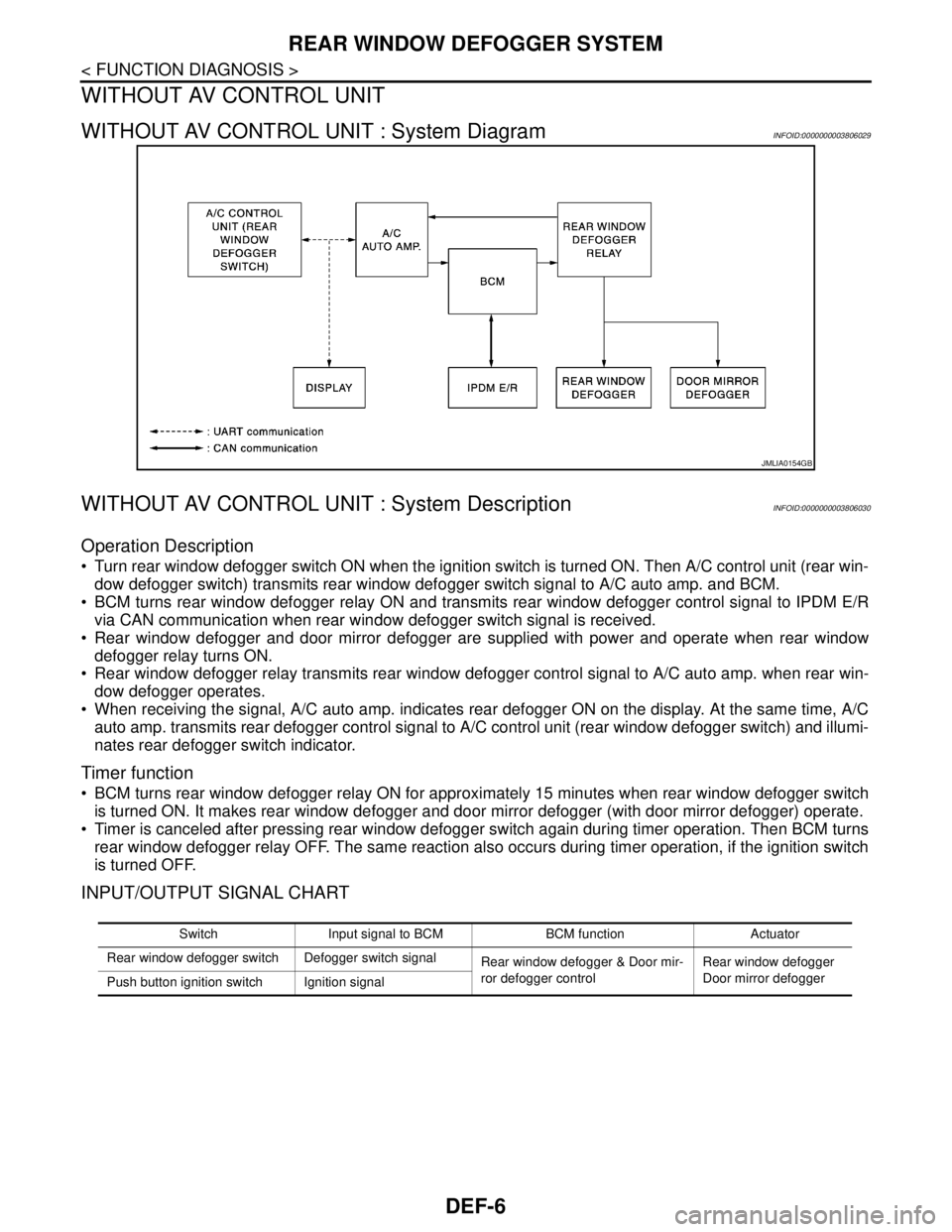
WITHOUT AV CONTROL UNIT : System DiagramINFOID:0000000003806029
WITHOUT AV CONTROL UNIT : System DescriptionINFOID:0000000003806030
Operation Description
Turn rear window defogger switch ON when the ignition switch is turned ON. Then A/C control unit (rear win-
dow defogger switch) transmits rear window defogger switch signal to A/C auto amp. and BCM.
BCM turns rear window defogger relay ON and transmits rear window defogger control signal to IPDM E/R
via CAN communication when rear window defogger switch signal is received.
Rear window defogger and door mirror defogger are supplied with power and operate when rear window
defogger relay turns ON.
Rear window defogger relay transmits rear window defogger control signal to A/C auto amp. when rear win-
dow defogger operates.
When receiving the signal, A/C auto amp. indicates rear defogger ON on the display. At the same time, A/C
auto amp. transmits rear defogger control signal to A/C control unit (rear window defogger switch) and illumi-
nates rear defogger switch indicator.
Timer function
BCM turns rear window defogger relay ON for approximately 15 minutes when rear window defogger switch
is turned ON. It makes rear window defogger and door mirror defogger (with door mirror defogger) operate.
Timer is canceled after pressing rear window defogger switch again during timer operation. Then BCM turns
rear window defogger relay OFF. The same reaction also occurs during timer operation, if the ignition switch
is turned OFF.
INPUT/OUTPUT SIGNAL CHART
JMLIA0154GB
Switch Input signal to BCM BCM function Actuator
Rear window defogger switch Defogger switch signal
Rear window defogger & Door mir-
ror defogger controlRear window defogger
Door mirror defogger
Push button ignition switch Ignition signal
Page 1159 of 5121
DIAGNOSIS SYSTEM (BCM)
DEF-9
< FUNCTION DIAGNOSIS >
C
D
E
F
G
H
I
J
K
MA
B
DEF
N
O
P
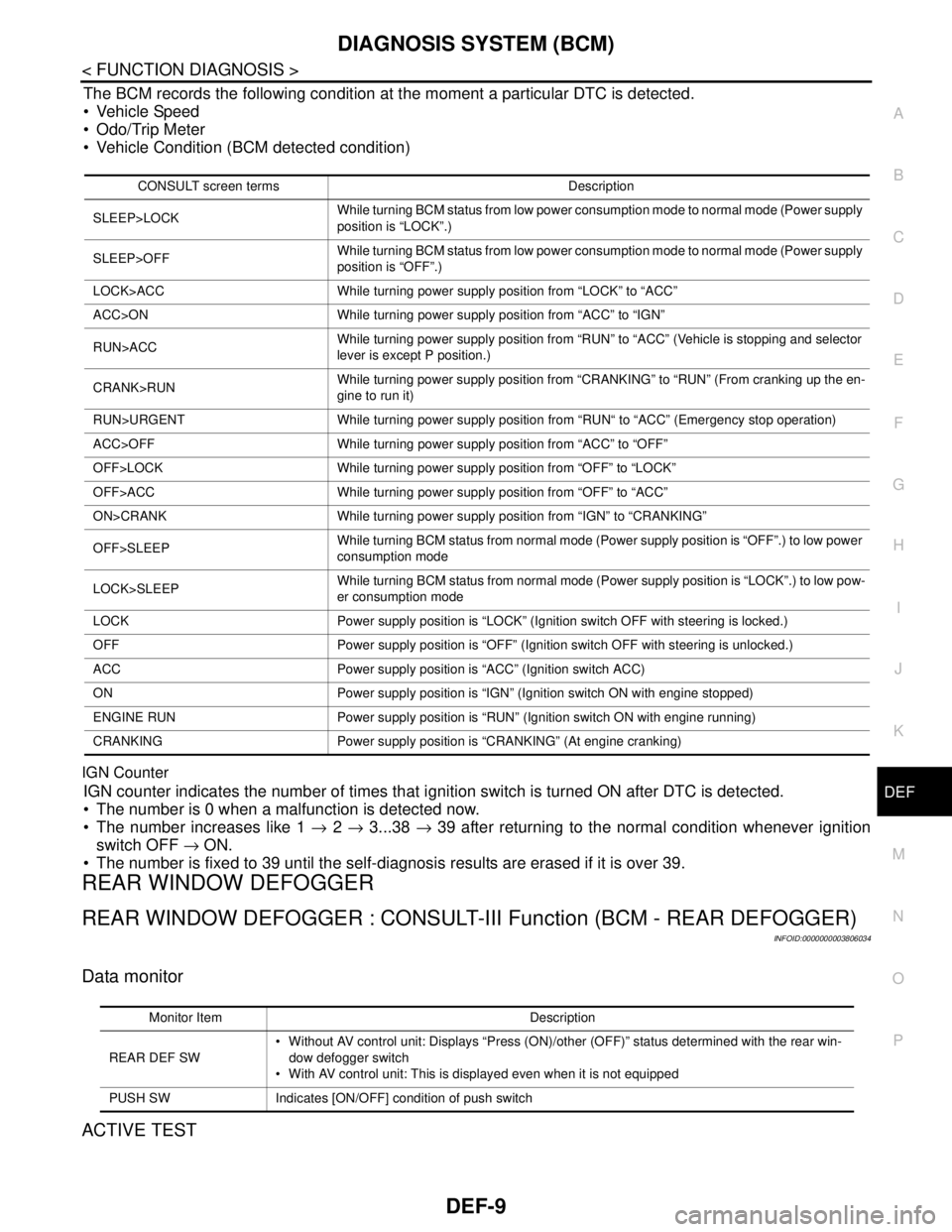
The BCM records the following condition at the moment a particular DTC is detected.
Vehicle Speed
Odo/Trip Meter
Vehicle Condition (BCM detected condition)
IGN Counter
IGN counter indicates the number of times that ignition switch is turned ON after DTC is detected.
The number is 0 when a malfunction is detected now.
The number increases like 1 → 2 → 3...38 → 39 after returning to the normal condition whenever ignition
switch OFF → ON.
The number is fixed to 39 until the self-diagnosis results are erased if it is over 39.
REAR WINDOW DEFOGGER
REAR WINDOW DEFOGGER : CONSULT-III Function (BCM - REAR DEFOGGER)
INFOID:0000000003806034
Data monitor
ACTIVE TEST
CONSULT screen terms Description
SLEEP>LOCKWhile turning BCM status from low power consumption mode to normal mode (Power supply
position is “LOCK”.)
SLEEP>OFFWhile turning BCM status from low power consumption mode to normal mode (Power supply
position is “OFF”.)
LOCK>ACC While turning power supply position from “LOCK” to “ACC”
ACC>ON While turning power supply position from “ACC” to “IGN”
RUN>ACCWhile turning power supply position from “RUN” to “ACC” (Vehicle is stopping and selector
lever is except P position.)
CRANK>RUNWhile turning power supply position from “CRANKING” to “RUN” (From cranking up the en-
gine to run it)
RUN>URGENT While turning power supply position from “RUN“ to “ACC” (Emergency stop operation)
ACC>OFF While turning power supply position from “ACC” to “OFF”
OFF>LOCK While turning power supply position from “OFF” to “LOCK”
OFF>ACC While turning power supply position from “OFF” to “ACC”
ON>CRANK While turning power supply position from “IGN” to “CRANKING”
OFF>SLEEPWhile turning BCM status from normal mode (Power supply position is “OFF”.) to low power
consumption mode
LOCK>SLEEPWhile turning BCM status from normal mode (Power supply position is “LOCK”.) to low pow-
er consumption mode
LOCK Power supply position is “LOCK” (Ignition switch OFF with steering is locked.)
OFF Power supply position is “OFF” (Ignition switch OFF with steering is unlocked.)
ACC Power supply position is “ACC” (Ignition switch ACC)
ON Power supply position is “IGN” (Ignition switch ON with engine stopped)
ENGINE RUN Power supply position is “RUN” (Ignition switch ON with engine running)
CRANKING Power supply position is “CRANKING” (At engine cranking)
Monitor Item Description
REAR DEF SW Without AV control unit: Displays “Press (ON)/other (OFF)” status determined with the rear win-
dow defogger switch
With AV control unit: This is displayed even when it is not equipped
PUSH SW Indicates [ON/OFF] condition of push switch