lighting NISSAN TIIDA 2007 Service Repair Manual
[x] Cancel search | Manufacturer: NISSAN, Model Year: 2007, Model line: TIIDA, Model: NISSAN TIIDA 2007Pages: 5883, PDF Size: 78.95 MB
Page 1 of 5883
MODEL C11 SERIES
2007 NISSAN EUROPE S.A.S.
All rights reserved. No part of this Electronic Service Manual may be reproduced or stored in a retrieval system, or transmitted in any form,
or by any means, electronic, mechanical, photocopying, recording or otherwise, without the prior written permission of Nissan Europe
S.A.S., Paris, France.
A GENERAL INFORMATION
B ENGINE
D TRANSMISSION& DRIVELINE
E SUSPENSION F BRAKES
G STEERING H RESTRAINTS
I VENTILATION, HEATER & AIR CONDITIONER
J BODY INTERIOR
K BODY EXTERIOR, DOOR, ROOF & VEHICLE SECURITY
L DRIVER CONTROLS
M ELECTRICAL & POWER CONTROL
N DRIVER INFORMATION & MULTIMEDIA
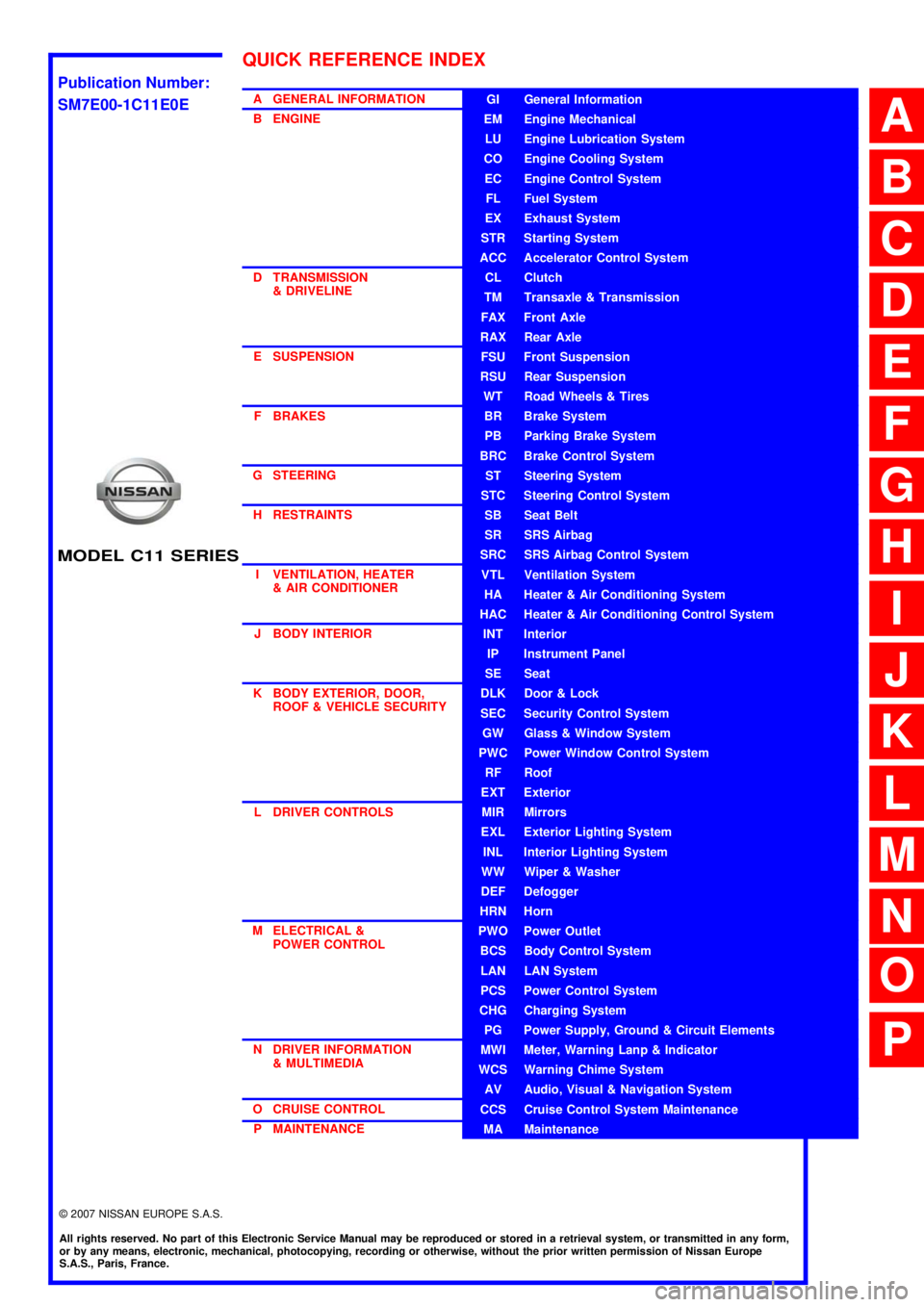
O CRUISE CONTROL P MAINTENANCEGI General Information
EM Engine Mechanical
LU Engine Lubrication System
CO Engine Cooling System
EC Engine Control System
FL Fuel System
EX Exhaust System
STR Starting System
ACC Accelerator Control System
CL Clutch
TM Transaxle & Transmission
FAX Front Axle
RAX Rear Axle
FSU Front Suspension
RSU Rear Suspension
WT Road Wheels & Tires
BR Brake System
PB Parking Brake System
BRC Brake Control System
ST Steering System
STC Steering Control System
SB Seat Belt
SR SRS Airbag
SRC SRS Airbag Control System
VTL Ventilation System
HA Heater & Air Conditioning System
HAC Heater & Air Conditioning Control System
INT Interior
IP Instrument Panel
SE Seat
DLK Door & Lock
SEC Security Control System
GW Glass & Window System
PWC Power Window Control System
RF Roof
EXT Exterior
MIR Mirrors
EXL Exterior Lighting System
INL Interior Lighting System
WW Wiper & Washer
DEF Defogger
HRN Horn
PWO Power Outlet
BCS Body Control System
LAN LAN System
PCS Power Control System
CHG Charging System
PG Power Supply, Ground & Circuit Elements
MWI Meter, Warning Lanp & Indicator
WCS Warning Chime System
AV Audio, Visual & Navigation System
CCS Cruise Control System Maintenance
MA Maintenance
QUICK REFERENCE INDEX
A
B
C
D
E
F
G
H
I
J
K
L
M
N
O
P
M
Publication Number:
SM7E00-1C11E0E
Page 55 of 5883
![NISSAN TIIDA 2007 Service Repair Manual AV-50
< FUNCTION DIAGNOSIS >[AUDIO WITH NAVIGATION]
DIAGNOSIS SYSTEM (NAVI CONTROL UNIT)
ALL SIGNALS
Displays the status of the following vehicle signals inputted to the NAVI control unit.
For eac](/img/5/57395/w960_57395-54.png "NISSAN TIIDA 2007 Service Repair Manual AV-50
< FUNCTION DIAGNOSIS >[AUDIO WITH NAVIGATION]
DIAGNOSIS SYSTEM (NAVI CONTROL UNIT)
ALL SIGNALS
Displays the status of the following vehicle signals inputted to the NAVI control unit.
For eac")
AV-50
< FUNCTION DIAGNOSIS >[AUDIO WITH NAVIGATION]
DIAGNOSIS SYSTEM (NAVI CONTROL UNIT)
ALL SIGNALS
Displays the status of the following vehicle signals inputted to the NAVI control unit.
For each signal, actual signal can be compared with the condition recognized on the system.
SELECTION FROM MENU
Allows the technician to select which vehicle signals should be displayed and displays the status of the
selected vehicle signals.
AV communication monitor
AV&NAVI C/U
Displays the communication status from NAVI control unit to each unit as well as the error counter.
The error counter displays “OK” if no malfunction was detected in the past and displays “0” if a malfunction is
detected. It increases by 1 if the condition is normal at the next ignition switch ON cycle. The upper limit of
the counter is 39.
AUDIO
Displays the NAVI control unit communication status and the error counter.
Display ItemDis-
playVehicle status Remarks
VHCL SPD SIGON Vehicle speed >0 km/h (0 MPH)
Changes in indication may be delayed. This is
normal.
OFF Vehicle speed =0 km/h (0 MPH)
PKB SIGON Parking brake is applied.
Changes in indication may be delayed. This is
normal.
OFF Parking brake is released.
ILLUM SIGON Lighting switch ON
—
OFF Lighting switch OFF
IGN SIGON Ignition switch ON
—
OFF Ignition switch in ACC position
REV SIGON Selector lever in R position
Changes in indication may be delayed. This is
normal.
OFFSelector lever in any position other
than R
Item to be selected Description
VHCL SPD SIG
The same as when “ALL SIGNALS”
is selected. PKB SIG
ILLUM SIG
IGN SIG
REV SIG
Items Display (Current)Malfunction
counter
(Past)
TRANSMIT DIAG OK / UNKWN OK / 0 – 39
PANEL SWITCH OK/ UNKWN OK / 0 – 39
SW SECONDARY — —
RR CONTROL SW — —
STEERING SW OK / UNKWN OK / 0 – 39
AUDIO OK / UNKWN OK / 0 – 39
SPEAKER AMP OK / UNKWN OK / 0 – 39
FM MULTI OK / UNKWN OK / 0 – 39
Page 98 of 5883
![NISSAN TIIDA 2007 Service Repair Manual AV
AV CONTROL UNIT
AV-93
< ECU DIAGNOSIS >[AUDIO WITH NAVIGATION]
C
D
E
F
G
H
I
J
K
L
MB A
O
P
ECU DIAGNOSIS
AV CONTROL UNIT
Reference ValueINFOID:0000000001728761
TERMINAL LAYOUT
PHYSICAL VALUES
JPNI](/img/5/57395/w960_57395-97.png "NISSAN TIIDA 2007 Service Repair Manual AV
AV CONTROL UNIT
AV-93
< ECU DIAGNOSIS >[AUDIO WITH NAVIGATION]
C
D
E
F
G
H
I
J
K
L
MB A
O
P
ECU DIAGNOSIS
AV CONTROL UNIT
Reference ValueINFOID:0000000001728761
TERMINAL LAYOUT
PHYSICAL VALUES
JPNI")
AV
AV CONTROL UNIT
AV-93
< ECU DIAGNOSIS >[AUDIO WITH NAVIGATION]
C
D
E
F
G
H
I
J
K
L
MB A
O
P
ECU DIAGNOSIS
AV CONTROL UNIT
Reference ValueINFOID:0000000001728761
TERMINAL LAYOUT
PHYSICAL VALUES
JPNIA0227ZZ
Te r m i n a l
(Wire color)Description
ConditionReference value
(Approx.)
+ – Signal nameInput/
Output
2
(L)3
(G)Sound signal front LH OutputIgnition
switch
ONVoice output
4
(LG)5
(Y)Sound signal rear LH OutputIgnition
switch
ONVoice output
6
(R)15
(B)Steering switch signal A InputIgnition
switch
ONKeep pressing SOURCE
switch. 0 V
Keep pressing MENU UP
switch.1.2 V
Keep pressing MENU
DOWN switch.2.5 V
Keep pressing ENTER
switch.3.7 V
Except for above. 5 V
7
(R)Ground ACC power supply InputIgnition
switch
ACC−Battery voltage
8
(B)Ground GND —Ignition
switch
ON—0 V
9
(R)Ground Illumination signal Input OFFLighting switch is OFF. 0 V
Lighting switch is ON. 12 V
SKIB3609E
SKIB3609E
Page 105 of 5883
![NISSAN TIIDA 2007 Service Repair Manual AV-100
< ECU DIAGNOSIS >[AUDIO WITH NAVIGATION]
NAVI CONTROL UNIT
NAVI CONTROL UNIT
Reference ValueINFOID:0000000001728758
VALUES ON THE DIAGNOSIS TOOL
CONSULT-III data monitor item
TERMINAL LAYOUT
PH](/img/5/57395/w960_57395-104.png "NISSAN TIIDA 2007 Service Repair Manual AV-100
< ECU DIAGNOSIS >[AUDIO WITH NAVIGATION]
NAVI CONTROL UNIT
NAVI CONTROL UNIT
Reference ValueINFOID:0000000001728758
VALUES ON THE DIAGNOSIS TOOL
CONSULT-III data monitor item
TERMINAL LAYOUT
PH")
AV-100
< ECU DIAGNOSIS >[AUDIO WITH NAVIGATION]
NAVI CONTROL UNIT
NAVI CONTROL UNIT
Reference ValueINFOID:0000000001728758
VALUES ON THE DIAGNOSIS TOOL
CONSULT-III data monitor item
TERMINAL LAYOUT
PHYSICAL VALUES
Display ItemDis-
playVehicle status Remarks
VHCL SPD SIGON Vehicle speed >0 km/h (0 MPH)
Changes in indication may be delayed. This is
normal.
OFF Vehicle speed =0 km/h (0 MPH)
PKB SIGON Parking brake is applied.
Changes in indication may be delayed. This is
normal.
OFF Parking brake is released.
ILLUM SIGON Lighting switch ON
—
OFF Lighting switch OFF
IGN SIGON Ignition switch ON
—
OFF Ignition switch in ACC position
REV SIGON Selector lever in R position
Changes in indication may be delayed. This is
normal.
OFFSelector lever in any position other
than R
JPNIA0226ZZ
Terminal
(Wire color)Description
ConditionReference value
(Approx.)
+ – Signal nameInput/
Output
1
(B)Ground GND —Ignition
switch
ON—0 V
2
(LG)Ground Battery power supply InputIgnition
switch
OFF— Battery voltage
5
(R)Ground ACC power supply InputIgnition
switch
ACC— Battery voltage
6
(B)7 Microphone VCC OutputIgnition
switch
ON—5 V
7 Ground Microphone GND —Ignition
switch
ON—0 V
Page 107 of 5883
![NISSAN TIIDA 2007 Service Repair Manual AV-102
< ECU DIAGNOSIS >[AUDIO WITH NAVIGATION]
NAVI CONTROL UNIT
48
(B)Ground RGB synchronizing signal OutputIgnition
switch
ON—
49 Ground Shield — — — —
50
(G)Ground RGB area (YS) signal](/img/5/57395/w960_57395-106.png "NISSAN TIIDA 2007 Service Repair Manual AV-102
< ECU DIAGNOSIS >[AUDIO WITH NAVIGATION]
NAVI CONTROL UNIT
48
(B)Ground RGB synchronizing signal OutputIgnition
switch
ON—
49 Ground Shield — — — —
50
(G)Ground RGB area (YS) signal")
AV-102
< ECU DIAGNOSIS >[AUDIO WITH NAVIGATION]
NAVI CONTROL UNIT
48
(B)Ground RGB synchronizing signal OutputIgnition
switch
ON—
49 Ground Shield — — — —
50
(G)Ground RGB area (YS) signal OutputIgnition
switch
ONAt RGB image displayed 5 V
At rear view camera image
displayed
51
(R)GroundHorizontal synchronizing
(HP) signalInputIgnition
switch
ON—
52
(W)GroundVertical synchronizing (VP)
signalInputIgnition
switch
ON—
53
(W)GroundCommunication signal
(CONT→DISP)OutputIgnition
switch
ONWhen adjusting display-
brightness.
54
(O)GroundCommunication signal
(DISP→CONT)InputIgnition
switch
ONWhen adjusting display-
brightness.
55 — Shield — — — —
61
(R/L)Ground Illumination signal Input OFFLighting switch is OFF. 0 V
Lighting switch is ON. 12 V Terminal
(Wire color)Description
ConditionReference value
(Approx.)
+ – Signal nameInput/
Output
SKIB0825E
PKIB4948J
SKIB0825E
SKIB0823E
PKIB5039J
PKIB5039J
Page 150 of 5883
BCS
POWER CONSUMPTION CONTROL SYSTEM
BCS-15
< FUNCTION DIAGNOSIS >
C
D
E
F
G
H
I
J
K
L B A
O
P N
Sleep condition
Wake-up operation
BCM transmits sleep wake up signal (wake up) to each unit when any condition listed below is established,
and then goes into normal mode from low power consumption mode.
Each unit starts transmissions with CAN communication by receiving sleep wake up signals. Each unit trans-
mits wake up signals to BCM with CAN communication to convey the start of CAN communication.
Wake-up condition
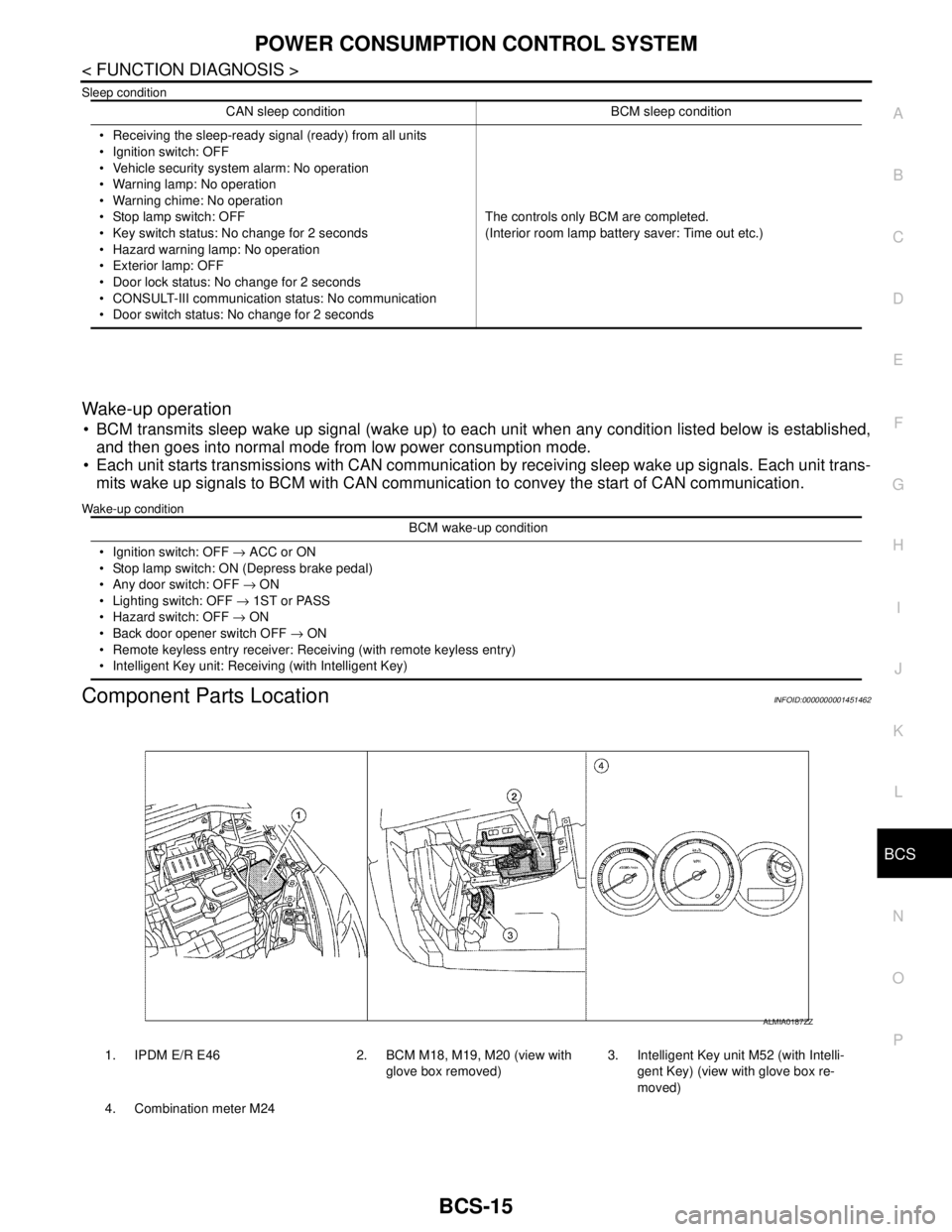
Component Parts LocationINFOID:0000000001451462
CAN sleep condition BCM sleep condition
Receiving the sleep-ready signal (ready) from all units
Ignition switch: OFF
Vehicle security system alarm: No operation
Warning lamp: No operation
Warning chime: No operation
Stop lamp switch: OFF
Key switch status: No change for 2 seconds
Hazard warning lamp: No operation
Exterior lamp: OFF
Door lock status: No change for 2 seconds
CONSULT-III communication status: No communication
Door switch status: No change for 2 secondsThe controls only BCM are completed.
(Interior room lamp battery saver: Time out etc.)
BCM wake-up condition
Ignition switch: OFF → ACC or ON
Stop lamp switch: ON (Depress brake pedal)
Any door switch: OFF → ON
Lighting switch: OFF → 1ST or PASS
Hazard switch: OFF → ON
Back door opener switch OFF → ON
Remote keyless entry receiver: Receiving (with remote keyless entry)
Intelligent Key unit: Receiving (with Intelligent Key)
1. IPDM E/R E46 2. BCM M18, M19, M20 (view with
glove box removed)3. Intelligent Key unit M52 (with Intelli-
gent Key) (view with glove box re-
moved)
4. Combination meter M24
ALMIA0187ZZ
Page 153 of 5883

BCS-18
< FUNCTION DIAGNOSIS >
DIAGNOSIS SYSTEM (BCM)
*: With super lock
REAR WINDOW DEFOGGER
REAR WINDOW DEFOGGER : CONSULT-III Function (BCM - REAR DEFOGGER)
INFOID:0000000001451466
DATA MONITOR
ACTIVE TEST
BUZZER
BUZZER : CONSULT-III Function (BCM - BUZZER)INFOID:0000000001451467
DATA MONITOR
ACTIVE TEST
DOOR LOCK INDThis test is able to check door lock indicator (built in door lock and unlock switch on center
console) operation [ON/OFF].
TRUNK/BACK DOOR This test is able to check trunk/back door lock operation [LOCK (SET)/UNLOCK (RE-
LEASE)]. Test item Description
Monitor Item
[Unit]Description
ENGINE STATUS [RUN/
STOP]Indicates engine running status.
IGN ON SW [ON/OFF] Indicates condition of ignition switch in ON position.
REAR DEF SW [ON/OFF] Displays “Press (ON)/other (OFF)” status determined with the rear window defogger switch.
Test Item Description
REAR DEFOGGER Give a drive signal to the rear window defogger relay to activate it.
Monitor Item
[Unit]Description
IGN ON SW [ON/OFF] Ignition switch (ON) status judged by ignition power supply input.
PUSH SW
1 [ON/OFF]Ignition knob status.
KEY SW
2 [ON/OFF]Key switch status.
DOOR SW -DR [ON/OFF] Front door switch (driver side) status judged by BCM.
DOOR SW -AS [ON/OFF] Front door switch (passenger side) status judged by BCM.
DOOR SW -RR [ON/OFF] Rear door switch RH status judged by BCM.
DOOR SW -RL [ON/OFF] Rear door switch LH status judged by BCM.
BACK DOOR SW [ON/OFF] Back door switch status judged by BCM.
CDL LOCK SW [ON/OFF] Door lock/unlock switch status.
CDL UNLOCK SW [ON/OFF] Door lock/unlock switch status.
LIGHTING SW [ON/OFF]Lighting switch status judged by the lighting switch signal read with combination switch reading func-
tion.
TRNK OPNR SW [ON/OFF] Trunk switch status.
Test Item Description
LIGHT WARN ALM The light reminder warning operation can be checked by operating the relevant function (On/Off).
KEY REMINDER WARN The key reminder warning operation can be checked by operating the relevant function (On/Off).
Page 170 of 5883

BCS
BCM (BODY CONTROL MODULE)
BCS-35
< ECU DIAGNOSIS >
C
D
E
F
G
H
I
J
K
L B A
O
P N
ECU DIAGNOSIS
BCM (BODY CONTROL MODULE)
Reference ValueINFOID:0000000001451495
VALUES ON THE DIAGNOSIS TOOL
Monitor Item Condition Value/Status
AIR COND SWA/C switch OFF OFF
A/C switch ON ON
AUT LIGHT SYSOutside of the room is dark OFF
Outside of the room is bright ON
AUTO LIGHT SWLighting switch OFF OFF
Lighting switch AUTO ON
BACK DOOR SWBack door closed OFF
Back door opened ON
BATTERY VOLT
NOTE:
Diesel engine models
onlyIgnition switch ONApproximately the same as power
supply voltage
CDL LOCK SWDoor lock/unlock switch does not operate OFF
Press door lock/unlock switch to the LOCK side ON
CDL UNLOCK SWDoor lock/unlock switch does not operate OFF
Press door lock/unlock switch to the UNLOCK side ON
DOOR SW-ASPassenger door closed OFF
Passenger door opened ON
DOOR SW-DRDriver door closed OFF
Driver door opened ON
DOOR SW-RLRear LH door closed OFF
Rear LH door opened ON
DOOR SW-RRRear RH door closed OFF
Rear RH door opened ON
ELEC PWR CUT
NOTE:
Diesel engine models
onlyEngine runningFan switch ON (when engine coolant is
cool)
NOTE:
Depending on the ambient tempera-
ture, battery voltage, etc.OFF
The current status maintained with the
signal from ECM received.FREEZ
Fan switch OFF
Fan switch ON after engine warming
UP
NOTE:
Depending on the engine coolant
temperature, ambient temperature,
battery voltage, etc.INHBT
ENG COOLNT T
NOTE:
Diesel engine models
onlyEngine runningApproximately the same as engine
water temperature
Page 171 of 5883

BCS-36
< ECU DIAGNOSIS >
BCM (BODY CONTROL MODULE)
ENGINE RPM
NOTE:
Diesel engine models
onlyEngine runningApproximately the same as tachom-
eter reading
ENGINE RUNEngine stopped OFF
Engine running ON
ENGINE STATUS
NOTE:
Diesel engine models
onlyEngine stopped STOP
While the engine stalls STALL
Engine running RUN
At engine cranking CRA
FA N O N S I GFan switch OFF OFF
Fan switch ON ON
FR FOG SWFront fog lamp switch OFF OFF
Front fog lamp switch ON ON
FR WASHER SWFront washer switch OFF OFF
Front washer switch ON ON
FR WIPER LOWFront wiper switch OFF OFF
Front wiper switch LO ON
FR WIPER HIFront wiper switch OFF OFF
Front wiper switch HI ON
FR WIPER INTFront wiper switch OFF OFF
Front wiper switch INT ON
FR WIPER STOPAny position other than front wiper stop position OFF
Front wiper stop position ON
HAZARD SWWhen hazard switch is not pressed OFF
When hazard switch is pressed ON
LIGHT SW 1STLighting switch OFF OFF
Lighting switch 1st ON
H/L SW POSHeadlamp switch OFF OFF
Headlamp switch 1st ON
HI BEAM SWHigh beam switch OFF OFF
High beam switch HI ON
HOOD SWClose the hood
NOTE:
Vehicles without theft warning system are OFF-fixedOFF
Open the hood ON
H/L WASH SWNOTE:
The item is indicated, but not monitoredOFF
IGN ON SWIgnition switch OFF or ACC OFF
Ignition switch ON ON
IGN SW CANIgnition switch OFF or ACC OFF
Ignition switch ON ON
INT VOLUME Wiper intermittent dial is in a dial position 1 - 7 1 - 7
I-KEY LOCK
1LOCK button of Intelligent Key is not pressed OFF
LOCK button of Intelligent Key is pressed ON Monitor Item Condition Value/Status
Page 172 of 5883

BCS
BCM (BODY CONTROL MODULE)
BCS-37
< ECU DIAGNOSIS >
C
D
E
F
G
H
I
J
K
L B A
O
P N
I-KEY UNLOCK1UNLOCK button of Intelligent Key is not pressed OFF
UNLOCK button of Intelligent Key is pressed ON
KEY SW
2Mechanical key is removed from key cylinder OFF
Mechanical key is inserted to key cylinder ON
KEYLESS LOCK
2LOCK button of key fob is not pressed OFF
LOCK button of key fob is pressed ON
KEYLESS UNLOCK
2UNLOCK button of key fob is not pressed OFF
UNLOCK button of key fob is pressed ON
LIT-SEN FAILLight & rain sensor is in normal condition OK
Light & rain sensor is with internal error NOTOK
OIL PRESS SW Ignition switch OFF or ACC
Engine runningOFF
Ignition switch ON ON
OUT SIDE TEMP
NOTE:
Diesel engine modelsIgnition switch ONApproximately the same as outside
air temperature
PASSING SWOther than lighting switch PASS OFF
Lighting switch PASS ON
PUSH SW
1Return to ignition switch to LOCK position OFF
Press ignition switch ON
REAR DEF SWRear window defogger switch OFF OFF
Rear window defogger switch ON ON
RKE LOCK AND
UNLOCK
2NOTE:
The item is indicated, but not monitoredOFF
ON
RR FOG SWRear fog lamp switch OFF OFF
Rear fog lamp switch ON ON
RR WASHER SW
3Rear washer switch OFF OFF
Rear washer switch ON ON
RR WIPER INT
3Rear wiper switch OFF OFF
Rear wiper switch INT ON
RR WIPER ON
3 Rear wiper switch OFF OFF
Rear wiper switch ON ON
RR WIPER STOP
3Rear wiper stop position OFF
Other than rear wiper stop position ON
TAIL LAMP SWLighting switch OFF OFF
Lighting switch 1ST ON
TRNK OPNR SWWhen back door opener switch is not pressed OFF
When back door opener switch is pressed ON
TURN SIGNAL LTurn signal switch OFF OFF
Turn signal switch LH ON
TURN SIGNAL RTurn signal switch OFF OFF
Turn signal switch RH ON
UNLOCK WITH DRNOTE:
The item is indicated, but not monitoredOFF
ON
VEHICLE SPEED While driving Equivalent to speedometer reading Monitor Item Condition Value/Status