USB NISSAN TITAN 2018 Owner´s Manual
[x] Cancel search | Manufacturer: NISSAN, Model Year: 2018, Model line: TITAN, Model: NISSAN TITAN 2018Pages: 650, PDF Size: 7.54 MB
Page 363 of 650
Repeat Modes
To access the repeat mode options, press
the REPEAT button on the remote control.
The repeat mode options are as follows:∙
REPEAT ALL: Repeat the entire
disc or USB device (default).
∙
REPEAT FOLDER: Repeat the cur-
rent folder
∙
REPEAT ONE: Repeat the current
file.
∙ REPEAT OFF: Playback stops af ter the disc or USB device is played in its en-
tirety.
Thumbnail Views
1. Press the STOP button on the remote control during the slideshow to display
images in thumbnail mode. Press
the
orand
the
orbuttons on the
remote control to select the desired
language.
2. Once the desired image is highlighted, press the ENTER button on the remote
control to select it.
Rotating Images
During the slideshow, press thebutton on the remote control to rotate the
image 90° clockwise. Press the
button to rotate the image 90° counter-
clockwise.
Inverting Images
During the slideshow, press thebutton on the remote control to invert the
image (Up-Down).
Mirroring Images
During the slideshow, press
the
button on the remote control
to mirror the image (Lef t-Right).
Direct File Access
Press the number keys on the remote con-
trol (0–9) to access a file directly. For ex-
ample, to go to track 14, press “1”,”4”, then
ENTER on the remote control.
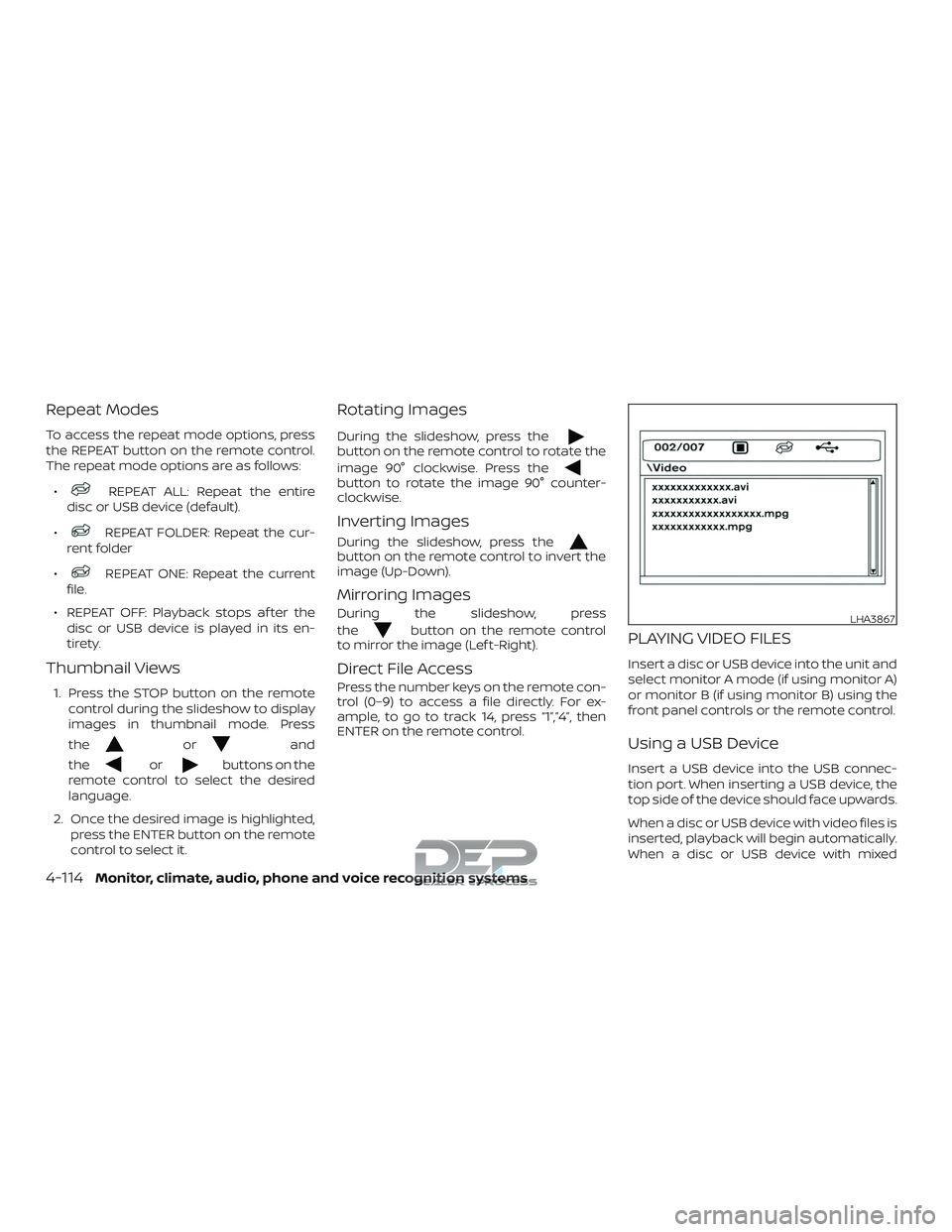
PLAYING VIDEO FILES
Insert a disc or USB device into the unit and
select monitor A mode (if using monitor A)
or monitor B (if using monitor B) using the
front panel controls or the remote control.
Using a USB Device
Insert a USB device into the USB connec-
tion port. When inserting a USB device, the
top side of the device should face upwards.
When a disc or USB device with video files is
inserted, playback will begin automatically.
When a disc or USB device with mixed
LHA3867
4-114Monitor, climate, audio, phone and voice recognition systems
Page 364 of 650
audio/video/image files is inserted, the file
list screen may appear first.
Selecting Files
1. To select files during the video play-back, press the MENU button on the
remote control to access the file list.
Press the
orbuttons
on the remote control to select the de-
sired file.
2. Once the desired file is highlighted, press the ENTER button on the remote
control to select it.
Selecting Folders
1. To select folders during video playback,press the MENU button on the remote
control to access the list.
2. Press the
button to access
the previous level (go up one level) or,
press the
button to access
the next level (go down one level).
3. Once the desired folder is highlighted, press the ENTER button on the remote
control to select it.
Skipping Files
Press the NEXT button on the remote con-
trol to select to the next file. Press the PREV
button one time to select the beginning of
the current file. Press the PREV button two
times to select the previous file.
Repeat Modes
To access the repeat mode options, press
the REPEAT button on the remote control.
The repeat mode options are as follows:
∙
REPEAT ALL: Repeat the entire
disc or USB device (default).
∙
REPEAT FOLDER: Repeat the cur-
rent folder
∙
REPEAT ONE: Repeat the current
file.
∙ REPEAT OFF: Playback stops af ter the disc or USB device is played in its en-
tirety.
Direct File Access
Press the number keys on the remote con-
trol (0–9) to access a file directly. For ex-
ample, to go to track 14, press “1”,”4”, then
ENTER on the remote control.
CHARGING A USB DEVICE
Plug the USB cable (not supplied) into the
USB connection port and then connect the
other end to the USB device.
NOTE:
Depending on the device, it may or may
not charge when connected to the USB
port. Not all devices are able to charge
when connected to the USB port.
CONNECTING AN EXTERNAL
AUXILIARY A/V SOURCE — INPUT
An external A/V source such as a media
player, video game, or other audio/video
device may be connected to the RCA type
jacks on the front of the monitor. Connect
the external audio/video source to the RCA
type input jacks on the front of the monitor
using RCA type connectors (sold sepa-
rately).
Yellow: Video input
Red: Audio-right channel input
White: Audio-lef t channel input
The system will automatically select the
auxiliary input mode when the RCA type
connectors are inserted into the input
Monitor, climate, audio, phone and voice recognition systems4-115
Page 365 of 650
jacks. The auxiliary input connection over-
rides disc and USB playback.
The system provides priority for each of the
following device inputs:1. External RCA A/V input
2. USB port
3. Disc playback
For example if a disc is playing and a USB
device is plugged in, the USB device will
take priority over disc playback. The exter-
nal RCA A/V input connections have prior-
ity over both USB port and disc playback.
CONNECTING AN EXTERNAL A/V
MONITOR — OUTPUT
An external audio/video monitor may be
connected to the 3.5mm A/V connector
(sold separately).
NOTE:
Use the 3.5mm A/V cable made specifi-
cally for the device. An optional adapter
(sold separately) may be used to convert
the 3.5mm A/V output to the standard
RCA jacks.
SELECTING MONITOR A OR B AS
THE SOURCE
It is possible to select monitor B as the
source from monitor A and vice versa. This
will allow content that is playing on monitor
B to be displayed on monitor A.
Monitor A:
To select monitor B as the source for moni-
tor A, press the source button on the front
panel or the remote control until “MONITOR
B” is displayed.
Monitor B:
To select monitor A as the source for moni-
tor B, press the source button on the front
panel or the remote control until “MONITOR
A” is displayed.
TROUBLESHOOTING GUIDE
Symptom Remedy
Monitor does
not power on. Is ignition switch turned to the
ON or ACC position?
Are batteries installed in the re-
mote control?
Check the remote control to
make sure “DVD-A” button is
pressed for controlling monitor
A and “DVD-B” button is pressed
for controlling monitor B.
Symptom Remedy
Remote con-
trol does not
function.
Verif y that the batteries in the
remote control are good.
Verif y that the remote sensor
lens is not obstructed.
Disc will not
play. Insert the disc with label side
facing the rear of the vehicle.
Check if the disc is defective by
trying another disc.
Check the type of disc being
played. This unit only plays DVD
(Single, Dual Layer), DVD-R/+R,
DVD+R Dual layer, DVD-RW/+RW,
CD, CD-R, and CD-RW.
Both the unit and DVD discs are
coded by region. If the region
codes don’t match, the DVD
can’tbeplayed.
Disc plays, but
stops
intermittently. The disc is dirty and needs
cleaning.
Condensation has formed in-
side the unit. Remove the disc
and allow unit to dry out.
No picture. Check the signal source is
connected.
Check the menu source setting.
Match your monitor mode with
the source correctly.
Distorted
picture. Check the disc for fingerprints
and clean with a sof t cloths,
wiping from center to edge.
4-116Monitor, climate, audio, phone and voice recognition systems
Page 366 of 650
Symptom Remedy
Cannot ad-
vance through
a DVD movie.You cannot advance through
the opening credits and warn-
ing information that appears at
the beginning of DVDs because
the disc is programmed to pro-
hibit these actions.
No sound or
distorted
sound. Make sure that the external me-
dia device is connected
properly, and all cables are se-
curely inserted into the appro-
priate jacks.
Verif y that the batteries in the
headphones are good.
If you are using the wireless
headphones, make sure you
turn on the power and select
thecorrectmonitor(AorB).
Is volume turned on the head-
phones?
Is anything blocking the path
between the monitor IR sensor
and headphones?
When placing the headphones
on your head, make sure to ob-
serve the Lef t and Right
orientation. The headphones
must be oriented correctly (fac-
ing forward) in order to receive
the audio signal.Symptom Remedy
Monitor feels
warm.
When the monitor is in use for a
long period of time, the surface
will be warm. This is normal.
Player does
not respond
to all com-
mands during
playback. Some operations are not per-
mitted by the DVD.
For additional information, refer
to the specific instructions in-
cluded with the DVD.
When a DVD is
inserted, a Pa-
rental Setting
message is
displayed, pro-
hibiting DVD
movie
playback. Using the remote control, enter
the 4–digit Parental Password
(0000) and then press Enter.
Af ter the Pa-
rental Pass-
word is
entered, a
Password In-
correct mes-
sage is dis-
played and
DVD movie will
not play. If the incorrect Parental Pass-
word is entered more than two
times, the until will stop play-
back and return to the
splashscreen. Using the remote
control, press Play to initiate
playback and display the Paren-
tal Setting message. Using the
remote control, enter the 4–digit
Parental Password (0000) and
then press Enter.SPECIFICATIONS
LCD Backlight LED
Resolution 480x3(RGB) x234
Display 7”TFT LCD Panel
DVD Mechanism Slot-In Loader
Supported Disc
DVD (Single, Dual Layer),
DVD-R/+R, DVD-R/+R Dual
layer, DVD-RW/+RW, CD,
CD-R, CD-RW
Sources Internal CD/DVD, USB Flash
Memory, External A/V Input
I/O Ports USB 2.0 port, 3.5mm A/V
Output Jack, 3.5mm Head-
phone Jack, RCA Type A/V
Input Jacks
Frequency Re-
sponse 20Hz — 20kHz
Headphone (Audio
Out) Output Level: 2Vpp (input
0dB 1kHz)
Load Impedance: 10kΩ
Video Display Sys-
tem NTSC/PAL
Video Out Output Level: 1Vpp (±20%)
Load Impedance: 75Ω
Wireless Audio Dual channel infrared audio
transmitter, supports stereo
headphone operation
IR Channels Channels
A :2.3/2.8 MHz
B: 3.2/3.8 MHz
Monitor, climate, audio, phone and voice recognition systems4-117
Page 634 of 650
11 Index
4WD.......................5-45
4WDwarninglight..............2-22
4-Wheel Drive.................5-45
A
Active Brake Limited Slip (ABLS)
system .....................5-59
Aimingcontrol,headlights.........2-57
Air bag (See supplemental restraint
system) .................... .1-53
Air bag system Front (See supplemental front impact air
bagsystem).............1-60, 1-75
Air bag warning labels ............1-80
Airbagwarninglight..........1-81, 2-29
Air bag warning light,
supplemental ..............1-81, 2-29
Air cleaner ...................8-19
Air cleaner housing filter ..........8-19
Air conditioner Air conditioner operation ....4-38,4-44
Air conditioner specification label . .10-20
Air conditioner system refrigerant and oil
recommendations ............10-8
Air conditioner system refrigerant
recommendations ............10-8
Heater and air conditioner (automatic)
(if so equipped) ..............4-43
Heater and air conditioner
controls ..................4-44
Servicing air conditioner ........4-48Air flow charts
.................4-39
Alarm system
(See vehicle security system) .......2-48
Anchor point locations ............1-31
Antenna ....................4-88
Antifreeze ...................5-69
Anti-lock brake warning light .......2-22
Anti-lock Braking System (ABS) ......5-57
Apps ......................4-88
Audible reminders ..............2-32
Audiosystem.................4-48 AMradioreception............4-49
Bluetooth® audio .........4-84,4-85
Bluetooth® streaming audio . .4-84, 4-85
Compact disc (CD)
player.............4-59,4-65,4-72
FM-AM radio with compact disc (CD)
player....................4-57
FM/AM/SAT radio with compact disc (CD)
player.................4-61,4-67
FMradioreception............4-49
iPod®Player.............4-78,4-81
iPod® player operation ......4-78,4-81
Radio ....................4-48
Steering wheel audio control
switch....................4-87
USBinterface............4-74,4-76
USB (Universal Serial Bus) Connection
Port.....................4-76
Autolightswitch ...............2-55
Automatic Automatic drive positioner . . .3-42, 3-44
Automatic power window switch. . .2-89 Driving with automatic
transmission................5-17
Automatic anti-glare inside mirror ....3-32
Automatic door locks .............3-8
Automatic drive positioner .....3-42,3-44
Automatic transmission fluid temperature
gauge ......................2-11
AUXjack....................4-69
B
Back button ...................4-7
Battery..................5-69,8-15 Charge warning light ..........2-25
Battery replacement ............8-26
Keyfob...................8-26
NISSAN Intelligent Key® .........8-26
Before starting the engine .........5-14
Belt(Seedrivebelt)..............8-17
Blind Spot Warning (BSW) ..........5-23
Block heater Engine ....................5-71
Bluetooth® audio ...........4-84,4-85
Bluetooth® hands-free phone
system .................4-120,4-133
Booster seats .................1-49
Br ak
e
Anti-lock Braking System (ABS) ....5-57
Brakefluid.................8-13
Brakelight(Seestoplight) .......8-31
Brakesystem...............5-56
Brakewarninglight ...........2-24
Page 641 of 650
USBinterface..................4-76Audio file operation .........4-75,4-77
Using four wheel drive (4WD) ........5-45
V
Vanitymirror..................3-31
Variable voltage control system ......8-17
Vehicle dimensions and weights .....10-11
Vehicle dynamic control (VDC) off
switch......................2-65
Vehicle dynamic control (VDC) system . .5-60
Vehicle Dynamic Control (VDC) system . .5-60
Vehicle identification .............10-17
Vehicle identification number (VIN) . . . .10-17
Vehicle identification number (VIN)
(Chassis number) ...............10-17
Vehicle identification number (VIN)
plate.......................10-17
Vehicle immobilizer system ......2-49,5-14
VehicleInformationDisplay.........2-32
Vehicle loading information ........10-22
Vehiclerecovery................6-18
Vehicle security system ...........2-48
Vehicle security system (NISSAN Vehicle
Immobilizer System), engine start . .2-49, 5-14
Vents.......................4-34
Visors ......................3-30
Voice Prompt Interrupt . . .4-123, 4-124, 4-135
Voice recognition system ..........4-142
Voltmeter....................2-12 W
Warning 4WDwarninglight.............2-22
Airbagwarninglight........1-81, 2-29
Anti-lock brake warning light ......2-22
Battery charge warning light ......2-25
Brakewarninglight............2-24
Door open warning light .........2-25
Engine oil pressure warning light . . .2-25
Hazard warning flasher switch ......6-2
Loose fuel cap warning .........2-45
Low fuel warning
light............2-25,2-28,2-41,2-42
Low tire pressure warning light .....2-26
Low windshield-washer fluid warning
light ..................2-27,2-43
Passenger air bag and status light . . .1-63
Passenger's seat belt warning light and
chime....................2-28
Seatbeltwarninglight.......1-18, 2-25
Supplemental air bag warning
light.................. .1-81, 2-29
Vehicle security system .........2-48
Warning/indicator lights and audible
reminders ..............2-22,2-29
Warning labels (for SRS) .........1-80
Warning/indicator lights and audible
reminders ................2-22,2-29
Audible reminders .........2-22,2-29
Indicatorlights ...........2-22,2-29
Warninglights............2-22,2-29
Warninglights..............2-22,2-29 Warning lights, indicator lights and audible
reminders
....................2-21
Warningsystemsswitch...........2-64
Weights
(See dimensions and weights) .......10-11
Wheels and tires ............8-34,10-10
Wheel/tire size .................10-10
When traveling or registering in another
country .....................10-17
Windows.....................2-87 Locking passengers' windows .....2-88
Powerrearwindows...........2-88
Powerwindows..............2-87
Rearpowerwindows.......... .2-88
Rearslidingwindow ...........2-90
Windshield-washer fluid ...........8-14
Windshield wiper blades ...........8-20
Wiper Wiper blades ................8-20
Wiper and washer switch ..........2-51
11-8