USB NISSAN TITAN 2019 Owner´s Manual
[x] Cancel search | Manufacturer: NISSAN, Model Year: 2019, Model line: TITAN, Model: NISSAN TITAN 2019Pages: 682, PDF Size: 7.99 MB
Page 34 of 682
15. Heated steering wheel switch(if so equipped) (P. 2-59)
Warning systems switch
(if so equipped) (P. 2-59)
16. Auxiliary jack* USB port*
17. Hazard warning flasher switch
(P. 6-2)
18. Trailer Brake Controller Unit (TBCU)
(if so equipped) (P. 2-66)
19. Climate control seat switch
(if so equipped) (P. 2-55)
Heated front seat switches
(if so equipped) (P. 2-56)
20. Vehicle Dynamic Control (VDC) OFF
switch (P. 2-60)
Front and rear sonar system OFF
switch (if so equipped) (P. 2-64)
21. 4WD shif t switch (if so equipped)
(P. 5-45)
22. Push-button ignition switch
(P. 5-11)
23. Tilt and telescopic steering wheel
control (P. 3-30) 24. Headlight aiming control
(if so equipped) (P. 2-49)
Power inverter switch
(if so equipped) (P. 2-63)
Cargo lamp switch (P. 2-55)
Electronic locking rear differential
(E-Lock) system switch
(if so equipped) (P. 2-62)
Hill descent control system switch
(if so equipped) (P. 2-61)
25. Headlight switch (P. 2-49) Fog light switch (if so equipped)
(P. 2-54)
Instrument brightness control
switches (P. 2-49)
Trip reset switch (P. 2-6)
*Refer to the separate NissanConnect®
Owner’s Manual
Refer to the page number indicated in
parenthesis for operating details.
Illustrated table of contents0-9
Page 128 of 682
15. Heated steering wheel switch(if so equipped) (P. 2-59)
Warning systems switch
(if so equipped) (P. 2-59)
16. Auxiliary jack* USB port*
17. Hazard warning flasher switch
(P. 6-2)
18. Trailer Brake Controller Unit (TBCU)
(if so equipped) (P. 2-66)
19. Climate control seat switch
(if so equipped) (P. 2-55)
Heated front seat switches
(if so equipped) (P. 2-56)
20. Vehicle Dynamic Control (VDC) OFF
switch (P. 2-60)
Front and rear sonar system OFF
switch (if so equipped) (P. 2-64)
21. 4WD shif t switch (if so equipped)
(P. 5-45)
22. Push-button ignition switch
(P. 5-11)
23. Tilt and telescopic steering wheel
control (P. 3-30) 24. Headlight aiming control
(if so equipped) (P. 2-49)
Power inverter switch
(if so equipped) (P. 2-63)
Cargo lamp switch (P. 2-55)
Electronic locking rear differential
(E-Lock) system switch
(if so equipped) (P. 2-62)
Hill descent control system switch
(if so equipped) (P. 2-61)
25. Headlight switch (P. 2-49) Fog light switch (if so equipped)
(P. 2-54)
Instrument brightness control
switches (P. 2-49)
Trip reset switch (P. 2-6)
*Refer to the separate NissanConnect®
Owner’s Manual
Refer to the page number indicated in
parenthesis for operating details.
Instruments and controls2-5
Page 263 of 682

4 Monitor, climate, audio, phone and
voice recognition systems
NissanConnect® Owner’s Manual................4-2
RearView Monitor (if so equipped) ...............4-3
RearView Monitor system operation ..........4-4
How to read the displayed lines ...............4-5
Difference between predicted and
actual distances ..............................4-5
How to park with predicted course
lines ..........................................4-7
Adjusting the screen .........................4-8
How to turn on and off predicted
course lines ..................................4-9
RearView Monitor system limitations .........4-9
System maintenance ........................ 4-10
Intelligent Around View Monitor
(if so equipped) .................................. 4-11
Intelligent Around View Monitor system
operation .................................... 4-12
Difference between predicted and
actual distances ............................. 4-16
How to park with predicted course
lines ......................................... 4-18
How to switch the display ...................4-19
Adjusting the screen ........................ 4-20Intelligent Around View Monitor system
limitations
................................... 4-21
System maintenance ........................ 4-23
Moving Object Detection (MOD)
(if so equipped) ................................. 4-24
MOD system operation ......................4-25
Turning MOD on and off (if so equipped) .....4-27
MOD system limitations .....................4-27
System maintenance ........................ 4-28
Vents ........................................... 4-29
Heater and air conditioner (manual)
(if so equipped) ................................. 4-29
Controls ..................................... 4-30
Heater operation ............................ 4-31
Air conditioner operation ....................4-33
Air flow charts ............................... 4-34
Heater and air conditioner (automatic)
(if so equipped) ................................. 4-38
Automatic operation ........................ 4-39
Manual operation ........................... 4-40
Operating tips ............................... 4-42
Servicing air conditioner ........................4-43
USB/iP od®char
ging port....................... 4-43
Page 264 of 682
Antenna........................................ 4-44
Rear Seat Infotainment (RSI) (if so equipped) ....4-44
Welcome.................................... 4-45
Getting started .............................. 4-45
Control description .......................... 4-51
Remote control operation ...................4-52
Remote control buttons .....................4-53
Wireless headphone operation ..............4-54
General operation ........................... 4-55
DVD operation ............................... 4-57
DVD playback controls ......................4-58
CD operation ................................ 4-61
CD playback controls ........................ 4-62HDMI/MHL connection
......................4-62
USB/SD card operation ......................4-64
Slingplayer® ................................. 4-69
Miracast® .................................... 4-72
Using the mobile application on your
mobile device ............................... 4-72
SmartStream ................................ 4-73
Settings .....................................4-74
Troubleshooting ............................. 4-82
Specifications ............................... 4-85
Compliance information .....................4-86
Car phone or CB radio .......................... 4-89
Page 306 of 682
∙ If you feel that the air flow mode youhave selected and the outlets the air is
coming out do not match, select
the
mode.
∙ When you change the air flow mode, you may feel air flow from the feet vents
for just a moment. This is not a mal-
function. The air conditioner system in your NISSAN
vehicle is charged with a refrigerant de-
signed with the environment in mind.
This refrigerant does not harm the
earth’s ozone layer.
Special charging equipment and lubricant
is required when servicing your NISSAN air
conditioner. Using improper refrigerants or
lubricants will cause severe damage to
your air conditioner system. For additional
information, refer to “Air conditioner sys-
tem refrigerant and oil recommendations”
in the “Technical and consumer informa-
tion” section of this manual.
It is recommended that you visit a NISSAN
dealer to service your “environmentally
friendly” air conditioner system.
WARNING
The air conditioner system contains re-
frigerant under high pressure. To avoid
personal injury, any air conditioner ser-
vice should be done only by an experi-
enced technician with proper
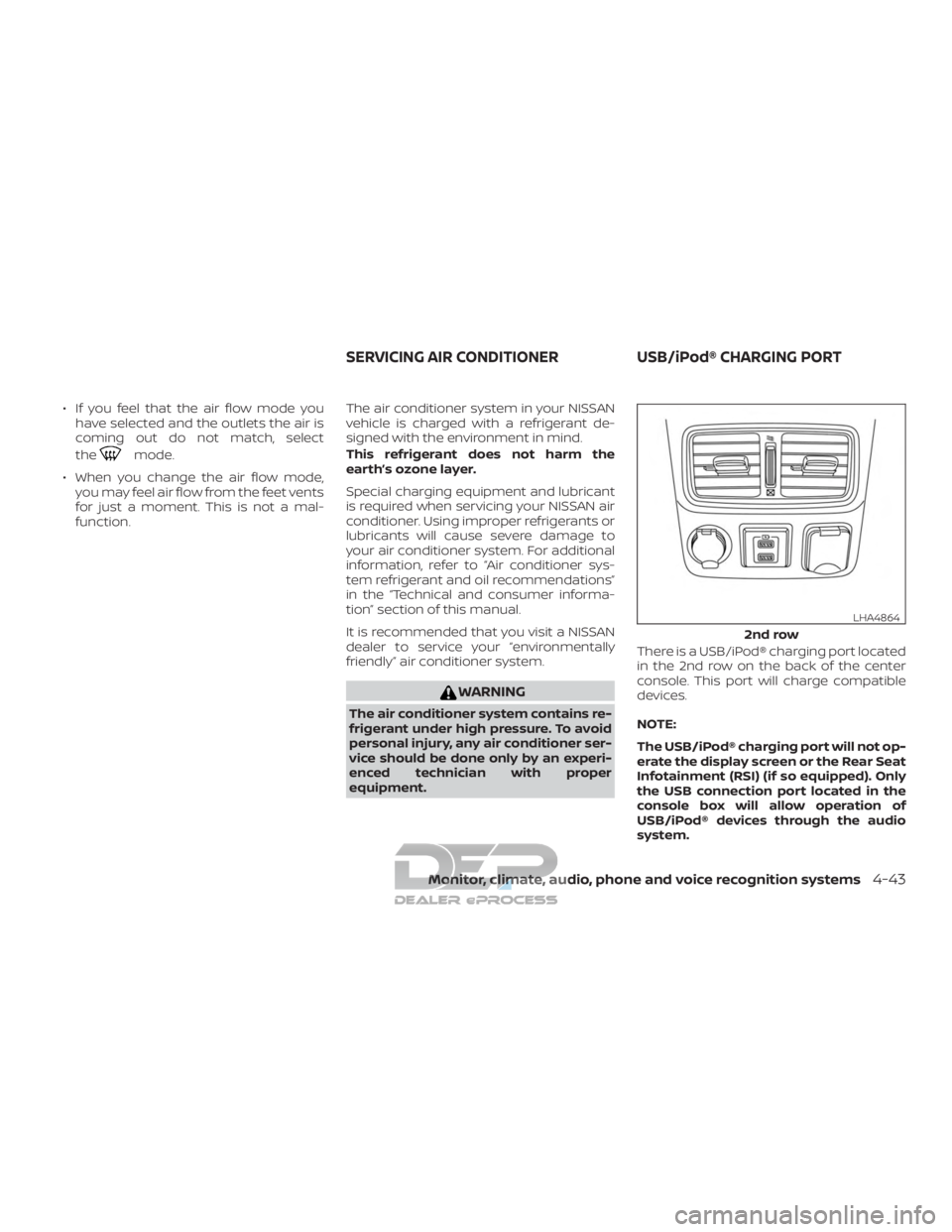
equipment. There is a USB/iPod® charging port located
in the 2nd row on the back of the center
console. This port will charge compatible
devices.
NOTE:
The USB/iPod® charging port will not op-
erate the display screen or the Rear Seat
Infotainment (RSI) (if so equipped). Only
the USB connection port located in the
console box will allow operation of
USB/iPod® devices through the audio
system.
2nd row
LHA4864
SERVICING AIR CONDITIONER
USB/iPod® CHARGING PORT
Monitor, climate, audio, phone and voice recognition systems4-43
Page 307 of 682
The antenna cannot be shortened, but can
be removed. When you need to remove the
antenna, turn the antenna rod counter-
clockwise.
To install the antenna rod, turn the antenna
rod clockwise and hand tighten.
CAUTION
∙ Always properly tighten the antennarod during installation or the antenna
rod may break during vehicle
operation.
∙ Be sure that the antenna is removed before the vehicle enters an auto-
matic car wash.
WARNING
∙ It is unlawful in most jurisdictions fora person to drive a motor vehicle
which is equipped with a television
monitor or screen that is visible, di-
rectly or indirectly, to the driver while
operating the vehicle. In the interest
of safety, the unit should never be in-
stalled where it will be directly or indi-
rectly visible, by the operator of the
motor vehicle.
∙ If your vehicle is equipped with a wire- less rear seat audio system or any
other wireless infrared device, make
sure it is powered off when operating
the RSI system. If both systems are
powered on at the same time, the two
systems may obstruct each other,
possibly creating undesirable audio
interference through the wireless
headphones. ∙ For safety reasons when changing
discs, it is recommended that the ve-
hicle is not in motion, and that you do
not allow children to unfasten safety
belts to change discs or make any ad-
justments to the system. System ad-
justments can be accomplished using
the remote control, while safety belts
remain fastened.
∙ Enjoy your RSI system but remember that safety of all passengers remains
the number one priority. Devices in-
stalled in the USB, HDMI, or head-
phone jack may protrude and create a
potential eye impact hazard for un-
belted passengers during a vehicle
accident. To reduce the risk of injury,
use only SD cards (hidden on lef t side
of driver side monitor) or low-profile
USB storage devices.
ANTENNA REAR SEAT INFOTAINMENT (RSI) (if
so equipped)
4-44Monitor, climate, audio, phone and voice recognition systems
Page 308 of 682
CAUTION
∙ Do not touch the inner pins of thejacks on the front panel. Electrostatic
discharge may cause permanent
damage to the device.
∙ The LCD display screen is not touch- screen. Do not put pressure or add
suction cups on the screen.
∙ Caution children to avoid touching or scratching the screen, as it may be-
come dirty or damaged.
∙ Be sure to run the vehicle engine while using the system. Using this system
without running the engine can result
in battery drain. To avoid the risk of
battery drain, please remember to
turn off the system when the vehicle
is not in use.
WELCOME
Thank you for purchasing this advanced
Rear Seat Infotainment (RSI) system with
built-in Wi-Fi and DVD player. Before oper-
ating this system, read this sectionl thor-
oughly and retain it for future reference.
System features
∙ Twin 8-inch Color TFT-LCD Panels with 1024x600 Resolution
∙ Top-load DVD Player (Driver Side Only)
∙ Internal Wi-Fi Network
∙ Bluetooth® 4.1 Audio Streaming
∙ Miracast®/Smart View Capability
∙ SmartStream Content Sharing
∙ USB 2.0 Port, SDXC Card Input
∙ HDMI 1.4 Input with MHL 2.0 Support
∙ Exclusive Slingplayer® Application
∙ 3.5mm Stereo Headphone Output
∙ Front Panel Capacitive Touch Controls
∙ Infrared Wireless Headphones
∙ Full-Function Slimline Remote Control
∙ Monitor Screen Sharing
GETTING STARTED
Turning the monitor on or off
1. Press thebutton on the top of the
monitor or the remote control to turn
the monitor on or off. When in use, the
front panel controls will illuminate.
2. Af ter the monitor has been turned on and is displaying a picture, the
up/down viewing angle can be ad-
justed to optimize the picture quality.
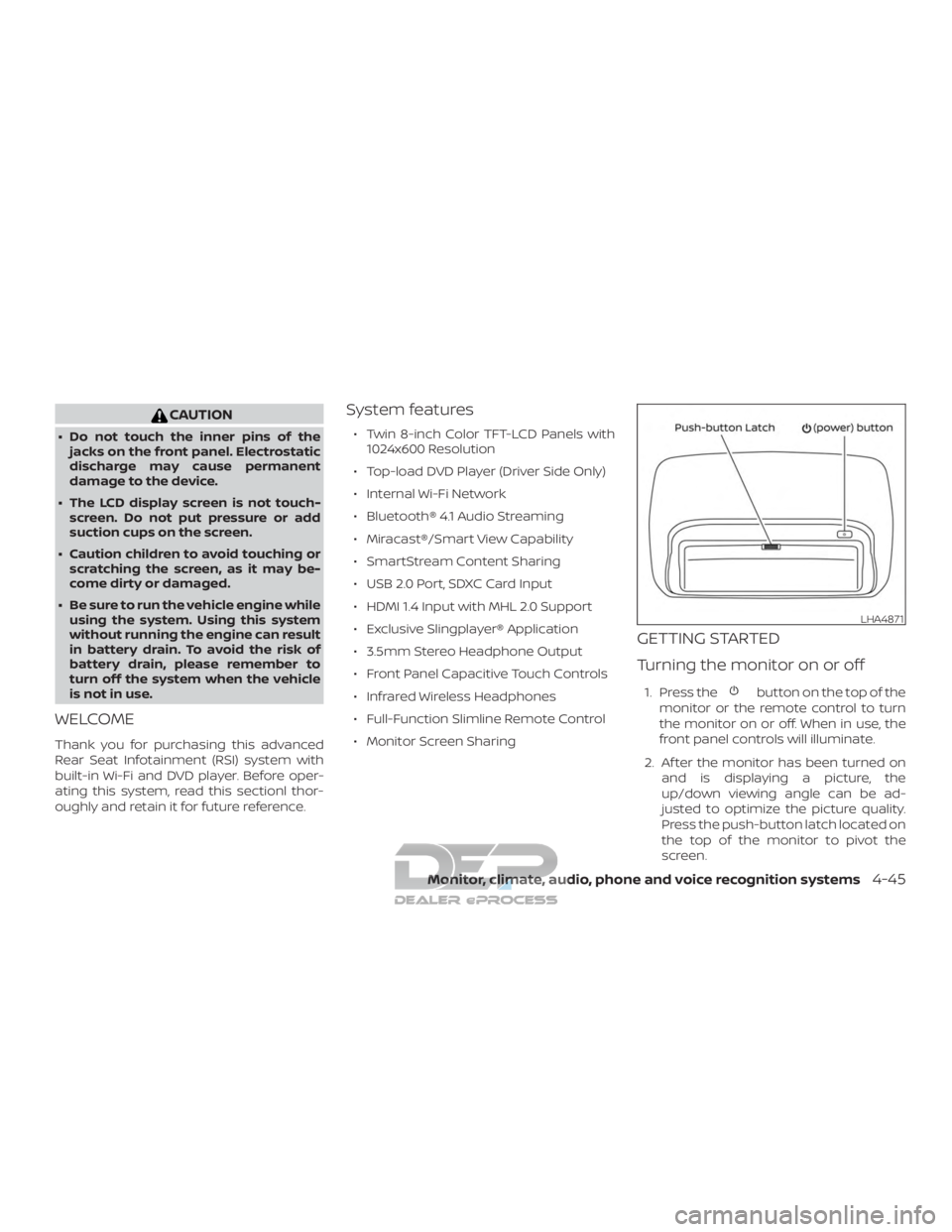
Press the push-button latch located on
the top of the monitor to pivot the
screen.
LHA4871
Monitor, climate, audio, phone and voice recognition systems4-45
Page 311 of 682
Media compatibility
For a list of compatible media formats for
this system, refer to “Storage device for-
matting” in this section.∙ The metadata or file information of some audio and video files may not be
correctly displayed.
∙ It is not possible to play content that is protected by DRM (Digital Rights Man-
agement).
∙ There may be a delay before playback begins when using USB flash drives or
SD cards with complex folder hierar-
chies or many files.
∙ Some audio, video, and image files may be incompatible with this system due
to file characteristics, file format, record-
ing sof tware used, directory structure,
and/or the type of audio/video encod-
ing used.
Storage device formatting
This system is compatible with several
types of formatting for USB flash drives and
SD cards. Refer to the documentation that
comes with your storage device for more
details on how to format.
FAT32 - USB and SDHC
Good for smaller capacity storage devices,
but individual files on the drive must be
<4GB. This format is good for music and
images.
EX-FAT - USB and SDXC
Better choice for larger capacity storage
devices with files that are >4GB. This format
is better for larger files such as full-length
movies.
NTFS - USB and SDXC
Best choice for very large capacity storage
devices - with no limitations on file size. This
format can be used for all file sizes.
4-48Monitor, climate, audio, phone and voice recognition systems
Page 314 of 682
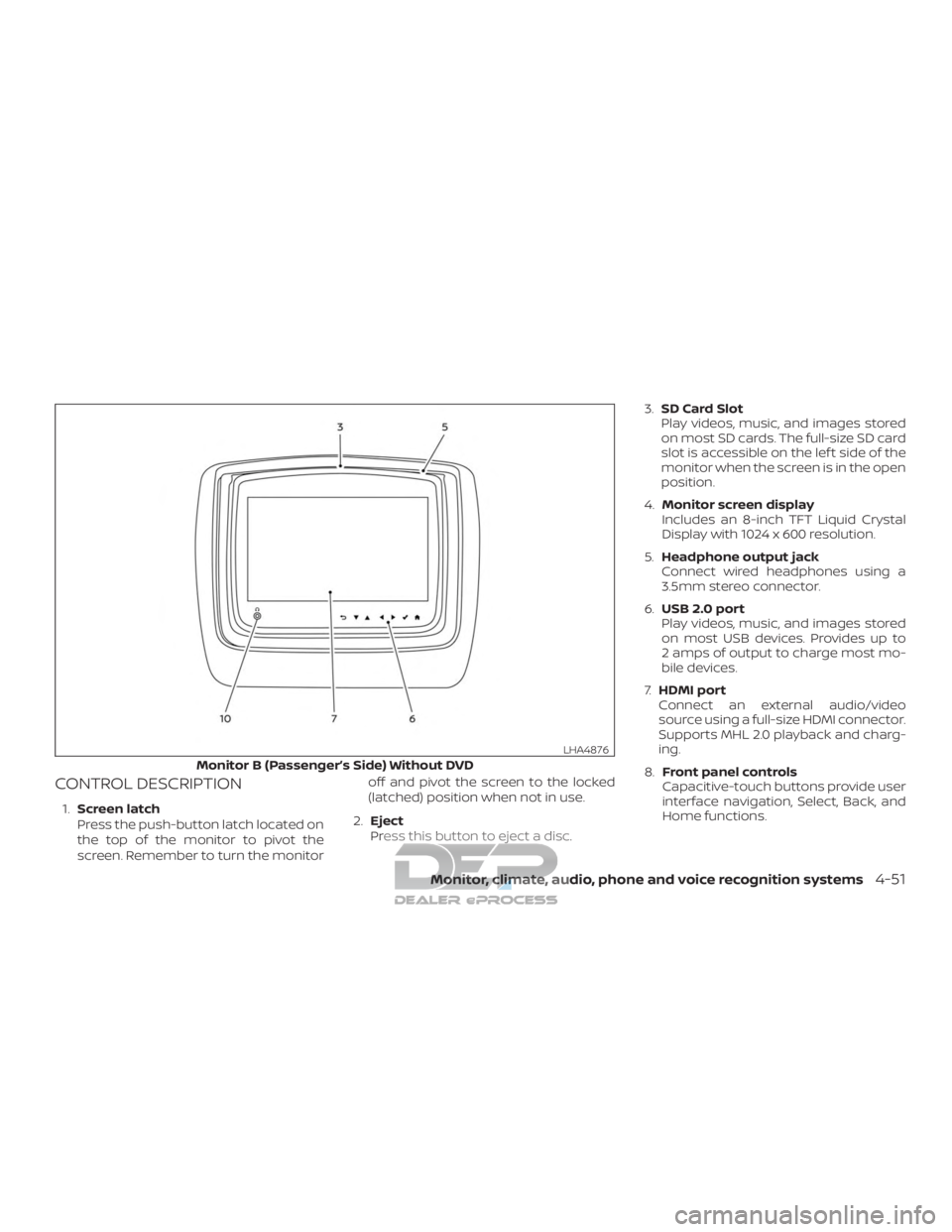
CONTROL DESCRIPTION
1.Screen latch
Press the push-button latch located on
the top of the monitor to pivot the
screen. Remember to turn the monitor off and pivot the screen to the locked
(latched) position when not in use.
2. Eject
Press this button to eject a disc. 3.
SD Card Slot
Play videos, music, and images stored
on most SD cards. The full-size SD card
slot is accessible on the lef t side of the
monitor when the screen is in the open
position.
4. Monitor screen display
Includes an 8-inch TFT Liquid Crystal
Display with 1024 x 600 resolution.
5. Headphone output jack
Connect wired headphones using a
3.5mm stereo connector.
6. USB 2.0 port
Play videos, music, and images stored
on most USB devices. Provides up to
2 amps of output to charge most mo-
bile devices.
7. HDMI port
Connect an external audio/video
source using a full-size HDMI connector.
Supports MHL 2.0 playback and charg-
ing.
8. Front panel controls
Capacitive-touch buttons provide user
interface navigation, Select, Back, and
Home functions.
Monitor B (Passenger’s Side) Without DVD
LHA4876
Monitor, climate, audio, phone and voice recognition systems4-51
Page 318 of 682
Headphone operation
Press the power button on the head-
phones to turn on and off the headphones.
The red LED will illuminate when the head-
phone is turned on. Set the select switch to
“A” or “B” for use with the “A” monitor or “B”
monitor respectively. Use the volume
thumb wheel to adjust the volume level for
the headphone audio.
NOTE:
If the headphones are accidentally lef t
on and system is powered off, a battery
saver feature will automatically turn off
the headphones af ter approximately
3 minutes.
CAUTION
∙ Always ensure that the batteries areinserted with the positive and nega-
tive terminals in the correct direction
as shown in the battery
compartment.
∙ Different types of batteries have dif- ferent characteristics. Do not mix dif-
ferent types. ∙ Do not mix old and new batteries. Mix-
ing old and new batteries will shorten
battery life and/or cause chemical
leaks from the old batteries.
∙ When batteries fail to function, re- place them immediately.
∙ Keep the batteries out of the reach of children. In case the batteries are ac-
cidentally swallowed, immediately
consult a doctor. Also, when disposing
of used batteries, please comply with
governmental regulations or environ-
mental public institution rules that
apply in your country/area.
∙ Remove the batteries if the head- phones are not used for a month or
longer.
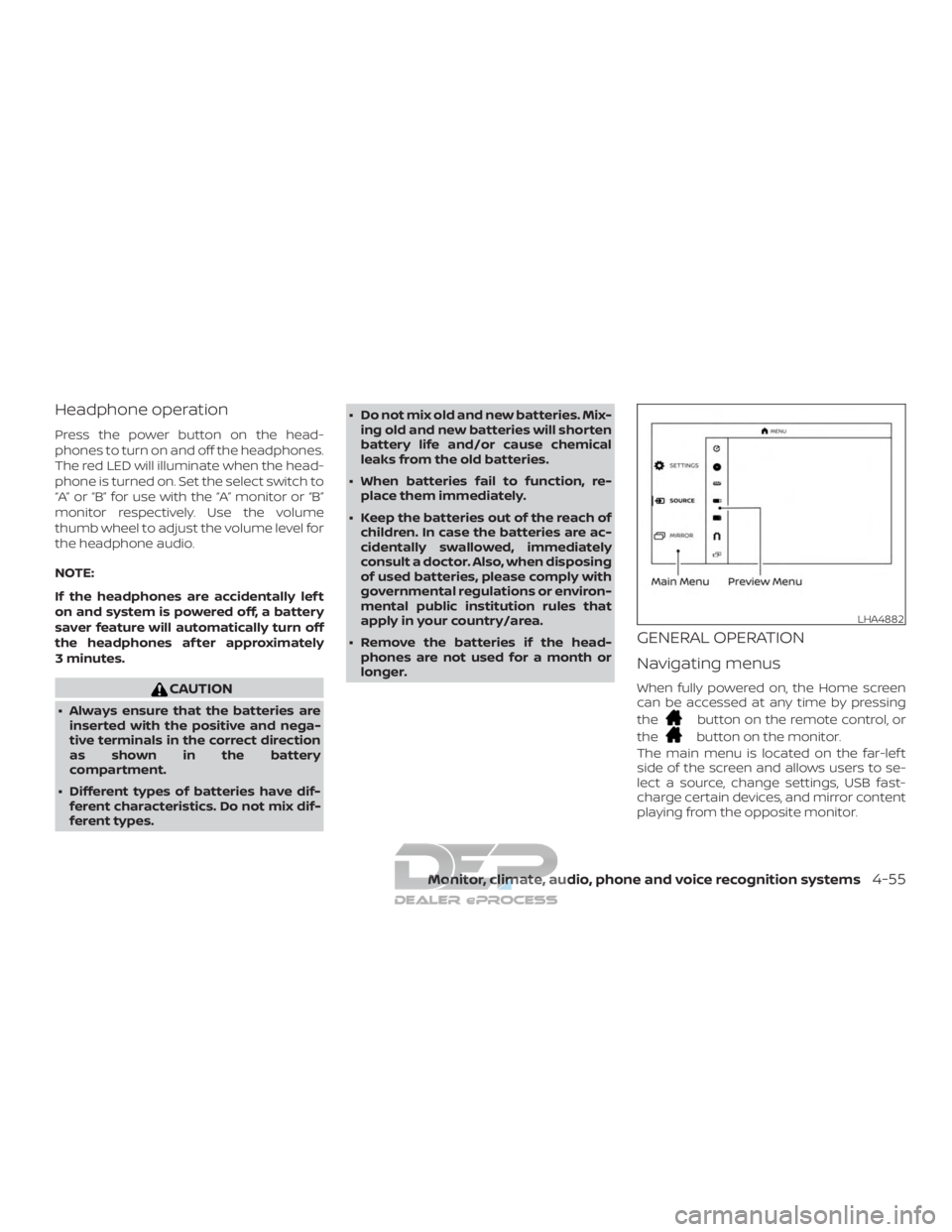
GENERAL OPERATION
Navigating menus
When fully powered on, the Home screen
can be accessed at any time by pressing
the
button on the remote control, or
the
button on the monitor.
The main menu is located on the far-lef t
side of the screen and allows users to se-
lect a source, change settings, USB fast-
charge certain devices, and mirror content
playing from the opposite monitor.
LHA4882
Monitor, climate, audio, phone and voice recognition systems4-55