roof NISSAN TITAN 2023 User Guide
[x] Cancel search | Manufacturer: NISSAN, Model Year: 2023, Model line: TITAN, Model: NISSAN TITAN 2023Pages: 644, PDF Size: 7.8 MB
Page 98 of 644
FRONT SEAT-MOUNTED
SIDE-IMPACT SUPPLEMENTAL AIR
BAG AND ROOF-MOUNTED
CURTAIN SIDE-IMPACT AND
ROLLOVER SUPPLEMENTAL AIR
BAG SYSTEMS
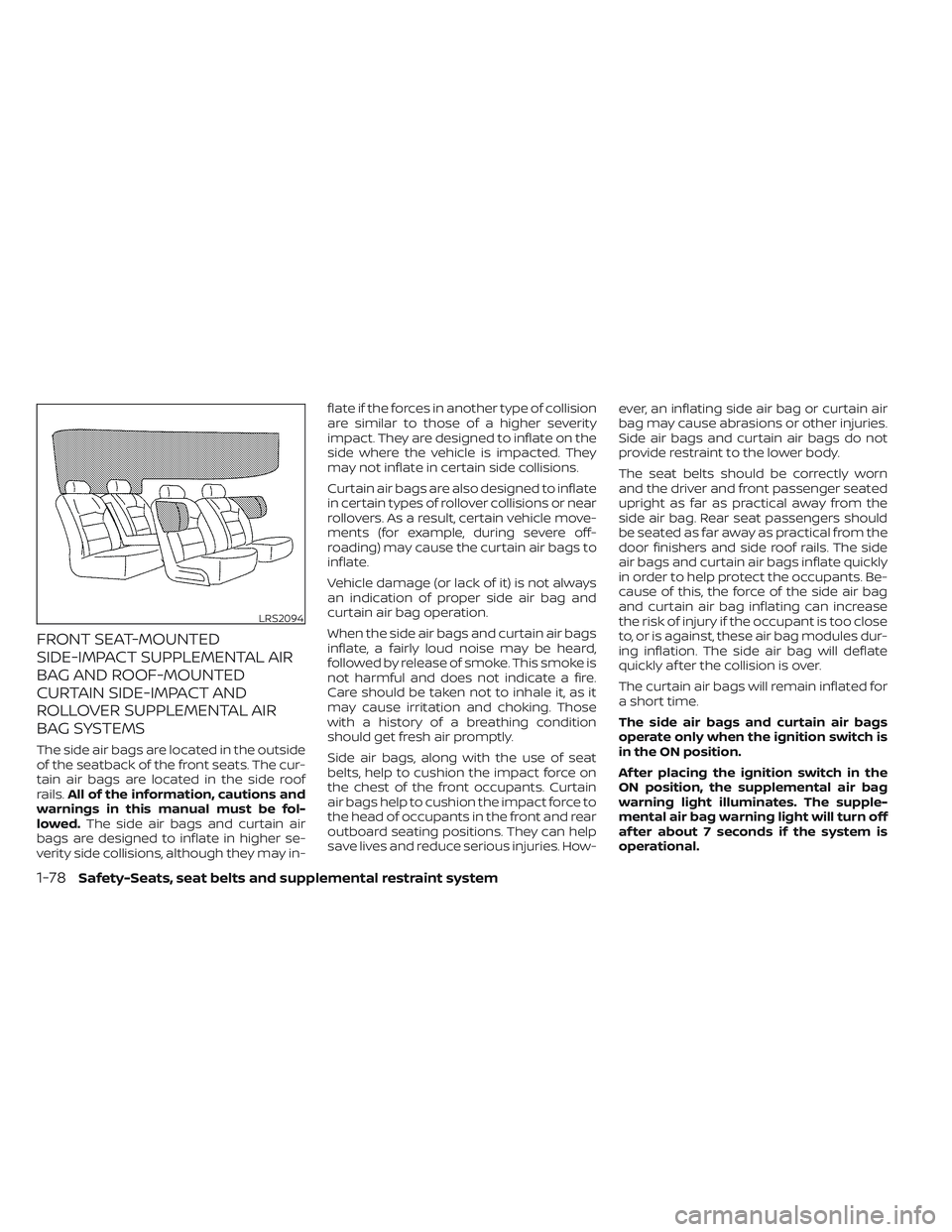
The side air bags are located in the outside
of the seatback of the front seats. The cur-
tain air bags are located in the side roof
rails.All of the information, cautions and
warnings in this manual must be fol-
lowed. The side air bags and curtain air
bags are designed to inflate in higher se-
verity side collisions, although they may in- flate if the forces in another type of collision
are similar to those of a higher severity
impact. They are designed to inflate on the
side where the vehicle is impacted. They
may not inflate in certain side collisions.
Curtain air bags are also designed to inflate
in certain types of rollover collisions or near
rollovers. As a result, certain vehicle move-
ments (for example, during severe off-
roading) may cause the curtain air bags to
inflate.
Vehicle damage (or lack of it) is not always
an indication of proper side air bag and
curtain air bag operation.
When the side air bags and curtain air bags
inflate, a fairly loud noise may be heard,
followed by release of smoke. This smoke is
not harmful and does not indicate a fire.
Care should be taken not to inhale it, as it
may cause irritation and choking. Those
with a history of a breathing condition
should get fresh air promptly.
Side air bags, along with the use of seat
belts, help to cushion the impact force on
the chest of the front occupants. Curtain
air bags help to cushion the impact force to
the head of occupants in the front and rear
outboard seating positions. They can help
save lives and reduce serious injuries. How-
ever, an inflating side air bag or curtain air
bag may cause abrasions or other injuries.
Side air bags and curtain air bags do not
provide restraint to the lower body.
The seat belts should be correctly worn
and the driver and front passenger seated
upright as far as practical away from the
side air bag. Rear seat passengers should
be seated as far away as practical from the
door finishers and side roof rails. The side
air bags and curtain air bags inflate quickly
in order to help protect the occupants. Be-
cause of this, the force of the side air bag
and curtain air bag inflating can increase
the risk of injury if the occupant is too close
to, or is against, these air bag modules dur-
ing inflation. The side air bag will deflate
quickly af ter the collision is over.
The curtain air bags will remain inflated for
a short time.
The side air bags and curtain air bags
operate only when the ignition switch is
in the ON position.
Af ter placing the ignition switch in the
ON position, the supplemental air bag
warning light illuminates. The supple-
mental air bag warning light will turn off
af ter about 7 seconds if the system is
operational.
LRS2094
1-78Safety-Seats, seat belts and supplemental restraint system
Page 106 of 644
Electronic locking rear differential (E-Lock)
system switch (if so equipped).................2-61
Power inverter switch (if so equipped) ..........2-62
Parking Aids system switch ....................2-63
Tow mode switch .............................. 2-63
Emergency call (SOS) button (if so equipped) . . . 2-64 Emergency support ......................... 2-64
Trailer Brake Controller Unit (TBCU)
(if so equipped) ................................. 2-65
Rear Door Alert ................................. 2-66
Power outlets .................................. 2-67
12v Outlets .................................. 2-67
120v outlets (if so equipped) .................2-68
USB/iPod® charging ports ......................2-70
Extended storage switch .......................2-71
Storage ........................................ 2-72
Front-door pockets ......................... 2-72
Rear-door pockets .......................... 2-72
Console side pockets (if so equipped) .......2-73
Seatback pockets ........................... 2-73
Under-seat storage (if so equipped) .........2-74
Console box storage trays
(if so equipped) .............................. 2-75
Cell phone storage tray (if so equipped) .....2-76
Glovebox ................................... 2-76Console box (if so equipped)
................2-76
Center armrest storage (if so equipped) .....2-77
Under front seat storage bin
(if so equipped) .............................. 2-78
Overhead sunglasses storage
(if so equipped) .............................. 2-78
Cup holders ................................. 2-79
Grocery hooks (if so equipped) ..............2-82
Bed liner storage bins (if so equipped) .......2-82
Cargo hooks (if so equipped) ................2-83
C-Channel cargo hooks (if so equipped) .....2-83
Windows ....................................... 2-84
Power windows ............................. 2-84
Rear power window switch
(if so equipped) .............................. 2-86
Rear sliding window (if so equipped) .........
2-87
Moonr
oof (if so equipped) ...................... 2-88
Power moonroof ............................ 2-88
Interior lights ................................... 2-90
Console light (if so equipped) ................2-91
Map lights (if so equipped) ...................2-91
Personal Lights (if so equipped) .............2-92
HomeLink® Universal Transceiver (Type A)
(if so equipped) ................................. 2-92
Programming HomeLink® ...................2-93
Page 113 of 644
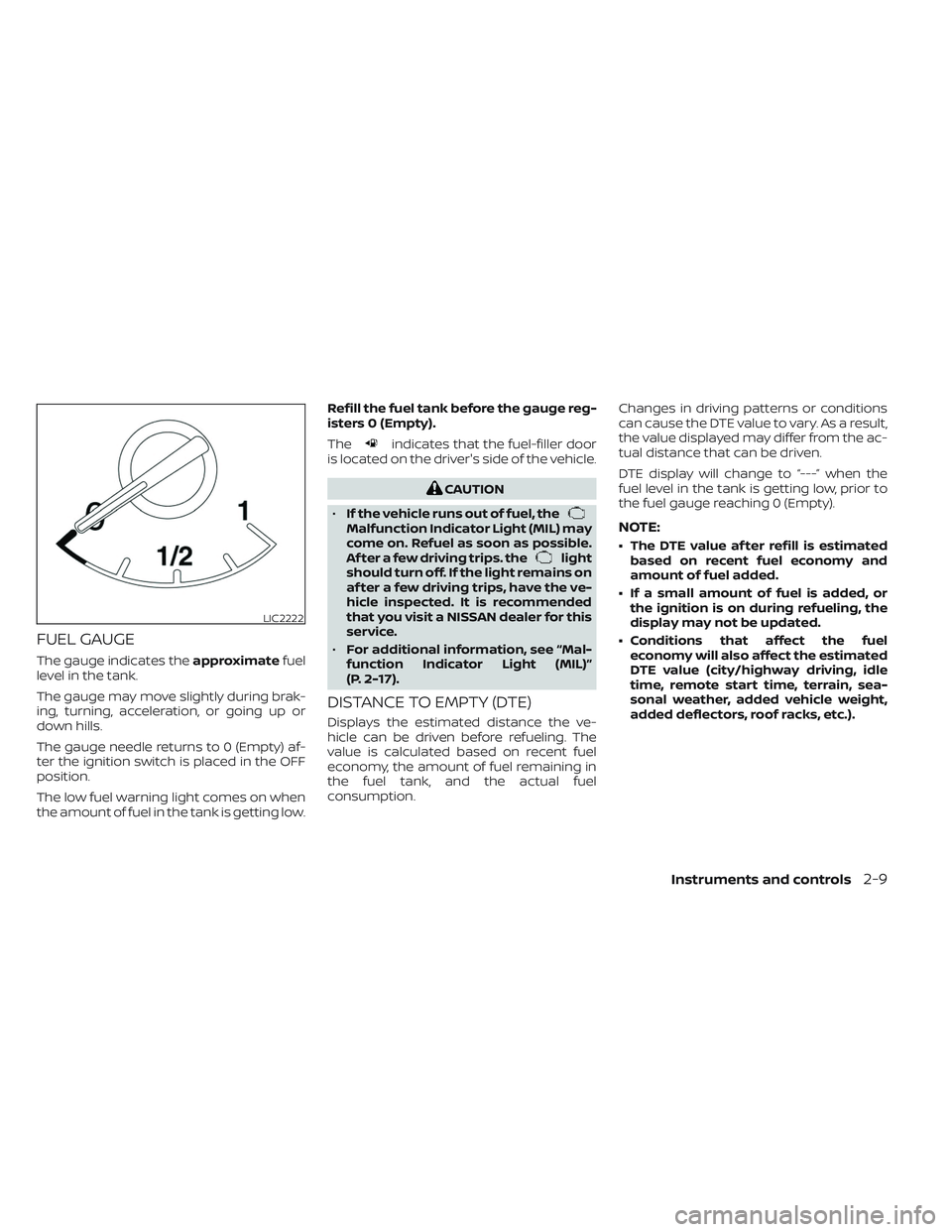
FUEL GAUGE
The gauge indicates theapproximatefuel
level in the tank.
The gauge may move slightly during brak-
ing, turning, acceleration, or going up or
down hills.
The gauge needle returns to 0 (Empty) af-
ter the ignition switch is placed in the OFF
position.
The low fuel warning light comes on when
the amount of fuel in the tank is getting low. Refill the fuel tank before the gauge reg-
isters 0 (Empty).
The
indicates that the fuel-filler door
is located on the driver's side of the vehicle.
CAUTION
• If the vehicle runs out of fuel, the
Malfunction Indicator Light (MIL) may
come on. Refuel as soon as possible.
Af ter a few driving trips. the
light
should turn off. If the light remains on
af ter a few driving trips, have the ve-
hicle inspected. It is recommended
that you visit a NISSAN dealer for this
service.
• For additional information, see “Mal-
function Indicator Light (MIL)”
(P. 2-17).
DISTANCE TO EMPTY (DTE)
Displays the estimated distance the ve-
hicle can be driven before refueling. The
value is calculated based on recent fuel
economy, the amount of fuel remaining in
the fuel tank, and the actual fuel
consumption. Changes in driving patterns or conditions
can cause the DTE value to vary. As a result,
the value displayed may differ from the ac-
tual distance that can be driven.
DTE display will change to “---” when the
fuel level in the tank is getting low, prior to
the fuel gauge reaching 0 (Empty).
NOTE:
• The DTE value af ter refill is estimated
based on recent fuel economy and
amount of fuel added.
• If a small amount of fuel is added, or the ignition is on during refueling, the
display may not be updated.
• Conditions that affect the fuel economy will also affect the estimated
DTE value (city/highway driving, idle
time, remote start time, terrain, sea-
sonal weather, added vehicle weight,
added deflectors, roof racks, etc.).
LIC2222
Instruments and controls2-9
Page 192 of 644
•Do not place objects through the
opened rear window. Do not use the
rear window as a cargo area pass-
through. This may result in damage
to the rear window system, or per-
sonal injury.
Squeeze the handles of the lever
O1, then
slide the window open
O2.
POWER MOONROOF
The front moonroof is a power moonroof,
the rear moonroof is fixed glass. The power
moonroof will only operate when the igni-
tion switch is placed in the ON position. The
moonroof is operational for a period of
time, even if the ignition switch is placed in
the OFF position. If the driver's door or the
front passenger's door is opened during
this period of time, the power to the moon-
roof is canceled.
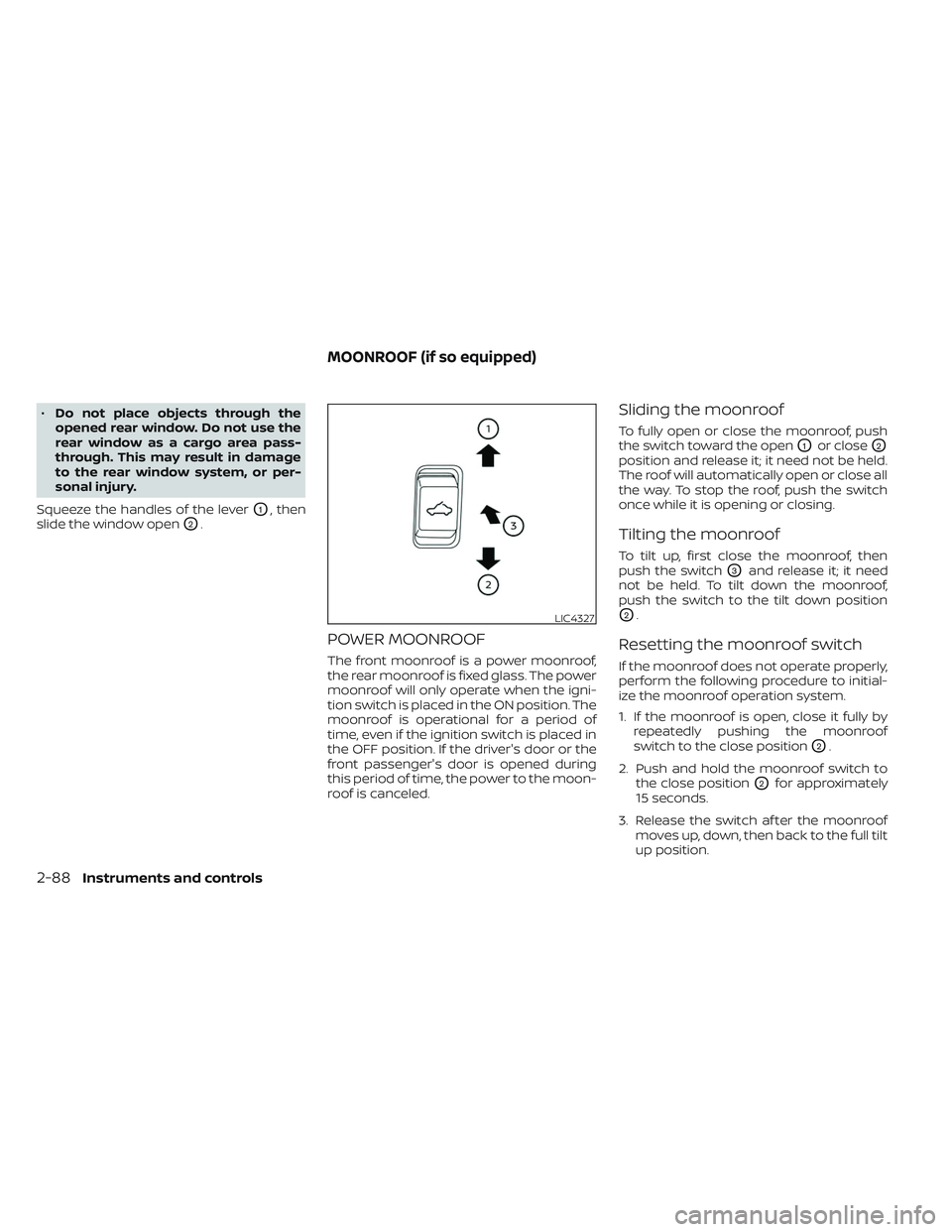
Sliding the moonroof
To fully open or close the moonroof, push
the switch toward the open
O1or closeO2
position and release it; it need not be held.
The roof will automatically open or close all
the way. To stop the roof, push the switch
once while it is opening or closing.
Tilting the moonroof
To tilt up, first close the moonroof, then
push the switch
O3and release it; it need
not be held. To tilt down the moonroof,
push the switch to the tilt down position
O2.
Resetting the moonroof switch
If the moonroof does not operate properly,
perform the following procedure to initial-
ize the moonroof operation system.
1. If the moonroof is open, close it fully by repeatedly pushing the moonroof
switch to the close position
O2.
2. Push and hold the moonroof switch to the close position
O2for approximately
15 seconds.
3. Release the switch af ter the moonroof moves up, down, then back to the full tilt
up position.
LIC4327
MOONROOF (if so equipped)
2-88Instruments and controls
Page 193 of 644
4. Push and hold the switch to the closeposition
O2.
5. Release the switch af ter the moonroof completes one full cycle from the tilt up
position to the closed position, then to
the open position, and again to the fully
closed position.
6. Check if the moonroof switch operates normally.
If the moonroof does not operate properly
af ter performing the procedure above,
have your vehicle checked. It is recom-
mended that you visit a NISSAN dealer for
this service.
Auto-reverse function (when
closing or tilting down the
moonroof)
The auto-reverse function can be acti-
vated when the moonroof and sunshade
are closed or tilted down by automatic op-
eration when the ignition switch is placed
in the ON position or for a period of time
af ter the ignition switch is placed in the OFF
position. Depending on the environment or driv-
ing conditions, the auto-reverse func-
tion may be activated if an impact or
load similar to something being caught
in the moonroof occurs.
WARNING
There are some small distances imme-
diately before the closed position
which cannot be detected. Make sure
that all passengers have their hands,
etc., inside the vehicle before closing
the moonroof.
When closing
If the control unit detects something
caught in the moonroof and sunshade as it
moves to the front, the moonroof and sun-
shade will immediately open backward.
When tilting down
If the control unit detects something
caught in the moonroof as it tilts down, the
moonroof will immediately tilt up.
WARNING
• In an accident you could be thrown
from the vehicle through an open
moonroof. Always use seat belts and
child restraints.
• Do not allow anyone to stand up or
extend any portion of their body out
of the moonroof opening while the
vehicle is in motion or while the
moonroof is closing.
CAUTION
• Remove water drops, snow, ice or
sand from the moonroof before
opening.
• Do not place heavy objects on the
moonroof or surrounding area.
Instruments and controls2-89
Page 194 of 644
Sunshade
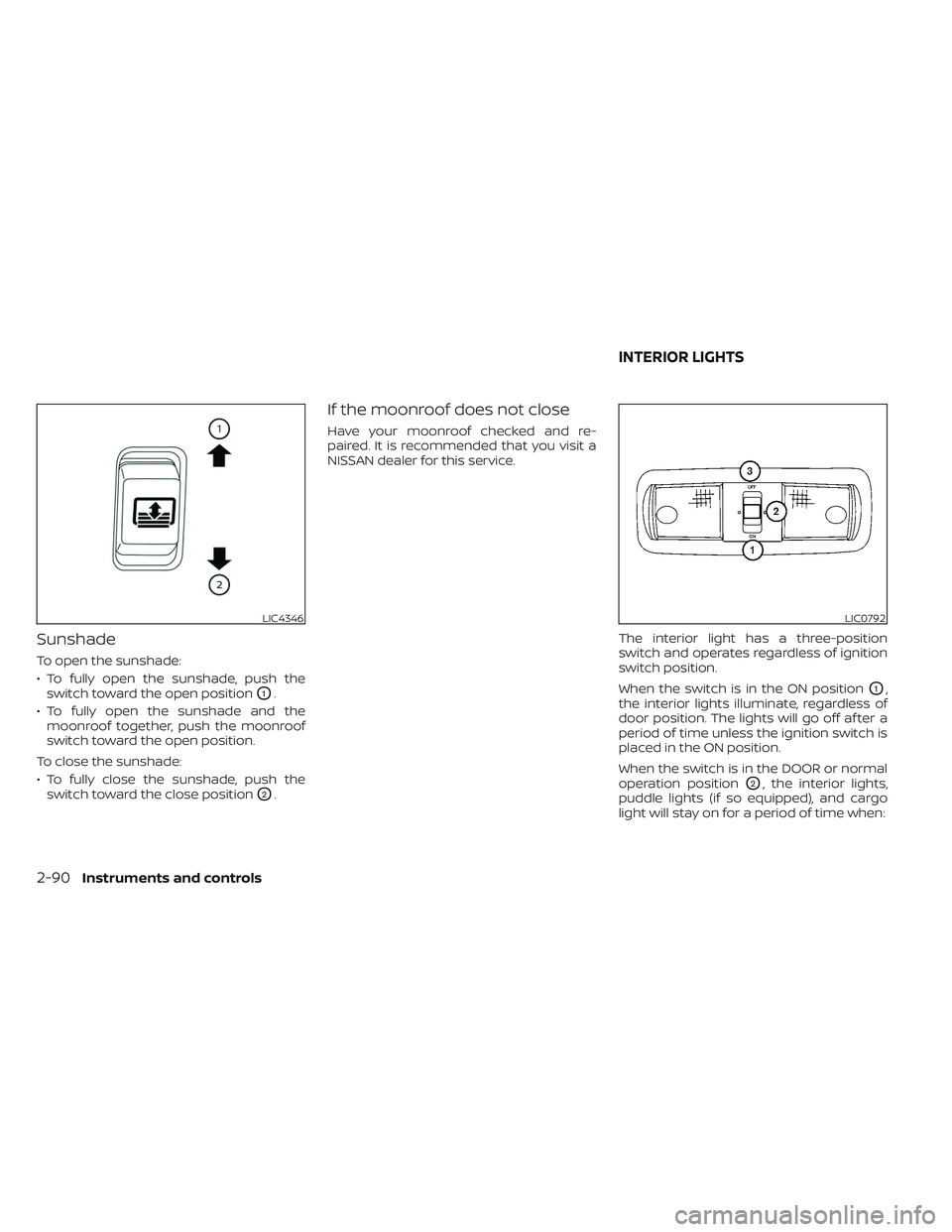
To open the sunshade:
• To fully open the sunshade, push theswitch toward the open position
O1.
• To fully open the sunshade and the moonroof together, push the moonroof
switch toward the open position.
To close the sunshade:
• To fully close the sunshade, push the switch toward the close position
O2.
If the moonroof does not close
Have your moonroof checked and re-
paired. It is recommended that you visit a
NISSAN dealer for this service.
The interior light has a three-position
switch and operates regardless of ignition
switch position.
When the switch is in the ON position
O1,
the interior lights illuminate, regardless of
door position. The lights will go off af ter a
period of time unless the ignition switch is
placed in the ON position.
When the switch is in the DOOR or normal
operation position
O2, the interior lights,
puddle lights (if so equipped), and cargo
light will stay on for a period of time when:
LIC4346LIC0792
INTERIOR LIGHTS
2-90Instruments and controls
Page 250 of 644
4 Monitor, climate, audio, phone and
voice recognition systems
NissanConnect® Owner’s Manual...............4-2
RearView Monitor (if so equipped) ...............4-3
RearView Monitor system operation ..........4-4
How to read the displayed lines ..............4-4
Difference between predicted and
actual distances .............................4-5
How to park with predicted course
lines ..........................................4-7
Adjusting the screen .........................4-8
How to turn on and off predicted
course lines ..................................4-8
RearView Monitor system limitations .........4-8
System maintenance ....................... 4-10
Intelligent Around View® Monitor
(if so equipped) .................................. 4-11
Intelligent Around View® Monitor
system operation ........................... 4-12
Difference between predicted and
actual distances ............................ 4-16
How to park with predicted course
lines ......................................... 4-18
How to switch the display ...................4-19
Adjusting the screen ........................ 4-20
Intelligent Around View® Monitor
system limitations .......................... 4-20
System maintenance .......................4-22Moving Object Detection (MOD)
(if so equipped)
................................. 4-23
MOD system operation ......................4-24
Turning MOD on and off (if so equipped) .....4-26
MOD system limitations .....................4-26
System maintenance .......................4-27
Vents .......................................... 4-28
Heater and air conditioner (manual)
(if so equipped) ................................. 4-28
Controls ..................................... 4-29
Heater operation ............................ 4-30
Air conditioner operation ....................4-32
Air flow charts ............................... 4-33
Heater and air conditioner (automatic)
(if so equipped) ................................. 4-37
Automatic operation ........................ 4-38
Manual operation ........................... 4-39
Operating tips ............................... 4-41
Servicing air conditioner ........................4-42
Antenna ........................................ 4-42
Roof Mounted Antenna ......................4-42
R
ear Seat Infotainment (RSI) (if so equipped) ....4-43
Welcome.................................... 4-44
Getting started .............................. 4-44
Control description ..........................4-47
Page 292 of 644
• When you change the air flow mode, youmay feel air flow from the foot outlets for
just a moment. This is not a malfunction.
• When the ignition is placed in the ON po- sition, in some fogging or high cabin
temp conditions, air may flow automati-
cally to the foot outlets for 3 to 7 seconds
to purge the hot air in the system. The air conditioner system in your NISSAN
vehicle is charged with a refrigerant de-
signed with the environment in mind.
This refrigerant does not harm the
earth's ozone layer.
Special charging equipment and lubricant
is required when servicing your NISSAN air
conditioner. Using improper refrigerants or
lubricants will cause severe damage to
your air conditioner system. For additional
information, see “Air conditioner system re-
frigerant and oil recommendations”
(P. 10-8).
It is recommended that you visit a NISSAN
dealer to service your “environmentally
friendly” air conditioner system.
WARNING
The air conditioner system contains re-
frigerant under high pressure. To avoid
personal injury, any air conditioner ser-
vice should be done only by an experi-
enced technician with proper
equipment.
ROOF MOUNTED ANTENNA
The antenna is located on the rear part of
the vehicle roof.
CAUTION
• A build-up of ice on the antenna can
affect radio performance. Remove
the ice to restore radio reception.
• When removing snow from the roof,
do not apply strong force to the an-
tenna. That may cause broken an-
tenna and roof panel dent.
• When using a high pressure car wash,
keep the high pressure nozzle away
from the antenna. The seal may be
deformed or damaged.
• The radio performance may be af-
fected if cargo carried on the roof
blocks the radio signal. If possible, do
not put cargo near the antenna.
SERVICING AIR CONDITIONER ANTENNA
4-42Monitor, climate, audio, phone and voice recognition systems
Page 479 of 644
7 Appearance and care
Cleaning exterior................................ 7-2
Washing ..................................... 7-2
Waxing ....................................... 7-2
Removing spots .............................. 7-3
Underbody ................................... 7-3
Glass ......................................... 7-3
Aluminum alloy wheels (if so equipped) ....... 7-3
Chromeparts................................ 7-3
Tire dressings ................................ 7-4
Cleaning interior ................................ 7-4 Air fresheners
................................ 7-5
Power moonroof (if so equipped) ............. 7-5
Floor mats (if so equipped) ................... 7-5
Seatbelts ....................................7-6
Corrosion protection ............................ 7-7
Most common factors contributing to
vehicle corrosion ............................. 7-7
Environmental factors influence the
rate of corrosion ............................. 7-7
Protect your vehicle from corrosion .......... 7-7
Page 483 of 644
AIR FRESHENERS
Most air fresheners use a solvent that
could affect the vehicle interior. If you use
an air freshener, take the following
precautions:
• Hanging-type air fresheners can causepermanent discoloration when they con-
tact vehicle interior surfaces. Place the air
freshener in a location that allows it to
hang free and not contact an interior
surface.
• Liquid-type air fresheners typically clip on the vents. These products can cause im-
mediate damage and discoloration
when spilled on interior surfaces.
Carefully read and follow the manufactur-
er's instructions before using the air
fresheners.
POWER MOONROOF (if so
equipped)
The sunshade is made from a tricot
material.
CAUTION
To help prevent damaging the moon-
roof while cleaning:
• Do not rub the material with a cloth.
Doing so can damage the surface of
the material or cause a stain to
spread.
• Never use benzine, thinner or any
similar chemical to clean the sun-
shade. This may discolor the moon-
roof and damage the surface.
• Clean water based stains by patting
the surface with a clean sof t cloth
dampened in warm water. Press a
clean dry cloth onto the surface to
remove as much dampness as pos-
sible and then let air dry.
• Clean oil based stains by patting the
surface with a clean sof t cloth damp-
ened in warm water. Press a clean dry
cloth onto the surface to remove as
much dampness as possible and
then let air dry.
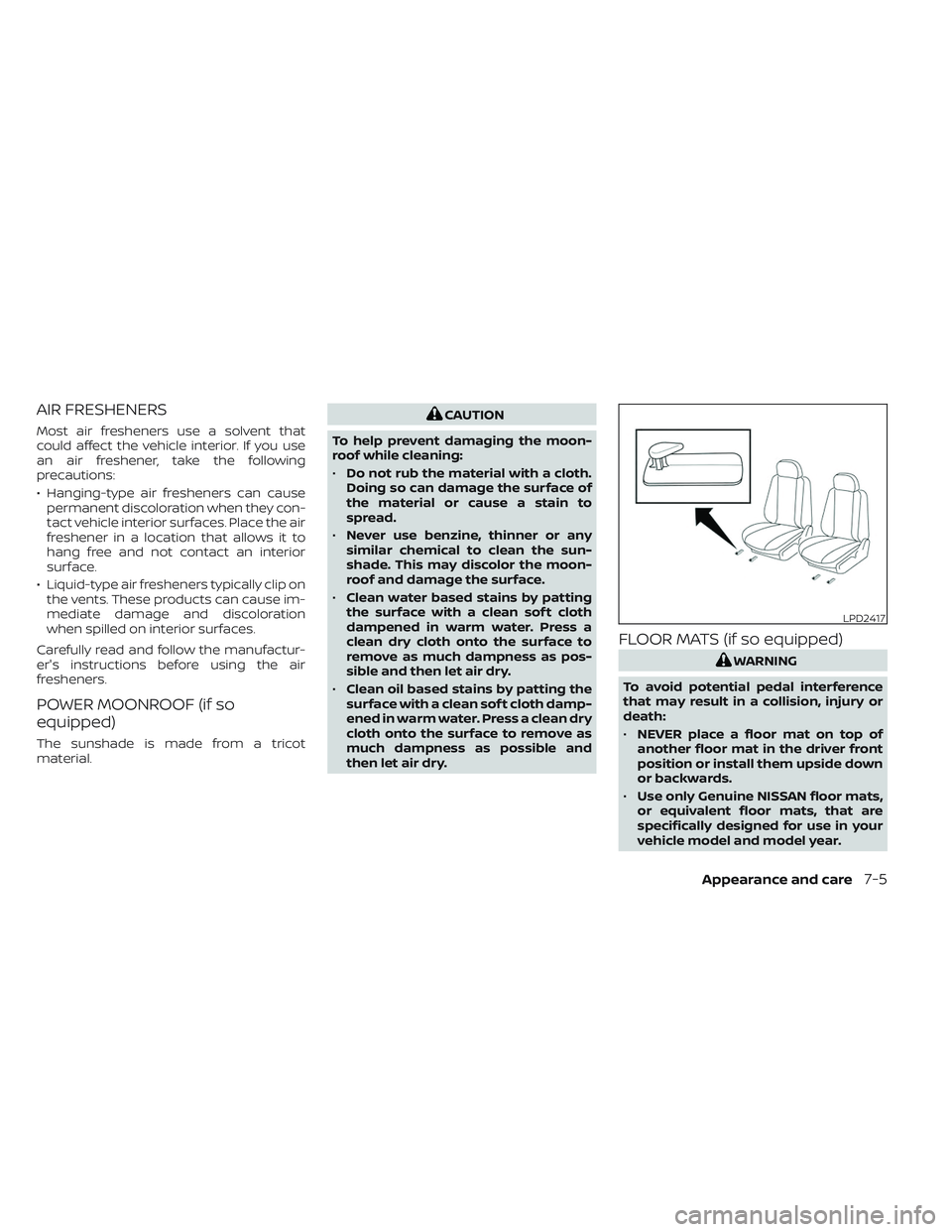
FLOOR MATS (if so equipped)
WARNING
To avoid potential pedal interference
that may result in a collision, injury or
death:
• NEVER place a floor mat on top of
another floor mat in the driver front
position or install them upside down
or backwards.
• Use only Genuine NISSAN floor mats,
or equivalent floor mats, that are
specifically designed for use in your
vehicle model and model year.
LPD2417
Appearance and care7-5