instrument panel OLDSMOBILE AURORA 1996 Owner's Manual
[x] Cancel search | Manufacturer: OLDSMOBILE, Model Year: 1996, Model line: AURORA, Model: OLDSMOBILE AURORA 1996Pages: 388, PDF Size: 20.24 MB
Page 116 of 388
Instrument Panel Cluster
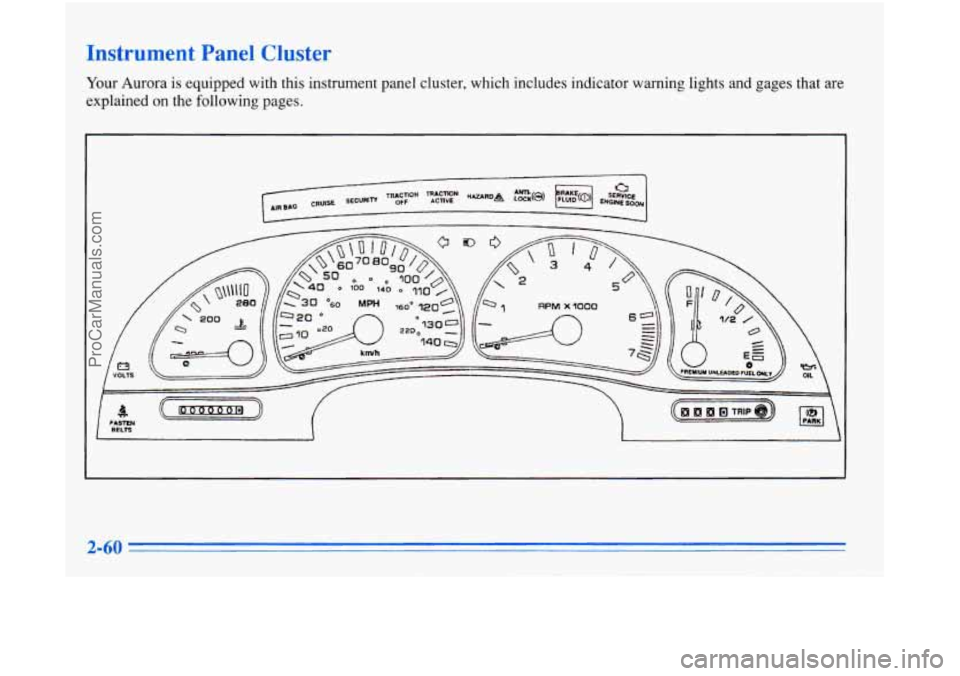
Your Aurora is equipped with this instrument panel cluster, which includes indicator warning lights and gages that are
explained on the following pages.
ProCarManuals.com
Page 120 of 388
Air Bag Readiness Light
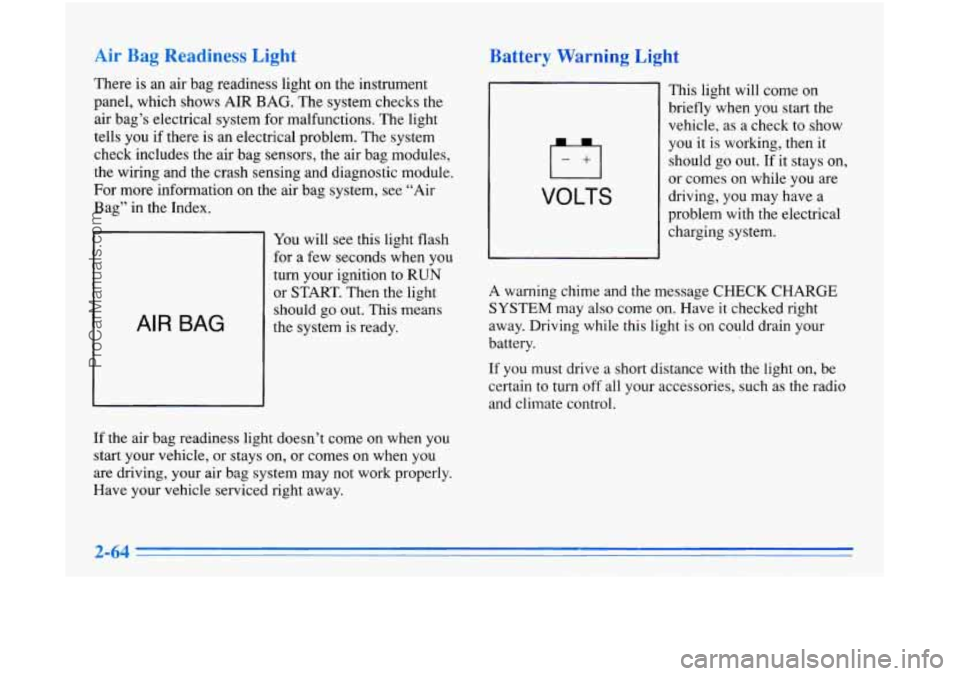
There is an air bag readiness light on the instrument
panel, which shows AIR BAG. The system checks the
air bag’s electrical system for malfunctions. The light
tells you if there is an electrical problem. The system
check includes the air bag sensors, the air bag modules,
the wiring and the crash sensing and diagnostic module.
For more infoimation on the air bag system, see “Air
Bag” in the Index.
AIR BAG
You will see this light flash
for a few seconds when you
turn your ignition to RUN
or START. Then the light
should go out. This means
the system is ready.
If the air bag readiness light doesn’t come on when you
start your vehicle, or stays on, or comes
on when you
are driving, your air bag system may not work properly.
Have your vehicle serviced right away.
Battery Warnlng Light
VOLTS
This light will come on
briefly when you start the
vehicle, as a check to show
you it is working, then it
should
go out. If it stays on,
or comes on while
you are
driving, you may have a
problem with the electrical
charging system.
A warning chime and the message CHECK CHARGE
SYSTEM may also come on. Have it checked right
away. Driving while this light is on could drain your
battery.
If you must drive a short distance with the light on, be
certain to turn off all your accessories, such as the radio
and climate control.
ProCarManuals.com
Page 141 of 388

Automatic Operation
Press the AUTO-PUSH knob when you want the system
to automatically adjust to changes in the temperature
inside the vehicle, the outside temperature and the sun
load on the vehicle. When the system
is set for 4%
automatic operation, air will come from the floor, upper
or the windshield outlets depending on the temperature
inside the vehicle, the outside temperature and the sun
load. Fan speed will vary as the system reaches and
.................
maintains the comfort setting you have selected.
. 7* -
....................................................................... \
To find your comfort setting, start with the system in
automatic mode by depressing the AUTO-PUSH knob.
Adjust
the comfort setting by using the red and blue
buttons located below the digital display until you reach a
value of
75 OF (24"C), on the display. Give the vehicle
about
20 minutes to stabilize and then adjust the comfort
setting
if necessary, through the use of the red and blue
buttons. The display will show
the comfort setting for five
seconds and then it will show the outside temperature.
In cold weather, the system will delay turning on the fan
to avoid blowing cold air. The length
of the delay
depends on the engine coolant temperature and the
outside temperature. Rotating the AUTO FAN knob will
override this delay by turning off the automatic fan
mode and changing the fan speed. Your
automatic electronic climate control system has
two sun sensors located on the top of the instrument
panel that detect direct sunlight. To keep you and your
passengers comfortable, the system may supply cooler
air to the
side towards the sun. Be careful not to put
anything over these sun sensors. The automatic
electronic climate control system may not operate
correctly if these sensors are covered.
To change the automatic electronic climate control
display from an English display to a Metric display, hold
down the OFF button located in the Driver Information
Center for five seconds. The display in the Driver
Information Center will also change from an English to
a Metric display.
To return to an English display, repeat
the above procedure.
3-3
ProCarManuals.com
Page 142 of 388

11 up l1lC
You may override the automatic airflow distribution by
rotating the AUTO-PUSH knob. After you rotate this
knob, the comfort setting will be displayed for five
seconds then the outside temperature will be displayed.
The fan control will remain in the automatic control
mode unless you rotate the AUTO FAN knob to select a
manual fan speed.
@*
fl Upper: Directs airflow through the upper air
outlets located in the instrument panel and door panels.
fl Bi-Level: Directs the airflow through both the
upper air outlets and the lower floor outlets. There is
also a small amount
of air directed to the front defroster
and the side window defrosters.
$/ Heat: Directs most of the airflow to the lower
floor outlets with some airflow directed to the side
window defrosters. There is also a small amount of
airflow directed to the front defroster.
eo
@?
' / Defog: Directs the majority of the airflow to the
lower floor outlets and the front defroster. A small
amount of airflow is directed
to the side window
defroster outlets. This mode can be useful to remove the
moisture from the inside
of the windshield when the
outside temperature is cold or the humidity is high.
DEF (Defrost): Directs the majority of the airflow
to the windshield with some airflow to the side window
defrosters and lower floor outlets. To increase the fan
speed, rotate the AUTO FAN knob to the right.
RECIRC: Press this button to limit the amount of
outside air entering your vehicle. This is helpful when
you are trying to cool the interior of the vehicle quickly
or limit the amount of outside air entering your vehicle
for some other reason. The RECIRC button and the
AUTO-PUSH knob may be selected at the same time.
The system will remain in RECIRC
for 12 minutes or
until the ignition is turned off, then the system will
return back
to the previously selected mode. RECIRC
may be selected in all manual airflow modes except
FRONT Defrost.
ProCarManuals.com
Page 144 of 388

Heating
In cold weather, if the automatic mode is selected
(AUTO-PUSH knob indicator light is on), the system
will automatically direct the airflow out
of the lower
floor outlets and the temperature door will be positioned
at the full hot position. You can choose the extreme
comfort setting of
90°F (32°C) but the system will
not warm up
any faster by selecting the extreme
comfort setting.
In cold weather, the system will delay turning on the
fan to avoid blowing cold air. The length
of the delay
depends on the engine coolant temperature and the
outside temperature. The fan speed will increase as the
temperature
of the engine coolant increases. Rotating the
AUTO
FAN knob will override this delay by turning
off the automatic
fan control mode and changing the
fan speed.
t
Ventilation System
Your Aurora’s flow-through ventilation system always
allows outside air to flow through your vehicle when
it
is moving, even when the system is in the OFF position. The
direction
of the air can be controlled by adjusting or
closing the outlets in the instrument panel. Rotate the
control between the front outlets upward to open the
outlets and downward to close the outlets. Adjust the
direction
of airflow from side to side with the controls in
each outlet.
ProCarManuals.com
Page 205 of 388
Turn Signals When Towing a Trailer
The green arrows on your instrument panel will flash
whenever you signal a turn or lane change. Properly
hooked up, the trailer lamps will also flash, telling other
drivers you’re about to turn, change lanes or stop.
When towing a trailer, the green arrows on your
instrument panel will flash for turns even if the bulbs on
the trailer are burned out. Thus, you may think drivers
behind you
are seeing your signal when they are not.
It’s important to check occasionally to be sure the trailer
bulbs are still working.
Your vehicle may have bulb warning messages. When
you plug a trailer lighting system into your vehicle’s
lighting system, its bulb warning messages may not let
you know
if one of your lamps goes out. So, when you
have a trailer lighting system plugged in, be sure to
check your vehicle and trailer lamps from time to time
to be sure they’re all working. Once you disconnect the
trailer lamps, the bulb warning messages again can tell
you
if one of your vehicle lamps is out.
Driving On Grades
Reduce speed and shift to a lower gear before you start
down a long or steep downgrade. If you don’t shift
down, you might have
to use your brakes so much that
they would get hot and no longer work well.
Parking on Hills
You really should not park your vehicle, with a trailer
attached, on a hill. If something goes wrong, your rig
could start to move. People can be injured, and both
your vehicle and the trailer can be damaged.
But if you ever have to park your rig on a hill, here’s
how to do
it:
1. Apply your regular brakes, but don’t shift into
PARK (P) yet.
2. Have someone place chocks under the trailer wheels.
3. When the wheel chocks are in place, release the
regular brakes until the chocks absorb the load.
4. Reapply the regular brakes. Then apply your parking
brake, and then shift to
PARK (P).
5. Release the regular brakes.
ProCarManuals.com
Page 210 of 388

HAZARD A
The HAZARD light on the
instrument panel will
also
come on.
Your hazard flashers work no matter what position your
key
is in, and even if the key isn’t in.
To turn off the flashers, press the button down again.
When the flashers are on, your turn signals won’t work.
Other Warning Devices
If you carry reflective triangles, you can set one up at
the side
of the road about 300 feet (100 m) behind your
vehicle.
Jump Starting
If your battery has run down, you may want to use
another vehicle and some jumper cables to start your
Aurora. But please follow the steps below to
do it safely.
NOTICE:
Ignoring these steps could result in costly damage
to your vehicle that wouldn’t be covered by your
warranty.
Trying to
start your Aurora by pushing or
pulling it won’t work, and it could damage your
vehicle.
A CAUTION:
Batteries can hurt you. They can be dangerous
because:
They contain acid that can burn you.
0 They contain gas that can explode or ignite.
They contain enough electricity to burn
If you don’t follow these steps exactly, some or all
of these things can hurt you.
you.
ProCarManuals.com
Page 222 of 388

Attach a separate safety
chain around the outboard
end
of each lower control
arm.
Engine Overh -. hg
You will find a coolant temperature gage on your
Aurora’s instrument panel.
Your information center will
also display messages about engine overheating. See
“Coolant Temperature Gage” in the Index.
Overheated Engine Protection Operating
Mode
Should a low coolant condition exist and the message
HOT STOP ENGINE is displayed, an overheat
protection mode which alternates firing groups of four
cylinders helps prevent engine damage. This operating
mode allows your vehicle to be driven to a safe place in
an emergency; you may drive up to
50 miles (80 km).
Towing a trailer in the overheat protection mode should
be avoided.
Y
NOTICE:
After driving in the overheated engine protection
operating mode, to avoid engine damage, allow
the engine
to cool before attempting any repair.
The engine oil may be severely degraded. Change
the oil and reset the oil life indicator. See “Engine
Oil, When to Change” in the Index.
ProCarManuals.com
Page 248 of 388

Your vehicle has an air bag system. Before attempting to
do your own service work, see “Servicing Your Air
Bag-Equipped Aurora” in the Index.
You should keep a record with all parts receipts and list
the mileage and the date
of any service work you
perform. See “Maintenance Record” in
the Index.
You can be injured and your vehicle could be
damaged if
you try to do service work on a
vehicle without knowing enough about
it.
Be sure you have sufficient knowledge,
experience, and the proper replacement
parts and tools before you attempt any
vehicle maintenance task.
Be sure to use the proper nuts, bolts and
other fasteners. “English” and “metric”
fasteners can be easily confused. If you use
the wrong fasteners, parts can later break
or fall off.
You could be hurt.
Fuel
Use premium unleaded gasoline rated at 91 octane or
higher. At a minimum, it should meet Specifications ASTM
D4814 in the United States and CGSB 3.5-M93 in Canada.
Improved gasoline specifications have been developed by
the American Automobile Manufacturers Association
(AAMA) for better vehicle performance and engine
protection. Gasolines meeting the
AAMA specification
could provide improved driveability and emission control
system protection compared to other gasolines.
Be sure the posted octane for premium
is at least 91. If
the octane
is less than 91, you may get a heavy knocking
noise when you drive. (In an emergency, you may be
.
able to use a lower octane -- as low as 87 -- if heavy
knocking does not occur.) If you’re using
91 or higher
octane unleaded gasoline and you still hear heavy
knocking, your engine needs service.
If your vehicle is certified to meet California Emission
Standards (indicated on the underhood tune-up label), it
is designed to operate on fuels that meet California
specifications.
If such fuels are not available in states
adopting California emissions standards, your vehicle
will operate satisfactorily on fuels meeting federal
specifications, but emission control system performance
may be affected. The malfunction indicator lamp on
your instrument panel may turn
on and/or your vehicle
ProCarManuals.com
Page 249 of 388

may fail a smog-check test. If this occurs, return to your
authorized Aurora retailer for diagnosis to determine the
cause of failure. In the event it is determined that the
cause
of the condition is the type of fuels used, repairs
may not be covered by your warranty.
Some Canadian gasolines contain an octane enhancing
additive called methlycyclopentadienyl manganese
tricarbonyl (MMT).
If such fuels are used, your
emission control system performance may be affected.
The malfunction indicator lamp on your instrument
panel may turn on.
If this occurs, return to your
authorized Aurora retailer for service.
To provide cleaner air, all gasolines are now required to
contain additives that will help prevent deposits from
forming in your engine and fuel system, allowing your
emission control system to function properly. Therefore,
you should not have to add anything to the fuel. In
addition, gasolines containing oxygenates, such as ethers
and ethanol, and reformulated gasolines may be
available in your area to help clean the air. General
Motors recommends that you use these gasolines if they
comply with the specifications described earlier.
NOTICE:
Your vehicle was not designed for fuel that
contains methanol. Don’t use it. It can corrode
metal parts in your fuel system and also damage
plastic and rubber parts. That damage wouldn’t
be covered under your warranty.
Fuels in Foreign Countries
Lf you plan on driving in another country outside the United
States or Canada, the proper fuel may
be hard to find.
Never use leaded gasoline or any other fuel not recommended
in the previous text on fuel. Costly repairs caused by use
of improper
fuel wouldn’t be covered by your warranty.
To check on fuel availability, ask an auto club, or
contact a major oil company that does business in the
country where you’ll be driving.
You can also write us at the following address for
advice. Just tell us where you’re going and give your
Vehicle Identification Number (VIN).
General Motors Overseas Distribution Corporation
North American Export Sales (NAES)
1908 Colonel Sam Drive
Oshawa, Ontario
L1H 8P7
ProCarManuals.com