brake OLDSMOBILE BRAVADA 1994 Owners Manual
[x] Cancel search | Manufacturer: OLDSMOBILE, Model Year: 1994, Model line: BRAVADA, Model: OLDSMOBILE BRAVADA 1994Pages: 248, PDF Size: 14.54 MB
Page 16 of 248

How to Use this Manual
These symbols are on some of your
controls: These symbols
are used on warning
and indicator lights: Here
are some other symbols you
may see:
Windshield Wipers
Engine Coolant
Temperature Fuse
w Windshield
Washer
Battery Charging
System Tailgate Window
Windshield Defroster Lighter
Fuel
Rear Window Defogger Horn
Speaker
Engine
Oil Pressure
Rear Window Wiper
Brake
Hood Release
Rear Window
WiperlWasher Anti-Lock Brakes
Ventilating Fan
Power Window
10
ProCarManuals.com
Page 43 of 248
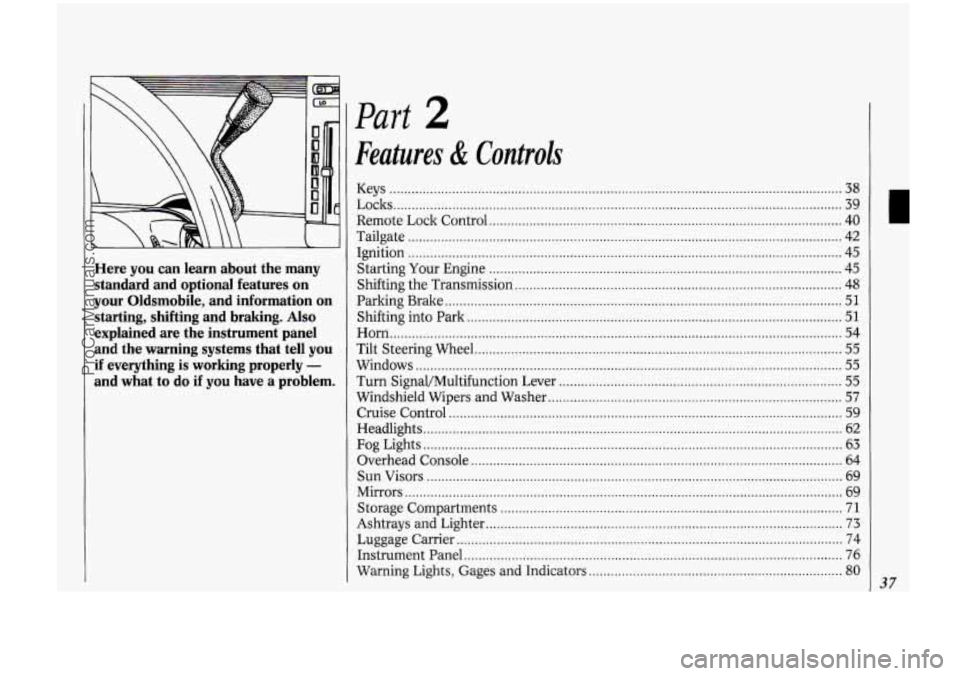
Here you can learn about the many standard and optional features on
your Oldsmobile. and information on
starting. shifting and braking
. Also
explained are the instrument panel
and the warning systems that tell you
if everything is working properly -
and what to do if you have a problem .
Part 2
Features & Controls
Keys ........................................................................\
.......................................... .. ....... 38
Locks ........................................................................\
.................................................. 39
Remote Lock Control
........................................................................\
........................ 40
Tailgate ........................................................................\
.............................................. 42
Ignition ........................................................................\
.............................................. 45
Starting Your Engine ........................................................................\
........................ 45
Shifting the Transmission ........................................................................\
................. 48
Parking Brake ........................................................................\
.................................... 51
Shifting into Park ........................................................................\
.............................. 51
Horn ........................................................................\
................................................... 54
Tilt Steering Wheel ........................................................................\
............................ 55
Windows ........................................................................\
............................................ 55
Turn Signal/Multifunction Lever ........................................................................\
..... 55
Windshield Wipers and Washer ........................................................................\
........ 57
Cruise Control ........................................................................\
................................... 59
Headlights
........................................................................\
.......................................... 62
Fog Lights ........................................................................\
.......................................... 63
Overhead Console
........................................................................\
............................. 64
Sun Visors
........................................................................\
......................................... 69
Mirrors
........................................................................\
............................................... 69
Storage Compartments
........................................................................\
..................... 71
Ashtrays and Lighter
........................................................................\
......................... 73
Luggage Carrier ........................................................................\
................................. 74
Warning Lights, Gages and Indicators
..................................................................... 80
Instrument Panel ........................................................................\
............................... 76
37
ProCarManuals.com
Page 50 of 248

Features & Controls
44
Here’s How to Move the Arm:
1. Squeeze the release handle to free the
carrier arm.
2. Swing the carrier arm away from the
tailgate. You may need to give it a
slight tug.
To latch the carrier arm, swing it hard
toward the tailgate. The latch has one
catch,
so push hard on the carrier arm
to make sure it has locked in place. If it
is not securely latched, the carrier will
swing freely.
Glove Box
Use the door key to lock and unlock the
glove box. To open, pinch the latch
release.
New Vehicle “BreakmIn”
NOTICE:
Your modern Oldsmobile doesn’t
need an elaborate “break-in.” But it
will perform better in the long run
if you follow these guidelines:
Keep your speed at 55 mph (88
ltm/h) or less for the first 500
miles (804 ltm) .
Don’t drive at any one speed -
fast or slow - for the first 500
miles (804 ltm) . Don’t make full-
throttle starts.
Avoid malting hard stops for the
first
200 miles (322 lun) or so.
During this time your new brake
linings aren’t yet broken in. Hard
stops with new linings can mean
premature wear and earlier
replacement. Follow this
“breaking-in” guideline every
time you get new brake linings.
ProCarManuals.com
Page 56 of 248

Features & Controls
50
Forward Gears
ID1 (Automatic Overdrive): This
position is for normal driving.
If you
need more power for passing, and
you’re:
Going less than 35 mph (56 km/h),
push your accelerator pedal about
halfway down.
Going about 35 mph (56 ltm/h) or
more, push the accelerator pedal all
the way down.
You’ll shift down to the next gear and
have more power.
D (Third Gear): This position is like
(Dl, but you never go into Overdrive.
Here are some times you might choose
D instead of [D):
When driving on hilly, winding roads.
When towing a trailer, so there is less
When going down a steep hill.
2 (Second Gear): This position gives
you more power but lower fuel
economy.
You can use 2 on hills. It can
help control your speed as you go down
steep mountain roads, but then you
would also want to use your brakes off
and on.
1 (First Gear): This position gives you
even more power (but lower fuel
economy) than
2. You can use it on
very steep hills, or in deep snow or
mud.
If the shift lever is put in 1, the
transmission won’t shift into first gear
until the vehicle
is going slowly enough.
shifting between gears.
NOTICE:
If
your rear wheels can’t rotate,
don’t try to drive. This might
happen if you were
stuck in very
deep sand or mud or were up
against a solid object.
You could
damage your transmission or
transfer case or both. Also, if you
stop when going uphill, don’t hold
your vehicle there with only the
accelerator pedal. This could
overheat and damage the
transmission.
Use your brakes or
shift into P (Park) to hold your
vehicle in position on
a hill.
Locking Rear Axle
Your rear axle can give you additional
traction on snow, mud, ice, sand or
gravel. It works like a standard axle
most
of the time, but when one of the
rear wheels has no traction and the
other does, the locking feature will
allow the wheel with traction to move
the vehicle.
ProCarManuals.com
Page 57 of 248

[-:......,*>+ . .,, :z :. ; .. * ; e.. .: . ...
,.. ,,:... ',',::.::-: ,..:..'*,..::;;;.L L. ... , .#. .eL r
Parking Brake
ro Set the Parking Brake:
Hold the regular brake pedal down with
your right foot. Push down the parking
xalte pedal with your left foot.
If the
ignition is on, the brake system warning
ight will come on.
:.::.:,.'r:..:::::.:::
To Release the Parking Brake:
Hold the regular brake pedal down. Pull
the BRAKE RELEASE lever.
NOTICE:
Driving with the parking brake on
can cause your rear brakes to
overheat.
You may have to replace
them, and
you could also damage
other parts of your vehicle.
If You Are Towing a Trailer and Are
Parking on
a Hill:
See the Index under Towing a Trailer.
That section shows what to do first to
keep the trailer from moving.
Shiftins Into P (Park)
1. Hold the brake pedal down with your
right foot and set the parking brake.
51
ProCarManuals.com
Page 58 of 248

52
2. Move the shift lever into the P (Park)
position like this:
Pull the lever toward you.
Move the lever up as far as it will go.
3. Move the ignition key to Lock.
4. Remove the key and take it with you.
If you can walk away from your
vehicle with the ignition key in your
hand, your vehicle is in
P (Park).
Leaving Your Vehicle With the
Engine Running
If you have to leave your vehicle with
the engine running, be sure your vehicle
is in
P (Park) and your parking brake is
firmly set before
you leave it. After
you’ve moved the shift lever into the
P (Park) position, hold the regular
brake pedal down. Then, see
if you can
move the shift lever away
from P (Park)
without first pulling it toward you.
If you can, it means that the shift lever
wasn’t fully locked into
P (Park).
ProCarManuals.com
Page 59 of 248

Torque Lock
If you are parking on a hill and you
don’t shift your transmission into
P
(Park) properly, the weight of the
vehicle may put too much force on the
parking pawl in the transmission. You
may find it difficult
to pull the shift
lever out of
P (Park). This is called
“torque lock.”
To prevent torque lock,
set the parking brake and then shift into
P (Park) properly before you leave the
driver’s seat.
To find out how, see
Shifting Into P (Park) in the Index.
When you are ready to drive, move the
shift lever out of
P (Park) BEFORE you
release the parking brake.
If “torque lock” does occur, you may
need to have another vehicle push yours
a little uphill to take some
of the
pressure from the transmission,
so you
can pull the
shift lever out of P (Park).
Engine Exhaust
53
ProCarManuals.com
Page 66 of 248

60
To Set Cruise Control
1. Move the cruise control switch to ON.
2. Get up to the speed you want.
3. Push in the SET button at the end of
1. Take your foot off the accelerator
the
lever and release it.
pedal.
To Resume a Set Speed
Suppose you set your cruise control at a
desired speed and then you apply the
brake. This,
of course, shuts off the
cruise control. But you don’t need to
reset it. Once you’re going about
25
mph (40 ldh) or more, you can move
the cruise control switch from
ON to
R/A (which stands for Resume/
Accelerate) for about half a second.
You’ll go right back up to your chosen
speed and stay there.
If you hold the switch at R/A longer
than half a second, the vehicle will keep
going faster until
you release the switch
or apply the brake.
You could be
startled and even lose control.
So unless
you want to
go faster, don’t hold the
switch at
WA.
ProCarManuals.com
Page 67 of 248

To Increase Speed While Using
Cruise Control
There are two ways to go to a higher
speed. Here’s the first:
1. Use the accelerator pedal to get to the
2. Push the button at the end of the
higher
speed.
lever, then release the button and the
accelerator pedal. You’ll now cruise
at the higher speed.
Here’s the second way to go to a higher
speed:
Move the cruise switch from ON to
R/A. Hold it there until you get up to
the speed you want, and then release
the switch.
To increase your speed in very small
amounts, move the switch to
R/A for
less than half a second and then
release it. Each time you do this, your
vehicle will go about
1 mph (1.6
ltm/h) faster.
To Reduce Speed While Using
Cruise Control
There are two ways to reduce your
speed while using cruise control:
Push in the button at the end of the
lever until you reach the lower speed
you want, then release it.
To slow down in very small amounts,
push the button for less than half a
second. Each time you do this, you’ll
go
1 mph (1.6 lun/h) slower.
Passing Another Vehicle While
Using Cruise Control
Use the accelerator pedal to increase
your speed. When you take your foot off
the pedal, your vehicle will slow down to
the cruise control speed you set earlier.
Using Cruise Control on Hills
How well your cruise control will work
on hills depends upon your speed, load,
and the steepness of the hills. When
going up steep hills, you may have to
step on the accelerator pedal to maintain
your speed. When going downhill, you
may have to brake or shift to a lower
gear to keep your speed down. Of
course, applying the brake takes you out
of cruise control. Many drivers find this
to be too much trouble and don’t use
cruise control
on steep hills.
To Get Out of Cruise Control
There are two ways to turn off the
cruise control:
Step lightly on the brake pedal; OR
Move the cruise switch to OFF.
To Erase Cruise Speed Memory
When you turn off the cruise control or
the ignition, your cruise control set
speed memory is erased.
61
ProCarManuals.com
Page 83 of 248

The Instrument Panel-Your
Information System
Your instrument panel is designed to let
you know at a glance how your vehicle
is running. You’ll know how fast you’re
going, how much fuel you’re using, and
many other things you’ll need to drive
safely and economically.
The main components
of your
instrument panel are:
1. Side Vents
2. Side Window Defogger
3. Rear Window Wipermasher
4. Rear Window Defogger
5. Light Controls
6. Tilt Steering Wheel Lever
7. Instrument Cluster
8. Gearshift Lever
9. Climate Controls
IO. Lighter
11. Center Vents
12. Glove Box
13. Side Window Defogger
14. Side Vents
15. Audio System
16. Ashtray
17. Tailgate Window Release
18. Power Remote Control Mirrors
19. Ignition Switch
20. Hazard Warning Flashers Switch
21. Horn
22. Fuse Panel (under instrument
panel)
23. Hood Release
24. Turn Signal/Multifunction Lever
25. Parking Brake Release
77
ProCarManuals.com