ECU Oldsmobile Bravada 2003 s Owner's Guide
[x] Cancel search | Manufacturer: OLDSMOBILE, Model Year: 2003, Model line: Bravada, Model: Oldsmobile Bravada 2003Pages: 410, PDF Size: 20.1 MB
Page 100 of 410

Onstar@ System Onstar@ Services
OnStaP uses global positioning system (GPS) satellite
technology, wireless communications, and state of
the art call centers
to provide you with a wide range of
safety, security, information and convenience services.
An OnStaP subscription plan is included in the price
of
your vehicle. You can easily upgrade or extend your
Onstar@ services to meet your personal needs.
A complete Onstar@ user’s guide and the terms and
conditions of the Onstar@ Subscription Service
Agreement are included in your Onstar@ equipped
vehicle’s glove box literature. For more information, visit
www.onstar.com, contact Onstar@ at
1 -888-4-ONSTAR
(1-888-466-7827), or press the blue Onstar@ button
to speak to an Onstar@ advisor 24 hours a day,
7 days
a week.
0 Remote Door Unlock
Remote Diagnostics
Onstar@
MED-NET (Requires separate activation
and annual fee on some plans)
0 Online and Personal Concierge Services
Route Support
RideAssist
0 Information and Convenience Services
2-35
Page 102 of 410
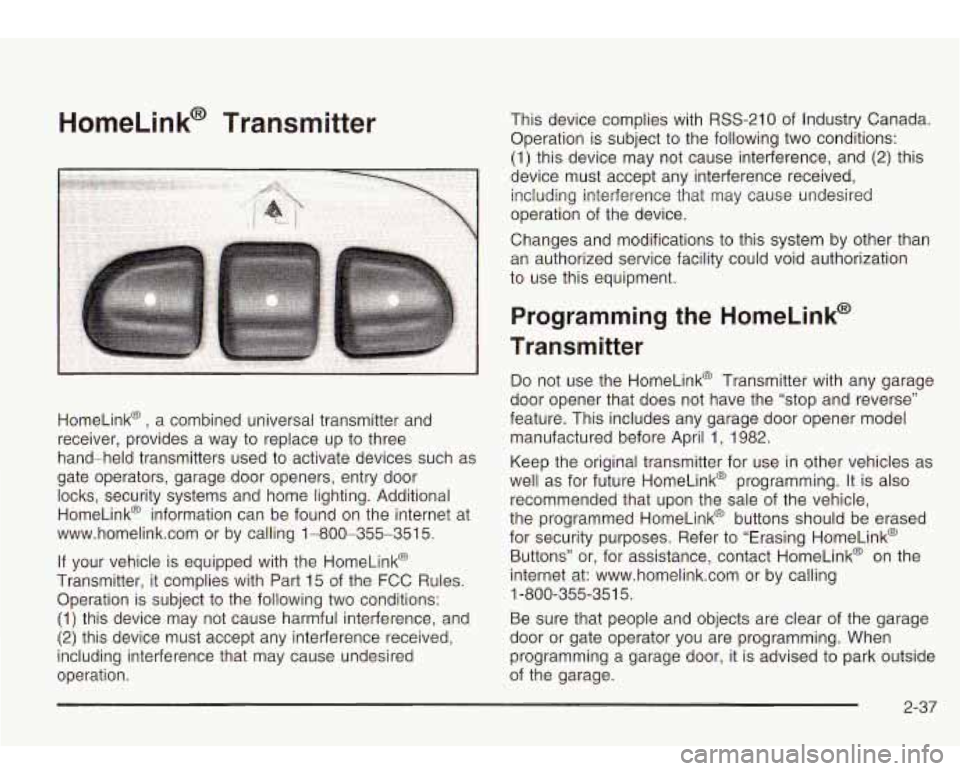
HomeLink@ Transmitter
HomeLink@ , a combined universal transmitter and
receiver, provides a way to replace up to three
hand-held transmitters used to activate devices such as
gate operators, garage door openers, entry door
locks, security systems and home lighting. Additional
HomeLink@ information can be found on the internet at
www.homelink.com or by calling 1-800-355-351
5.
If your vehicle is equipped with the HomeLink@
Transmitter, it complies with Part 15 of the FCC Rules.
Operation is subject to the following two conditions:
(1) this device may not cause harmful interference, and
(2) this device must accept any interference received,
including interference that may cause undesired
operation. This device complies with
RSS-210 of
Industry Canada.
Operation is subject
to the following two conditions:
(1) this device may not cause interference, and
(2) this
device must accept any interference received, including interference that may cause undesired
operation of the device.
Changes and modifications to this system by other than
an authorized service facility could void authorization
to use this equipment.
Programming the HomeLink@
Transmitter
Do not use the HomeLink@ Transmitter with any garage
door opener that does not have the “stop and reverse”
feature. This includes any garage door opener model
manufactured before April 1, 1982.
Keep the original transmitter for use in other vehicles as
well as for future HomeLink@ programming. It is also
recommended that upon the sale of the vehicle,
the programmed HomeLink@ buttons should be erased
for security purposes. Refer to “Erasing HomeLink@
Buttons” or, for assistance, contact HomeLink@ on the
internet at: www.homelink.com or by calling
Be sure that people and objects are clear of the garage
door or gate operator you are programming. When
programming a garage door, it is advised to park outside
of the garage.
1
-800-355-35
1 5.
2-37
Page 108 of 410
To slide the crossrails to where you want them, pull up
on the lever on each side of the crossrail. This will
release the crossrail and allow you
to slide it. When the
crossrail is where you want it, press down on the
levers to lock it into place.
Notice: Loading cargo that weighs more than
220 Ibs. (100 kg) on the luggage carrier may damage
your vehicle.
Don’t exceed the maximum vehicle capacity when
loading your vehicle. For more information on vehicle
capacity and loading, see
Loading Your Vehicle on
page
4-4 1.
To prevent damage or loss of cargo as you’re driving,
check now and then to make sure the luggage carrier is
locked and cargo is still securely fastened.
When the luggage carrier is not in use, place the
crossrails
at the following positions for wind noise
reduction. Place one crossrail at the rear most point of
the vehicle and the other crossrail above the opening
of the rear door.
Rear Floor Storage Lid
If any removable convenience item isn’t
secured properly, it can move around in a
collision or sudden stop. People in the vehicle
could be injured. Be sure
to secure any such
item properly.
Your vehicle has a rear floor storage lid located in the
rear cargo area that allows you to put items underneath
it.
To remove the rear floor storage lid, do the following:
1. Press the latch release and lift up the latch handle.
2. Raise the lid slightly to unhook it.
3. Pull the lid toward you to release it from the forward
mounting tabs.
To reinstall the rear floor storage lid, reverse the
previous steps. Make sure the lid
is secure by applying
slight pressure to the latch until you hear it click.
2-43
Page 109 of 410

Convenience Net
Your vehicle may have this feature. A convenience net
in the rear of your vehicle helps keep small items,
like gloves and light clothing in place during sharp turns
or quick stops and starts.
The net is not designed to retain these items during
off-road use. The net is not for larger, heavier items.
To use the convenience net, do the following:
1. Attach the upper loops to the retainers on either
side of the liftgate opening (the label should be in
the upper passenger’s side corner, visible from
the rear of the vehicle).
2. Attach the lower hooks to the rear cargo tie downs
on the floor.
Cargo Cover
If your vehicle has a cargo cover, you can use it to
cover items in the cargo area of your vehicle.
To install the cargo cover, do the following:
1. Align the endcap with the pocket in the trim panel
2. Compress the opposite endcap, align it with the
located behind the
rear seat.
pocket located on the opposite side
of the trim
panel and release.
3. Grasp the handle and unroll the cover. Latch the
posts into the sockets on the inside of the vehicle
to secure
it.
2-44
Page 110 of 410

To remove the cargo cover, do the following:
1. Release the cover from the latch posts and carefully
roll it back up.
2. Compress one endcap and remove it from the
pocket in the trim panel.
3. Remove the cargo cover from the other endcap so
that you can remove the shade from the vehicle.
A improperly stored cargo cover could be
thrown about the vehicle during a collision or
sudden maneuver. You or others could be
injured.
If you remove the cover, always store
it in the proper storage location. When you put
it back, always be sure that is securely
reattached.
Cargo Tie Downs
There may be cargo tie
downs in the rear of your
vehicle that allow you
to strap cargo
in and keep
it from moving.
2-45
Page 114 of 410
Section 3 Instrument Panel
Instrument Panel Overview ............................... 3.4
Hazard Warning Flashers
................................ 3.5
Other Warning Devices
................................... 3.6
Horn
............................................................. 3.6
Tilt Wheel
..................................................... 3.6
Turn SignaVMultifunction Lever
......................... 3.7
Exterior Lamps
............................................. 3.14
Interior Lamps
.............................................. 3.17
Accessory Power Outlets
............................... 3.19
Ashtrays and Cigarette Lighter
........................ 3.20
Climate Controls ......................................... 3.21
Dual Automatic Climate Control System
........ 3.21
Rear Climate Control System
......................... 3.25
Steering Wheel Climate Controls
..................... 3.27
Climate Controls Personalization
..................... 3.27
Warning Lights, Gages and Indicators ............. 3.28
Instrument Panel Cluster
................................ 3.29
Speedometer and Odometer
........................... 3.30
Tachometer
................................................. 3.30
Safety Belt Reminder Light
............................. 3.30
Air Bag Readiness Light
................................ 3-31
Charging System Light
.................................. 3.32 Voltmeter Gage
............................................ 3.32
Anti-Lock Brake System Warning Light
......... 3.34
Engine Coolant Temperature Gage
.............. 3.35
Malfunction Indicator Lamp
............................. 3.35
Oil Pressure Gage
........................................ 3.38
Change Engine Oil Light
................................ 3-39
Security Light
............................................... 3.39
Cruise Control Light
...................................... 3.40
Reduced Engine Power Light
......................... 3.40
Service All-Wheel Drive Light
......................... 3.41
Check Gages Warning Light
........................... 3.41
Gate Ajar Light
............................................. 3.42
Fuel Gage
................................................... 3.42
Low Fuel Warning Light
............................. 3.42
Driver information Center (DiC) .. .............. 3.43
DIC Operation and Displays
........................... 3.43
DIC Warnings and Messages
......................... 3.52
Audio System(s) ............................................. 3.56
Setting the Time
........................................... 3.56
Radio with Cassette and CD
.......................... 3.57
Radio with Six-Disc CD
................................. 3.66
Brake System Warning
Light
.......................... 3-33
3- 1
Page 152 of 410
Don’t keep driving if the oil pressure is low. If
you do, your engine can become so hot that it
catches fire. You or others could be burned.
Check your oil as
soon as possible and have
your vehicle serviced.
Notice: Damage to your engine from neglected oil
problems can be costly and is not covered by
your warranty.
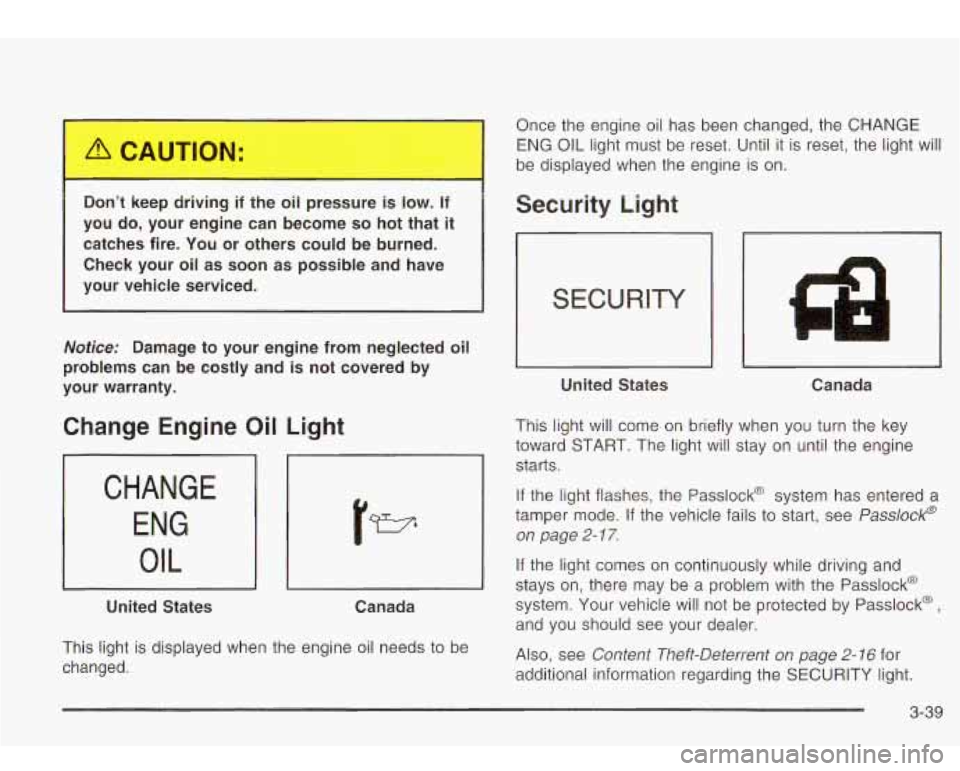
Change Engine Oil Light
CHANGE ENG
I OIL
United States Canada
This light is displayed when the engine oil needs to be
changed. Once the engine oil has been changed, the CHANGE
ENG OIL light
must be reset. Until it is reset, the light will
be displayed when the engine is on.
Security Light
United States Canada
This light will come on briefly when you turn the key
toward START. The light will stay on until the engine
starts.
If the light flashes, the Passlock@ system has entered a
tamper mode. If the vehicle fails to start, see
Passlock@
on page
2- 1 7.
If the light comes on continuously while driving and
stays on, there may be a problem with the Passlock@
system. Your vehicle will not be protected by Passlock@
,
and you should see your dealer.
Also, see
Content Theft-Deterrent on page 2- 16 for
additional information regarding the SECURITY light.
3-39
Page 196 of 410
CQMP/AUDIO (Compression) CQMP: Press and
release this button
to display the current compression
displayed on the screen. Press this button again
to
select the next compression state. Three compression
states are available inciuding minimum, standard
and
off. The compression feature only functions on AC3
(Dolby@ Digital Surround) encoded DVD video discs.
Press and hold this button
to see if the DVD playing has
optional audio tracks, such as different languages or
commentaries. Press and release to change selections.
INPUT/TITLE DVD AUX (Auxiliary): Press and
release this button to switch between the auxiliary input
device and the DVD player.
Press and hold this button to see a display of the DVD’s
titles. Press and release
to change the titles available.
6-h RTN (Return): When a DVD menu is active
and this button is pressed, the selected option will be
disabled. This button could have different functions with
different discs.
SCREEN BRIGHTNESS: Press the plus or the
minus symbol
to increase or to decrease the brightness
of the screen. This button can also be found on the
video screen.
-:q- LIGHT: Press this button to illuminate the keypad
for about eight seconds.
Setup Menu
To access the setup menu, ensure a DVD is in the
player and the video is in stop mode. Press the menu
key. Once the menu is activated, use the UP, DOWN, RIGHT,
LEFT, and Enter buttons to navigate the screen.
The setup menu allows the use
to select default
preferences for Menu Language, Subtitle Language,
Audio Language, TV Aspect, TV Mode, and Dynamic
Range Compression.
Not all DVDs support all the feature defaults in the
setup menus. In the event a particular feature is
not supported, defaults will be provided by the DVD
media.
Exit the setup menu by pressing the RETURN button on
the remote control. If you make changes
to the system
setup defaults, the disc will resume play from the
beginning and not where it previously left off.
Battery Replacement
To change the batteries, do the following:
1. Unclip the battery door located on the back of the
2. Replace the two AAA batteries in the compartment.
3. Close the battery door securely.
remote control.
Make sure that they are installed correctly.
If the remote control is to be stored for a long period of
time, remove the batteries and keep them in a cool,
dry place.
3-83
Page 221 of 410
Before You Go Off-Roading
There are some things to do before you go out. For
example, be sure to have all necessary maintenance
and service work done. Check to make sure all
underbody shields (if
so equipped) are properly
attached.
Is there enough fuel? Is the spare tire fully
inflated? Are the fluid levels up where they should be?
What are the local laws that apply to off-roading
where you’ll be driving?
If you don’t know, you should
check with law enforcement people in the area. Will you
be on someone’s private land? If
so, be sure to get
the necessary permission.
Loading Your Vehicle for Off-Road
Driving
There are some important things to remember about
how to load your vehicle.
0 The heaviest things should be on the load floor and
forward
of your rear axle. Put heavier items as far
forward as you can.
Be sure the load is secured properly, so driving on
the off-road terrain doesn’t toss things around.
m
0 Largo on the load floor piled h.,.rer than
the seatbacks can be thrown forward during a sudden stop. You or your passengers could be injured. Keep cargo
below the top of the seatbacks.
Unsecured cargo on the load floor can be
tossed about when driving over rough
terrain. You or your passengers can be struck by flying objects. Secure the cargo
properly.
0 Heavy loads on the roof raise the vehicle’s
center
of gravity, making it more likely to
roll over. You can be seriously or fatally
injured
if the vehicle rolls over. Put heavy
loads inside the cargo area, not on the
roof. Keep cargo in the cargo area
as far
forward and low as possible.
You’ll find other important information in this manual.
See
Loading Your Vehicle on page 4-4 1, Luggage
Carrier on page 2-42 and Tires on page 5-52.
4-1 6
Page 241 of 410
Winter Driving
Here are some tips for winter driving:
Have your vehicle in good shape for winter.
You may want to put winter emergency supplies in
your vehicle. Include
an ice scraper, a small brush or broom, a
supply of windshield washer fluid, a rag, some winter
outer clothing, a small shovel, a flashlight, a red
cloth and reflective warning triangles. And,
if you will be
driving under severe conditions, include a small bag
of sand, a piece of old carpet or
a couple of burlap bags
to help provide traction. Be sure you properly secure
these items in your vehicle.
Driving on Snow or Ice
Most of the time, those places where your tires meet
the road probably have good traction.
However,
if there is snow or ice between your tires and
the road, you can have a very slippery situation.
You’ll have a
lot less traction or “grip” and will need to
very careful.
4-36