homelink Oldsmobile Bravada 2003 Owner's Manuals
[x] Cancel search | Manufacturer: OLDSMOBILE, Model Year: 2003, Model line: Bravada, Model: Oldsmobile Bravada 2003Pages: 410, PDF Size: 20.1 MB
Page 66 of 410
Section 2 Features and Controls
Keys ............................................................... 2-.
Remote Keyless Entry System
......................... 2-4
Remote Keyless Entry System Operation
........... 2-5
Doors and Locks ............................................. 2.8
Door Locks
.................................................... 2.8
Power Door Locks
.......................................... 2.9
Delayed Locking
............................................. 2.9
Programmable Automatic Door Locks
.............. 2.10
Rear Door Security Locks
.............................. 2-12
Lockout Protection
........................................ 2.12
Leaving Your Vehicle
.................................... 2.12
Liftgate/Liftglass
............................................ 2.13
Windows ........................................................ 2.14
Power Windows
............................................ 2.15
Sun Visors
................................................... 2.15
Theft-Deterrent Systems .................................. 2.16
Content Theft-Deterrent
................................. 2.16
Passlock@
................................................... 2.17
Starting and Operating Your Vehicle ................ 2.18
New Vehicle Break-In
.................................... 2.18
Ignition Positions
...................................... 2.18
Starting Your Engine
.............................. 2-19
~ ~~
Engine Coolant Heater .................................. 2.20
Automatic Transmission Operation
................... 2.22
All-Wheel Drive
............................................ 2.24
Parking Brake
.............................................. 2.25
Shifting Into Park (P)
..................................... 2-25
Shifting
Out of Park (P) ................................. 2-27
Parking Over Things That Burn
....................... 2-28
Engine Exhaust
............................................ 2-28
Running Your Engine While You Are Parked
.... 2-29
Mirrors ........................................................... 2-30
Automatic Dimming Rearview Mirror with Onstar@ and Compass
............................... 2-30
Outside Manual Mirrors
.................................. 2-32
Outside Power Mirror
.................................... 2-32
Outside Convex Mirror
................................... 2-33
Outside Heated Mirrors
.................................. 2-33
Outside Automatic Dimming Mirror with Curb
View Assist
.............................................. 2-33
Onstar@ System ............................................ 2-35
HomeLink@ Transmitter .................................. 2-37
Programming the HomeLink@ Transmitter
........ 2-37
2-1
Page 102 of 410
HomeLink@ Transmitter
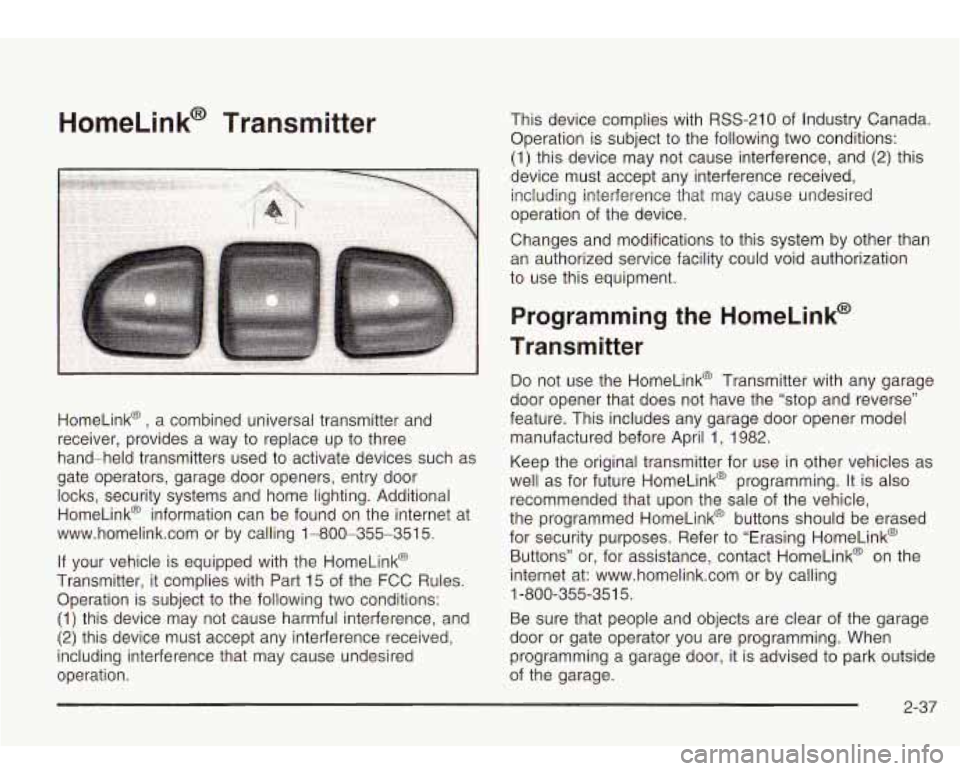
HomeLink@ , a combined universal transmitter and
receiver, provides a way to replace up to three
hand-held transmitters used to activate devices such as
gate operators, garage door openers, entry door
locks, security systems and home lighting. Additional
HomeLink@ information can be found on the internet at
www.homelink.com or by calling 1-800-355-351
5.
If your vehicle is equipped with the HomeLink@
Transmitter, it complies with Part 15 of the FCC Rules.
Operation is subject to the following two conditions:
(1) this device may not cause harmful interference, and
(2) this device must accept any interference received,
including interference that may cause undesired
operation. This device complies with
RSS-210 of
Industry Canada.
Operation is subject
to the following two conditions:
(1) this device may not cause interference, and
(2) this
device must accept any interference received, including interference that may cause undesired
operation of the device.
Changes and modifications to this system by other than
an authorized service facility could void authorization
to use this equipment.
Programming the HomeLink@
Transmitter
Do not use the HomeLink@ Transmitter with any garage
door opener that does not have the “stop and reverse”
feature. This includes any garage door opener model
manufactured before April 1, 1982.
Keep the original transmitter for use in other vehicles as
well as for future HomeLink@ programming. It is also
recommended that upon the sale of the vehicle,
the programmed HomeLink@ buttons should be erased
for security purposes. Refer to “Erasing HomeLink@
Buttons” or, for assistance, contact HomeLink@ on the
internet at: www.homelink.com or by calling
Be sure that people and objects are clear of the garage
door or gate operator you are programming. When
programming a garage door, it is advised to park outside
of the garage.
1
-800-355-35
1 5.
2-37
Page 103 of 410
It is recommended that a new battery be installed in
your hand-held transmitter for quicker and more
accurate transmission of the radio frequency.
Your vehicle’s engine should be turned
off while
programming the transmitter. Follow these steps to
program up to three channels:
1. Press and hold down the two outside buttons,
releasing only when the indicator light begins
to
flash, after 20 seconds. Do not hold down the
buttons for longer than
30 seconds and do not
repeat this step to program a second and/or third
transmitter to the remaining two HomeLink@
buttons.
2. Position the end of your hand-held transmitter
about
1 to 3 inches (3 to 8 cm) away from the
HomeLink@ buttons while keeping the indicator light
in view.
button on HomeLink@ and the hand-held
transmitter button.
Do not release the buttons until
Step
4 has been completed.
Some entry gates and garage door openers may
require you to substitute Step
3 with the procedure
noted in “Gate Operator and Canadian
Programming” later in this section.
4. The indicator light will flash slowly at first and then
rapidly after HomeLink@ successfully receives the
frequency signal from the hand-held transmitter. Release both buttons.
3. Simultaneously press and hold both the desired
5. Press and hold the newly-trained HomeLink@
button and observe the indicator light.
If the indicator light stays on constantly,
programming is complete and your device should
activate when the HomeLink@ button is pressed and
released.
To program the remaining two HomeLink@ buttons,
begin with Step
2 under “Programming
HomeLink@
.” Do not repeat Step 1 as this will
erase all of the programmed channels.
If the indicator light blinks rapidly for two seconds
and then turns to a constant light, continue with
Steps
6 through 8 following to complete the
programming of a rolling-code equipped device
(most commonly, a garage door opener).
6. At the garage door opener receiver (motor-head
unit) in the garage, locate the “Learn’’ or “Smart”
button. This can usually be found where the hanging
antenna wire is attached to the motor-head unit.
7. Firmly press and release the “Learn” or “Smart”
button. The name and color of the button may
vary by manufacturer.
You will have
30 seconds to start Step 8.
2-38
Page 104 of 410
8. Return to the vehicle. Firmly press and hold the
programmed HomeLink@ button for two seconds,
then release. Repeat the press/hold/release
sequence a second time, and depending on the
brand of the garage door opener (or other rolling
code device), repeat this sequence a third time
to complete the programming.
HomeLink@ should now activate your rolling code
equipped device.
To program the remaining two HomeLink@ buttons,
begin with Step
2 of “Programming HomeLink@ .” Do not
repeat Step
1.
Gate Operator and Canadian
Programming
Canadian radio-frequency laws require transmitter
signals
to “time out” or quit after several seconds of
transmission. This may not be long enough for
HomeLink@ to pick up the signal during programming.
Similarly, some U.S. gate operators are manufactured
to
“time out” in the same manner.
If you live in Canada, or you are having difficulty
programming a gate operator by using the
“Programming HomeLink@
” procedures (regardless of
where you live), replace Step
3 under “Programming
HomeLink@
” with the following: Continue
to press and hold the HomeLink@ button while
you press and release every two seconds (cycle) your
hand-held transmitter until the frequency signal has been
successfully accepted by HomeLink@
. The indicator
light will flash slowly at first and then rapidly. Proceed
with Step
4 under “Programming HomeLink@” to
complete.
Using HomeLink@
Press and hold the appropriate HomeLink@ button for
at least half of a second. The indicator light will come on
while the signal
is being transmitted.
Erasing HomeLink@ Buttons
To erase programming from the three buttons do the
following:
1. Press and hold down the two outside buttons until
2. Release both buttons. Do not hold for longer than
HomeLink@ is now in the train (learning) mode and can
be programmed at any time beginning with Step
2
under “Programming HomeLink@ .”
Individual buttons can not be erased, but they can be
reprogrammed. See “Reprogramming a Single
HomeLink@ Button” next. the
indicator light begins to flash, after
20 seconds.
30 seconds.
2-39
Page 105 of 410
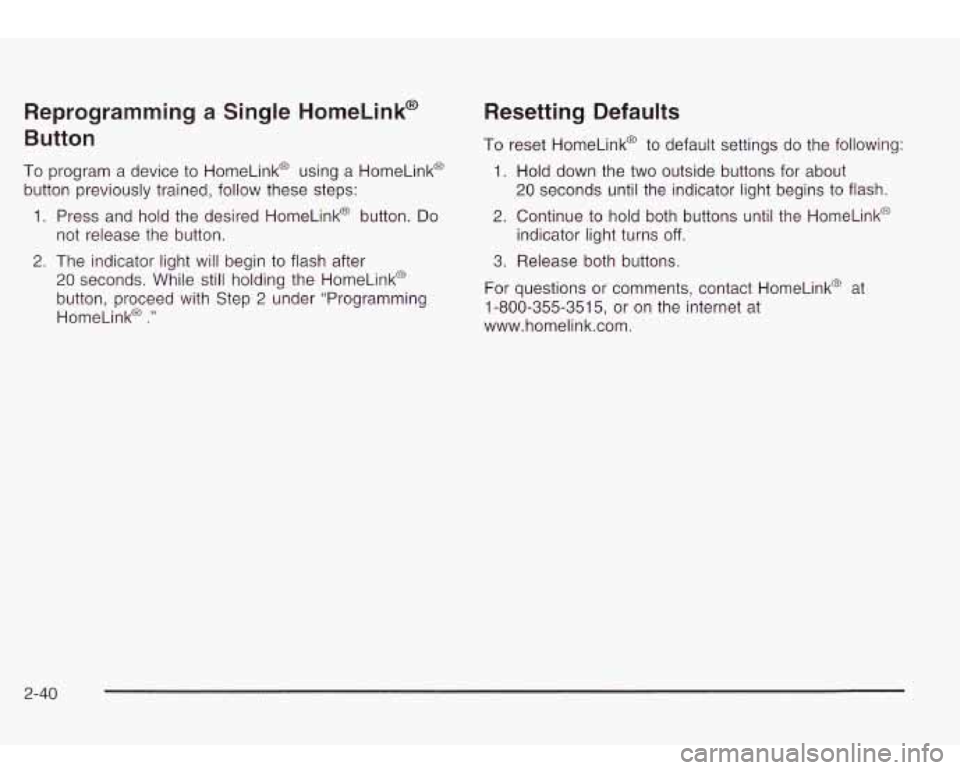
Reprogramming a Single HomeLink@
Button
To program a device to HomeLink@ using a HomeLink@
button previously trained, follow these steps:
1. Press and hold the desired HomeLink@ button. Do
2. The indicator light will begin to flash after
not release the button.
20 seconds. While
still holding the HomeLinkO
button, proceed with Step
2 under “Programming
HomeLinka
.”
Resetting Defaults
To reset HomeLink@ to default settings do the following:
1. Hold down the two outside buttons for about
20 seconds until the indicator light begins to flash.
2. Continue to hold both buttons until the HomeLink@
indicator light turns
off.
3. Release both buttons.
For questions or comments, contact HomeLink@ at
1-800-355-3515, or on the internet at
www.homelink.com.
2-40
Page 106 of 410

Storage Areas
Glove Box
To open your glove box, pull the handle on the front of
the glove box and lower the door.
Overhead Console
The overhead console
includes sunglasses
storage, a HomeLink@
transmitter and
a
travel note recorder
(if equipped).
Sunglasses Storage Compartment
To open the sunglasses storage compartment in the
overhead console, press the release button. Then pull
the compartment down.
Travel Note Recorder
Your vehicle may have this feature.
To record a message, press the button with the circle
on it and begin speaking. Press the button with the circle
on it again
to stop recording.
2-41
Page 392 of 410
E
Electrical System
Add-on Equipment
...................................... 5-86
Fuses and Circuit Breakers
........................... 5-86
Headlamps
................................................. 5-86
Power Windows and Other Power Options
...... 5-86
Windshield Wiper Fuses
............................... 5-86
Electronically Controlled Air Suspension
System
...................................................... 4-43
Emergency Release for Opening Liftgate
............ 2-13
Emissions Inspection and Maintenance Programs
................................................... 3-38
Engine Air Cleaner/Filter
......................................... 5-1 8
Battery
....................................................... 5-38
Change Engine Oil Light
............................... 3-39
Check and Service Engine Soon Light
............ 3-35
Coolant
...................................................... 5-22
Coolant Heater
............................................ 2-20
Cooling System Inspection
............................ 6-15
Engine Compartment Overview
...................... 5-1 2
Exhaust ..................................................... 2-28
Fan Noise
.................................................. 5-32
Oil ............................................................. 5-13
Overheating
................................................ 5-24
Reduced Power Light
................................... 3-40
Starting
...................................................... 2-1 9
Coolant Temperature
Gage
........................... 3-35 Engine
Air Cleaner Filter Restriction
Indicator Check
............................. ... 6-11
Engine Compartment Fuse Block
................... 5-87
Engine Coolant Level Check
............................. 6-10
Engine Oil Additives
........................................ 5-17
Engine Oil Level Check
................................... 6-10
Engine Oil Scheduled Maintenance
..................... 6-5
Entertainment System Cleaning the Video Screen
........................... 3-91
DVD Distortion
............................................ 3-89
Entry Lighting
.............................................. 3-18
Environmental Concerns
........................ ... 4-17
Erasing HomeLinkO Buttons
................... ... 2-39
Exit Lighting
................................................... 3-18
Express-Down Window
.................................... 2-15
Extender, Safety Belt
....................................... 1-26
Exterior Lamps
........................................... 3-14
ENGINE COOLANT HOT/IDLE ENGINE
............. 3-52
F
FabridCarpet ................................................. 5-77
Filter
Engine Air Cleaner
...................................... 5-18
Finding a PTY Station
............................. 3-60, 3-69
Finding a Station
.................................... 3-58, 3-66
Finish Care
.................................................... 5-81
Finish Damage
............................................... 5-82
Fixed Mast Antenna
........................................ 3-91
Flash-to-Pass
................................................... 3-8
5
Page 394 of 410
Headphones ................................................... 3-77
Heated Seats
................................................... 1-3
Highway Hypnosis
........................................... 4-34
Hill and Mountain Roads
.................................. 4-34
Hitches
.......................................................... 4-49
HomeLink@ Transmitter, Programming
................ 2-37
HomeLink@ Transmitter
................................... 2-37
Hood Checking Things Under
................................ 5-10
Release ..................................................... 5-1 0
Horn ............................................................... 3-6
Recovery Tank
............................................ 5-28
How to Add Fluid ............................................ 5-22
How to Check ........................................ 5-20, 5-53
How to Check Lubricant
................................... 5-46
How to Check Power Steering Fluid
.................. 5-33
How
to Wear Safety Belts Properly ................... 1-13
Hydroplaning
.................................................. 4-30
How
to Add
Coolant to the Coolant
How
to Add Coolant to the Radiator .................. 5-30
How to Use This Manual ...................................... ii
I
ICE POSSIBLE .............................................. 3-54
If No Steam Is Coming From Your Engine .......... 5-25
If Steam Is Coming From Your Engine ............... 5-25
If the Light Is On Steady ................................. 3-37
If the
Light
Is Flashing ..................................... 3-36
If You Are Stuck in Sand. Mud. Ice or Snow ....... 4-40
If You Do Decide To Pull A Trailer ..................... 4-46
If You’re Caught in a Blizzard
........................... 4-38
Ignition Positions ............................................. 2-18
Inflation -- Tire Pressure .................................. 5-53
Brake System
............................................. 6-16
Engine Cooling System
................................ 6-15
Fuel System
............................................... 6-15
Part C
- Periodic Maintenance ....................... 6-15
Boot and Seal
......................................... 6-15
(All-Wheel Drive)
...................................... 6-16
Cluster
....................................................... 3-29
Overview
..................................................... 3-4
Instrument Panel Brightness
............................. 3-17
Interior Lamps
................................................ 3-17
Interior Plastic Components
.............................. 5-79
Ignition Transmission
Lock Check
...................... 6-13
Infants and Young Children, Restraints
............... 1-29
inspection
Exhaust System
.......................................... 6-15
Steering, Suspension and Front Drive Axle
Transfer Case and Front Axle
Instrument Panel
J
Jump Starting ................................................. 5-39
7
Page 398 of 410
Power (cont.) Door Locks
.................................................. 2-9
Electrical System
......................................... 5-86
Lumbar Controls
........................................... 1-2
Reclining Seatbacks
...................................... 1-4
Reduced Engine Light
.................................. 3-40
Seat
............................................................ 1-2
Steering Fluid
............................................. 5-33
Windows
.................................................... 2-1 5
Power Steering ............................................... 4-10
Programmable Automatic Door Locks
.... ..... 2-10
Programmable Unlocking Feature
.................. 2-1 1
Programmable Locking Feature ..................... 2-1 0
Programming the HomeLink Transmitter ............. 2-37
Questions and Answers About Safety Belts 1-12
Radiator Pressure Cap
.................................... 5-24
Radios
.......................................................... 3-56
Care of Your Cassette Tape Player
................ 3-90
Care
of Your CD and DVD Player .................. 3-91
Care
of Your CDs and DVDs ........................ 3-91
Radio Personalization
................................... 3-88
Radio with Cassette and CD
......................... 3-57
Radio with Six-Disc CD
................................ 3-66
Rear Seat Audio
.......................................... 3-87 Radios (cont.)
Setting the Time
...................................... 3-56
Theft-Deterrent
............................................ 3-88
Understanding Reception
.............................. 3-89
RainsenseTM Wipers
.......................................... 3-9
RDS Messages
...................................... 3-61, 3-71
Reading Lamps
.............................................. 3-18
REAR ACCESS OPEN
.................................... 3-53
Rear Axle
...................................................... 5-46
Lockina
...................................................... 4-10
Rear
Rear
Rear
Rear
Rear
Reat
Rear
Rear Reat
Rear
Rear Climate Control System 3-25
v
............................
Door Security Locks ................................ 2-12
Floor Storage Lid
.................................... 2-43
Seat Audio (RSA)
.................................... 3-87
Seat Entertainment System
....................... 3-76
Seat Operation
......................................... 1-6
Seat Passenger Positions
......................... 1-21
Seat Passengers, Safety Belts
.................. 1-21
Underseat Fuse Block
.............................. 5-90
Window Defogger
.................................... 3-24
Safety
Belt Comfort Guides
...................... 1-24
Rearview Mirror. Automatic Dimming with
Onstar@ and Compass
................................. 2-30
Reclining Seatbacks. Power
............................... 1-4
Recreational Vehicle Towing
............................. 4-41
Reduced Engine Power Light
............................ 3-40
Remote Control
.............................................. 3-81
Remote Keyless Entry System
............................ 2-4
Remote Keyless Entry System, Operation
............ 2-5
11
Page 399 of 410
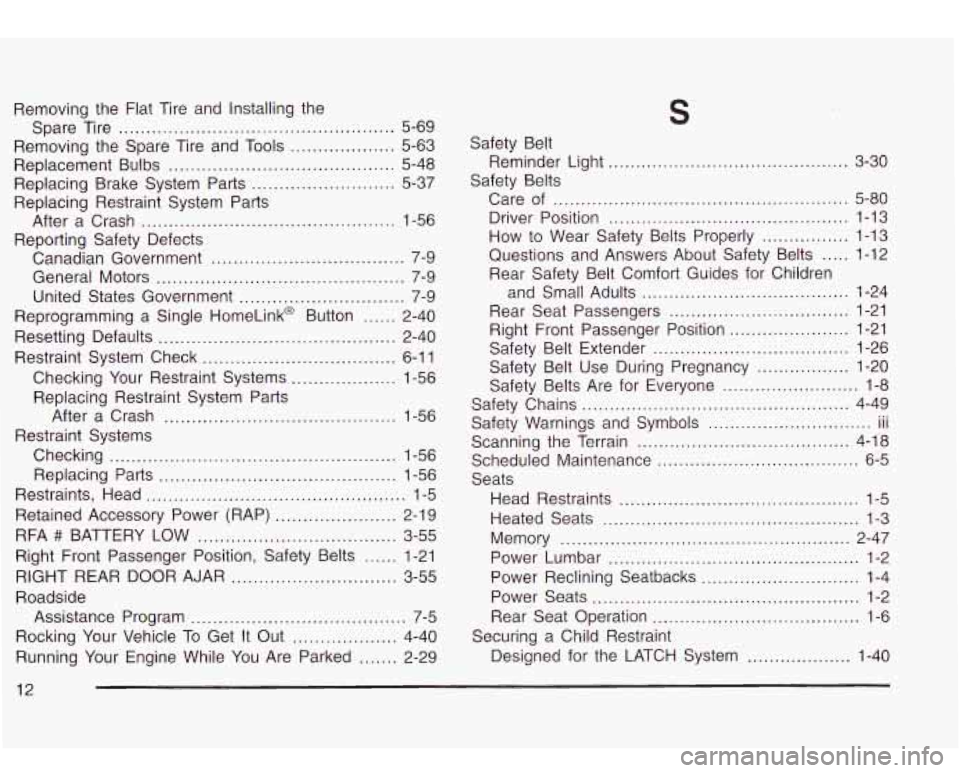
Removing the Flat Tire and Installing the
Spare Tire
.................................................. 5-69
Replacement Bulbs
......................................... 5-48
Replacing Restraint System Parts
Reporting Safety Defects
Removing
the Spare Tire and
Tools ................... 5-63
Replacing Brake System Parts
.......................... 5-37
After a Crash
.............................................. 1-56
Canadian Government
................................... 7-9
General Motors
............................................. 7-9
United States Government
.............................. 7-9
Reprogramming a Single HomeLink@ Button
...... 2-40
Resetting Defaults
........................................... 2-40
Restraint System Check
................................... 6-1 1
Checking Your Restraint Systems ................... 1-56
Replacing Restraint System Parts
After a Crash
.................................... , .. 1-56
Checking
.................................................... 1-56
Replacing Parts
........................................... 1-56
Restraints, Head
............................................... 1-5
Retained Accessory Power (RAP)
...................... 2-19
Restraint Systems
RFA
## BATTERY LOW .................................... 3-55
Right Front Passenger Position, Safety Belts
...... 1-21
RIGHT REAR DOOR AJAR
.............................. 3-55
Roadside
Assistance Program
....................................... 7-5
Rocking Your Vehicle To Get It Out
................... 4-40
Running Your Engine While You Are Parked
....... 2-29
S
................... 3-30 ............
Safety Belt
Safety Belts Reminder Light
.....
Care
of ...................................................... 5-80
Driver Position
............................................ 1-13
How to Wear Safety Belts Properly ................ 1-13
Questions and Answers About Safety Belts
..... 1-12
Rear Safety Belt Comfort Guides for Children
and Small Adults
...................................... 1-24
Rear Seat Passengers
................................. 1-21
Right Front Passenger Position
...................... 1-21
Safety Belt Extender
.................................... 1-26
Safety Belt Use During Pregnancy
................. 1-20
Safety Belts Are for Everyone
......................... 1-8
Safety Chains
................................................. 4-49
Safety Warnings and Symbols III ...
Scanning the Terrain ....................................... 4-18
..............................
Scheduled Maintenance ..................................... 6-5
Seats
Head Restraints
............................................ 1-5
Heated Seats
............................................... 1-3
Memory
..................................................... 2-47
Power Lumbar
.............................................. 1-2
Power Reclining Seatbacks
............................. 1-4
Power Seats
................................................. 1-2
Rear Seat Operation
...................................... 1-6
Designed for the LATCH System
................... 1-40
Securing a Child
Restraint
12