stop start Oldsmobile Cutlass Supreme 1994 Owner's Manuals
[x] Cancel search | Manufacturer: OLDSMOBILE, Model Year: 1994, Model line: Cutlass Supreme, Model: Oldsmobile Cutlass Supreme 1994Pages: 276, PDF Size: 14.73 MB
Page 59 of 276
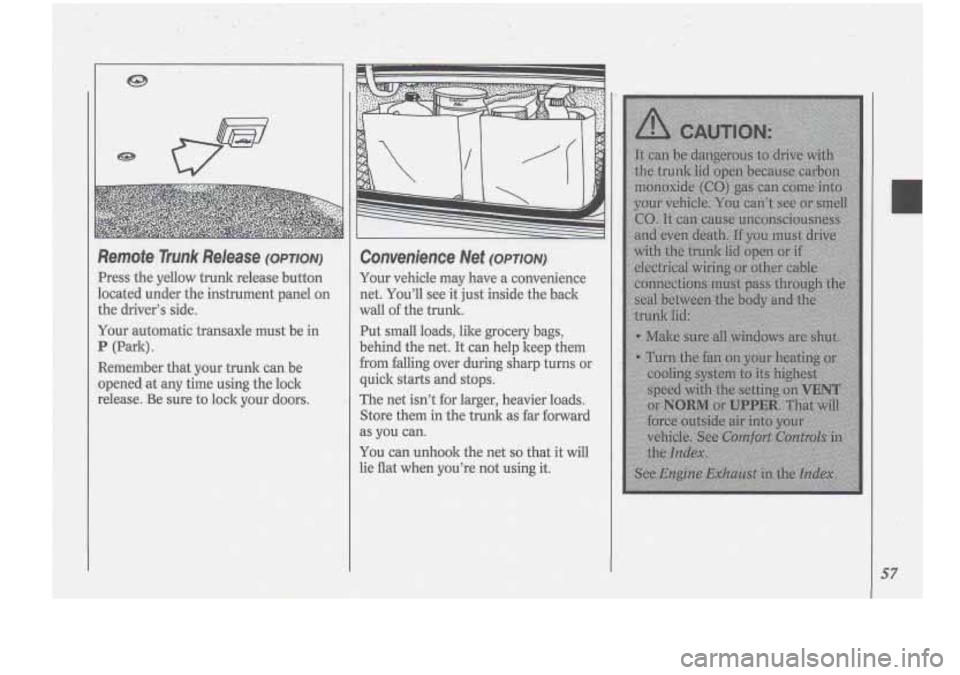
Remote Trunk Release (OPTION)
Press the yellow trunk release button
located under the instrument panel
on
the driver's side.
Your automatic transaxle must be in
P (Park).
Refiember that your trunk can be
opened at any time using the lock
release. Be sure to lock your doors.
Convenience Net (OPTION)
Your vehicle may have a convenience
net. You'll see it just inside the back
wall of the trunk.
Put
small loads, like grocery bags,
behind the net. It can help keep them
from fdling.over during sharp turns or
quick starts and stops.
The net isn't for larger, heavier loads.
Store them in the trunk
as far forward
as
you can.
You can unhook the net so that it will
lie flat when you're not using it.
57
Page 60 of 276
Features & Controls
58
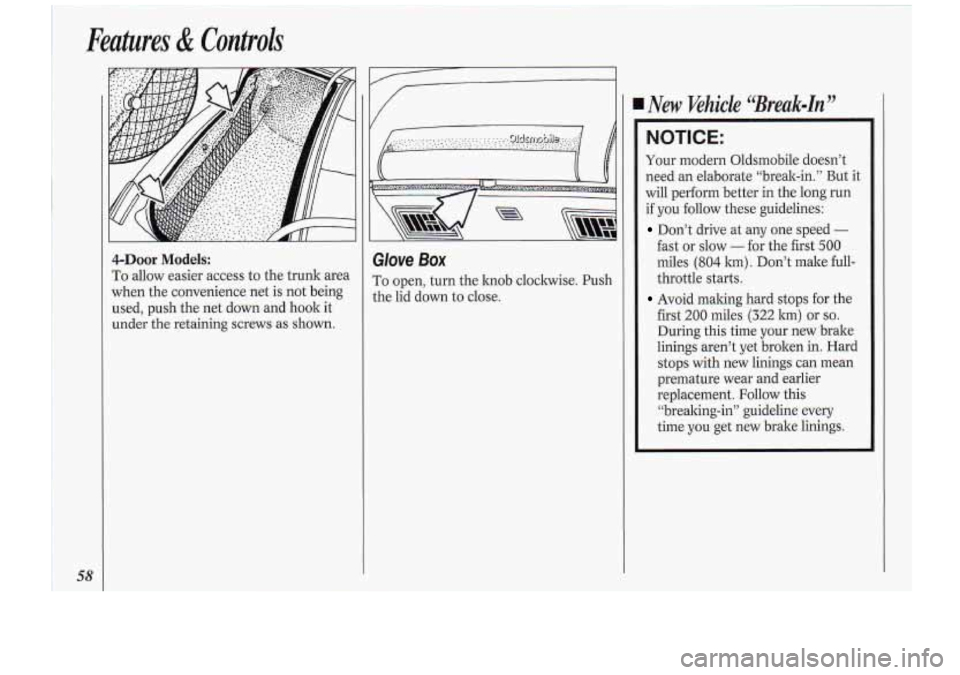
4-Door Models:
To allow easier access to the trunk area
when the convenience net is
not being
used, push the net down and hook it-
under
the retaining screws as shown.
I Glove Box
To open, turn the knob clockwise. Push
the lid down to close.
4 New ‘vehicle ‘Break=In”
NOTICE:
Your modern Oldsmobile doesn’t
need an elaborate “break-in.” But it
will perform better
in the long run
if
you follow these guidelines:
Don’t drive at any one speed -
fast or slow - for the first 500
miles (804 lm) . Don’t make full-
throttle
starts.
Avoid making hard stops for the
first
200 miles (322 km) or so.
During this time your new brake
linings aren’t yet broken in. Hard
stops with new linings can mean
premature wear and earlier
replacement.
Follow this
“brealing-in” guideline
every
time you get new brake linings.
Page 61 of 276
ACCES
U
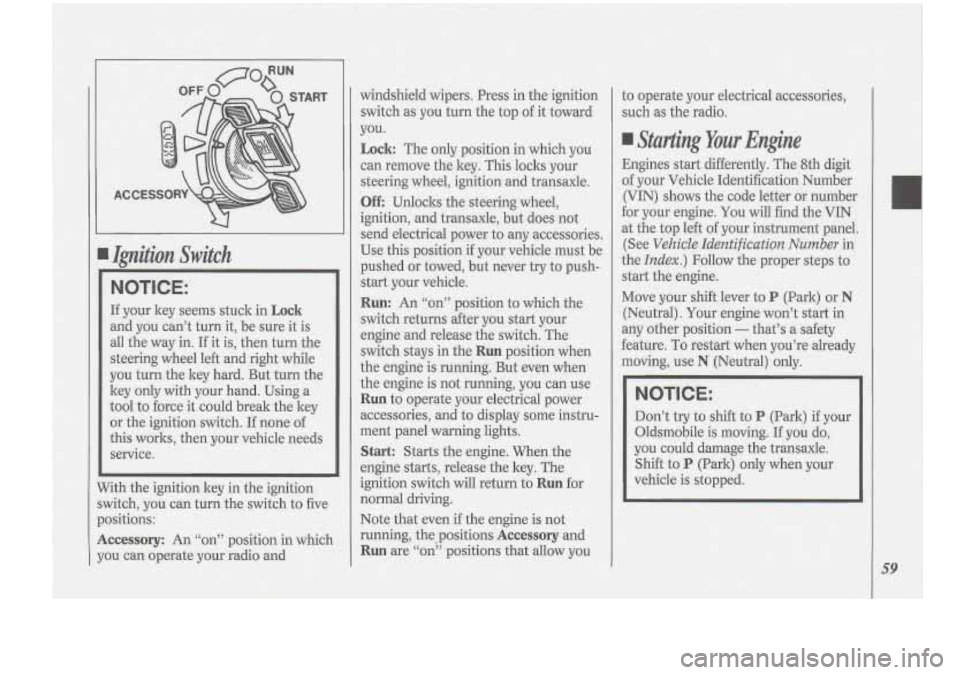
I Ijyzition Switch
NOTICE:
If your ltey seems stuck in Lock
and you can’t turn it, be sure it is
all the way in.
If it is, then turn the
steering wheel left and right while
you turn the key hard. But turn the
ltey
only with your hand. Using a
tool to force it could break the ltey
or the ignition switch. If none of
this worlcs, then your vehicle needs
service.
7ith the ignition key in the ignition
vitch, you can turn the switch to five
ositions:
ccessory: An ‘‘on” position in which
3u can operate your radio and windshield wipers.
Press in the ignition
switch as you turn the top
of it toward
you.
Lock: The only position in which you
can remove the ltey. This locks your
steering wheel, ignition and transaxle.
Off Unloclts the steering wheel,
ignition, and transaxle, but does not
send electrical power to any accessories.
Use this position
if your vehicle must be
pushed or towed, but never try to push-
start your vehicle.
Run: An “on” position to which the
switch returns after you start your
engine and release the switch. The
switch stays in the
Run position when
the engine is running. But even when
the engine is not running, you can use
Run to operate your electrical power
accessories, and to display some instru-
ment panel warning lights.
Start: Starts the engine. When the
engine starts, release the ltey. The
ignition switch will return to
Run for
normal driving.
Note that even if the engine
is not
running, the positions
Accessory and
Run are “on” positions that allow you to
operate your electrical accessories,
such as the radio.
Starting Your Engine
Engines start differently. The 8th digit
of your Vehicle Identification Number
(VIN) shows the code letter or number
for your engine. You will find the VIN
at the top left of your instrument panel.
(See
Vehicle Identification Number in
the
Index.) Follow the proper steps to
start the engine.
Move your shift lever to
P (Park) or N
(Neutral). Your engine won’t start in
any other position
- that’s a safety
feature. To restart when you’re already
moving, use
N (Neutral) only.
NOTICE:
Don’t try to shift to P (Park) if your
Oldsmobile is moving.
If you do,
you could damage the transaxle.
Shift to
P (Park) only when your
vehicle is stopped.
59
Page 62 of 276
To start your engine:
1. Without pushing the accelerator
pedal, turn your ignition key to
Start.
When the engine starts, let go of the
key. The idle speed will go down as
your engine gets warm.
NOTICE:
Holding your key in Start for longer
than
15 seconds at a time will cause
your battery to be drained much
sooner. And the excessive heat can
damage your starter motor.
2. If your engine.won’t start (or starts
but then stops), it could be flooded
with too much gasoline. Try pushing
your accelerator pedal all the way to
the floor and holding it there as you
hold the key in
Start for about three
seconds.
If the vehicle starts briefly
but then stops again, do the same
thing, but this time keep the pedal
down for five or six seconds. This
clears the extra gasoline. from the
engine.
NOTICE:
Your engine is designed to work
with the electronics in your vehicle.
If you add electrical parts or
accessories, you could change the
way the fuel injection system
operates. Before adding electrical
equipment, check with your dealer.
If you don’t, your engine might not
perform properly.
If you ever have
to have your vehicle towed, see the
part
of this manual that tells how to
do it without damaging your
vehicle. See
Towing Your Vehicle
in the Index.
Driving Through Deep
Standing Water
NOTICE:
If you drive too quicldy through
deep puddles or standing water,
water can come in through your
engine’s air intake and badly
damage your engine. If you can’t
avoid deep puddles or standing
water, drive through them very
slowly.
60
Page 78 of 276
/1 Features & Controk
76
down. Of course, applying the brake
takes you .out of cruise control. Many
drivers find this to be too much trouble
and don’t use cruise control on steep
hills
*
To Get Out of Cruise Control
There are two ways to turn off the
cruise control:
Step lightly on the brake pedal; OR
Move the cruise switch to OFF.
To Erase Cruise Speed Memory
When you turn off the cruise control or
the ignition, or shift into
P (Park), your
cruise control set speed memory is
erased.
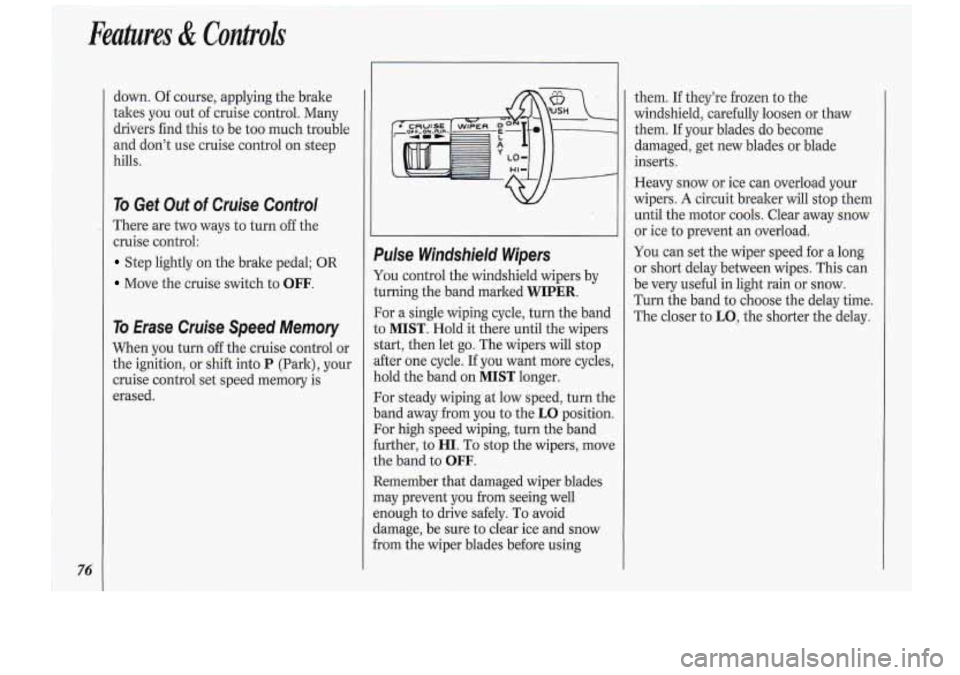
Pulse Windshield. Wipers
You control the windshield wipers by
turning the band marked
WIPER.
For a single wiping cycle, turn the band
to
MIST. Hold it there until the wipers
start, then let go. The wipers will stop
after one cycle. If you want more cycles,
hold the band on
MIST longer.
For steady wiping at low speed, turn the
band away from you to the
LO position.
For high-speed wiping, turn the band
further, to
HI. To stop the wipers, move
the band to
OFF.
Remember that damaged wiper blades
may prevent you from seeing well
enough to drive safely. To avoid
damage, be sure to clear ice and snow
from the wiper blades before using them.
If they’re
frozen to.the
windshield, carefully loosen or thaw
them.
If your blades do become
damaged, get new blades or blade
inserts.
Heavy snow or ice can overload your
wipers.
A circuit breaker will stop them
until the motor cools. Clear away snow
or ice to prevent an overload.
You can set the wiper speed for a long
or short delay between wipes. This can
be very useful
in light rain or snow.
Turn the band to choose the delay time.
The closer to
LO, the shorter the delay.
Page 99 of 276
If the anti-lock brake system warning
light stays on longer than normal after
you’ve started your engine, turn the
ignition
off. Or, if the light comes on
and stays on when you’re driving, stop
as soon as possible and turn the ignition
off. Then start the,engine again to reset
the system. If the light still stays on, or
comes on again while you’re driving,
your Oldsmobile needs service. If the
light
is on but not flashing and the
regular brake system warning light isn’t
on, you still have brakes, but you don’t
have anti-lock brakes.
SERVICE
ENGINE SOON
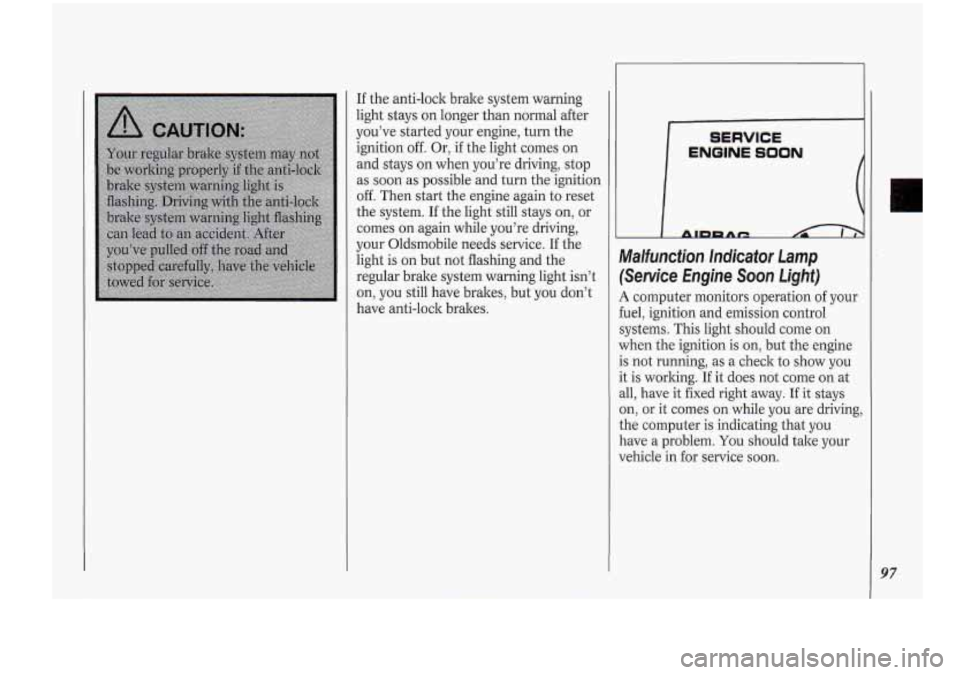
Malfunction. Indicator Lamp
(Service Engine Soon Light)
A computer monitors operation of your
fuel, ignition and emission control
systems. This light should come on
when the ignition is on, but the engine
is not running, as a check to show you
it is working.
If it does not come on at
all, have it fixed right away. If it stays
on, or it comes on while you are driving,
the computer is indicating that you
have a problem.
You should take your
vehicle in for service soon.
97
Page 122 of 276
Comfort Controls &Audio Systems
!20
To Play a Compact Disc:
Many of the controls far the radio also
have functions for. the compact ,disc
player, as explained here.
Don’t use mini-discs that are called
singles. They won’t eject. Use only full-
size compact discs.
1. Press POWER to turn the unit on.
2. Insert a disc part-way into the slot,
with the label side up. The player will
pull it in. In a few seconds, the disc
should play.
If the disc comes back out:
The disc may be upside down.
The disc may be dirty, scratched or
wet.
There may be too much moisture in
the air (wait about one hour and
try
again).
The player may be too hot, or the road
may be too rough for the disc
to play.
While a disc
is playing, the CD indicator
is displayed on the digital screen, as is
the clock.
RCL (Recall): Press once to see which
track is playing. Press again within five seconds
to see how long your selection
has been playing. The track number
also will be displayed when the. volume
is changed or a new track starts to play.
PREV (Previous): Press to play a track
again. If you hold the
PREV button, the
disc will keep backing up to previous
tracks.
NEXT: Press when you want to hear
the next track.
If you hold the NEXT
button, the disc will keep advancing to
other tracks.
REV (Reverse): Press and hold to
rapidly back
up to a favorite passage.
Release to resume playing.
FF (Fast Forward): Press and hold to
rapidly advance the disc. Release to
resume playing.
COMP (Compression): Depressing
this button makes soft and loud
passages more equal in volume. Press
again to resume normal play.
When Finished with the Compact
Disc Player:
If you press POWER or turn off the
ignition, the disc will stay in the player
and start again when
you turn on the ignition
or power
switch. The disc will
begin playing at the point where it had
been stopped.
ST/PL (Stop/Play): Press to stop the
disc player; the radio will play. .Press
again to play the disc (the player will
start playing the disc where
it was
stopped earlier).
EJCT (Eject): Press to eject the disc;
the radio will play.
CD Player Anti-Theft Feature
Delco LOC 11s is a security feature that
can be used or ignored. If you ignore it,
your system will play normally.
If you
use it, your system cannot be turned on
if it is stolen. These instructions will tell
you how to enter a secret code into your
system. Then,
if battery power is lost for
any reason, the secret code must be
entered again before the system can be
turned on.
To Set:
1. Write down any six-digit number and
keep it in a safe place. This is your
secret code.
Page 134 of 276
Your Driving and the Road
132
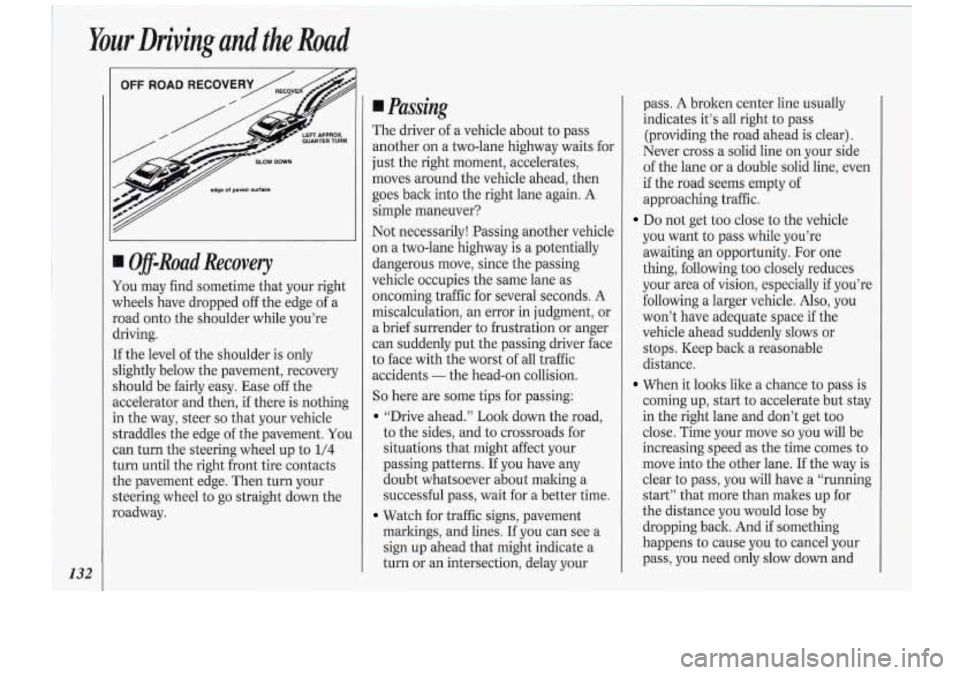
m-Road Recovery
You may find sometime that your right
wheels have dropped off the edge of a
road onto the shoulder while you’re
driving.
If the level of the shoulder is only
slightly below the pavement, recovery
should be fairly easy. Ease
off the
accelerator and then, if there is nothing
in the way, steer
so that your vehicle
straddles the edge of the pavement.
You
can turn the steering wheel up to 1/4
turn until the right front tire contacts
the pavement edge. Then turn your
steering wheel to go straight down the
roadway.
Passing
The driver of a vehicle about to pass
another on a two-lane highway waits for
just the right moment, accelerates,
moves around the vehicle ahead, then
goes back into the right lane again. A
simple maneuver?
Not necessarily! Passing another vehicle
on a two-lane highway is a potentially
dangerous move, since the passing
vehicle occupies the same lane as
oncoming traffic for several seconds. A
miscalculation, an error in judgment, or
a brief surrender to frustration
or anger
can suddenly put the passing driver face
to face with the worst of all traffic
accidents
- the head-on collision.
So here are some tips for passing:
“Drive ahead.” Look down the road,
to the sides, and to crossroads for
situations that might affect your
passing patterns.
If you have any
doubt whatsoever about making
a
successful pass, wait for a better time.
markings, and lines.
If you can see a
sign up ahead that might indicate
a
turn or an intersection, delay your
Watch for traffic signs, pavement pass. A broken center line
usually
indicates it’s all right to pass
(providing the road ahead is clear).
Never cross a solid line on
your side
of the lane or a double solid line, even
if the road seems empty of
approaching traffic.
Do not get too close to the vehicle
you want to pass while you’re
awaiting an opportunity. For one
thing, following too closely reduces
your area of vision, especially if you’re
following a larger vehicle. Also, you
won’t have adequate space
if the
vehicle ahead suddenly slows or
stops. Keep back a reasonable
distance.
When it looks like a chance to pass is
coming up, start to accelerate but stay
in the right lane and don’t get
too
dose. Time your move so you will be
increasing speed as the time comes to
move into the other lane.
If the way is
clear to pass, you will have a “running
start” that more than makes up for
the distance you would lose by
dropping back. And
if something
happens to cause
you to cancel your
pass, you need only slow down and
Page 137 of 276
headlights), slow down a little. Avoid
staring directly into the approaching
lights.
Keep your windshield and all the glass
on your vehicle clean
- inside and out.
Glare at night is made much worse by
dirt on the glass. Even the inside of the
glass can build up a film caused by dust.
Dirty glass makes lights dazzle and
flash more than clean glass would,
making the pupils-
of your eyes contract
repeatedly.
Remember that your headlights light
up
far less of a roadway when you are in a
turn
or curve. Keep your eyes moving;
that way, it’s easier to pick
out dimly
lighted objects.
Just as your headlights
should be checked regularly for proper
aim,
so should your eyes be examined
regularly. Some drivers suffer from
night blindness -the inability to see
in
dim light - and aren’t even aware of it. It’s wise
to keep your wiping equipment
in good shape and keep your windshield
washer tank filled. Replace your
windshield wiper inserts when they
show signs
of streaking or missing areas
on the windshield, or when strips of
rubber start to separate from the
inserts.
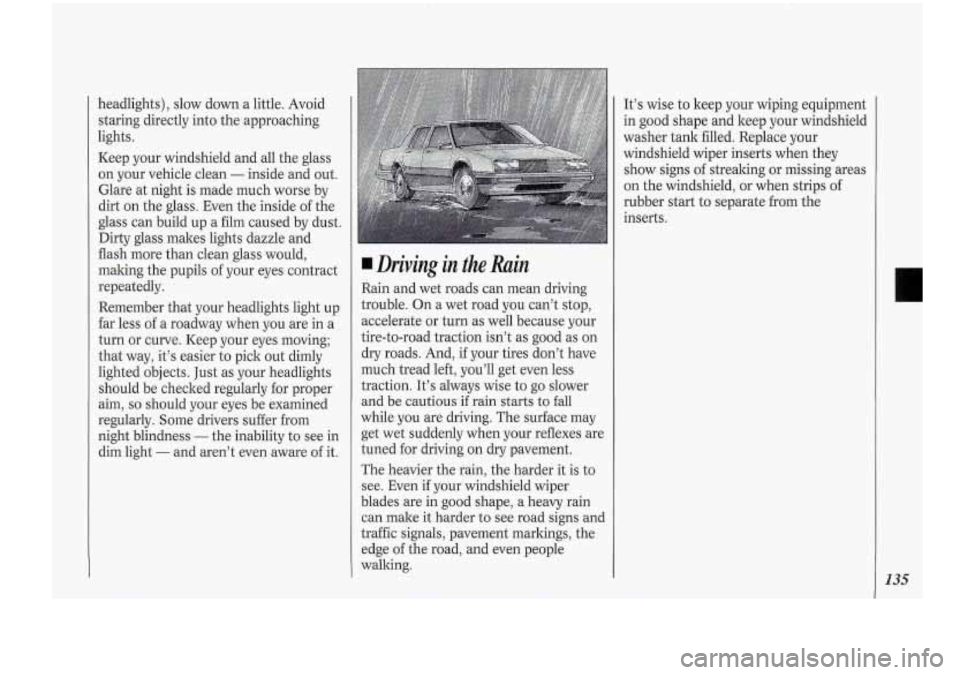
Driving in the Rain
Rain and wet roads can mean driving
trouble. On a wet road
you can’t stop,
accelerate or turn as well because your
tire-to-road traction isn’t as good as on
dry roads. And, if your tires don’t have
much tread left, you’ll get even less
traction. It’s always wise to go slower
and be cautious
if rain starts to fall
while you are driving. The surface may
get wet suddenly when your reflexes are
tuned for driving on dry pavement.
The heavier the rain, the harder it is to
see. Even if your windshield wiper
blades are in good shape, a heavy rain
can make it harder
to see road signs and
traffic signals, pavement markings, the
edge of the road, and even people
walking.
135
Page 149 of 276
Turn Signals When Towing a
Trailer
When you tow a trailer, your vehicle has
to have a different turn signal flasher
and extra wiring. The green arrows on
your instrument panel will flash
whenever you signal a turn or lane
change. Properly hooked up, the trailer
lights will also flash, telling other
drivers you’re about to turn, change
lanes or stop.
When towing
a trailer, the green arrows
on your instrument panel will flash for
turns even if the bulbs on the trailer are
burned out. Thus, you may think
drivers behind you are seeing your
signal when they are not. It’s important
to check occasionally to be sure the
trailer bulbs are still working.
Driving On Grades
Reduce speed and shift to a lower gear
before you start down a long or steep
downgrade.
If you don’t shift down, you
might have to use your brakes so much
that they would get hot and no longer
work well. On
a long uphill grade, shift down and
reduce your speed to around
45 mph
(70 ltm/h) to reduce the possibility of
engine and transaxle overheating.
If you are towing a trailer and you have
an automatic transaxle with Overdrive,
you may want to drive in
3 instead of D
(or, as you need to, a lower gear).
Parking on Hills
You really should not park your vehicle,
with a trailer attached, on a hill.
If
something goes wrong, your rig could
start to move. People can be injured,
and both your vehicle and the trailer
can be damaged.
But if you ever have to park your rig on
a hill, here’s how to do it:
1. Apply your regular brakes, but don’t
shift into
P (Park) yet.
2. Have someone place choclts under
the trailer wheels.
3. When the wheel choclts are in place,
release the regular brakes until the
choclts absorb the load.
4. Reapply the regular brakes. Then
apply your parking brake, and then
shift to
P (Park).
5. Release the regular brakes.
When You Are Ready to Leave
After Parking on a Hill
1. Apply your regular brakes and hold
the pedal down while you:
Start your engine;
Shift into a gear; and
Release the parking brake.
2. Let up on the brake pedal.
3. Drive slowly until the trailer is clear
of the chocks.
4. Stop and have someone pick up and
store the chocks.
147