AUX Oldsmobile Cutlass Supreme 1996 Owner's Manuals
[x] Cancel search | Manufacturer: OLDSMOBILE, Model Year: 1996, Model line: Cutlass Supreme, Model: Oldsmobile Cutlass Supreme 1996Pages: 356, PDF Size: 18.48 MB
Page 4 of 356
- GM I
GENERAL MOTORS, GM, the GM Emblem,
OLDSMOBILE, the OLDSMOBILE Rocket Emblem
and the name CUTLASS SUPREME are registered
trademarks of General Motors Corporation.
This manual includes the latest information at the time it
was printed. We reserve the right to make changes in the
product after. that time without further notice.
For
vehicles first sold in Canada, substitute the name
“General Motors of Canada Limited” for Oldsmobile
Division whenever it appears in this manual.
Please keep this manual in your Oldsmobile,
so it will
you sell the vehicle, please leave this manual in it
so the
new owner can use it.
’
I be there if you ever need it when you’re on. the road. If
Litho in U.S.A.
Part No. 22639052 B First Edition
d
.
t
1
I I
WE SUPPORT
VOLUNTARY TECHNICIAN
CERTIFICATION THROUGH
National Institute for
AUTOMOTIVE SERVICE
EXCELLENCE
I
We support voluntary
1 technician certification.
For Canadian Owners Who Prefer a
French Language Manual:
Aux propribtaires canadiens: Vous pouvez vous
procurer un exemplaire de ce guide en franGais chez
votre concessionaire ou au:
DGN Marketing Services Ltd.
1500 Bonhill Rd.
Mississauga, Ontario L5T 1C7
@Copyright General Motors Corporation 1995
All Rights Reserved
ii
Page 122 of 356
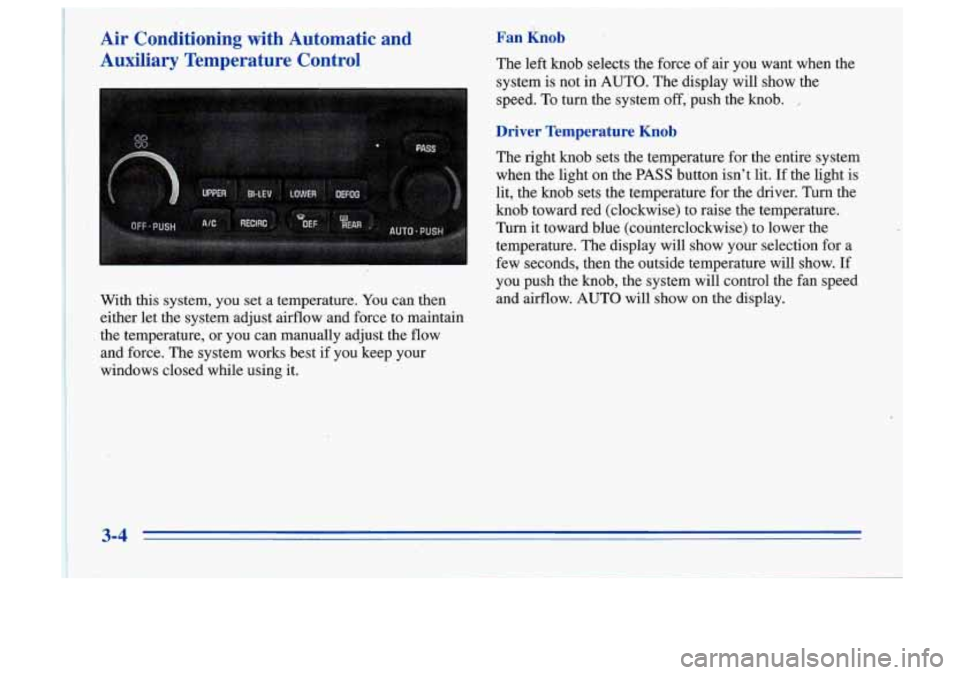
Air Conditioning with Automatic and
-Auxiliary Temperature Control
With this system, you set a temperature. You can then
either let the system adjust airflow and force to maintain
. the temperature, or you can manually adjust the flow
and force. The system works best if you keep your
windows closed while using it.
Fan Knob
The left knob selects the force of air you want when the
system
is not in AUTO. The display will show the
speed. To turn the system off,'push the
knob. ,
Driver Temperature Knob
The right knob sets the temperature for the entire system
when the light on the PASS button isn't lit. If the light is
lit, the knob sets the temperature for the driver. Turn the
knob toward red (clockwise) to raise the temperature.
Turn it toward blue (counterclockwise) to lower the
temperature.
The display will show your selection for a
few seconds, then the outside temperature will show. If
you push the knob, the system will control the fan speed
and airflow. AUTO will show on the display.
3-4
Page 131 of 356
FWD (2): Pres‘s this button to advance quickly to
another part of the tape. Press the button again to return
to playing speed. The radio will play the last-selected
station while the tape advances. You may select stations
during FWD operation by using TUNE.
PROG (3): Press this button. to play the other side of
the tape.
(4): Press this button to reduce background noise.
Note that the double-D symbol will appear on the display.
Dolby@ Noise Reduction is manufactured under a
license from Dolby Laboratories Licensing Corporation.
Dolby and the double-D symbol are trademarks of
Dolby Laboratories Licensing Corporation.
SEEK: Press the up or down arrow to search for the
next or previous selection on the tape. Your tape must
have at least
three seconds of silence between each
selection for SEEK to work. After the selection has been
playing for at least eight seconds, press
the SEEK down
arrow to return to the beginning of the selection.
SCAN: Press this button to listen to each selection for a
few seconds. The tape will go to the next selection, stop
for a few seconds, then
go on to the next selection. Press
this button again to stop scanning. The sound will be
muted, SCAN will appear on the display and the tape
direction arrow will blink while scanning.
TONE: Press this button to select a TONE while
playing a cassette. The tone will be automatically set
whenever you play a cassette tape.
AM-F”: Press this button to play the radio when a tape
is in the player. The tape will stop but remain in the
player.
TAPE AUX: If you have a tape inserted and the radio is
playing, press TAPE AUX to play your tape. To return
to the radio while a tape is playing, press AM-FM. The
inactive tape will remain safely inside the radio for
future listening.
EJECT: Press this button to remove the tape. The radio
will play. EJECT may be activated with either. the
ignition or radio
off. Cassettes may be loaded with the
radio and ignition
off if this button is pressed first.
CLN: This message may appear on the display. If it
does, your cassette tape player needs to be cleaned. It
will still play tapes, but you should clean it as soon as
possible to prevent damage to your tapes and player.
See “Care ,of Your Cassette Tape Player” in the Index.
After you clean the player, press and hold EJECT for
five seconds to reset the CLN indicator. The radio will
display
--- to show the indicator was reset.
3-13
Page 283 of 356
Fuse
16
19
21
23
24
28
Rating Description
REAR DEFOG -- HVAC Control
Assembly Rear Window Defogger Switch
Courtesy Lamp, Antenna Relay, Power
Mirror Switch, Door Lock Switches,
Door Handle Switches
AIR BAG
-- Air Bag System
STOPLAMPS
-- TCCBrake Switch
CRUISE CONTROL
CTSY LAMPS
-- Vanity Mirrors, IP
Courtesy Lamps, IP Compartment Lamp,
Header Courtesy and Reading Lamp, I/S
Lighted Rearview Mirror, Dome and
Reading Lamp, Quarter Courtesy Lamps
POWER ACCESSORY
#1-- Trunk
Fuse Rating Description
29 WIPER -- Wiper
Switch
30 TURN SIGNAL
L- Turn Signal Flasher
32 POWER LOCKS
-- Door Lock Relay
37 AUXILIARY POWER
38 RADIO
-- Radio, Steering Wheel
39
I/P ELECTRONICS IGNITION
Radio Switches
FEED
-- Headlamp
Switch, Cruise
Control Cut-Out Switch, Air Bag System,
TCCBrake Switch, Instrument Cluster,
Chime Module, Second-Gear
Start
Switch, Daytime Running Lamps
(DRL) Module
.
6-63
Page 345 of 356
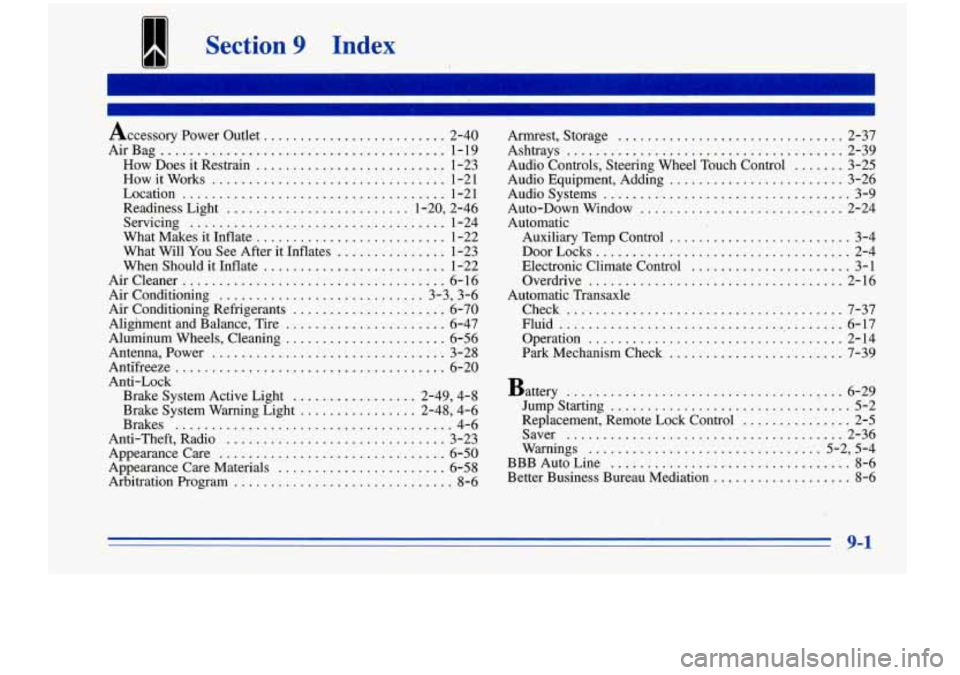
Section 9 Index
Accessory Power Outlet ......................... 2-40
AirBag
....................................... 1-19
How Does it Restrain
.......................... 1-23
How it Works
................................ 1-21
Location
.................................... 1-21
Readiness Light
......................... 1.20. 2.46
Servicing
................................... 1-24
What Makes it Inflate
.......................... 1-22
What Will You See After it Inflates
............... 1-23
When Should it Inflate
......................... 1-22
Aircleaner
.................................... 6-16
Air Conditioning
............................ 3.3. 3.6
Air Conditioning Refrigerants
..................... 6-70
Alignment and Balance. Tire
...................... 6-47
Aluminum Wheels. Cleaning
...................... 6-56
Antenna. Power
................................ 3-28
Antifreeze
................................. ... 6-20
Anti-Lock Brake System Active Light
................. 2.49. 4.8
Brake System Warning Light
................ 2.48. 4.6
Brakes
...................................... 4-6
Anti.Theft. Radio
.............................. 3-23
Appearance Care
............................... 6-50
Appearance Care Materials ....................... 6-58
Arbitration Program
.............................. 8-6 Armrest. Storage
............................... 2-37
Ashtrays
...................................... 2-39
Audio Controls. Steering Wheel Touch Control
....... 3-25
Audio Systems
.................................. 3-9
Auto-Down Window
............................ 2-24
Automatic Auxiliary Temp Control
......................... 3-4
DoorLocks
................................... 2-4
Electronic Climate Control
...................... 3-1
Overdrive
................................... 2-16
Check
...................................... 7-37
Fluid
........................................ 6-17
Operation
................................... 2-14
Park Mechanism Check
........................ 7-39
Audio Equipment. Adding
........................ 3-26
Automatic
. Transaxle
Battery
...................................... 6-29
Jumpstarting
................................. 5-2
Replacement. Remote Lock Control
................ 2-5
Saver
...................................... 2-36
Warnings
................................ 5-2. 5-4
BBB Auto Line
................................. 8-6
Better Business Bureau Mediation
................... 8-6
9-1
Page 353 of 356
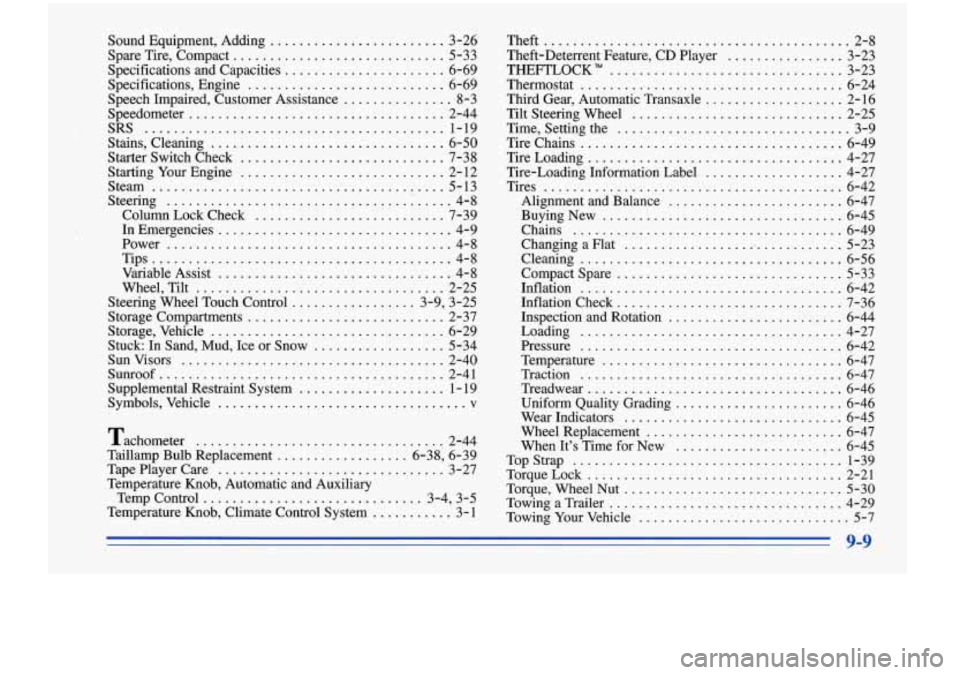
Sound Equipment. Adding ........................ 3-26
Spare Tire. Compact
.............................. 5-33
Specifications and Capacities
...................... 6-69
Specifications. Engine
........................... 6-69
Speech Impaired. Customer Assistance
............... 8-3
Speedometer
................................... 2-44
Stains. Cleaning
................................ 6-50
Starter Switch Check
............................ 7-38
Starting Your Engine
............................ 2- 12
Steam
........................................ 5-13
Steering
....................................... 4-8
Column Lock Check
.......................... 7-39
In Emergencies ................................ 4-9
. Power ....................................... 4-8
Tips
......................................... 4-8
Variable Assist
................................ 4-8
Wheel. Tilt
.................................. 2-25
Steering Wheel Touch Control
................. 3-9. 3-25
Storage Compartments
........................... 2-37
Storage. Vehicle
................................ 6-29
Stuck:
In Sand. Mud. Ice or Snow .................. 5-34
Sunvisors
.................................... 2-40
Supplemental Restraint System
.................... 1 - 19
Symbols. Vehicle
................................... v
Tachometer .................................. 2-44
Taillamp Bulb Replacement
.................. 6-38. 6-39
TapePlayerCare
............................... 3-27
Temperature Knob. Automatic and Auxiliary
Temp Control
.............................. 3-4. 3-5
Temperature Knob. Climate Control System
........... 3-1
SRS
......................................... 1-19
Sunroof
....................................... 2-41 Theft
.......................................... 2-8
Theft-Deterrent Feature. CD Player
................ 3-23
Thermostat
.................................... 6-24
Third Gear, Automatic Transaxle
................... 2-16
Tilt Steering Wheel
............................. 2-25
Time, Setting the
................................ 3-9
Tire Chains
.................................... 6-49
TireLoading
................................... 4-27
Tire-Loading Information Label
................... 4-27
Tires
......................................... 6-42
Alignment and Balance
........................ 6-47
BuyingNew
................................. 6-45
Chains
..................................... 6-49
Changing a Flat
............................... 5-23
Cleaning
.................................... 6-56
Compact Spare
............................... 5-33
Inflation
.................................... 6-42
Inflation Check
............................... 7-36
Loading
.................................... 4-27
Pressure
.................................... 6-42
Temperature
................................. 6-47
Traction
.................................... 6-47
Treadwe ar
................................... 6-46
Uniform Quality Grading
....................... 6-46
Wear Indicators
.............................. 6-45
Wheel Replacement
........................... 6-47
When It's Time for New
....................... 6-45
TopStrap
..................................... 1-39
TorqueLock
................................... 2-21
Torque. Wheel
Nut .............................. 5-30
TowingaTrailer
................................ 4-29
Towing Your Vehicle
............................. 5-7
THEPrZOCK"
................................. 3-23
Inspection and Rotation
.................... ... 6-44