audio OLDSMOBILE SILHOUETTE 1993 Owners Manual
[x] Cancel search | Manufacturer: OLDSMOBILE, Model Year: 1993, Model line: SILHOUETTE, Model: OLDSMOBILE SILHOUETTE 1993Pages: 323, PDF Size: 17.13 MB
Page 3 of 323
Table of Contents
The Power of Intelligent Engineering . .3
How to Use this Manual . . .6
Part 1 Seats & Safety Belts . . . 13
2 Features & Controls .
Comfort Controls & Audio Systems . .
;4 Your Driving and the Road . . -. .3, .:
Problems on the Road .
iervice & Appearance Care .
gaintenance Schedule .
.. . 45 c
hstomer Assistance Information .
Includes “Reporting Safety Defects” on page 302
-ndex . . . . . . . - -
Service Station Information . .
. 113
. 139
. . . 185
. 215
. 275
. Last Page
22577037 ’irst Edition
.~ ~~
ProCarManuals.com
Page 8 of 323
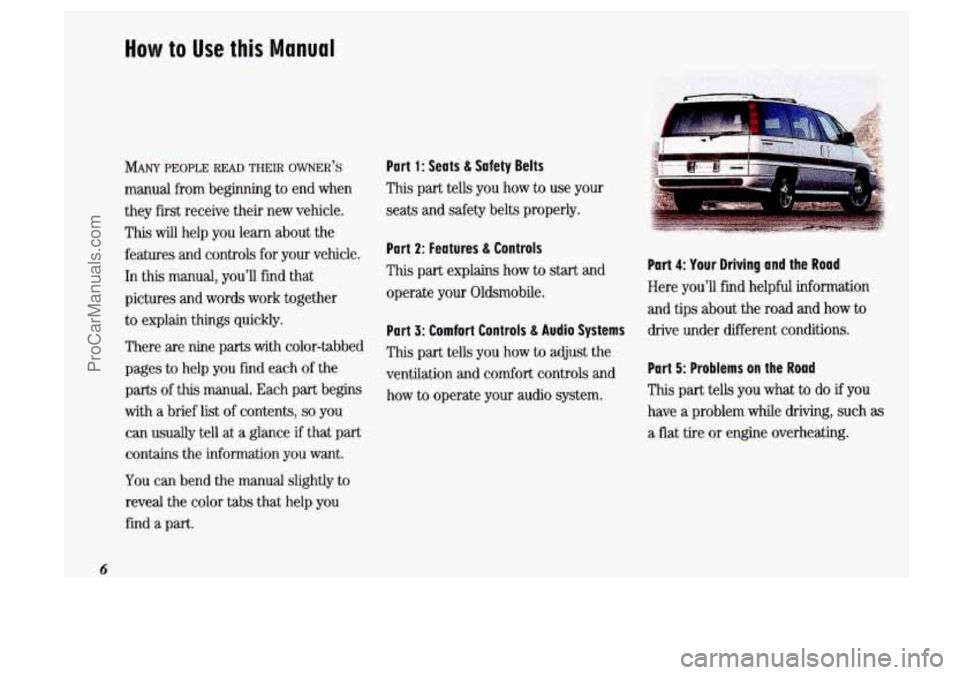
How to Use this Manual
MANY PEOPLE READ THEIR OWNER t’S
manual from beginning to end when
they first receive their new vehicle.
This
will help you learn about the
features and controls for
your vehicle.
In this manual, you’ll find that
pictures and words work together
to explain things quickly.
There are nine
parts with color-tabbed
pages to help you find each of the
parts of this manual. Each part begins
with a brief list of contents,
so you
can usually tell at
a glance if that part
contains the information you want.
YOU can bend the manual slightly to
reveal the color tabs that
help you
find
a part.
Part 1: Seats & Sa fety Belts
This part tells
you how to use your
seats and safety belts properly.
Part 2: Features & Controls
This part explains how to start and
operate your Oldsmobile.
Part 3: Comfort Controls & Audio Systems
This part tells you how to adjust the
ventilation and comfort controls and
how to operate your audio system.
Part 4: Your Driving and the Road
Here you’ll find helpful information
and tips about the road and how
to
drive under different conditions.
Part 5: Problems on the Road
This part tells you what to do if you
have
a problem while driving, such as
a flat tire or engine overheating.
6
ProCarManuals.com
Page 103 of 323

The Instrument Panel- Your Information System
Your instrument panel is designed to let
you know at a glance how your vehicle
is running. You’ll know how fast you’re
going, how much fuel you’re using, and
many other things you’ll need to drive
safely and economically.
Refer to the accompanying diagram of
your instrument panel
to locate the
components listed below.
1. Side Vents
2. Light Controls
3. Turn SignaVHeadlight Beam Lever
4. Tilt Steering Wheel Lever
5. Instrument Cluster
6. Gearshift Lever
7. WiperIWasher Controls
8. Center Vents
9. Storage Compartment
10. Side Vents
11. Circuit Breaker/Relay Panel
12. Glove Box/Fuse Panel
13. Audio System
14. Rear Fan Controls
15. Cup HolderdAshtray
1 6. Locking Storage Bin
17. Lighter
18. Interior Lights Override Switch
19. Climate Controls
20. Ignition Switch
21. Hazard Warning Flashers Switch
22. Horn
23. Parking Brake Release
24. Hood Release
101
ProCarManuals.com
Page 115 of 323
COOL ... Comfort Controls & Audio Svstems d
In this part you'll find out how to
operate the comfort control systems
and audio systems offered with your
Oldsmobile
. Be sure to read about the
particular system supplied with your
vehicle
.
Climate Control System ............................................ 114
Rear Climate Control
.............................................. 117
Rear Window Defogger
............................................. 119
Settingtheclock
................................................. 122
AM/FM Stereo Radio ............................................. 123
Defogging and Defrosting
........................................... 118
AM/FM Stereo with Cassette Player .................................. 125
AM/FM Stereo with Cassette Player with Dolby@ ....................... 127
AM/FM Stereo with Compact Disc Player
............................. 129
Compact Disc Player Anti-Theft Feature ............................... 132
Steering Wheel Touch Controls
...................................... 134
Understanding Radio Reception
...................................... 134
Care of Your Cassette Tape Player
.................................... 135
Care of Your Compact
Discs ........................................ 136
Integrated Roof Antenna
............................................ 136
113
ProCarManuals.com
Page 116 of 323
Comfort Controls & Audio Systems
114
Climate Control System
Your vehicle’s heater and air conditioner
work best
if you keep your windows
closed. Your vehicle also has
flow-
through ventilation, described later in
this section, to bring outside air into
your vehicle.
If you have the optional engine block
heater and use it during cold weather,
0°F (-18°C) or lower, your heating
system will more quickly provide heat
because the engine coolant is already
warmed. See the
Index under Engine
Block Heater.
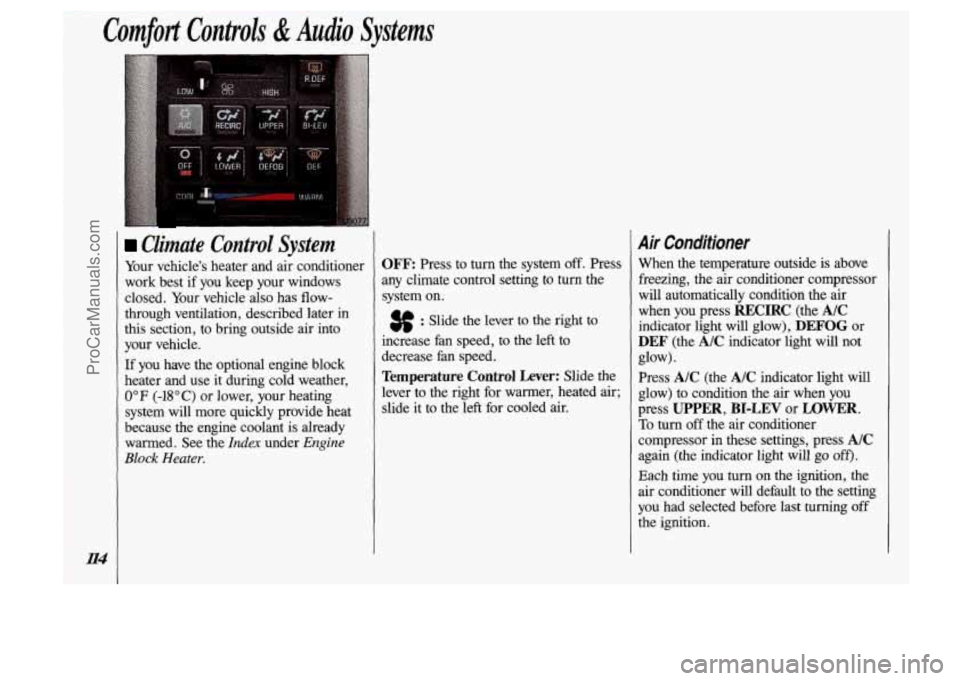
OFF Press to turn the system off. Press
any climate control setting to turn the
system
on.
3f : Slide the lever to the right to
increase fan speed, to the left to
decrease fan speed.
Temperature Control Lever: Slide the
lever to the right for warmer, heated air;
slide it to the left for cooled air.
Air Conditioner
When the temperature outside is above
freezing, the air conditioner compressor
will automatically condition the air
when you press
RECIRC (the AIC
indicator light will glow), DEFOG or
DEF (the A/C indicator light will not
Press
A/C (the A/C indicator light will
glow) to condition the
air when you
press
UPPER, BI-LEV or LOWER.
To turn off the air conditioner
compressor in these settings, press
A/C
again (the indicator light will go off).
Each time you turn on the ignition, the
air conditioner will default to the setting
you had selected before last turning off
the ignition. glow).
ProCarManuals.com
Page 118 of 323
Directional Controls (CONI)
LOWER: This setting brings in most
heated
air through the heater ducts, and
some through the defroster vents.
DEFOG: Because of your Silhouette’s
larger windshield area,
this mode is
particularly useful during cold or
inclement weather. Press to direct
warmed air to the windshield and
through the heater ducts.
DEF (Defrost): Press to direct most
warmed air to the windshield and side
window vents. To
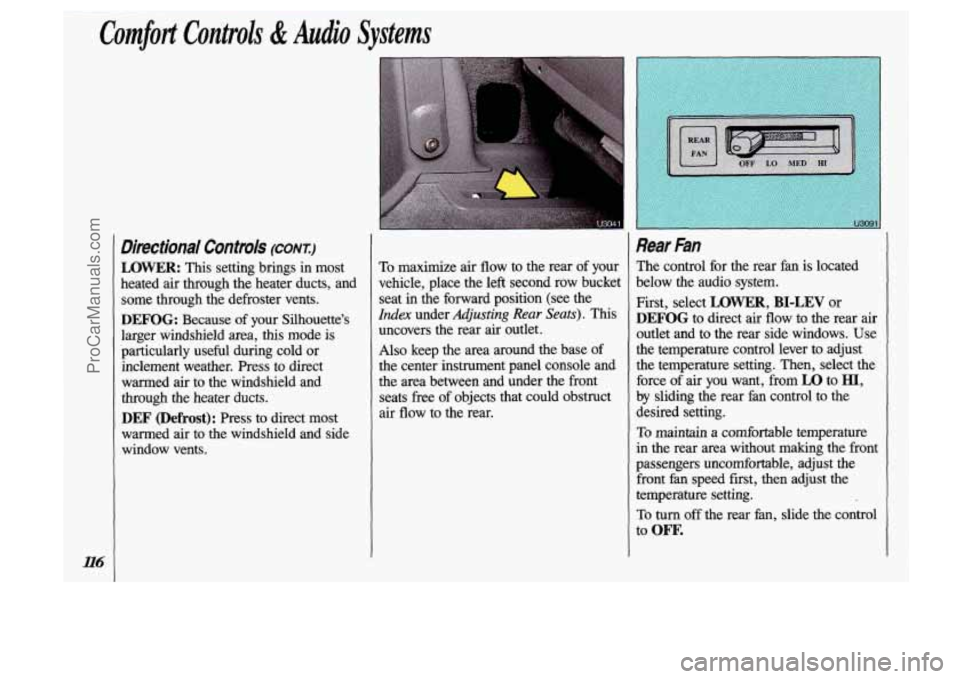
maximize air flow to the rear of your
vehicle, place the left second row bucket
seat in the forward position (see the
Index under Adjusting Rear Seats). This
uncovers the rear air outlet.
Also keep the area around the base of
the center instrument panel console and
the area between and under the front
seats free
of objects that could obstruct
air flow to the rear.
Rear Fan
The control for the rear fan is located
below the audio system.
First, select
LOWER, BI-LEV or
DEFOG to direct air flow to the rear air
outlet and to the rear side windows. Use
the temperature control lever to adjust
the temperature setting. Then, select the
force of air you want, from
LO to HI,
by sliding the rear fan control to the
desired setting.
To maintain a comfortable temperature
in the rear area without making the front
passengers uncomfortable, adjust the front
fan speed first, then adjust the
temperature setting.
To turn off the rear fan, slide the control
to
ow.
ProCarManuals.com
Page 119 of 323

r I
1 Rear Climate Control
(OPTION)
If you have this option, you will have a
master control for the rear fan on the
center instrument panel console, and a
rear control next to the rear seat, on the
driver side
of the vehicle.
Rear Air Vents
To maximize air flow through the rear
heater outlet, place the left second row
bucket seat in the forward position (see
the
Index under Adjusting Rear Seats).
The vent forward of the rear heater
outlet is the cold air return vent. Be sure
to keep it free of obstructions.
Also keep the area around the base
of
the center instrument panel console and
between and under the front seats free of
objects that could obstruct air
flow to
the rear.
U307
Rear Fan-Master Central
The master control for the rear fan is
located below the audio system.
To maintain a comfortable temperature
in the rear area, select the force of air
you want, from
LO to HI, by sliding the
control to
the desired setting.
To transfer control of the rear
fan to the
rear control switch, slide the master
control to
REAR. The rear control
switch will not operate when the master
control is in any other position.
To turn off the rear fan, slide the master
control to
OFF.
ProCarManuals.com
Page 120 of 323
Comfort Controls & Audio Systems
Rear Fan-Rear Control
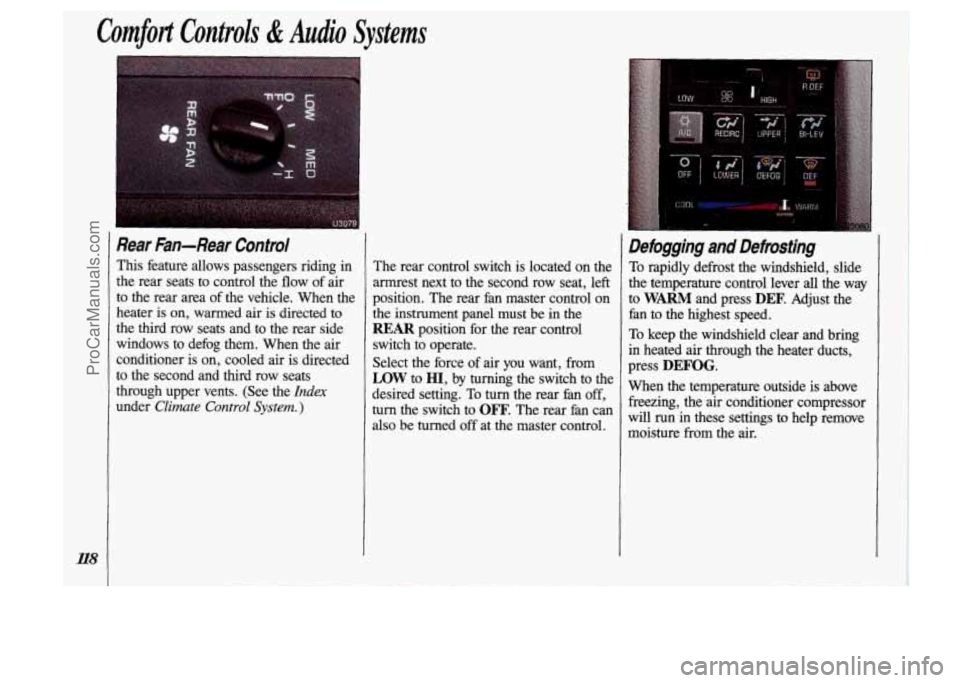
This feature allows passengers riding in
the rear seats to control the flow of air
to the rear area of the vehicle. When the
heater
is on, warmed air is directed to
the third row seats and to the rear side
windows to defog them. When the air
conditioner is on, cooled air
is directed
to the second and third row seats
through upper vents. (See the
Index
under Climate Control System. )
The rear control switch is located on the
armrest next to the second row seat, left
position. The rear fan master control on
the instrument panel must be in the
REAR position for the rear control
switch to operate.
Select the force of air you want, from
LOW to HI, by turning the switch to the
desired setting. To turn the rear fan
off,
turn the switch to OFF. The rear fan can
also be turned off at the master control.
Defogging and Defrosting
To rapidly defrost the windshield, slide
the temperature control lever
all the way
to
WARM and press DEF. Adjust the
fan to the highest speed.
To keep the windshield clear and bring
in heated
air through the heater ducts,
press
DEFOG.
When the temperature outside is above freezing, the air conditioner compressor
will run in these settings to help remove
moisture
from the air.
ProCarManuals.com
Page 123 of 323
Audio Systems
The following pages describe the audio
systems available for your Oldsmobile,
and how to get the best performance
from them. Please read about the system
in your vehicle.
unrd it is too late. Your hearing
C;
adapt to higher volumes of sound
Sound that seems normal can be
loud and harmful
to your hearing.
Take precautions by adjusting the
volume control on your radio to a
safe sound level before your
hearing adapts to it.
To help avoid hearing loss or
damage:
1. Adjust the volume control to the
lowest setting.
2. Increase volume slowly until
you hear comfortably and
clearly. other
systems, and even damage them. And, your vehicle’s systems
n
interfere with the operation ofsound equipment tha* Las been add
improperly.
ProCarManuals.com
Page 124 of 323
Comfort Controls & Audio Systems
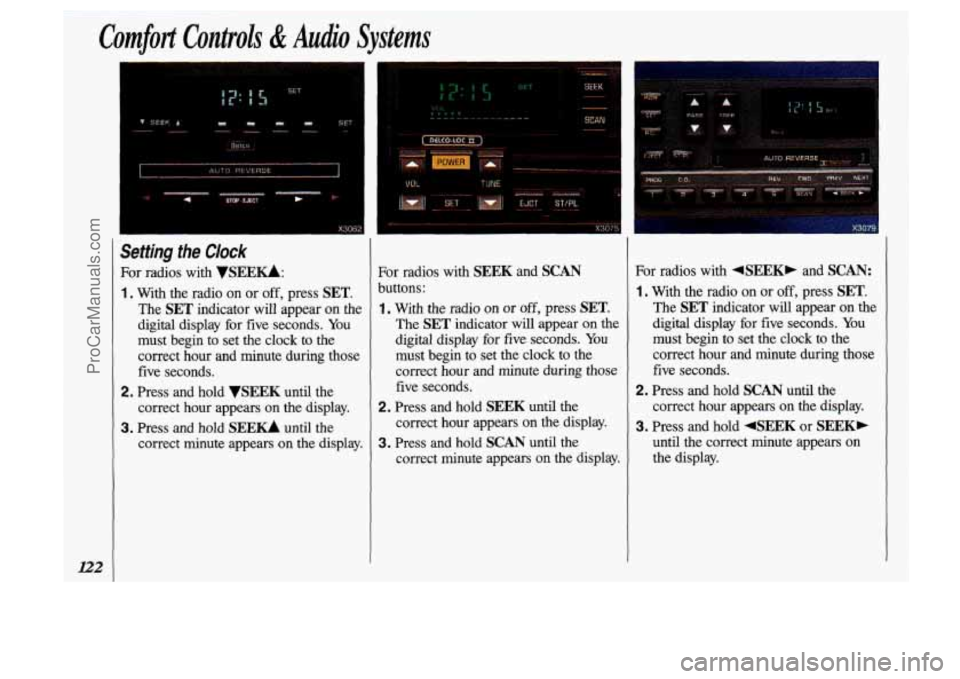
Setting the Clock
For radios with VSElZKk
1 . With the radio on or off, press SET.
The SET indicator will appear on the
digital display for five seconds. You
must begin to set the clock to
the
correct hour and minute during those
five seconds.
correct hour appears on the display.
correct minute appears on the display.
2. Press and hold VSEEK until the
3. Press and hold SEE- until the For radios with
SEEK and SCAN
buttons:
1. With the radio on or off, press SET.
The SET indicator will appear on the
digital display for five seconds. You
must begin to set the clock to the
correct hour and minute
during those
five seconds.
correct hour appears on
the display.
correct
minute appears on the display.
2. Press and hold SEEK until the
3. Press and hold SCAN until the For radios
with +SEEXP and SCAN:
1. With the radio on or off, press SET.
The SET indicator will appear on the
digital display for five seconds.
You
must begin to set the clock to the
comect hour and minute during those
five seconds.
2. Press and hold SCAN until the
correct hour appears on the display.
3. Press and hold +SEEK or SEEK,
until the correct minute appears on
the display.
ProCarManuals.com