lights OLDSMOBILE SILHOUETTE 1993 Owners Manual
[x] Cancel search | Manufacturer: OLDSMOBILE, Model Year: 1993, Model line: SILHOUETTE, Model: OLDSMOBILE SILHOUETTE 1993Pages: 323, PDF Size: 17.13 MB
Page 11 of 323
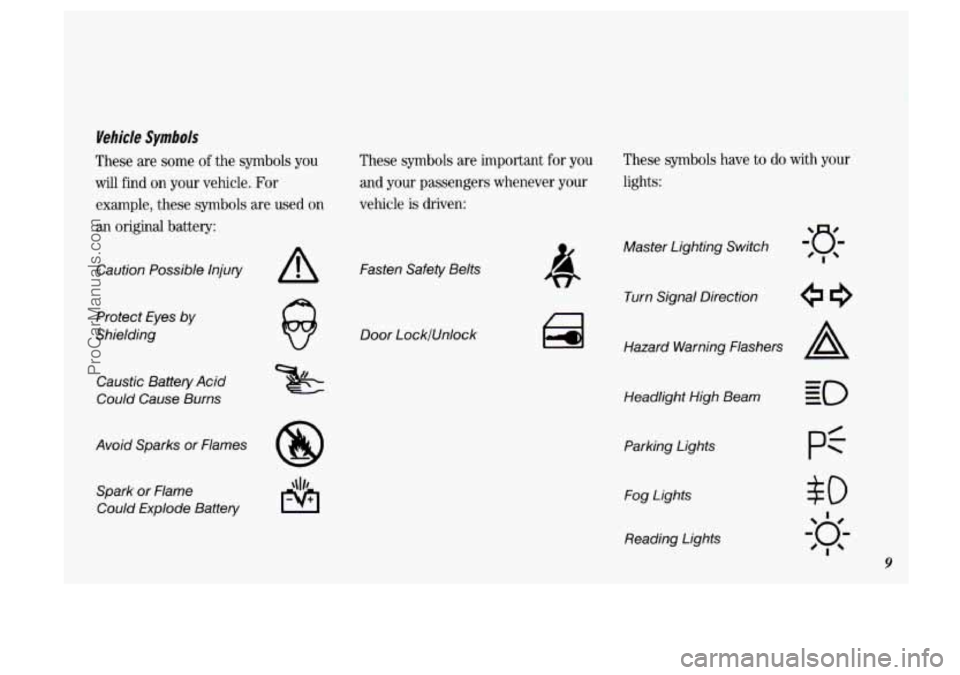
Vehicle Symbols
These are some of the symbols you
will find on your vehicle. For
example, these symbols are used
on
an original battery: These symbols
are important
for you
and your passengers whenever your
vehicle is driven:
Caution Possible Injury
Protect Eyes by
Shielding
Caustic Battery Acid
Could Cause Burns
Avoid Sparks or Flames Spark
or Flame
Could Explode Battery
A Fasten Safety Belts
Door LocklUnlock
These symbols have to do with your
lights:
Master Lighting Switch
Turn Signal Direction
Hazard Warning Flashers
A
Headlight High Beam
Parking Lights Fog Lights
Reading Lights
$0
I
20;-
'I
9
ProCarManuals.com
Page 12 of 323
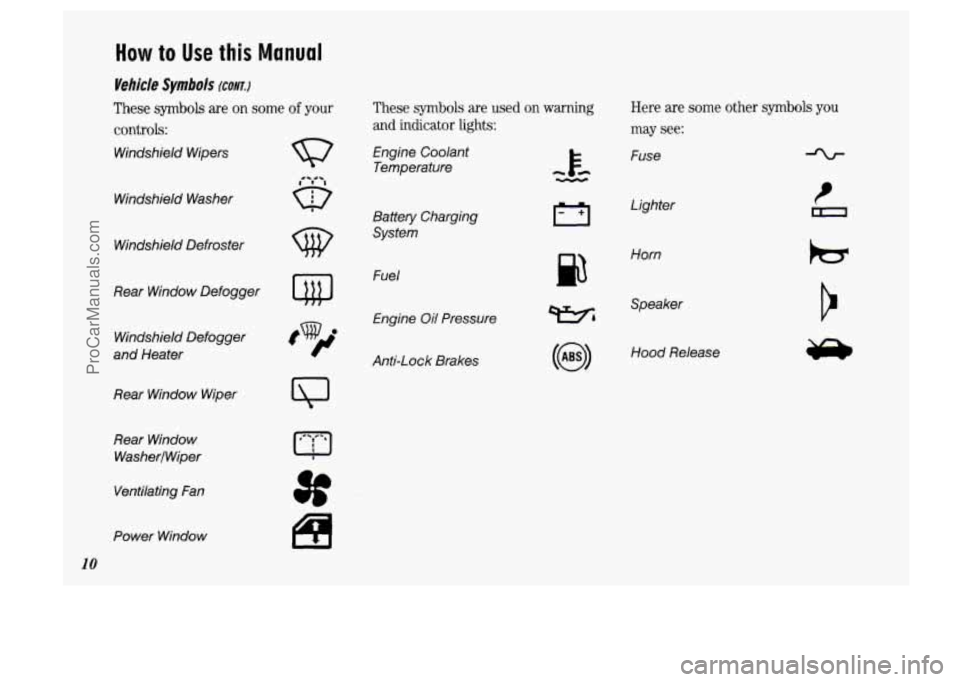
How to Use this Manual
Vehicle Symbols (CONT.)
These symbols are on some of your
controls:
Windshield Wipers
These symbols are used on warning Here are some other symbols you
and indicator lights: may see:
Engine Coolant
Temperature Fuse
Windshield Washer
Lighter
Battery Charging
System
w Windshield Defroster
p3
Horn
Fuel
Engine Oil Pressure
Rear Window
Defogger
Wh
Speaker
Windshield Defogger
and Heater Hood Release
Anti-Lock Brakes
Rear Window Wiper
Rear Window
WasherlWiper
Ventilating Fan
Power Window
10
ProCarManuals.com
Page 23 of 323
Safety Belts:
They’re For Everyone
This part of the manual tells you how to
U
SC
Si
se safety belts properly. It also tells you
me things you should not do with
afety belts.
A
Don’t let anyone ride where
they can’t wear a safety belt
properly. If you are in a crash and
you’re not wearing a safety belt,
your injuries can be
much worse.
You can hit things inside the
vehicle or be ejected from it. You
can be seriously injured or lulled.
In the same crash, you might not
be if you are buckled up. Always
fasten your safety belt, and check
that your passengers’ belts are
fastened properly too.
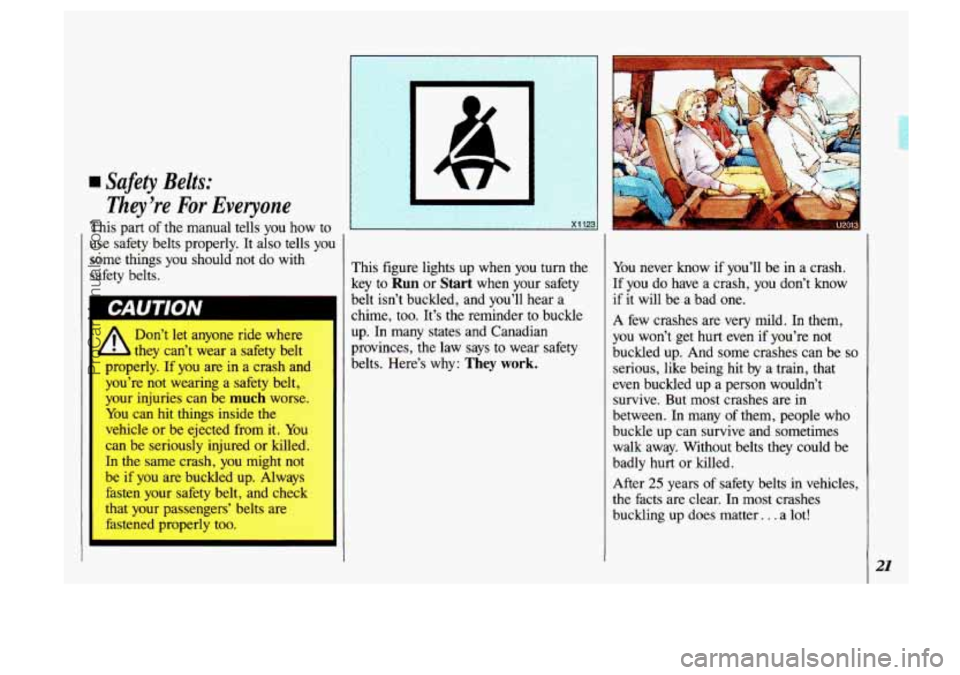
rhis figure lights up when you turn the
Ley to
Run or Start when your safety
belt isn’t buckled, and you’ll hear a
chime, too. It’s the reminder to buckle
up.
In many states and Canadian
provinces, the law says to wear safety
belts. Here’s why:
They work.
You never know if you’ll be in a crash.
If you do have a crash, you don’t know
if it will be a bad one.
A few crashes
are very mild. In them,
you won’t get hurt even
if you’re not
buckled up. And some crashes can be
so
serious, like being hit by a train, that
even buckled up a person wouldn’t survive. But most crashes are in
between.
In many of them, people who
buckle up can survive and sometimes
walk away. Without belts they could be
badly hurt or killed.
After
25 years of safety belts in vehicles,
the facts are clear. In most crashes
buckling up does matter.
. . a lot!
21
ProCarManuals.com
Page 47 of 323
v..
.
Here you can learn about the many
standard and optional features on
your Oldsmobile. and information on starting. shifting and braking
. Also
explained are the instrument panel and the warning systems that tell you
if everything is working properly-
and what
to do if you have a problem .
Part 2
Features & Controls
Keys 46
FrontDoors
...................................................... 47
Remote Keyless Entry
.............................................. 49
Sliding Door 53
Liftgate
......................................................... 59
Ignition
......................................................... 60
Starting Your Engine
............................................... 61
Shifting the Transaxle
.............................................. 65
..........................................................
Locks ........................................................... 47
.....................................................
EngineBlockHeater ............................................... 63
ParkingBrake
.................................................... 68
Shiftingintopark
.................................................. 69
Horn ........................................................... 72
Windows
........................................................ 73
TiltSteeringWheel
................................................ 73
Turn Signal
and Lane Change Indicator ................................ 74
CruiseControl .................................................... 75
Headlights
....................................................... 79
Windshield Wipers
................................................ 82
Windshield Washer
................................................ 83
Mirrors
......................................................... 92
Glove
Box and Storage Compartments ............................. .93, 95
Luggagecarrier
....................................................
Instrument Panel .................................................. 101
Warning Lights, Gages and Indicators
................................. 104
InteriorLights
.................................................... 81
I'
45
L
ProCarManuals.com
Page 51 of 323
1
When the liftgate has been unlocked
with the power door locks, you won’t
need the key to open it. Simply turn
the
lock clockwise until the latch releases.
This is also true if you use the optional
remote keyless entry transmitter. See
Remote Keyless Entry later in this section.
To lock the liftgate, use either the power
door lock switch or the optional remote
keyless entry transmitter, or lock
it
manually by turning the lock
counterclockwise.
Leaving Your Vehicle
If you are leaving the vehicle, open your
door and set the locks from inside. Then
get out and close the door.
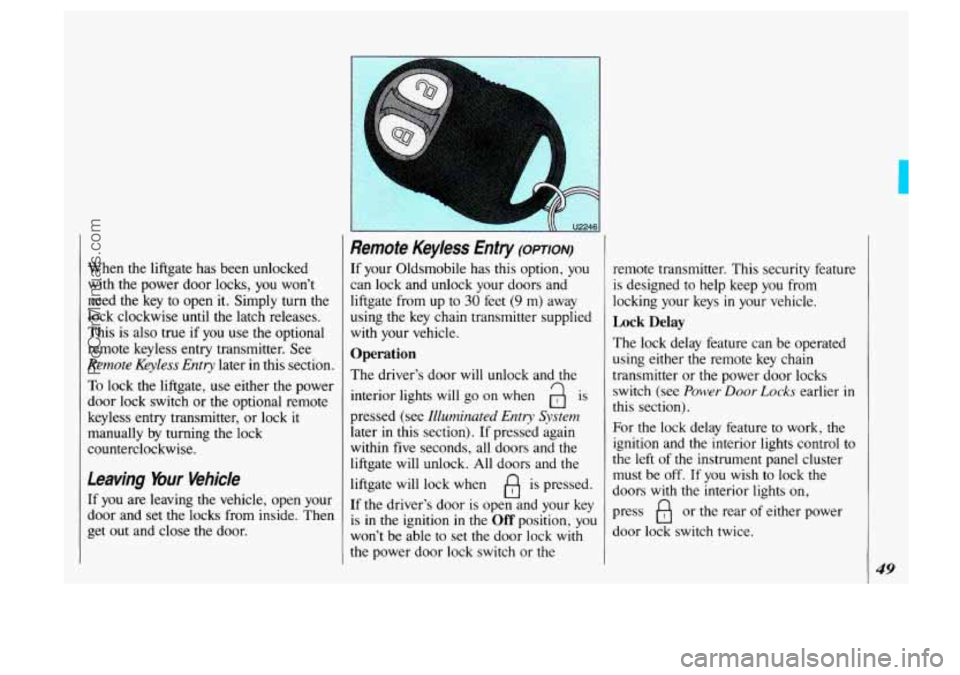
Remote Keyless Enfry (OPTION)
If your Oldsmobile has this option, you
can lock and unlock your doors and
liftgate from up to
30 feet (9 m) away
using
the key chain transmitter supplied
with your vehicle.
Operation
The driver’s door will unlock and the
interior lights will
go on when a is
pressed (see Illuminated Entry System
later in this section). If pressed again
within five seconds, all doors and the
liftgate will unlock. All doors and the
liftgate will lock when
fl is pressed.
If the driver’s door
is open and your key
is
in the ignition in the Off position, you
won’t be able to set the door lock
with
the power door lock switch or the remote transmitter.
This security feature
is designed to help keep you from
locking your keys
in your vehicle.
Lock Delay
The lock delay feature can be operated
using either the remote key chain
transmitter or the power door locks
switch (see
Power Door Lucks earlier in
this section).
For the lock delay feature to work, the
ignition and the interior lights control to
the left of the instrument panel cluster
must be off. If you wish to lock the
doors
with the interior lights on,
press
B or the rear of either power
door lock switch twice.
49
ProCarManuals.com
Page 54 of 323

Features & Controls
52
Battery Replacement (CONT)
If the back of your transmitter has a slot
instead
of a screw, follow these battery
replacement instructions:
1. Insert a coin into the slot in the back
of the transmitter, and turn
counterclockwise to open the cover.
2. Remove the cover.
3. Remove and replace the two 3-volt
batteries
(DL 2016).
Illuminated Entry System (OPTION)
This option comes with the optional
remote keyless entry system.
When you open the driver’s door, by
itself or
in combination with any
passenger door or the liftgate, the
interior lights will come on and then
gradually dim
to off 10 seconds after the
last door is closed.
(If the driver’s door
has not been opened, the interior lights
will immediately dim to
off.)
When you press a on your remote
transmitter, the lights inside your vehicle
will go on, then gradually dim to
off
after about 40 seconds, unless a door or
the liftgate is opened.
When you
turn on the ignition, the
interior lights will immediately dim to
off.
4. Reassemble the transmitter.
5. Check the transmitter operation.
ProCarManuals.com
Page 57 of 323
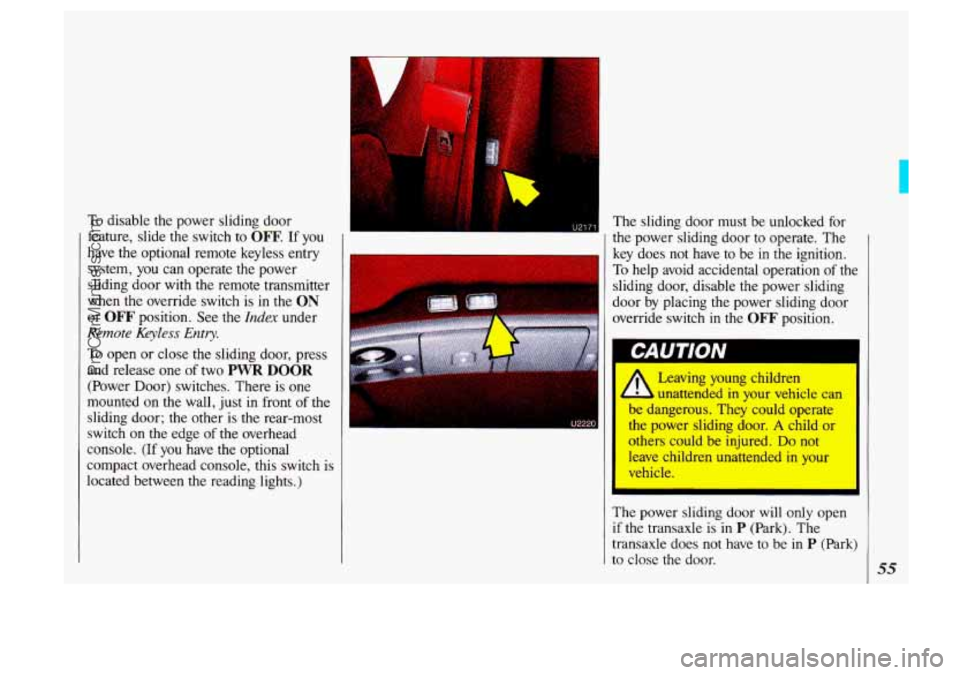
To disable the power sliding door
feature, slide
the switch to OFF. If you
have the optional remote keyless entry
system, you can operate the power
sliding door
with the remote transmitter
when the override switch is
in the ON
or OFF' position. See the Index under
Remote Keyless Entry.
To open or close the sliding door, press
and release one
of two PWR DOOR
(Power Door) switches. There is one
mounted on the wall, just in front
of the
sliding door; the other is the rear-most
switch on
the edge of the overhead
console.
(If you have the optional
compact overhead console, this switch is
located between the reading lights.) The
sliding door must be unlocked for
the power sliding door to operate. The
key does not have to be in the ignition.
To help avoid accidental operation of the
sliding door, disable the power sliding
door by placing the power sliding door
override switch
in the OFF position.
I I
Leaving young children
I. unattended in your vehicle can
be dangerous. They could operate
the power sliding door.
A child or
others could be injured.
Do not
leave children unattended
in your
The power sliding door will only open
if the transaxle is in P (Park). The
transaxle does not have to be
in P (Park)
to close the door. 55
ProCarManuals.com
Page 61 of 323
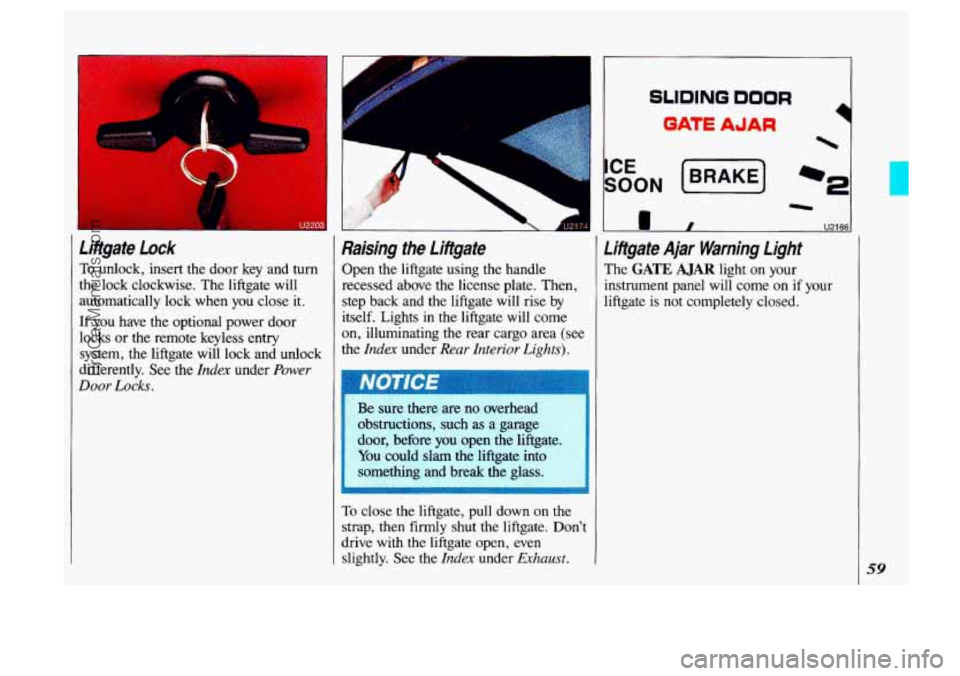
Litigate Lock
To unlock, insert the door key and turn
the lock clockwise. The liftgate will
automatically lock when you close it.
If you have the optional power door
locks or the remote keyless entry
system, the liftgate will lock and unlock
differently. See the
Index under Power
Door Locks.
F J217
Raising the Litigate
Open the liftgate using the handle
recessed above the license plate. Then,
step back and the liftgate will rise by
itself. Lights in the liftgate will come
on, illuminating the rear cargo area (set
the
Index under Rear Interior Lights).
Be sure thereare no overhead
obstructions,
such as a garage
door, before you open the liftgate.
You could slam the liftgate into
something and break the
glass.
To close the liftgate, pull down on the
strap, then firmly shut the liftgate. Don’t
drive with the liftgate open, even
slightly. See the
Index under Ejchaust.
SLIDING DOOR
QATE AJAR
sr
I U2166-
r
Litigate Ajar Warning Light
The GATE AJAR light on your
instrument panel will come on
if your
liftgate
is not completely closed.
59
ProCarManuals.com
Page 63 of 323
Run: An “on” position to which the
switch returns after you start your
engine and release the switch. The
switch stays in the
Run position when
the engine is running. But even when
the engine is not running, you can use
Run to operate your electrical power
accessories, and to display some
instrument panel warning lights.
Start: Starts the engine. When the
engine starts, release the key. The
ignition switch will return to
Run for
normal driving.
Note that even if the engine is not
running, the positions
Accessory and
Run are “on” positions that allow you
to operate your electrical accessories,
such as the radio.
I 1 and you can’t turn it, be sure it is
all the way
in. If it is, then turn the
steering wheel left and right while
you
turn the key hard. But turn the
: key only with your hand. Using a
-11 tool to force it could break the key
or the ignition switch. If none of
this works, then your vehicle needs
service.
Starting Your Engine
Engines start differently. The 8th digit of
your Vehicle Identification Number
(VIN) shows the code letter or number
for your engine. You will find the VIN
at the top left of your instrument panel.
(See the
Index under Vehicle
ZdentiJication
Number. ) Follow the
proper steps to start the engine.
I Move your shift lever to P (Park) or
N (Neutral). Your engine won’t start in
any other position-that’s a safety
feature.
To restart when you’re already
moving, use
N (Neutral) only.
I I
ProCarManuals.com
Page 76 of 323
Features & Controls
74
I
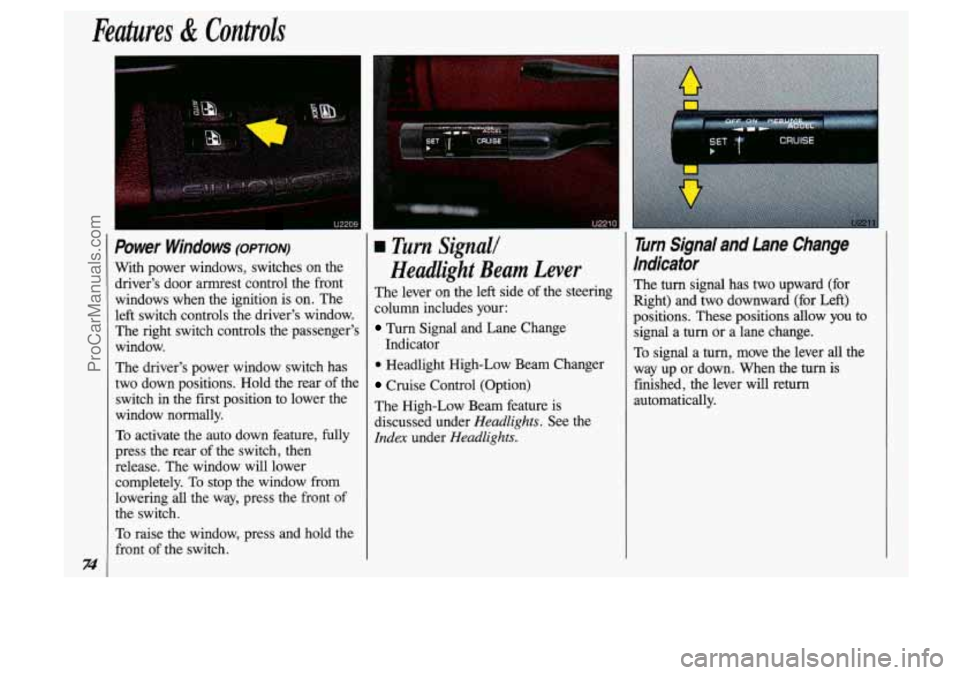
Power Windows (omon)
With power windows, switches on the driver's door armrest control the front
windows when the ignition is on. The
left switch controls the driver's window. The right switch controls the passenger's
window.
The driver's power window switch has
two down positions. Hold the rear of the
switch
in the first position to lower the
window normally.
To activate the auto down feature, fully
press the rear of the switch, then
release. The window will lower
completely.
To stop the window from
lowering
all the way, press the front of
the switch.
To raise the window, press and hold the
front of the switch.
u2210
a Turn Signall
Headlight Beam Lever
The lever on the left side of the steering
column includes your:
Turn Signal and Lane Change
Indicator
0 Headlight High-Low Beam Changer
Cruise Control (Option)
The High-Low Beam feature is
discussed under
Headlights. See the
Idex under Headlights.
r CRUISE
I
Turn Signal and Lane Change
Indicator
The turn signal has two upward (for
Right) and two downward
(for Left)
positions. These
positions allow you to
signal a
turn or a lane change.
To signal a
turn, move the lever all the
way up or down. When the
turn is
finished, the lever will
return
automatically.
ProCarManuals.com