wheel OLDSMOBILE SILHOUETTE 1994 User Guide
[x] Cancel search | Manufacturer: OLDSMOBILE, Model Year: 1994, Model line: SILHOUETTE, Model: OLDSMOBILE SILHOUETTE 1994Pages: 276, PDF Size: 15.82 MB
Page 71 of 276
Follow the proper steps to be sure your
vehicle won’t move. See
Shifting Into P
(Park) in the Index.
If you are parking on a hill and you’re
pulling a trailer,
also see Towing a
Trailer
in the Index.
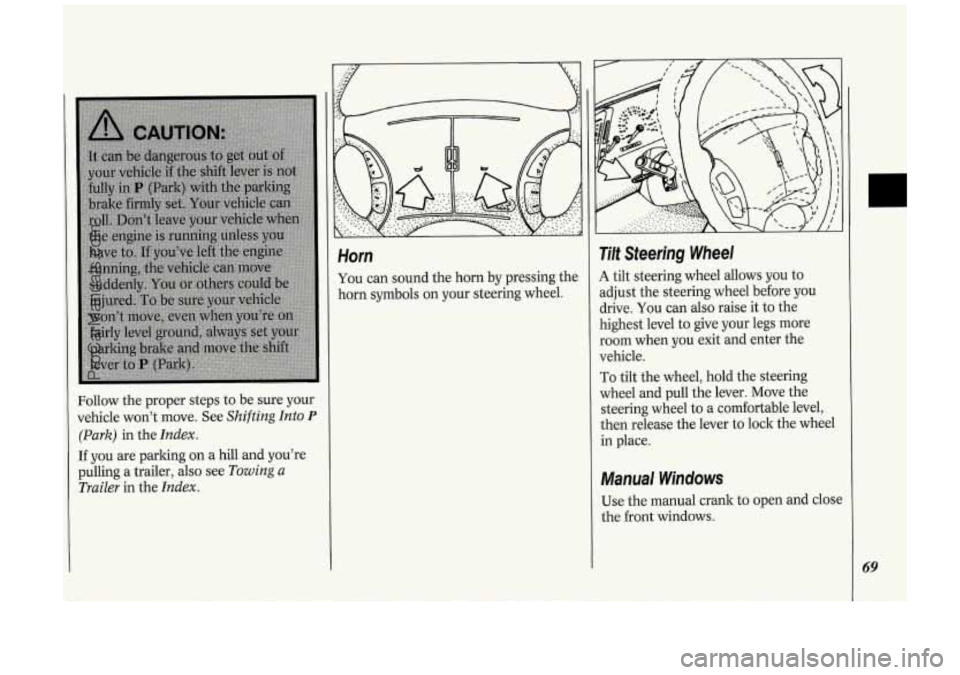
Horn
You can sound the horn by pressing the
horn symbols on your steering wheel.
Tilt Steering Wheel
A tilt steering wheel allows you to
adjust the steering wheel before you
drive. You can also raise it to the
highest level to give your legs more
room when you exit and enter the
vehicle.
To tilt the wheel, hold the steering
wheel and pull the lever. Move the
steering wheel to
a comfortable level,
then release the lever to lock the wheel
in place.
Manual Windows
Use the manual crank to open and close
the front windows.
69
ProCarManuals.com
Page 76 of 276
74
Features & Controls
To slow down in very small amounts,
push the button for less than half
a
second. Each time you do this, you'll
go
1 mph (1.6 ltm/h) slower.
Passing Another Vehicle While
Using Cruise Control
Use the accelerator pedal to increase
your speed. When you take your foot off
the pedal, your vehicle will slow down
to the cruise control speed you set
earlier.
Using Cruise Control on Hills
How well your cruise control will work
on hills depends upon your speed, load,
and the steepness of the hills. When
going up steep hills, you may have to
step on the accelerator pedal to
maintain your speed. When going
downhill,
you may have to brake or
shift to a lower gear to keep your speed
down. Of course, applying the brake
takes
you out of cruise control. Many
drivers find this to be too much trouble
and don't use cruise control on steep
hills.
To Get Out of Cruise Control
There are two ways to turn off the
cruise control:
Step lightly on the brake pedal; OR
Move the cruise switch to OFF.
If your vehicle has the optional traction
control system
(TCS), the cruise
control will shut
off when TCS is
actively controlling wheel spin. See the
Index under Traction Control System.
To Erase Cruise Speed Memory
When you turn off the cruise control or
the ignition, your cruise control set
speed memory is erased. If you have the
3800 V6 engine, cruise control memory
will also be erased when you place the
transaxle in
P (Park).
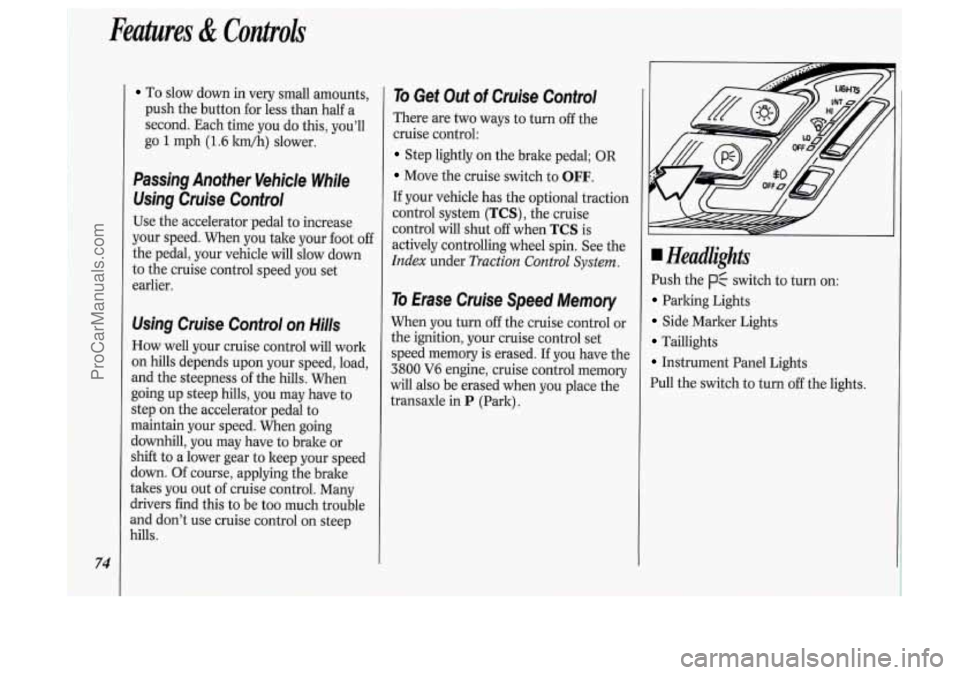
Headlights
Push the p$ switch to turn on:
Parking Lights
Side Marker Lights
Taillights
Instrument Panel Lights
Pull the switch to turn
off the lights.
ProCarManuals.com
Page 99 of 276
The Instrument Panel-Your
Information System
Your instrument panel is designed to let
you know at
a glance how your vehicle
is running. You’ll know how fast you’re
going, how much fuel you’re using, and
many other things you’ll need
to drive
safely
and economically.
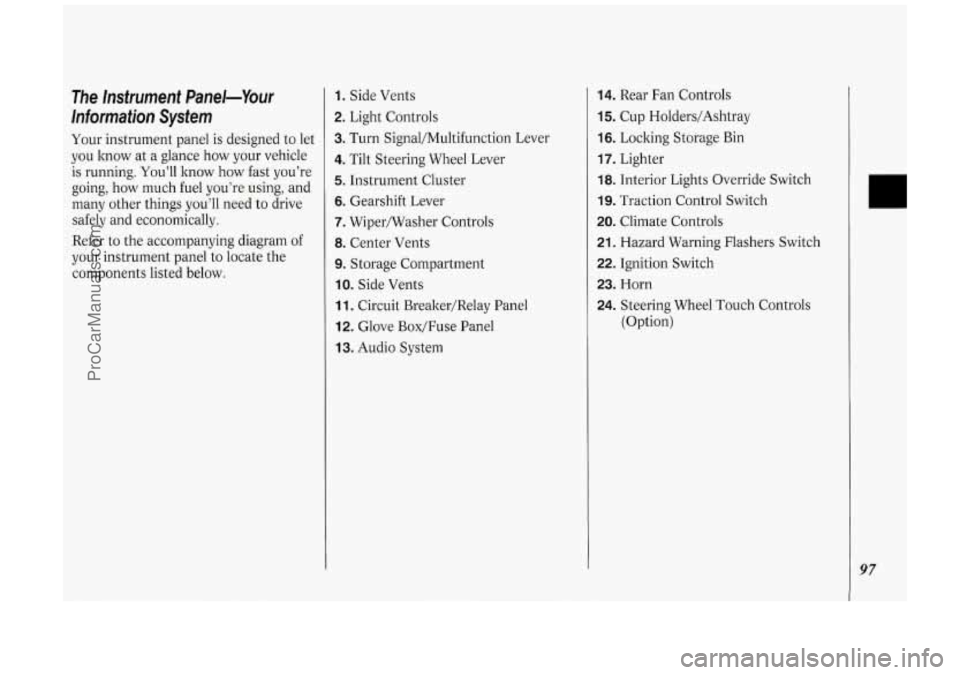
Refer to the accompanying diagram
of
your instrument panel to locate the
components listed below.
1. Side Vents
2. Light Controls
3. Turn Signal/Multifunction Lever
4. Tilt Steering Wheel Lever
5. Instrument Cluster
6. Gearshift Lever
7. Wipermasher Controls
8. Center Vents
9. Storage Compartment
IO. Side Vents
11. Circuit Brealter/Relay Panel
12. Glove Box/Fuse Panel
13. Audio System
14. Rear Fan Controls
15. Cup Holders/Ashtray
16. Locking Storage Bin
17. Lighter
18. Interior Lights Override Switch
19. Traction Control Switch
20. Climate Controls
21. Hazard Warning Flashers Switch
22. Ignition Switch
23. Horn
24. Steering Wheel Touch Controls
(Option)
97
ProCarManuals.com
Page 107 of 276
(J LOW
TRACTION -'I
AIR BAG
SERVICE
ENGINE
SOON
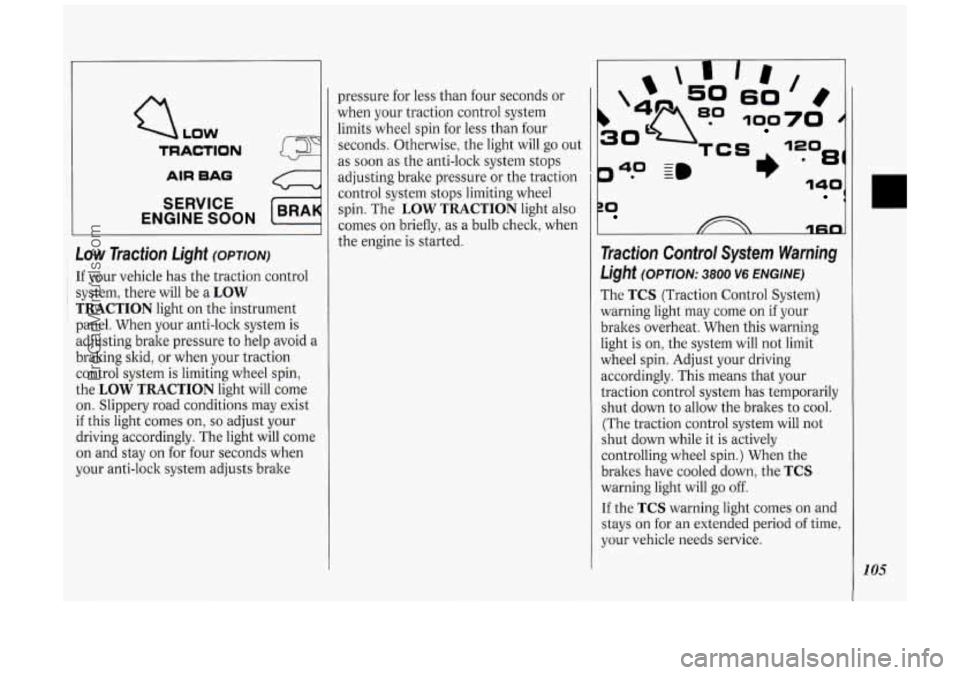
Low Traction Light (OPTION)
: If your vehicle has the traction control
~ i system, there will be a LOW
TRACTION light on the instrument
panel. When your anti-lock system is
adjusting brake pressure to help avoid a
braking skid, or when your traction
control system is limiting wheel spin,
the
LOW TRACTION light will come
on. Slippery road conditions may exist
if this light comes on, so adjust your
driving accordingly. The light will come
on and stay on for four seconds when
your anti-lock system adjusts brake pressure
for less than four seconds or
when your traction control system
limits wheel spin for less than four
seconds. Otherwise, the light will go out
as soon as the anti-lock system stops
adjusting brake pressure or the traction
control system stops limiting wheel
spin. The
LOW TRACTION light also
comes on briefly,
as a bulb check, when
the engine is started.
P* -
40 ~m
rn
60
100
81)
ZO 1
1fin
Traction Control System Warning
Light (OPTION: 3800 V6 ENGINE)
The TCS (Traction Control System)
warning light may come on if your
brakes overheat. When this warning
light is on, the system will not limit
wheel spin. Adjust your driving
accordingly. This means that your
traction control system has temporarily
shut down to allow the brakes to cool.
(The traction control system will not
shut down while it is actively
controlling wheel spin.) When the
brakes have cooled down, the
TCS
warning light will go off.
If the TCS warning light comes on and
stays on for an extended period of time,
your vehicle needs service.
105
ProCarManuals.com
Page 108 of 276
I
Features & Controls
-
NOTICE:
Spinning your wheels when the
TCS warning light is on can
destroy parts of your vehicle as well
as the tires.
If you spin your wheels
too fast while shifting your
transaxle back and forth, you can
destroy your transaxle. When
you're stuck, spin the wheels as
little as possible.
106
LOW
TRACTION
AIR BAO
SERVICE
ENGINE SOON
c
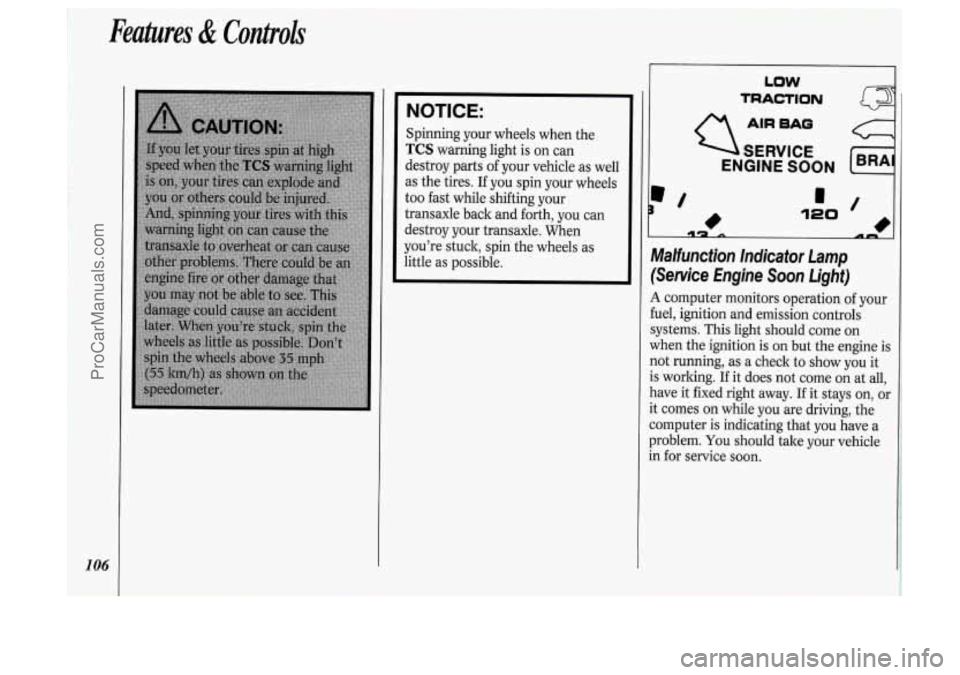
Malfunction Indicator Lamp
(Service Engine Soon Light)
A computer monitors operation of your
fuel, ignition and emission controls
systems. This light should come on
when the ignition is on but the engine is
not running, as a check to show you it
is working.
If it does not come on at all,
have it fixed right away.
If it stays on, or
it comes on while you are driving, the
computer is indicating that you have a
problem.
You should tale your vehicle
in for service soon.
ProCarManuals.com
Page 111 of 276
In this part you’ll find out how to
operate the comfort control systems
and audio systems offered with your
Oldsmobile
. Be sure to read about
the particular system supplied with
your vehicle
.
Part
Comfort Controls & Audio Systems
Climate Control System ........................................................................\
.................. 110
Rear Climate Control ........................................................................\
...................... 113
Defogging and Defrosting
........................................................................\
............... 115
Rear Window Defogger
........................................................................\
................... 115
AM/FM Stereo Radio
........................................................................\
..................... 119
Setting the
Clock
........................................................................\
............................. 117
AM/FM Stereo with Cassette Player
...................................................................... 120
AM/FM Stereo with Cassette Player with Dolby@
................................................ 122
AM/FM Stereo with Compact Disc Player ............................................................ 124
Compact Disc Player Anti-Theft Feature ............................................................... 126
Steering Wheel Touch Controls ........................................................................\
...... 127
Understanding Radio Reception ........................................................................\
..... 128
Care of Your Compact Discs
........................................................................\
.......... 129
Integrated Roof Antenna
........................................................................\
................ 129
Care
of Your Cassette Tape Player
........................................................................\
. 128
ProCarManuals.com
Page 129 of 276

1. Turn the ignition on. (Radio off.)
2. Press the SET button. The display
will show 000.
3. Enter the six digits of the code
following steps
6-9 above. The
display will show the numbers as
entered.
4. Press the AM/FM button and the
time appears, indicating that the
disabling sequence was successful. If
the display indicates
SEC, the
numbers did not match and the unit
is still secured.
Disabling the Anti-Theft System:
1. Press PREV and FF together for five
seconds with the ignition on and
radio power
off. The display will
show
SEC, indicating the unit is in
the secure mode. (If
"- - -" appears on
the display, the anti-theft system has
already been disabled.)
2. Press the SET button. The display
will show
000.
3. Enter the first three digits of the code
following steps
6 and 7 of the
preceding paragraphs. The display will
show the numbers
as entered.
4. Press AM/FM. The radio will display
000.
5. Repeat steps 6 and 7 to enter the
second three digits of the code. The
display will show the numbers as
entered.
6. Press AM/FM. If "- - -" then the time
appears, the disabling sequence was
successful (the numbers matched the
secret code) and the unit
is in the
UNSECURED mode. If the display
shows
SEC, the disabling sequence
was unsuccessful (the numbers did
not match) and the unit will remain
in the
SECURED mode.
Steering Wheel Touch Controls
(OPTION)
Some audio system functions can be
operated with these controls.
ASEEKV: Press A to seek and stop
on the next station higher on the radio
band; press
V to seek and stop on the
next station lower on the radio band.
If you are listening to a cassette tape or
compact disc, press
A to skip to the
next selection; press
V to return to the
previous selection.
ATUNEV: Press A to tune in radio
stations higher on the
AM or FM band;
press
V to tune in stations lower on the
band.
127
ProCarManuals.com
Page 138 of 276
Your Driving and the Road
* x1000
136
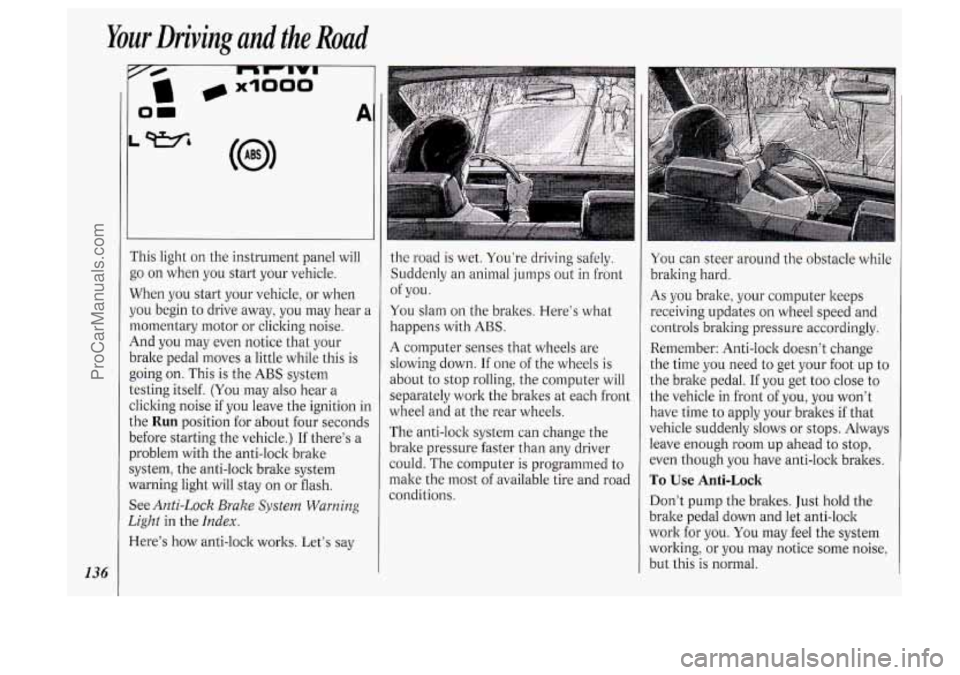
i‘his light on the instrument panel will
go on when you start your vehicle.
When you start your vehicle, or when
jou begin to drive away, you may hear a
nomentary motor or clicking noise.
4nd you may even notice that your
)rake pedal moves
a little while this is
going on. This is the
ABS system
:esting itself.
(You may also hear a
:licking noise if you leave the ignition in
.he
Run position for about four seconds
Iefore starting the vehicle.) If there’s a
Jroblem with the anti-lock brake
iystem, the anti-lock brake system
Yarning light will stay on or flash.
See
Anti-Lock Brake System Warning
2ight
in the Index.
lere’s how anti-lock works. Let’s say
1
the road is wet. You’re driving safely.
Suddenly an animal jumps out
in front
You slam on the brakes. Here’s what
happens with
ABS.
A computer senses that wheels are
slowing down.
If one of the wheels is
about to stop rolling, the computer will
separately work the brakes at each front
wheel and at the rear wheels.
The anti-lock system can change the
brake pressure faster than any driver
could. The computer is programmed to
make the most of available tire and road
conditions. of
you.
You can steer around the obstacle while
braking hard.
As you brake, your computer keeps
receiving updates on wheel speed and
controls braking pressure accordingly.
Remember: Anti-lock doesn’t change
the time you need
to get your foot up to
the brake pedal.
If you get too close to
the vehicle in front of you, you won’t
have time to apply your brakes if that
vehicle suddenly slows or stops. Always
leave enough room up ahead to stop,
even though you have anti-lock brakes.
To Use Anti-Lock
Don’t pump the brakes. Just hold the
brake pedal down and let anti-lock
work for you. You may feel the system
working, or you may notice some noise,
but this is normal.
ProCarManuals.com
Page 139 of 276
If your vehicle has the traction control
system, the
LOW TRACTION light will
come on when your anti-lock system is
adjusting brake pressure to help avoid a
braking skid. See Low Traction Light in
i
theIndex.
Traction Control System
(OPTION: 3800 V6 ENGINE)
Your vehicle may have a traction
control system that limits wheel spin.
This is especially useful in slippery road
conditions. The system operates only if
it senses that one or both
of the front
wheels are spinning or beginning to lose
traction.
When this happens, the system works
the front brakes and reduces engine
power (by shutting
off fuel injectors and
managing spark) to limit wheel spin. The
LOW TRACTION light
will come
on when your traction control system is
limiting wheel spin. See Low Traction
Light in the Index. You may feel the
system working, or you may notice
some noise, but this is normal.
If your vehicle is in cruise control when
the traction control system begins to
limit wheel spin, the cruise control will
automatically disengage. When road
conditions allow you to safely use it
again, you may re-engage the cruise
control. (See Cruise Control in the
Index
.)
30
140 0
10
4F;n
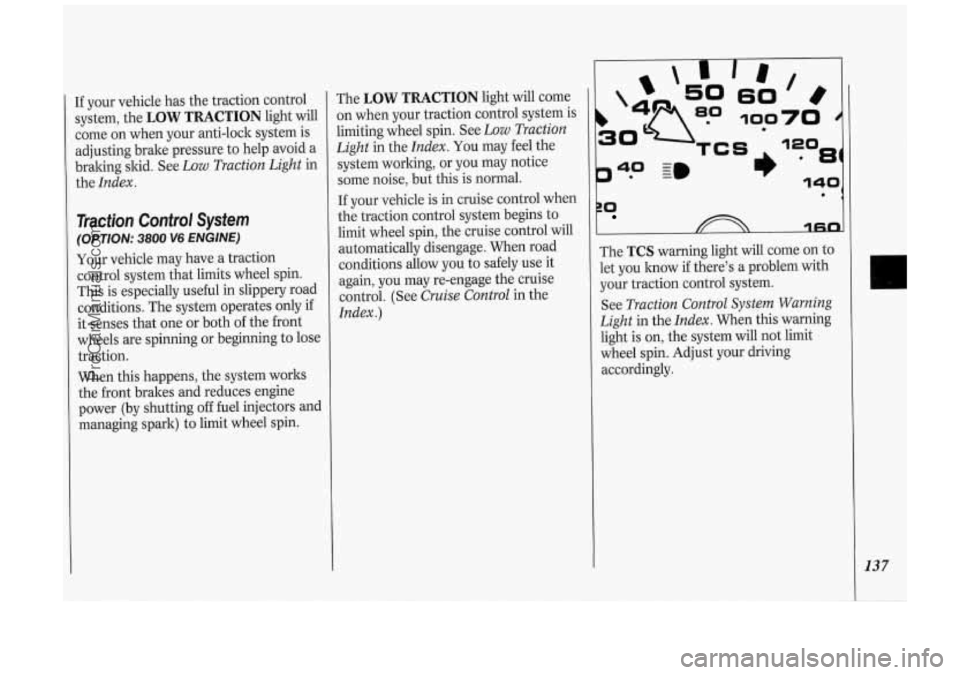
The TCS warning light will come on to
let you know if there's a problem with
your traction control system.
See Traction Control System Warning
Light in the Index. When this warning
light is on, the system will not limit
wheel spin. Adjust your driving
accordingly.
137
ProCarManuals.com
Page 140 of 276

Your Driving and the Road
138
I’he traction control system
mtomatically comes
on whenever you
start your vehicle.
To limit wheel spin, especially in
slippery road conditions, you should
dways leave the system on. But you can
:urn the traction control system off if
IOU ever need to. (You should turn the
;ystem off
if your vehicle ever gets stuck
n sand, mud, ice or snow. See Rocking
Your Vehicle in the Index.)
To turn the system off, press the switch
ocated on the center instrument panel
:onsole.
The light on the switch will go
off. If the
Lraction control system is limiting wheel
;pin when you press the switch, the
;ystem won’t turn
off right away. It will wait until
there’s
no longer a current
need to limit wheel spin.
You can turn the system back on at any
time by pressing the switch again. The
light
on the switch should come on.
Braking in Emergencies
Use your anti-lock braking system when
you need to. With anti-lock, you can
steer and brake at the same time.
In
many emergencies, steering can help
you more than even the very best
braking.
Steering
Power Steering
If you lose power steering assist
because the engine stops or the system
is not functioning, you can steer but it
will take much more effort.
Steering Tips
Driving on Curves
It’s important to take curves at a
reasonable speed.
A lot of the “driver lost control”
accidents mentioned on the news
happen
on curves. Here’s why:
Experienced driver or beginner, each of
us is subject to the same laws of physics
when driving
on curves. The traction of
the tires against the road surface makes
it possible for the vehicle to change its
path when you turn the front wheels. If
there’s
no traction, inertia will keep the
vehicle going in the same direction.
If
you’ve ever tried to steer a vehicle on
wet ice, you’ll understand this.
The traction you can get in a curve
depends
on the condition of your tires
and the road surface, the angle at which
the curve is banked, and your speed.
While you’re in a curve, speed
is the one
factor you can control.
Suppose you’re steering through a
sharp curve. Then you suddenly
accelerate. Both control systems
-
steering and acceleration - have to do
their work where the tires meet the
road. Unless you have traction control
and the system is on, adding the sudden
acceleration can demand too much
of
those places. You can lose control.
ProCarManuals.com