lock OLDSMOBILE SILHOUETTE 1994 Owner's Manual
[x] Cancel search | Manufacturer: OLDSMOBILE, Model Year: 1994, Model line: SILHOUETTE, Model: OLDSMOBILE SILHOUETTE 1994Pages: 276, PDF Size: 15.82 MB
Page 58 of 276

Features & Controls
56
2. Then open the door from the outside.
With Optional Power Sliding Door
2. Slide the power sliding door enable
3. Press either PWR DOOR (Power
You should let adults and older children
know how the security lock works, and
how to cancel the lock.
If you don’t,
adults or older children who ride in the
rear won’t be able to open the sliding
door from the inside when the security
lock feature is
in use.
switch
to the ON position.
Door) switch.
0
CHILD
bECURIT
LOCK
To Cancel the Sliding Door Lock:
1. Unlock the sliding door from the
2. Move the security lock lever all the
The sliding door lock will now work
normally. inside
and open the door.
way down.
~
!iffgate Lock
I‘o unlock, insert the door key and turn
:he lock clockwise. The liftgate will
mtomatically lock when
you close it.
[f you have the optional power door
ocks or the remote lock control system,
:he liftgate will lock and unlock
lifferently. See the
Index under Power
9oor Locks or Remote Lock Control.
ProCarManuals.com
Page 60 of 276

Features & Con&oli
58
U
I Ignition Switch
With the ignition key in the ignition
switch, you can turn the switch to five
positions:
Accessory: An “on” position in which
you can operate your electrical power
accessories. Press in the ignition switch
as you turn the top
of it toward you.
Lock: The only position in which you
can remove the ltey. This loclts your
steering wheel, ignition and transaxle.
Off Unlocks the steering wheel,
ignition, and transaxle, but does not
send electrical power to any accessories
Use this position
if your vehicle must be
pushed or towed, but never try to push-
start your vehicle.
A warning chime will
sound
if you open the driver’s door the
ignition.
Run: An “on” position to which the
switch returns after you start your
engine and release the switch. The
switch stays in the
Run position when
the engine is running. But even when
the engine is not running, you can use
Run to operate your electrical power
accessories, and to display some
instrument panel warning lights.
Start: Starts the engine. When the
engine starts, release the ltey. The
ignition switch will return to
Run for
normal driving.
Note that even if the engine is not
running, the positions
Accessory and
Run are “on” positions that allow you
to operate your electrical accessories,
such as the radio.
NOTICE:
If your key seems stuck in Lock
and you can’t turn it, be sure it is
all the way in. If it is, then turn the
steering wheel left and right while
you turn the key hard. But turn the
key only with your hand. Using a
tool
to force it could break the key
or the ignition switch. If none of
this works, then your vehicle needs
service.
I Starting Your Engine
Engines start differently. The 8th digit
of your Vehicle Identification Number
(VIN) shows the code letter or number
for your engine.
You will find the VIN
at the top left of your instrument panel.
(See
Vehicle Identification Number in
the
Index.) Follow the proper steps to
start the engine.
Move your shift lever
to P (Park) or N
(Neutral). Your engine won’t start in
any other position
- that’s a safety
feature.
To restart when you’re already
moving, use
N (Neutral) only.
ProCarManuals.com
Page 63 of 276
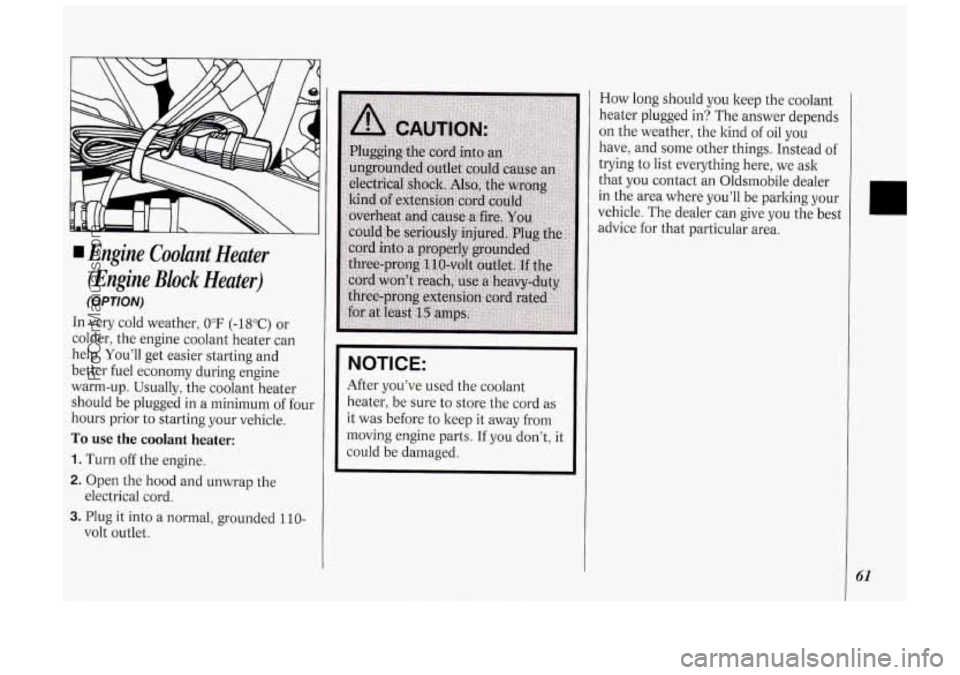
Engine Cooknt Heater
(Engine
Block Heater)
(OPTION)
In very cold weather, 0°F (-18°C) or
colder, the engine coolant heater can
help. You’ll get easier starting and
better fuel economy during engine
warm-up. Usually, the coolant heater
should be plugged in a minimum of four
hours prior to starting your vehicle.
To use the coolant heater:
1. Turn off the engine.
2. Open the hood and unwrap the
3. Plug it into a normal, grounded 110-
electrical cord.
volt outlet.
NOTICE:
After you’ve used the coolant
heater, be sure to store the cord as
it was before to keep it away from
moving engine parts. If you don’t, it
could be damaged. How
long should you keep the coolant
heater plugged in? The answer depends
on the weather, the kind
of oil you
have, and some other things. Instead
of
trying to list everything here, we ask
that
you contact an Oldsrnobile dealer
in the area where you’ll be parking your
vehicle. The dealer can give you the best
advice for that particular area.
41
ProCarManuals.com
Page 68 of 276
Features & Controls
66
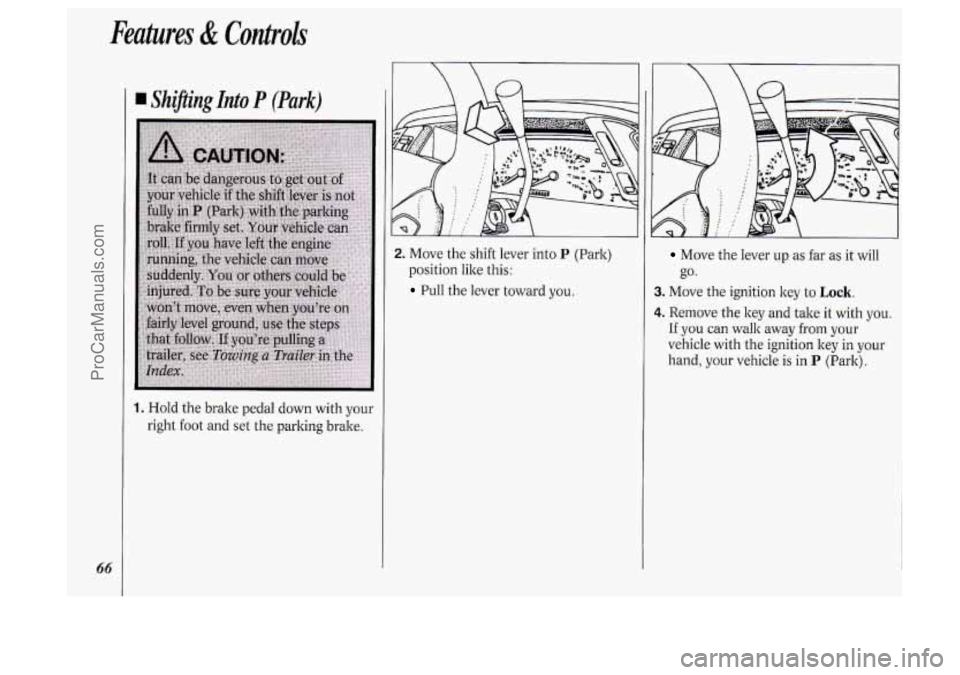
I Sh@ing Into P (Park)
1. Hold the brake pedal down with your
right
foot and set the parking brake.
2. Move the shift lever into P (Park)
position like this:
Pull the lever toward you.
Move the lever up as far as it will I I
go.
3. Move the ignition key to Lock.
4. Remove the key and take it with you.
If you can walk away from your
vehicle with the ignition key in your
hand, your vehicle is in
P (Park).
ProCarManuals.com
Page 69 of 276
Leaving Your Vehicle With the
Engine Running
If you have to leave your vehicle with
the engine running, be sure your vehicle
is in
P (Park) and your parking brake is
firmly set before you leave it. After
you’ve moved the shift lever into the
P
(Park) position, hold the regular brake
pedal down. Then, see if you can move
the shift lever away from
P (Park)
without first pulling it toward you.
If you can, it means that the shift lever
wasn’t fully locked into
P (Park).
Torque Lock
If you are parking on a hill and you
don’t shift your transaxle into
P (Park)
properly, the weight
of the vehicle may
put too much force on the parking pawl
in the transaxle. You may find it
difficult to pull the shift lever out of
P
(Park). This is called “torque lock.” To
prevent torque lock, set the parking
brake and then shift into
P (Park)
properly before you leave the driver’s
seat. To find out how, see
Shifting Into
P (Park) in the Index.
When you are ready to drive, move the
shift lever out of
P (Park) BEFORE you
release the parking brake.
If “torque lock’’ does occur, you may
need to have another vehicle push yours
a little uphill to take some
of the
pressure from the transaxle,
so you can
pull the shift lever out of
P (Park).
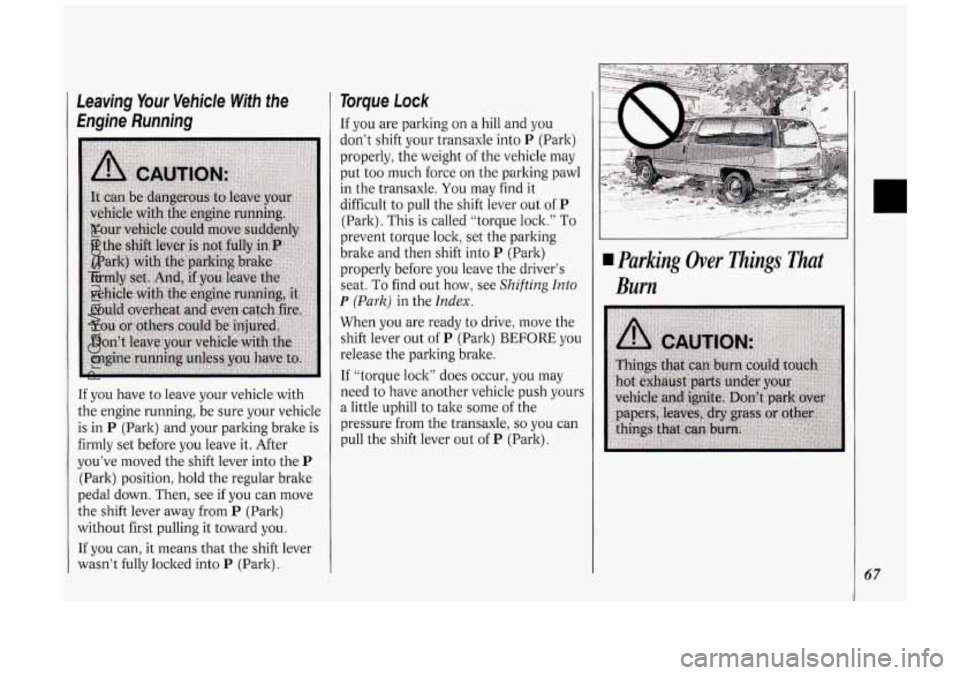
Parking Over nings That
Burn
67
ProCarManuals.com
Page 71 of 276
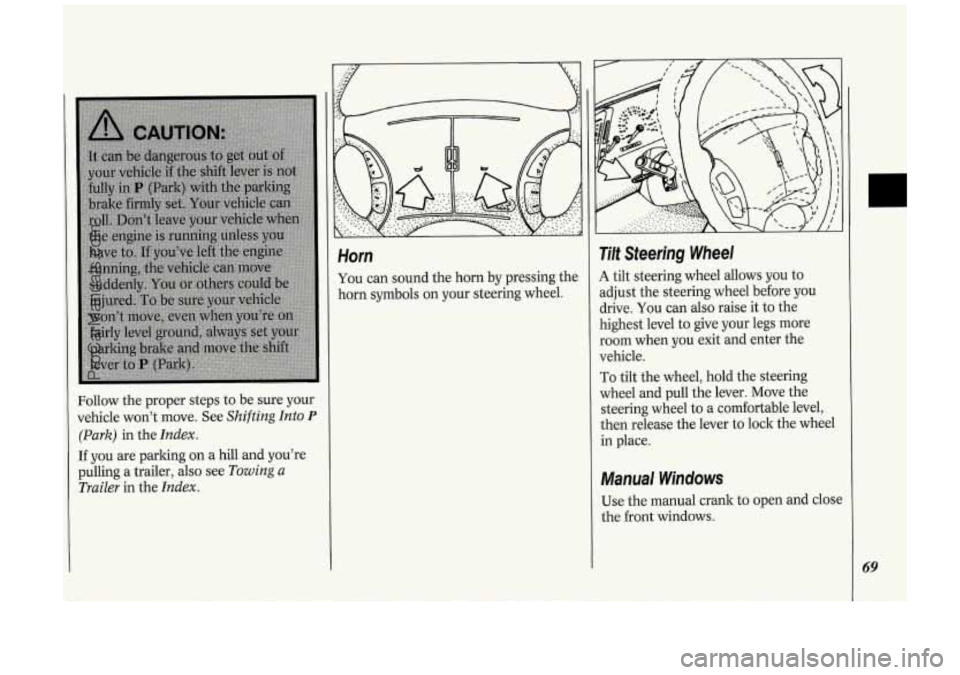
Follow the proper steps to be sure your
vehicle won’t move. See
Shifting Into P
(Park) in the Index.
If you are parking on a hill and you’re
pulling a trailer,
also see Towing a
Trailer
in the Index.
Horn
You can sound the horn by pressing the
horn symbols on your steering wheel.
Tilt Steering Wheel
A tilt steering wheel allows you to
adjust the steering wheel before you
drive. You can also raise it to the
highest level to give your legs more
room when you exit and enter the
vehicle.
To tilt the wheel, hold the steering
wheel and pull the lever. Move the
steering wheel to
a comfortable level,
then release the lever to lock the wheel
in place.
Manual Windows
Use the manual crank to open and close
the front windows.
69
ProCarManuals.com
Page 77 of 276

Push the -:a- switch to turn on the
headlights, kogether with:
Parking Lights
Side Marker Lights
Taillights
Instrument Panel Lights
Pull the switch to turn off the lights.
Operation of Lights
Although your vehicle’s lighting system
(headlights, parking lights, fog lamps,
side marker lights and taillights) meets
all applicable federal lighting
requirements, certain states and
provinces may apply their own lighting
regulations that may require special
attention before you operate these
lights.
For example, some jurisdictions may
require that you operate your fog lamps
only when your lower beam headlights
are also on, or that headlights be turned
on whenever you must use your
windshield wipers.
In addition, most
jurisdictions prohibit driving solely with
parking lights, especially at dawn or
dusk. It is recommended that you check
with your
own state or provincial
highway authority for applicable
lighting regulations.
Lights On Reminder
If you turn the ignition key to the Off or
Lock position while leaving the lights
on, you will hear
a warning chime.
Headlight High-Low Beam
Changer
To change the headlights from high to
low beam, or low to high, simply pull
the turn signal lever all the way toward
you. Then release it.
When the high beams are
on, a blue
light on the instrument cluster also will
be on.
75
ProCarManuals.com
Page 80 of 276
Feutuves & Conlrok
78
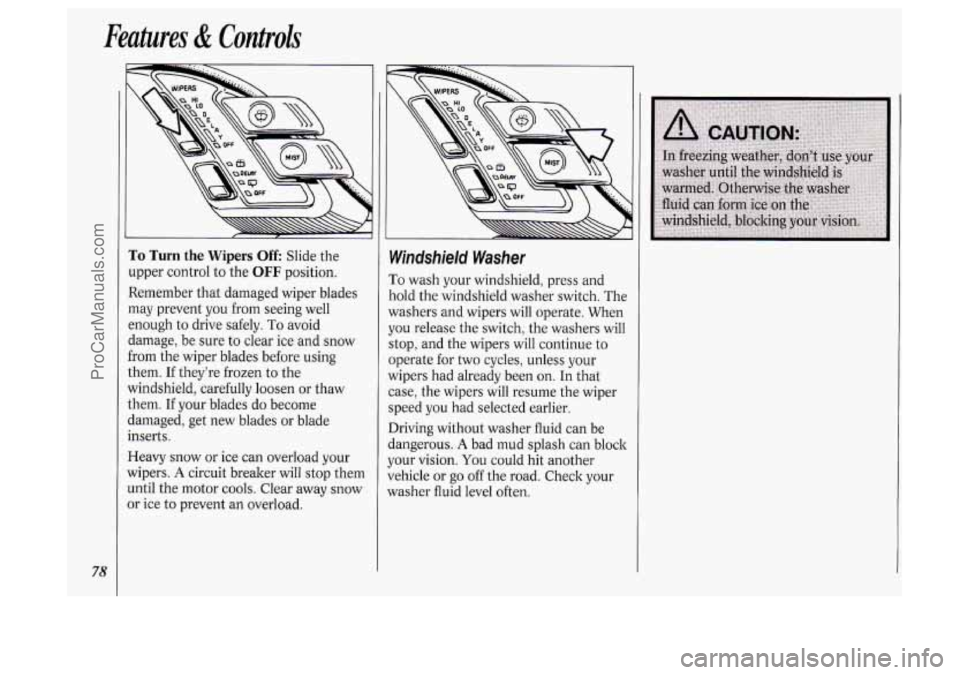
To Turn the Wipers Off Slide the
upper control to the
OFF position.
Remember that damaged wiper blades
may prevent you from seeing well
enough to drive safely.
To avoid
damage, be sure to clear ice and snow
from the wiper blades before using
them. If they’re frozen to the
windshield, carefully loosen or thaw
them.
If your blades do become
damaged, get new blades or blade
inserts.
Heavy snow or ice can overload your
wipers.
A circuit breaker will stop them
until the motor cools. Clear away snow
or ice
to prevent an overload.
Windshield Washer
ro wash your windshield, press and
Told the windshield washer switch. The
washers and wipers will operate. When
JOU release the switch, the washers will
;top, and the wipers will continue to
lperate for two cycles, unless your
wipers had already been on. In that
case, the wipers will resume the wiper
speed you had selected earlier.
Driving without washer fluid can be
dangerous.
A bad mud splash can block
your vision.
You could hit another
vehicle or go off the road. Check your
washer fluid level often.
ProCarManuals.com
Page 89 of 276
I Convex Outside Mirror
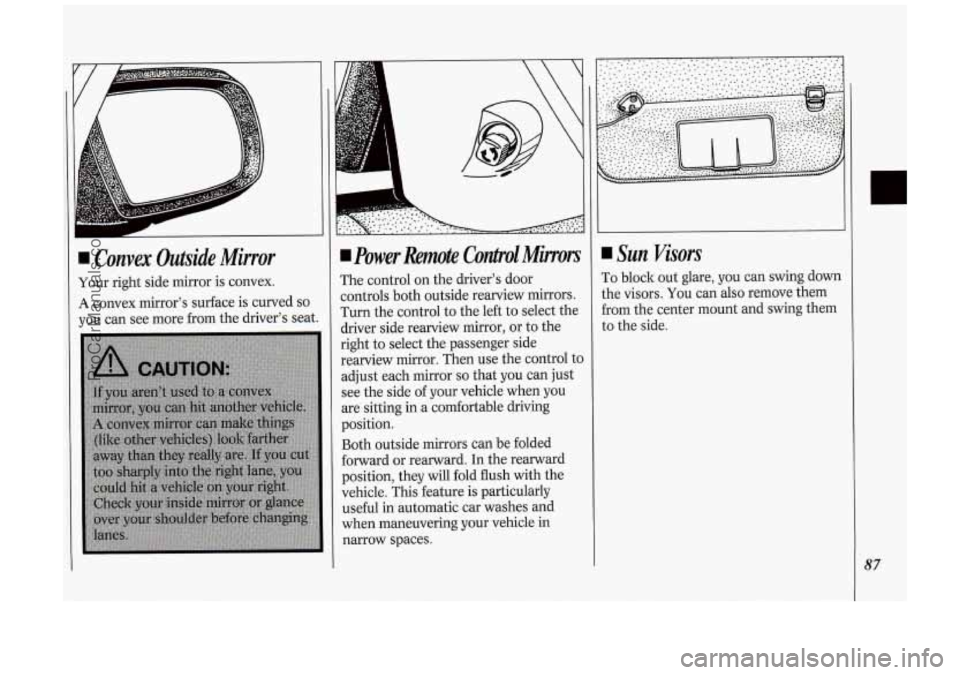
Your right side mirror is convex.
A convex mirror's surface is curved so
you can see more from the driver's seat.
power Remote Contpol Minors
The control on the driver's door
controls both outside rearview mirrors.
Turn the control to the left to select the
driver side rearview mirror, or to the
right
to select the passenger side
rearview mirror. Then use the control to
adjust each mirror
so that you can just
see the side of your vehicle when you
are sitting in a comfortable driving
position.
Both outside mirrors can be folded
forward or rearward. In the rearward
position, they will fold flush with the
vehicle. This feature is particularly
useful
in automatic car washes and
when maneuvering your vehicle in
narrow spaces.
Sun Visors
To block out glare, you can swing down
the visors. You can also remove them
from the center mount and swing them
to the side.
87
ProCarManuals.com
Page 92 of 276

Features & Controls
90
Locking Storage Bin
At the base of the center instrument
panel console is a storage bin. Use the
door key
to lock and unlock it. To open
the bin, pinch the latch release.
To remove the bin for cleaning, open it
part way, then pull out and slightly up.
To clean the inside of the bin, vacuum
or wipe with a slightly damp cloth.
To replace the bin, set the hinge pins
:one on each side
of the bin, at the
lottom) into the hinge guides (one at
:ach side
of the console opening, at the
lase), then close the bin.
If the hinge
)ins are placed properly in the guides,
he bin will close easily.
Side Ashtrays
To open the ashtray, press one side and
turn it open.
To remove the ashtray for cleaning,
press the snuffer as
you lift up the
bottom
of the ashtray.
ProCarManuals.com