lock OLDSMOBILE SILHOUETTE 1994 Owner's Guide
[x] Cancel search | Manufacturer: OLDSMOBILE, Model Year: 1994, Model line: SILHOUETTE, Model: OLDSMOBILE SILHOUETTE 1994Pages: 276, PDF Size: 15.82 MB
Page 95 of 276
NOTICE:
Loading cargo that weighs more
than
125 pounds (56 kg) on the
luggage carrier may damage your
vehicle. When you carry cargo
on
the luggage carrier of a proper size
and weight, put it
on the slats, as
far forward as
you can. Then slide
the crossrail up against the rear of
the load, to help keep it from
moving. You can then tie it down. Don’t
exceed the maximum vehicle
sapacity when loading your Oldsmobile.
For more information
on vehicle
capacity and loading, see the
Index
under Loading Your Vehicle.
To prevent damage or loss of cargo as
you’re driving, check now and then to
make sure the luggage carrier and cargo
are still securely fastened.
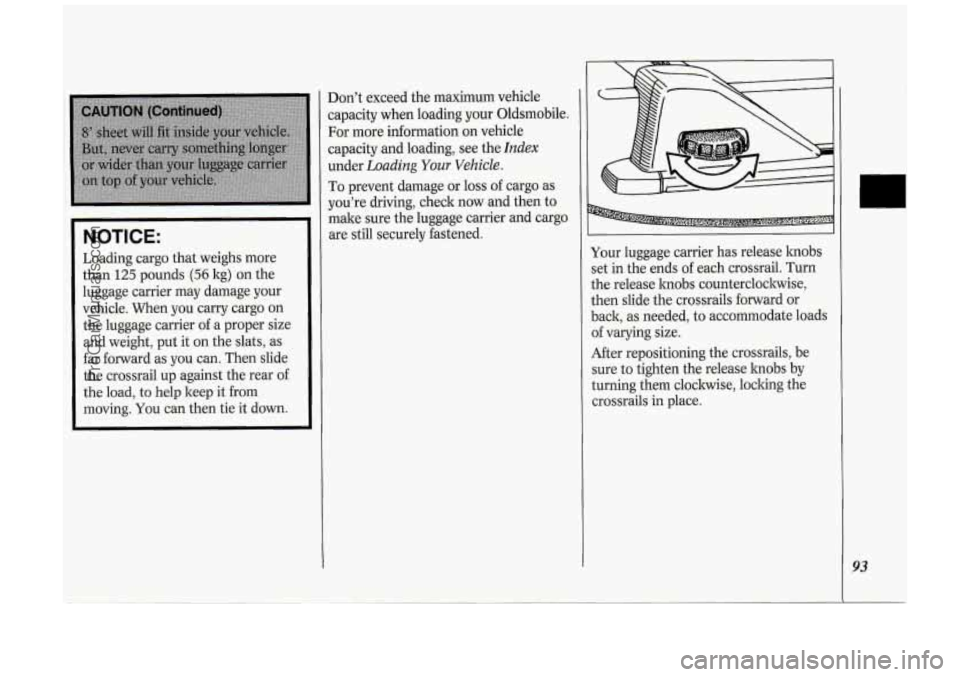
Your luggage carrier has release hobs
set in the ends of each crossrail. Turn
the release hobs counterclockwise,
then slide the crossrails forward or
back, as needed, to accommodate loads
of varying size.
After repositioning the crossrails, be
sure to tighten the release hobs by
turning them clockwise, locking the
crossrails in place.
93
ProCarManuals.com
Page 96 of 276
Features & Controls
94
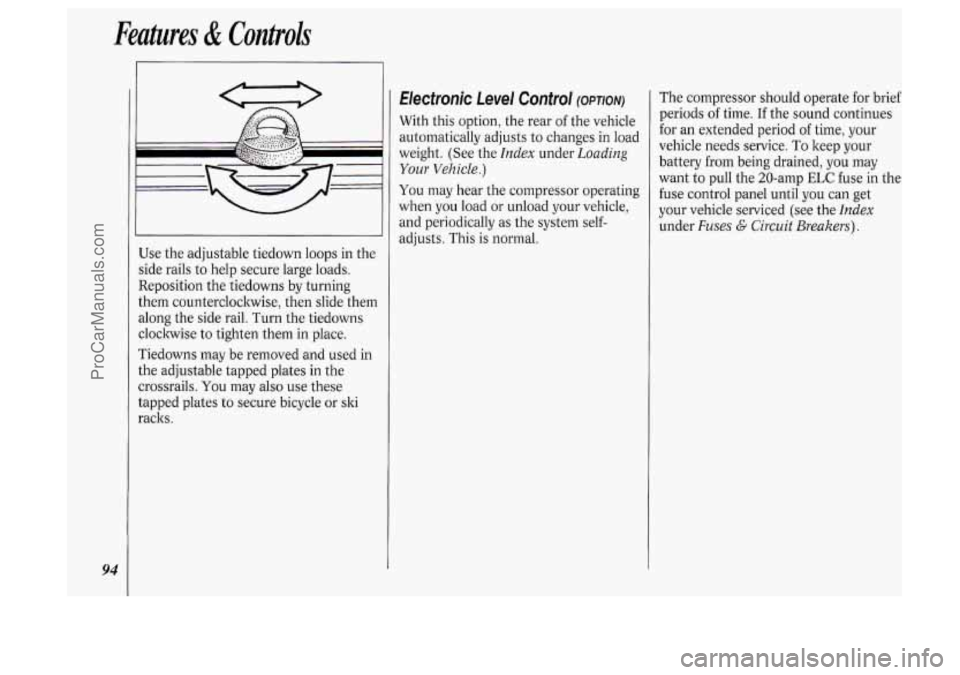
Use the adjustable tiedown loops in the
side rails
to help secure large loads.
Reposition the tiedowns by turning
them counterclockwise, then slide them
along the side rail. Turn the tiedowns
cloclnvise
to tighten them in place.
Tiedowns may be removed and used in
the adjustable tapped plates in the
crossrails.
You may also use these
tapped plates to secure bicycle or ski
racks.
Electronic Level Control (OPTION)
With this option, the rear of the vehicle
automatically adjusts to changes in load
weight. (See the
Index under Loading
Your Vehicle.)
You may hear the compressor operating
when you load or unload your vehicle,
and periodically
as the system self-
adjusts. This is normal. The compressor
should operate for brief
periods of time. If the sound continues
for an extended period
of time, your
vehicle needs service. To keep your
battery from being drained, you may
want to pull the 20-amp
ELC fuse in the
fuse control panel until you can get
your vehicle serviced (see the
Index
under Fuses G Circuit Breakers).
ProCarManuals.com
Page 97 of 276
Sunroof (OPTION)
This feature may not be available on
your vehicle.
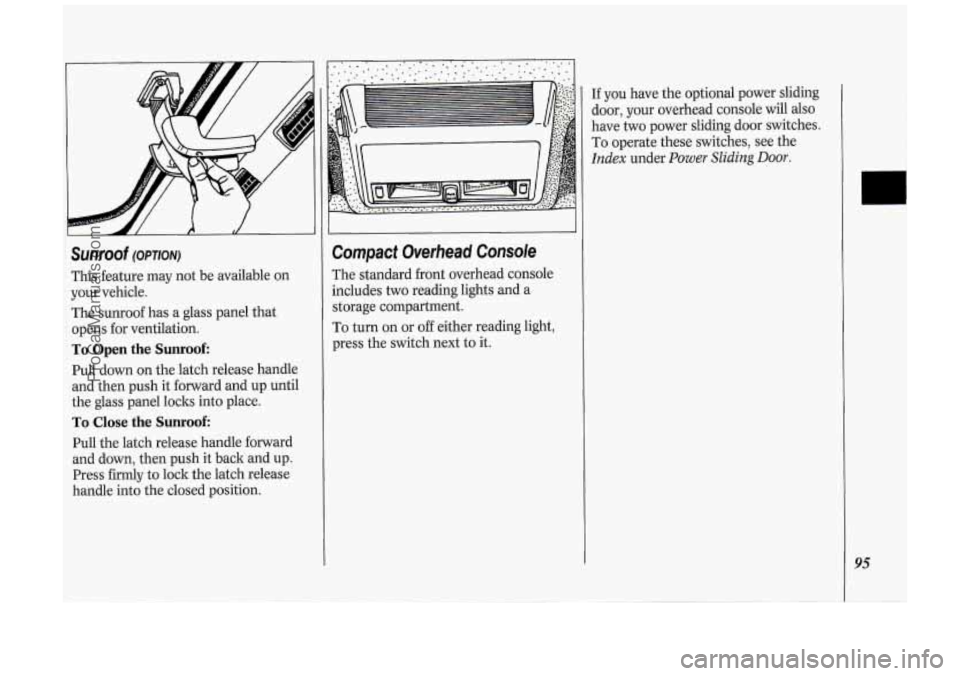
The sunroof has a glass panel that
opens for ventilation.
To Open the Sunroof:
Pull down on the latch release handle
and then push it forward and up until
the glass panel loclts into place.
To Close the Sunroof:
Pull the latch release handle forward
and down, then push it back and up.
Press firmly to lock the latch release
handle into the closed position.
Compact Overhead Console
The standard front overhead console
includes
two reading lights and a
storage compartment.
To turn on or
off either reading light,
press the switch next to it.
If you have the optional power sliding
door, your overhead console will
also
have two power sliding door switches.
To operate these switches, see the
Index under Power Sliding Door.
95
ProCarManuals.com
Page 99 of 276
The Instrument Panel-Your
Information System
Your instrument panel is designed to let
you know at
a glance how your vehicle
is running. You’ll know how fast you’re
going, how much fuel you’re using, and
many other things you’ll need
to drive
safely
and economically.
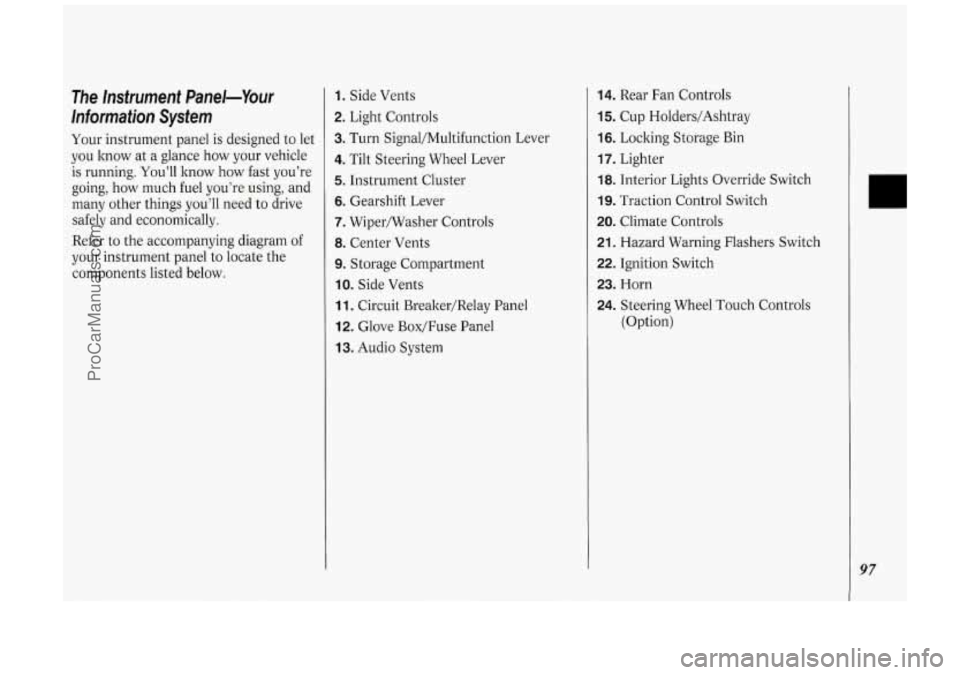
Refer to the accompanying diagram
of
your instrument panel to locate the
components listed below.
1. Side Vents
2. Light Controls
3. Turn Signal/Multifunction Lever
4. Tilt Steering Wheel Lever
5. Instrument Cluster
6. Gearshift Lever
7. Wipermasher Controls
8. Center Vents
9. Storage Compartment
IO. Side Vents
11. Circuit Brealter/Relay Panel
12. Glove Box/Fuse Panel
13. Audio System
14. Rear Fan Controls
15. Cup Holders/Ashtray
16. Locking Storage Bin
17. Lighter
18. Interior Lights Override Switch
19. Traction Control Switch
20. Climate Controls
21. Hazard Warning Flashers Switch
22. Ignition Switch
23. Horn
24. Steering Wheel Touch Controls
(Option)
97
ProCarManuals.com
Page 106 of 276
Features & Controls
104
closer to the floor. It may take longer to
stop. If the light is still on, have the
vehicle towed for service. (See
Towing
Your Vehicle in the Index.)
The brake system warning light will also
come on when
you set your parking
brake, and it will stay on if your parking
brake doesn’t release fully. If it stays on
after your parking brake is fully
released, it means you have
a brake
problem.
L Wb
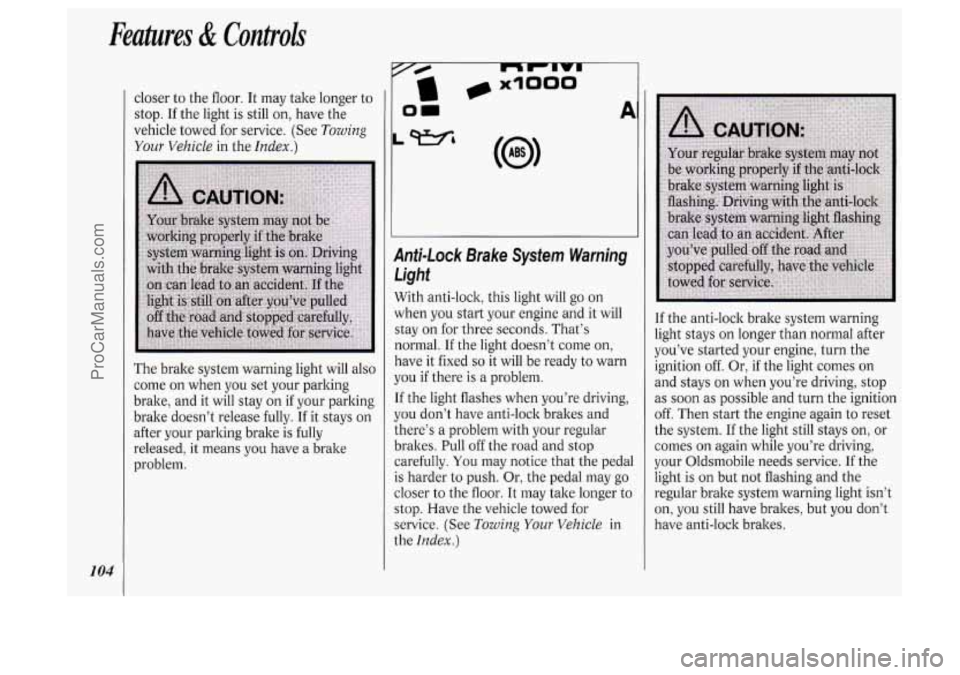
Anti-Lock Brake System Warning
Light
With anti-lock, this light will go on
when you start your engine and it will
stay on for three seconds. That’s
normal. If the light doesn’t come on,
have it fixed
so it will be ready to warn
you if there is a problem.
If the light flashes when you’re driving,
you don’t have anti-lock brakes and
there’s a problem with your regular
brakes. Pull off the road and stop
carefully.
You may notice that the pedal
is harder to push. Or, the pedal may go
closer to the floor. It may take longer to
stop. Have the vehicle towed for
service. (See
Towing Your Vehicle in
the
Index.)
I
If the anti-lock brake system warning
light stays on longer than normal after
you’ve started your engine, turn the
ignition off. Or, if the light comes on
i
and stays on when you’re driving, stop !
as soon as possible and turn the ignition
off. Then start the engine again to reset
! I
the system. If the light still stays on, or j
comes on again while you’re driving, ~
your Oldsmobile needs service. If the !
light is on but not flashing and the
regular brake system warning light isn’t
on,
you still have brakes, but you don’t
have anti-lock brakes.
ProCarManuals.com
Page 107 of 276
(J LOW
TRACTION -'I
AIR BAG
SERVICE
ENGINE
SOON
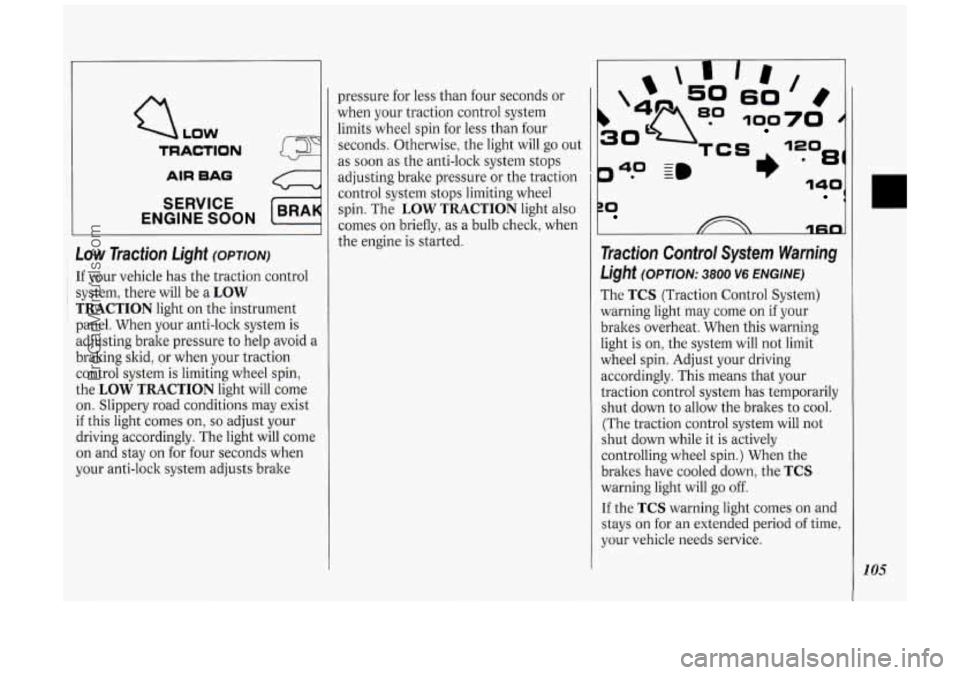
Low Traction Light (OPTION)
: If your vehicle has the traction control
~ i system, there will be a LOW
TRACTION light on the instrument
panel. When your anti-lock system is
adjusting brake pressure to help avoid a
braking skid, or when your traction
control system is limiting wheel spin,
the
LOW TRACTION light will come
on. Slippery road conditions may exist
if this light comes on, so adjust your
driving accordingly. The light will come
on and stay on for four seconds when
your anti-lock system adjusts brake pressure
for less than four seconds or
when your traction control system
limits wheel spin for less than four
seconds. Otherwise, the light will go out
as soon as the anti-lock system stops
adjusting brake pressure or the traction
control system stops limiting wheel
spin. The
LOW TRACTION light also
comes on briefly,
as a bulb check, when
the engine is started.
P* -
40 ~m
rn
60
100
81)
ZO 1
1fin
Traction Control System Warning
Light (OPTION: 3800 V6 ENGINE)
The TCS (Traction Control System)
warning light may come on if your
brakes overheat. When this warning
light is on, the system will not limit
wheel spin. Adjust your driving
accordingly. This means that your
traction control system has temporarily
shut down to allow the brakes to cool.
(The traction control system will not
shut down while it is actively
controlling wheel spin.) When the
brakes have cooled down, the
TCS
warning light will go off.
If the TCS warning light comes on and
stays on for an extended period of time,
your vehicle needs service.
105
ProCarManuals.com
Page 111 of 276
In this part you’ll find out how to
operate the comfort control systems
and audio systems offered with your
Oldsmobile
. Be sure to read about
the particular system supplied with
your vehicle
.
Part
Comfort Controls & Audio Systems
Climate Control System ........................................................................\
.................. 110
Rear Climate Control ........................................................................\
...................... 113
Defogging and Defrosting
........................................................................\
............... 115
Rear Window Defogger
........................................................................\
................... 115
AM/FM Stereo Radio
........................................................................\
..................... 119
Setting the
Clock
........................................................................\
............................. 117
AM/FM Stereo with Cassette Player
...................................................................... 120
AM/FM Stereo with Cassette Player with Dolby@
................................................ 122
AM/FM Stereo with Compact Disc Player ............................................................ 124
Compact Disc Player Anti-Theft Feature ............................................................... 126
Steering Wheel Touch Controls ........................................................................\
...... 127
Understanding Radio Reception ........................................................................\
..... 128
Care of Your Compact Discs
........................................................................\
.......... 129
Integrated Roof Antenna
........................................................................\
................ 129
Care
of Your Cassette Tape Player
........................................................................\
. 128
ProCarManuals.com
Page 119 of 276
4 Audio Systems
The following pages describe the audio
systems available for your Oldsmobile,
and how to get the best performance
from them. Please read about the
system in your vehicle.
Hearing damage from loud noise is
almost undetectable until it is too late.
Your hearing can adapt to higher
volumes of sound. Sound that seems
normal can be loud and harmful to your
hearing. Take precautions by adjusting
the volume control on your radio to a
safe sound level before your hearing
adapts
to it.
To help avoid hearing loss or damage:
1. Adjust the volume control to the
lowest setting.
2. Increase volume slowly until you
hear comfortably and clearly.
NOTICE:
Before you add any sound
equipment
to your vehicle - like a
tape player,
CB radio, mobile
telephone or two-way radio
- be
sure you can add what you want. If
you can, it’s very important to do it
properly. Added sound equipment
may interfere with the operation
of
your vehicle’s engine, Delco@ radio
or other systems, and even damage
them. And, your vehicle’s systems
may interfere with the operation of
sound equipment that has been
added improperly.
So, before
adding sound equipment, check
with your dealer and be sure to
check Federal rules covering mobile
radio and telephone units.
111 111 AUTO REVERSE
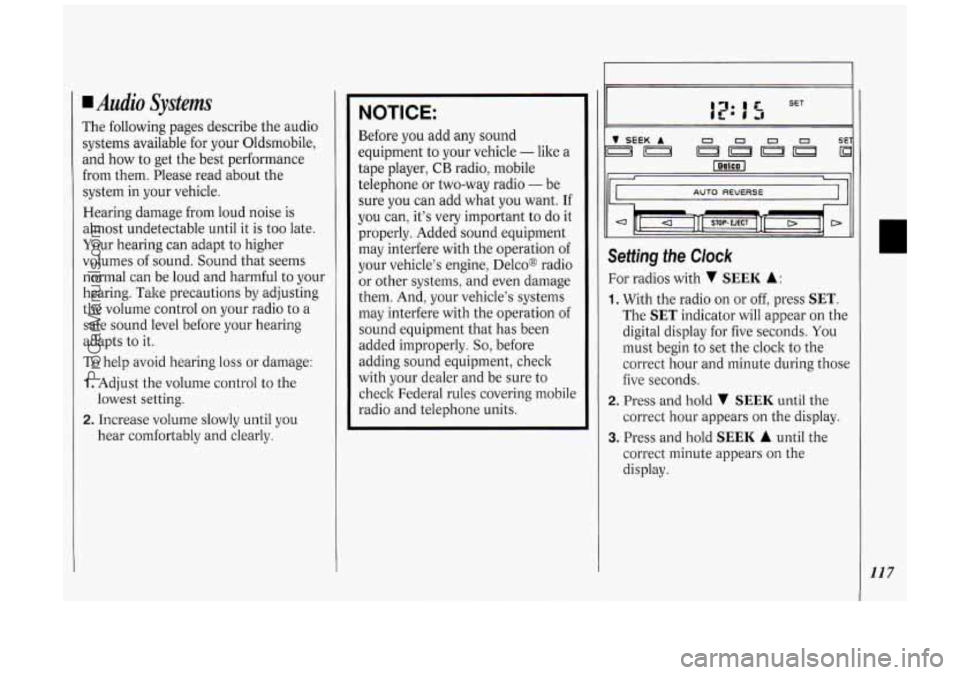
Setting the Clock
For radios with v SEEK A:
1. With the radio on or off, press SET.
The SET indicator will appear on the
digital display for five seconds. You
must begin to set the clock to the
correct hour and minute during those
five seconds.
correct hour appears on the display.
2. Press and hold v SEEK until the
3. Press and hold SEEK A until the
correct minute appears on the
display.
117
ProCarManuals.com
Page 120 of 276
Comfort Controli &Audio Systems
118
bc
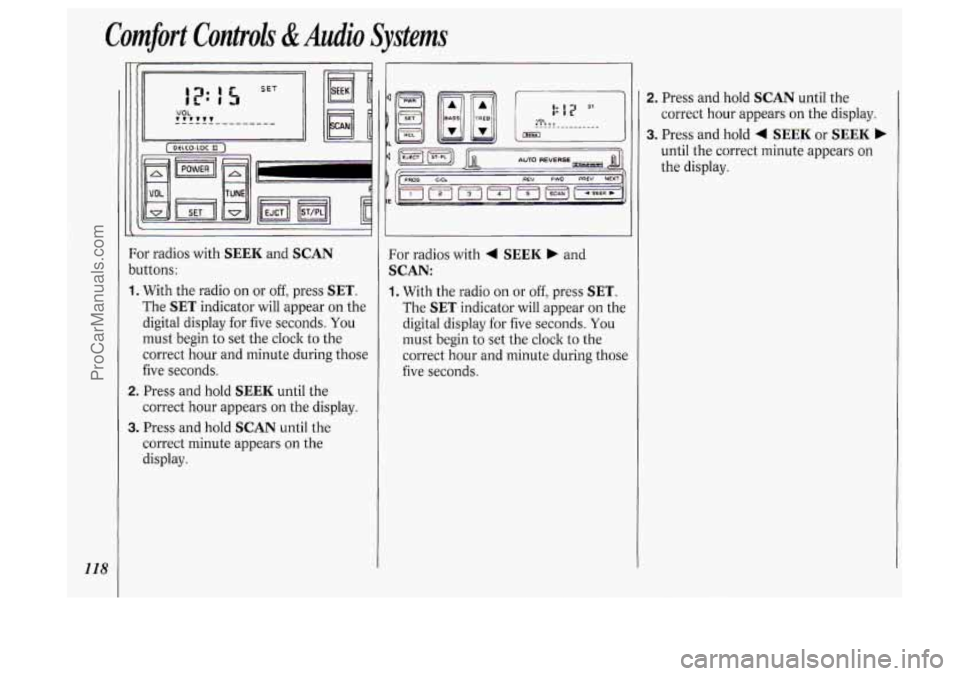
1.
2.
3.
)r radios with SEEK and SCAN
Ittons:
With the radio on or
off, press SET.
The SET indicator will appear on the
digital display for five seconds. You
must begin to set the clock to the
correct hour and minute during those
five seconds.
Press and hold
SEEK until the
correct hour appears
on the display.
Press and hold
SCAN until the
correct minute appears on the
display. For radios with
4 SEEK b and
SCAN:
1. With
the radio on or off, press SET.
The SET indicator will appear on the
digital display
for five seconds. You
must begin to set the clock to the
correct hour and minute during those
five seconds.
1
2. Press and hold SCAN until the
correct hour appears
on the display.
3. Press and hold 4 SEEK or SEEK b
until the correct minute appears on
the display.
ProCarManuals.com
Page 121 of 276
2 RECALL
TUNE --@ FAOE --
5 AM-FM
~
BASS V SEEK A 1 234 SET
II I I II
II I I II
II I I II
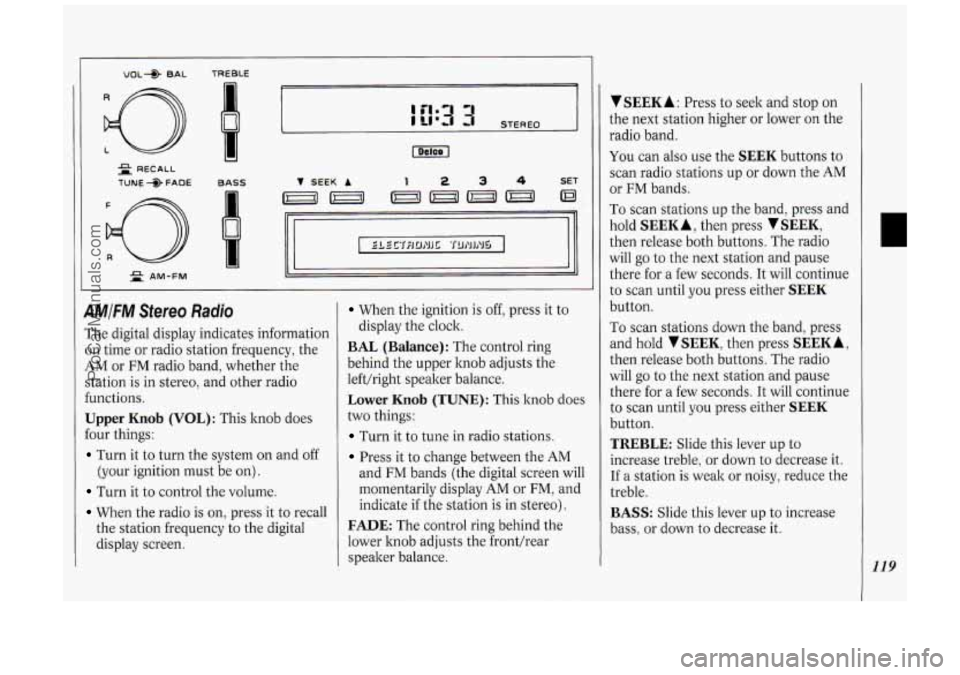
4MIFM Sfereo Radio
The digital display indicates information
on time or radio station frequency, the
AM or FM radio band, whether the
station is in stereo, and other radio
€unctions.
Upper Knob (VOL): This knob does
Four things:
Turn it to turn the system on and off
(your ignition must be on).
Turn it to control the volume.
When the radio is on, press it to recall
the station frequency to the digital
display screen.
When the ignition is off, press it to
BAL (Balance): The control ring
behind the upper knob adjusts the
lefthight speaker balance.
Lower Knob (TUNE): This knob does
two things:
Turn it to tune in radio stations.
Press it to change between the AM
display the clock.
and
FM bands (the digital screen will
momentarily display
AM or FM, and
indicate
if the station is in stereo).
FADE: The control ring behind the
lower hob adjusts the fronthear
speaker balance.
V SEEK A : Press to seek and stop on
the next station higher or lower on the
radio band.
You can also use the SEEK buttons to
scan radio stations up or down the
AM
or FM bands.
To scan stations up the band, press and
hold
SEEK A, then press SEEK,
then release both buttons. The radio
will
go to the next station and pause
there for a few seconds.
It will continue
to scan until you press either
SEEK
button.
To scan stations down the band, press
and hold
TSEEK, then press SEEKA,
then release both buttons. The radio
will
go to the next station and pause
there for a few seconds.
It will continue
to scan until you press either
SEEK
button.
TREBLE: Slide this lever up to
increase treble, or down to decrease it.
If a station is weak or noisy, reduce the
treble.
BASS: Slide this lever up to increase
bass, or down to decrease it.
119
ProCarManuals.com