instrument panel OLDSMOBILE SILHOUETTE 1995 Owner's Manual
[x] Cancel search | Manufacturer: OLDSMOBILE, Model Year: 1995, Model line: SILHOUETTE, Model: OLDSMOBILE SILHOUETTE 1995Pages: 390, PDF Size: 20.27 MB
Page 160 of 390
Air Conditioner
When the temperature outside is above freezing, the air
conditioner compressor will automatically condition the air when you press RECIRC (the A/C indicator light will glow),
DEFOG or DEF (the A/C indicator light will not glow).
Press A/C (the
A/C indicator light will glow) to condition
the air when you press UPPER, BI-LEV or
LOWER. To
turn off the air conditioner compressor
in these settings,
press A/C again (the indicator light will go off).
Each time
you turn on the ignition, the air conditioner
will default
to the setting you had selected before last
turning off the ignition.
When the air conditioner compressor is
on, you may
sometimes notice slight changes in your vehicle’s engine
performance and power. This
is normal. The system is
designed to help fuel economy while
it maintains the
desired cooling level.
The air conditioner removes moisture from the air,
so
you may sometimes notice water dripping from under
your vehicle when it is idling or after it has been turned
off. This is normal.
On very hot days,
your vehicle will cool down more
quickly and economically if you open the windows long
enough
to let hot, inside air escape. For all settings, adjust
the temperature control lever and fan speed as desired.
Directional Controls
RECIRC: Press to get maximum cooling or quick
cool-down
on very hot days. This setting recirculates
much of the air inside your vehicle. It should not be
used for long periods
of time because the air may
become too cold and dry.
Slide the temperature control lever down to the coolest
setting and adjust the fan speed as desired.
UPPER: For normal cooling on hot days, press A/C
along with UPPER. This setting cools outside air and
directs it through the instrument panel outlets. Adjust
the temperature of the air with the temperature control
lever.
BI-LEV: This setting is designed for use on sunny days
when the air is only moderately warm or cool. On days
like these, the sun may adequately warm your upper
body, but your lower body may
not be warm enough.
The BI-LEV setting directs outside air into your vehicle
in two ways. Cooler air is directed toward your upper
body through the front instrument panel outlets, while
warmed air is directed through the heater ducts at your
feet. At times this temperature difference may be more
apparent than others. For best results, slide the
temperature control lever to the middle position, and
then adjust for comfort.
3-2
ProCarManuals.com
Page 161 of 390
LOWER: This setting brings in most of the heated air through
the heater ducts, and some through the defroster vents.
DEFOG: This mode is particularly useful during cold or
inclement weather, because of your Silhouette’s larger
windshield area. Press this button to direct warmed
air to
the windshield and through the heater ducts.
DEF: Press this button to direct most of the warmed air
to the windshield and side window vents.
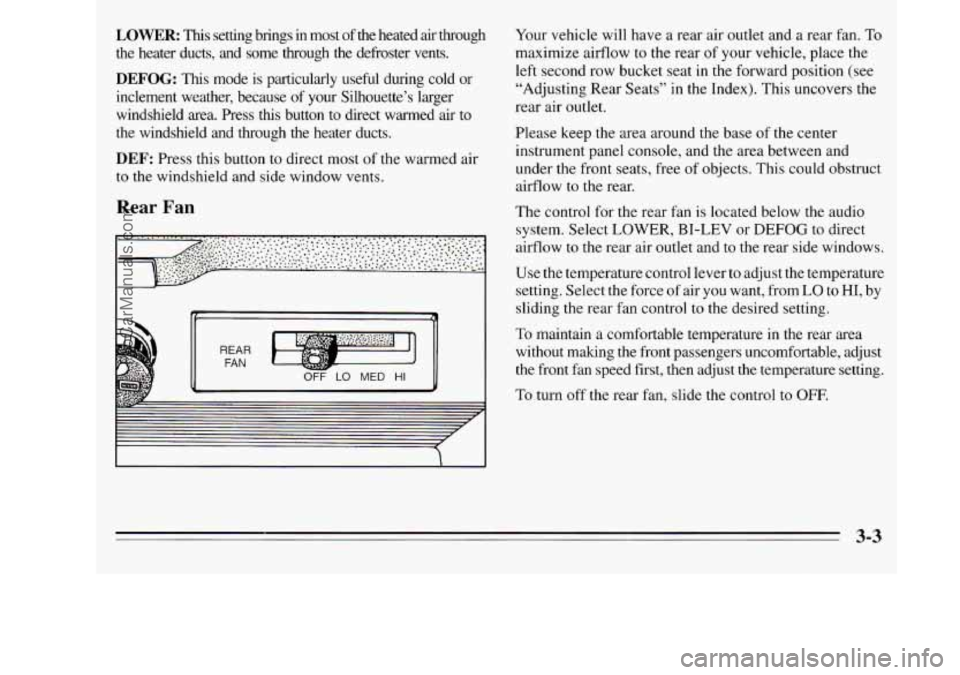
Rear Fan
OFF LO MED HI
Your vehicle will have a rear air outlet and a rear fan. To
maximize airflow to the rear of your vehicle, place the
left second row bucket seat in the forward position (see
“Adjusting Rear Seats” in the Index). This uncovers the
rear air outlet.
Please keep the area around the base of
the center
instrument panel console, and the area between and
under the front seats, free of objects. This could obstruct
airflow to the rear.
The control for the rear fan is located below the audio
system. Select LOWER, BI-LEV or DEFOG to direct
airflow
to the rear air outlet and to the rear side windows.
Use the temperature control lever to adjust the temperature
setting. Select the force
of air you want, from LO to HI, by
sliding the rear fan control to the desired setting.
To maintain a comfortable temperature in the rear area
without making the front passengers uncomfortable, adjust
the front fan speed first, then adjust the temperature setting.
To turn off the rear fan, slide the control to OFF.
3-3
ProCarManuals.com
Page 162 of 390
Rear Climate Control (Option)
If you have this option, you will have a master control
for the rear fan on the center instrument panel console,
and a rear control next to the rear seat, on the driver’s
side of the vehicle.
To maintain a comfortable temperature in the rear, use
either rear fan control to adjust the force
of air coming
through the rear outlets. See “Rear Fan
-- Master
Control” and “Rear Fan
-- Rear Control” later in
this section.
Select the desired climate control mode using the
directional controls on the instrument panel (see
“Directional Controls” earlier in the section). The mode
you choose will regulate both the front and rear climate
control systems. The temperature of heated or cooled air
directed to the rear
of the vehicle cannot be adjusted
with the temperature control
lever.
Select RECIRC, UPPER, BI-LEV or LOWER when
outside temperatures are warm or moderate. In
the RECIRC mode,
or if you press A/C when the
system is in the UPPER or BI-LEV modes, cooled air
will be directed to the rear
of the vehicle through the
overhead and third-row air conditioning outlets. If
you
select NC in the LOWER mode, cooled air will be
directed through the rear
floor vent (see “Rear Air
Vents“ later in this section) unless the temperature
control lever
is set approximately 30% from the full
cold setting. Heated air will result with the temperature
control
lever setting above 30% from the full cold
setting. Temperature adjustment of the heated air is
not possible. Cooled air will again return when the
temperature control lever setting is returned to
approximately
25% from the full cold setting.
If you do not select A/C in the UPPER or BI-LEV
modes, air directed to the rear of the vehicle will be
cabin temperature.
Select LOWER,
DEFOG or DEF when outside
temperatures are cool. In these modes, heated air will be
directed to the rear
of the vehicle through the rear side
window vents and the rear floor heater vent.
3-4
ProCarManuals.com
Page 163 of 390
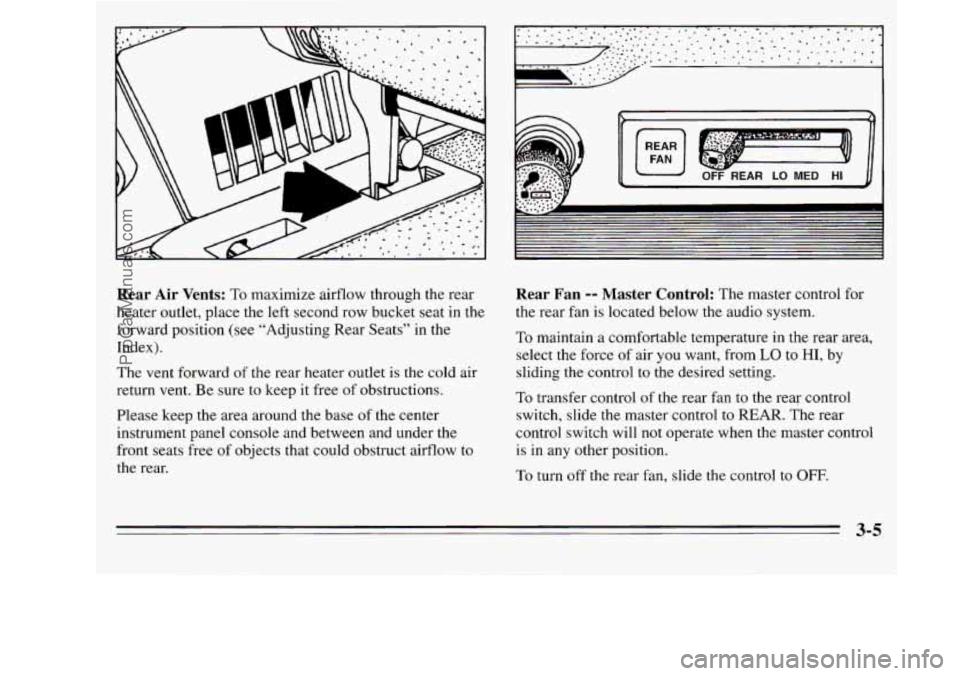
Rear Air Vents: To maximize airflow through the rear
heater outlet, place the left second row bucket seat in the
forward position (see “Adjusting Rear Seats” in the
Index).
The vent forward
of the rear heater outlet is the cold air
return vent. Be sure
to keep it free of obstructions.
Please keep the area around the base
of the center
instrument panel console and between and under the
front seats free
of objects that could obstruct airflow to
the rear.
I
OFF REAR LO MED HI
Rear Fan -- Master Control: The master control for
the rear fan is located below the audio system.
To maintain a comfortable temperature in the rear area,
select the force of air you want, from
LO to HI, by
sliding the control
to the desired setting.
To transfer control
of the rear fan to the rear control
switch, slide the master control
to REAR. The rear
control switch will not operate when the master control
is in any other position.
To turn off
the rear fan, slide the control to OFF.
3-5
ProCarManuals.com
Page 164 of 390
LOW MED
REAR FAN
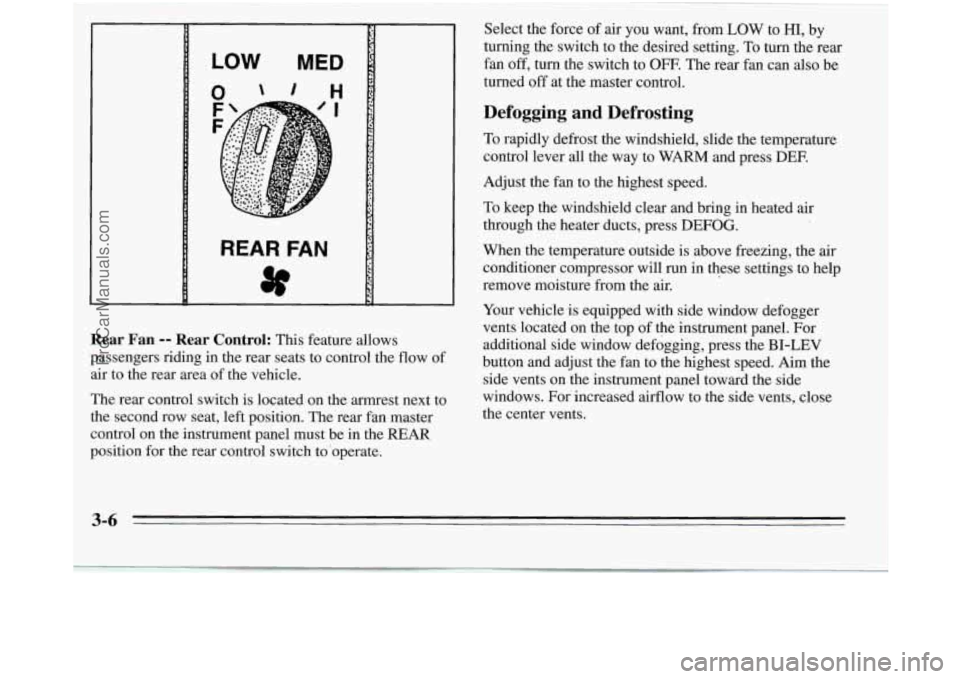
Rear Fan -- Rear Control: This feature allows
passengers riding in the rear seats to control the flow
of
air to the rear area of the vehicle.
The rear control switch is located on the armrest next to
the second row seat, left position. The rear fan master
control on the instrument panel must
be in the REAR
position for the rear control switch to'operate.
~~
Select the force of air you want, from LOW to HI, by
turning the switch
to the desired setting. To turn the rear
fan off, turn the switch to
OFF. The rear fan can also be
turned off at the master control.
Defogging and Defrosting
To rapidly defrost the windshield, slide the temperature
control lever all the way to WARM and press DEE
Adjust the fan to the highest speed.
To keep the windshield clear and bring
in heated air
through the heater ducts, press
DEFOG.
When the temperature outside is above freezing, the air
conditioner compressor will run in these settings to help
remove moisture from the air.
Your vehicle is equipped with side window defogger
vents located on the top of the instrument panel. For
additional side window defogging, press the
BI-LEV
button and adjust the fan to the highest speed. Aim the
side vents on the instrument panel toward the side
windows. For increased airflow to the side vents, close
the center vents.
3-6 -
ProCarManuals.com
Page 165 of 390
Rear Window Defogger
Press R.DEF (Rear Defog) to warm the defogger grid
on the rear window. The indicator light will glow while
the rear window defogger is operating. The rear
window defogger will turn off automatically after about
10 minutes of use. If you turn it on again, the defogger
will operate for about five minutes only.
You can also
turn the defogger off by turning off the ignition or
pressing the switch again.
Do not attach a temporary vehicle license across the
defogger grid on the rear window.
Flow-Through Ventilation System
Your vehicle’s flow-through ventilation system supplies
outside air into the vehicle when
it is moving. Outside
air will also enter the vehicle when the heater or the air
conditioning fan is running.
Ventilation Tips
0
1 NOTICE:
Don’t use a razor blade or something else sharp
on the inside
of the rear window. If you do, you
could cut or damage the warming grid, and the
repairs wouldn’t
be covered by your warranty. 0
Keep the hood and front air inlet free of ice, snow, or
any other obstruction (such as leaves). This will
allow
the heater and defroster to work much better,
reducing the chance of fogging the i.nside of your
windows.
When
you enter a vehicle in cold weather, turn the
blower fan to
HIGH for a few moments before
driving off. This helps clear the intake ducts of snow
and moisture, and reduces the chance
of fogging the
inside of your windows.
Keep the area around the base
of the center
instrument panel console and the air path under the
front seats clear of objects. This helps air to circulate
throughout your vehicle.
3-7
ProCarManuals.com
Page 219 of 390
Making Turns
1 NOTICE:
Making very sharp turns while trailering could cause the trailer to come in contact with the vehicle. Your vehicle could be damaged. Avoid
making very sharp turns while trailering.
When you’re turning with a trailer, make wider turns
than normal.
Do this so your trailer won’t strike soft
shoulders, curbs, road signs, trees,
or other objects.
Avoid jerky or sudden maneuvers. Signal well
in
advance.
Turn Signals When Towing a Trailer
When you tow a trailer, your vehicle has to have extra
wiring and a different turn signal flasher (included in the
optional trailering package). The green arrows on your
instrument panel will flash whenever you signal a
turn
or lane change. Properly hooked up, the trailer lamps
will also flash, telling other drivers you’re about to turn,
change lanes or stop. When
towing a trailer, the green arrows on your
instrument panel will flash for turns even
if the bulbs on
the trailer are burned out. Thus, you may think drivers
behind you are seeing your signal when they are not.
It’s
important to check occasionally to be sure the trailer
bulbs are still working.
Driving On Grades
Reduce speed and shift to a lower gear before you start
down
a long or steep downgrade. If you don’t shift
down, you might have
to use your brakes so much that
they would get hot and no longer work well.
On a long uphill grade, shift down and reduce your
speed to around
45 mph (70 km/h) to reduce the
possibility of engine and transaxie overheating.
If you are towing a trailer that weighs more than
1,000 pounds (454 kg), and you have an automatic
transaxle with OVERDRIVE
(GO), you may prefer to
drive
in THIRD (D) instead of OVERDRIVE (0)
(or, as you need to, a lower gear). This will minimize
heat build-up and extend the life of your transaxle.
-
4-37
ProCarManuals.com
Page 237 of 390
Engine Overheating
You will find a coolant temperature gage on your
Oldsmobile’s instrument panel. See “Coolant
Temperature Gage” in the Index.
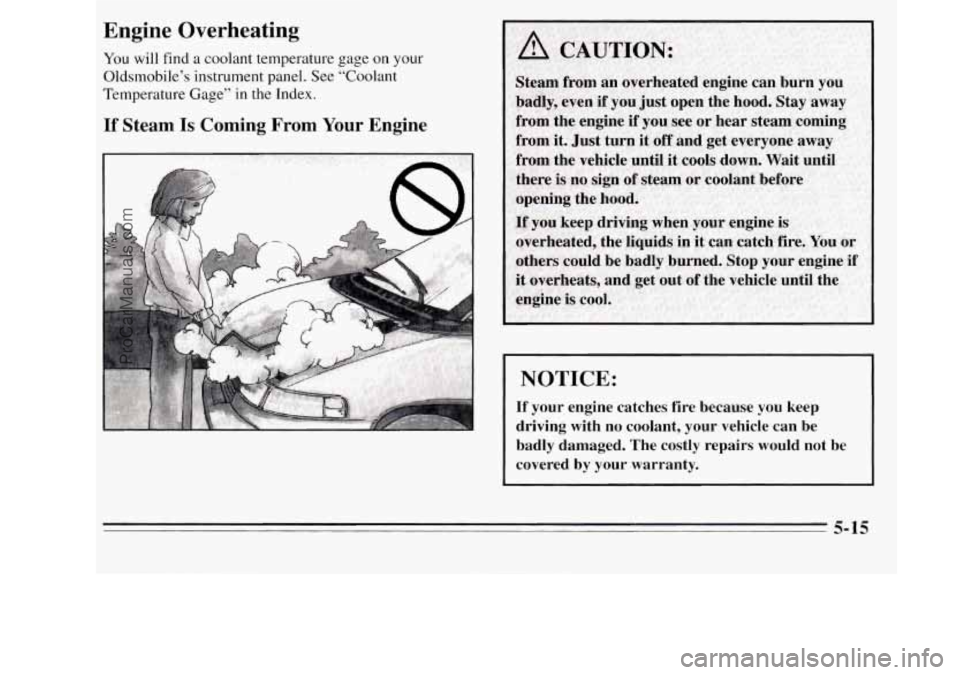
If Steam Is Coming From Your Engine
NOTICE:
If your engine catches fire because you keep
driving with no coolant, your vehicle can be
badly damaged. The costly repairs would not be covered by your warranty.
5-15
ProCarManuals.com
Page 305 of 390
Cleaning Leather
Use a soft cloth with lukewarm water and a mild soap or
saddle soap.
0
0 For stubborn stains, use a mild solution of 10%
isopropyl alcohol (rubbing alcohol) and 90% water.
Never use oils, varnishes, solvent-based or abrasive
cleaners, furniture polish
or shoe polish on leather.
Soiled leather should be cleaned immediately.
If dirt
is allowed to work into the finish, it can harm the
leather.
Cleaning the Top of the Instrument Panel
Use only mild soap and water to clean the top surfaces
of the instrument panel. Sprays containing silicones or
waxes may cause annoying reflections in the windshield
and even make it difficult
to see through the windshield
under certain conditions.
Vacuum the carpeted area as needed, and clean as you
would any other carpet.
Cleaning the Built-In Child
Restraint Pad
The built-in child restraint pad is attached to the seat
frame with fastener strips. You can remove the pad and
hand wash it with mild soap and water.
Care of Safety Belts
Keep belts clean and dry.
ProCarManuals.com
Page 311 of 390
Vehicle Identification Number (VIN)
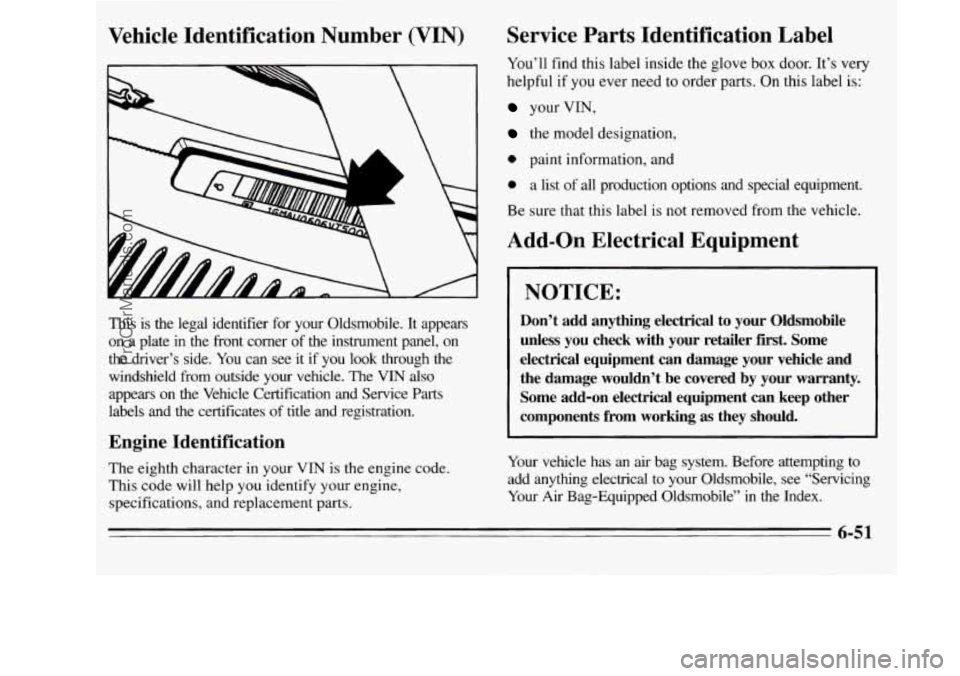
This is the legal identifier for your Oldsmobile. It appears
on a plate in the front corner of the instrument panel, on
the driver’s side. You can see it if you look through
the
windshield from outside your vehicle. The VIN also
appears
on the Vehicle Certification and Service Parts
labels and the certificates of title and registration.
Engine Identification
The eighth character in your VIN is the engine code.
This code will help you identify your engine,
specifications, and replacement parts.
Service Parts Identification Label
You’ll find this label inside the glove box door. It’s very
helpful if you ever need to order parts. On this label is:
your VIN,
the model designation,
0 paint information, and
0 a list of all production options and special equipment.
Be sure that this label is not removed from the vehicle.
Add-on Electrical Equipment
NOTICE:
Don’t add anything electrical to your Oldsmobile
unless you check with your retailer first. Some
electrical equipment can damage your vehicle and
the damage wouldn’t be covered
by your warranty.
Some add-on electrical equipment can keep other
components from working
as they should.
Your vehicle has an air bag system. Before attempting to
add anything electrical to your Oldsmobile, see “Servicing Your
Air Bag-Equipped Oldsmobile” in the Index.
6-51
ProCarManuals.com