light OLDSMOBILE SILHOUETTE 1997 Owner's Manual
[x] Cancel search | Manufacturer: OLDSMOBILE, Model Year: 1997, Model line: SILHOUETTE, Model: OLDSMOBILE SILHOUETTE 1997Pages: 436, PDF Size: 21.87 MB
Page 112 of 436

Arming with the Key Chain Transmitter
Your alarm system will arm when you use your key
chain transmitter to lock the doors
if the key is not in the
ignition. The security light will turn on to let you know
the system
is arming. After all doors and the liftgate are
closed and locked, the security light will begin flashing
at a
very slow rate to let you know the system is armed.
Arming with Your Key
Your alarm system will arm when you use your key to
lock the doors. The security light will turn on to let you
know the system is arming. After all doors and
the
liftgate are closed and locked, the security light will
begin flashing at
a very slow rate to let you know the
system is armed.
If you would like your key not to arm
the system, see “Locks and Lighting Choices”
in
the Index.
Arming Confirmation
If remote unlock confirmation is on (see “Locks and
Lighting Choices” in the Index), your park lamps will
flash briefly
to let you know when your alarm system
has armed.
Disarming with the Key Chain Transmitter
Your alarm system will disarm when you use your key
chain transmitter to unlock the doors. The security light
will stop flashing to let you know the system is no
longer armed.
Disarming with Your Key
Your alarm system will disarm when you use your key
to unlock the doors. The security light will stop flashing
to let you know the system is no longer armed. If
you
would like your key not to disarm the alarm system, see
“Locks and Lighting Choices”
in the Index.
Nuisance Alarms
If you experience nuisance alarms (alarms which are not
caused by the opening
of a door or the liftgate and are
not desirable), you may need to reduce the damage
detection sensitivity. Try programming the Content
Theft Deterrent to Mode
1. See “Locks and Lighting
Choices’’
in the Index.
If you continue to experience nuisance alarms, you
may want to
try turning off damage detection by
programming your Content Theft Deterrent to Mode
2.
See “Locks and Lighting Choices” in the Index.
2-24
ProCarManuals.com
Page 113 of 436

If you are still having trouble with nuisance alarms, you
can turn off the Content Theft Deterrent system by
programming your Content Theft Deterrent to Mode
3.
See “Locks and Lighting Choices” in the Index. See
your Retailer
or qualified technician for service.
Theft
Vehicle theft is big business, especially in some cities.
Although your Oldsmobile has a number of
theft-deterrent features, we know that nothing we
put on
it can make it impossible to steal. However, there are
ways you can help.
Key in the Ignition
If you leave your vehicle with the keys inside, it’s an
easy target for joy riders or professional thieves
-- so
don’t do it.
When you park your Oldsmobile and open the driver’s
door, you’ll hear a chime reminding you to remove
your
key from the ignition and take it with you.
Always
do this. Your steering wheel will be locked,
and
so will your ignition and transaxle. And remember
to lock the doors.
Parking at Night
Park in a lighted spot, close all windows and lock your
vehicle. Remember
to keep your valuables out of sight.
Put them
in a storage area, or take them with you.
Parking Lots
1.f you park in a lot where someone will be watching
your vehicle,
it’s best to lock it up and take your key.
But what
if you have to leave your key? What if you
have
to leave something valuable in your vehicle?
0 Put your valuables in a storage area, like your
glove box.
Lock all the doors except the driver’s.
2-25
ProCarManuals.com
Page 115 of 436
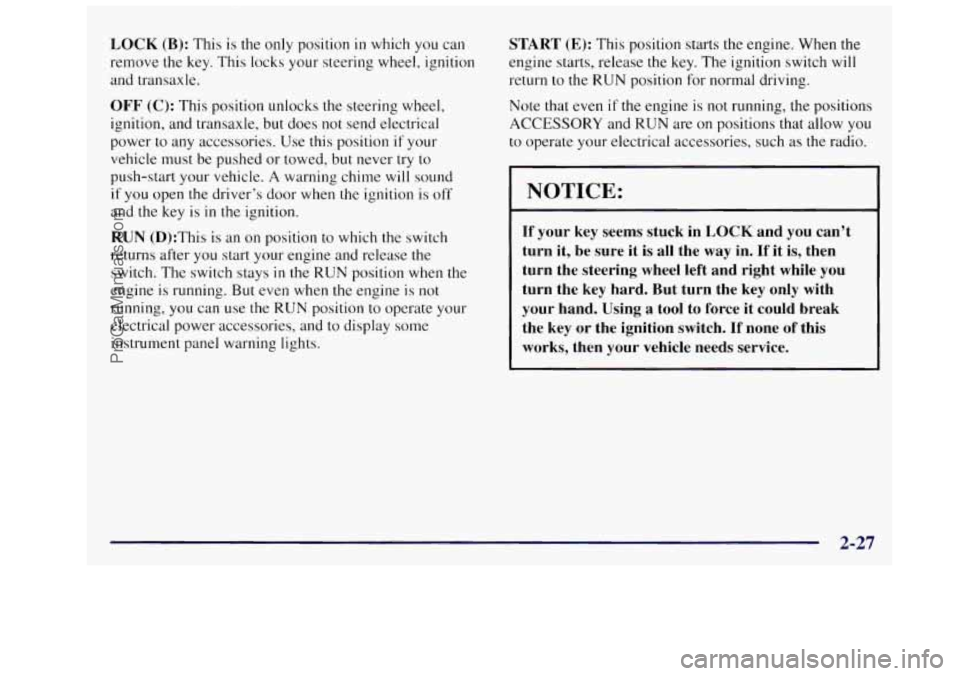
LOCK (B): This is the only position in which you can
remove
the key, This locks your steering wheel, ignition
and transaxle.
OFF (C): This position unlocks the steering wheel,
ignition, and transaxle, but does not send electrical
power to any accessories. Use this position if your
vehicle must be pushed or towed, but never try to
push-start your vehicle.
A warning chime will sound
if you open the driver’s door when the ignition is off
and the key is in the ignition.
RUN (D):This is an on position to which the switch
returns after
you start your engine and release the
switch. The switch stays
in the RUN position when the
engine is running. But even when
the engine is not
running, you can use the
RUN position to operate your
electrical power accessories, and to display some
instrument panel warning lights.
START (E): This position starts the engine. When the
engine starts, release the key. The ignition switch will
return to the
RUN position for normal driving.
Note that
even if the engine is not running, the positions
ACCESSORY and RUN are on positions that allow you
to operate your electrical accessories, such as the radio.
NOTICE:
If your key seems stuck in LOCK and you can’t
turn it, be sure it is all the
way in. If it is, then
turn the steering wheel left and right while
you
turn the key hard. But turn the key only with
your hand. Using
a tool to force it could break
the key
or the ignition switch. If none of this
works, then your vehicle needs service.
2-27
ProCarManuals.com
Page 123 of 436
Parking Brake
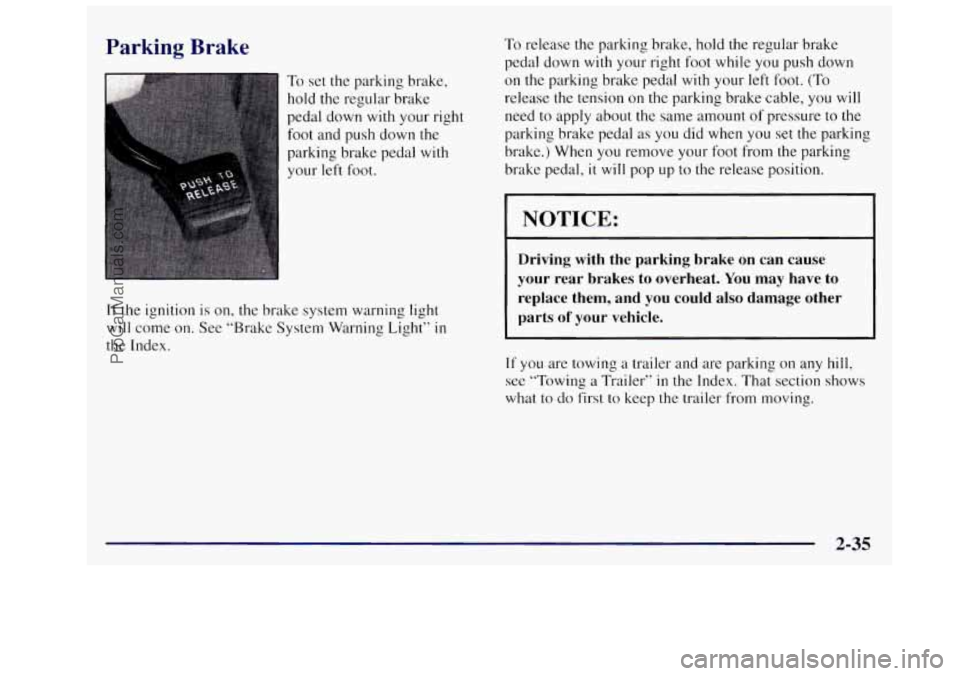
To set the parking brake,
hold the regular brake
pedal down
with your right
foot and push down
the
parking brake pedal with
your left foot.
If the ignition is on, the brake system warning light
will come on. See “Brake System Warning Light” in
the Index.
To release the parking brake, hold the regular brake
pedal down
with your right foot while you push down
on the parking brake pedal with your left foot. (To
release the tension on the parking brake cable, you will
need to apply about the same amount of pressure to the
parking brake pedal as you did when you set the parking
brake.) When you remove your foot from the parking
brake pedal,
it will pop up to the release position.
I NOTICE:
Driving with the parking brake on can cause
your rear brakes to overheat. You
may have to
replace them, and you could also damage other
parts
of your vehicle.
If you are towing a trailer and are parking on any hill,
see “Towing a Trailer” in the Index. That section shows
what to
do first to keep the trailer from moving.
2-35
ProCarManuals.com
Page 129 of 436
Locks and Lighting Choices
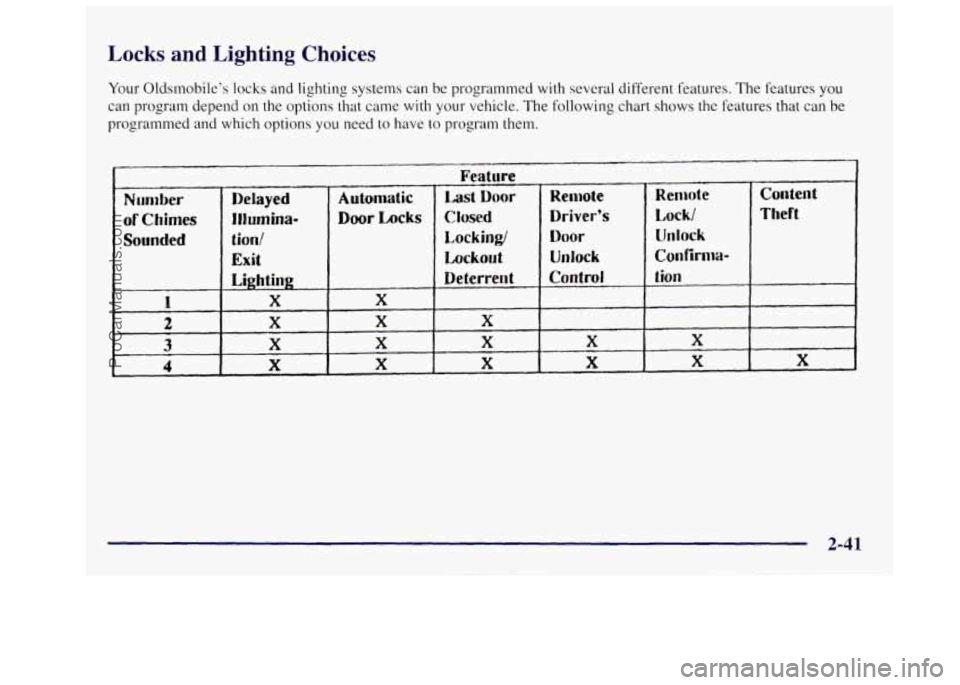
Your Oldsmobile’s locks and lighting systems can be programmed with several different features. The features you
can program depend on the options that came with your vehicle. The following chart shows the features that can be
programmed and which options you need to have to program them.
Number
of Chimes
Sounded
Feature
Delayed Automatic Last Door
Illumina- Door Locks Closed
tion/ Locking/
Exit Lockout
Lighting Deterrerl t
X X
X X X
X X X
X X X
Remote Remote Conterl t
Driver’s Lock/ Theft
Door Unlock
Unlock Confirm-
Contrd t ion
X X
X X X
2-41
ProCarManuals.com
Page 130 of 436
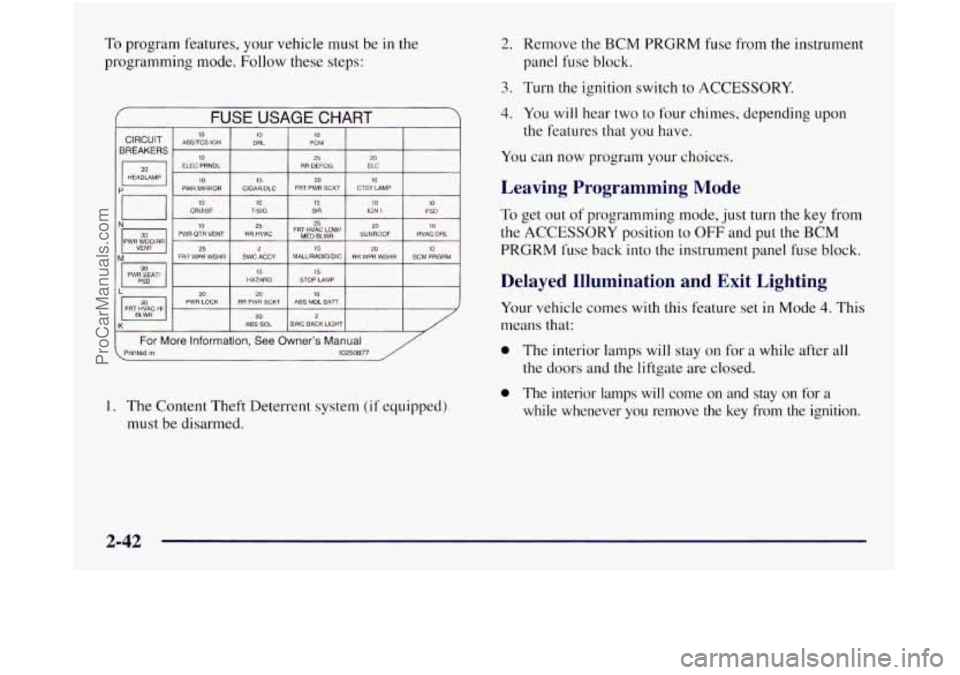
To program features, your vehicle must be in the
programming mode. Follow these steps:
f FUSE USAGE CHART
10 TISIG 15 SIR io IGN 1 10 PSD
I N- I PWH WTJOmR 30 111 PWR QTR VENT RR HVAC FRT MED HVAC BLWR Low’ SUNROOF HVACIDRL
VENT
25 20 M FRT WPR WSHR SWC ACCY MALLIRADIOIDIC RH WPR WSHR BCM PRGRM
PWR SEAT/ HAZARD
15 STOP LAMP
20 10 2u PWR LOCK ABS MDL BAi7 RR PWR SCKT FRT HVAC HI 20 2 ABS SOL SWC BACK LIGHT
( For More information, See Owner’s Manual Printed in 10250877
1. The Content Theft Deterrent system (if equipped)
must be disarmed.
2. Remove the BCM PRGRM fuse from the instrument
panel fuse block.
3. Turn the ignition switch to ACCESSORY.
4. You will hear two to four chimes, depending upon
the features that you have.
You can now program your choices.
Leaving Programming Mode
To get out of programming mode, just turn the key from
the ACCESSORY position to OFF and put the BCM
PRGRM fuse back into the instrument panel fuse block.
Delayed Illumination and Exit Lighting
Your vehicle comes with this feature set in Mode 4. This
means that:
0 The interior lamps will stay on for a while after all
the doors and the liftgate are closed.
0 The interior lamps will come on and stay on for a
while whenever you remove the key from the ignition.
2-42
ProCarManuals.com
Page 131 of 436
To change the factory setting, while in programming
mode, do the following:
1.
2.
3.
Turn the interior lamps dial all the way to the right
and then back slightly to the left.
Count the number of chimes you hear. The number
of chimes tells you which mode your vehicle is
set
for. You change the mode by turning the interior
lamps dial all the way to the right and then back
slightly to the left.
Repeat Step
2 until you hear the number of chimes
that matches the mode you want.
Mode 1: Both Off (The interior lamps will turn on or off
at the same instant that
a door is opened or closed).
Mode 2: Delayed Illumination Only (The interior lamps
will stay on for about
25 seconds after all the doors and
liftgate are closed, or until you lock the doors.)
Mode 3: Exit Lighting Only (The interior lamps
will come
on whenever you remove the key from
the ignition and stay on for about
25 seconds, or until
you lock the doors.)
Mode 4: Both On (This combines modes 2 and 3).
Automatic Door Locks
Your vehicle comes with this feature set in Mode 3. This
means that:
0 All doors will automatically lock when you shift out
of PARK (P).
0 All doors will automatically unlock when the
ignition
is turned to OFF.
To change the factory setting, while in programming
mode, do the following:
1. Press LOCK on the power door lock switch.
2. Count the number of chimes you hear. The number
of chimes
tells you which mode your vehicle is set
for.
You change the mode by pressing LOCK again.
3. Repeat Step 2 until you hear the number of chimes
that matches the mode you want.
Mode 1: Off (Automatic door locking and unlocking is
disabled. You will always need to lock you doors
manually before driving to increase occupant safety.)
2-43
ProCarManuals.com
Page 141 of 436
Turn Signal and Lane Change Indicator
The turn signal has two upward (for right) and two
downward (for left) positions. These positions allow you
to signal a turn or
a lane change.
To signal a turn, move the lever all the way up or down.
When the turn is finished, the lever will return automatically.
An arrow on the instrument panel will flash in the
direction of the turn or lane change.
To signal a lane change, just raise or lower the lever
until the arrow starts to flash. Hold it there until you
complete your lane change. The lever will return by
itself when
you release it.
As you signal a turn or a lane change, if the arrow
flashes faster than normal, a signal bulb may be burned
out and other drivers won’t see your turn signal.
If a bulb is burned out, replace it to help avoid an
accident. If the arrows don’t go on at all when you
signal
a turn, check for burned-out bulbs and check the
fuse (see “Fuses and Circuit Breakers”
in the Index).
If you have a trailer towing option with added wiring for
the trailer lamps, the signal indicator will flash at a
normal rate even
if a turn signal bulb is burned out.
Check the front and rear turn signal lamps regularly to
make sure
they are working.
Turn Signal Reminder Chime
If either turn signal is left on for more than 3/4 of a mile,
a chime will sound to let the driver know to turn it off.
If you need to leave the signal on for more than 3/4 of a
mile, turn off the signal and then turn it back on.
Headlamp HigWLow Beam Changer
To change the headlamps from high to low beam, or low
to high, simply pull
the turn signal lever all the way
toward you. Then release it.
When the high beams
are on, this light on the
instrument cluster will
also be on.
2-53
ProCarManuals.com
Page 142 of 436

Windshield Wipers
You control the windshield wipers by turning the band
marked
WIPER.
For a single wiper cycle: Turn the band to MIST. Hold
it there until the wipers start, then let
go. The wipers will
stop after one cycle.
If you want more cycles, hold the
band
on mist longer.
For delayed wiper cycles: You can set the wiper speed
for a long or short delay between wipes. This can be
very useful in light rain or snow. Turn the band to
choose the delay time. The closer to
LOW, the shorter
the delay time.
For steady wiper cycles: For steady wiping at low
speed, turn the band away from you to the
LOW
position. For high-speed wiping, turn the band further to
HIGH. To stop the wipers, move the band to OFF.
Remember that damaged wiper blades may prevent you
from seeing well enough to drive safely. To avoid
damage, be sure to clear ice and snow from the wiper
blades before
using them. If they’re frozen to the
windshield, carefully loosen or thaw them. If your blades
do become damaged, get new blades or blade inserts. Heavy
snow
or ice can overload your wipers. A circuit
breaker will stop them until the motor cools. Clear away
snow or ice to prevent an overload.
Windshield Washer
To wash your windshield, press and hold the windshield
washer paddle. The washers and wipers will operate.
When you release
the paddle, the washers will stop, and
the wipers will continue to operate for two cycles, unless
your wipers had already been
on. In that case, the wipers
will resume the wiper speed you had selected earlier.
In freezing weather, don’t use your washer until
the windshield is warmed. Otherwise the washer
fluid can form ice
on the windshield, blocking
your vision.
Driving without washer fluid can be dangerous. A
bad mud splash can block your vision. You could hit
another vehicle or
go off the road. Check your washer
fluid level often.
2-54
ProCarManuals.com
Page 146 of 436

Reducing Speed While Using Cruise Control
Push in the button at the end of the lever until you
reach the lower speed you want, then release it.
To slow down in very small amounts, push the
button for less than half a second. Each time you do
this, you’ll go
1 mph (1.6 kmh) slower.
Passing Another Vehicle While Using Cruise Control
Use the accelerator pedal to increase your speed. When
you take your foot off the pedal, your vehicle will slow
down to the cruise control speed you set earlier.
Using Cruise Control on Hills
How well your cruise control will work on hills depends
upon your speed, load and the steepness of the hills.
When going up steep hills, you may have to step on the accelerator pedal
to maintain your speed. When going
downhill, you may have to brake or shift
to a lower gear
to keep your speed down. Of course, applying the brake
takes you out of cruise control. Many drivers find this to
be too much trouble and don’t use cruise control on
steep hills.
Ending Cruise Control
There are two ways to turn off the cruise control:
Step lightly on the brake pedal; OR
Move the cruise switch to OFF.
Erasing Cruise Speed Memory
When you turn off the cruise control or the ignition,
your cruise control set speed memory is erased.
2-58
ProCarManuals.com