ignition OLDSMOBILE SILHOUETTE 1997 Owner's Guide
[x] Cancel search | Manufacturer: OLDSMOBILE, Model Year: 1997, Model line: SILHOUETTE, Model: OLDSMOBILE SILHOUETTE 1997Pages: 436, PDF Size: 21.87 MB
Page 151 of 436
Delayed Illumination
The delayed illumination feature will continue to
illuminate the interior for 25 seconds after all doors
have been closed
so that you can find your ignition
and buckle your seatbelt at night. Delayed illumination
will not occur while the ignition
is in the RUN or
ACCESSORY position. After
25 seconds have passed,
the interior lamps will slowly fade
out. The lights will
fade
out before the 25 seconds have passed if you:
0 turn the ignition to the RUN or ACCESSORY
position,
lock all doors using the key chain transmitter
(if equipped) or
or the key.
lock all the doors using the power door lock switch
Exit Lighting
To turn the Delayed Illumination feature off or on, see
“Locks and Lighting Choices” in
the Index. With
exit lighting, the interior lamps will come on for
about
25 seconds whenever you remove the key from
the ignition switch.
If you turn the ignition switch to
RUN or ACCESSORY, the lamps will fade out. The
lamps will also fade out
if you lock the doors with the
power door lock switch or the key chain transmitter
(if equipped).
When any door is opened, exit lighting is cancelled.
The interior lamps will stay on while any door or liftgate
is open, and slowly fade out when all doors and the
liftgate are closed.
The interior lamps may stay on for up
to 25 seconds
after all doors have been closed if they have not
been locked, see “Delayed Illumination” earlier in
this section.
To turn the Exit Lighting feature
off or on, see “Locks
and Lighting Choices”
in the Index.
2-63
ProCarManuals.com
Page 160 of 436
Mode Button (MODE) - Press this button to cycle
through
three modes of operation -- Off,
Compass/"T'emperature mode and Trip Computer mode.
In the Trip Computer mode, pressing the MODE
button cycles through
the five displays. Press the
MODE button after the last Trip Computer display
to return the DIC to the OFF mode.
Off- No driver information is displayed in this mode
of operation.
TemperatureKompass Mode- One of eight compass
readings and the outside temperature are displayed.
If
the temperature is below 38°F (3"C), the temperature
reading will toggle between displaying the outside
temperature and
the word "ICE" for two minutes.
Compass Variance
Compass variance is the difference between magnetic
north and geographic north. In some areas of the
country, the difference is great enough to cause the
compass to give false readings.
If this occurs, the
compass variance must be set.
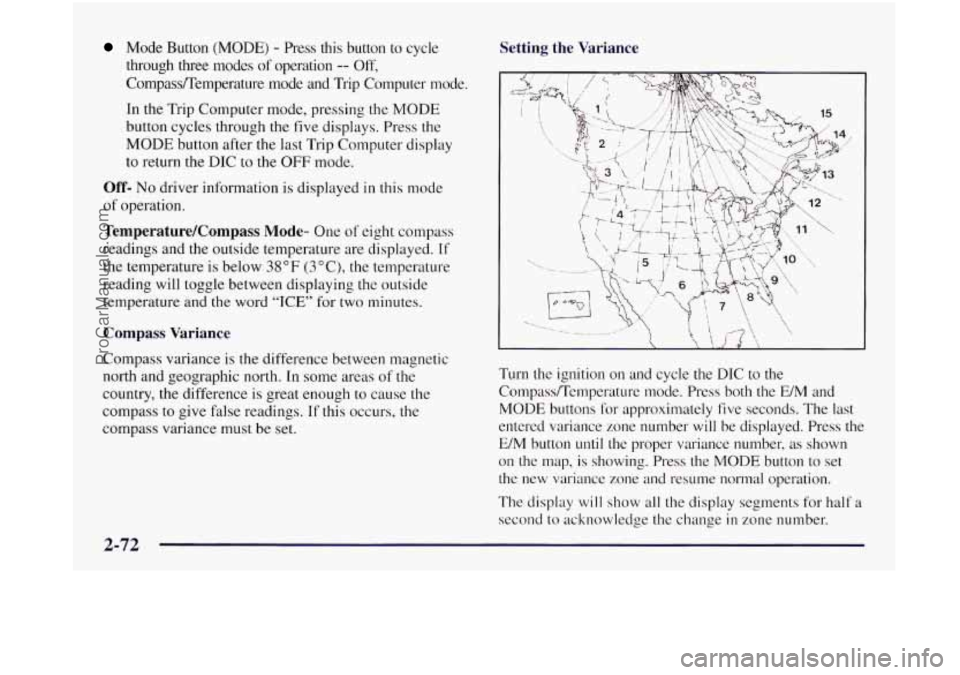
Setting the Variance
Turn the ignition on and cycle the DIC to the
CompassRemperature mode. Press both the E/M and
MODE buttons for approximately five seconds. The last
entered variance zone number will be displayed. Press the
E/M button
until the proper variance number, as shown
on the map,
is showing. Press the MODE button to set
the new variance zone
and resume normal operation.
The display
will show all the display segments for half a
second to acknowledge the change
in zone number.
2-72
ProCarManuals.com
Page 161 of 436
Automatic Compass Calibration
The compass is self-calibrating which eliminates the
need to manually set the compass. When the vehicle is
new,
the calibration process may not be complete. In
these cases the calibration symbol, C, will be displayed
where
the compass reading is normally displayed.
To calibrate the compass: In an area free from large metal
objects, make three
360" turns. The calibration symbol
will turn
off and the compass reading will be displayed.
Manual Compass Calibration
If the compass appears erratic and the calibration
symbol does not appear, you must manually put
the
compass into the calibration mode.
Turn the ignition on and cycle the DIC to the
CompadTernperature mode. Press both the E/M and
MODE buttons for at least
10 seconds until the
calibration symbol appears. Release both buttons and
complete three
360" turns in an area free from large
metal objects.
The calibration symbol will turn off and
the compass reading will be displayed.
Error Displays
An error of the vehicle's speed sensor or fuel sender
0 In the absence of vehicle communications, a double
will
cause
-E- to be displayed.
dash,
--, is displayed.
Trip Computer
There are five trip computer displays which may be
stepped through by pushing the MODE button. The
information will appear
in the following order:
0
0
0
0
0
Average Fuel Economy (AVG ECON) - This shows
the average fuel economy since the last reset.
Instantaneous Fuel Economy (INST ECON)
- This
shows fuel economy for the most recent second
of driving.
Trip Range (RANGE)
- This shows the estimated
distance that can be traveled with the remaining fuel.
The fuel economy used to calculate range is based on
the last few hours
of driving.
Trip Fuel Used (FUEL USED)
- This shows the
accumulated fuel used since the last reset.
Average Speed (AVG
SPEED) - This shows the
average speed since the last reset.
Resetting the Trip Computer
Press and hold the MODE and E/M buttons for at least
two seconds. The reset
is acknowledged with the display
showing all segments on for a period of half
a second. A
reset can only be done
in AVG ECON, FUEL USED
and AVG
SPEED displays. Resetting affects all three
displays regardless of what display you are in.
ProCarManuals.com
Page 175 of 436
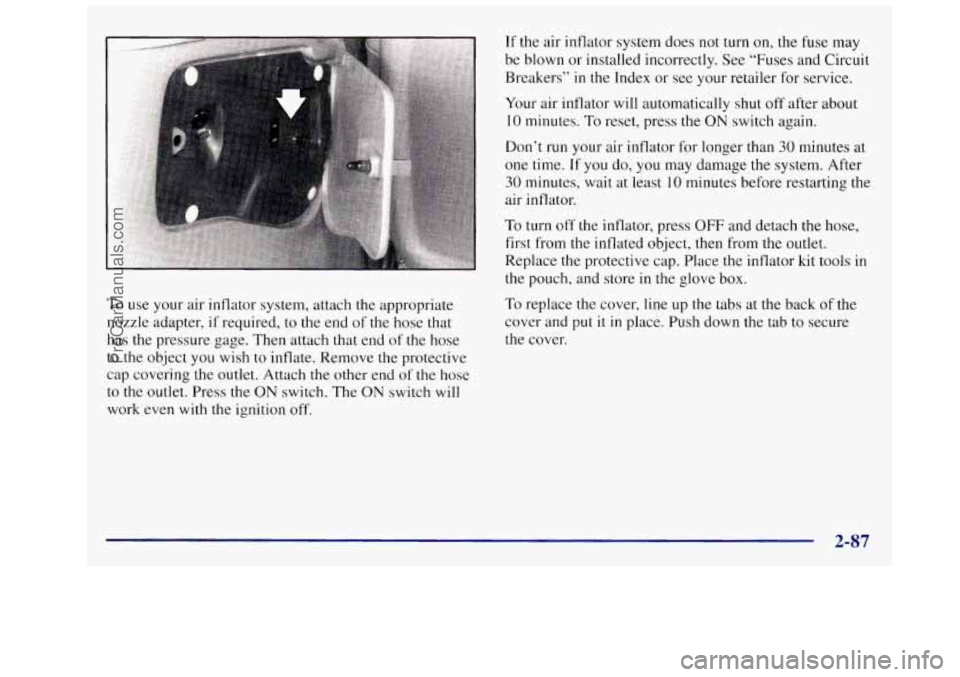
To use your air inflator system, attach the appropriate
nozzle adapter,
if required, to the end of the hose that
has the pressure gage. Then attach that end of the hose
to
the object you wish to inflate. Remove the protective
cap covering the outlet. Attach
the other end of the hose
to
the outlet. Press the ON switch. The ON switch will
work even with the ignition off.
If the air inflator system does not turn on, the fuse may
be blown or installed incorrectly. See “Fuses and Circuit
Breakers’’
in the Index or see your retailer for service.
Your air inflator will automatically shut off after about
10 minutes. To reset, press the ON switch again.
Don’t run your air inflator for longer than
30 minutes at
one time. If
you do, you may damage the system. After
30 minutes, wait at least 10 minutes before restarting the
air inflator.
To turn off the inflator, press OFF and detach the hose,
first from the inflated object, then from the outlet.
Replace the protective cap. Place the inflator kit tools
in
the pouch, and store in the glove box.
To replace the cover, line up the tabs at the back of the
cover and
put it in place. Push down the tab to secure
the cover.
2-87
ProCarManuals.com
Page 177 of 436

Your instrument panel is designed to let you know at a glance how your vehicle is running. You’ll know how fast
you’re going, how much
fuel you’re using, and many other things you’ll need to drive safely and economically.
Refer to the accompanying diagram of your instrument panel
to locate the components listed below.
A. Side Vents
B. Front Vent
C. Turn SignaVMultifunction Lever
D. Hazard Warning Flashers Switch
E. Instrument Cluster
E Center Vents
G. Audio System
H. Side Vents
I. Lamps Switch
J. Hood Release
K. Steering Wheel Touch Controls (Option)
L. Horn
M. Ignition Switch
N. Steering Wheel Touch Controls (Option)
0. Climate Controls
P. Rear Fan Controls
Q. Accessory Power Outlet
R. Storage Bin
S. Remote CD Player (Option)
T. Instrument Panel Switchbank
U. LightedAshtray
V. Glove Box
W. Front Vents
X. Fuse Panel
2-89
ProCarManuals.com
Page 182 of 436
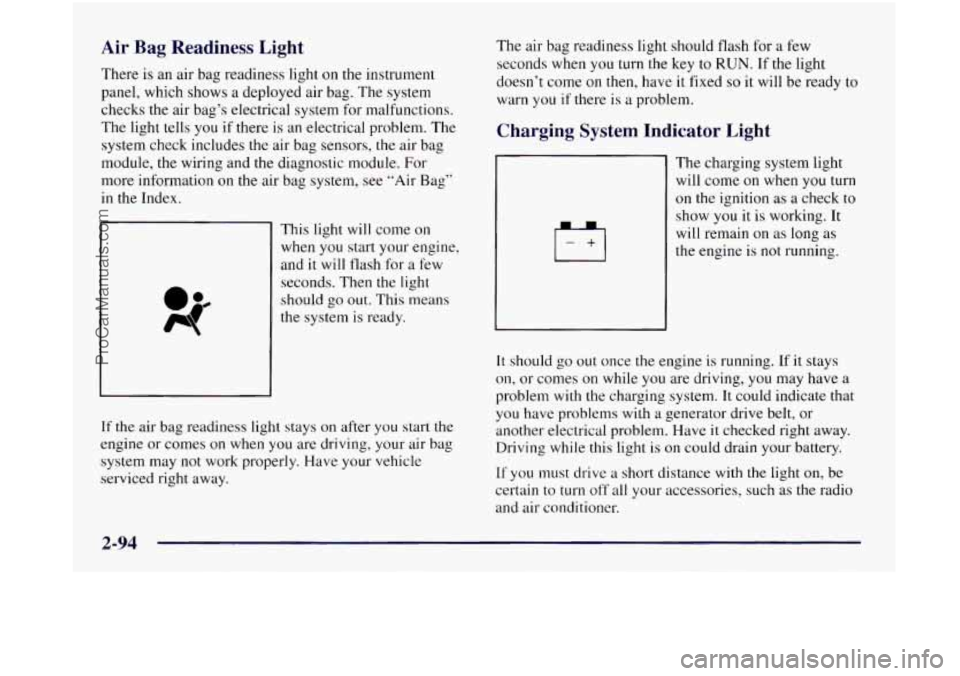
Air Bag Readiness Light
There is an air bag readiness light on the instrument
panel, which shows a deployed air bag. The system
checks the air bag’s electrical system for malfunctions.
The light tells you if there is an electrical problem. The
system check includes
the air bag sensors, the air bag
module, the wiring and the diagnostic module. For
more information on the air bag system, see “Air Bag”
in the Index.
This light will come on
when you start your engine,
and it will tlash for a few
seconds. Then the light
should
go out. This means
the system
is ready.
If
the air bag readiness light stays on after you start the
engine or comes
on when you are driving, your air bag
system may not work properly. Have your vehicle
serviced right away. The air
bag readiness light should flash for a few
seconds when you turn the key to
RUN. If the light
doesn’t come on then, have
it fixed so it will be ready to
warn you if there is a problem.
Charging System Indicator Light
1+1
The charging system light
will come on when you turn
on the ignition as a check to
show you it is working. It
will remain on as long as
the engine is
not running.
It should go out once the engine is running. If it stays
on, or comes on while you are driving, you may have a
problem with the charging system. It could indicate that
you have problems with a generator drive belt, or
another electrical problem. Have
it checked right away.
Driving while this light is on could drain your battery.
If you must drive a short distance with the light on, be
certain to turn
off all your accessories, such as the radio
and air conditioner.
ProCarManuals.com
Page 183 of 436
Brake System Warning Light
Your Oldsmobile’s hydraulic brake system is divided
into two parts. If
one part isn’t working, the other part
can still work and stop you. For good braking, though,
you need both parts working well.
If the warning light comes on, there could be a brake
problem or the brake fluid level could be low. Have your
brake system inspected right away.
BRAKE
This light should come on
briefly when you turn the
ignition
key to RUN. If it
doesn’t come on then, have
it fixed so it will be ready to
warn you
if there’s a
problem.
If the light comes
on while you are driving, pull off the
road and stop carefully. You may notice that the pedal
is
harder to push. Or, the pedal may go closer to the floor.
It may take longer to stop. If the light is still on, or if the
anti-lock brake system warning light is flashing, have
the vehicle towed for service. (See “Anti-Lock Brake
System Warning Light” and “Towing Your Vehicle”
in
the Index.)
Your brake system may not be working properly
if the brake system warning light is on. Driving
with the brake system warning light on can lead
to an accident. If the light is still on or if the
anti-lock brake system warning light is flashing
after you’ve pulled
off the road and stopped
carefully, have the vehicle towed
for service.
. UTIO--:
4
When the ignition is on, the brake system warning light
will also come on when you set your parking brake. The
light
will stay on if your parking brake doesn’t release
fully. If it stays on after your parking brake is fully
released,
it means you have a brake problem.
2-95
ProCarManuals.com
Page 184 of 436
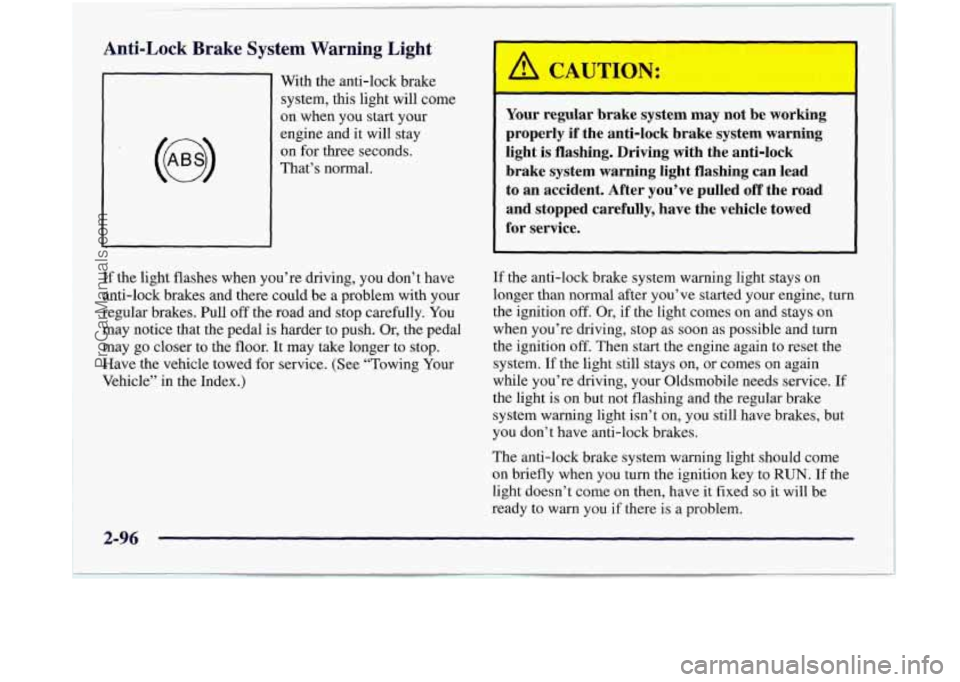
Anti-Lock Brake System Warning Light
With the anti-lock brake
system,
this light will come
on when you start your
engine and
it will stay
on for three seconds.
That’s normal.
Your regular brake system may not be working
properly if the anti-lock brake system warning
light is flashing. Driving with the anti-lock
brake system warning light flashing can lead
to an accident. After you’ve pulled off the road
and stopped carefully, have the vehicle towed
for service.
If the light flashes when you’re driving, you don’t have
anti-lock brakes and there could be a problem with your
regular brakes. Pull
off the road and stop carefully. You
may notice that the pedal is harder to push. Or, the pedal
may go closer to the floor. It may take longer to stop.
Have the vehicle towed for service. (See “Towing Your
Vehicle” in the Index.) If
the anti-lock brake system warning light stays on
longer than normal after you’ve started your engine, turn
the ignition
off. Or, if the light comes on and stays on
when you’re driving, stop as
soon as possible and turn
the ignition off. Then start the engine again to reset the
system. If the light still stays on, or comes on again
while you’re driving, your Oldsmobile needs service. If
the light is on but not flashing and the regular brake
system warning light isn’t
on, you still have brakes, but
you don’t have anti-lock brakes.
The anti-lock brake system warning light should come
on briefly when you turn the ignition key to RUN. If the
light doesn’t come
on then, have it fixed so it will be
ready to warn you
if there is a problem.
2-96
ProCarManuals.com
Page 188 of 436
Malfunction Indicator Lamp
(Service Engine Soon Light)
SERVICE ENGINE
SOON
Your Oldsmobile is
equipped with a computer
which
rr mitors operation
of the fuel, ignition and
emission control systems.
This system is called
OBD I1 (On-Board
Diagnostics-Second Generation) and is intended to
assure that emissions are at acceptable levels for the
life
of the vehicle, helping to produce a cleaner
environment. The SERVICE ENGINE
SOON light
comes on and
a chime will sound to indicate that there is
a problem and service is required. Malfunctions often
will be indicated by
the system before any problem is
apparent. This may prevent more serious damage to
your vehicle. This system is also designed to assist
your service technician
in correctly diagnosing any
malfunction.
NOTICE:
If you keep driving your vehicle with this light
on, after a while, your emission controls may not
work as well, your fuel economy may not be as
good and your engine may not run as smoothly.
This could lead to costly repairs that may not be
covered by your warranty.
This light should come on, as a check to show you it is
working, when the ignition is on and the engine is not
running.
If the light doesn’t come on, have it repaired.
This light will also come on during
a malfunction in one
of two ways:
0
a
Light Flashing -- A misfire condition has been
detected. A misfire increases vehicle emissions and
may damage the emission control system on your
vehicle. Retailer or qualified service center diagnosis
and service is required.
Light On Steady -- An emission control system
malfunction has been detected
on your vehicle.
Retailer or qualified service center diagnosis and
service may be required.
2-100
ProCarManuals.com
Page 192 of 436
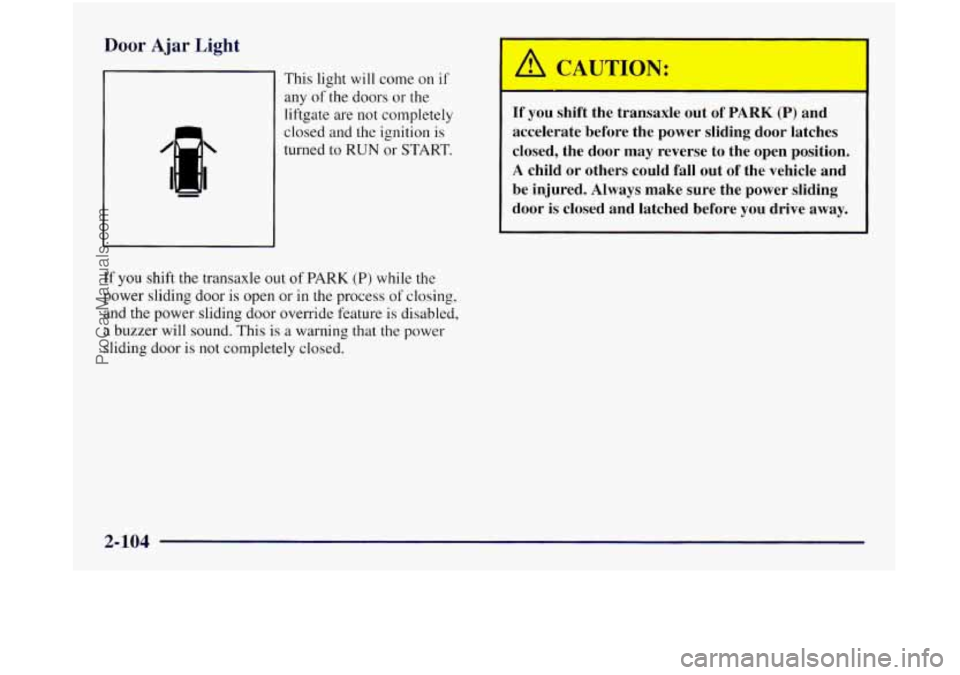
Door Aj; gh
21 This light will come on if
any
of the doors or the
liftgate are not completely
closed and the ignition is
turned to
RUN or START.
If you shift the transaxle out of PARK (P) while the
power sliding door
is open or in the process of closing,
and the power sliding door override feature
is disabled,
a buzzer will sound. This is a warning that the power
sliding door
is not completely closed.
If you shift the transaxle out of PARK (P) and
accelerate before the power sliding door latches
closed, the door may reverse
to the open position.
A child or others could fall out of the vehicle and
be injured. Always make sure the power sliding
door is closed and latched before you drive away.
2-104
ProCarManuals.com