light OLDSMOBILE SILHOUETTE 2003 Owner's Guide
[x] Cancel search | Manufacturer: OLDSMOBILE, Model Year: 2003, Model line: SILHOUETTE, Model: OLDSMOBILE SILHOUETTE 2003Pages: 466, PDF Size: 21.55 MB
Page 171 of 466
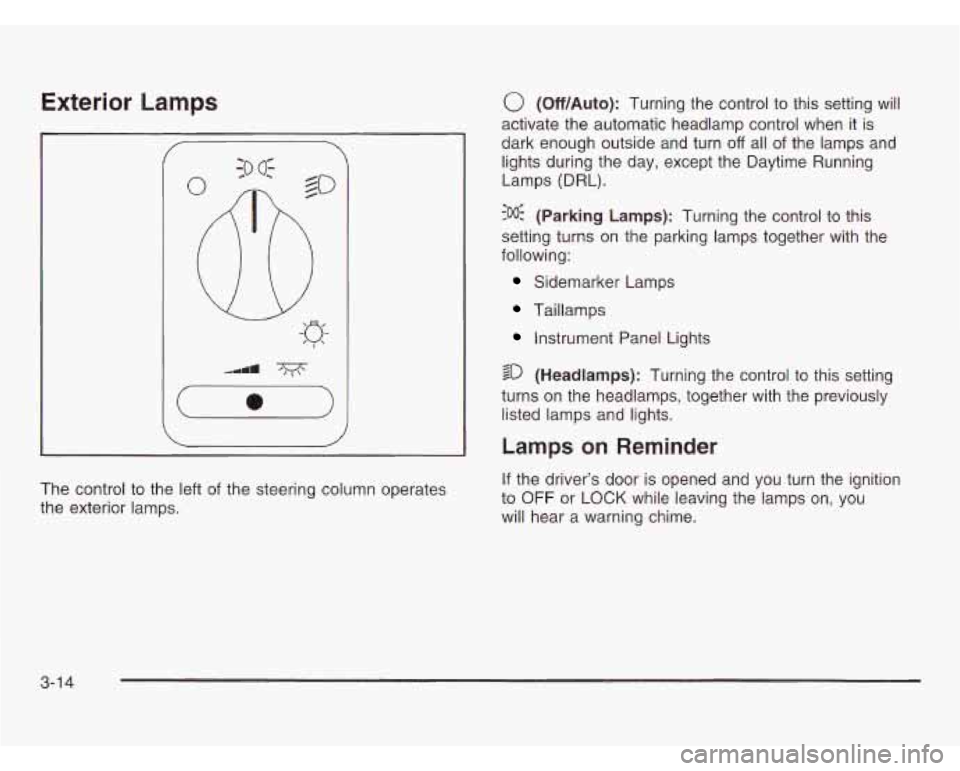
Exterior Lamps
The control to the left of the steering column operates
the exterior lamps.
0 (Off/Auto): Turning the control to this setting will
activate the automatic headlamp control when it is
dark enough outside and turn
off all of the lamps and
lights during the day, except the Daytime Running
Lamps (DRL).
?% (Parking Lamps): Turning the control to this
setting turns on the parking lamps together with the
following:
Sidemarker Lamps
Taillamps
Instrument Panel Lights
sD (Headlamps): Turning the control to this setting
turns on the headlamps, together with the previously
listed lamps and lights.
Lamps on Reminder
If the driver’s door is opened and you turn the ignition
to
OFF or LOCK while leaving the lamps on, you
will hear a warning chime.
3-1 4
Page 172 of 466
Daytime Running Lamps/Automatic
Headlamp System
Daytime Running Lamps (DRL) can make it easier for
others to see the front of your vehicle during the
day. DRL can be helpful in many different driving
conditions, but they can be especially helpful
in the short
periods after dawn and before sunset. Fully functional
daytime running lamps are required on all vehicles
first sold in Canada.
A light sensor on top of the instrument panel makes
the
DRL work, so be sure it isn’t covered. The DRL
system will make your front parking and turn signal
lamps come on in daylight when:
The ignition is on,
the exterior lamps control is off, and
the parking brake is released.
When the DRL are on, only your front parking and turn
signal lamps will be on. Your instrument panel won’t
Le I:+ . .- ue 111 up.
When it’s dark enough outside, the exterior lamps will
come on automatically. When it’s bright enough outside,
the exterior lamps will turn
off and the DRL will turn
on. Of course, you may still turn on the headlamps any
time you need to.
If you start your vehicle in a dark garage, the automatic
headlamp system will come on immediately. Once
you leave the garage, it will take approximately
one minute for the automatic headlamp system to
change to DRL
if it is light outside. During that delay,
your instrument panel cluster may not be as bright
as usual. Make sure your instrument panel brightness
control is in the full bright position. See “Instrument
Panel Brightness Control’’ under
lnterior Lamps
on page
3-17.
To idle your vehicle with the DRL and automatic
headlamp control
off, set the parking brake while the
ignition is in OFF or LOCK. Then start the vehicle.
The DRL and automatic headlamp control will stay
off
until you release the parking brake.
As with any vehicle. you should turn on the reuular
headlamp system when you need
it.
3-1 5
Page 173 of 466

Fog Lamps
Your vehicle may have fog
lamps.
If it does, the fog
lamps switch is located in
the instrument panel
switchbank. Press the fog lamp symbol on the switch
to turn on the lamps. The
indicator light will be lit when the fog lamps are on.
Press the top part of the switch to turn them
off.
The indicator light will go off.
When your DRL are on, the exterior lamps control must
first be turned from the
off position before the fog
lamps can be turned on.
Your parking lamps
or headlamps must be on for your
fog lamps to turn on.
At night, when the light sensor automatically turns on
your headlamps, the fog lamps can be turned on when
the exterior lamps control is in any position.
Your fog lamps will go
off when you switch to high
beams. Using your high beams in fog is not
recommended.
3-1 6
Page 174 of 466
Interior Lamps
Instrument Panel Brightness
This feature controls the brightness of the instrument
panel lights.
The thumbwheel for this feature is located below the
exterior lamps control.
Turn the thumbwheel to the right to brighten the lights
or to the left to dim them.
Interior Lamps Control
Turn the thumbwheel all the way to the right to turn on
the interior lamps, if the interior lamps override switch
is
off. Turn the thumbwheel to the left to turn the
lamps
off.
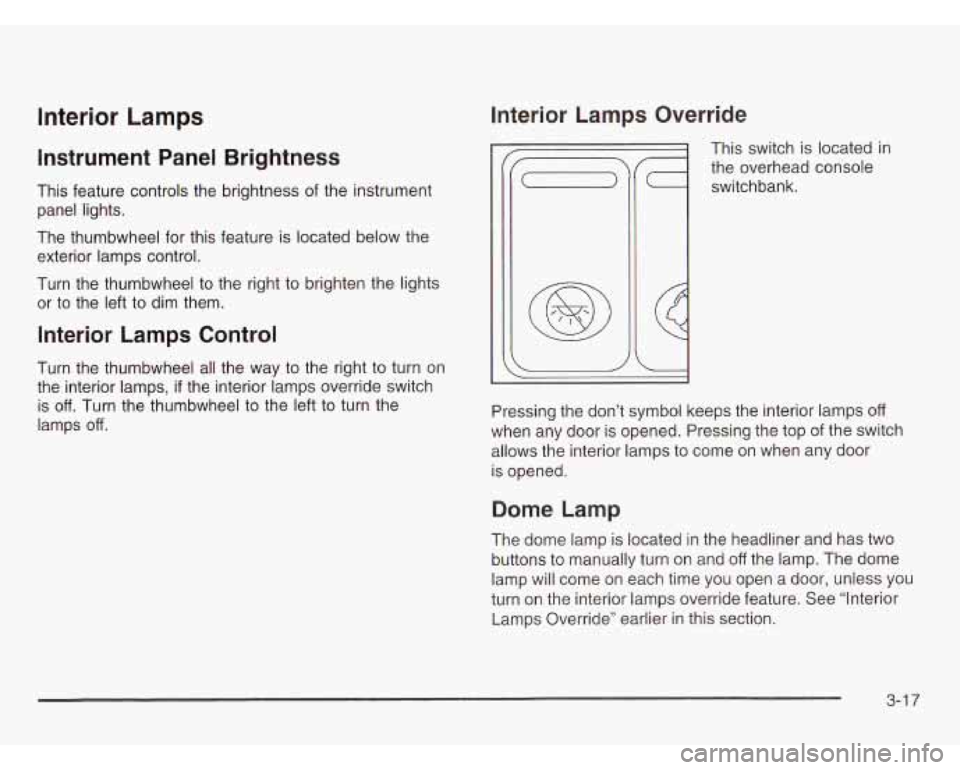
Interior Lamps Override
This switch is located in
the overhead console
switchbank.
Pressing the don’t symbol keeps the interior lamps
off
when any door is opened. Pressing the top of the switch
allows the interior lamps to come on when any door
is opened.
Dome Lamp
The dome lamp is located in the headliner and has two
buttons to manually turn on and
off the lamp. The dome
lamp will come on each time you open a door, unless you
turn
on the interior lamps override feature. See “Interior
Lamps Override” earlier
in this section.
3-1 7
Page 175 of 466
Entry Lighting
With entry lighting, the interior of your vehicle is
illuminated
so that you can see inside before you enter
your vehicle. The lamps will come on for
40 seconds
if you unlock your door using your key or the remote
keyless entry transmitter and the ignition is in LOCK or
OFF. After 40 seconds have passed, the interior lamps
will slowly fade out. The lamps will turn
off before
the
40 seconds if you:
Lock all the doors using the key,
press LOCK on the power door lock switch, or
press LOCK on the remote keyless entry
transmitter.
When any door is opened, entry lighting is cancelled.
The interior lamps will stay on while any door or liftgate
is open, and slowly fade out when all doors and the
liftgate are closed.
The interior lamps may stay on for up to
25 seconds
after all doors have been closed
if they have not been
locked. See “Delayed Lighting’’ following.
To turn the entry lighting feature
off or on, see Vehicle
Personalization on page
2-62.
Delayed Lighting
The delayed lighting feature will continue to illuminate
the interior for
25 seconds after all doors have been
closed
so that you can find your ignition and buckle your
safety belt at night. Delayed lighting will not occur
while the ignition is in RUN or ACCESSORY. After
25 seconds have passed, the interior lamps will slowly
fade out. The lamps
will fade out before the 25 seconds
have passed
if you:
Turn the ignition to RUN or ACCESSORY,
lock all doors using the remote keyless entry
transmitter, or
lock all the doors using the power door lock switch
or the key.
To turn the delayed lighting feature off or on, see
Vehicle Personalization on page 2-62.
3-1 8
Page 176 of 466
Exit Lighting
With exit lighting, the interior lamps will come on for
about
25 seconds whenever you remove the key from
the ignition.
If you turn the ignition key to RUN or
ACCESSORY, the lamps will fade out. The lamps will
also fade out
if you lock the doors with the power
door lock switch or the remote keyless entry transmitter.
When any door is opened, exit lighting is cancelled.
The interior lamps will stay on while any door or
the liftgate is open, and slowly fade out when all doors
and the liftgate are closed.
The interior lamps may stay on for up to
25 seconds
after all doors have been closed
if they have not been
locked. See “Delayed Lighting’’ earlier in this section.
To turn the exit lighting feature
off or on, see Vehicle
Personalization on page
2-62.
Front Reading Lamps
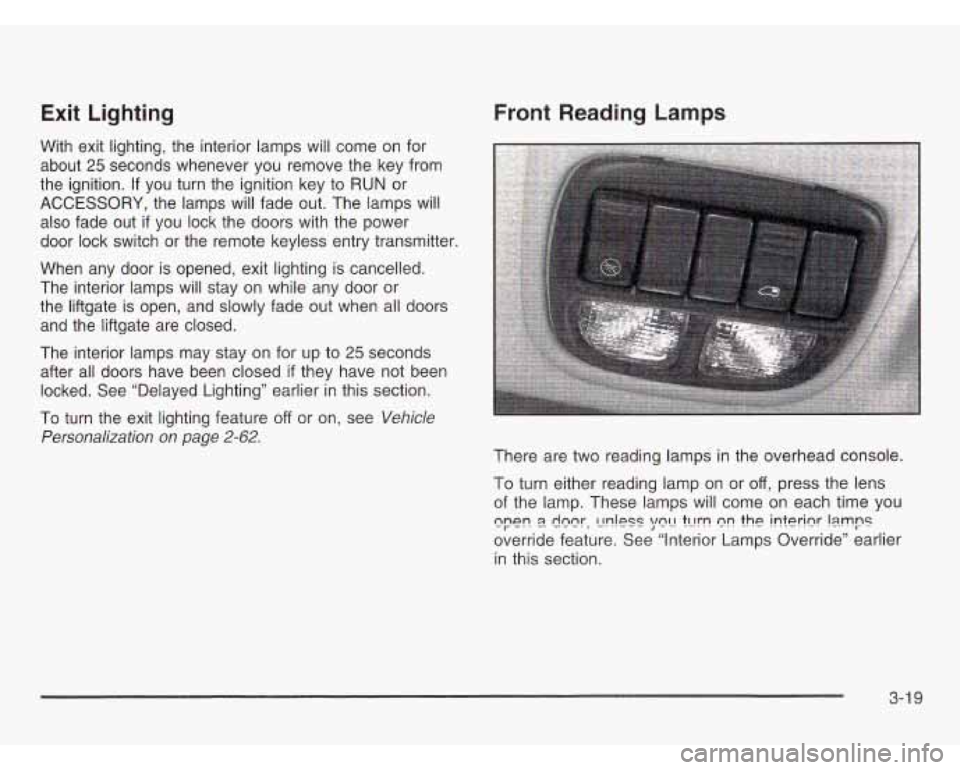
There are two reading lamps in the overhead console.
To turn either reading lamp on or
off, press the lens
of the lamp. These lamps will come on each time you
override feature. See “Interior Lamps Override’’ earlier
in this section.
cpe!? E!. deer, C!!?!PSS \/e!-! tcrrn nr! the JnterInr !smps
3-1 9
Page 177 of 466
Rear Reading Lamps
There may be two reading lamps in the third row
headliner.
To turn on or
off either reading lamp, press the lens
of the lamp.
There is also a reading lamp
in the second row,
integrated with the dome lamp. To turn on or
off
either reading lamp, press the button next to the
lamp lens.
These lamps will not turn on
if the interior lamps
override switch is on. See “Interior Lamps Override”
earlier in this section.
Cargo Lamp
The cargo lamp is located in the rear of your vehicle,
above the liftgate opening, and does not have a switch.
The cargo lamp will come on each time you open a
door, unless you turn on the interior lamps override.
See “Interior Lamps Override” earlier in this section.
Battery Run-Down Protection
Your vehicle has a feature to help prevent you from
draining the battery, in case you accidentally leave the
interior lamps on. If
you leave any interior lamps on
while the ignition is in LOCK or
OFF, they will
automatically turn
off after 10 minutes. The lamps won’t
come back on again until you do one of the following:
0 Turn the ignition to RUN or ACCESSORY,
turn the interior lamps thumbwheel all the way to
the right, then slightly back to the left, or
open (or close and reopen) a door that is closed.
If your vehicle has less than
15 miles (25 km) on
the odometer, the battery saver will turn
off the lamps
after only three minutes.
3-20
Page 179 of 466
Ultrasonic Rear Parking Assist
(URPA)
The Ultrasonic Rear Parking Assist (URPA) system
is designed to help you park, while the vehicle is in
REVERSE (R). It operates only at very low speeds, less
than
3 mph (5 km/h). URPA can help make parking
easier and to help you avoid colliding with objects such as
parked vehicles. The URPA system can detect objects
up to
5 feet (1.5 m) behind the vehicle, and tell you how
close these objects are from your rear bumper.
Your vehicle’s URPA operates when the shift lever is
moved into REVERSE (R) and the vehicle speed is less
than
3 mph (5 km/h). Four ultrasonic sensors located
at the rear bumper are used to detect the distance to the
object. The URPA display is located inside the vehicle,
near the rear window. It has three color-coded lights
used to provide distance and system information to
the driver.
~~ children licj -.%s, or pets arc __ your
vehicle,
RPA won’t tell you they are there.
You could strike them and they could be
injured or killed. Whether or not you are using
URPA, check carefully behind your vehicle and
then watch closely whenever you back
up.
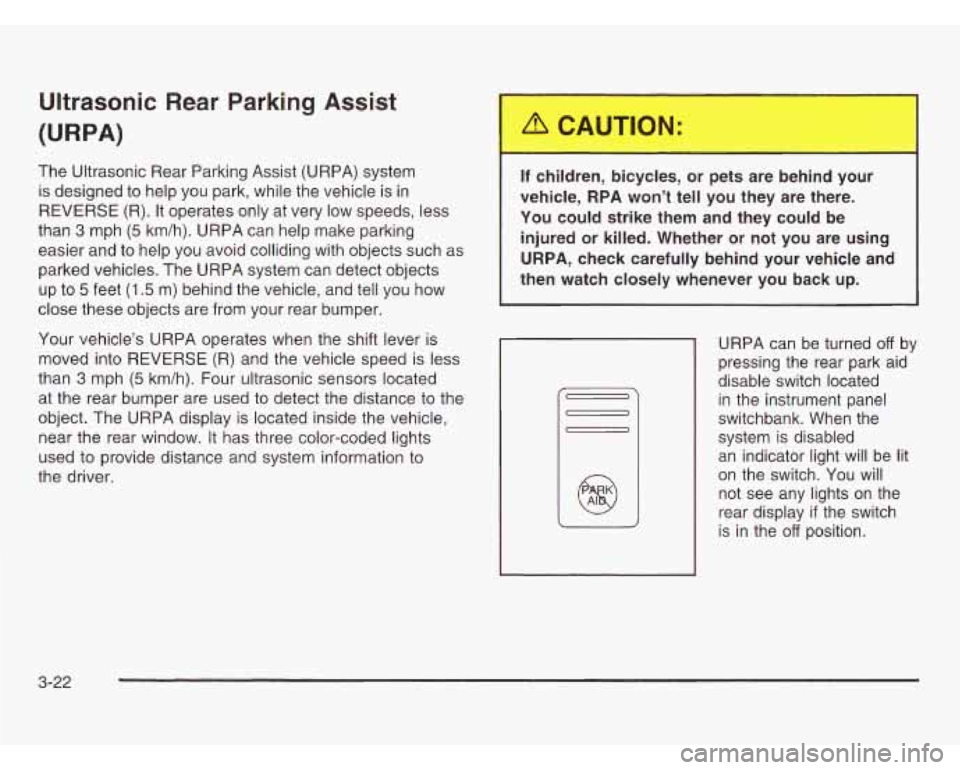
URPA can be turned off by
pressing the rear park aid
disable switch located
in the instrument panel
switchbank. When the
system is disabled
an indicator light will be lit
on the switch. You will
not see any lights on the
rear display
if the switch
is in the
off position.
3-22
Page 180 of 466
How the System Works
Unless disabled, the URPA will turn on automatically
when the shift lever is moved into REVERSE (R).
When the system turns on, the three lights on the
display will illuminate for one and a half seconds to let
you know that the system is working. If your vehicle
is moving in REVERSE (R) at a speed greater
than
3 mph (5 km/h), the red light will flash to remind
you that the system does not work at speed greater than
3 mph (5 km/h).
If an object is detected at a REVERSE (R) speed of
less than
3 mph (5 km/h), one of the following will occur:
Description
1.5 m 5 ft.
amber light Metric
English I - I
ambedamber lights
0.5 m
continuous chime 1.0 m 40 in.
ambedambedred lights
& 20 in.
1 ambedambedred lights
chime I I
A chime will sound the first time an object is detected
between
20 inches (0.5 m) and 5 feet (1.5 m) away.
flashing
& continuous I 0.3 m
L
When
the System Does Not Seem to
Work Properly
The light may flash red when the vehicle is in
REVERSE (R) if the ultrasonic sensors are not kept
clean.
So be sure to keep your rear bumper free of mud,
dirt, snow, ice and slush. Other conditions that may
affect system performance include things like the
vibrations from a jackhammer or the compression of
air brakes on a very large truck. If after cleaning
the rear bumper and then driving forward at least
15 mph
(25 km/h), the display continues to flash red,
see your dealer.
If a trailer was attached to your vehicle, or a bicycle or
an object was on the back of, or hanging out of your
liftgate during your last drive cycle, the light may
also flash red. The light will continue to flash whenever
in REVERSE (R) until your vehicle is driven forward
at least 15 mph (25 km/h) without any obstructions
behind the vehicle.
For cleaning instructions, see
Cleaning the Outside of .I- I#-#-. I UUI vellrdc oli p/ayt. a-rv. r
URPA cannot detect objects that are above liftgate level.
In order for the rear sensors to recognize an object,
it must be within detection range behind the vehicle.
3-23
Page 183 of 466
a (Outside Air): Press this button to turn the
outside air mode on or
off. When this mode is on,
outside air will circulate throughout your vehicle.
When this mode is on, an indicator light in the button
will come on to let you know that
it is activated.
The outside air mode can be used with all modes, but
it
cannot be used with the recirculation mode.
a (Recirculation): This mode keeps outside air
from coming in the vehicle. It can be used to prevent
outside air and odors from entering your vehicle or help
heat or cool the air inside your vehicle more quickly.
Press this button to turn the recirculation mode on or
off.
When the button is pressed, an indicator light will
come on. The air-conditioning compressor also comes
on. The recirculation mode can be used with vent
and bi-level modes, but it cannot be used with floor,
defog, defrost or outside air modes.
Temperature Control: Turn the center knob clockwise
or counterclockwise to increase or decrease the air
temperature inside your vehicle.
e A/C (Air Conditioning): Press this button to turn
the air-conditioning system on or
off. When A/C is
pressed, an indicator light in the button will come on
to let you know that air conditioning
is activated. You may
notice a slight change in engine performance
when the air-conditioning compressor shuts
off and
turns on again. This is normal. The system is designed
to make adjustments to help with fuel economy while
still maintaining the selected temperature.
On hot days, open the windows to let hot inside air
escape; then close them. This helps to reduce the time
it takes for your vehicle to cool down. It also helps
the system to operate more efficiently.
For quick cool down on hot days,
do the following:
1. Select the vent mode.
2. Select the recirculation mode.
3. Select A/C.
4. Select the coolest temperature.
5. Select the highest fan speed.
Using these settings together for long periods of time
may cause the air inside of your vehicle to become
too dry. To prevent this from happening, after the
air inside of your vehicle has cooled, turn the
recirculation mode
off.
The air-conditioning system removes moisture from the
air,
so you may sometimes notice a small amount of
water dripping underneath your vehicle while idling
or after turning off the engine. This is normal.
3-26