lock OPEL AMPERA E 2017.5 Manual user
[x] Cancel search | Manufacturer: OPEL, Model Year: 2017.5, Model line: AMPERA E, Model: OPEL AMPERA E 2017.5Pages: 265, PDF Size: 6.24 MB
Page 133 of 265
Infotainment system131Viewing a slide show
Select r to view the pictures stored
on the USB device in a slide show.
Touch the screen to end the slide
show.
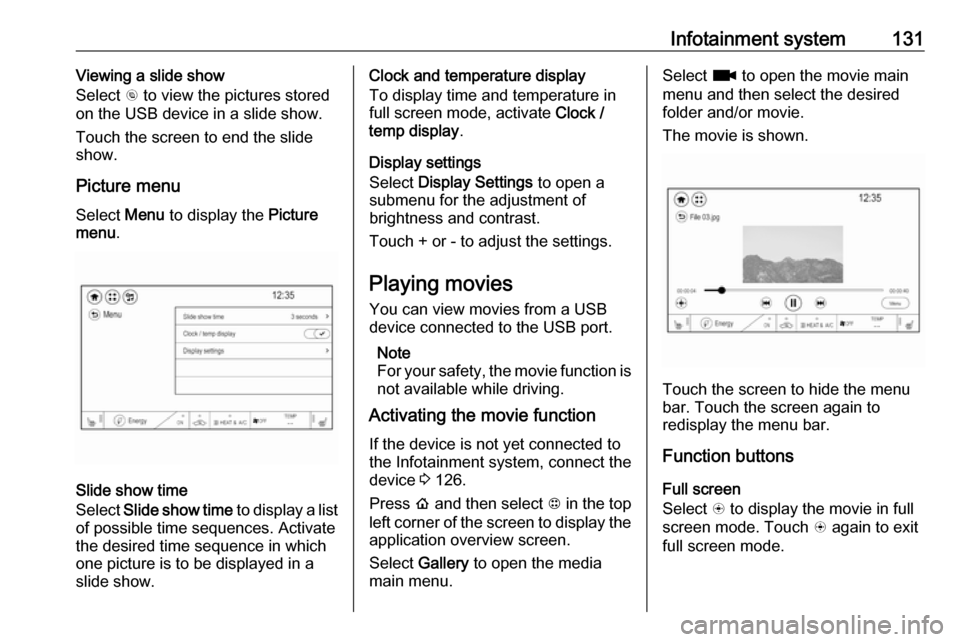
Picture menu
Select Menu to display the Picture
menu .
Slide show time
Select Slide show time to display a list
of possible time sequences. Activate
the desired time sequence in which
one picture is to be displayed in a
slide show.
Clock and temperature display
To display time and temperature in
full screen mode, activate Clock /
temp display .
Display settings
Select Display Settings to open a
submenu for the adjustment of brightness and contrast.
Touch + or - to adjust the settings.
Playing movies You can view movies from a USBdevice connected to the USB port.
Note
For your safety, the movie function is not available while driving.
Activating the movie function
If the device is not yet connected to
the Infotainment system, connect the
device 3 126.
Press p and then select 1 in the top
left corner of the screen to display the application overview screen.
Select Gallery to open the media
main menu.Select z to open the movie main
menu and then select the desired folder and/or movie.
The movie is shown.
Touch the screen to hide the menu
bar. Touch the screen again to
redisplay the menu bar.
Function buttons
Full screen
Select q to display the movie in full
screen mode. Touch q again to exit
full screen mode.
Page 134 of 265
132Infotainment systemInterrupting and resuming playback
Touch = to interrupt playback. The
screen button changes to l.
Touch l to resume playback.
Playing the next or previous track
Touch v to play the next movie file.
Touch t within the first seconds of
the movie playing to return to the
previous movie file.
Returning to the beginning of the
current movie
Touch t after a few seconds of the
movie playing.
Fast forwarding and rewinding
Touch and hold t or v. Release to
return to normal playback mode.
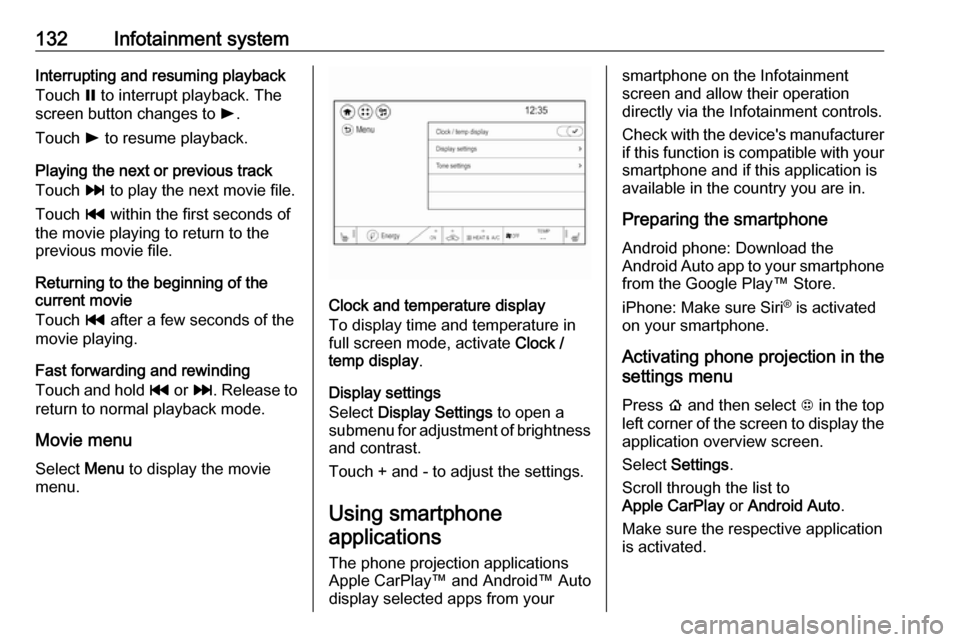
Movie menu
Select Menu to display the movie
menu.
Clock and temperature display
To display time and temperature in
full screen mode, activate Clock /
temp display .
Display settings
Select Display Settings to open a
submenu for adjustment of brightness and contrast.
Touch + and - to adjust the settings.
Using smartphone applications
The phone projection applications
Apple CarPlay™ and Android™ Auto
display selected apps from your
smartphone on the Infotainment
screen and allow their operation
directly via the Infotainment controls.
Check with the device's manufacturer
if this function is compatible with your
smartphone and if this application is
available in the country you are in.
Preparing the smartphone
Android phone: Download the
Android Auto app to your smartphone from the Google Play™ Store.
iPhone: Make sure Siri ®
is activated
on your smartphone.
Activating phone projection in the
settings menu
Press p and then select 1 in the top
left corner of the screen to display the application overview screen.
Select Settings .
Scroll through the list to
Apple CarPlay or Android Auto .
Make sure the respective application is activated.
Page 150 of 265

148Driving and operatingDriving and
operatingDriving hints ............................... 148
Driving economically ...............148
Control of the vehicle ...............149
Starting and operating ...............149
New vehicle running-in ............149
Power button ........................... 149
Retained power off ..................151
Starting and stopping the vehicle .................................... 151
Parking .................................... 152
Electric vehicle operation modes ........................................ 154
Operation ................................. 154
Drive modes ............................ 154
Electric drive unit .......................155
Operation ................................. 155
Brakes ........................................ 158
Antilock brake system .............158
Parking brake .......................... 159
Regenerative braking ..............160
Ride control systems .................162
Traction Control system ..........162
Electronic Stability Control ......163Driver assistance systems .........164
Cruise control .......................... 164
Speed limiter ........................... 165
Forward collision alert .............167
Following distance indication ...169
Active emergency braking .......169
Front pedestrian protection .....172
Parking assist .......................... 174
Side blind spot alert .................181
Lane change alert ....................183
Panoramic view system ...........184
Rear view camera ...................185
Rear cross traffic alert .............187
Traffic sign assistant ................188
Lane keep assist .....................191
Charging .................................... 193
Programmable charging ..........197
Programmed charging override .................................. 203
Charging status .......................204
Charge cord ............................. 205
Electrical requirements ............208
Towing ....................................... 209
General information .................209Driving hints
Driving economically The following advice is intended to
help maximise energy efficiency and
range.
In colder temperatures, while these
efficiency tips will help, the electric
vehicle's driving range may be lower
due to higher energy usage.
The weight of additional cargo in the
vehicle affects efficiency and range.
Avoid carrying more than is needed.
Avoid unnecessary use of electrical
accessories. Power used for
functions other than propelling the
vehicle will reduce electric vehicle
range.
Always keep the tyres properly
inflated and the vehicle properly
aligned.
Driving style
Avoid unnecessary rapid
accelerations and decelerations.
Use cruise control when appropriate.
Page 153 of 265
Driving and operating151
2.With the vehicle in P or N depress
the brake pedal and press
POWER m.
To switch off the vehicle, press
POWER m again. Remove the
electronic key from the centre
console.
This option is intended for
emergencies only. Replace the
electronic key battery as soon as
possible 3 19.
For unlocking or locking the doors,
see fault in radio remote control unit
or electronic key system 3 20.
Retained power off
The following electronic systems can
work until the driver's door is opened
or for ten minutes after the vehicle is
switched off:
● power windows
● Infotainment system
● power outlets
Starting and stopping the
vehicle
Move the shift lever into P or N. The
propulsion system does not start in
any other position.
Note
Do not try into shift to P if the vehicle
is moving, as the electric drive unit
could be damaged. Shift into P only
if the vehicle is stationary.
The radio remote control must be in
the vehicle. Depress the brake pedal, then press and release POWERm.
If the radio remote control is not in the vehicle or something is interfering
with the transmitter, a message is
displayed in the Driver Information
Centre.
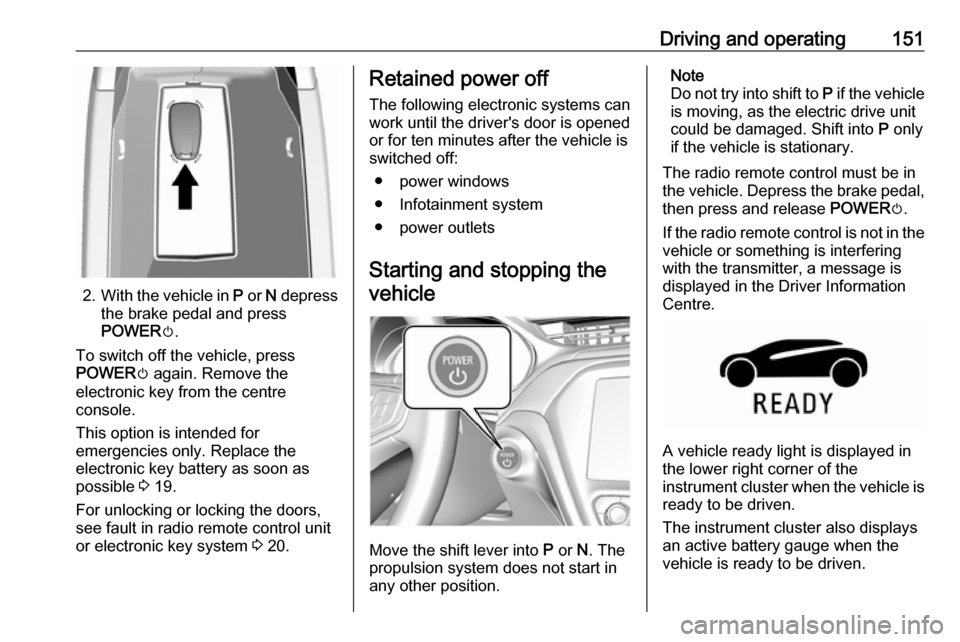
A vehicle ready light is displayed in
the lower right corner of the
instrument cluster when the vehicle is ready to be driven.
The instrument cluster also displays an active battery gauge when the
vehicle is ready to be driven.
Page 155 of 265
Driving and operating153The electric parking brake isapplied when control indicator
m illuminates 3 80.
● Switch off the vehicle.
● If the vehicle is on a level surface or uphill slope, apply
the parking brake and set the
shift lever to P before switching
off the vehicle. On an uphill
slope, turn the front wheels
away from the kerb.
If the vehicle is on a downhill
slope, apply the parking brake
and set the shift lever to P
before switching off the vehicle.
Turn the front wheels towards
the kerb.
With the shift lever in P, press
POWER m briefly to switch off
the vehicle. Turn the steering
wheel until the steering wheel lock engages.
● Close the windows
● Lock the vehicle.
● Activate the anti-theft alarm system.
● The engine cooling fans may run
after the vehicle has been
switched off 3 213.
It is not recommended to park with the propulsion system running.
If the vehicle is left with the propulsion
system running, follow the proper
steps to be sure the vehicle will not
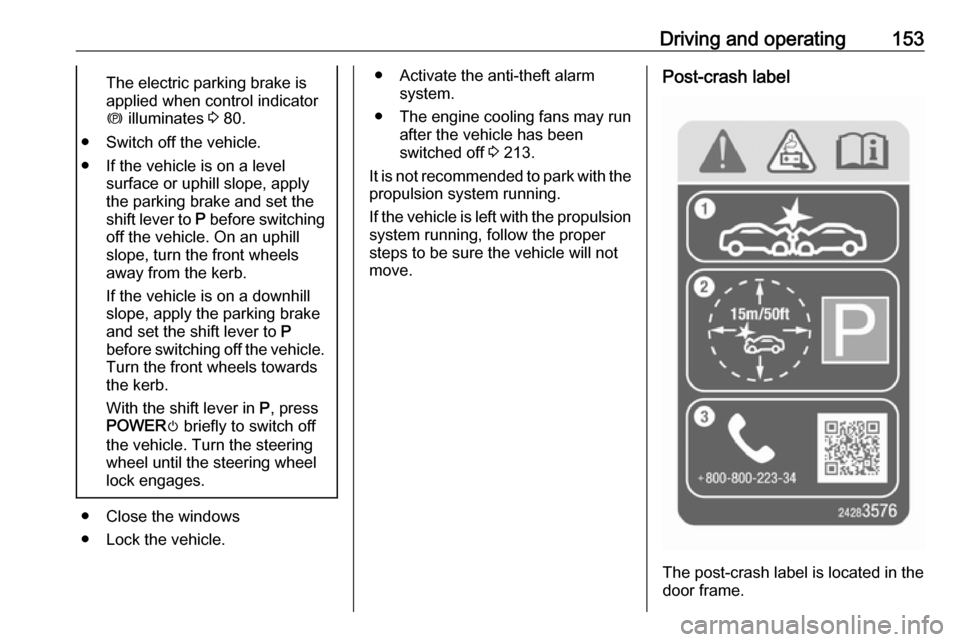
move.Post-crash label
The post-crash label is located in the
door frame.
Page 157 of 265

Driving and operating155Electric drive unit
Operation
The vehicle uses an electric drive
unit. The shift lever is located on the
console between the seats.P:park position, wheels are locked, engage only when the vehicle is
stationaryR:reverse gear, engage only when
the vehicle is stationaryN:neutralD:drive mode, low recuperationL:low, high recuperation, enables
one pedal driveThe shift lever always starts from a
centre position. A yellow dot is
displayed on the shift pattern. After
releasing the shift lever, it will return
to the centre position.
P : This position locks the front
wheels. It is the recommended
position when starting the propulsion system because the vehicle cannot
move easily.9 Warning
It is dangerous to get out of the
vehicle if the shift lever is not fully
in P with the parking brake firmly
applied. The vehicle can roll.
Do not leave the vehicle when the propulsion system is running, the
vehicle may move suddenly. You
or others can be injured. To be
sure the vehicle will not move,
even if you are on even ground,
always apply the parking brake
and move the shift lever to P.The shift lock release button is
designed to prevent inadvertent
shifting out of P unless the vehicle has
been started, the brake pedal is
applied, and the shift lock release
button is pressed.
When the vehicle is stopped, press POWER m to switch off the vehicle.
The electric drive unit will shift to P
automatically.
The vehicle will not shift to P if it is
moving too fast. Stop the vehicle and
shift to P.
To shift in and out of P, press the
release button.
R : Use this gear to reverse.
Page 158 of 265

156Driving and operatingIf the vehicle is shifted from either R
to D, or D to R while the speed is too
high, the vehicle will shift
automatically to N. Reduce the
vehicle speed and try to shift again.
To shift in and out of R:
1. Bring the vehicle to a complete stop.
2. To shift into R, press the shift lock
release button on the side of the
shift lever and move the shift lever
forward, and then to the left. R is
illuminated in red.
To shift out of R, shift to the
desired gear.Caution
Shifting to R while the vehicle is
moving forward could damage the electric drive unit. Shift to R only
after the vehicle is stopped.
At low vehicle speeds, R can be used
to rock the vehicle back and forth to
get out of snow, ice, or sand without
damaging the electric drive unit.
N : In this position, the propulsion
system does not transfer torque to the
wheels. To restart the propulsion
system when the vehicle is already
moving, use N only.
The vehicle is not designed to stay in N for extended periods of time. It will
automatically shift to P.
To shift in and out of N:
To shift into N, move the shift lever
forward. If the vehicle is in P, press
the shift lock release button while pressing the shift lever back. The shifter indicator is illuminated in red.
To shift out of N, bring the vehicle to
a complete stop and shift to the
desired gear.
D : This position is for normal driving.
If more power is needed for passing,
and the vehicle speed is:
● less than 56 km/h, push the accelerator pedal about halfway
down.
● about 56 km/h or more, push the accelerator all the way down.Caution
If the vehicle seems to accelerate
slowly or not respond when you try to go faster, do not continue your
journey. The electric drive unit
could be damaged. Consult a
workshop as soon as possible.
To shift in and out of D:
1. Bring the vehicle to a complete stop.
2. To shift into D, move the shift lever
back. If the vehicle is in P, press
the shift lock release button while pressing the shift lever back. D is
illuminated in red.
To shift out of D, shift to the
desired gear.
L : This position reduces vehicle
speed without using the brakes. Use
L on very steep hills, in deep snow, in
mud or in stop-and-go traffic.
Page 160 of 265

158Driving and operatingAdditional deceleration can be
achieved by using the regenerative braking paddle. Regenerative braking
3 160.Brakes
The brake system comprises twoindependent brake circuits.
If a brake circuit fails, the vehicle can
still be braked using the other brake
circuit. However, braking effect is
achieved only when the brake pedal
is depressed firmly. Considerably
more force is needed for this. The braking distance is extended. Seek
the assistance of a workshop before
continuing the journey.
When the vehicle is switched off, the
support of the brake servo unit
disappears once the brake pedal has
been depressed once or twice.
Braking effect is not reduced, but
braking requires significantly greater
force. It is especially important to bear this in mind when being towed.
Control indicator R 3 80.
Antilock brake system
Antilock brake system (ABS)
prevents the wheels from locking.ABS starts to regulate brake pressure as soon as a wheel shows a tendency to lock. The vehicle remains
steerable, even during hard braking.
ABS control is made apparent
through a pulse in the brake pedal and the noise of the regulation
process.
For optimum braking, keep the brake
pedal fully depressed throughout the
braking process, despite the fact that
the pedal is pulsating. Do not reduce
the pressure on the pedal.
After starting off, the system performs
a self-test which may be audible.
Control indicator u 3 80.
Fault9 Warning
If there is a fault in the ABS, the
wheels may be liable to lock due
to braking that is heavier than
normal. The advantages of ABS
are no longer available. During
Page 162 of 265

160Driving and operatingpulled until the vehicle stops moving,
the electric parking brake will remain
applied.
When the electric parking brake fault
indicator j illuminates, the electric
parking brake has detected a system
problem and is operating with
reduced functionality. To apply the electric parking brake when j
illuminates, pull the m switch and
hold it until the control indicator m
remains on. If the control indicator j
illuminates, seek the assistance of a workshop.
The vehicle may automatically apply
the electric parking brake in some
situations when the vehicle is not
moving. This is normal, and is done to
periodically check the correct
operation of the electric parking brake
system.
If the electric parking brake fails to apply, the rear wheels should be
blocked to prevent vehicle
movement.Releasing
1. Switch on the vehicle.
2. Keep brake pedal depressed.
3. Push switch m.
If attempting to release the electric
parking brake without the brake pedal being applied, a chime will sound and
a message will be displayed in the
Driver Information Centre. The
electric parking brake is released
when m is off.
If control indicator j is illuminated, the
electric parking brake has detected a
system problem, and is operating with reduced functionality. To release the
electric parking brake when j is on,
push down the m switch and hold it
down until the control indicator j
goes off. If the control indicator
remains illuminated, seek the
assistance of a workshop.
Note
Driving with the parking brake on
can overheat the brake system and
cause premature wear or damage to
brake system parts. Make sure thatthe parking brake is fully released
and the control indicator m is off
before driving.
Automatic release
The electric parking brake is
automatically released when the
vehicle is running, placed into gear
and an attempt is made to drive away.
Avoid rapid acceleration when the
electric parking brake is applied, to
reduce wear of parking brake lining.
Electric parking brake control
indicator m 3 80, Electric parking
brake fault control indicator j3 80,
Driver Information Centre 3 83.
Regenerative braking
Some braking energy from the
moving vehicle is turned back into
electrical energy. This energy is then
stored back into the high voltage
battery system, increasing energy
efficiency.
Regenerative power may be limited
when the high voltage battery is near
full charge or cold.
Page 171 of 265

Driving and operating169approaching a vehicle ahead too
rapidly, it may not provide you
enough time to avoid a collision.
The driver accepts full
responsibility for the appropriate
following distance based on traffic,
weather and visibility conditions.
The complete attention of the
driver is always required while
driving. The driver must always be ready to take action and apply the
brakes.
System limitations
Forward collision alert is designed to warn about vehicles only, but may
react also to other objects.
In the following cases, forward
collision alert may not detect a vehicle ahead or sensor performance is
limited:
● on winding roads
● when weather limits visibility, such as fog, rain, or snow
● when the sensor is blocked by snow, ice, slush, mud, dirt,
windscreen damage or affected
by foreign items, e.g. stickers
Following distance
indication
The following distance indication
displays the distance in seconds to a
preceding moving vehicle. The front
camera in the windscreen is used to
detect the distance of a vehicle
directly ahead in the vehicle's path. It
is active at speeds above 8 km/h.
When a preceding vehicle is detected
ahead, the distance is indicated in
seconds, displayed on a page in the
Driver Information Centre.
Select Information menu via steering
wheel buttons and press G to select
following distance indication 3 83.
The minimum indicated distance is
0.5 seconds.
If there is no vehicle ahead or the vehicle ahead is out of range, two
dashes will be displayed: -.- sec.
Active emergency braking
Active emergency braking can help toreduce the damage and injury from
crashes with vehicles, pedestrians and obstacles directly ahead, when a
collision can no longer be avoided
either by manual braking or by
steering. Before the active
emergency braking applies, the driver
is warned by the forward collision
alert 3 167 and front pedestrian
protection 3 172.
The feature uses various inputs (e.g.
camera sensor, brake pressure,
vehicle speed) to calculate the
probability of a frontal collision.9 Warning
This system is not intended to
replace the driver responsibility for driving the vehicle and looking
ahead. Its function is limited to