warning OPEL AMPERA E 2018 Workshop Manual
[x] Cancel search | Manufacturer: OPEL, Model Year: 2018, Model line: AMPERA E, Model: OPEL AMPERA E 2018Pages: 267, PDF Size: 6.45 MB
Page 154 of 267
152Driving and operating9Warning
● Always apply parking brake.
Pull switch m for approx. one
second and check if the control
indicator m illuminates.
The electric parking brake is
applied when control indicator
m illuminates 3 79.
● Switch off the vehicle.
● If the vehicle is on a level surface or uphill slope, applythe parking brake and set the
selector lever to P before
switching off the vehicle. On an uphill slope, turn the front
wheels away from the kerb.
If the vehicle is on a downhill
slope, apply the parking brake
and set the selector lever to P
before switching off the vehicle.
Turn the front wheels towards
the kerb.
With the selector lever in P,
press POWER m briefly to
switch off the vehicle. Turn the
steering wheel until the
steering wheel lock engages.
● Close the windows.
● Lock the vehicle.
● Activate the anti-theft alarm system.
● The engine cooling fans may run
after the vehicle has been
switched off 3 211.
It is not recommended to park with the propulsion system running.
If the vehicle is left with the propulsion
system running, follow the proper
steps to be sure the vehicle will not
move.
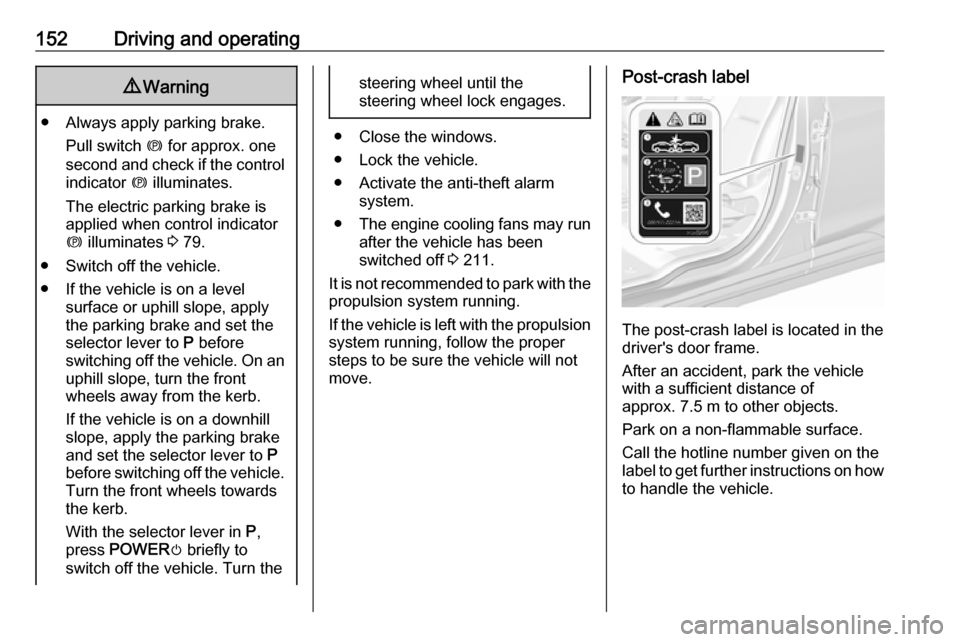
Post-crash label
The post-crash label is located in the
driver's door frame.
After an accident, park the vehicle
with a sufficient distance of
approx. 7.5 m to other objects.
Park on a non-flammable surface.
Call the hotline number given on the
label to get further instructions on how to handle the vehicle.
Page 156 of 267

154Driving and operatingThe selector lever always starts from
a centre position. The selected gear
is indicated by a yellow LED on the
selector lever. After releasing the
selector lever, it will return to the centre position.
P : This position locks the front
wheels. It is the recommended
position when starting the propulsion system because the vehicle cannot
move easily.9 Warning
It is dangerous to get out of the
vehicle if the selector lever is not fully in P with the parking brake
firmly applied. The vehicle can roll.
Do not leave the vehicle when the propulsion system is running, the
vehicle may move suddenly. You
or others can be injured. To be
sure the vehicle will not move,
even if you are on even ground,
always apply the parking brake
and move the selector lever to P.
The release button is designed to
prevent inadvertent shifting out of P
unless the vehicle has been started,
the brake pedal is depressed, and the release button is pressed.
When the vehicle is stopped, press
POWER m to switch off the vehicle.
The electric drive unit will shift to P
automatically.
The vehicle will not shift into P if it is
moving too fast. Stop the vehicle and
shift into P.
To shift into P, press the P button on
the selector lever.
To shift out of P:
1. Depress the brake pedal and press the release button.
2. Shift into the desired gear.
R : Use this gear to reverse.
If the vehicle is shifted from either R
to D, or D to R while the speed is too
high, the vehicle will shift
automatically to N. Stop the vehicle
and shift again.
To shift into and out of R:
1. Bring the vehicle to a complete stop.
2. To shift into R, press the release
button and move the selector
lever forward, and then to the left. R is illuminated in red.
To shift out of R, shift into the
desired gear.Caution
Shifting into R while the vehicle is
moving forward could damage the electric drive unit. Only shift intoR after the vehicle has been
stopped.
Page 159 of 267

Driving and operating157Car wash mode (vehicle on)To place the vehicle in N with the
vehicle running:
1. Open the door while pressing the brake, then shift to N.
2. The indicator should now show N.
If it does not, select N again.
3. Shift into P upon returning to the
vehicle.Brakes
The brake system comprises two
independent brake circuits.
If a brake circuit fails, the vehicle can
still be braked using the other brake
circuit. However, braking effect is
achieved only when the brake pedal
is depressed firmly. Considerably
more force is needed for this. The
braking distance is extended. Seek the assistance of a workshop before
continuing the journey.
When the vehicle is switched off, the
support of the brake servo unit
disappears once the brake pedal has been depressed once or twice.
Braking effect is not reduced, but
braking requires significantly greater
force. It is especially important to bear this in mind when being towed.
Control indicator R 3 79.
Antilock brake system
Antilock brake system (ABS)
prevents the wheels from locking.ABS starts to regulate brake pressure as soon as a wheel shows a tendency
to lock. The vehicle remains
steerable, even during hard braking.
ABS control is made apparent
through a pulse in the brake pedal
and the noise of the regulation
process.
For optimum braking, keep the brake
pedal fully depressed throughout the
braking process, despite the fact that
the pedal is pulsating. Do not reduce
the pressure on the pedal.
After starting off, the system performs a self-test which may be audible.
Control indicator u 3 79.
Fault9 Warning
If there is a fault in the ABS, the
wheels may be liable to lock due
to braking that is heavier than
normal. The advantages of ABS
are no longer available. During
Page 160 of 267
158Driving and operatinghard braking, the vehicle can nolonger be steered and may
swerve.
Have the cause of the fault remedied
by a workshop.
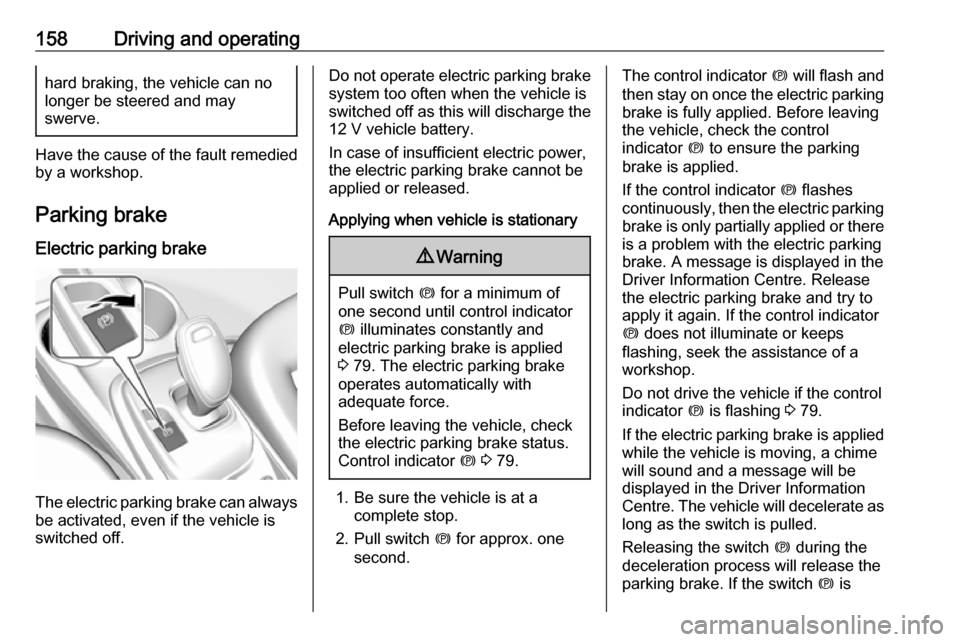
Parking brake
Electric parking brake
The electric parking brake can always
be activated, even if the vehicle is
switched off.
Do not operate electric parking brake
system too often when the vehicle is
switched off as this will discharge the 12 V vehicle battery.
In case of insufficient electric power,
the electric parking brake cannot be
applied or released.
Applying when vehicle is stationary9 Warning
Pull switch m for a minimum of
one second until control indicator
m illuminates constantly and
electric parking brake is applied
3 79. The electric parking brake
operates automatically with
adequate force.
Before leaving the vehicle, check
the electric parking brake status.
Control indicator m 3 79.
1. Be sure the vehicle is at a
complete stop.
2. Pull switch m for approx. one
second.
The control indicator m will flash and
then stay on once the electric parking brake is fully applied. Before leaving
the vehicle, check the control
indicator m to ensure the parking
brake is applied.
If the control indicator m flashes
continuously, then the electric parking
brake is only partially applied or there
is a problem with the electric parking
brake. A message is displayed in the
Driver Information Centre. Release
the electric parking brake and try to
apply it again. If the control indicator
m does not illuminate or keeps
flashing, seek the assistance of a
workshop.
Do not drive the vehicle if the control
indicator m is flashing 3 79.
If the electric parking brake is applied while the vehicle is moving, a chimewill sound and a message will be
displayed in the Driver Information
Centre. The vehicle will decelerate as
long as the switch is pulled.
Releasing the switch m during the
deceleration process will release the
parking brake. If the switch m is
Page 163 of 267
Driving and operating161Ride control systems
Traction Control system The Traction Control system (TC) is a
component of the Electronic Stability
Control (ESC).
TC improves driving stability when
necessary, regardless of the type of
road surface or tyre grip, by
preventing the drive wheels from
spinning.
As soon as the drive wheels starts to
spin, electric drive unit output is
reduced and the wheel spinning the
most is braked individually. This
considerably improves the driving
stability of the vehicle on slippery road
surfaces.
TC is operational as soon as the
control indicator b extinguishes.
When TC operates b flashes.
9
Warning
Do not let this special safety
feature tempt you into taking risks
when driving.
Adapt speed to the road
conditions.
Control indicator b 3 80.
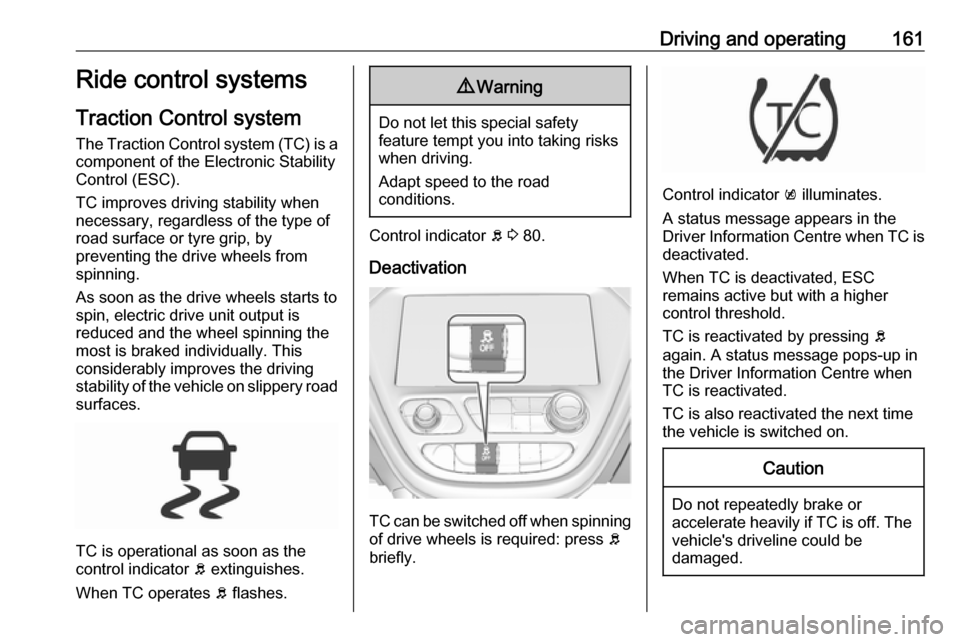
Deactivation
TC can be switched off when spinning of drive wheels is required: press b
briefly.
Control indicator k illuminates.
A status message appears in the
Driver Information Centre when TC is
deactivated.
When TC is deactivated, ESC
remains active but with a higher
control threshold.
TC is reactivated by pressing b
again. A status message pops-up in
the Driver Information Centre when
TC is reactivated.
TC is also reactivated the next time
the vehicle is switched on.
Caution
Do not repeatedly brake or accelerate heavily if TC is off. The
vehicle's driveline could be
damaged.
Page 164 of 267
162Driving and operatingFault
If there is a fault in the system the
control indicator b illuminates
continuously and a message appears
in the Driver Information Centre. The
system is not operational.
Have the cause of the fault remedied
by a workshop.
Electronic Stability Control
Electronic Stability Control (ESC)
improves driving stability when
necessary, regardless of the type of
road surface or tyre grip.
As soon as the vehicle starts to
swerve (understeer / oversteer),
electric drive unit output is reduced and the wheels are braked
individually. This considerably
improves the driving stability of the
vehicle on slippery road surfaces.ESC is operational as soon as the
control indicator b extinguishes.
When ESC operates b flashes.9 Warning
Do not let this special safety
feature tempt you into taking risks
when driving.
Adapt speed to the road
conditions.
Control indicator b 3 80.
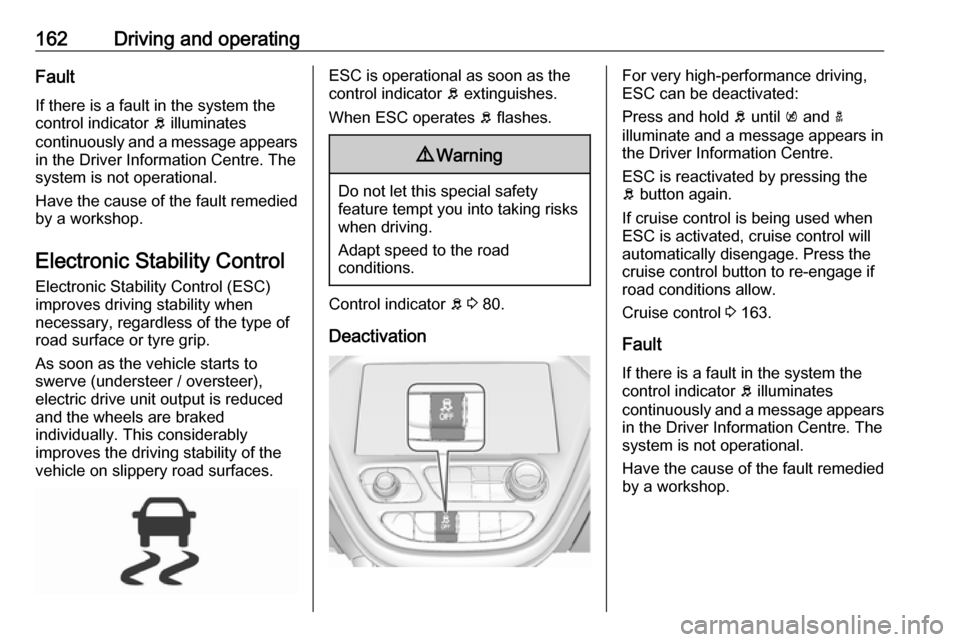
Deactivation
For very high-performance driving,
ESC can be deactivated:
Press and hold b until k and a
illuminate and a message appears in the Driver Information Centre.
ESC is reactivated by pressing the
b button again.
If cruise control is being used when
ESC is activated, cruise control will
automatically disengage. Press the
cruise control button to re-engage if
road conditions allow.
Cruise control 3 163.
Fault
If there is a fault in the system the
control indicator b illuminates
continuously and a message appears
in the Driver Information Centre. The
system is not operational.
Have the cause of the fault remedied by a workshop.
Page 165 of 267
Driving and operating163ResettingIf b illuminates and remains
illuminated, reset the system as
follows:
1. Stop the vehicle.
2. Switch off the vehicle and wait for
15 seconds.
3. Switch on the vehicle. If b still illuminates and remains
illuminated, seek the assistance
of a workshop.Driver assistance
systems9 Warning
Driver assistance systems are
developed to support the driver
and not to replace the driver's
attention.
The driver stays in full control of
the vehicle and accepts full
responsibility when driving the
vehicle.
When using driver assistance
systems, always take care
regarding the current traffic
situation and follow applicable
traffic rules.
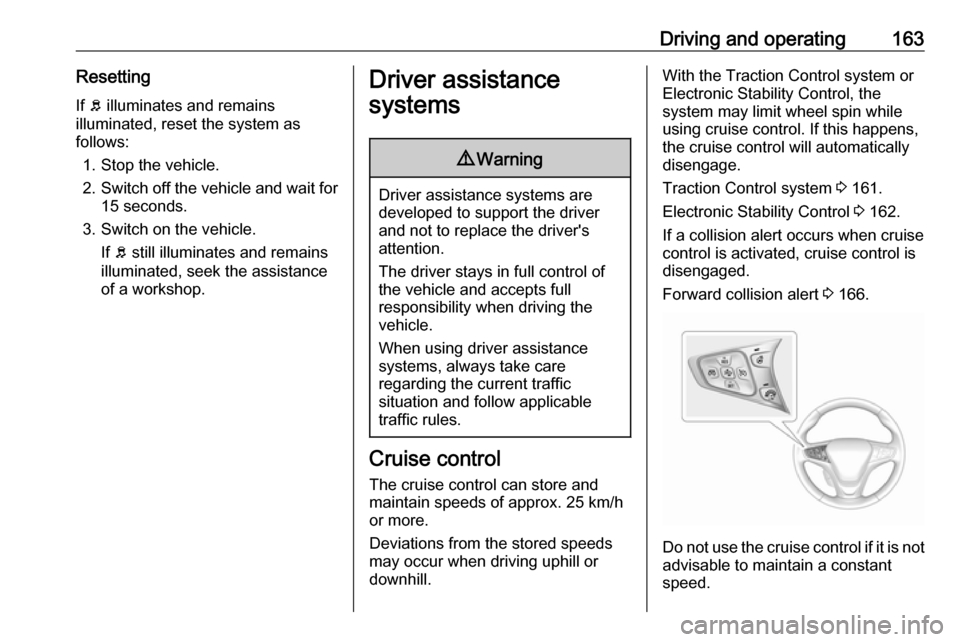
Cruise control
The cruise control can store and
maintain speeds of approx. 25 km/h
or more.
Deviations from the stored speeds may occur when driving uphill or
downhill.
With the Traction Control system or
Electronic Stability Control, the
system may limit wheel spin while
using cruise control. If this happens,
the cruise control will automatically
disengage.
Traction Control system 3 161.
Electronic Stability Control 3 162.
If a collision alert occurs when cruise
control is activated, cruise control is
disengaged.
Forward collision alert 3 166.
Do not use the cruise control if it is not
advisable to maintain a constant
speed.
Page 168 of 267
166Driving and operatingResume limit speed
Press RES/+ . The stored speed limit
will be obtained.
Switching off
Press L, the speed limit indication
extinguishes in the Driver Information Centre. The stored speed is deleted.
By pressing m to activate cruise
control or adaptive cruise control,
speed limiter is also deactivated and
the stored speed is deleted.
By switching off the vehicle, speed
limiter is also deactivated, but the
speed limit will be stored for next
speed limiter activation.
Forward collision alert The forward collision alert may help toavoid or reduce the harm caused by
front-end crashes.
The forward collision alert uses the
front camera system in the
windscreen to detect a vehicle
directly ahead, in your path, within a
distance of approx. 60 m.
A vehicle ahead is indicated by the
control indicator A.
If a vehicle directly ahead is
approached too quickly, a warning
chime is sounded.
Additionally, the driver is notified by a
flashing red LED stripe which is
projected on the windscreen in the
driver's field of view.
A precondition is that forward collision alert is not deactivated in the vehicle
personalisation 3 91.
Activation
Forward collision alert operates
automatically above 8 km/h, if it is not deactivated in the vehicle
personalisation menu.
Alerting the driver
The vehicle ahead control indicator
A illuminates green in the instrument
cluster when the system has detected
a vehicle in the driving path.
The control indicator A changes to
yellow when the distance to a
preceding moving vehicle gets too
small or when approaching another
vehicle too rapidly.Caution
The colour lighting of this control
indicator does not correspond to
local traffic laws on following
distance. The driver bears full
responsibility for maintaining safe
following distance according to
applicable traffic rules, weather
and road conditions etc. at all
times.
When the time to a potential collision
with a vehicle in front gets too small
and a collision is imminent, the driver
is notified by a flashing red LED stripe which is projected on the windscreen
in the driver's field of view.
Page 169 of 267
Driving and operating167
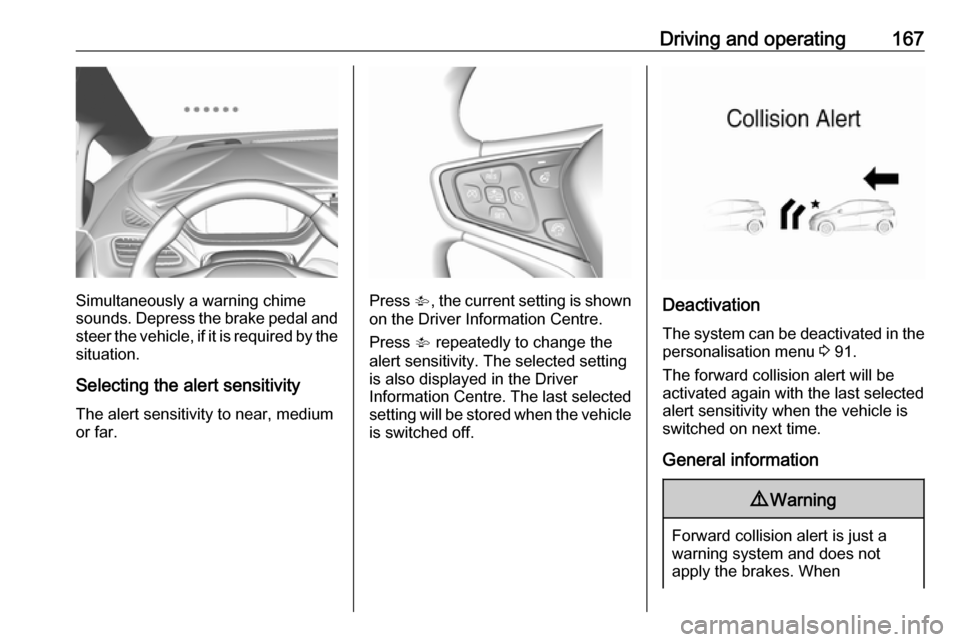
Simultaneously a warning chime
sounds. Depress the brake pedal and
steer the vehicle, if it is required by the
situation.
Selecting the alert sensitivity The alert sensitivity to near, medium
or far.Press V, the current setting is shown
on the Driver Information Centre.
Press V repeatedly to change the
alert sensitivity. The selected setting
is also displayed in the Driver
Information Centre. The last selected
setting will be stored when the vehicle
is switched off.Deactivation
The system can be deactivated in the
personalisation menu 3 91.
The forward collision alert will be
activated again with the last selected
alert sensitivity when the vehicle is
switched on next time.
General information
9 Warning
Forward collision alert is just a
warning system and does not
apply the brakes. When
Page 170 of 267
168Driving and operatingapproaching a vehicle ahead too
rapidly, it may not provide you
enough time to avoid a collision.
The driver accepts full
responsibility for the appropriate
following distance based on traffic, weather and visibility conditions.
The complete attention of the
driver is always required while
driving. The driver must always be
ready to take action and apply the
brakes.
System limitations
Forward collision alert is designed to warn about vehicles only, but may
react also to other objects.
In the following cases, forward
collision alert may not detect a vehicle ahead or sensor performance is
limited:
● on winding roads
● when weather limits visibility, such as fog, rain, or snow
● when the sensor is blocked by snow, ice, slush, mud, dirt,
windscreen damage or affected
by foreign items, e.g. stickers
Following distance
indication
The following distance indication
displays the distance in seconds to a
preceding moving vehicle. The front
camera in the windscreen is used to
detect the distance of a vehicle
directly ahead in the vehicle's path. It
is active at speeds above 8 km/h.
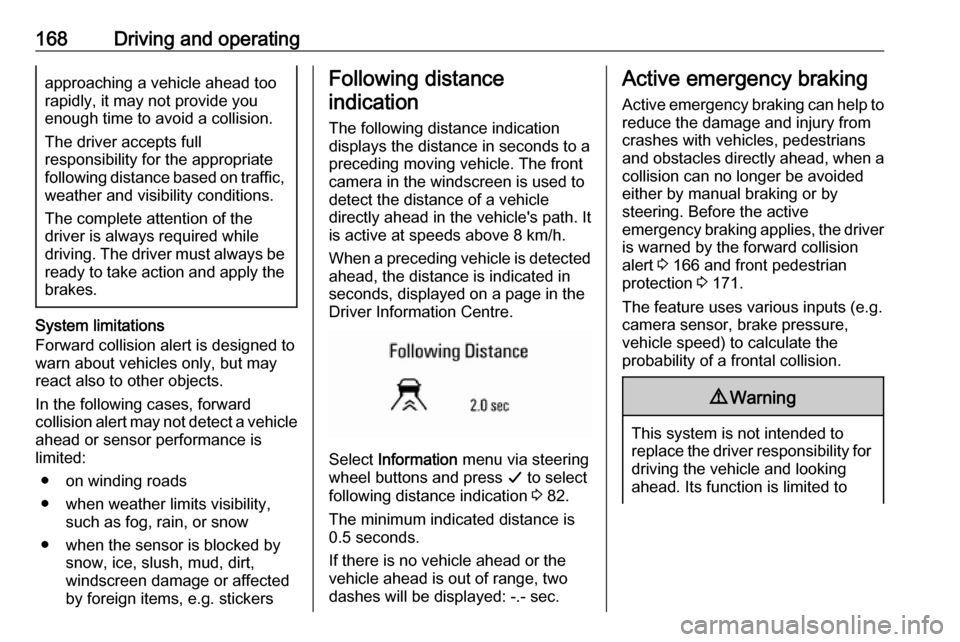
When a preceding vehicle is detected
ahead, the distance is indicated in
seconds, displayed on a page in the
Driver Information Centre.
Select Information menu via steering
wheel buttons and press G to select
following distance indication 3 82.
The minimum indicated distance is
0.5 seconds.
If there is no vehicle ahead or the vehicle ahead is out of range, two
dashes will be displayed: -.- sec.
Active emergency braking
Active emergency braking can help toreduce the damage and injury from
crashes with vehicles, pedestrians and obstacles directly ahead, when a
collision can no longer be avoided
either by manual braking or by
steering. Before the active
emergency braking applies, the driver
is warned by the forward collision
alert 3 166 and front pedestrian
protection 3 171.
The feature uses various inputs (e.g.
camera sensor, brake pressure,
vehicle speed) to calculate the
probability of a frontal collision.9 Warning
This system is not intended to
replace the driver responsibility for driving the vehicle and looking
ahead. Its function is limited to