air OPEL ASTRA J 2014 Owner's Guide
[x] Cancel search | Manufacturer: OPEL, Model Year: 2014, Model line: ASTRA J, Model: OPEL ASTRA J 2014Pages: 331, PDF Size: 10.13 MB
Page 132 of 331
130Instruments and controls
No.Vehicle message68Service power steering69Service suspension system70Service level control system71Service rear axle74Service AFL75Service air conditioning76Service side blind zone alert
system77Service lane departure warning79Top up engine oil81Service transmission82Change engine oil soon83Service adaptive cruise control84Engine power is reduced89Service vehicle soon94Shift to park before exiting95Service airbagNo.Vehicle message128Bonnet open134Park assist fault, clean bumper136Service parking assist145Check washer fluid level174Low vehicle battery258Park assist off
Vehicle messages on the
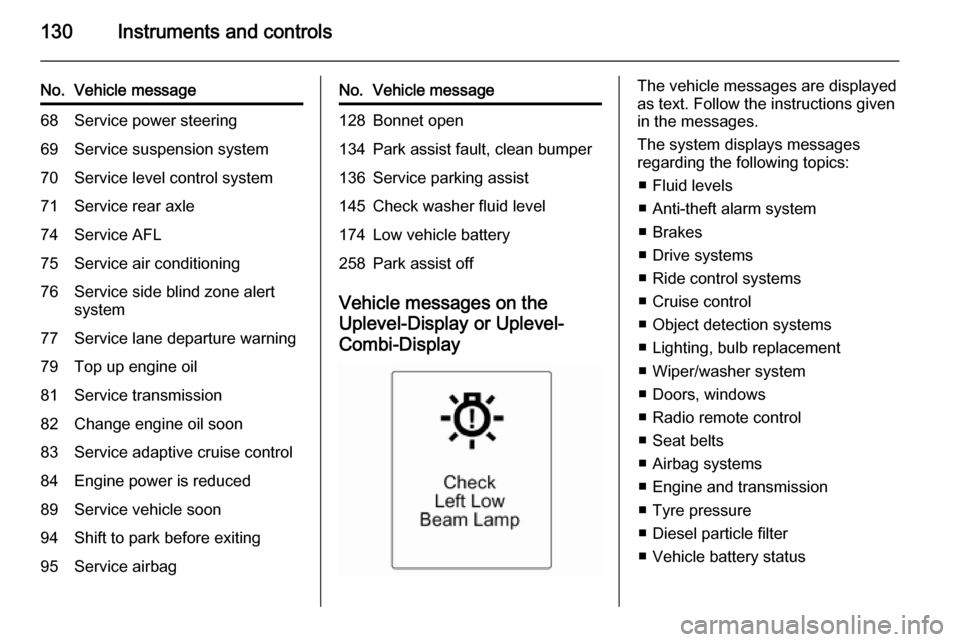
Uplevel-Display or Uplevel- Combi-Display
The vehicle messages are displayed
as text. Follow the instructions given
in the messages.
The system displays messages
regarding the following topics:
■ Fluid levels
■ Anti-theft alarm system
■ Brakes
■ Drive systems
■ Ride control systems
■ Cruise control
■ Object detection systems
■ Lighting, bulb replacement
■ Wiper/washer system
■ Doors, windows
■ Radio remote control
■ Seat belts
■ Airbag systems
■ Engine and transmission
■ Tyre pressure
■ Diesel particle filter
■ Vehicle battery status
Page 138 of 331
136Instruments and controls
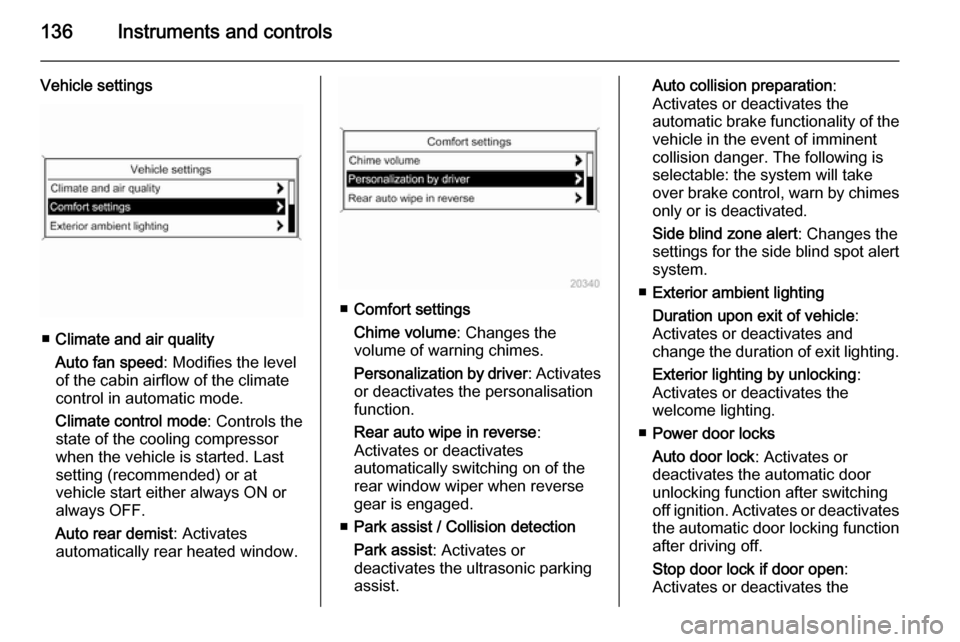
Vehicle settings
■Climate and air quality
Auto fan speed : Modifies the level
of the cabin airflow of the climate
control in automatic mode.
Climate control mode : Controls the
state of the cooling compressor
when the vehicle is started. Last
setting (recommended) or at
vehicle start either always ON or
always OFF.
Auto rear demist : Activates
automatically rear heated window.
■ Comfort settings
Chime volume : Changes the
volume of warning chimes.
Personalization by driver : Activates
or deactivates the personalisation
function.
Rear auto wipe in reverse :
Activates or deactivates
automatically switching on of the
rear window wiper when reverse
gear is engaged.
■ Park assist / Collision detection
Park assist : Activates or
deactivates the ultrasonic parking
assist.
Auto collision preparation :
Activates or deactivates the
automatic brake functionality of the
vehicle in the event of imminent
collision danger. The following is
selectable: the system will take
over brake control, warn by chimes only or is deactivated.
Side blind zone alert : Changes the
settings for the side blind spot alert
system.
■ Exterior ambient lighting
Duration upon exit of vehicle :
Activates or deactivates and
change the duration of exit lighting.
Exterior lighting by unlocking :
Activates or deactivates the
welcome lighting.
■ Power door locks
Auto door lock : Activates or
deactivates the automatic door
unlocking function after switching
off ignition. Activates or deactivates
the automatic door locking function after driving off.
Stop door lock if door open :
Activates or deactivates the
Page 140 of 331
138Instruments and controls
■Sport steering : Steering support is
reduced.
■ Swap backlight colour main instr. :
Change of instrument illumination
colour.
Languages
Selection of the desired language.
Time & Date
See Clock 3 107.
Radio settings
See description for Infotainment
system in the Infotainment system
manual.
Phone settings
See description for Infotainment
system in the Infotainment system
manual.
Navigation settings
See description for Infotainment
system in the Infotainment system
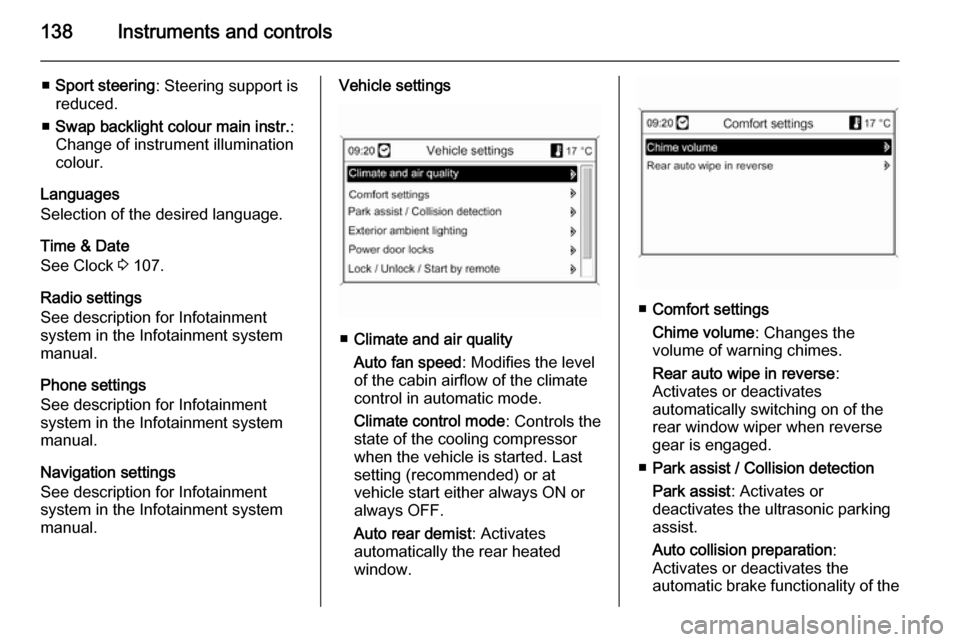
manual.Vehicle settings
■ Climate and air quality
Auto fan speed : Modifies the level
of the cabin airflow of the climate
control in automatic mode.
Climate control mode : Controls the
state of the cooling compressor
when the vehicle is started. Last
setting (recommended) or at
vehicle start either always ON or
always OFF.
Auto rear demist : Activates
automatically the rear heated
window.
■ Comfort settings
Chime volume : Changes the
volume of warning chimes.
Rear auto wipe in reverse :
Activates or deactivates
automatically switching on of the
rear window wiper when reverse gear is engaged.
■ Park assist / Collision detection
Park assist : Activates or
deactivates the ultrasonic parking
assist.
Auto collision preparation :
Activates or deactivates the
automatic brake functionality of the
Page 142 of 331

140Instruments and controls
■Sport Mode Profile
■ Languages
■ Time and Date
■ Radio Settings
■ Phone Settings
■ Navigation Settings
■ Display Settings
■ Vehicle Settings
In the corresponding submenus the
following settings can be changed:
Sport Mode Profile
■ Engine Sport Performance :
Accelerator pedal and gear change
characteristics become more
responsive.
■ Sport Mode Back Lighting :
Change of instrument illumination
colour.
■ Sport Suspension : Damping
becomes harder.
■ Sport Steering : Steering support is
reduced.
Languages
Selection of the desired language.
Time and Date
See Infotainment system manual for
further information.
Radio Settings
See Infotainment system manual for
further information.
Phone Settings
See Infotainment system manual for
further information.Navigation Settings
See Infotainment system manual for
further information.
Display Settings ■ Home Page Menu :
See Infotainment system manual
for further information.
■ Rear Camera Options :
Press to adjust the rear camera
options 3 206.
■ Display Off :
See Infotainment system manual
for further information.
■ Map Settings :
See Infotainment system manual
for further information.
Vehicle Settings ■ Climate and Air Quality
Auto Fan Speed : Modifies the fan
regulation. Changed setting will be active after switching the ignition off
and on again.
Air Conditioning Mode : Activates or
deactivates cooling when switching
Page 151 of 331
Lighting149
Fault in adaptive forward lightingsystem
When the system detects a failure in
the Adaptive forward lighting system,
the system moves to a preset position to avoid dazzling of oncoming traffic.
If this is not possible the affected
headlight will be automatically
switched off. In any case one
headlight will stay on. A warning is
displayed in the Driver Information
Centre.
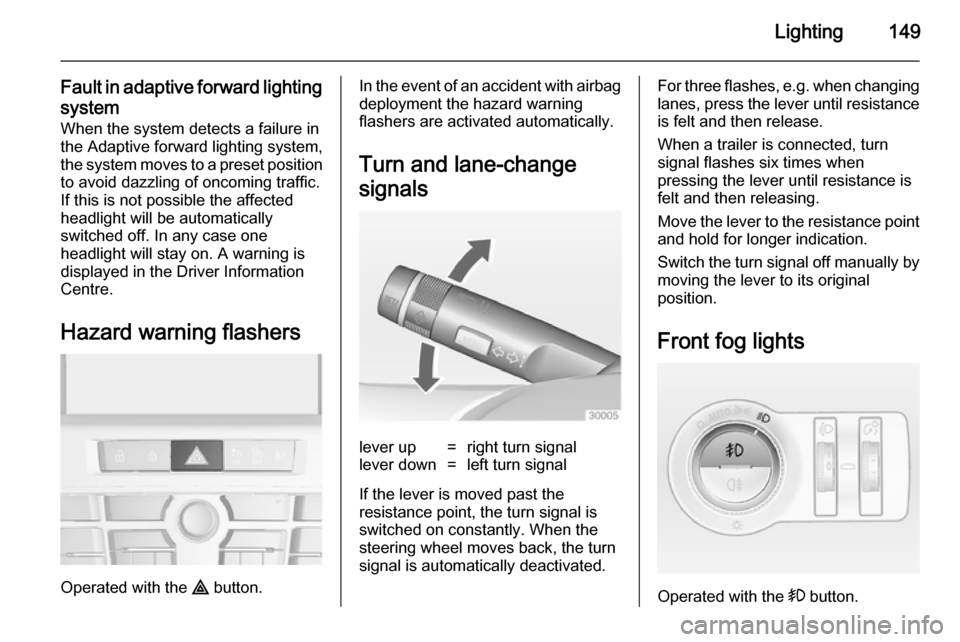
Hazard warning flashers
Operated with the ¨ button.
In the event of an accident with airbag
deployment the hazard warning
flashers are activated automatically.
Turn and lane-change
signalslever up=right turn signallever down=left turn signal
If the lever is moved past the
resistance point, the turn signal is
switched on constantly. When the
steering wheel moves back, the turn
signal is automatically deactivated.
For three flashes, e.g. when changing lanes, press the lever until resistance
is felt and then release.
When a trailer is connected, turn
signal flashes six times when
pressing the lever until resistance is
felt and then releasing.
Move the lever to the resistance point
and hold for longer indication.
Switch the turn signal off manually by moving the lever to its original
position.
Front fog lights
Operated with the > button.
Page 153 of 331

Lighting151Interior lighting
Instrument panel
illumination control
Brightness of the following lights can
be adjusted when the exterior lights
are on:
■ Instrument panel illumination
■ Info-Display
■ Illuminated switches and operation elements.
Turn thumb wheel A and hold until
the desired brightness is obtained.
On vehicles with light sensor, the
brightness can only be adjusted when
the exterior lights are on and the light sensor detects night conditions.
Interior lights
During entry and exit of the vehicle,
the front and rear courtesy lights
automatically switch on and then off
after a delay.
Note
In the event of an accident with airbag deployment the courtesy
lights are turned on automatically.
Front courtesy lightOperate rocker switch:w=automatic switching on
and off.press u=on.press v=off.
Courtesy light on version with
panorama roof
Left and right lamps are separately
switchable.
Operate rocker switches:
centre
position=automatic switching
on and off.press I=on.press 0=off.
Page 157 of 331
Climate control155Climate controlClimate control systems ............. 155
Air vents ..................................... 162
Maintenance .............................. 163Climate control systems
Heating and ventilation
system
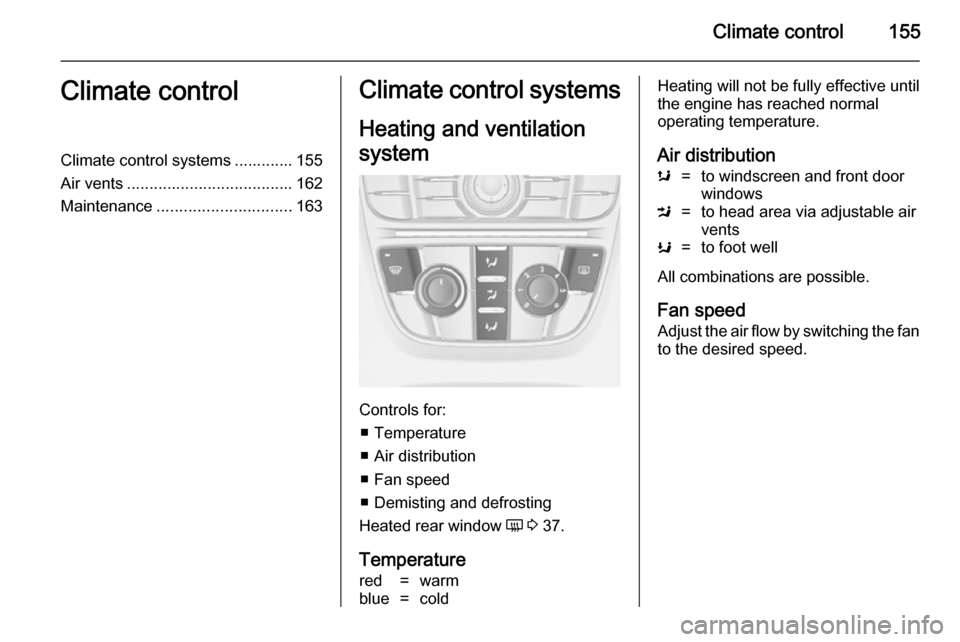
Controls for: ■ Temperature
■ Air distribution
■ Fan speed
■ Demisting and defrosting
Heated rear window Ü 3 37.
Temperature
red=warmblue=coldHeating will not be fully effective until
the engine has reached normal
operating temperature.
Air distributions=to windscreen and front door
windowsM=to head area via adjustable air
ventsK=to foot well
All combinations are possible.
Fan speed
Adjust the air flow by switching the fan to the desired speed.
Page 158 of 331
156Climate control
Demisting and defrosting
■Press button V: fan automatically
switches to higher speed, the air distribution is directed towards the
windscreen.
■ Set temperature control to warmest
level.
■ Switch on heated rear window Ü.
■ Open side air vents as required and
direct them towards the door
windows.
Air conditioning system
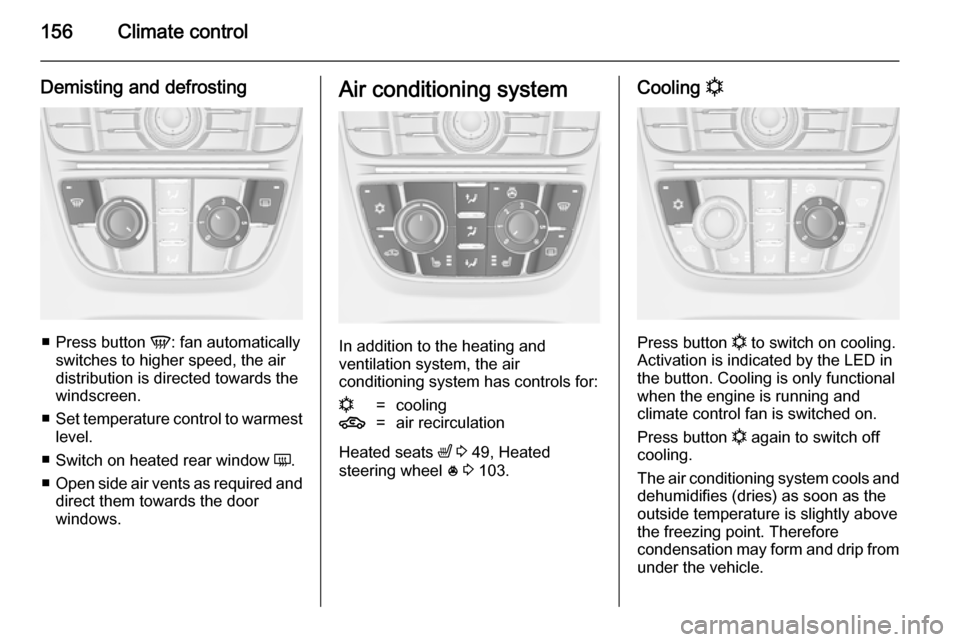
In addition to the heating and
ventilation system, the air
conditioning system has controls for:
n=cooling4=air recirculation
Heated seats ß 3 49, Heated
steering wheel * 3 103.
Cooling n
Press button
n to switch on cooling.
Activation is indicated by the LED in
the button. Cooling is only functional
when the engine is running and
climate control fan is switched on.
Press button n again to switch off
cooling.
The air conditioning system cools and
dehumidifies (dries) as soon as the
outside temperature is slightly above
the freezing point. Therefore
condensation may form and drip from under the vehicle.
Page 159 of 331
Climate control157
If no cooling or drying is required,
switch the cooling system off to save
fuel. Activated cooling might inhibit
autostops.
Air recirculation system 4
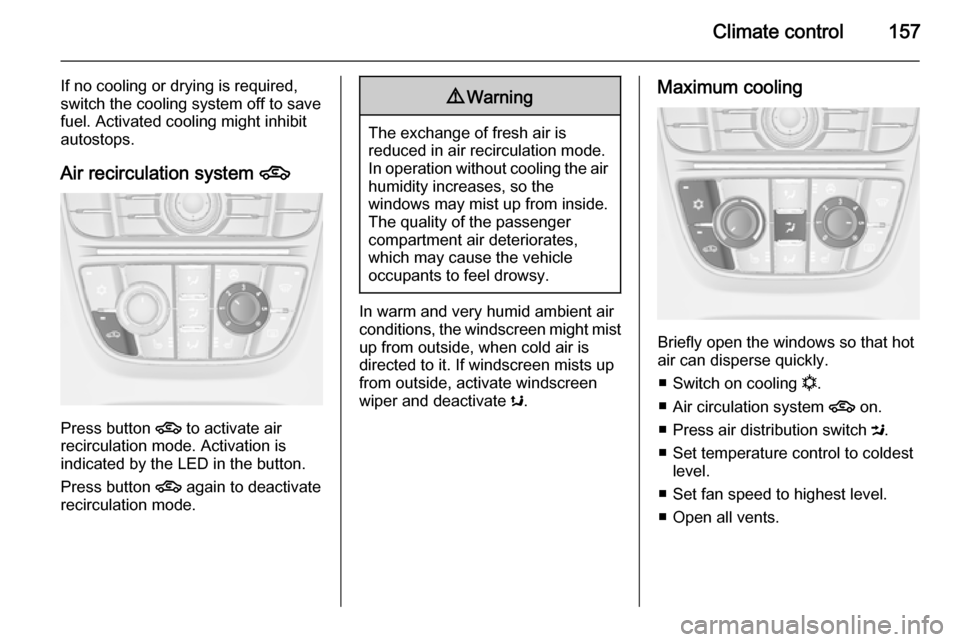
Press button
4 to activate air
recirculation mode. Activation is
indicated by the LED in the button.
Press button 4 again to deactivate
recirculation mode.
9 Warning
The exchange of fresh air is
reduced in air recirculation mode.
In operation without cooling the air humidity increases, so the
windows may mist up from inside.
The quality of the passenger
compartment air deteriorates,
which may cause the vehicle
occupants to feel drowsy.
In warm and very humid ambient air conditions, the windscreen might mist up from outside, when cold air is
directed to it. If windscreen mists up
from outside, activate windscreen
wiper and deactivate s.
Maximum cooling
Briefly open the windows so that hot
air can disperse quickly.
■ Switch on cooling n.
■ Air circulation system 4 on.
■ Press air distribution switch M.
■ Set temperature control to coldest level.
■ Set fan speed to highest level.
■ Open all vents.
Page 160 of 331
158Climate control
Demisting and defrosting the
windows V
■
Press button V: fan automatically
switches to higher speed, the air distribution is directed towards the
windscreen.
■ Switch cooling n on.
■ Set temperature control to warmest
level.
■ Switch on heated rear window Ü.
■ Open side air vents as required and
direct them towards the door
windows.
Note
If the V button is pressed while the
engine is running, an Autostop will
be inhibited until the V button is
pressed again.
If the V button is pressed while the
engine is in an Autostop, the engine will restart automatically.
Stop-start system 3 167.
Electronic climate control
system
The dual zone climate control allows
different climatisation temperatures
for driver and front passenger side.
In Automatic mode temperature, fan
speed and air distribution are
regulated automatically.
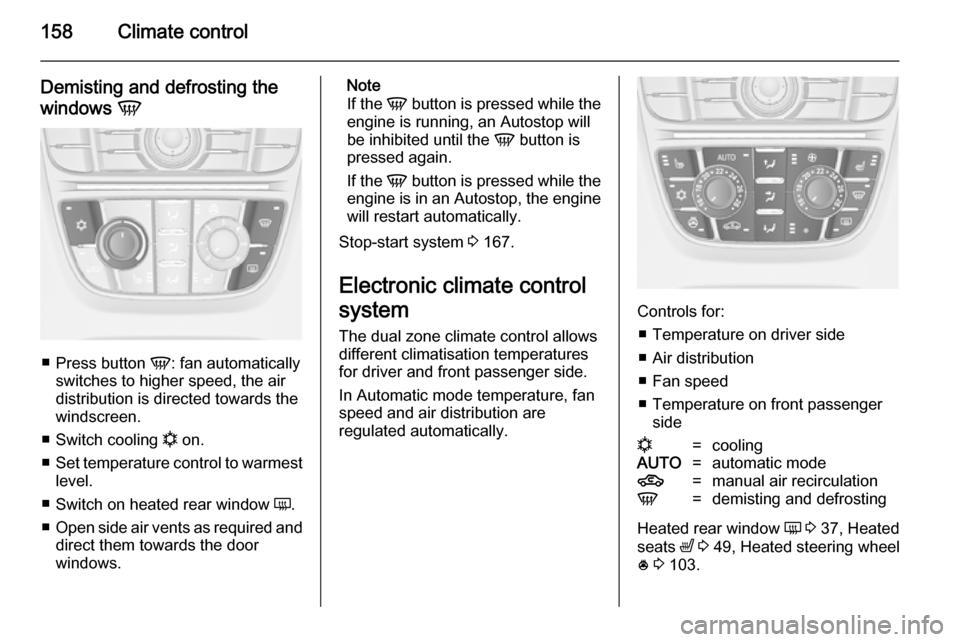
Controls for:
■ Temperature on driver side■ Air distribution
■ Fan speed
■ Temperature on front passenger side
n=coolingAUTO=automatic mode4=manual air recirculationV=demisting and defrosting
Heated rear window Ü 3 37, Heated
seats ß 3 49, Heated steering wheel
* 3 103.