light OPEL CROSSLAND X 2018 Manual user
[x] Cancel search | Manufacturer: OPEL, Model Year: 2018, Model line: CROSSLAND X, Model: OPEL CROSSLAND X 2018Pages: 257, PDF Size: 7.81 MB
Page 124 of 257

122Climate controlHeating will not be fully effective until
the engine has reached normal
operating temperature.
Air distribution l M K
Press:l:to windscreen and front door
windowsM:to head area and rear seats via
adjustable front air ventsK:to front and rear foot well and
windscreen
Combinations are possible.
Fan speed Z
Adjust the air flow by turning Z to the
desired speed.
to the right:increaseto the left:decreaseAir conditioning A/C
Press A/C to switch on cooling.
Activation is indicated by the LED in
the button. Cooling is only functional
when the engine is running and
climate control fan is switched on.
Press A/C again to switch off cooling.
The air conditioning system cools and
dehumidifies (dries) as soon as the
outside temperature is slightly above the freezing point. Therefore
condensation may form and drip from under the vehicle.
If no cooling or drying is required,
switch off the cooling system for fuel
saving reasons.
Activated cooling may inhibit
Autostops. Stop-start system 3 138.
Demisting and defrosting the
windows à
● Press à: the air distribution is
directed towards the windscreen.
● Set temperature controller £ to
warmest level.
● Switch on air conditioning A/C if
required.
● Set fan speed Z to highest level.
● Switch on heated rear window b.
Page 139 of 257
Driving and operating137Automatic transmission: operate
brake pedal and move selector lever
to P or N.
Do not operate accelerator pedal.
Press and release Start/Stop: an
automatic procedure operates the
starter with a short delay until the engine is running.
Before restarting or to switch off the
engine when vehicle is stationary, press Start/Stop once more briefly.
Manual transmission: during an
Autostop, the engine can be started
by depressing the clutch pedal
3 138.
Automatic transmission: during an
Autostop, the engine can be started
by releasing the brake pedal 3 138.
Emergency shut off during driving If the engine needs to be switched offduring driving in case of emergency,
press Start/Stop for five seconds.9Danger
Switching off the engine during
driving may cause loss of power
support for brake and steering
systems. Assistance systems and
airbag systems are disabled.
Lighting and brake lights will
extinguish. Therefore power down the engine and ignition while
driving only when required in case of emergency.
Starting the vehicle at low
temperatures
Starting the engine without additional
heaters is possible down to -25 °С for diesel engines and -30 °C for petrol
engines. Required is an engine oil
with the correct viscosity, the correct fuel, performed services and a
sufficiently charged vehicle battery.
With temperatures below -30 °C the
automatic transmission requires a
warming phase of approx.
five minutes. The selector lever must
be in position P.
Heating functionalities
Note
Individual heating functionalities,
such as heated seats or heated
steering wheel, may be temporarily
unavailable in the event of electrical
loading constraints. Functions will
be resumed after some minutes.
Turbo engine warm-up
Upon start-up, engine available
torque may be limited for a short time,
especially when the engine
temperature is cold. The limitation is
to allow the lubrication system to fully
protect the engine.
Overrun cut-off
The fuel supply is automatically cut off
during overrun, i.e. when the vehicle
is driven with a gear engaged but accelerator pedal is released.
Depending on driving conditions, the
overrun cut-off may be deactivated.
Page 140 of 257
138Driving and operatingStop-start systemThe stop-start system helps to save
fuel and to reduce the exhaust
emissions. When conditions allow, it
switches off the engine as soon as the
vehicle is at a low speed or at a
standstill, e.g. at a traffic light or in a
traffic jam.
Activation
The stop-start system is available as
soon as the engine is started, the
vehicle starts-off and the conditions
as stated below in this section are
fulfilled.
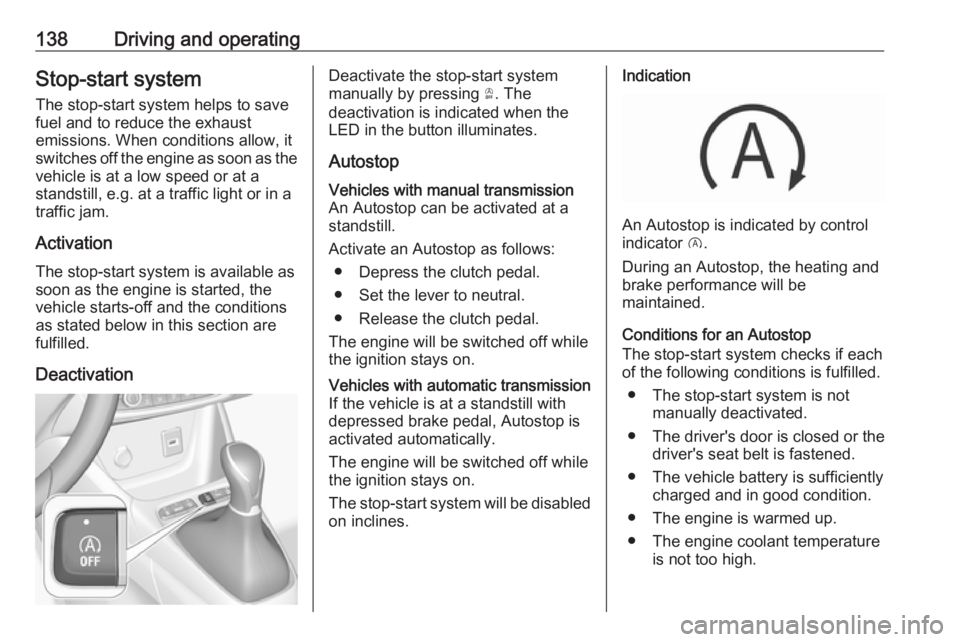
DeactivationDeactivate the stop-start system
manually by pressing Ò. The
deactivation is indicated when the
LED in the button illuminates.
AutostopVehicles with manual transmission
An Autostop can be activated at a
standstill.
Activate an Autostop as follows: ● Depress the clutch pedal.
● Set the lever to neutral.
● Release the clutch pedal.
The engine will be switched off while
the ignition stays on.Vehicles with automatic transmission If the vehicle is at a standstill with
depressed brake pedal, Autostop is
activated automatically.
The engine will be switched off while the ignition stays on.
The stop-start system will be disabled
on inclines.Indication
An Autostop is indicated by control
indicator D.
During an Autostop, the heating and
brake performance will be
maintained.
Conditions for an Autostop
The stop-start system checks if each
of the following conditions is fulfilled.
● The stop-start system is not manually deactivated.
● The driver's door is closed or the driver's seat belt is fastened.
● The vehicle battery is sufficiently charged and in good condition.
● The engine is warmed up.
● The engine coolant temperature is not too high.
Page 152 of 257

150Driving and operatingManual parking brake9Warning
Always apply parking brake firmly
without operating the release
button, and apply as firmly as
possible on a downhill or uphill
slope.
To release the parking brake, pull
the lever up slightly, press the
release button and fully lower the
lever.
To reduce the operating forces of
the parking brake, depress the
foot brake at the same time.
Control indicator R 3 92.
Brake assist
If brake pedal is depressed quickly
and forcefully, maximum brake force
is automatically applied.
Operation of brake assist might
become apparent by a pulse in the
brake pedal and a greater resistance when depressing the brake pedal.
Maintain steady pressure on the
brake pedal as long as full braking is
required. Maximum brake force is
automatically reduced when brake
pedal is released.
Hill start assist The system helps prevent unintendedmovement when driving away on
inclines.
When releasing the brake pedal after
stopping on an incline, brakes remain on for further two seconds. The
brakes release automatically as soon
as the vehicle begins to accelerate.Ride control systems
Electronic Stability Control and Traction Control system
Electronic Stability Control improves
driving stability when necessary,
regardless of the type of road surface
or tyre grip.
As soon as the vehicle starts to
swerve (understeer/oversteer),
engine output is reduced and the
wheels are braked individually.
Electronic Stability Control operates
in combination with the Traction
Control system. It prevents the driven wheels from spinning.
The Traction Control system is a
component of the Electronic Stability
Control.
Traction Control improves driving
stability when necessary, regardless
of the type of road surface or tyre grip,
by preventing the driven wheels from
spinning.
As soon as the driven wheels starts to spin, engine output is reduced and
the wheel spinning the most is braked
Page 158 of 257
156Driving and operatingSpeed limiter is deactivated, but not
switched off. Last stored speed
remains in memory for later speed
resume.
Resume limit speed Press Ñ. The stored speed limit will
be obtained.
Switching off
Press ß, the speed limiter mode is
deselected and the speed limit
indication extinguishes in the Driver
Information Centre.
Pressing m to activate cruise control
deactivates speed limiter.
The preset speed remains in the
memory when the ignition is switched
off.
Fault
In the event of a speed limiter fault,
the speed is cleared resulting in
flashing of the dashes.
The speed limiter may not operate
correctly if traffic signs do not comply with the Vienna Convention on RoadSigns and Signals (Wiener
Übereinkommen über
Straßenverkehrszeichen).
Forward collision alert The forward collision alert may help to
avoid or reduce the harm caused by
front-end crashes.
The forward collision alert uses the
front camera in the windscreen to
detect a vehicle directly ahead, in
your path.
The system triggers different level of
alerts depending on the risk of
collision detected. The alerts are
displayed in the Driver Information
Centre.
Level 1: A visual alert is displayed.
Level 2: A visual alert is displayed and an audible alert sounds.Caution
The colour lighting of this control
indicator does not correspond to
local traffic laws on following
distance. The driver bears full
responsibility for maintaining safe
following distance according to
applicable traffic rules, weather
and road conditions etc. at all
times.9 Warning
Forward collision alert is just a
warning system and does not
apply the brakes. When
approaching a vehicle ahead too
rapidly, it may not provide you
enough time to avoid a collision.
The driver accepts full
responsibility for the appropriate
following distance based on traffic, weather and visibility conditions.
The complete attention of the
driver is always required while
driving. The driver must always be
ready to take action and apply the
brakes.
Page 160 of 257
158Driving and operatingOperation conditions
Active emergency braking is
equipped with a front camera and
operates in forward gear above
walking speed up to 85 km/h.
Activation
Active emergency braking can be
activated in the vehicle
personalisation menu 3 103.
Functionality
The system includes: ● brake preparation system
● emergency automatic braking ● forward looking brake assist
● forward collision alert
● front pedestrian protection
Brake preparation system
When approaching a vehicle ahead
or a pedestrian so quickly that a
collision is likely, the brake
preparation system slightly
pressurizes the brakes. This reduces
the response time, when a manual or automatic braking is requested.The brake system is prepared so that
braking can occur more rapidly.
Emergency automatic braking After activation of brake preparation
system and just before the imminent
collision, this function automatically
applies limited braking to reduce the
impact speed of the collision or
prohibit a crash. Depending on the
situation, the vehicle may
automatically brake moderately or
hard. This front automatic braking can
only occur if a vehicle 3 156 or a
pedestrian 3 159 ahead is detected .
Emergency automatic braking may slow the vehicle to a complete stop to
try to avoid a potential crash.9 Warning
Emergency automatic braking is
an emergency crash preparation
feature and is not designed to
avoid crashes. Do not rely on the
system to brake the vehicle.
Emergency automatic braking will
not brake outside of its operating
speed range and only responds to
detected vehicles and
pedestrians.
Forward looking brake assist
In addition to the brake preparation
system and emergency automatic
braking, the forward looking brake
assist function makes the brake assist more sensitive. Therefore, pressing
the brake pedal less strongly results
in immediate hard braking. This
function helps the driver brake
quicker and harder before the
imminent collision.
9 Warning
Active emergency braking is not
designed to apply hard
autonomous braking or to
automatically avoid a collision. It is designed to reduce the vehicle
speed before a collision. It may not
react to animals. After a sudden
Page 162 of 257

160Driving and operatingFront pedestrian protection uses the
front camera in the windscreen to
detect a pedestrian directly ahead, in
your path.
The system triggers different level of
alerts depending on the risk of
collision detected. The alerts are
displayed in the Driver Information
Centre.
Level 1: A visual alert is displayed.
Level 2: A visual alert is displayed and
an audible alert sounds.9 Danger
Front pedestrian braking does not
provide an alert or automatically
brake the vehicle, unless it detects
a pedestrian.
The system may not detect
pedestrians, including children,
when the pedestrian is not directly ahead, not fully visible, not
standing upright, or when part of a
group.
Caution
The colour lighting of this control
indicator does not correspond to
local traffic laws on following
distance. The driver bears full
responsibility for maintaining safe
following distance according to
applicable traffic rules, weather
and road conditions etc. at all
times.
When the time to a potential collision
with a pedestrian in front gets too small and a collision is imminent, a
warning is displayed in the Driver
Information Centre.
Simultaneously a warning chime
sounds. Depress the brake pedal and
steer the vehicle, if it is required by the
situation.
Operation conditions
The following condition must be
fullfilled for proper operation:
The speed must be between 5km/h
and 60 km/h.
Activation
To use the system, active safety braking has to be activated in the
vehicle personalisation 3 103.
Selecting the alert sensitivity
The alert sensitivity has to be set to
close, normal or distant in the vehicle personalisation menu 3 103.
Deactivation The system can only be deactivated
by deactivating the active emergency braking in the vehicle personalisation,3 103.
System limitations Front pedestrian protection is
designed to warn on pedestrians
only, but may react also to other
objects.
In the following cases, the system
may not detect a pedestrian ahead or
sensor performance is limited:
● Driving on winding or hilly roads.
● During nighttime driving.
Page 172 of 257

170Driving and operatingThe LED comes on after a delay when
passing another vehicle slowly.
Operation conditions
The following conditions must be
fullfilled for proper operation:
● All vehicles are moving in the same direction and in adjacent
lanes.
● The speed of your vehicle is between 12 and 140 km/h.
● Passing a vehicle with a speed difference of less than 10 km/h.
● Another vehicle is passing with a
speed difference of less than 25
km/h.
● The traffic flow is normal.
● Driving on a straight or slightly curved road.
● The vehicle is not pulling a trailer.No alert will be given in the following
situations:
● In the presence of non-moving objects (parked vehicles,
barriers, street lamps, road
signs...).
● With vehicles moving in the opposite direction.
● Driving on a winding road or a sharp corner.
● When passing (or being passed by) a very long vehicle (lorry,
coach...) which is at the same
time detected at the rear in the
blind spot angle and present in
the driver's forward field of vision.
● In very heavy traffic: vehicles detected in front and behind are
confused with a lorry or a
stationary object.
● When passing too quickly.
Deactivation The system is deactivated in the
vehicle personalisation 3 103. B
extinguishes in the instrument cluster. Additionally, an acoustic signal
soundsThe state of the system is stored when switching off the ignition.
The system is automatically
deactivated when towing an
electrically connected trailer.
Fault
In the event of a fault, B flashes for a
few moments in the instrument panel,
accompanied by F and a
display message. Contact a dealer or a qualified workshop to have the
system checked.
Panoramic view system
This system allows views of the
vehicle's surroundings to be
displayed as a nearly 180° picture in
the Info display, like a bird's eye view.
The system uses: ● rear camera, installed in the tailgate
● ultrasonic parking sensors in the rear bumper
The screen in the Info display is
divided into two parts: on the right
there is a view from above the vehicle,
Page 175 of 257
Driving and operating173Displayed images may be further
or closer than they appear. The
area displayed is limited and
objects that are close to either
edge of the bumper or under the
bumper are not displayed on the
screen.
System limitations
Caution
For optimal operation of the
system, it is important to keep the
lense of the camera in the tailgate between the number plate lightsalways clean. Rinse the lense with water and wipe with a soft cloth.
Do not clean the lense with a
steam-jet or high-pressure jet
cleaner.
The panoramic view system may not
operate properly when:
● The surrounding is dark.
● The sun or the beam of headlights is shining directly into
the camera lenses.
● During nighttime driving.
● Weather limits visibility, such as fog, rain, or snow.
● The camera lenses are blocked by snow, ice, slush, mud, dirt.
● The vehicle is towing a trailer.
● The vehicle had an accident.
● There are extreme temperature changes.
Rear view camera The rear view camera assists the
driver when reversing by displaying a
view of the area behind the vehicle.
The view of the camera is displayed
in the Info-Display.9 Warning
The rear view camera does not
replace driver vision. Note that
objects that are outside the
camera's field of view and the
parking assist sensors, e.g. below
the bumper or underneath the
vehicle, are not displayed.
Do not reverse or park the vehicle
using only the rear view camera.
Always check the surrounding of
the vehicle before driving.
Switching on
Rear view camera is automatically
activated when reverse gear is
engaged.
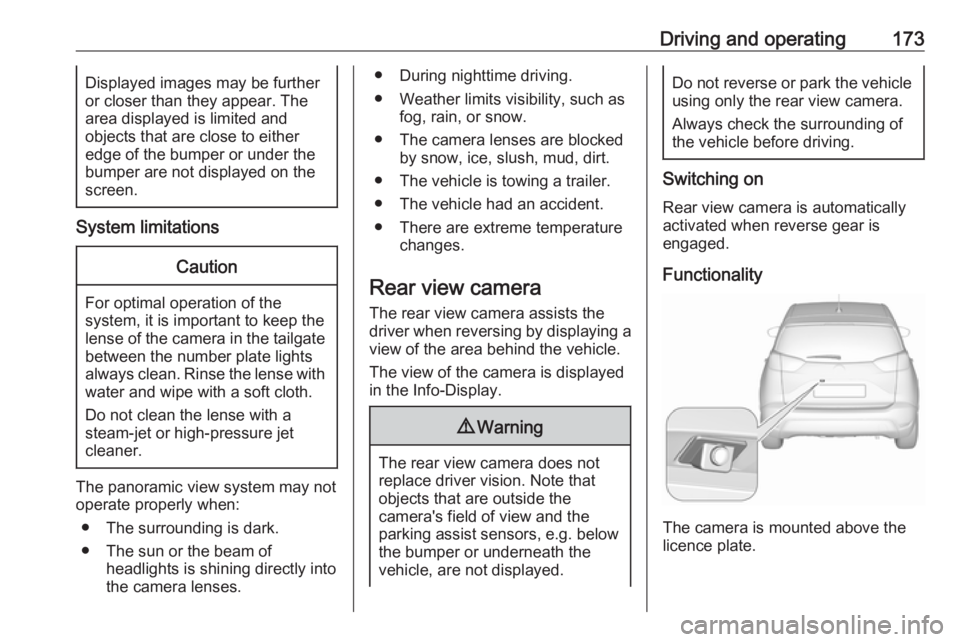
Functionality
The camera is mounted above the
licence plate.
Page 176 of 257

174Driving and operatingThe area displayed by the camera is
limited. The distance of the image that
appears on the display differs from
the actual distance.
Guide lines
The vertical lines represent the
general direction of the vehicle and
the distance between the vertical
lines corresponds to the width of your vehicle without mirrors. The first
horizontal line represents a distance
of about 30 cm beyond the edge of
vehicle's rear bumper. The upper
horizontal lines represent distances
of about 1 and 2 metres beyond the
edge of your vehicle's rear bumper.
The crossing curves represent the
maximum turning circle.
Deactivation of guide lines
Guide lines can be deactivated in the Info-Display. Select Settings, I
Vehicle , I Collision detection , I Rear
view camera guide lines , I § .
Info-Display 3 98.
Vehicle personalisation 3 103.
Switching off
The camera is switched off when a
certain forward speed is exceeded or
if reverse gear is disengaged for
approx. 10 seconds.
System limitationsThe rear view camera may not
operate properly when:
● The surrounding is dark.
● The beam of headlights is shining
directly into the camera lenses.
● During nighttime driving.
● Weather limits visibility, such as fog, rain, or snow.● The camera lenses are blockedby snow, ice, slush, mud, dirt.Clean the lense, rinse with water,
and wipe with a soft cloth.
● The tailgate will be opened.
● The vehicle is towing an electrically connected trailer.
● The vehicle had a rear end accident.
● There are extreme temperature changes.
Lane departure warning
The lane departure warning system
observes the lane markings between
which the vehicle is driving via a front camera. The system detects lane
changes and warns the driver in the
event of an unintended lane change
via visual and acoustic signals.
Criteria for the detection of an
unintended lane change are:
● No operation of turn signals.
● No brake pedal operation.
● No active accelerator operation or speeding-up.