wheel OPEL CROSSLAND X 2019 Manual user
[x] Cancel search | Manufacturer: OPEL, Model Year: 2019, Model line: CROSSLAND X, Model: OPEL CROSSLAND X 2019Pages: 263, PDF Size: 8.11 MB
Page 70 of 263
68StorageThe cover can also be stored behind
the rear seats.
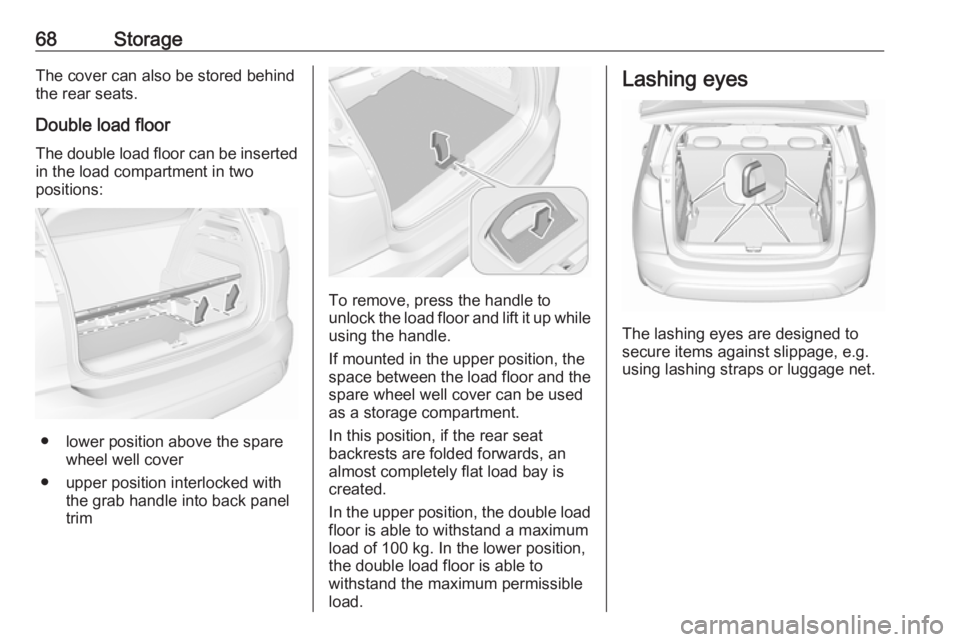
Double load floor
The double load floor can be inserted
in the load compartment in two
positions:
● lower position above the spare wheel well cover
● upper position interlocked with the grab handle into back panel
trim
To remove, press the handle to
unlock the load floor and lift it up while
using the handle.
If mounted in the upper position, the
space between the load floor and the spare wheel well cover can be used
as a storage compartment.
In this position, if the rear seat
backrests are folded forwards, an
almost completely flat load bay is
created.
In the upper position, the double load
floor is able to withstand a maximum
load of 100 kg. In the lower position,
the double load floor is able to
withstand the maximum permissible
load.
Lashing eyes
The lashing eyes are designed to
secure items against slippage, e.g.
using lashing straps or luggage net.
Page 74 of 263
72Instruments and controlsInstruments and
controlsControls ....................................... 73
Steering wheel adjustment ........73
Steering wheel controls .............73
Heated steering wheel ...............73
Horn ........................................... 74
Windscreen wiper and washer ..74
Rear window wiper and washer ...................................... 76
Outside temperature ..................76
Clock ......................................... 77
Power outlets ............................. 77
Inductive charging .....................78
Cigarette lighter ......................... 79
Ashtrays .................................... 79
Warning lights, gauges and indi‐ cators ........................................... 80
Instrument cluster ......................80
Speedometer ............................. 84
Odometer .................................. 84
Trip odometer ............................ 84
Tachometer ............................... 84
Fuel gauge ................................ 85
Fuel selector .............................. 85Engine coolant temperature
gauge ....................................... 86
Engine oil level monitor .............87
Service display .......................... 87
Control indicators ......................88
Turn lights .................................. 88
Seat belt reminder .....................89
Airbag and belt tensioners .........89
Airbag deactivation ....................89
Charging system .......................90
Malfunction indicator light ..........90
Service vehicle soon .................90
Stop engine ............................... 90
System check ............................ 90
Brake and clutch system ...........91
Parking brake ............................ 91
Antilock brake system (ABS) .....91
Gear shifting .............................. 91
Lane departure warning ............91
Electronic Stability Control and Traction Control system ...........92
Electronic Stability Control and Traction Control system off ......92
Engine coolant temperature ......92
Preheating ................................. 92
Exhaust filter .............................. 92
AdBlue ....................................... 92
Deflation detection system ........93
Engine oil pressure ....................93
Low fuel ..................................... 93Autostop.................................... 93
Exterior light .............................. 93
Low beam .................................. 94
High beam ................................. 94
High beam assist .......................94
Front fog lights ........................... 94
Rear fog light ............................. 94
Rain sensor ............................... 94
Cruise control ............................ 94
Side blind spot alert ...................94
Active emergency braking .........94
Speed limiter ............................. 94
Door open .................................. 94
Displays ....................................... 95
Driver Information Centre ..........95
Info Display ................................ 97
Head-up display ........................99
Vehicle messages ......................101
Warning chimes .......................101
Battery voltage ........................ 101
Vehicle personalisation ..............102
Telematics service .....................105
OnStar ..................................... 105
Page 75 of 263
Instruments and controls73Controls
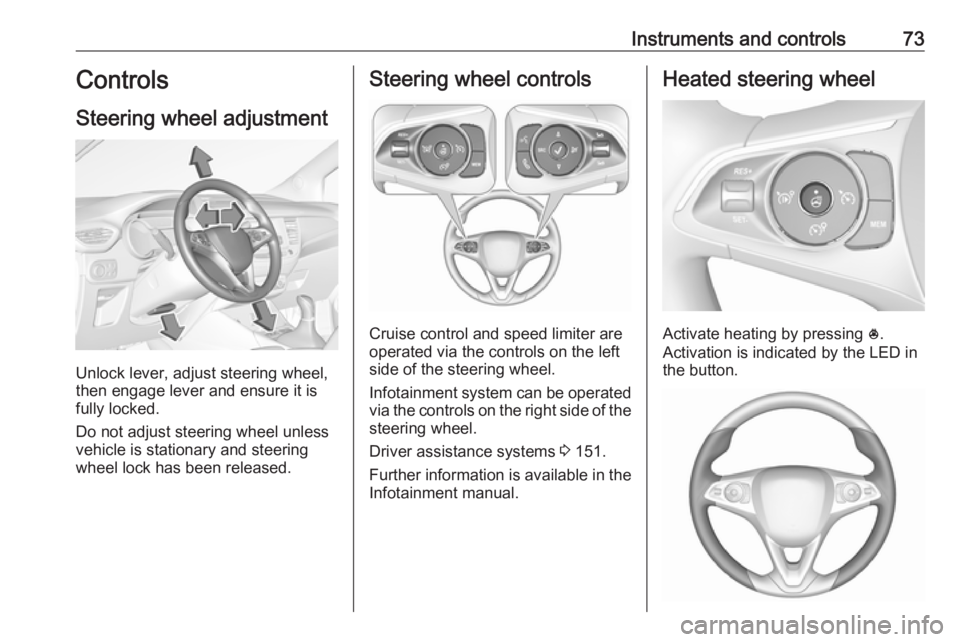
Steering wheel adjustment
Unlock lever, adjust steering wheel,
then engage lever and ensure it is
fully locked.
Do not adjust steering wheel unless
vehicle is stationary and steering
wheel lock has been released.
Steering wheel controls
Cruise control and speed limiter are
operated via the controls on the left
side of the steering wheel.
Infotainment system can be operated
via the controls on the right side of the
steering wheel.
Driver assistance systems 3 151.
Further information is available in the
Infotainment manual.
Heated steering wheel
Activate heating by pressing *.
Activation is indicated by the LED in
the button.
Page 76 of 263
74Instruments and controlsThe recommended grip areas of the
steering wheel are heated quicker
and to a higher temperature than the
other areas.
Heating is operational when the
engine is running and during an
Autostop.
Stop-start system 3 137.
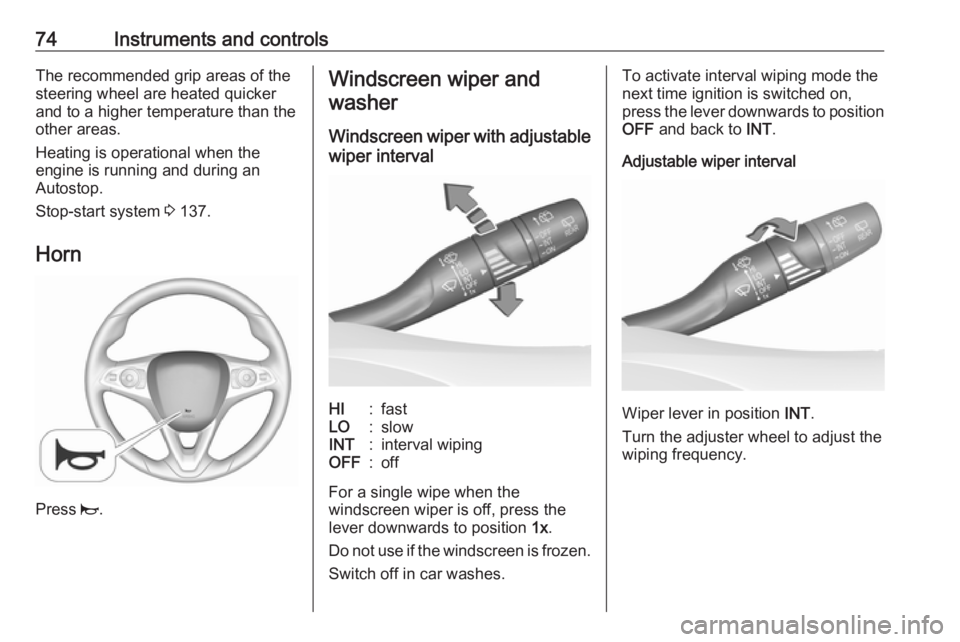
Horn
Press j.
Windscreen wiper and
washer
Windscreen wiper with adjustable
wiper intervalHI:fastLO:slowINT:interval wipingOFF:off
For a single wipe when the
windscreen wiper is off, press the
lever downwards to position 1x.
Do not use if the windscreen is frozen.
Switch off in car washes.
To activate interval wiping mode the
next time ignition is switched on,
press the lever downwards to position
OFF and back to INT.
Adjustable wiper interval
Wiper lever in position INT.
Turn the adjuster wheel to adjust the
wiping frequency.
Page 77 of 263
Instruments and controls75Windscreen wiper with rain
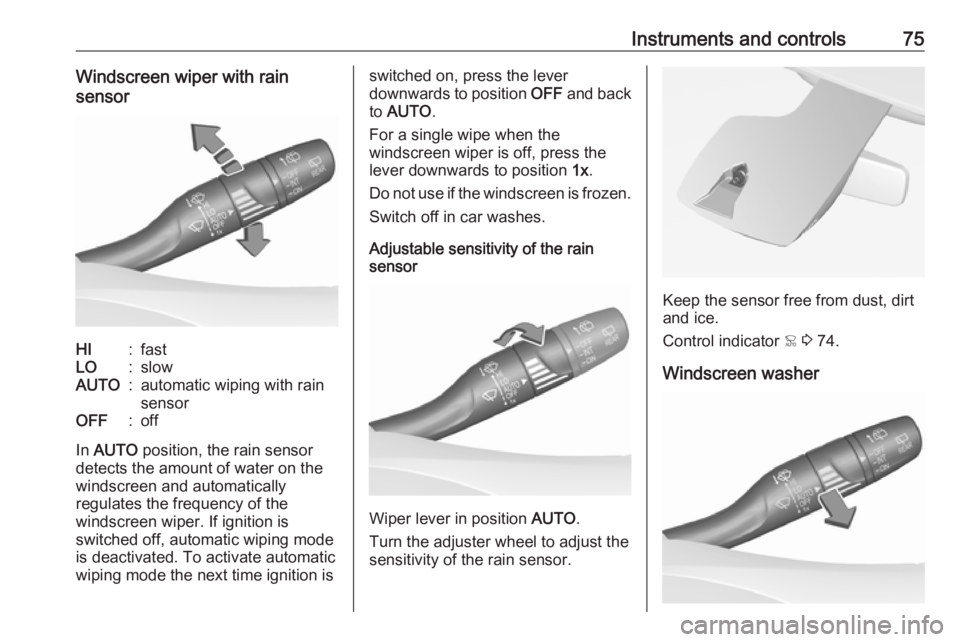
sensorHI:fastLO:slowAUTO:automatic wiping with rain
sensorOFF:off
In AUTO position, the rain sensor
detects the amount of water on the
windscreen and automatically
regulates the frequency of the
windscreen wiper. If ignition is
switched off, automatic wiping mode
is deactivated. To activate automatic
wiping mode the next time ignition is
switched on, press the lever
downwards to position OFF and back
to AUTO .
For a single wipe when the
windscreen wiper is off, press the
lever downwards to position 1x.
Do not use if the windscreen is frozen. Switch off in car washes.
Adjustable sensitivity of the rain
sensor
Wiper lever in position AUTO.
Turn the adjuster wheel to adjust the
sensitivity of the rain sensor.
Keep the sensor free from dust, dirt
and ice.
Control indicator < 3 74.
Windscreen washer
Page 95 of 263
Instruments and controls93Flashes yellowThe remaining driving range is
between 0 and 600 km.
AdBlue level is low. Refill AdBlue
soon to avoid prevention of the
engine start. Up to 10 l of AdBlue can
be added.
AdBlue 3 141.
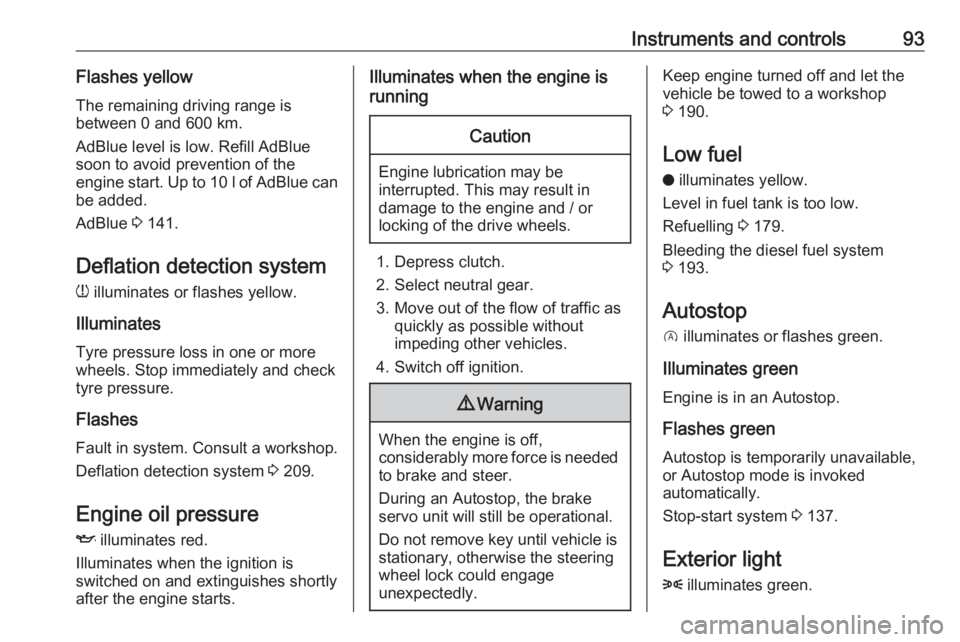
Deflation detection system w illuminates or flashes yellow.
Illuminates Tyre pressure loss in one or more
wheels. Stop immediately and check
tyre pressure.
Flashes
Fault in system. Consult a workshop.
Deflation detection system 3 209.
Engine oil pressure
I illuminates red.
Illuminates when the ignition is
switched on and extinguishes shortly
after the engine starts.Illuminates when the engine is
runningCaution
Engine lubrication may be
interrupted. This may result in
damage to the engine and / or
locking of the drive wheels.
1. Depress clutch.
2. Select neutral gear.
3. Move out of the flow of traffic as quickly as possible without
impeding other vehicles.
4. Switch off ignition.
9 Warning
When the engine is off,
considerably more force is needed
to brake and steer.
During an Autostop, the brake
servo unit will still be operational.
Do not remove key until vehicle is stationary, otherwise the steeringwheel lock could engage
unexpectedly.
Keep engine turned off and let the
vehicle be towed to a workshop
3 190.
Low fuel o illuminates yellow.
Level in fuel tank is too low.
Refuelling 3 179.
Bleeding the diesel fuel system
3 193.
Autostop D illuminates or flashes green.
Illuminates green
Engine is in an Autostop.
Flashes green
Autostop is temporarily unavailable,
or Autostop mode is invoked
automatically.
Stop-start system 3 137.
Exterior light 8 illuminates green.
Page 97 of 263
Instruments and controls95Displays
Driver Information Centre
The Driver Information Centre is
located in the instrument cluster.
Depending on the version and the
instrument cluster, the Driver
Information Centre is available as
Baselevel or Midlevel display.
Driver Information Centre indicates: ● overall and trip odometer
● digital speed indication
● trip / fuel information menu
● gear shift indication
● service information
● vehicle and warning messages
● driver assistance messages
● pop-up messages
● AdBlue information
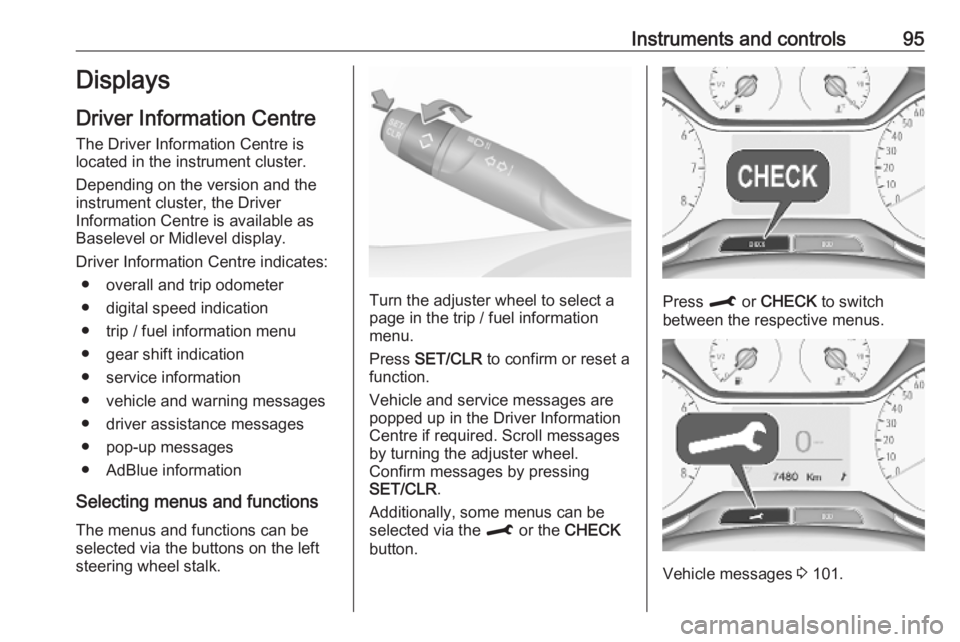
Selecting menus and functions The menus and functions can be
selected via the buttons on the left
steering wheel stalk.
Turn the adjuster wheel to select a
page in the trip / fuel information
menu.
Press SET/CLR to confirm or reset a
function.
Vehicle and service messages are popped up in the Driver Information
Centre if required. Scroll messages
by turning the adjuster wheel.
Confirm messages by pressing
SET/CLR .
Additionally, some menus can be selected via the M or the CHECK
button.Press M or CHECK to switch
between the respective menus.
Vehicle messages 3 101.
Page 98 of 263

96Instruments and controlsTrip / fuel information menu,
Baselevel display
Turn the adjuster wheel to select a
page:
Trip odometer
The recorded distance since the reset.
Press L for 2 seconds to reset trip
odometer.
Average fuel consumption
Display of average consumption. The measurement can be reset at any
time and starts with a default value.
To reset, press SET/CLR for a few
seconds.
Average speed
Display of average speed. The
measurement can be reset at any
time.
To reset, press SET/CLR for a few
seconds.
Fuel range
Range is calculated from current fuel
level and current consumption. The
display shows average values.
After refuelling, the range is updated
automatically after a brief delay.
When the level in the fuel tank is low,
a message appears on the display
and the control indicator o in the fuel
gauge illuminates 3 93.
Instantaneous Fuel Consumption
Display of the instantaneous
consumption.
Digital speed
Digital display of the instantaneous
speed.Trip / fuel information menu,
Midlevel display
Differerent pages with combined
information can be selected.
Turn the adjuster wheel to select a
page.
Information page:
Fuel range
Range is calculated from current fuel
level and current consumption. The
display shows average values.
After refuelling, the range is updated
automatically after a brief delay.
Page 104 of 263
102Instruments and controlsWhen the vehicle is being driven, the
load reduction function temporarily
deactivates certain functions, such as
the air conditioning, the heated rear
screen, heated steering wheel, etc.
The deactivated functions are
reactivated automatically as soon as
conditions permit.Vehicle personalisation
The vehicle's behaviour can be
personalised by changing the settings in the Info Display.
Depending on vehicle equipment and
country-specific regulations some of
the functions described below may
not be available.
Some functions are only displayed or
active when the engine is running.
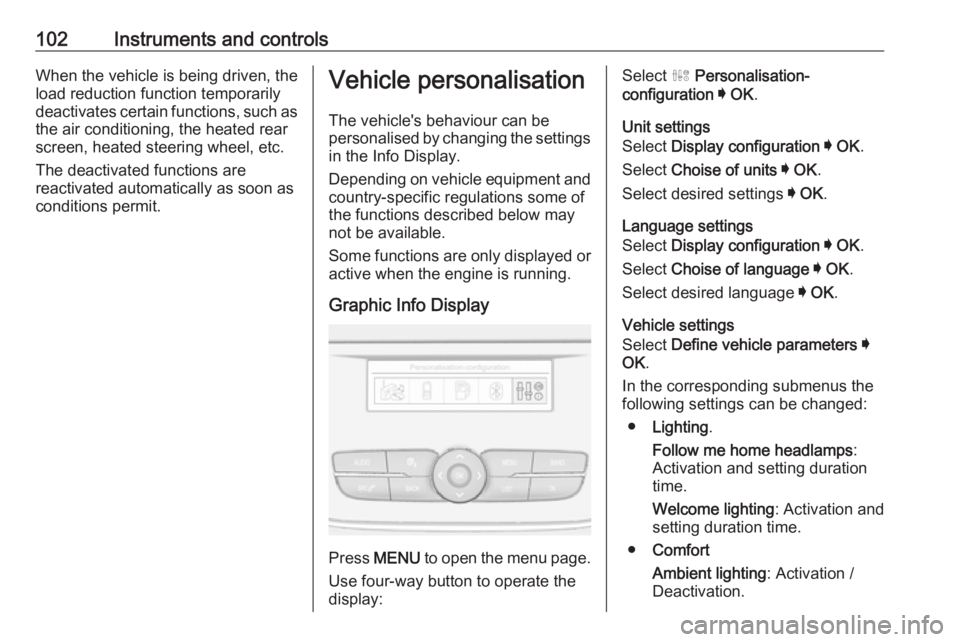
Graphic Info Display
Press MENU to open the menu page.
Use four-way button to operate the
display:
Select ˆ Personalisation-
configuration I OK .
Unit settings
Select Display configuration I OK .
Select Choise of units I OK .
Select desired settings I OK .
Language settings
Select Display configuration I OK .
Select Choise of language I OK .
Select desired language I OK .
Vehicle settings
Select Define vehicle parameters I
OK .
In the corresponding submenus the
following settings can be changed:
● Lighting .
Follow me home headlamps :
Activation and setting duration
time.
Welcome lighting : Activation and
setting duration time.
● Comfort
Ambient lighting : Activation /
Deactivation.
Page 114 of 263
112LightingHeadlight range adjustment
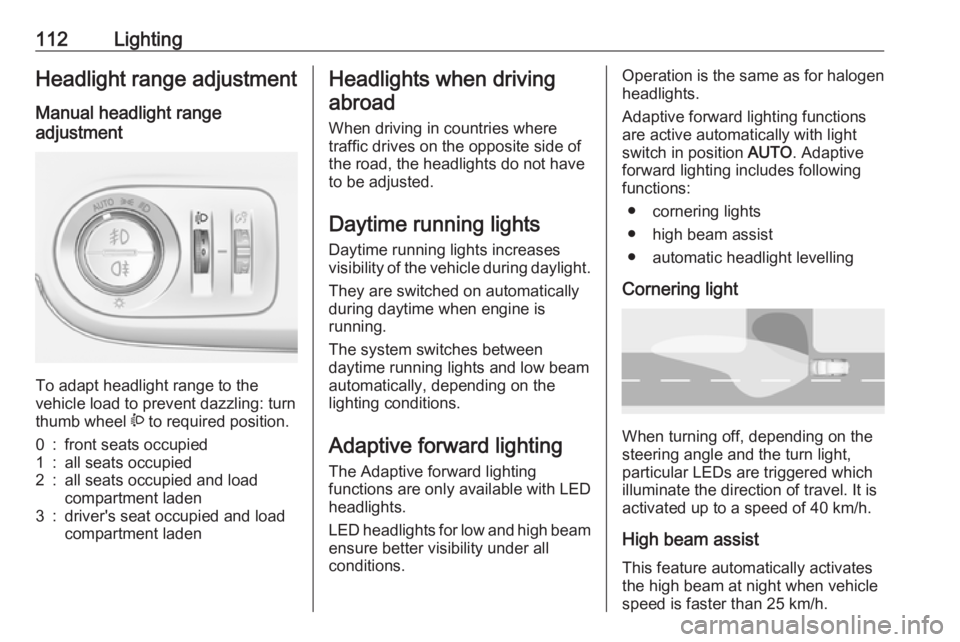
Manual headlight range
adjustment
To adapt headlight range to the
vehicle load to prevent dazzling: turn
thumb wheel ? to required position.
0:front seats occupied1:all seats occupied2:all seats occupied and load
compartment laden3:driver's seat occupied and load
compartment ladenHeadlights when driving
abroad
When driving in countries where
traffic drives on the opposite side of
the road, the headlights do not have
to be adjusted.
Daytime running lights Daytime running lights increases
visibility of the vehicle during daylight.
They are switched on automatically
during daytime when engine is
running.
The system switches between
daytime running lights and low beam
automatically, depending on the
lighting conditions.
Adaptive forward lighting
The Adaptive forward lighting
functions are only available with LED
headlights.
LED headlights for low and high beam ensure better visibility under all
conditions.Operation is the same as for halogen
headlights.
Adaptive forward lighting functions
are active automatically with light
switch in position AUTO. Adaptive
forward lighting includes following
functions:
● cornering lights
● high beam assist
● automatic headlight levelling
Cornering light
When turning off, depending on the
steering angle and the turn light, particular LEDs are triggered whichilluminate the direction of travel. It is
activated up to a speed of 40 km/h.
High beam assist
This feature automatically activates
the high beam at night when vehicle
speed is faster than 25 km/h.