steering wheel OPEL GRANDLAND X 2019 Manual user
[x] Cancel search | Manufacturer: OPEL, Model Year: 2019, Model line: GRANDLAND X, Model: OPEL GRANDLAND X 2019Pages: 277, PDF Size: 7.75 MB
Page 161 of 277
Driving and operating159Accelerate to the desired speed and
move thumb wheel once briefly to
SET/- . The current speed is stored
and maintained. Accelerator pedal
can be released.
The preset speed can then be
changed by moving thumb wheel to
RES/+ to increase or SET/- to
decrease the speed. Move thumb
wheel repeatedly to change speed in
small steps, move and hold to change
speed in large steps.
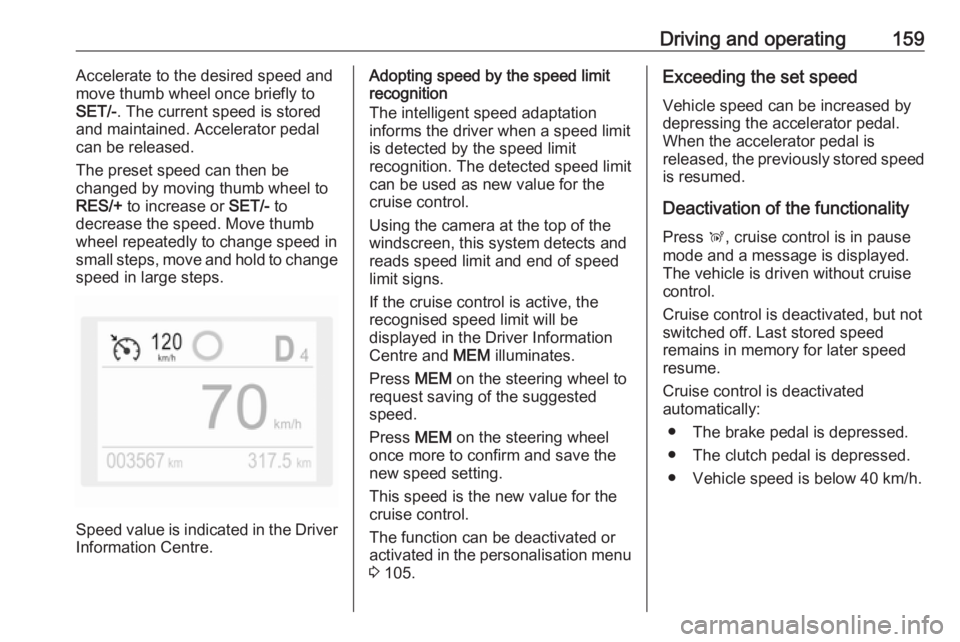
Speed value is indicated in the Driver
Information Centre.
Adopting speed by the speed limit
recognition
The intelligent speed adaptation
informs the driver when a speed limit
is detected by the speed limit
recognition. The detected speed limit
can be used as new value for the
cruise control.
Using the camera at the top of the
windscreen, this system detects and
reads speed limit and end of speed
limit signs.
If the cruise control is active, the
recognised speed limit will be
displayed in the Driver Information
Centre and MEM illuminates.
Press MEM on the steering wheel to
request saving of the suggested
speed.
Press MEM on the steering wheel
once more to confirm and save the
new speed setting.
This speed is the new value for the
cruise control.
The function can be deactivated or
activated in the personalisation menu 3 105.Exceeding the set speed
Vehicle speed can be increased by depressing the accelerator pedal.
When the accelerator pedal is
released, the previously stored speed
is resumed.
Deactivation of the functionality
Press Ñ, cruise control is in pause
mode and a message is displayed.
The vehicle is driven without cruise
control.
Cruise control is deactivated, but not
switched off. Last stored speed
remains in memory for later speed
resume.
Cruise control is deactivated
automatically:
● The brake pedal is depressed.
● The clutch pedal is depressed.
● Vehicle speed is below 40 km/h.
Page 164 of 277
162Driving and operatingIf the speed limiter is active, the
recognised speed limit will be
displayed in the Driver Information
Centre and MEM illuminates.
Press MEM on the steering wheel to
request saving of the suggested
speed limit.
Press MEM on the steering wheel
once more to confirm and save the
new speed setting.
This speed is the new value for the
speed limiter.
The function can be activated or deactivated in the personalisation
menu 3 105.
Exceeding the speed limit
In the event of an emergency, it is
possible to exceed the speed limit by
depressing the accelerator pedal
firmly nearly to the final point. In this case the preset speed value flashes.
Release the accelerator pedal and
the speed limiter function is
reactivated once a speed lower than
the limit speed is obtained.Deactivation of the functionality
Press Ñ, speed limiter is in pause
mode and a message is displayed.
The vehicle is driven without speed
limiter.
Speed limiter is deactivated, but not
switched off. Last stored speed
remains in memory for later speed
resume.
Resume limit speed
Press Ñ, the stored speed limit will be
obtained.
Switching off the system
Press ß, the speed limiter mode is
deselected and the speed limit
indication extinguishes in the Driver
Information Centre.
Pressing m to activate cruise control
deactivates speed limiter.
The preset speed remains in the
memory when the ignition is switched
off.Fault
In the event of a speed limiter fault,
the speed is cleared resulting in
flashing of the dashes.
The speed limit recognition may not
operate correctly if traffic signs do not comply with the Vienna Convention
on Road Signs and Signals.
Adaptive cruise control
The adaptive cruise control is an
enhancement to the conventional
cruise control with the additional
feature of maintaining a certain
following distance to the vehicle
ahead. It uses radar and camera
sensors to detect the vehicles ahead. If no vehicle is detected in the driving
path, the adaptive cruise control will
behave like a conventional cruise
control.
The adaptive cruise control
automatically decelerates the vehicle
when approaching a slower moving
vehicle. It then adjusts the vehicle
speed to follow the vehicle ahead at
the selected following distance. The
Page 166 of 277
164Driving and operating
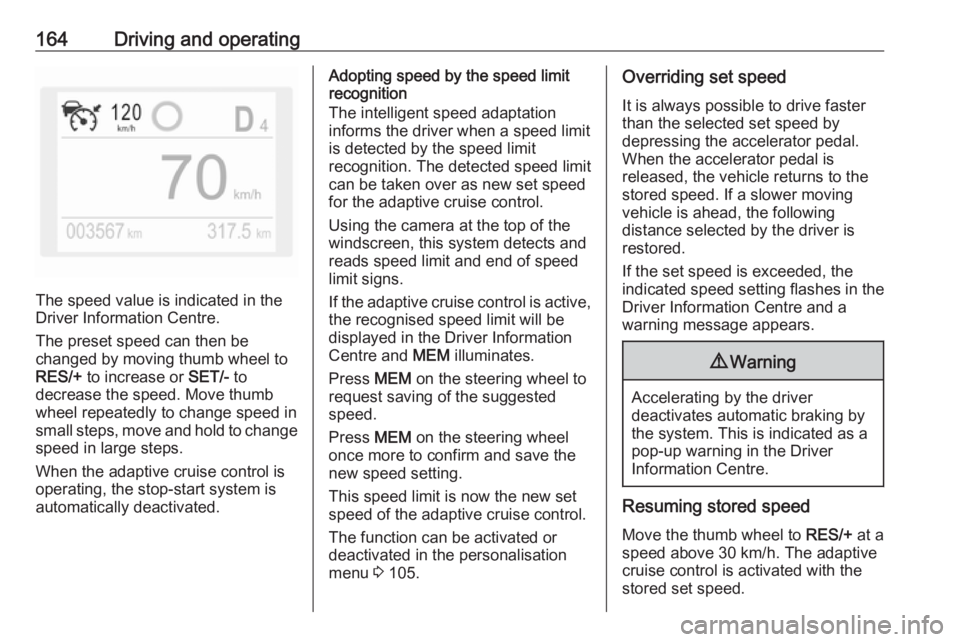
The speed value is indicated in the
Driver Information Centre.
The preset speed can then be
changed by moving thumb wheel to
RES/+ to increase or SET/- to
decrease the speed. Move thumb
wheel repeatedly to change speed in
small steps, move and hold to change speed in large steps.
When the adaptive cruise control is
operating, the stop-start system is
automatically deactivated.
Adopting speed by the speed limit
recognition
The intelligent speed adaptation
informs the driver when a speed limit
is detected by the speed limit
recognition. The detected speed limit
can be taken over as new set speed
for the adaptive cruise control.
Using the camera at the top of the windscreen, this system detects and
reads speed limit and end of speed
limit signs.
If the adaptive cruise control is active, the recognised speed limit will be
displayed in the Driver Information Centre and MEM illuminates.
Press MEM on the steering wheel to
request saving of the suggested
speed.
Press MEM on the steering wheel
once more to confirm and save the
new speed setting.
This speed limit is now the new set
speed of the adaptive cruise control.
The function can be activated or
deactivated in the personalisation
menu 3 105.Overriding set speed
It is always possible to drive faster
than the selected set speed by
depressing the accelerator pedal.
When the accelerator pedal is
released, the vehicle returns to the
stored speed. If a slower moving
vehicle is ahead, the following
distance selected by the driver is
restored.
If the set speed is exceeded, the
indicated speed setting flashes in the Driver Information Centre and a
warning message appears.9 Warning
Accelerating by the driver
deactivates automatic braking by
the system. This is indicated as a
pop-up warning in the Driver
Information Centre.
Resuming stored speed
Move the thumb wheel to RES/+ at a
speed above 30 km/h. The adaptive
cruise control is activated with the
stored set speed.
Page 180 of 277
178Driving and operatingParking assist systems do not
detect objects outside the
detection range.
Advanced parking assist
9 Warning
The driver bears full responsibility
for accepting the parking slot
suggested by the system and the
parking manoeuvre.
Always check the surrounding
area in all directions when using
the advanced parking assist.
The advanced parking assist
measures a suitable parking slot
while passing, calculates the
trajectory and automatically steers
the vehicle while parking.
Advanced parking assist provides
assistance for the following
manoeuvres:
● entry into a parallel parking slot
● entry into a perpendicular parking
slot
● exit from a parallel parking slot
The driver must control acceleration, braking and gear shifting, while
steering is done automatically. The driver can take control at any time by
gripping the steering wheel.
It may be necessary to move forwards and backwards more than once.
Instructions are given in the Info
Display 3 102.
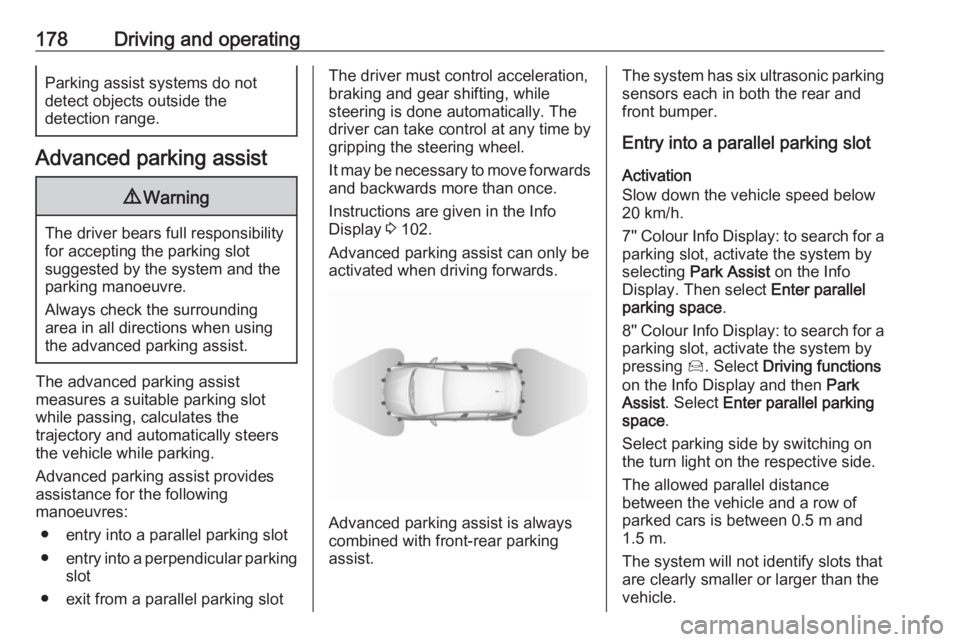
Advanced parking assist can only be activated when driving forwards.
Advanced parking assist is always
combined with front-rear parking assist.
The system has six ultrasonic parking
sensors each in both the rear and
front bumper.
Entry into a parallel parking slot
Activation
Slow down the vehicle speed below
20 km/h.
7'' Colour Info Display: to search for a parking slot, activate the system by
selecting Park Assist on the Info
Display. Then select Enter parallel
parking space .
8'' Colour Info Display: to search for a parking slot, activate the system by
pressing Í. Select Driving functions
on the Info Display and then Park
Assist . Select Enter parallel parking
space .
Select parking side by switching on
the turn light on the respective side.
The allowed parallel distance
between the vehicle and a row of
parked cars is between 0.5 m and 1.5 m.
The system will not identify slots that are clearly smaller or larger than the
vehicle.
Page 181 of 277
Driving and operating179
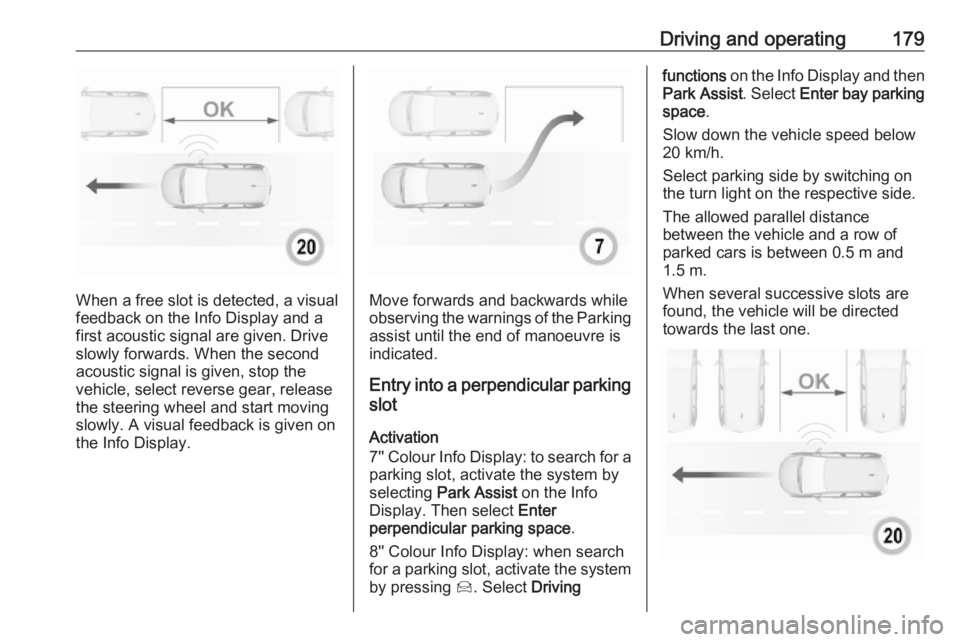
When a free slot is detected, a visual
feedback on the Info Display and a
first acoustic signal are given. Drive
slowly forwards. When the second
acoustic signal is given, stop the
vehicle, select reverse gear, release
the steering wheel and start moving
slowly. A visual feedback is given on
the Info Display.Move forwards and backwards while
observing the warnings of the Parking
assist until the end of manoeuvre is
indicated.
Entry into a perpendicular parking
slot
Activation
7'' Colour Info Display: to search for a parking slot, activate the system by
selecting Park Assist on the Info
Display. Then select Enter
perpendicular parking space .
8'' Colour Info Display: when search
for a parking slot, activate the system by pressing Í. Select Driving
functions on the Info Display and then
Park Assist . Select Enter bay parking
space .
Slow down the vehicle speed below
20 km/h.
Select parking side by switching on
the turn light on the respective side.
The allowed parallel distance
between the vehicle and a row of
parked cars is between 0.5 m and
1.5 m.
When several successive slots are found, the vehicle will be directedtowards the last one.
Page 182 of 277
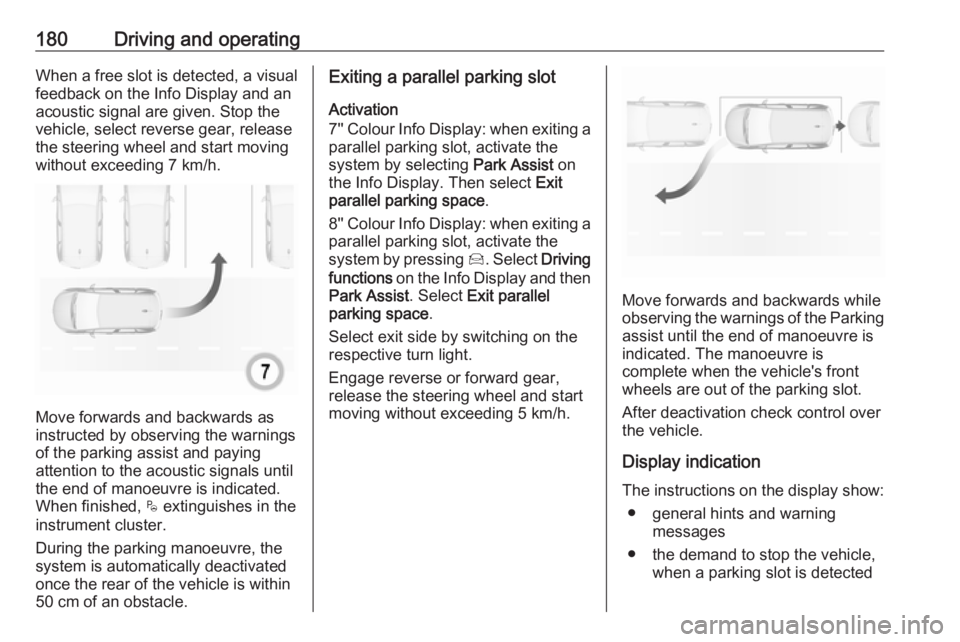
180Driving and operatingWhen a free slot is detected, a visual
feedback on the Info Display and an
acoustic signal are given. Stop the
vehicle, select reverse gear, release
the steering wheel and start moving
without exceeding 7 km/h.
Move forwards and backwards as
instructed by observing the warnings of the parking assist and paying
attention to the acoustic signals until
the end of manoeuvre is indicated.
When finished, $ extinguishes in the
instrument cluster.
During the parking manoeuvre, the
system is automatically deactivated
once the rear of the vehicle is within
50 cm of an obstacle.
Exiting a parallel parking slot
Activation
7'' Colour Info Display: when exiting a parallel parking slot, activate the
system by selecting Park Assist on
the Info Display. Then select Exit
parallel parking space .
8'' Colour Info Display: when exiting a parallel parking slot, activate the
system by pressing Í. Select Driving
functions on the Info Display and then
Park Assist . Select Exit parallel
parking space .
Select exit side by switching on the
respective turn light.
Engage reverse or forward gear,
release the steering wheel and start
moving without exceeding 5 km/h.
Move forwards and backwards while
observing the warnings of the Parking
assist until the end of manoeuvre is
indicated. The manoeuvre is
complete when the vehicle's front
wheels are out of the parking slot.
After deactivation check control over
the vehicle.
Display indication The instructions on the display show: ● general hints and warning messages
● the demand to stop the vehicle, when a parking slot is detected
Page 183 of 277
Driving and operating181●the direction of driving during the
parking manoeuvre
● the demand to shift into reverse or first gear
● the demand to stop or to drive slowly
● the successful completion of the parking manoeuvre indicated bya pop-up symbol and a chime
● the cancelling of a parking manoeuvre
Deactivation The current park assist manoeuvre is
cancelled via the button to return to
the previous screen in the Info
Display. To deactivate the system
completely, press ¼ in the centre
console.
The system is deactivated
automatically:
● if the ignition is switched off
● if stalling the engine
● if no manoeuvre is started within 5 minutes of selection of the typeof manoeuvre● after a prolonged stop of the vehicle during a manoeuvre
● if the Electronic Stability Control is triggered
● if the speed of the vehicle exceeds the stated limit
● when the driver interrupts movement of the steering wheel
● after four manoeuvre cycles (a manoeuvre cycle consists of one
rear move and one forward
move)
● on opening the driver's door ● if one of the front wheels encounters an obstacle
● parking manoeuvre successfully ended
Deactivation by the driver or by the
system during manoeuvring will be indicated on the display. Additionally,
an acoustic signal sounds.
The system is switched off
automatically when towing an
electrically connected trailer, bicycle
carrier, etc.
Contact your dealer to switch off the
system for a prolonged period.Fault
In the event of a fault, a message is
displayed in the Colour Info Display, accompanied by an acoustic signal.
In the event of a fault in the power
steering, H illuminates and a
message is displayed in the Driver
Information Centre.9 Warning
Under certain circumstances,
various reflective surfaces on
objects or clothing as well as
external noise sources may cause the system to fail to detect
obstacles.
Special attention must be paid to
low obstacles which can damage
the lower part of the bumper.
Page 187 of 277
Driving and operating185Auto mode is activated by default. In
this mode, the system selects the
best view, standard, or zoom, to
display according to the information
from the parking sensors.
The state of the system is not kept in
memory when the ignition is switched
off.
Standard view
The standard view consists of a rear
view and a front view.Rear view
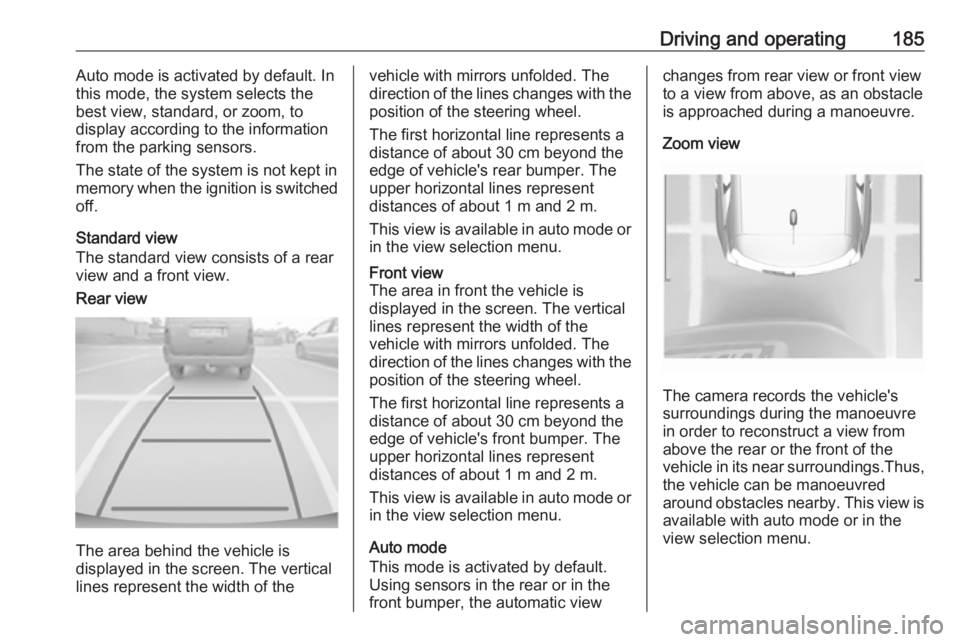
The area behind the vehicle is
displayed in the screen. The vertical
lines represent the width of the
vehicle with mirrors unfolded. The
direction of the lines changes with the position of the steering wheel.
The first horizontal line represents a
distance of about 30 cm beyond the
edge of vehicle's rear bumper. The
upper horizontal lines represent
distances of about 1 m and 2 m.
This view is available in auto mode or
in the view selection menu.Front view
The area in front the vehicle is
displayed in the screen. The vertical
lines represent the width of the
vehicle with mirrors unfolded. The
direction of the lines changes with the position of the steering wheel.
The first horizontal line represents a
distance of about 30 cm beyond the
edge of vehicle's front bumper. The
upper horizontal lines represent
distances of about 1 m and 2 m.
This view is available in auto mode or
in the view selection menu.
Auto mode
This mode is activated by default.
Using sensors in the rear or in the
front bumper, the automatic view
changes from rear view or front view
to a view from above, as an obstacle is approached during a manoeuvre.
Zoom view
The camera records the vehicle's
surroundings during the manoeuvre in order to reconstruct a view fromabove the rear or the front of the
vehicle in its near surroundings.Thus,
the vehicle can be manoeuvred
around obstacles nearby. This view is available with auto mode or in the
view selection menu.
Page 191 of 277
Driving and operating189After ignition is switched on, the lanedeparture warning system is
activated. If the system is activated, the LED in the button ½ is not
illuminated. To activate the system
when the system is deactivated,
press ½.
The system is only operable at
vehicle speeds above 60 km/h and if lane markings are available.
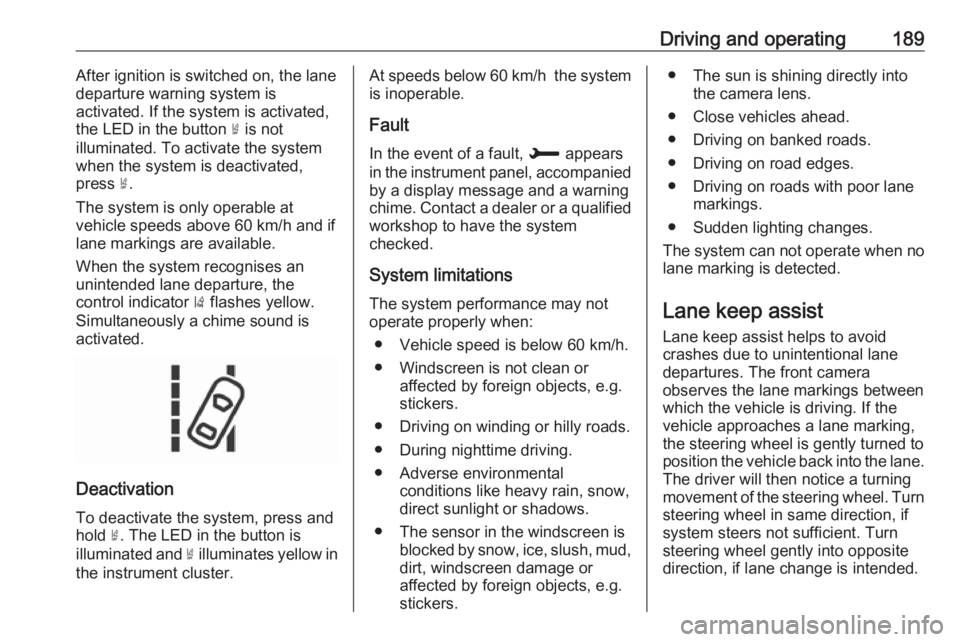
When the system recognises an
unintended lane departure, the
control indicator ) flashes yellow.
Simultaneously a chime sound is
activated.
Deactivation
To deactivate the system, press andhold ½. The LED in the button is
illuminated and ½ illuminates yellow in
the instrument cluster.
At speeds below 60 km/h the system
is inoperable.
Fault
In the event of a fault, H appears
in the instrument panel, accompanied
by a display message and a warning
chime. Contact a dealer or a qualified
workshop to have the system
checked.
System limitations The system performance may notoperate properly when:
● Vehicle speed is below 60 km/h.
● Windscreen is not clean or affected by foreign objects, e.g.
stickers.
● Driving on winding or hilly roads.
● During nighttime driving.
● Adverse environmental conditions like heavy rain, snow,
direct sunlight or shadows.
● The sensor in the windscreen is blocked by snow, ice, slush, mud,dirt, windscreen damage or
affected by foreign objects, e.g.
stickers.● The sun is shining directly into the camera lens.
● Close vehicles ahead.
● Driving on banked roads.
● Driving on road edges.
● Driving on roads with poor lane markings.
● Sudden lighting changes.
The system can not operate when no
lane marking is detected.
Lane keep assist Lane keep assist helps to avoid
crashes due to unintentional lane
departures. The front camera
observes the lane markings between
which the vehicle is driving. If the
vehicle approaches a lane marking, the steering wheel is gently turned to
position the vehicle back into the lane. The driver will then notice a turning
movement of the steering wheel. Turn
steering wheel in same direction, if
system steers not sufficient. Turn
steering wheel gently into opposite
direction, if lane change is intended.
Page 192 of 277
190Driving and operatingWhen the system steers to correct thetrajectory of the vehicle, a flashes
yellow in the instrument cluster.
A warning message in the Driver
Information Centre accompanied by a warning chime alerts the driver when
immediate driver´s action is required.
Unintended lane departure is not
assumed by the system when the turn lights are operated and during
20 seconds after turn lights have
been switched off.
Note
The system may be switched off if it
detects lanes which are too narrow,
too wide or too curved.
Following preconditions have to be
fullfilled:
● vehicle speed must be between 65 km/h and 180 km/h
● the driver must hold the steering wheel with both hands
● the change of trajectory is not accompanied by operation of the
turn signals
● the Electronic Stability Control is activated and not in operation● the vehicle is not connected to atrailer or an electric bicycle carrier
● normal driving behaviour (system
detects dynamic driving style, i.e.
pressure on the brake or
accelerator pedal)
● roads with poor lane markings
● no spare wheel is used
● the driver needs to be active during the correction
● the vehicle is not driven in a tight
corner
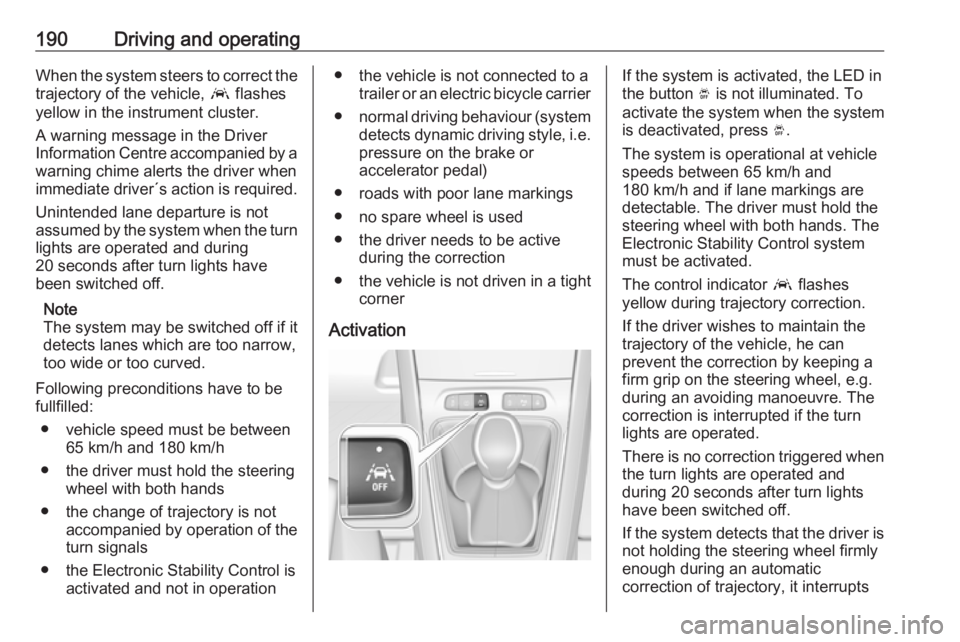
ActivationIf the system is activated, the LED in
the button Ó is not illuminated. To
activate the system when the system
is deactivated, press Ó.
The system is operational at vehicle
speeds between 65 km/h and
180 km/h and if lane markings are
detectable. The driver must hold the
steering wheel with both hands. The Electronic Stability Control system
must be activated.
The control indicator a flashes
yellow during trajectory correction.
If the driver wishes to maintain the
trajectory of the vehicle, he can
prevent the correction by keeping a
firm grip on the steering wheel, e.g.
during an avoiding manoeuvre. The correction is interrupted if the turn
lights are operated.
There is no correction triggered when
the turn lights are operated and
during 20 seconds after turn lights
have been switched off.
If the system detects that the driver is not holding the steering wheel firmly
enough during an automatic
correction of trajectory, it interrupts