infotainment OPEL INSIGNIA 2014 User Guide
[x] Cancel search | Manufacturer: OPEL, Model Year: 2014, Model line: INSIGNIA, Model: OPEL INSIGNIA 2014Pages: 321, PDF Size: 8.95 MB
Page 118 of 321
116Instruments and controls
Valet mode
Some functions of the Driver
Information Centre and the Colour-
Info-Display can be limited for some
drivers.
Activation or deactivation of valet
mode can be set in the menu
Settings in the vehicle personalisation
menu.
Vehicle personalisation 3 118.
For more information see
Infotainment system manual.
Smartphone controller The smartphone controller allows a
smartphone to access vehicle data
via WLAN or Bluetooth connection.
This data can then be displayed and analysed on the smartphone.Vehicle messages
Messages are indicated in the Driver
Information Centre (DIC), in some
cases together with a warning and
signal buzzer.
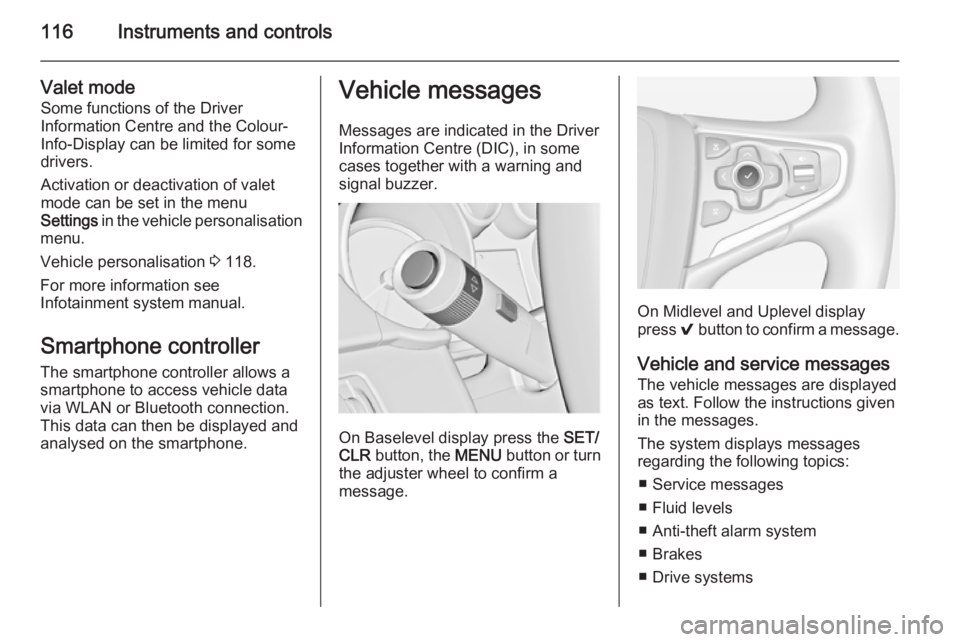
On Baselevel display press the SET/
CLR button, the MENU button or turn
the adjuster wheel to confirm a
message.
On Midlevel and Uplevel display
press 9 button to confirm a message.
Vehicle and service messages
The vehicle messages are displayed
as text. Follow the instructions given
in the messages.
The system displays messages
regarding the following topics:
■ Service messages
■ Fluid levels
■ Anti-theft alarm system
■ Brakes
■ Drive systems
Page 120 of 321
118Instruments and controls
During an Autostop■ If the driver's door is opened.
Battery voltage When the vehicle battery voltage is
running low, a warning message will
appear in the Driver Information
Centre.
1. Switch off any electrical consumers which are not required
for a safe ride, e.g. seat heating,
heated rear window or other main consumers.
2. Charge the vehicle battery by driving continuously for a while or
by using a charging device.
The warning message will disappear
after the engine has been started
twice without a voltage drop.
If the vehicle battery cannot be
recharged, have the cause of the fault remedied by a workshop.Vehicle personalisation
The vehicle's behaviour can be
personalised by changing the settings in the Colour-Info-Display.
Some of the personal settings for
different drivers can be memorised
individually for each vehicle key.
Memorised settings 3 23.
Depending on vehicle equipment and
country-specific regulations some of
the functions described below might
not be available.
Some functions are only displayed or
active when the engine is running.
Personal settings Following the changing of personal
settings is described via the buttons
below the display. This is valid for
4.2'' as well as 8'' Colour-Info-Display.
Additionally the 8'' display is operable
as a touchscreen and with the
touchpad between the front seats. See description Colour-Info-Display
3 114 and the Infotainment system
manual.
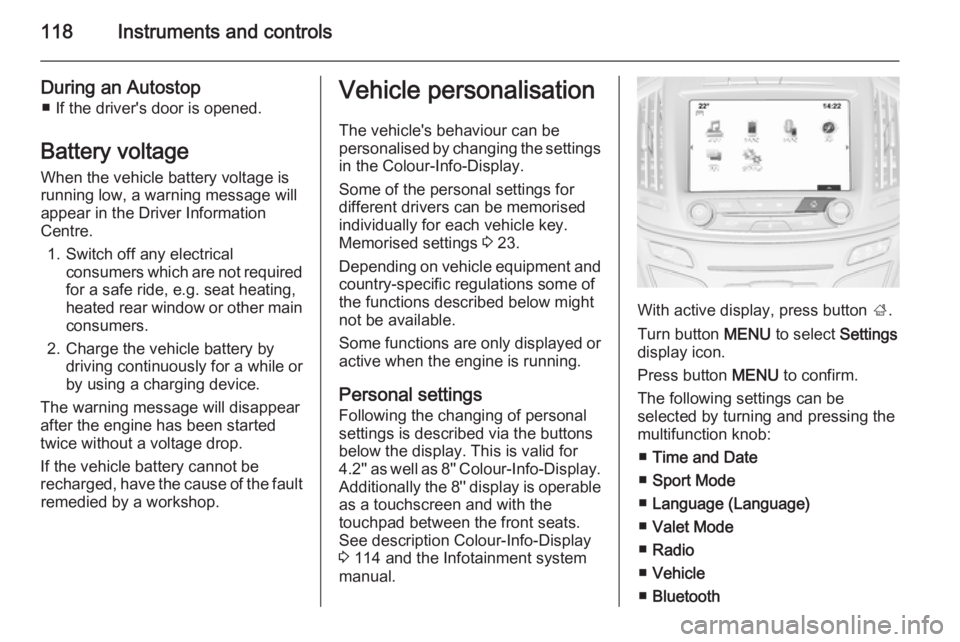
With active display, press button ;.
Turn button MENU to select Settings
display icon.
Press button MENU to confirm.
The following settings can be
selected by turning and pressing the
multifunction knob:
■ Time and Date
■ Sport Mode
■ Language (Language)
■ Valet Mode
■ Radio
■ Vehicle
■ Bluetooth
Page 121 of 321
Instruments and controls119
■Voice
■ Display
■ Rear Camera
■ Return to Factory Settings
■ Software Information
■ TouchPad
In the corresponding submenus the
following settings can be changed:
Time and Date
See Clock 3 87.
Sport Mode
The driver can select the functions
which will be activated in Sport mode
3 168.
■ Sport Mode Backlighting : Change
of instrument illumination colour.
■ Engine Sport Performance :
Accelerator pedal and gear change
characteristics become more
responsive.
■ Sport Steering : Steering support is
reduced.■ Sport Suspension : Damping
becomes harder.
■ All Wheel Drive : Engine torque is
distributed to a greater extent to the rear axle.
Language (Language)
Selection of the desired language.
See Infotainment system manual.
Valet Mode
See Infotainment system manual.
Radio
See Infotainment system manual.
Vehicle ■ Climate and Air Quality
Auto Fan Max Speed : Modifies the
level of the cabin airflow of the
climate control in automatic mode.
Air Conditioning Mode : Controls the
state of the cooling compressor
when the vehicle is started. Last
setting (recommended) or at
vehicle start is either always ON or
always OFF.
Auto Demist : Supports windscreen
dehumidification by automaticallyselecting the necessary settings and automatic air conditioning
mode.
Auto Rear Demist : Activates
automatically the heated rear
window.
■ Collision / Detection Systems
Park Assist : Activates or
deactivates the ultrasonic parking
assist.
Auto Collision Preparation :
Activates or deactivates the automatic brake functionality of the
vehicle in the event of imminent
collision danger. The following is
selectable: the system will take
over brake control, warn by chimes
only or is deactivated completely.
Go Notifier : Activates or
deactivates the reminder function
of the adaptive cruise control.
Side Blind Zone Alert : Activates or
deactivates side blind zone alert.
Rear Cross Traffic Alert : Activates
or deactivates rear cross traffic
alert.
Page 123 of 321
Instruments and controls121
Bluetooth
See Infotainment system manual.
Voice
See Infotainment system manual.
Display
See Infotainment system manual.
Rear Camera
Guidance Lines : Activates or
deactivates the guiding lines.
Rear Park Assist Symbols : Activates
or deactivates the rear park assist
symbols.
Return to Factory Settings
Restore Vehicle Settings : Reset all
settings to the default settings.
Clear All Private Data : Delete all
private information from the vehicle.
Restore Radio Settings : Reset all
radio settings to the default settings.
See Infotainment system manual.
Software Information
See Infotainment system manual.TouchPad
See Infotainment system manual.
Page 153 of 321
Driving and operating151
For unlocking or locking the doors see
fault in radio remote control unit or
electronic key system 3 23.
Retained power off
The following electronic systems can
work until the driver's door is opened
or for 10 minutes after the ignition is
switched off:
■ Power windows
■ Sunroof
■ Power outlets
Power to the Infotainment system will continue to operate for 30 minutes
when ignition is off, regardless of
whether any door will be opened.Starting the engine
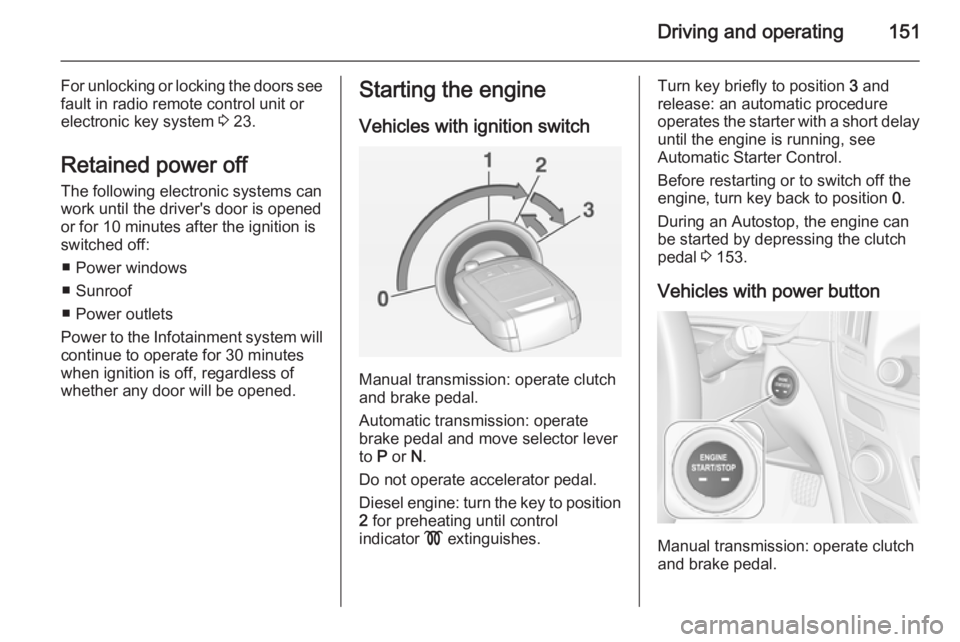
Vehicles with ignition switch
Manual transmission: operate clutch
and brake pedal.
Automatic transmission: operate
brake pedal and move selector lever
to P or N.
Do not operate accelerator pedal.
Diesel engine: turn the key to position 2 for preheating until control
indicator ! extinguishes.
Turn key briefly to position 3 and
release: an automatic procedure operates the starter with a short delay
until the engine is running, see
Automatic Starter Control.
Before restarting or to switch off the
engine, turn key back to position 0.
During an Autostop, the engine can
be started by depressing the clutch
pedal 3 153.
Vehicles with power button
Manual transmission: operate clutch
and brake pedal.
Page 237 of 321
Vehicle care235
No.Circuit16Vacuum pump, mass air flow
meter, water in fuel sensor, DC
transformer17–18Adaptive forward lighting19Adaptive forward lighting20Fuel pump21Rear power windows22ABS23Variable effort steering24Front power windows25Power outlets26ABS27Electric parking brake28Heated rear window29Left power seat30Right power seatNo.Circuit31Air conditioning system32Body control module33Heated front seats34Sunroof35Infotainment system36–37Right high beam38Left high beam39–40–41Vacuum pump42Radiator fan43Vehicle battery, DC transformer (only on vehicles with stop-start
system)44Headlamp washer system45Radiator fanNo.Circuit46Terminal 87, main relay47Lambda probe48Fog lights49Right low beam50Left low beam51Horn52Ignition53Ignition, ventilated front seats54Ignition55Power windows, mirror folding56Windscreen washer57–58–59Diesel fuel heating, emission
control system60Mirror heating61Mirror heating
Page 239 of 321
Vehicle care237
No.Circuit1Infotainment system, Info
display2Body control unit3Body control unit4Infotainment system, Info
display5Infotainment system, Info
display6Cigarette lighter7Power outlet8Body control unit9Body control unit10Body control unit11Interior fan12–13–14Diagnostic connector15AirbagNo.Circuit16Central locking system, tailgate17Air conditioning system18Transportation fuse19Memory20–21Instrument22Ignition23Body control unit24Body control unit25–26Power outlet load compartment
Power seats, No's. 12 and 13, have
an overload protection. The circuit will
be closed again after cooling down.
Load compartment fuse
box
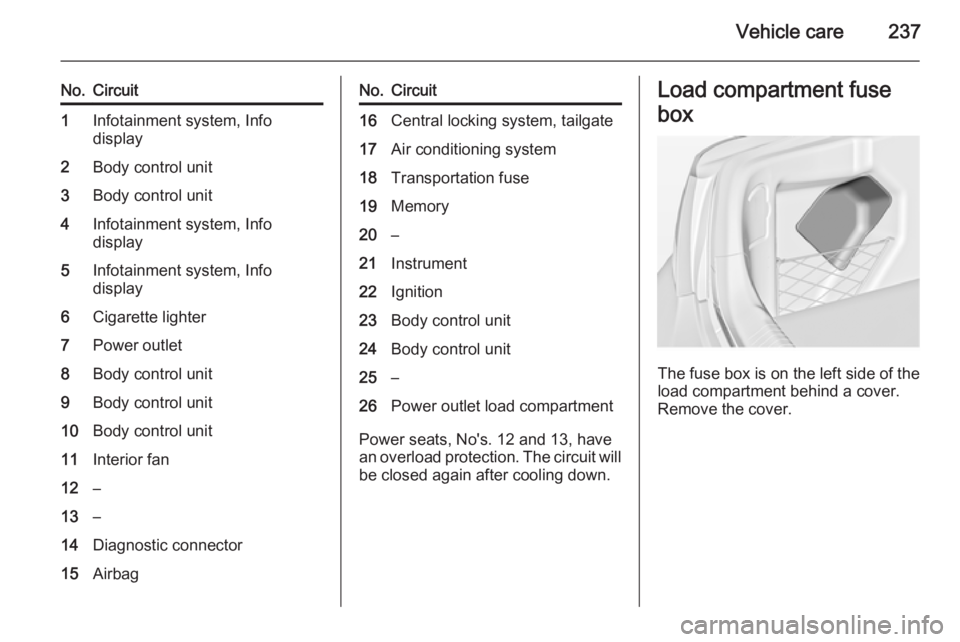
The fuse box is on the left side of the
load compartment behind a cover.
Remove the cover.