change wheel OPEL KARL 2015 User Guide
[x] Cancel search | Manufacturer: OPEL, Model Year: 2015, Model line: KARL, Model: OPEL KARL 2015Pages: 217, PDF Size: 4.16 MB
Page 99 of 217
OPEL Karl Owner Manual (GMK-Localizing-EU RHD-9231168) - 2016 - crc -
5/7/15
98 Infotainment System
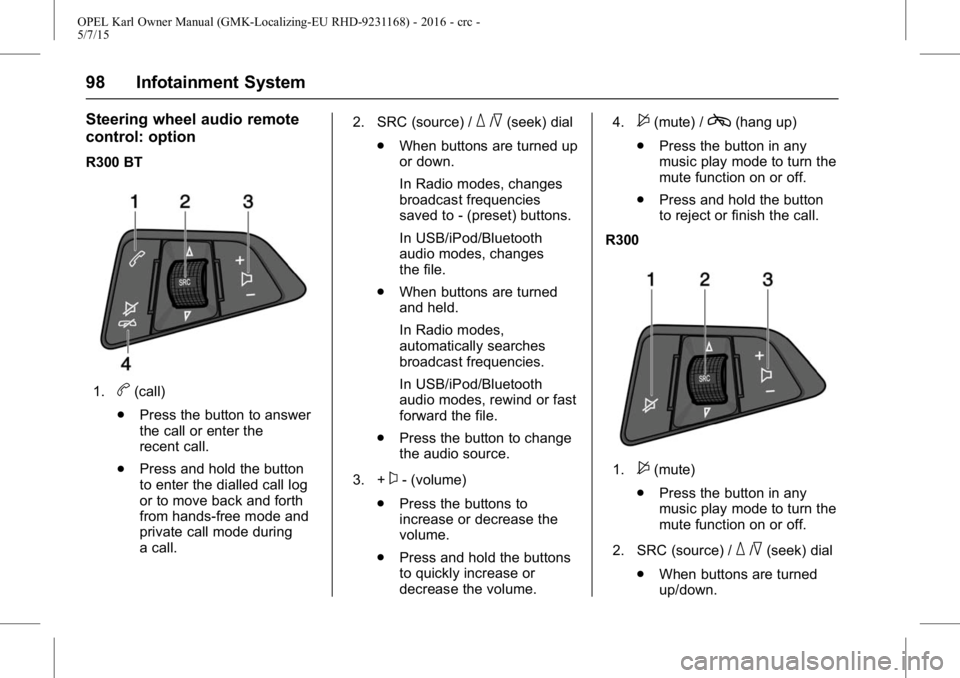
Steering wheel audio remote
control: option
R300 BT
1.b(call)
. Press the button to answer
the call or enter the
recent call.
. Press and hold the button
to enter the dialled call log
or to move back and forth
from hands-free mode and
private call mode during
a call. 2. SRC (source) /
_/^(seek) dial
. When buttons are turned up
or down.
In Radio modes, changes
broadcast frequencies
saved to - (preset) buttons.
In USB/iPod/Bluetooth
audio modes, changes
the file.
. When buttons are turned
and held.
In Radio modes,
automatically searches
broadcast frequencies.
In USB/iPod/Bluetooth
audio modes, rewind or fast
forward the file.
. Press the button to change
the audio source.
3. +
x- (volume)
. Press the buttons to
increase or decrease the
volume.
. Press and hold the buttons
to quickly increase or
decrease the volume. 4.
$(mute) /c(hang up)
. Press the button in any
music play mode to turn the
mute function on or off.
. Press and hold the button
to reject or finish the call.
R300
1.$(mute)
. Press the button in any
music play mode to turn the
mute function on or off.
2. SRC (source) /
_/^(seek) dial
. When buttons are turned
up/down.
Page 100 of 217
OPEL Karl Owner Manual (GMK-Localizing-EU RHD-9231168) - 2016 - crc -
5/7/15
Infotainment System 99
In Radio modes, changes
broadcast frequencies
saved to Presets.
. When buttons are turned
and held.
In Radio modes,
automatically searches
broadcast frequencies.
. Press the button to change
the audio source.
3. +
x- (volume)
. Press the buttons to
increase or decrease the
volume.
. Press and hold the buttons
to quickly increase or
decrease the volume.
Operation
Buttons and controlling device
the Infotainment system is operated
by using the function buttons,
multifunctional dial, and the menu
indicated on the screen display. the buttons and control devices
used in the system are the
following:
.
the Infotainment system buttons
and dials
. the Steering wheel audio remote
control buttons
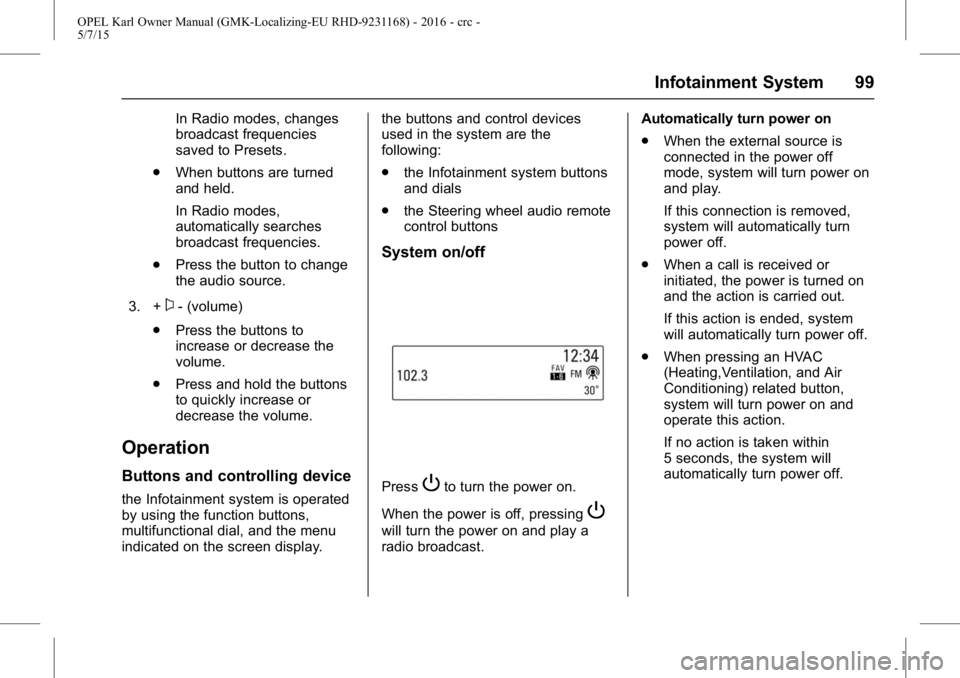
System on/off
PressPto turn the power on.
When the power is off, pressing
P
will turn the power on and play a
radio broadcast. Automatically turn power on
.
When the external source is
connected in the power off
mode, system will turn power on
and play.
If this connection is removed,
system will automatically turn
power off.
. When a call is received or
initiated, the power is turned on
and the action is carried out.
If this action is ended, system
will automatically turn power off.
. When pressing an HVAC
(Heating,Ventilation, and Air
Conditioning) related button,
system will turn power on and
operate this action.
If no action is taken within
5 seconds, the system will
automatically turn power off.
Page 112 of 217
OPEL Karl Owner Manual (GMK-Localizing-EU RHD-9231168) - 2016 - crc -
5/7/15
Infotainment System 111
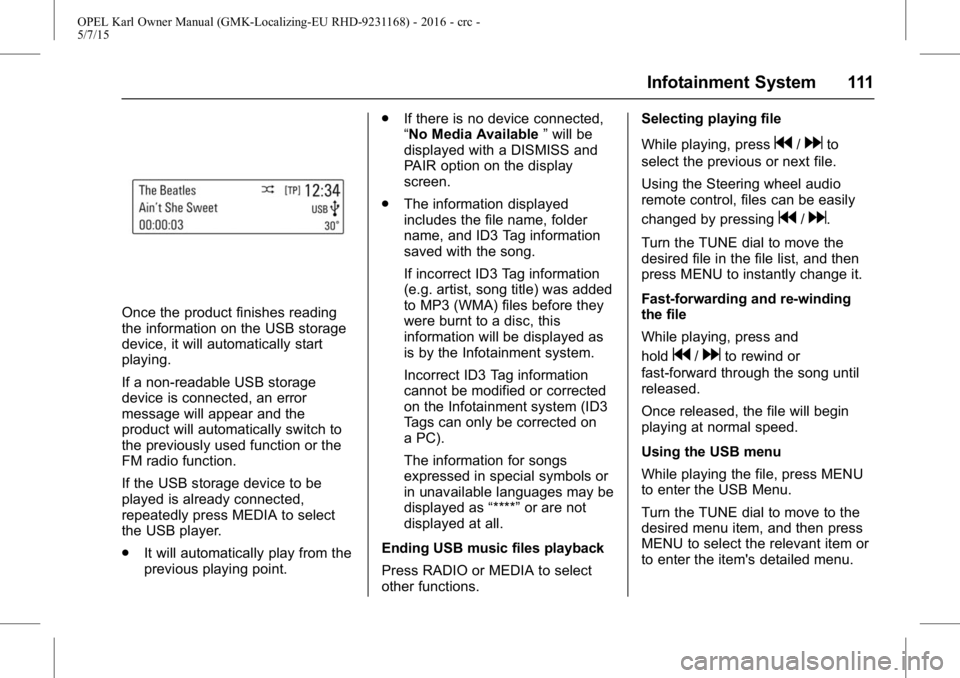
Once the product finishes reading
the information on the USB storage
device, it will automatically start
playing.
If a non-readable USB storage
device is connected, an error
message will appear and the
product will automatically switch to
the previously used function or the
FM radio function.
If the USB storage device to be
played is already connected,
repeatedly press MEDIA to select
the USB player.
.It will automatically play from the
previous playing point. .
If there is no device connected,
“No Media Available ”will be
displayed with a DISMISS and
PAIR option on the display
screen.
. The information displayed
includes the file name, folder
name, and ID3 Tag information
saved with the song.
If incorrect ID3 Tag information
(e.g. artist, song title) was added
to MP3 (WMA) files before they
were burnt to a disc, this
information will be displayed as
is by the Infotainment system.
Incorrect ID3 Tag information
cannot be modified or corrected
on the Infotainment system (ID3
Tags can only be corrected on
a PC).
The information for songs
expressed in special symbols or
in unavailable languages may be
displayed as “****”or are not
displayed at all.
Ending USB music files playback
Press RADIO or MEDIA to select
other functions. Selecting playing file
While playing, press
g/dto
select the previous or next file.
Using the Steering wheel audio
remote control, files can be easily
changed by pressing
g/d.
Turn the TUNE dial to move the
desired file in the file list, and then
press MENU to instantly change it.
Fast-forwarding and re-winding
the file
While playing, press and
hold
g/dto rewind or
fast-forward through the song until
released.
Once released, the file will begin
playing at normal speed.
Using the USB menu
While playing the file, press MENU
to enter the USB Menu.
Turn the TUNE dial to move to the
desired menu item, and then press
MENU to select the relevant item or
to enter the item's detailed menu.
Page 123 of 217
OPEL Karl Owner Manual (GMK-Localizing-EU RHD-9231168) - 2016 - crc -
5/7/15
122 Infotainment System
Press PHONE orbon the steering
wheel audio control to switch
between 1st call and 2nd call.
If two calls are active (call waiting
mode), a call waiting alert is not
displayed.
Phone volume control
Turn the VOLUME dial to adjust the
Phone Volume while in an active
phone call (e.g. through volume
steps 0 ~ 63).
Caution
It is possible to transfer your
ringtone depending on the mobile
phone.
Adjust the ringtone volume of the
mobile phone if the volume is
too low.
You can use the volume control to
adjust the Ring Tone Volume while
the ring tone is given out starting at
a defined minimum volume. The
volume ranges from level 3 to max. During a call
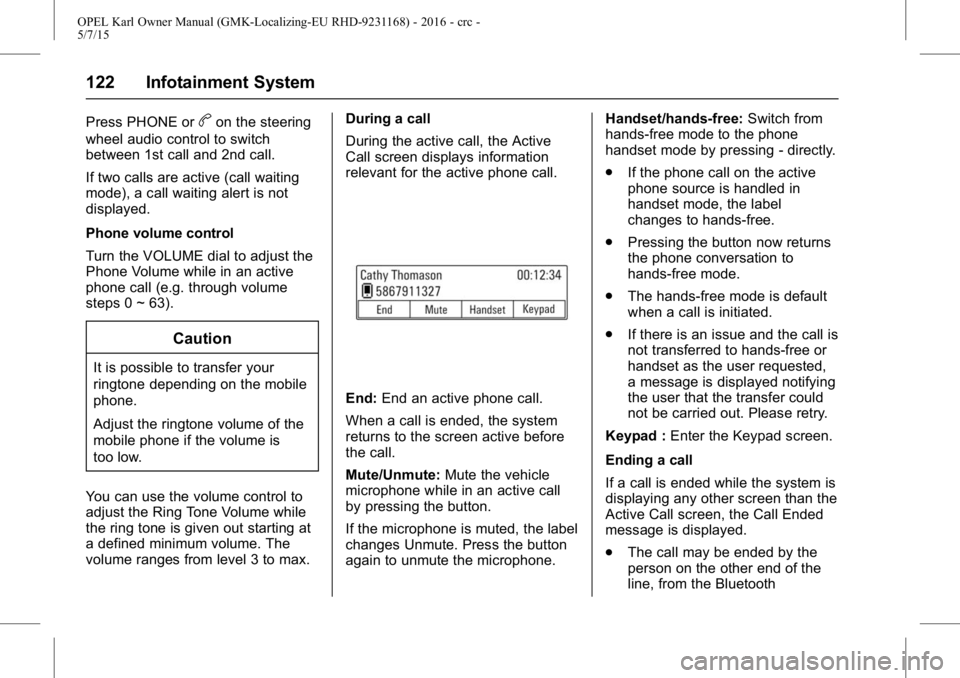
During the active call, the Active
Call screen displays information
relevant for the active phone call.
End:
End an active phone call.
When a call is ended, the system
returns to the screen active before
the call.
Mute/Unmute: Mute the vehicle
microphone while in an active call
by pressing the button.
If the microphone is muted, the label
changes Unmute. Press the button
again to unmute the microphone. Handset/hands-free:
Switch from
hands-free mode to the phone
handset mode by pressing - directly.
. If the phone call on the active
phone source is handled in
handset mode, the label
changes to hands-free.
. Pressing the button now returns
the phone conversation to
hands-free mode.
. The hands-free mode is default
when a call is initiated.
. If there is an issue and the call is
not transferred to hands-free or
handset as the user requested,
a message is displayed notifying
the user that the transfer could
not be carried out. Please retry.
Keypad : Enter the Keypad screen.
Ending a call
If a call is ended while the system is
displaying any other screen than the
Active Call screen, the Call Ended
message is displayed.
. The call may be ended by the
person on the other end of the
line, from the Bluetooth
Page 151 of 217
OPEL Karl Owner Manual (GMK-Localizing-EU RHD-9231168) - 2016 - crc -
5/7/15
150 Driving and Operating
Presss. If cruise control has been
activated before, it is switched off
when speed limiter is activated and
control indicator
5extinguishes.
Set speed limit
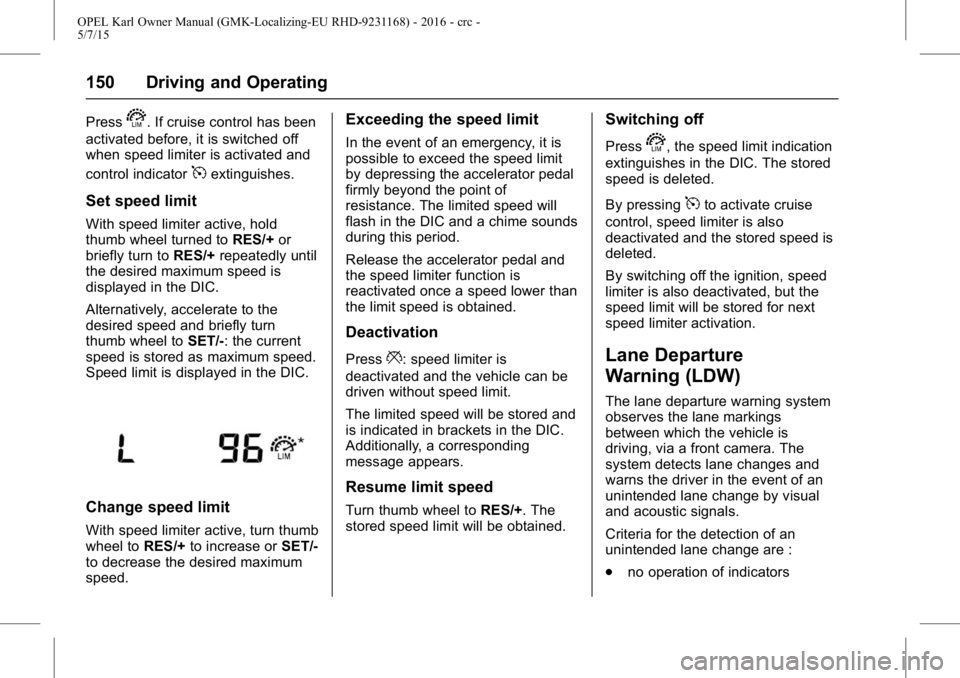
With speed limiter active, hold
thumb wheel turned to RES/+or
briefly turn to RES/+repeatedly until
the desired maximum speed is
displayed in the DIC.
Alternatively, accelerate to the
desired speed and briefly turn
thumb wheel to SET/-: the current
speed is stored as maximum speed.
Speed limit is displayed in the DIC.
Change speed limit
With speed limiter active, turn thumb
wheel to RES/+to increase or SET/-
to decrease the desired maximum
speed.
Exceeding the speed limit
In the event of an emergency, it is
possible to exceed the speed limit
by depressing the accelerator pedal
firmly beyond the point of
resistance. The limited speed will
flash in the DIC and a chime sounds
during this period.
Release the accelerator pedal and
the speed limiter function is
reactivated once a speed lower than
the limit speed is obtained.
Deactivation
Press*: speed limiter is
deactivated and the vehicle can be
driven without speed limit.
The limited speed will be stored and
is indicated in brackets in the DIC.
Additionally, a corresponding
message appears.
Resume limit speed
Turn thumb wheel to RES/+. The
stored speed limit will be obtained.
Switching off
Presss, the speed limit indication
extinguishes in the DIC. The stored
speed is deleted.
By pressing
5to activate cruise
control, speed limiter is also
deactivated and the stored speed is
deleted.
By switching off the ignition, speed
limiter is also deactivated, but the
speed limit will be stored for next
speed limiter activation.
Lane Departure
Warning (LDW)
The lane departure warning system
observes the lane markings
between which the vehicle is
driving, via a front camera. The
system detects lane changes and
warns the driver in the event of an
unintended lane change by visual
and acoustic signals.
Criteria for the detection of an
unintended lane change are :
. no operation of indicators
Page 185 of 217
OPEL Karl Owner Manual (GMK-Localizing-EU RHD-9231168) - 2016 - crc -
5/7/15
184 Vehicle Care
Note the expiry date of the kit. After
this date its sealing capability is no
longer guaranteed. Pay attention to
storage information on sealant
bottle.
Replace the used sealant bottle.
Dispose of the bottle as prescribed
by applicable laws.
The compressor and sealant can be
used from approx. -30°C ~ 70°C
(-22 ~ 158°F).
Tyre Changing
Some vehicles are equipped with a
tyre repair kit instead of a spare
wheel.
Make the following preparations and
observe the following information :
.Park the vehicle on a level, firm
and non-skid surface. The front
wheels must be in the
straight-ahead position.
. Apply the parking brake.
For manual gearbox, engage
first gear or reverse gear.
. Remove the spare wheel. See "Temporary spare wheel"
under
Compact Spare
Tyre 0186.
. Never change more than one
wheel at once.
. Use the jack only to change
wheels in case of puncture, not
for seasonal winter or summer
tyre change. The jack is
maintenance-free.
. If the ground on which the
vehicle is standing is soft, a solid
board (max. 1cm (0.4 inches)
thick) should be placed under
the jack. Take heavy objects out
of the vehicle before jacking up.
. No people or animals may be in
the vehicle when it is jacked-up.
. Never crawl under a jacked-up
vehicle.
. Do not start the vehicle when it
is raised on the jack.
. Clean wheel nuts and thread
before mounting the wheel.
Do not grease wheel bolt, wheel
nut and wheel nut cone.
Wheel changing
Make the following preparations and
observe the following information:
.Park the vehicle on a level, firm
and non-skid surface. The front
wheels must be in the
straight-ahead position.
. Apply the parking brake and
engage first gear, reverse gear
or P.
. Never change more than one
wheel at once.
. Use the jack only to change
wheels in case of puncture, not
for seasonal winter or summer
tyre change.
. The jack is maintenance-free.
. If the ground on which the
vehicle is standing is soft, a solid
board (max. 1 cm thick) should
be placed under the jack.
. Take heavy objects out of the
vehicle before jacking up.
. No people or animals may be in
the vehicle when it is jacked-up.
Page 187 of 217
OPEL Karl Owner Manual (GMK-Localizing-EU RHD-9231168) - 2016 - crc -
5/7/15
186 Vehicle Care
4. Set the jack to the necessaryheight. Position it directly below
the jacking point in a manner
that prevents it from slipping.
Attach jack handle and with the
jack correctly aligned rotate
handle until wheel is clear of
the ground.
5. Unscrew the wheel bolts.
6. Change the wheel.
7. Screw on the wheel bolts.
8. Lower vehicle.
9. that it locates securely and tighten each bolt in a crosswise
sequence. Tightening torque is
140 Nm.
10. Align the valve hole in the wheel cover of the steel wheel
with the tyre valve before
installing.
Install wheel bolt caps or
centre cap on alloy wheel.
11. Install vehicle jacking point cover. 12. Stow and secure the replaced
wheel, the vehicle tools and the
adapter for the locking wheel
bolts.
13. Check the tyre pressure of the installed tyre and the wheel
bolt torque as soon as
possible.
Have the defective tyre
renewed or repaired as soon
as possible.
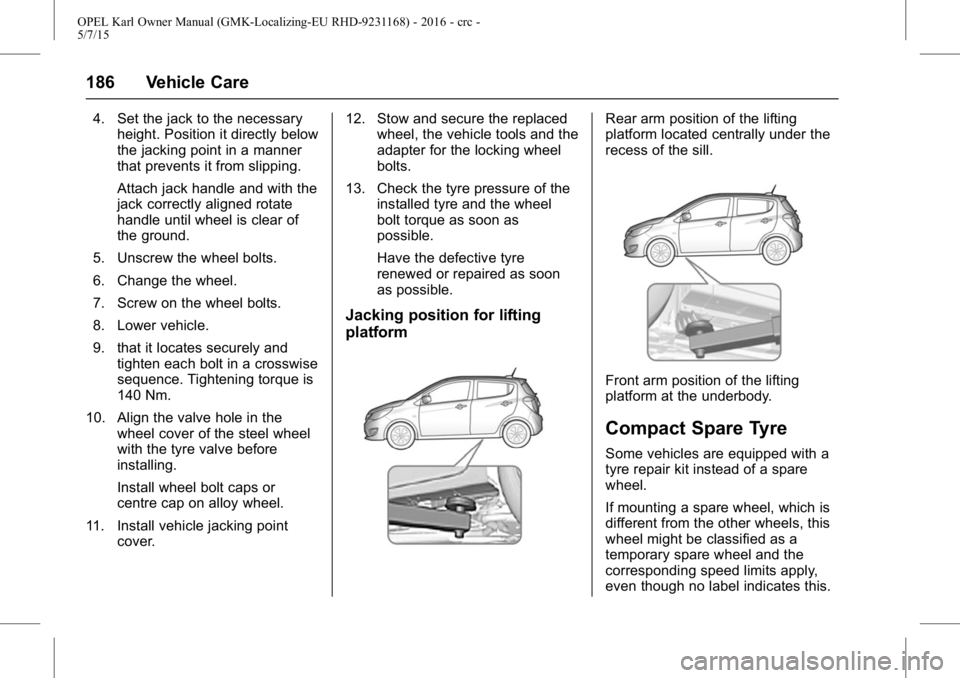
Jacking position for lifting
platform
Rear arm position of the lifting
platform located centrally under the
recess of the sill.
Front arm position of the lifting
platform at the underbody.
Compact Spare Tyre
Some vehicles are equipped with a
tyre repair kit instead of a spare
wheel.
If mounting a spare wheel, which is
different from the other wheels, this
wheel might be classified as a
temporary spare wheel and the
corresponding speed limits apply,
even though no label indicates this.
Page 212 of 217

OPEL Karl Owner Manual (GMK-Localizing-EU RHD-9231168) - 2016 - crc -
5/7/15
Index 211
Fuel (cont'd)Consumption - CO2 -
Emissions . . . . . . . . . . . . . . . . . . . 154
Filling the Tank . . . . . . . . . . . . . . . 152
Gauge . . . . . . . . . . . . . . . . . . . . . . . . . . 65
Low Fuel Warning Light . . . . . . . . . 73
Fuses . . . . . . . . . . . . . . . . . . . . . . . . . . 169 Engine Compartment FuseBlock . . . . . . . . . . . . . . . . . . . . . . . . 170
Instrument Panel Fuse Block . . . . . . . . . . . . . . . . . . . . . . . . 172
G
GaugesEngine Coolant Temperature . . . 68
Fuel . . . . . . . . . . . . . . . . . . . . . . . . . . . . 65
Indicator . . . . . . . . . . . . . . . . . . . . . . . . 69
Mileometer . . . . . . . . . . . . . . . . . . . . . 64
Rev Counter . . . . . . . . . . . . . . . . . . . . 65
Service Display . . . . . . . . . . . . . . . . . 68
Speedometer . . . . . . . . . . . . . . . . . . . 64
Trip Odometer . . . . . . . . . . . . . . . . . . 64
Gear Shifting Light . . . . . . . . . . . . . . . 71
Glove Box . . . . . . . . . . . . . . . . . . . . . . . 53
H
Hazard Lights . . . . . . . . . . . . . . . . . . . . 87
Head Restraints . . . . . . . . . . . . . . . . . 32
Headlamp Range Adjustment . . . . 86
Headlamps Bulb Replacement . . . . . . . . . . . . 163
Daytime RunningLamps (DRL) . . . . . . . . . . . . . . . . . . 86
Main-Beam On Light . . . . . . . . . . . . 74
Main/Dipped Beam Changer . . . . 86
Parking Lamps . . . . . . . . . . . . . . . 163
Position Lamps . . . . . . . . . . . . . . . . . 88
Range Adjustment . . . . . . . . . . . . . . 86
Headlights When Driving
Abroad . . . . . . . . . . . . . . . . . . . . . . . . . 86
Heated Rear Window . . . . . . . . . . . . . . . . . . . 30
Steering Wheel . . . . . . . . . . . . . . . . . 60
Heated Front Seats . . . . . . . . . . . . . . 35
Heated Mirrors . . . . . . . . . . . . . . . . . . . 28
Heating . . . . . . . . . . . . . . . . . . . . . . . . . 125
Heating and Ventilation
System . . . . . . . . . . . . . . . . . . . . . . . . 125
Hill Start Assist (HSA) . . . . . . . . . . 143
Horn . . . . . . . . . . . . . . . . . . . . . . . . . 15, 61
I
Identification Plate . . . . . . . . . . . . . . 201
Ignition Positions . . . . . . . . . . . . . . . 135
Immobiliser . . . . . . . . . . . . . . . . . . . . . . 27 Light . . . . . . . . . . . . . . . . . . . . . . . . . . . . 74
Indicator . . . . . . . . . . . . . . . . . . . . . . . . . 69
Indicators Control . . . . . . . . . . . . . . . . . . . . . . . . . 65
Information Service . . . . . . . . . . . . . . . . . . . . . . . 194
Information on Loading the Vehicle . . . . . . . . . . . . . . . . . . . . . . . . . 57
Instrument Panel Overview . . . . . . . . . . . . . . . . . . . . . . . . 9
Storage Area . . . . . . . . . . . . . . . . . . . 52
Instrument Panel Illumination . . . 168
Interior Lamps . . . . . . . . . . . . . . . . . . . 89
Introduction . . . . . . . . . . . . . . . . . . . .2, 92
ISOFIX Child Restraint Systems . . . . . . . . . . . . . . . . . . . . . . . 50
J
Jump Starting . . . . . . . . . . . . . . . . . . . 188
K
Keys . . . . . . . . . . . . . . . . . . . . . . . . . . . . . 20
Page 215 of 217

OPEL Karl Owner Manual (GMK-Localizing-EU RHD-9231168) - 2016 - crc -
5/7/15
214 Index
Ride Control Systems . . . . . . . . . . 144Electronic Stability (ESC) . . . . . 144
Roof Sunroof . . . . . . . . . . . . . . . . . . . . . . . . . 31
Running-In, New Vehicle . . . . . . . 135
S
Safety Belts . . . . . . . . . . . . . . . . . . . . . 36 Child Restraints . . . . . . . . . . . . . . . . 46
Three-Point . . . . . . . . . . . . . . . . . . . . . 37
Safety Locks . . . . . . . . . . . . . . . . . . . . . 24
Seat Belts Reminders . . . . . . . . . . . . . . . . . . . . . . 69
Seats Adjustment, Front . . . . . . . . . . . . . . . 34
Head Restraints . . . . . . . . . . . . . . . . 32
Heated Front . . . . . . . . . . . . . . . . . . . 35
Position, Front . . . . . . . . . . . . . . . . . . 33
Service . . . . . . . . . . . . . . . . . . . . . . . . . 133 Accessories andModifications . . . . . . . . . . . . . . . . 156
Doing Your Own Work . . . . . . . . 157
Engine Soon Light . . . . . . . . . . . . . . 70
Vehicle Soon Light . . . . . . . . . . . . . . 71
Service and Maintenance Service Information . . . . . . . . . . . 194
Service Display . . . . . . . . . . . . . . . . . . 68
Service Information . . . . . . . . . . . . . 194 Settings
Memorised . . . . . . . . . . . . . . . . . . . . . 22
Side Airbag System . . . . . . . . . . . . . 42
Side Indicator Lamps . . . . . . . . . . . 167
Signals, Turn and Lane-Change . . . . . . . . . . . . . . . . . . 87
Spare Tyre
Compact . . . . . . . . . . . . . . . . . . . . . . 186
Specifications and Capacities . . . . . . . . . . . . . . . . . . . . . 204
Speed Limiter . . . . . . . . . . . . . . . . . . . 149
Speedometer . . . . . . . . . . . . . . . . . . . . 64
Start Assist, Hills . . . . . . . . . . . . . . . 143
Starting the Engine . . . . . . . . . 18, 136
Steering . . . . . . . . . . . . . . . . . . . . . . . . 135 Heated Wheel . . . . . . . . . . . . . . . . . . 60
Wheel Adjustment . . . . . . . . . . . . . . 60
Wheel Controls . . . . . . . . . . . . . . . . . 60
Storage Load Compartment . . . . . . . . . 25, 53
Vehicle . . . . . . . . . . . . . . . . . . . . . . . 156
Storage Areas Convenience Net . . . . . . . . . . . . . . . 56
Glove Box . . . . . . . . . . . . . . . . . . . . . . 53
Information on Loading theVehicle . . . . . . . . . . . . . . . . . . . . . . . . 57
Instrument Panel . . . . . . . . . . . . . . . 52 Storage Areas (cont'd)
Rear Compartment/Storage
Panel Cover . . . . . . . . . . . . . . . . . . . 56
Storage Compartments . . . . . . . . . . 52
Sun Visors . . . . . . . . . . . . . . . . . . . . . . . 30
Sunroof . . . . . . . . . . . . . . . . . . . . . . . . . . 31
Switches
Airbag On-Off . . . . . . . . . . . . . . . . . . . 43
Symbols . . . . . . . . . . . . . . . . . . . . . . . . . . 4
Systems
Driver Assistance . . . . . . . . . . . . . 148
T
Tail lamp Indicator Light . . . . . . . . . 74
Taillights . . . . . . . . . . . . . . . . . . . . . . . . 165
Technical DataTyre Pressure . . . . . . . . . . . . . . . . 204
Temperature Outside . . . . . . . . . . . . . . . . . . . . . . . . . 63
Theft-Deterrent Systems Immobiliser . . . . . . . . . . . . . . . . . . . . . 27
Thermometer Outside Temperature . . . . . . . . . . . 63
Three-Point Safety Belt . . . . . . . . . . 37
Time . . . . . . . . . . . . . . . . . . . . . . . . . . . . . 63
Tools . . . . . . . . . . . . . . . . . . . . . . . . . . . 173
Top Tether Child Restraint Systems . . . . . . . . . . . . . . . . . . . . . . . 51
Page 216 of 217

OPEL Karl Owner Manual (GMK-Localizing-EU RHD-9231168) - 2016 - crc -
5/7/15
Index 215
TowingVehicle . . . . . . . . . . . . . . . . . . . . . . . 190
Traction Control System (TCS) . . . . . . . . 143
Traction Control System (TCS) Off Light . . . . . . . . . . . . . . . . . 72
Tread Depth . . . . . . . . . . . . . . . . . . . . 179
Triangle, Warning . . . . . . . . . . . . . . . . 56
Trip Odometer . . . . . . . . . . . . . . . . . . . 64
Turn and Lane-Change Signals . . . . . . . . . . . . . . . . . . . . . . . . . 87
Tyre Pressure . . . . . . . . . . . . . . . . . . 204
Tyre Pressure Monitoring System Light . . . . . . . . . . . . . . . . . . . 73
Tyre Repair Kit . . . . . . . . . . . . . . . . . 180
Tyres Chains . . . . . . . . . . . . . . . . . . . . . . . . 180
Changing . . . . . . . . . . . . . . . . . . . . . 184
Compact Spare . . . . . . . . . . . . . . . 186
Designations . . . . . . . . . . . . . . . . . 174
Pressure Monitor System . . . . . 176
Winter . . . . . . . . . . . . . . . . . . . . . . . . 174
Tyres and Wheels . . . . . . . . . . . . . . 174U
Ultrasonic Parking Sensor Light . . . . . . . . . . . . . . . . . . . . . . . . . . . 72
Using This Manual . . . . . . . . . . . . . . . . 3
V
Variable Effort Steering Light . . . . 71
Vehicle Control . . . . . . . . . . . . . . . . . . . . . . . 134
Identification Number (VIN) . . . 200
Messages . . . . . . . . . . . . . . . . . . . . . . 80
Personalisation . . . . . . . . . . . . . . . . . 82
Service Soon Light . . . . . . . . . . . . . 71
Towing . . . . . . . . . . . . . . . . . . . . . . . . 190
Vehicle Care
Tyre Pressure . . . . . . . . . . . . . . . . 175
Vehicle Dimensions . . . . . . . . . . . . . 203
Vehicle Identification Plate . . . . . . . . . . . . . . . . . . . . . . . . . . 201
Vehicle Recovery
End-of-Life . . . . . . . . . . . . . . . . . . . . 157
Vehicle Storage . . . . . . . . . . . . . . . . . 156
Vehicle Weight . . . . . . . . . . . . . . . . . 203
Ventilation Adjustable Air . . . . . . . . . . . . . . . . 131
Fixed Air Vents . . . . . . . . . . . . . . . 132
Visors . . . . . . . . . . . . . . . . . . . . . . . . . . . 30
W
Warning Caution and Danger . . . . . . . . . . . . . 4
Lane Departure (LDW) . . . . . . . 150
Warning Buzzers . . . . . . . . . . . . . . . . 81
Warning Triangle . . . . . . . . . . . . . . . . 56
Warnings
Hazard Lights . . . . . . . . . . . . . . . . . . . 87
Washer Fluid . . . . . . . . . . . . . . . . . . . 160
Weights Vehicle . . . . . . . . . . . . . . . . . . . . . . . 203
Wheel Covers . . . . . . . . . . . . . . . . . . 180
Wheels and Tyres . . . . . . . . . . . . . . 174
Windows Heated, Rear . . . . . . . . . . . . . . . . . . . 30
Manual . . . . . . . . . . . . . . . . . . . . . . . . . 29
Power . . . . . . . . . . . . . . . . . . . . . . . . . . 29
Windscreen Wiper/Washer . . . . . . . . . . . . . . . . . . 61
Winter Tyres . . . . . . . . . . . . . . . . . . . . 174
Wiper Blade Replacement . . . . . . 162
Wipers Rear Washer . . . . . . . . . . . . . . . . . . . 62