radio OPEL KARL 2015 User Guide
[x] Cancel search | Manufacturer: OPEL, Model Year: 2015, Model line: KARL, Model: OPEL KARL 2015Pages: 217, PDF Size: 4.16 MB
Page 98 of 217

OPEL Karl Owner Manual (GMK-Localizing-EU RHD-9231168) - 2016 - crc -
5/7/15
Infotainment System 97
1.P(power) button with
VOLUME dial
. When power is off, press to
turn power on.
. When power is on, press
and hold to turn power off.
. When power is on, press
shortly to turn the mute
function on or off.
. Turn to control volume.
2. RADIO Select Radio mode. Each time
the button is pressed, the
system switches between AM
RADIO →FM RADIO →AM
RADIO →….
3. MEDIA Press the button to enter the
Aux mode.
4. Display Display for Play, Reception,
Menu state and information. 5.g/d(seek)
When pressed shortly,
automatically seeks station
with superior reception.
When pressed and held,
continuously changes the
station until the button is
released. When releasing, the
system stops on the current
frequency displayed or seeks
the next station.
6. TONE
Press this button to enter the
Tone Settings mode.
7. BACK Cancel input content or return
to the previous menu.
8. MENU button with TUNE dial .Turn dial to search the
station on the list screen or
move/change setup content
or setup values. .
Press the button to display
the currently functioning
menu or select/practice
setup content and setup
values.
9. AUX port
Connect the external audio
device.
10. - (preset) buttons .In Radio mode:
When pressed shortly,
recall the stored radio
station.
When pressed and held,
store the current radio
station to the
Favourites page.
. In Menu mode:
Press any of these buttons
to select the function linked
to that button.
11. FAV (favourites) Press this button to select the
page of saved favourite
channels.
Page 99 of 217
OPEL Karl Owner Manual (GMK-Localizing-EU RHD-9231168) - 2016 - crc -
5/7/15
98 Infotainment System
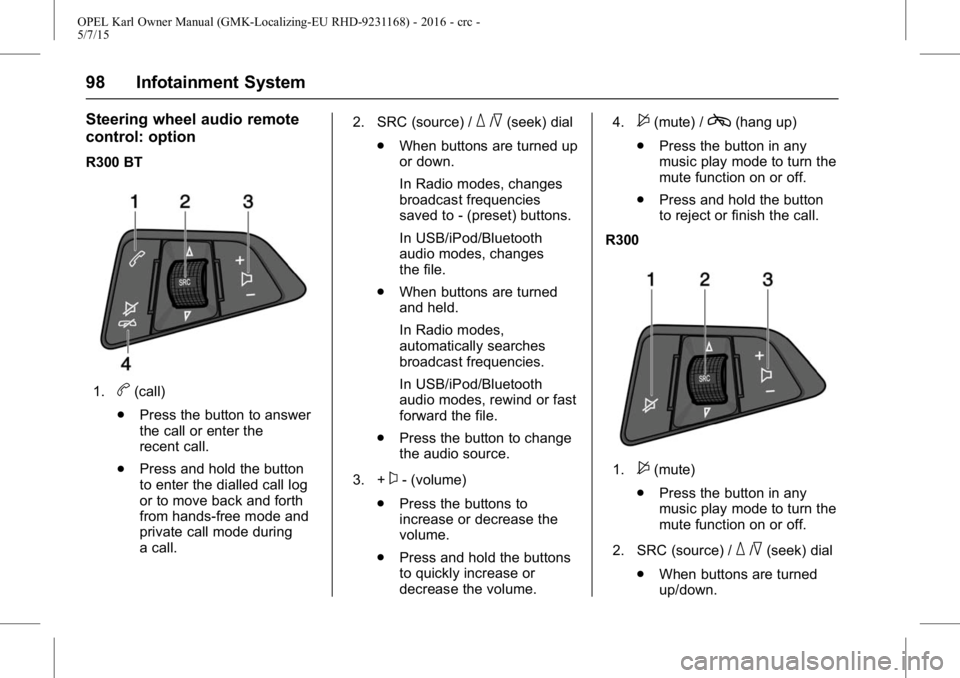
Steering wheel audio remote
control: option
R300 BT
1.b(call)
. Press the button to answer
the call or enter the
recent call.
. Press and hold the button
to enter the dialled call log
or to move back and forth
from hands-free mode and
private call mode during
a call. 2. SRC (source) /
_/^(seek) dial
. When buttons are turned up
or down.
In Radio modes, changes
broadcast frequencies
saved to - (preset) buttons.
In USB/iPod/Bluetooth
audio modes, changes
the file.
. When buttons are turned
and held.
In Radio modes,
automatically searches
broadcast frequencies.
In USB/iPod/Bluetooth
audio modes, rewind or fast
forward the file.
. Press the button to change
the audio source.
3. +
x- (volume)
. Press the buttons to
increase or decrease the
volume.
. Press and hold the buttons
to quickly increase or
decrease the volume. 4.
$(mute) /c(hang up)
. Press the button in any
music play mode to turn the
mute function on or off.
. Press and hold the button
to reject or finish the call.
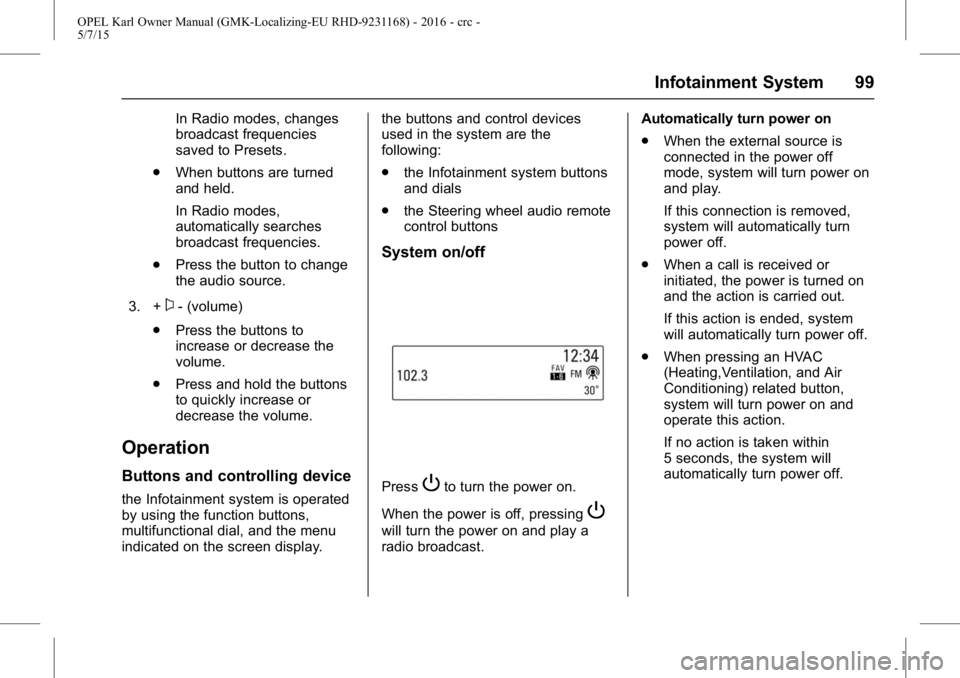
R300
1.$(mute)
. Press the button in any
music play mode to turn the
mute function on or off.
2. SRC (source) /
_/^(seek) dial
. When buttons are turned
up/down.
Page 100 of 217
OPEL Karl Owner Manual (GMK-Localizing-EU RHD-9231168) - 2016 - crc -
5/7/15
Infotainment System 99
In Radio modes, changes
broadcast frequencies
saved to Presets.
. When buttons are turned
and held.
In Radio modes,
automatically searches
broadcast frequencies.
. Press the button to change
the audio source.
3. +
x- (volume)
. Press the buttons to
increase or decrease the
volume.
. Press and hold the buttons
to quickly increase or
decrease the volume.
Operation
Buttons and controlling device
the Infotainment system is operated
by using the function buttons,
multifunctional dial, and the menu
indicated on the screen display. the buttons and control devices
used in the system are the
following:
.
the Infotainment system buttons
and dials
. the Steering wheel audio remote
control buttons
System on/off
PressPto turn the power on.
When the power is off, pressing
P
will turn the power on and play a
radio broadcast. Automatically turn power on
.
When the external source is
connected in the power off
mode, system will turn power on
and play.
If this connection is removed,
system will automatically turn
power off.
. When a call is received or
initiated, the power is turned on
and the action is carried out.
If this action is ended, system
will automatically turn power off.
. When pressing an HVAC
(Heating,Ventilation, and Air
Conditioning) related button,
system will turn power on and
operate this action.
If no action is taken within
5 seconds, the system will
automatically turn power off.
Page 102 of 217
OPEL Karl Owner Manual (GMK-Localizing-EU RHD-9231168) - 2016 - crc -
5/7/15
Infotainment System 101
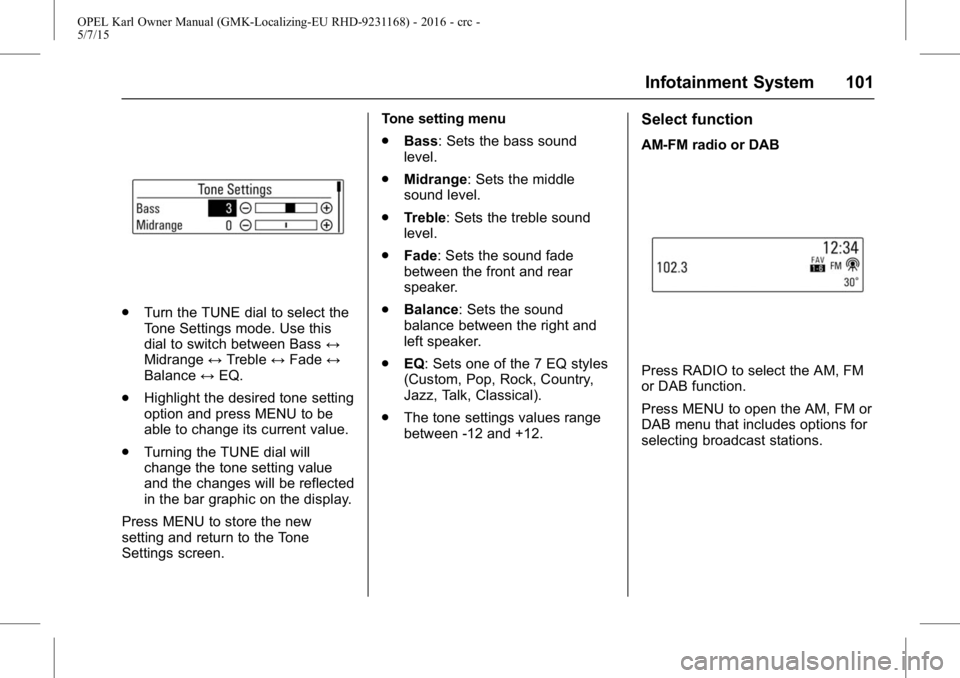
.Turn the TUNE dial to select the
Tone Settings mode. Use this
dial to switch between Bass ↔
Midrange ↔Treble ↔Fade ↔
Balance ↔EQ.
. Highlight the desired tone setting
option and press MENU to be
able to change its current value.
. Turning the TUNE dial will
change the tone setting value
and the changes will be reflected
in the bar graphic on the display.
Press MENU to store the new
setting and return to the Tone
Settings screen. Tone setting menu
.
Bass: Sets the bass sound
level.
. Midrange: Sets the middle
sound level.
. Treble: Sets the treble sound
level.
. Fade: Sets the sound fade
between the front and rear
speaker.
. Balance: Sets the sound
balance between the right and
left speaker.
. EQ: Sets one of the 7 EQ styles
(Custom, Pop, Rock, Country,
Jazz, Talk, Classical).
. The tone settings values range
between -12 and +12.
Select function
AM-FM radio or DAB
Press RADIO to select the AM, FM
or DAB function.
Press MENU to open the AM, FM or
DAB menu that includes options for
selecting broadcast stations.
Page 103 of 217
OPEL Karl Owner Manual (GMK-Localizing-EU RHD-9231168) - 2016 - crc -
5/7/15
102 Infotainment System
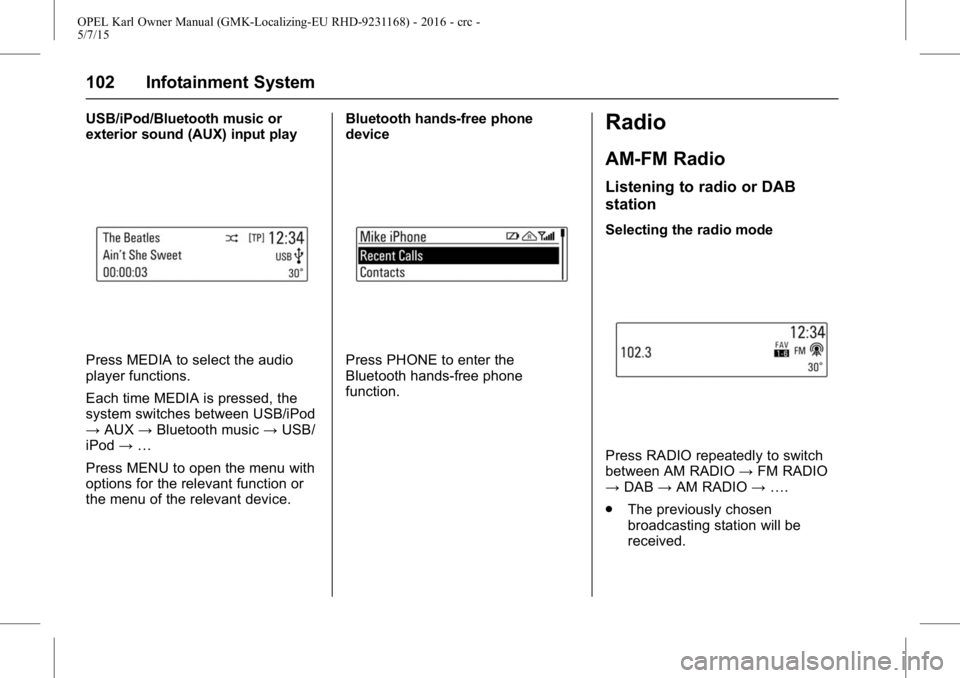
USB/iPod/Bluetooth music or
exterior sound (AUX) input play
Press MEDIA to select the audio
player functions.
Each time MEDIA is pressed, the
system switches between USB/iPod
→AUX →Bluetooth music →USB/
iPod →…
Press MENU to open the menu with
options for the relevant function or
the menu of the relevant device. Bluetooth hands-free phone
devicePress PHONE to enter the
Bluetooth hands-free phone
function.
Radio
AM-FM Radio
Listening to radio or DAB
station
Selecting the radio mode
Press RADIO repeatedly to switch
between AM RADIO
→FM RADIO
→ DAB →AM RADIO →….
. The previously chosen
broadcasting station will be
received.
Page 104 of 217
OPEL Karl Owner Manual (GMK-Localizing-EU RHD-9231168) - 2016 - crc -
5/7/15
Infotainment System 103
.When changing Radio mode/
band by pressing RADIO, the
system displays radio intro view
firstly.
. The playing screen contains the
data elements related to the
broadcast audio source.
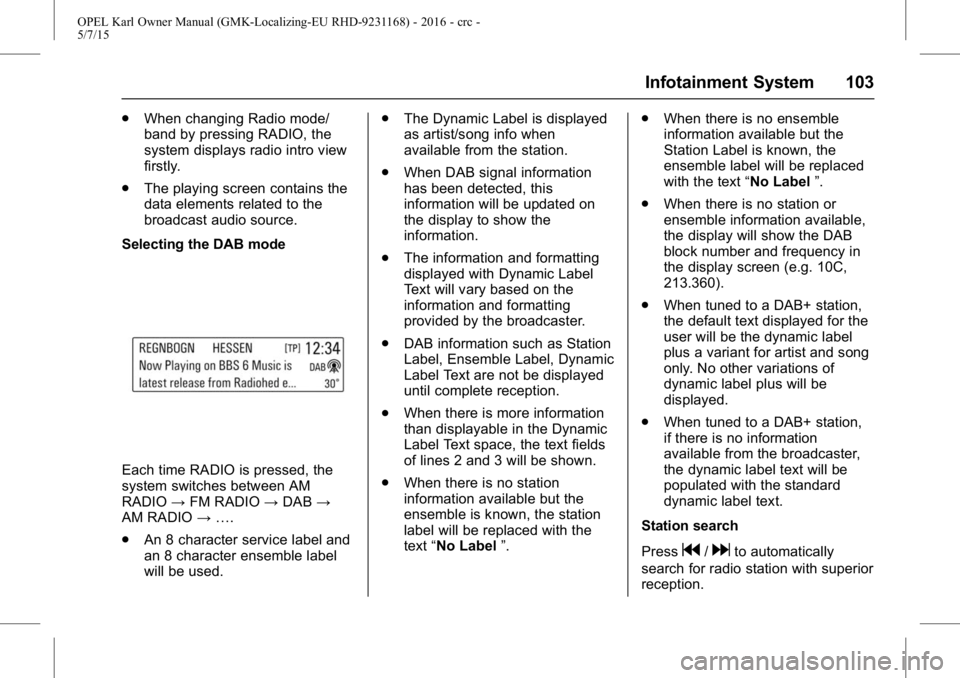
Selecting the DAB mode
Each time RADIO is pressed, the
system switches between AM
RADIO →FM RADIO →DAB →
AM RADIO →….
. An 8 character service label and
an 8 character ensemble label
will be used. .
The Dynamic Label is displayed
as artist/song info when
available from the station.
. When DAB signal information
has been detected, this
information will be updated on
the display to show the
information.
. The information and formatting
displayed with Dynamic Label
Text will vary based on the
information and formatting
provided by the broadcaster.
. DAB information such as Station
Label, Ensemble Label, Dynamic
Label Text are not be displayed
until complete reception.
. When there is more information
than displayable in the Dynamic
Label Text space, the text fields
of lines 2 and 3 will be shown.
. When there is no station
information available but the
ensemble is known, the station
label will be replaced with the
text “No Label ”. .
When there is no ensemble
information available but the
Station Label is known, the
ensemble label will be replaced
with the text “No Label”.
. When there is no station or
ensemble information available,
the display will show the DAB
block number and frequency in
the display screen (e.g. 10C,
213.360).
. When tuned to a DAB+ station,
the default text displayed for the
user will be the dynamic label
plus a variant for artist and song
only. No other variations of
dynamic label plus will be
displayed.
. When tuned to a DAB+ station,
if there is no information
available from the broadcaster,
the dynamic label text will be
populated with the standard
dynamic label text.
Station search
Press
g/dto automatically
search for radio station with superior
reception.
Page 105 of 217
OPEL Karl Owner Manual (GMK-Localizing-EU RHD-9231168) - 2016 - crc -
5/7/15
104 Infotainment System
Pressing and holdingg/d
continuously changes the station
until the button is released. After the
release, the system stops at the
current frequency displayed or
seeks for the next station.
Seeking for DAB service
component
Press
g/dto automatically
search for the station of the
ensemble with superior reception.
Pressing and holding
g/d
continuously changes the station
and ensemble until the button is
released. After the release, the
system stops at the current station
displayed or seeks for the next
station.
. If the next or previous station is
located in another ensemble,
then the first or last receivable
strong station of that ensemble
is tuned.
. If there are no strong signal
stations, the display will show
“No DAB Stations Available ”.Linking the DAB service
In DAB mode, press MENU > turn
the TUNE dial to select the DAB
linking feature > press MENU to turn
the DAB linking feature on or off.
.
The DAB linking feature:
DAB to DAB linking: On or Off
DAB to FM linking: On or Off
. When DAB to DAB linking is set
to On status and the currently
tuned DAB station weakens and
fails, the system will directly
search and link quickly to a
related FM station.
. When DAB to FM linking is set
to the On status and the
currently tuned DAB station
weakens and fails, the system
will attempt to link to the FM
variant of the service.
DAB to DAB linking is either
deactivated or has failed.
Tuning a radio station manually
Turn the TUNE dial to manually find
the desired broadcasting frequency. Tuning a DAB station manually
Press MENU to enter the
DAB menu.
Turn the TUNE dial to select DAB
manual tuning, and then
press MENU.
Turn the TUNE dial to manually find
the desired broadcasting frequency,
and then press MENU.
.
The station list is arranged in the
order of channel labels.
Using the DAB stations list
Turn the TUNE dial to show the
DAB stations list.
. The station list information will
be displayed.
. If the station list is empty, DAB
stations list updating is started
automatically.
Turn the TUNE dial to select the
desired list, and then press MENU
to receive the relevant broadcasting
channel.
Page 106 of 217
OPEL Karl Owner Manual (GMK-Localizing-EU RHD-9231168) - 2016 - crc -
5/7/15
Infotainment System 105
.When the beginning or end of
the station list is reached, the
tuning wraps to the beginning or
end of the list depending on the
direction of tuning.
Storing favourites
Repeatedly press FAV to select the
desired page of stored favourites.
Press and hold any of the - (preset)
buttons to store the current radio or
DAB station to that button of the
selected Favourites page.
. Up to 6 Favourites pages can be
stored, and each page can store
up to four radio or DAB stations.
. It is possible to setup the
number of the Favourites pages
being used in Menu →Set
Number of Favourite Pages.
. If a new radio or DAB station is
stored to a - (preset) button
previously stored, its previous
content will be deleted and
replaced with the new radio or
DAB station that is stored. .
The maximum number of
Favourites that a user can store
is 24.
Selecting presets
Repeatedly press FAV to select the
desired FAV preset page.
. The number 1 broadcasting
information of the selected FAV
preset page will be displayed.
Press a - (preset) button to directly
listen to the radio or DAB station
stored to that button.
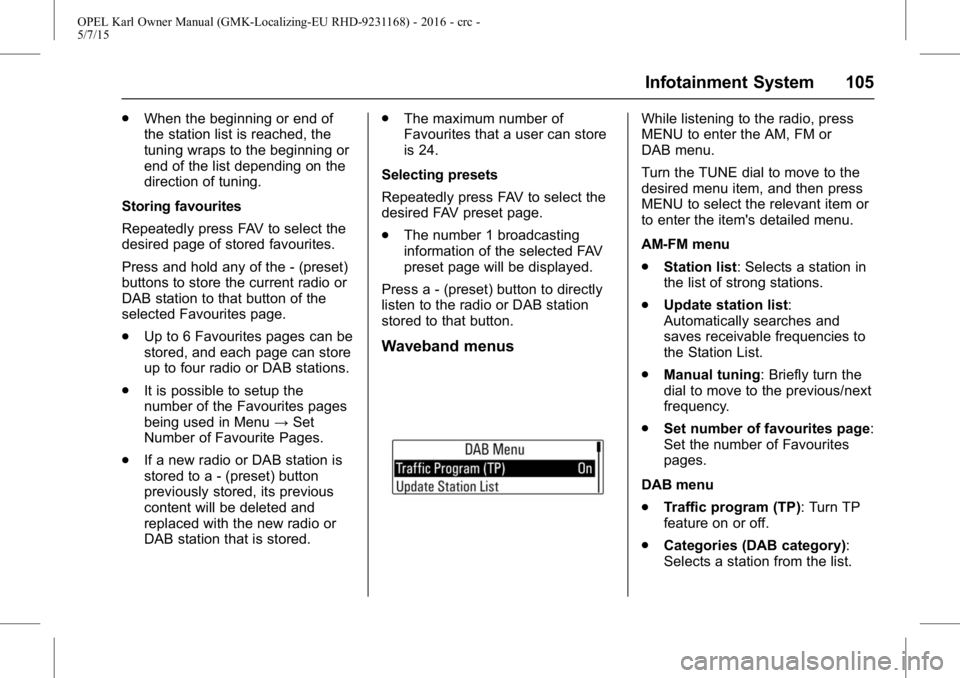
Waveband menus
While listening to the radio, press
MENU to enter the AM, FM or
DAB menu.
Turn the TUNE dial to move to the
desired menu item, and then press
MENU to select the relevant item or
to enter the item's detailed menu.
AM-FM menu
. Station list: Selects a station in
the list of strong stations.
. Update station list:
Automatically searches and
saves receivable frequencies to
the Station List.
. Manual tuning: Briefly turn the
dial to move to the previous/next
frequency.
. Set number of favourites page:
Set the number of Favourites
pages.
DAB menu
. Traffic program (TP): Turn TP
feature on or off.
. Categories (DAB category):
Selects a station from the list.
Page 107 of 217
OPEL Karl Owner Manual (GMK-Localizing-EU RHD-9231168) - 2016 - crc -
5/7/15
106 Infotainment System
The list is displayed in the order
of Information→Pop →Rock →
Classical →Music →All.
. DAB announcements: Enter
the DAB announcements menu,
and then set the list entry of
interest.
Available announcements :
News →Weather →Sports →
Finance →Travel →Event →
Special →Radio Info →
Warning →Traffic →Alarm.
. DAB to DAB linking: Turn the
DAB linking feature on or off
(activate or deactivate the Auto
ensemble linking function).
. DAB to FM linking: Turn the FM
linking feature on or off (activate
or deactivate the Auto linking
DAB-FM function).
. L band: Turn L Band feature on
or off.
When L Band is turned on, the
system will seek/tune the station
to include the L Band frequency
blocks. .
Intellitext: Selects the specially
broadcast text providing
information such as sports
scores, headline news, and
others.
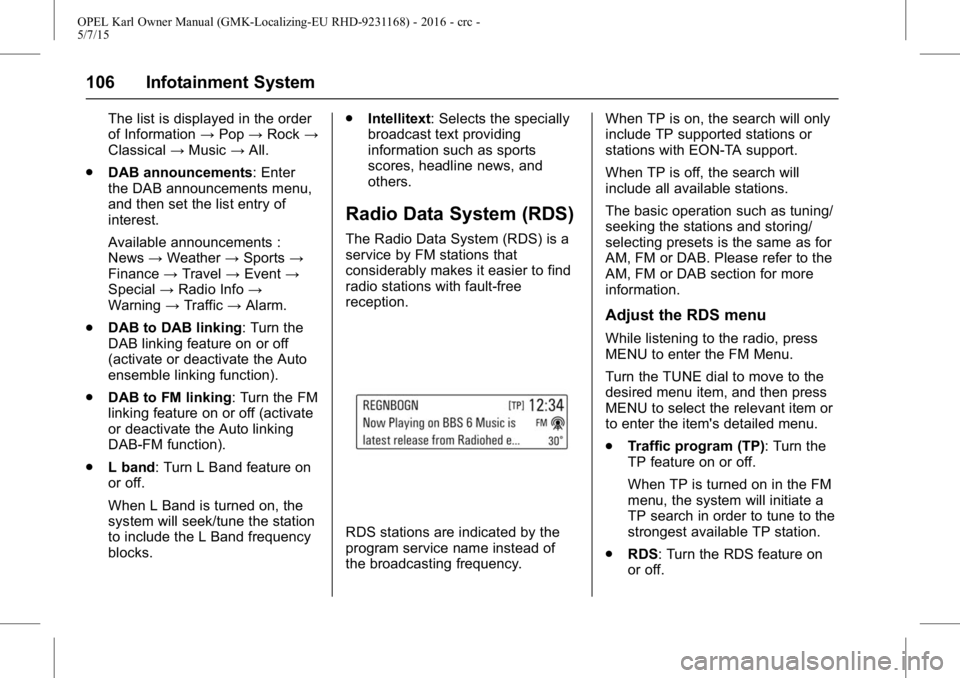
Radio Data System (RDS)
The Radio Data System (RDS) is a
service by FM stations that
considerably makes it easier to find
radio stations with fault-free
reception.
RDS stations are indicated by the
program service name instead of
the broadcasting frequency. When TP is on, the search will only
include TP supported stations or
stations with EON-TA support.
When TP is off, the search will
include all available stations.
The basic operation such as tuning/
seeking the stations and storing/
selecting presets is the same as for
AM, FM or DAB. Please refer to the
AM, FM or DAB section for more
information.
Adjust the RDS menu
While listening to the radio, press
MENU to enter the FM Menu.
Turn the TUNE dial to move to the
desired menu item, and then press
MENU to select the relevant item or
to enter the item's detailed menu.
.
Traffic program (TP): Turn the
TP feature on or off.
When TP is turned on in the FM
menu, the system will initiate a
TP search in order to tune to the
strongest available TP station.
. RDS: Turn the RDS feature on
or off.
Page 108 of 217
OPEL Karl Owner Manual (GMK-Localizing-EU RHD-9231168) - 2016 - crc -
5/7/15
Infotainment System 107
When RDS is turned on, the
program service name of the
current station appears instead
of its frequency.
When RDS is turned off, the
RDS Text will be switched off,
the alternate frequency feature
will not function, and the
frequency will be displayed in
the place of the PSN (PS name).
. Region: Turns the Region
feature on or off.
Only alternative frequencies with
the same regional programmes
are selected.
. Categories (FM category):
Selects a station from the list.
The list is displayed in the order
of Information →Pop →Rock →
Classical →Music →All.
Volume of the traffic
announcements (TA)
While the Traffic Alert is playing, the
Traffic alert volume can be adjusted
by turning the VOLUME dial. The system will store this setting for
future traffic alerts.
.
Once an alert is completed, the
system volume returns to its
previously set level prior to the
traffic alert.
. If the traffic alert volume is set to
zero during an alert, the next
traffic alert will arrive at the
minimum connection volume
level.
. The same process will apply to
DAB Announcements.
Radio traffic service
(TP : Traffic Program)
Radio traffic service stations are
RDS stations that broadcast
traffic news.
Press MENU > turn the TUNE dial
to select TP > press MENU to turn
the TP feature on or off.
.If the current station is not a
radio traffic service station, then
a search is automatically started
for the next radio traffic service
station. .
Once a radio traffic service
station has been found, "TP " is
displayed in the display screen.
. If the radio traffic service is
switched on, then it is
interrupted for the duration of the
traffic announcement in all
modes.
Blocking out traffic
announcements
If a traffic alert comes in while
listening to an audio source, the
system will display the Traffic Alert
Pop-up.
The pop-up will display with a
Dismiss option highlighted by
default for the alert.
.If a Traffic Alert pop-up is
displayed, the Traffic Alert
pop-up can also be dismissed by
SRC on the SWC.
. If a Traffic Alert pop-up is
displayed when an external
device is connected, the system
does not read the device.