steering OPEL KARL 2015 Owner's Manual
[x] Cancel search | Manufacturer: OPEL, Model Year: 2015, Model line: KARL, Model: OPEL KARL 2015Pages: 217, PDF Size: 4.16 MB
Page 99 of 217
OPEL Karl Owner Manual (GMK-Localizing-EU RHD-9231168) - 2016 - crc -
5/7/15
98 Infotainment System
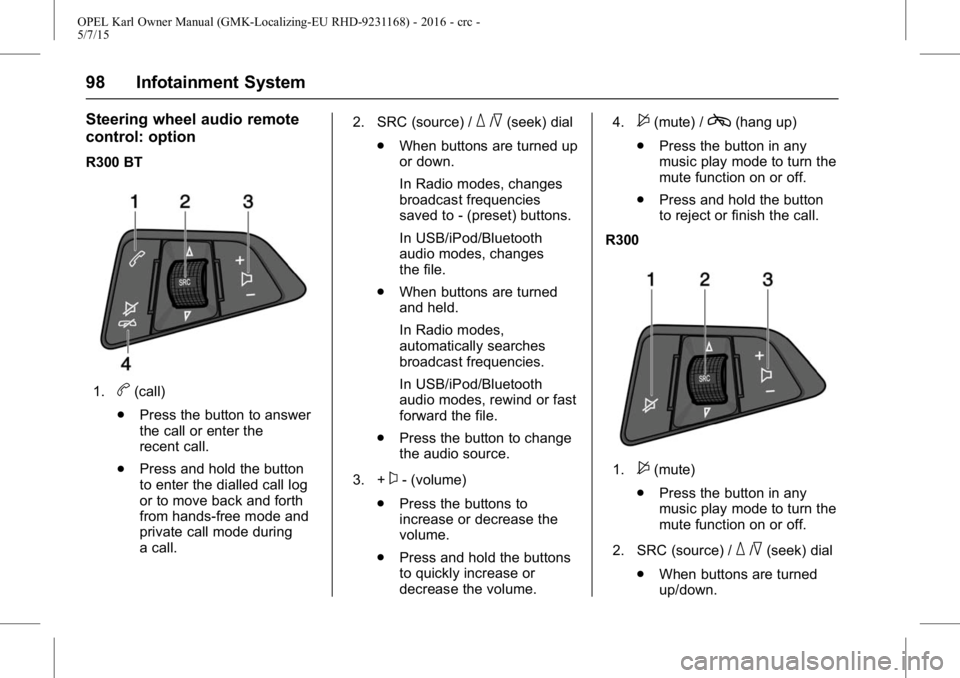
Steering wheel audio remote
control: option
R300 BT
1.b(call)
. Press the button to answer
the call or enter the
recent call.
. Press and hold the button
to enter the dialled call log
or to move back and forth
from hands-free mode and
private call mode during
a call. 2. SRC (source) /
_/^(seek) dial
. When buttons are turned up
or down.
In Radio modes, changes
broadcast frequencies
saved to - (preset) buttons.
In USB/iPod/Bluetooth
audio modes, changes
the file.
. When buttons are turned
and held.
In Radio modes,
automatically searches
broadcast frequencies.
In USB/iPod/Bluetooth
audio modes, rewind or fast
forward the file.
. Press the button to change
the audio source.
3. +
x- (volume)
. Press the buttons to
increase or decrease the
volume.
. Press and hold the buttons
to quickly increase or
decrease the volume. 4.
$(mute) /c(hang up)
. Press the button in any
music play mode to turn the
mute function on or off.
. Press and hold the button
to reject or finish the call.
R300
1.$(mute)
. Press the button in any
music play mode to turn the
mute function on or off.
2. SRC (source) /
_/^(seek) dial
. When buttons are turned
up/down.
Page 100 of 217
OPEL Karl Owner Manual (GMK-Localizing-EU RHD-9231168) - 2016 - crc -
5/7/15
Infotainment System 99
In Radio modes, changes
broadcast frequencies
saved to Presets.
. When buttons are turned
and held.
In Radio modes,
automatically searches
broadcast frequencies.
. Press the button to change
the audio source.
3. +
x- (volume)
. Press the buttons to
increase or decrease the
volume.
. Press and hold the buttons
to quickly increase or
decrease the volume.
Operation
Buttons and controlling device
the Infotainment system is operated
by using the function buttons,
multifunctional dial, and the menu
indicated on the screen display. the buttons and control devices
used in the system are the
following:
.
the Infotainment system buttons
and dials
. the Steering wheel audio remote
control buttons
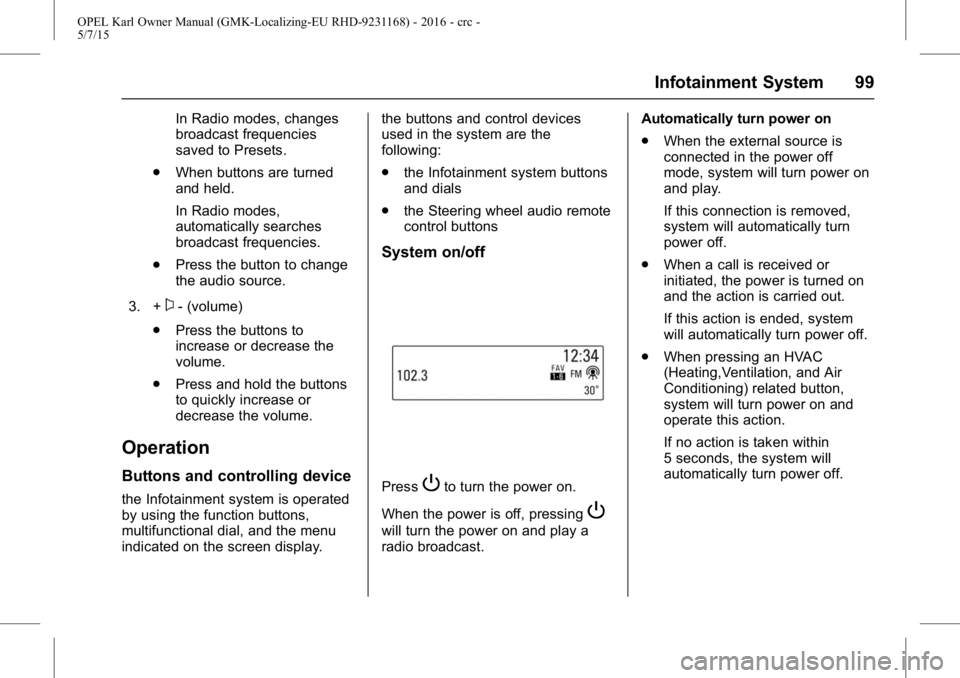
System on/off
PressPto turn the power on.
When the power is off, pressing
P
will turn the power on and play a
radio broadcast. Automatically turn power on
.
When the external source is
connected in the power off
mode, system will turn power on
and play.
If this connection is removed,
system will automatically turn
power off.
. When a call is received or
initiated, the power is turned on
and the action is carried out.
If this action is ended, system
will automatically turn power off.
. When pressing an HVAC
(Heating,Ventilation, and Air
Conditioning) related button,
system will turn power on and
operate this action.
If no action is taken within
5 seconds, the system will
automatically turn power off.
Page 101 of 217
OPEL Karl Owner Manual (GMK-Localizing-EU RHD-9231168) - 2016 - crc -
5/7/15
100 Infotainment System
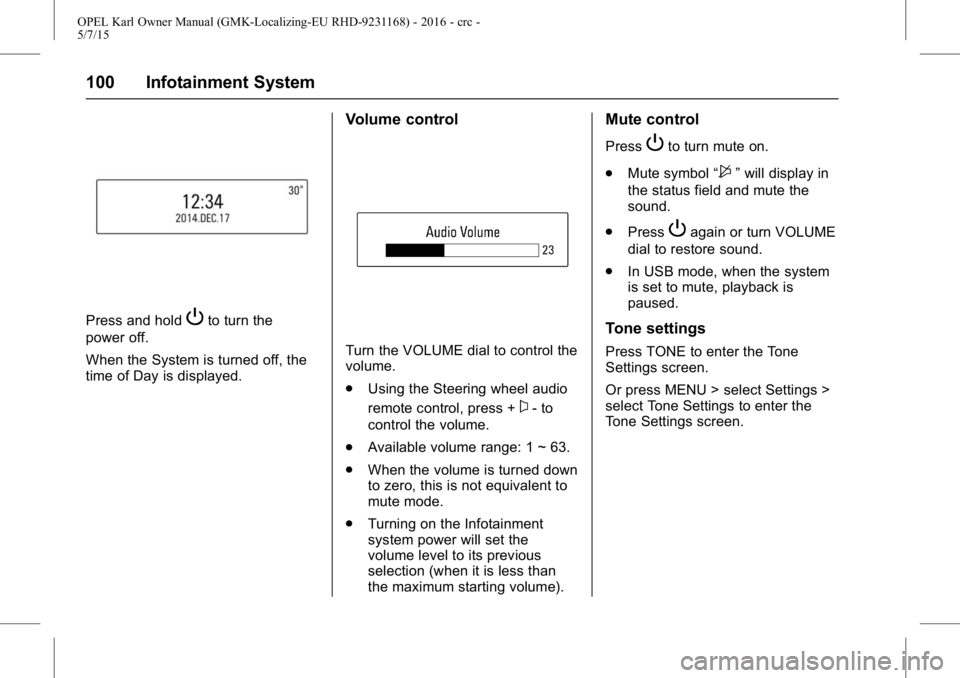
Press and holdPto turn the
power off.
When the System is turned off, the
time of Day is displayed.
Volume control
Turn the VOLUME dial to control the
volume.
. Using the Steering wheel audio
remote control, press +
x- to
control the volume.
. Available volume range: 1 ~ 63.
. When the volume is turned down
to zero, this is not equivalent to
mute mode.
. Turning on the Infotainment
system power will set the
volume level to its previous
selection (when it is less than
the maximum starting volume).
Mute control
PressPto turn mute on.
. Mute symbol “
$”will display in
the status field and mute the
sound.
. Press
Pagain or turn VOLUME
dial to restore sound.
. In USB mode, when the system
is set to mute, playback is
paused.
Tone settings
Press TONE to enter the Tone
Settings screen.
Or press MENU > select Settings >
select Tone Settings to enter the
Tone Settings screen.
Page 112 of 217
OPEL Karl Owner Manual (GMK-Localizing-EU RHD-9231168) - 2016 - crc -
5/7/15
Infotainment System 111
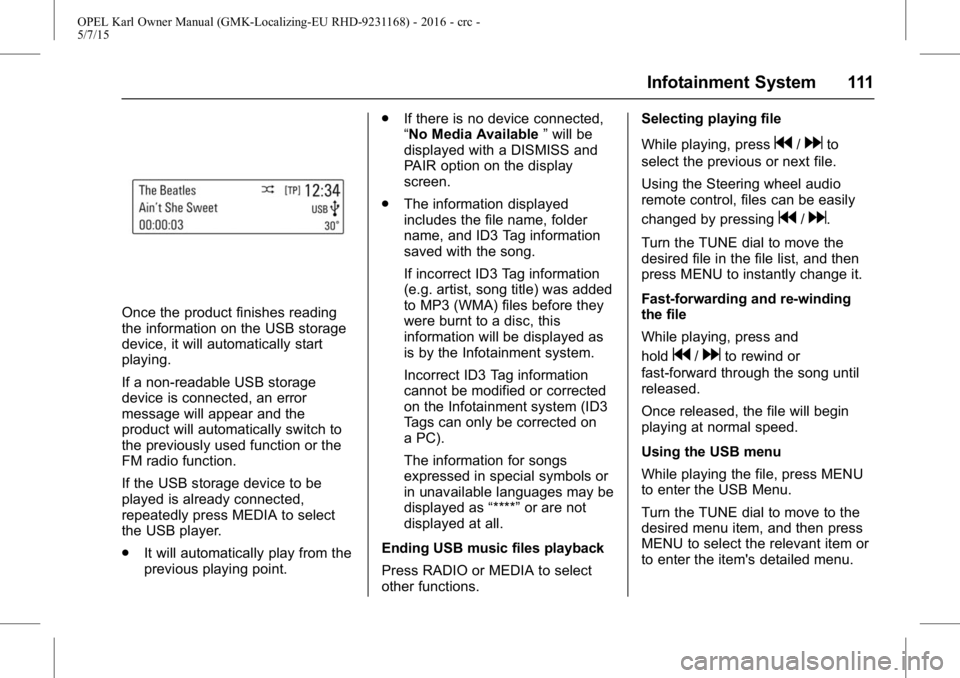
Once the product finishes reading
the information on the USB storage
device, it will automatically start
playing.
If a non-readable USB storage
device is connected, an error
message will appear and the
product will automatically switch to
the previously used function or the
FM radio function.
If the USB storage device to be
played is already connected,
repeatedly press MEDIA to select
the USB player.
.It will automatically play from the
previous playing point. .
If there is no device connected,
“No Media Available ”will be
displayed with a DISMISS and
PAIR option on the display
screen.
. The information displayed
includes the file name, folder
name, and ID3 Tag information
saved with the song.
If incorrect ID3 Tag information
(e.g. artist, song title) was added
to MP3 (WMA) files before they
were burnt to a disc, this
information will be displayed as
is by the Infotainment system.
Incorrect ID3 Tag information
cannot be modified or corrected
on the Infotainment system (ID3
Tags can only be corrected on
a PC).
The information for songs
expressed in special symbols or
in unavailable languages may be
displayed as “****”or are not
displayed at all.
Ending USB music files playback
Press RADIO or MEDIA to select
other functions. Selecting playing file
While playing, press
g/dto
select the previous or next file.
Using the Steering wheel audio
remote control, files can be easily
changed by pressing
g/d.
Turn the TUNE dial to move the
desired file in the file list, and then
press MENU to instantly change it.
Fast-forwarding and re-winding
the file
While playing, press and
hold
g/dto rewind or
fast-forward through the song until
released.
Once released, the file will begin
playing at normal speed.
Using the USB menu
While playing the file, press MENU
to enter the USB Menu.
Turn the TUNE dial to move to the
desired menu item, and then press
MENU to select the relevant item or
to enter the item's detailed menu.
Page 122 of 217
OPEL Karl Owner Manual (GMK-Localizing-EU RHD-9231168) - 2016 - crc -
5/7/15
Infotainment System 121
{Warning
Bear in mind that you can make
and receive calls with the mobile
phone, if it is in a service area
with a sufficiently strong signal.
Under certain circumstances
emergency calls cannot be made
on all mobile phone networks; it is
possible that they cannot be
made when certain network
services and/or telephone
functions are active. You can
enquire about this with the local
network operators.
The emergency call number can
differ depending on the region
and country. Please enquire
beforehand about the correct
emergency call number for the
relevant region.
Making an emergency call
Dial the emergency call number
(e.g. 112).
The telephone connection to the
emergency call centre is set up.Answer when the service personnel
questions you about the emergency.
{Warning
Do not end the call until you are
requested to do so by the
emergency call centre.
Operation
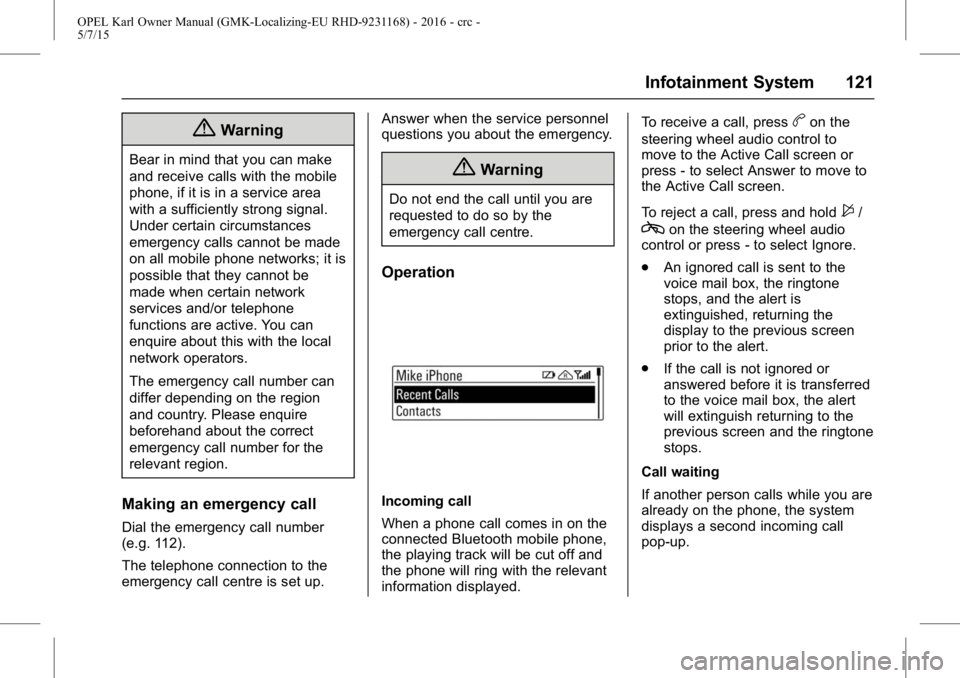
Incoming call
When a phone call comes in on the
connected Bluetooth mobile phone,
the playing track will be cut off and
the phone will ring with the relevant
information displayed.To receive a call, press
bon the
steering wheel audio control to
move to the Active Call screen or
press - to select Answer to move to
the Active Call screen.
To reject a call, press and hold
$/
con the steering wheel audio
control or press - to select Ignore.
. An ignored call is sent to the
voice mail box, the ringtone
stops, and the alert is
extinguished, returning the
display to the previous screen
prior to the alert.
. If the call is not ignored or
answered before it is transferred
to the voice mail box, the alert
will extinguish returning to the
previous screen and the ringtone
stops.
Call waiting
If another person calls while you are
already on the phone, the system
displays a second incoming call
pop-up.
Page 123 of 217
OPEL Karl Owner Manual (GMK-Localizing-EU RHD-9231168) - 2016 - crc -
5/7/15
122 Infotainment System
Press PHONE orbon the steering
wheel audio control to switch
between 1st call and 2nd call.
If two calls are active (call waiting
mode), a call waiting alert is not
displayed.
Phone volume control
Turn the VOLUME dial to adjust the
Phone Volume while in an active
phone call (e.g. through volume
steps 0 ~ 63).
Caution
It is possible to transfer your
ringtone depending on the mobile
phone.
Adjust the ringtone volume of the
mobile phone if the volume is
too low.
You can use the volume control to
adjust the Ring Tone Volume while
the ring tone is given out starting at
a defined minimum volume. The
volume ranges from level 3 to max. During a call
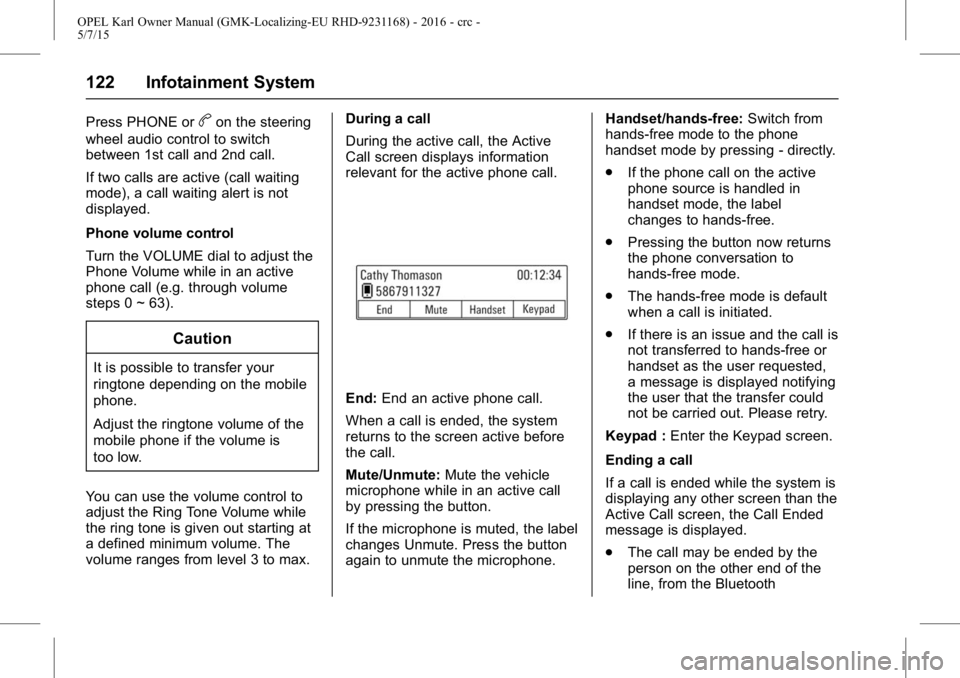
During the active call, the Active
Call screen displays information
relevant for the active phone call.
End:
End an active phone call.
When a call is ended, the system
returns to the screen active before
the call.
Mute/Unmute: Mute the vehicle
microphone while in an active call
by pressing the button.
If the microphone is muted, the label
changes Unmute. Press the button
again to unmute the microphone. Handset/hands-free:
Switch from
hands-free mode to the phone
handset mode by pressing - directly.
. If the phone call on the active
phone source is handled in
handset mode, the label
changes to hands-free.
. Pressing the button now returns
the phone conversation to
hands-free mode.
. The hands-free mode is default
when a call is initiated.
. If there is an issue and the call is
not transferred to hands-free or
handset as the user requested,
a message is displayed notifying
the user that the transfer could
not be carried out. Please retry.
Keypad : Enter the Keypad screen.
Ending a call
If a call is ended while the system is
displaying any other screen than the
Active Call screen, the Call Ended
message is displayed.
. The call may be ended by the
person on the other end of the
line, from the Bluetooth
Page 124 of 217
OPEL Karl Owner Manual (GMK-Localizing-EU RHD-9231168) - 2016 - crc -
5/7/15
Infotainment System 123
handheld device or by pressingcon the steering wheel audio
remote control.
. After 5 seconds, the display
returns to the previous screen.
Re-dialling a call
If the phone call was dropped, you
can re-dial the number before the
time out by pressing - directly below
the display labelled Redial.
Calling a number in the call log
Press PHONE to enter the Phone
List menu > turn the TUNE dial to
select the Recent Calls > press
ENTER > turn the TUNE dial to
select Missed Calls, Received Calls
or Sent Calls, then press ENTER.
The recent calls list displays an
intermediate menu containing
missed calls, received calls, and
sent calls.
Turn the TUNE dial to select a
name or phone number, and press
ENTER to make a call. Calling a number in the
phone book
Press PHONE to enter the Phone
List menu > turn the TUNE dial to
select Contacts > press ENTER >
turn the TUNE dial to select a name
or phone number, and press ENTER
to make a call.
The last outgoing phone source is
retained at the next ignition cycle,
if that phone device is connected,
and it is the outgoing phone source.
Downloading the phone book
If the Bluetooth device supports a
phone book synchronization
function, the phonebook is
downloaded automatically after the
connection has been established.
.
The call history lists can be
downloaded from the connected
Bluetooth device.
. Sorting call histories by time is
not supported.
. It is possible to download the
call history even when
proceeding another action. .
It is not possible to start the
download process when the call
history download feature is
turned off within the Bluetooth
device.
. After Pairing is completed, a
contacts download request is
sent to your mobile phone.
Some phones require additional
confirmation. Please check your
phone and accept the download
request if necessary.
. If a paired phone is deleted, its
call history lists will also be
deleted from the system.
. The system only uses
information coded in UTF-8
format.
Dial a number by keypad
Press PHONE to enter the Phone
List menu > turn the TUNE dial to
select the Keypad and press
ENTER to enter the Keypad screen.
. When users select Keypad from
the Phone Home Screen, a
phone dialler keypad is
displayed.
Page 135 of 217
OPEL Karl Owner Manual (GMK-Localizing-EU RHD-9231168) - 2016 - crc -
5/7/15
134 Driving and Operating
Driving and
Operating
Driving Information
Control of a Vehicle . . . . . . . . . . . 134
Steering . . . . . . . . . . . . . . . . . . . . . . 135
Starting and Operating
New Vehicle Run-In . . . . . . . . . . 135
Ignition Positions . . . . . . . . . . . . . 135
Starting the Engine . . . . . . . . . . . 136
Retained AccessoryPower (RAP) . . . . . . . . . . . . . . . . 137
Automatic Engine Start/Stop Feature . . . . . . . . . . . . . . . . . . . . . 137
Parking . . . . . . . . . . . . . . . . . . . . . . . 139
Engine Exhaust
Engine Exhaust . . . . . . . . . . . . . . 140
Catalytic Converter . . . . . . . . . . . 140
Manual Gearbox
Manual Gearbox . . . . . . . . . . . . . . 141
Brakes
Brakes . . . . . . . . . . . . . . . . . . . . . . . 141
Antilock Brake System (ABS) . . . . . . . . . . . . . . . 142
Parking Brake . . . . . . . . . . . . . . . . 142
Brake Assist . . . . . . . . . . . . . . . . . . 143 Hill Start Assist (HSA) . . . . . . . . 143
Ride Control Systems
Traction Control
System (TCS) . . . . . . . . . . . . . . . 143
Electronic Stability Control (ESC) . . . . . . . . . . . . . . . 144
Object Detection Systems
Parking Assist . . . . . . . . . . . . . . . . 146
Driver Assistance Systems
Driver Assistance Systems . . . 148
Cruise Control . . . . . . . . . . . . . . . . 148
Speed Limiter . . . . . . . . . . . . . . . . . 149
Lane DepartureWarning (LDW) . . . . . . . . . . . . . 150
Fuel
Fuel (for Petrol Engines) . . . . . . 152
Filling the Tank . . . . . . . . . . . . . . . 152
Fuel Consumption -CO2-Emissions . . . . . . . . . . . . . 154
Driving Information
Control of a Vehicle
Never coast with engine not
running (except during
Autostop)
Many systems will not function in
this situation (e.g. brake servo unit,
power steering). Driving in this
manner is a danger to yourself and
others.
Idle boost
If charging of the vehicle battery is
required due to vehicle battery
condition, the power output of the
alternator must be increased. This
will be achieved by an idle boost
which may be audible.
Pedals
To ensure the pedal travel is
uninhibited, there must be no mats
in the area of the pedals.
Page 136 of 217
OPEL Karl Owner Manual (GMK-Localizing-EU RHD-9231168) - 2016 - crc -
5/7/15
Driving and Operating 135
Steering
If power steering assist is lost
because the engine stops or due to
a system malfunction, the vehicle
can be steered but may require a
higher or lower steering effort.
Control indicator
mVariable Effort
Steering Light 071.
Caution
Vehicle equipped with electric
power steering:
If the steering wheel is turned
until it reaches the end of its
travel and is held against that
position for an extended period of
time, power steering assist may
be reduced.
If the steering assistance is used
for an extended period of time,
power assistance may be
reduced.
Normal use of the power steering
assist should return when the
system cools down.
Starting and
Operating
New Vehicle Run-In
Do not brake unnecessarily hard for
the first few journeys.
During the first drive, smoke may
occur because of wax and oil
evaporating off the exhaust system.
Park the vehicle in the open for a
while after the first drive and avoid
inhaling the fumes.
During the running-in period fuel
and engine oil consumption may be
higher.
Autostop may be inhibited to allow
for charging the vehicle battery.
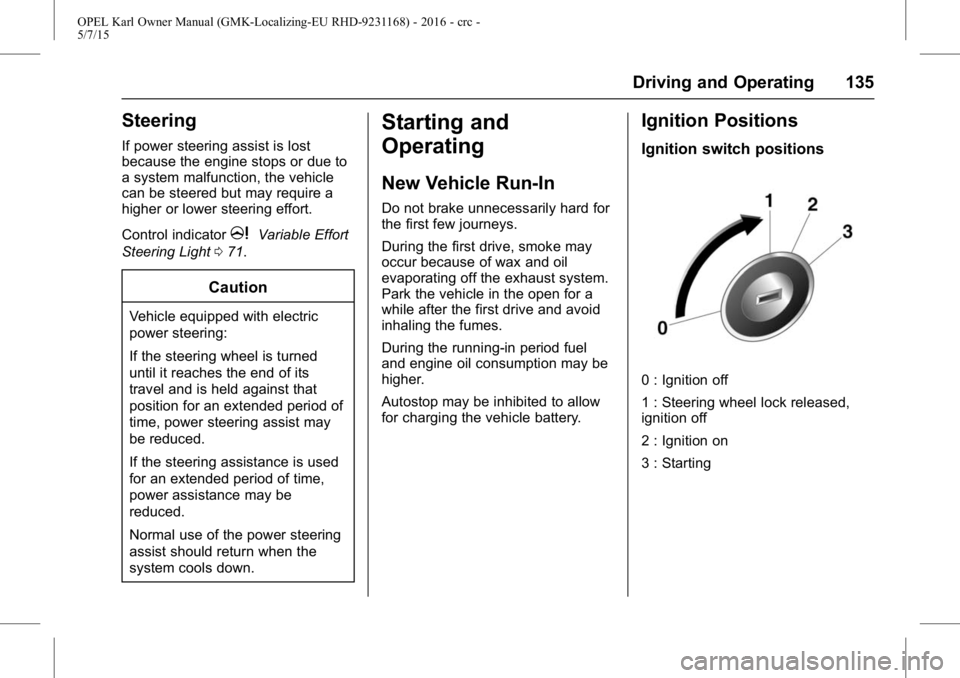
Ignition Positions
Ignition switch positions
0 : Ignition off
1 : Steering wheel lock released,
ignition off
2 : Ignition on
3 : Starting
Page 140 of 217
OPEL Karl Owner Manual (GMK-Localizing-EU RHD-9231168) - 2016 - crc -
5/7/15
Driving and Operating 139
Restart of the engine by the
stop-start system
The selector lever must be in
neutral to enable an automatic
restart.
If one of the following conditions
occurs during an Autostop, the
engine will be restarted
automatically by the stop-start
system.
.The stop-start system is
manually deactivated.
. The bonnet is opened.
. The driver's seat belt is
unfastened and the driver's door
is opened.
. The engine temperature is
too low.
. The vehicle battery is
discharged.
. The brake vacuum is not
sufficient.
. The vehicle starts to move.
. The climate control system
requests an engine start. .
The air conditioning is manually
switched on.
If the bonnet is not fully closed, a
warning message is displayed in the
Driver Information Centre.
If an electrical accessory, e.g. a
portable CD player, is connected to
the power socket, a brief power
drop during restart might be
noticeable.
Parking
{Warning
. Do not park the vehicle on
an easily ignitable surface.
The high temperature of the
exhaust system could ignite
the surface.
. Always apply parking brake.
Apply manual parking brake
without pressing release
button. Apply as firmly as
possible on downhill or
(Continued)
Warning (Continued)
uphill slopes. Depress the
foot brake at the same time
to reduce operating force.
. Switch off the engine and
ignition. Turn the steering
wheel until the steering
wheel lock engages.
. If the vehicle is on a level
surface or uphill slope,
engage first gear before
switching off the ignition. On
an uphill slope, turn the
front wheels away from
the kerb.
If the vehicle is on a
downhill slope, engage
reverse gear before
switching off the ignition.
Turn the front wheels
towards the kerb.
. Lock the vehicle and
activate the anti-theft alarm
system.