turn signal OPEL KARL 2015 Owners Manual
[x] Cancel search | Manufacturer: OPEL, Model Year: 2015, Model line: KARL, Model: OPEL KARL 2015Pages: 217, PDF Size: 4.16 MB
Page 11 of 217

OPEL Karl Owner Manual (GMK-Localizing-EU RHD-9231168) - 2016 - crc -
5/7/15
10 In Brief
1. Power windows on pagePower
Windows 029.
Central locking system on page
Central Locking System 022.
2. Exterior mirrors on page Convex Mirrors 027.
3. Cruise control, Speed limiter on page Driver Assistance
Systems 0148.
Heated steering wheel on page
Heated Steering Wheel 060.
4. Turn and lane-change signals, headlight flash, dipped beam
and main beam on page
Indicator and Lane-Change
Signals 087.
Exit lighting on page Exit
Lighting 091.
Parking lights on page Parking
Lights 088.
5. Side air vents on page Fixed
Air Vents 0132.
6. Instruments on page Steering
Wheel Adjustment 060. 7. Driver Information Centre on
page Driver Information Centre
(DIC) 075.
8. Steering wheel controls on page Steering Wheel
Controls 060.
9. Windscreen wiper, Windscreen washer system, rear wiper, rear
washer system on page
Windscreen Wiper/
Washer 061.
10. Centre air vents on page Adjustable Air Vents 0131.
11. Hazard warning lights on page Hazard Warning Flashers 087.
12. Info-Display on page Overview 093.
13. Infotainment system on page Operation 099.
14. Glove box on page Glove
Box 053.
15. Climate control system on page Electronic Climate
Control System 0128.
16. Selector lever, manual gearbox on page Manual
Gearbox 0141. 17. Parking brake on page
Handbrake 0142.
18. Ignition switch with steering wheel lock on page Ignition
Positions 0135.
19. Horn on page Horn061.
Driver airbag on page Airbag
System 038.
20. Steering wheel adjustment on page Steering Wheel
Adjustment 060.
21. Bonnet release lever on page Bonnet 0157.
22. Fuse box on page Fuses 0169.
23. Traction control system on page Traction Control System
(TCS) 0143.
Automatic engine start/stop on
page Automatic Engine Start/
Stop Feature 0137.
City mode on page Electronic
Stability Control (ESC) 0144.
Lane departure warning on
page Lane Departure Warning
(LDW) 0150.
Page 14 of 217

OPEL Karl Owner Manual (GMK-Localizing-EU RHD-9231168) - 2016 - crc -
5/7/15
In Brief 13
1. Infotainment system on pageOperation 099.
2. Info-Display on page Overview 093.
3. Hazard warning lights on page Hazard Warning Flashers 087.
4. Centre air vents on page Adjustable Air Vents 0131.
5. Turn and lane-change signals, headlight flash, dipped beam
and main beam on page
Indicator and Lane-Change
Signals 087.
Exit lighting on page Exit
Lighting 091.
Parking lights on page Parking
Lights 088.
6. Instruments on page Steering
Wheel Adjustment 060.
7. Driver Information Centre on page Driver Information Centre
(DIC) 075.
8. Cruise control, Speed limiter on page Driver Assistance
Systems 0148. Heated steering wheel on page
Heated Steering Wheel
060.
9. Windscreen wiper, Windscreen washer system, rear wiper, rear
washer system on page
Windscreen Wiper/
Washer 061.
10. Side air vents on page Fixed
Air Vents 0132.
11. Steering wheel controls on page Steering Wheel
Controls 060.
12. Exterior mirrors on page Convex Mirrors 027
13. Power windows on page Power
Windows 029.
Central locking system on page
Central Locking System 022.
14. Light switch, Headlight range adjustment,
Front fog lights,
Rear fog light,
Instrument illumination on page
Exterior Lamp Controls 085. 15. Traction control system on
page Traction Control System
(TCS) 0143.
Automatic engine start/stop on
page Automatic Engine Start/
Stop Feature 0137.
City mode on page Electronic
Stability Control (ESC) 0144.
Lane departure warning on
page Lane Departure Warning
(LDW) 0150.
16. Ignition switch with steering wheel lock on page Ignition
Positions 0135.
17. Fuse box on page Fuses 0169.
18. Bonnet release lever on page Bonnet 0157.
19. Horn on page Horn061.
Driver airbag on page Airbag
System 038.
20. Steering wheel adjustment on page Steering Wheel
Adjustment 060.
21. Parking brake on page Handbrake 0142.
Page 15 of 217
OPEL Karl Owner Manual (GMK-Localizing-EU RHD-9231168) - 2016 - crc -
5/7/15
14 In Brief
22. Selector lever, manual gearboxon page Manual
Gearbox 0141.
23. Climate control system on page Electronic Climate
Control System 0128.
24. Glove box on page Glove
Box 053.
Exterior Lighting
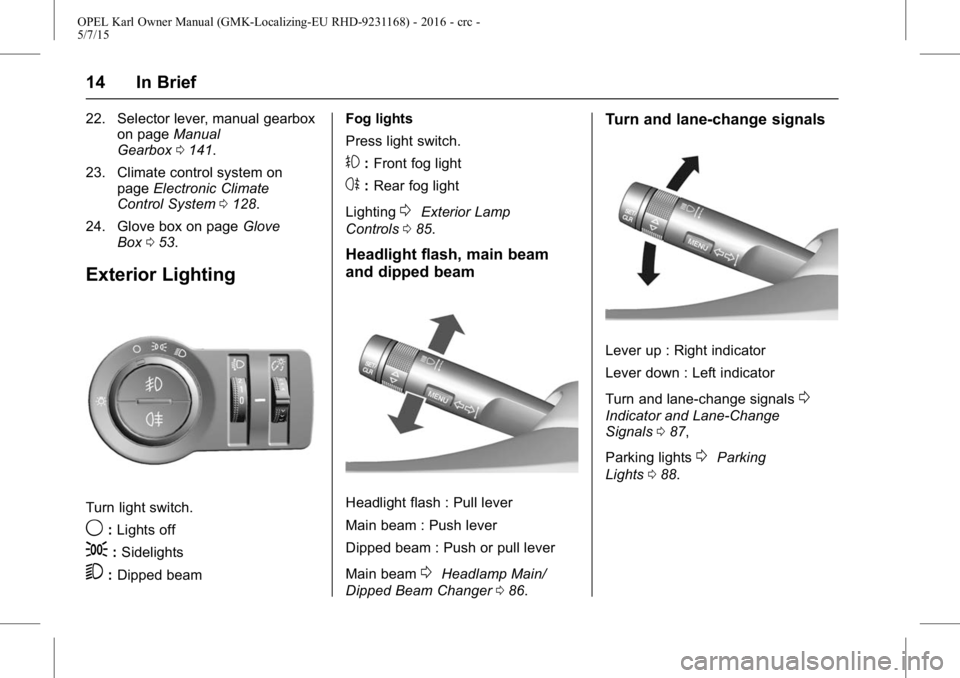
Turn light switch.
9:Lights off
;:Sidelights
5:Dipped beam Fog lights
Press light switch.
#:
Front fog light
s:Rear fog light
Lighting
0Exterior Lamp
Controls 085.
Headlight flash, main beam
and dipped beam
Headlight flash : Pull lever
Main beam : Push lever
Dipped beam : Push or pull lever
Main beam
0Headlamp Main/
Dipped Beam Changer 086.
Turn and lane-change signals
Lever up : Right indicator
Lever down : Left indicator
Turn and lane-change signals
0
Indicator and Lane-Change
Signals 087,
Parking lights
0Parking
Lights 088.
Page 70 of 217
OPEL Karl Owner Manual (GMK-Localizing-EU RHD-9231168) - 2016 - crc -
5/7/15
Instruments and Controls 69
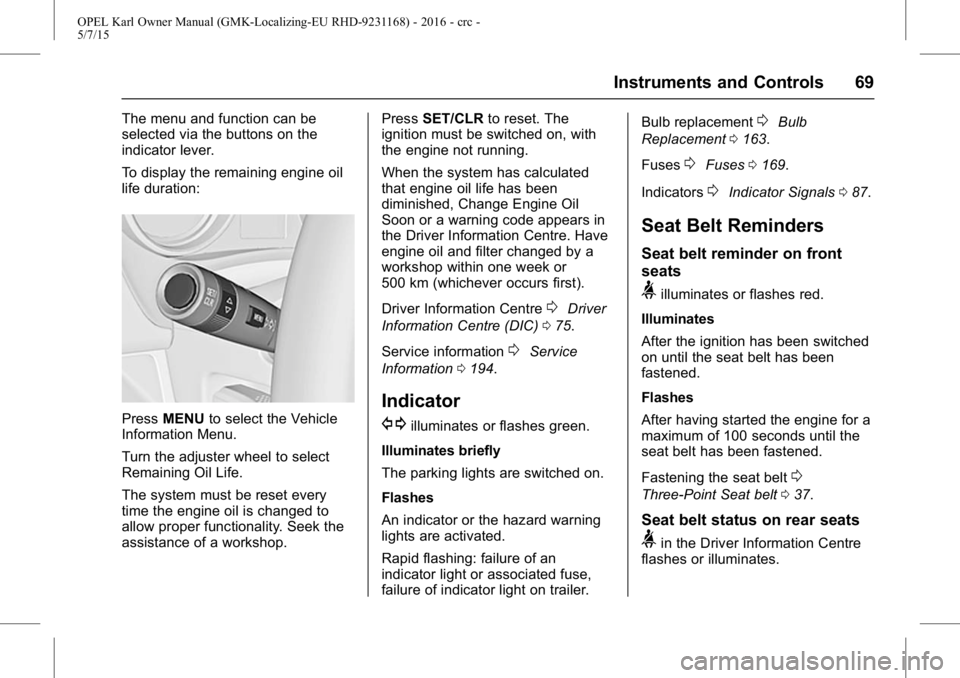
The menu and function can be
selected via the buttons on the
indicator lever.
To display the remaining engine oil
life duration:
PressMENU to select the Vehicle
Information Menu.
Turn the adjuster wheel to select
Remaining Oil Life.
The system must be reset every
time the engine oil is changed to
allow proper functionality. Seek the
assistance of a workshop. Press
SET/CLR to reset. The
ignition must be switched on, with
the engine not running.
When the system has calculated
that engine oil life has been
diminished, Change Engine Oil
Soon or a warning code appears in
the Driver Information Centre. Have
engine oil and filter changed by a
workshop within one week or
500 km (whichever occurs first).
Driver Information Centre
0Driver
Information Centre (DIC) 075.
Service information
0Service
Information 0194.
Indicator
G
illuminates or flashes green.
Illuminates briefly
The parking lights are switched on.
Flashes
An indicator or the hazard warning
lights are activated.
Rapid flashing: failure of an
indicator light or associated fuse,
failure of indicator light on trailer. Bulb replacement
0Bulb
Replacement 0163.
Fuses
0Fuses 0169.
Indicators
0Indicator Signals 087.
Seat Belt Reminders
Seat belt reminder on front
seats
>illuminates or flashes red.
Illuminates
After the ignition has been switched
on until the seat belt has been
fastened.
Flashes
After having started the engine for a
maximum of 100 seconds until the
seat belt has been fastened.
Fastening the seat belt
0
Three-Point Seat belt 037.
Seat belt status on rear seats
>in the Driver Information Centre
flashes or illuminates.
Page 81 of 217
OPEL Karl Owner Manual (GMK-Localizing-EU RHD-9231168) - 2016 - crc -
5/7/15
80 Instruments and Controls
Vehicle Messages
Messages are indicated mainly in
the Driver Information Centre (DIC),
in some cases together with a
warning and signal buzzer.
PressSET/CLR, MENUor turn the
adjuster wheel to confirm a
message.
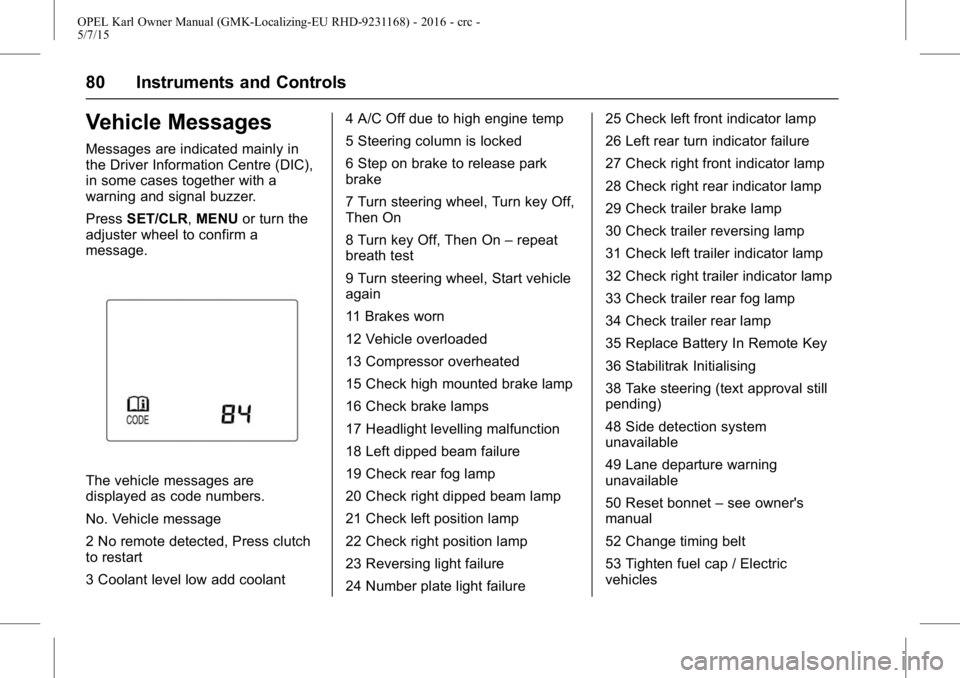
The vehicle messages are
displayed as code numbers.
No. Vehicle message
2 No remote detected, Press clutch
to restart
3 Coolant level low add coolant 4 A/C Off due to high engine temp
5 Steering column is locked
6 Step on brake to release park
brake
7 Turn steering wheel, Turn key Off,
Then On
8 Turn key Off, Then On
–repeat
breath test
9 Turn steering wheel, Start vehicle
again
11 Brakes worn
12 Vehicle overloaded
13 Compressor overheated
15 Check high mounted brake lamp
16 Check brake lamps
17 Headlight levelling malfunction
18 Left dipped beam failure
19 Check rear fog lamp
20 Check right dipped beam lamp
21 Check left position lamp
22 Check right position lamp
23 Reversing light failure
24 Number plate light failure 25 Check left front indicator lamp
26 Left rear turn indicator failure
27 Check right front indicator lamp
28 Check right rear indicator lamp
29 Check trailer brake lamp
30 Check trailer reversing lamp
31 Check left trailer indicator lamp
32 Check right trailer indicator lamp
33 Check trailer rear fog lamp
34 Check trailer rear lamp
35 Replace Battery In Remote Key
36 Stabilitrak Initialising
38 Take steering (text approval still
pending)
48 Side detection system
unavailable
49 Lane departure warning
unavailable
50 Reset bonnet
–see owner's
manual
52 Change timing belt
53 Tighten fuel cap / Electric
vehicles
Page 86 of 217
OPEL Karl Owner Manual (GMK-Localizing-EU RHD-9231168) - 2016 - crc -
5/7/15
Lighting 85
Lighting
Exterior Lighting
Exterior Lamp Controls . . . . . . . . 85
Headlamp Main/Dipped-BeamChanger . . . . . . . . . . . . . . . . . . . . . . 86
Headlamp Range Adjustment . . . . . . . . . . . . . . . . . . . 86
Headlights When Driving Abroad . . . . . . . . . . . . . . . . . . . . . . . 86
Daytime Running Lamps (DRL) . . . . . . . . . . . . . . . . . 86
Hazard Lights . . . . . . . . . . . . . . . . . . 87
Turn and Lane-Change Signals . . . . . . . . . . . . . . . . . . . . . . . 87
Front Fog Lamps . . . . . . . . . . . . . . 87
Rear Fog Lamps . . . . . . . . . . . . . . . 88
Cornering Lights . . . . . . . . . . . . . . . 88
Position Lamps . . . . . . . . . . . . . . . . 88
Reversing Lamps . . . . . . . . . . . . . . 89
Misted Lamp Covers . . . . . . . . . . . 89
Interior Lighting
Instrument Panel Illumination Control . . . . . . . . . . . . . . . . . . . . . . . 89
Interior Lamps . . . . . . . . . . . . . . . . . 89
Lighting Features
Centre Console Lighting . . . . . . . 90
Entry Lighting . . . . . . . . . . . . . . . . . . 90 Exit Lighting . . . . . . . . . . . . . . . . . . . 91
Battery Power Protection . . . . . . 91
Exterior Lighting
Exterior Lamp Controls
Light Switch
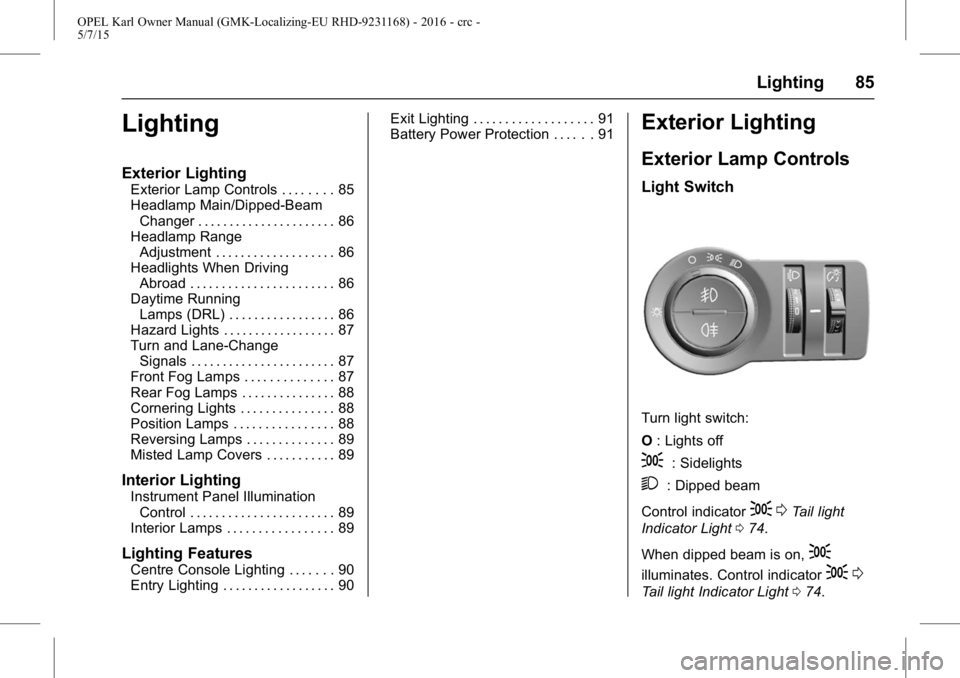
Turn light switch:
O
: Lights off
;: Sidelights
2: Dipped beam
Control indicator
; 0Tail light
Indicator Light 074.
When dipped beam is on,
;
illuminates. Control indicator; 0
Tail light Indicator Light 074.
Page 88 of 217
OPEL Karl Owner Manual (GMK-Localizing-EU RHD-9231168) - 2016 - crc -
5/7/15
Lighting 87
Hazard Lights
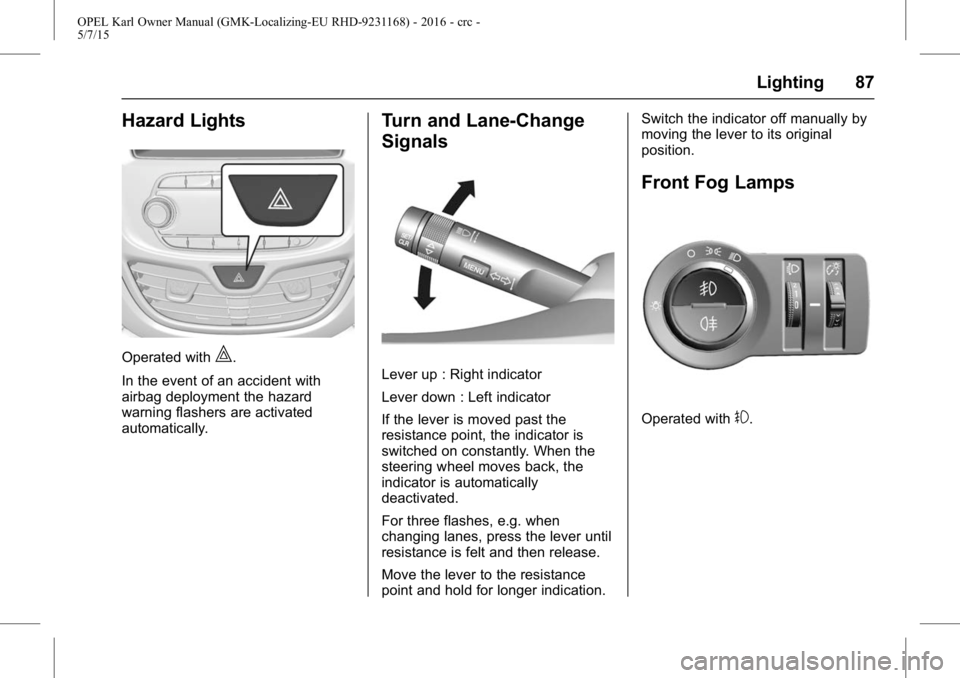
Operated with|.
In the event of an accident with
airbag deployment the hazard
warning flashers are activated
automatically.
Turn and Lane-Change
Signals
Lever up : Right indicator
Lever down : Left indicator
If the lever is moved past the
resistance point, the indicator is
switched on constantly. When the
steering wheel moves back, the
indicator is automatically
deactivated.
For three flashes, e.g. when
changing lanes, press the lever until
resistance is felt and then release.
Move the lever to the resistance
point and hold for longer indication. Switch the indicator off manually by
moving the lever to its original
position.
Front Fog Lamps
Operated with#.
Page 89 of 217
OPEL Karl Owner Manual (GMK-Localizing-EU RHD-9231168) - 2016 - crc -
5/7/15
88 Lighting
Rear Fog Lamps
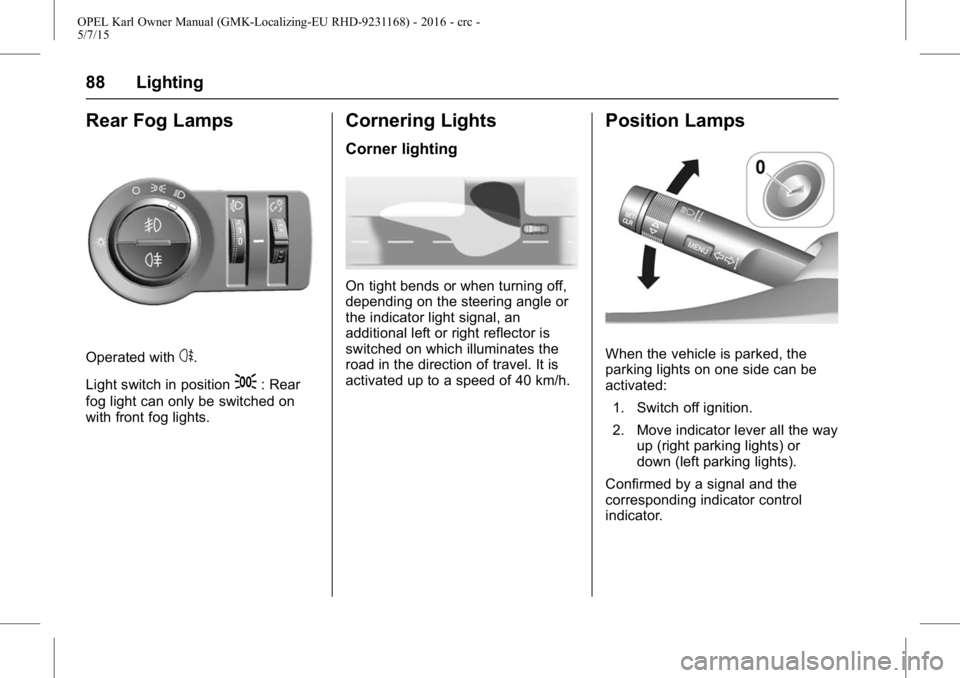
Operated withs.
Light switch in position
;: Rear
fog light can only be switched on
with front fog lights.
Cornering Lights
Corner lighting
On tight bends or when turning off,
depending on the steering angle or
the indicator light signal, an
additional left or right reflector is
switched on which illuminates the
road in the direction of travel. It is
activated up to a speed of 40 km/h.
Position Lamps
When the vehicle is parked, the
parking lights on one side can be
activated:
1. Switch off ignition.
2. Move indicator lever all the way up (right parking lights) or
down (left parking lights).
Confirmed by a signal and the
corresponding indicator control
indicator.
Page 105 of 217
OPEL Karl Owner Manual (GMK-Localizing-EU RHD-9231168) - 2016 - crc -
5/7/15
104 Infotainment System
Pressing and holdingg/d
continuously changes the station
until the button is released. After the
release, the system stops at the
current frequency displayed or
seeks for the next station.
Seeking for DAB service
component
Press
g/dto automatically
search for the station of the
ensemble with superior reception.
Pressing and holding
g/d
continuously changes the station
and ensemble until the button is
released. After the release, the
system stops at the current station
displayed or seeks for the next
station.
. If the next or previous station is
located in another ensemble,
then the first or last receivable
strong station of that ensemble
is tuned.
. If there are no strong signal
stations, the display will show
“No DAB Stations Available ”.Linking the DAB service
In DAB mode, press MENU > turn
the TUNE dial to select the DAB
linking feature > press MENU to turn
the DAB linking feature on or off.
.
The DAB linking feature:
DAB to DAB linking: On or Off
DAB to FM linking: On or Off
. When DAB to DAB linking is set
to On status and the currently
tuned DAB station weakens and
fails, the system will directly
search and link quickly to a
related FM station.
. When DAB to FM linking is set
to the On status and the
currently tuned DAB station
weakens and fails, the system
will attempt to link to the FM
variant of the service.
DAB to DAB linking is either
deactivated or has failed.
Tuning a radio station manually
Turn the TUNE dial to manually find
the desired broadcasting frequency. Tuning a DAB station manually
Press MENU to enter the
DAB menu.
Turn the TUNE dial to select DAB
manual tuning, and then
press MENU.
Turn the TUNE dial to manually find
the desired broadcasting frequency,
and then press MENU.
.
The station list is arranged in the
order of channel labels.
Using the DAB stations list
Turn the TUNE dial to show the
DAB stations list.
. The station list information will
be displayed.
. If the station list is empty, DAB
stations list updating is started
automatically.
Turn the TUNE dial to select the
desired list, and then press MENU
to receive the relevant broadcasting
channel.
Page 122 of 217
OPEL Karl Owner Manual (GMK-Localizing-EU RHD-9231168) - 2016 - crc -
5/7/15
Infotainment System 121
{Warning
Bear in mind that you can make
and receive calls with the mobile
phone, if it is in a service area
with a sufficiently strong signal.
Under certain circumstances
emergency calls cannot be made
on all mobile phone networks; it is
possible that they cannot be
made when certain network
services and/or telephone
functions are active. You can
enquire about this with the local
network operators.
The emergency call number can
differ depending on the region
and country. Please enquire
beforehand about the correct
emergency call number for the
relevant region.
Making an emergency call
Dial the emergency call number
(e.g. 112).
The telephone connection to the
emergency call centre is set up.Answer when the service personnel
questions you about the emergency.
{Warning
Do not end the call until you are
requested to do so by the
emergency call centre.
Operation
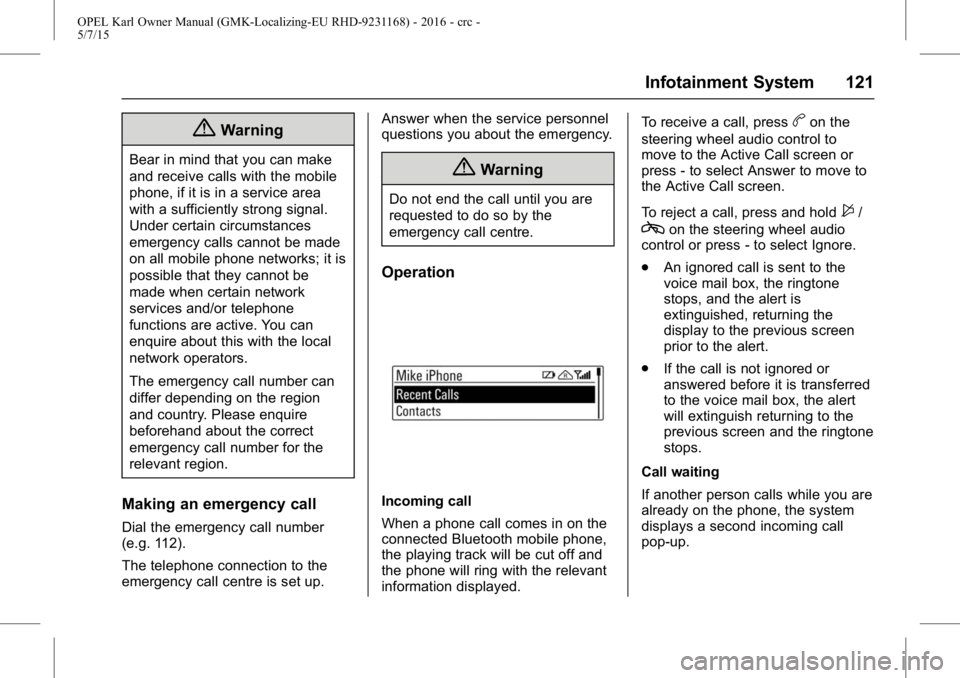
Incoming call
When a phone call comes in on the
connected Bluetooth mobile phone,
the playing track will be cut off and
the phone will ring with the relevant
information displayed.To receive a call, press
bon the
steering wheel audio control to
move to the Active Call screen or
press - to select Answer to move to
the Active Call screen.
To reject a call, press and hold
$/
con the steering wheel audio
control or press - to select Ignore.
. An ignored call is sent to the
voice mail box, the ringtone
stops, and the alert is
extinguished, returning the
display to the previous screen
prior to the alert.
. If the call is not ignored or
answered before it is transferred
to the voice mail box, the alert
will extinguish returning to the
previous screen and the ringtone
stops.
Call waiting
If another person calls while you are
already on the phone, the system
displays a second incoming call
pop-up.