automatic transmission OPEL ZAFIRA 2009 Owners Manual
[x] Cancel search | Manufacturer: OPEL, Model Year: 2009, Model line: ZAFIRA, Model: OPEL ZAFIRA 2009Pages: 228, PDF Size: 7.3 MB
Page 11 of 228
In brief
11
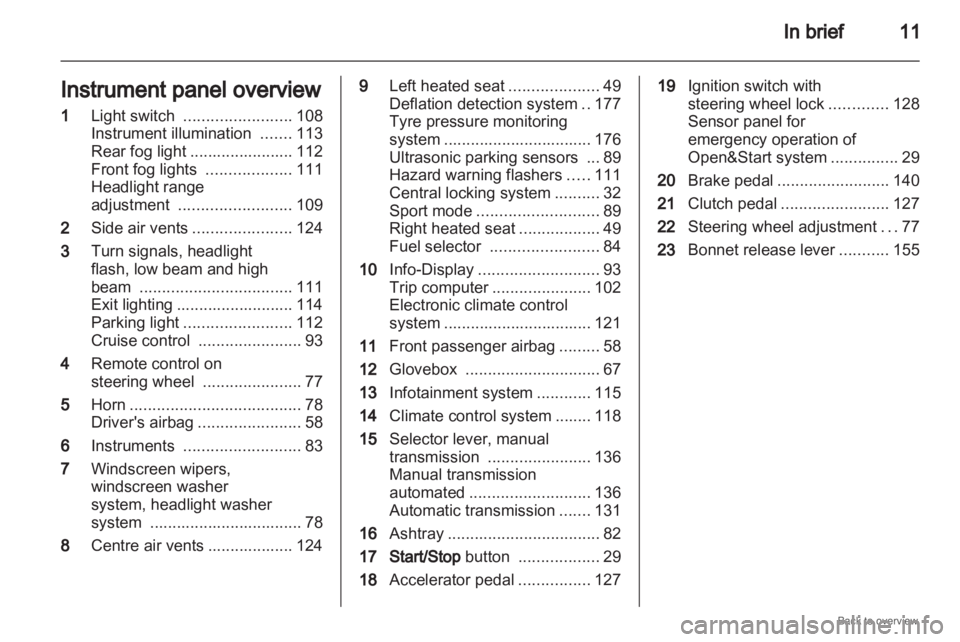
Instrument panel overview
1 Light switch ........................ 108
Instrument illumination .......113
Rear fog light
....................... 112
Front fog lights ...................111
Headlight range
adjustment ......................... 109
2 Side air vents ...................... 124
3 Turn signals, headlight
flash, low beam and high
beam .................................. 111
Exit lighting .......................... 114
Parking light ........................ 112
Cruise control ....................... 93
4 Remote control on
steering wheel ......................77
5 Horn ...................................... 78
Driver's airbag ....................... 58
6 Instruments .......................... 83
7 Windscreen wipers,
windscreen washer
system, headlight washer
system .................................. 78
8 Centre air vents ................... 124 9
Left heated seat ....................49
Deflation detection system ..177
Tyre pressure monitoring
system
................................. 176
Ultrasonic parking sensors ... 89
Hazard warning flashers .....111
Central locking system ..........32
Sport mode ........................... 89
Right heated seat ..................49
Fuel selector ........................ 84
10 Info-Display ........................... 93
Trip computer ...................... 102
Electronic climate control
system ................................. 121
11 Front passenger airbag .........58
12 Glovebox .............................. 67
13 Infotainment system ............115
14 Climate control system ........ 118
15 Selector lever, manual
transmission ....................... 136
Manual transmission
automated ........................... 136
Automatic transmission .......131
16 Ashtray .................................. 82
17 Start/Stop button ..................29
18 Accelerator pedal ................127 19
Ignition switch with
steering wheel lock .............128
Sensor panel for
emergency operation of
Open&Start system ...............29
20 Brake pedal ......................... 140
21 Clutch pedal ........................ 127
22 Steering wheel adjustment ...77
23 Bonnet release lever ...........155
Page 16 of 228
16
In brief
Demisting and defrosting the
windows Air distribution to
l.
Set temperature control to warmest
level.
Set
fan speed to highest level or to A.
Cooling n on.
Press button V.
Climate control system 3 118. Transmission
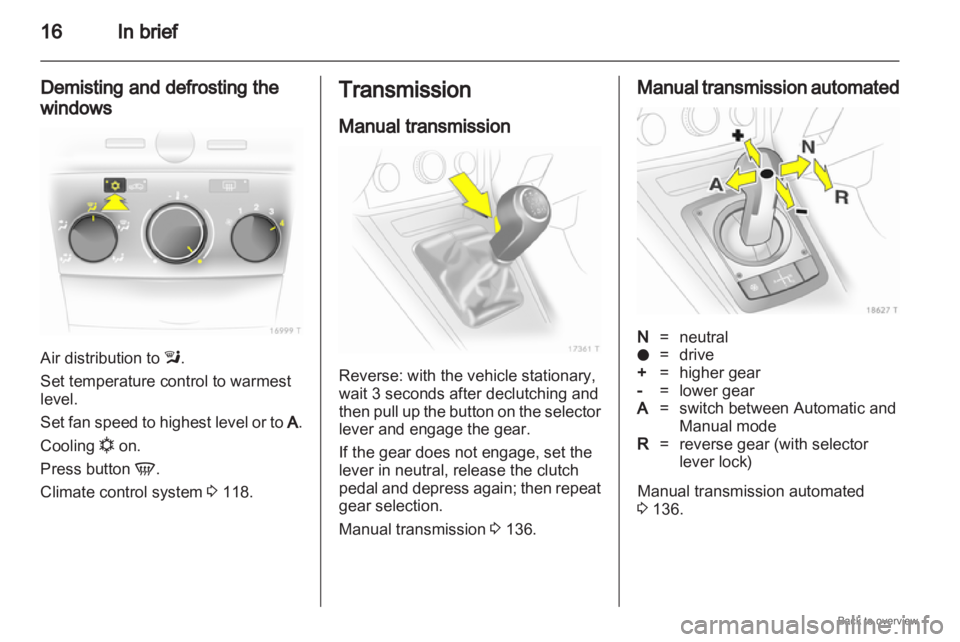
Manual transmission
Reverse: with the vehicle stationary,
wait 3 seconds after declutching and
then
pull up the button on the selector
lever and engage the gear.
If the gear does not engage, set the
lever in neutral, release the clutch
pedal and depress again; then repeat
gear selection.
Manual transmission 3 136. Manual transmission automated
N
=neutral
o = drive
+ = higher gear
- = lower gear
A = switch between Automatic and
Manual mode
R = reverse gear (with selector
lever lock)
Manual transmission automated
3 136.
Page 17 of 228
In brief
17
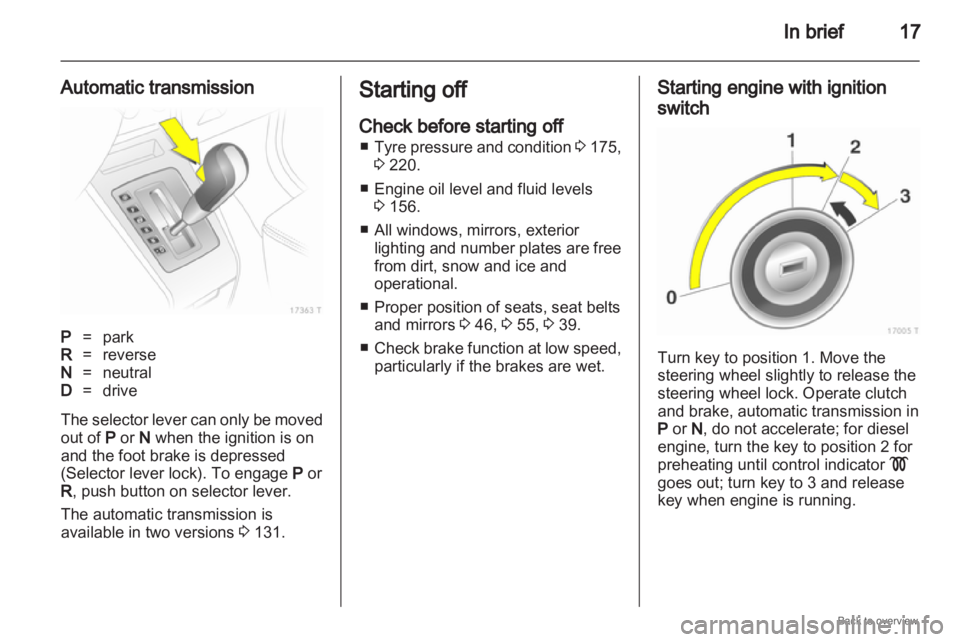
Automatic transmission P
=park
R = reverse
N = neutral
D = drive
The selector lever can only be moved
out of P or N when the ignition is on
and the foot brake is depressed
(Selector lever lock). To engage P or
R , push button on selector lever.
The automatic transmission is
available in two versions 3 131. Starting off
Check before starting off
■ Tyre
pressure and condition 3 175,
3 220.
■ Engine oil level and fluid levels 3 156.
■ All windows, mirrors, exterior lighting and number plates are free
from dirt, snow and ice and
operational.
■ Proper position of seats, seat belts and mirrors 3 46, 3 55, 3 39.
■ Check brake function at low speed, particularly if the brakes are wet. Starting engine with ignition
switch
Turn key to position 1. Move the
steering wheel slightly to release the
steering wheel lock. Operate clutch
and brake, automatic transmission in
P or N
, do not accelerate; for diesel
engine, turn the key to position 2 for
preheating until control indicator !
goes out; turn key to 3 and release
key when engine is running.
Page 18 of 228

18
In brief
Starting engine with Start/Stop
button The electronic key must be in the
vehicle interior. Operate clutch and
brake,
automatic transmission in P or
N , do not accelerate, for diesel
engine, press the button briefly to
start preheating, move the steering
wheel slightly to release the steering
wheel lock, wait until control
indicator ! goes out and then press
button for 1 second and release when
the engine is running.
Open&Start system 3 29. Parking
■
Always apply hand brake withoutpressing release button. Apply as
firmly as possible on a downhill
slope or uphill slope. Operate foot
brake at same time to reduce
operating force.
■ Switch off the engine and ignition. Turn the ignition key to 0 and
remove or, with the vehicle
stationary, press the Start/Stop
button and open the driver's door.
Turn the steering wheel until the
steering wheel lock is felt to
engage.
For vehicles with automatic
transmission, the key can only be
removed when the selector lever is
in the P position. If P is not engaged
or the hand brake is not applied, "P"
flashes for a few seconds in the
transmission display.
■ If the vehicle is on a level surface or uphill slope, engage first gear or set
the selector lever to P before
switching off the ignition. On an
uphill slope, turn the front wheels
away from the kerb. If the vehicle is on a downhill slope,
engage reverse gear or set the
selector
lever to P before switching
off the ignition. Turn the front
wheels towards the kerb.
■ Lock the vehicle with button p on
the remote control or with the
sensor in a front door handle.
To activate the anti-theft locking
system and the anti-theft alarm
system, press button p twice or
touch the sensor in a front door
handle twice.
■ Do not park the vehicle on an easy flammable surface. The high
temperature of the exhaust system
could ignite the surface.
■ On vehicles with manual transmission automated, control
indicator R flashes for a few
seconds after the ignition is
switched off if the hand brake has
not been applied 3 100.
■ Close windows.
■ The engine cooling fans may run after the engine has been switched
off 3 155.
Page 24 of 228

24
In brief
Rear seat audio system Twin Audio allows occupants in the
second row the choice between the
audio source played on the
infotainment system or a separate
audio source.
Rear seat audio system
3 116. Sport mode
Activate by pressing the
SPORT
button.
The Sport mode is used to make
suspension
and steering more direct.
The engine is more responsive to
throttle application. With manual
transmission automated and
automatic transmission, gear
changing is altered.
Sport mode 3 143. FlexOrganizer
The side walls contain retaining
strips, where various components
can be attached to divide the load
compartment or fasten loads.
The system consists of
■
adapters
■ variable partition net
■ mesh pockets for the side walls
■ hooks in the load compartment
FlexOrganizer 3 71.
Page 29 of 228

Keys, doors and windows
29
Radio remote control
synchronisation
After replacing the battery, unlock the
door with the key in the lock. The radio
remote control will be synchronised
when you switch on the ignition.
Memorised settings
When locking the vehicle the last
settings are automatically saved
specifically for the used key:
■ Electronic climate control,
■ Info-Display,
■ Infotainment system,
■ Instrument panel illumination.
The saved settings are automatically
remembered when that key is used
for unlocking. Open&Start system
Makes operation of the following
possible without the use of the
mechanical key
■
Central locking system,
■ Anti-theft locking system,
■ Anti-theft alarm system,
■ Power windows,
■ Ignition and starter.
The electronic key simply needs to be
on the driver's person. Press the Start/Stop button. The
ignition
is switched on. The electronic
immobiliser and steering wheel lock
are deactivated.
To start the engine depress the brake
and clutch pedals then press and hold
the Start/Stop button.
With automatic transmission, only
start with the vehicle in P or N.
The engine and the ignition are
switched off by pressing the Start/
Stop button again. The vehicle must
be stationary. The immobiliser is
activated at the same time.
Page 38 of 228
38
Keys, doors and windows
After the first 10 seconds of anti-theft
alarm system activation:
LED flashes
slowly = System active,
LED comes
on for approx.
1 second = Switch off function.
Seek the assistance of a workshop in
the event of faults.
Alarm
When triggered, the alarm gives off
an
acoustic signal (horn) and a visual
signal (hazard warning flashers). The
number and duration of which are
stipulated by legislation.
The alarm can be silenced by
pressing a button of the radio remote
control or by switching on the ignition.
The anti-theft alarm system is
deactivated at the same time. Immobiliser
The system checks whether the
vehicle
is allowed to start with the key
being used. If the transponder in the
key is recognised, the vehicle can be
started.
The electronic immobiliser activates
itself automatically after the key has
been removed from the ignition
switch or when the engine is switched
off by pressing the Start/Stop button.
If the control indicator A flashes
when the ignition is on, there is a fault
in the system; the engine cannot be
started. Switch off the ignition and
then repeat the start attempt.
If the control indicator continues
flashing, attempt to start the engine
using the spare key and seek the
assistance of a workshop.
If control indicator illuminates after
the engine has started, there is a fault
in the engine electronics or
transmission electronics 3 88,
3 135, 3 139, or there is water in the
diesel fuel filter 3 101. Note
The immobiliser does not lock the
doors. You should always lock the
vehicle
after leaving it and switch on
the anti-theft alarm system 3 32,
3 36.
Page 92 of 228

92
Instruments and controls
When operating with natural gas, the
system automatically switches over to
petrol operation 3 84.
Open&Start system
0 illuminates or flashes yellow.
Flashes
The electronic key is no more within
the reception range of the vehicle
interior. The engine cannot be
started. Hold the Start/Stop button
depressed a bit longer to switch off
the ignition.
or
Failure of the electronic key.
Operation is yet only possible via
emergency operation.
Illuminated
Fault in system. Try to operate with
the spare key, the remote control or
through emergency operation. Hold
the Start/Stop button depressed a bit
longer to switch off the ignition. Seek
the assistance of a workshop.
or The steering wheel lock is still
engaged. Move the steering wheel
slightly and press the
Start/Stop
button.
Open&Start System 3 29.
Apply footbrake
j illuminates yellow.
The
engine with manual transmission
automated can only be started if the
foot brake is depressed. If the foot
brake is not depressed, the control
indicator illuminates 3 137.
Exterior light
8 illuminates green.
Illuminated when the exterior lights
are on 3 108.
High beam
C illuminates blue.
Illuminated when high beam is on and
during headlamp flash 3 109. Adaptive forward lighting
B
illuminates or flashes yellow.
Illuminated
Fault in system.
If the swivelling device for curve
lighting fails, the corresponding
dipped
beam lamp is deactivated and
the fog lamp is switched on.
Seek the assistance of a workshop.
Flashes
System switched to symmetrical
dipped beam.
Control indicator B flashes for
approximately 4 seconds after the
ignition is switched on as a reminder
that the system has been switched
3 109.
Adaptive Forward Lighting (AFL)
3 110.
Fog light
> illuminates green.
Illuminated when the fog lamps are on
3 111.
Page 100 of 228
100
Instruments and controls
Always day design: black or coloured
text on light background.
Always night design: white or
coloured text on dark background.
Selection is indicated by a o in front
of the menu item.
Ignition logic
See infotainment system manual. Vehicle messages
Messages are given via the
instrument panel display or as
warning and signal buzzers. Check
control messages appear on the
Info-Display. Some appear in an
abbreviated form. Confirm warning
messages 3 93, 3 96.
Warning chimes
When starting the engine or
whilst driving
■
If the electronic key is not presentor is not recognised.
■ If seat belt is not fastened.
■ If a door or the tailgate is not fully closed when starting off.
■ If a certain speed is exceeded with the hand brake applied.
■ If the speed programmed at the factory is exceeded.
■ If the vehicle has automated manual transmission and the
driver's door is opened when the engine is running, a gear is
engaged and the foot brake is not
depressed.
When the vehicle is parked and
the driver's door is opened ■
When the key is in the ignition switch.
■ With exterior lights on.
■ With Open&Start system and automatic transmission, if the
selector lever is not in P.
■ For automated manual transmission, if the hand brake is
not applied and no gear is engaged
when the engine is switched off.
Battery voltage
Low battery voltage in remote control
or electronic key. On vehicles without
check control, the message InSP3
appears in the instrument panel
display. Replace the battery 3 28,
3 29.
Page 127 of 228
Driving and operating
127
Driving and operating
Driving hints ............................... 127
Starting and operating ...............127
Engine exhaust .......................... 129
Automatic transmission
.............. 131
Manual transmission ..................136
Manual transmission
automated .................................. 136
Brakes ........................................ 140
Ride control systems .................142
Cruise control ............................. 144
Object detection systems ........... 145
Fuel ............................................ 146
Towing ....................................... 149 Driving hints
Control of the vehicle
Never coast with engine not
running
Many
systems will not function in this
situation (e.g. brake servo unit, power
steering). Driving in this manner is
a danger to yourself and others.
Pedals
To ensure the pedal travel is
uninhibited, there must be no mats in
the area of the pedals. Starting and operating
New vehicle running-in
Do not brake unnecessarily hard for
the first few journeys.
During the first drive, smoke may
occur because of wax and oil
evaporating off the exhaust system.
Park the vehicle in the open for
a while after the first drive and avoid
inhaling the fumes.
Fuel
and engine oil consumption may
be higher during the running-in
period.