display PEUGEOT 108 2016 Owner's Guide
[x] Cancel search | Manufacturer: PEUGEOT, Model Year: 2016, Model line: 108, Model: PEUGEOT 108 2016Pages: 268, PDF Size: 6.17 MB
Page 172 of 268
170
108_en_Chap08_en-cas-pannes_ed01-2016
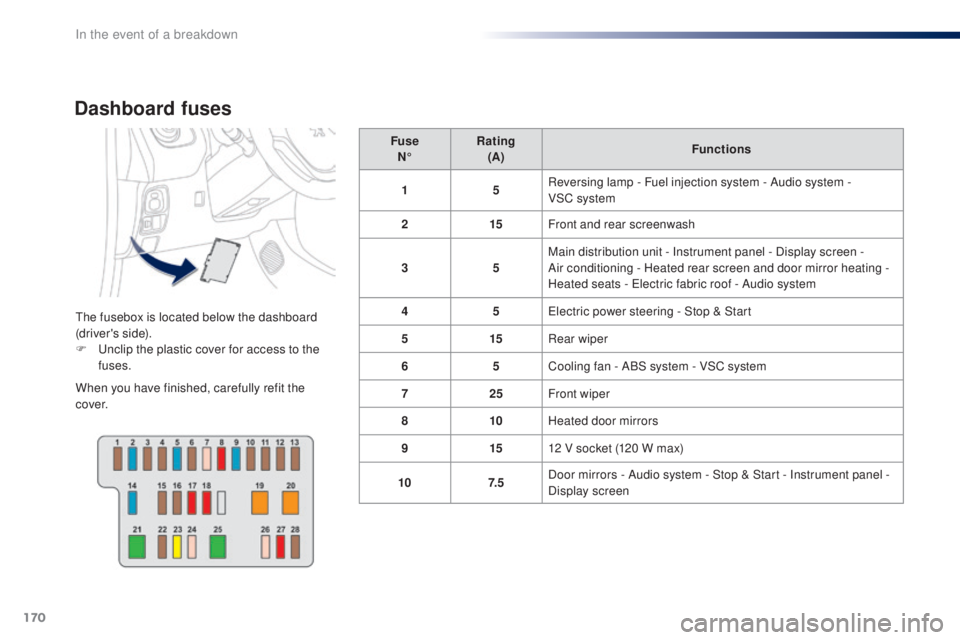
Dashboard fuses
the fusebox is located below the dashboard
(driver's side).
F u
n
clip the plastic cover for access to the
fuses.
When you have finished, carefully refit the
c ove r. Fuse
N° Rating
(A) Functions
1 5Reversing lamp - Fuel injection system - Audio system -
VSC system
2 15Front and rear screenwash
3 5Main distribution unit - Instrument panel - Display screen -
Air conditioning - Heated rear screen and door mirror heating -
Heated seats - e
l
ectric fabric roof - Audio system
4 5el ectric power steering - Stop & Start
5 15Rear wiper
6 5Cooling fan - ABS system - VSC system
7 25Front wiper
8 10Heated door mirrors
9 1512 V socket (120 W max)
10 7. 5Door mirrors - Audio system - Stop & Start - Instrument panel -
Display screen
In the event of a breakdown
Page 173 of 268
171
108_en_Chap08_en-cas-pannes_ed01-2016
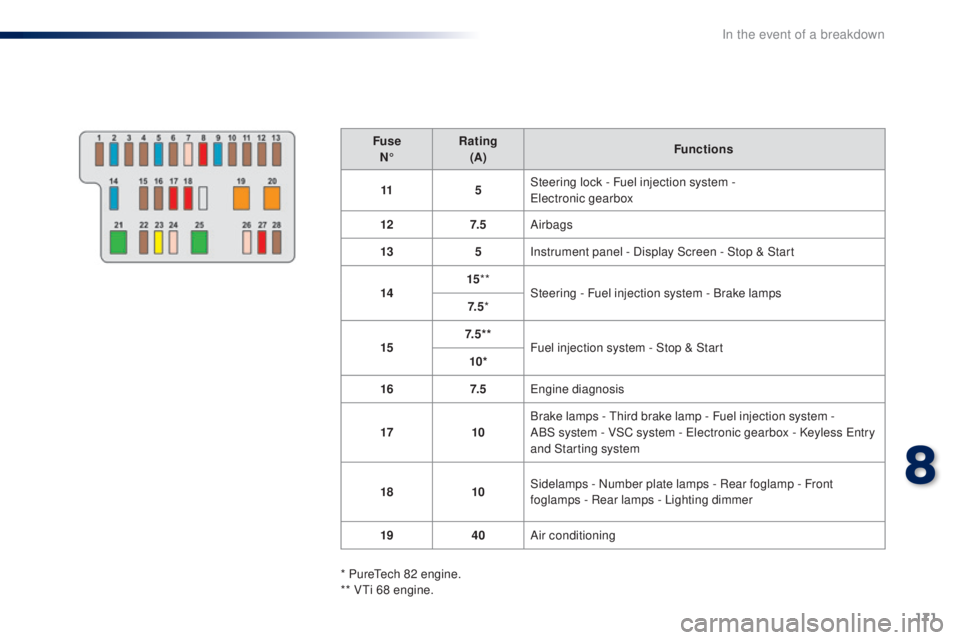
FuseN° Rating
(A) Functions
11 5Steering lock - Fuel injection system -
ele
ctronic gearbox
12 7. 5Airbags
13 5Instrument panel - Display Screen - Stop & Start
14 15
**
Steering - Fuel injection system - Brake lamps
7. 5 *
15 7. 5 * *
Fuel injection system - Stop & Start
10*
16 7. 5
en
gine diagnosis
17 10Brake lamps -
t
h
ird brake lamp - Fuel injection system -
ABS
system - VSC system - e
l
ectronic gearbox - Keyless e
n
try
and Starting system
18 10Sidelamps - Number plate lamps - Rear foglamp - Front
foglamps - Rear lamps - Lighting dimmer
19 40Air conditioning
* Pure
te
ch 82 engine.
** V
ti 6
8 engine.
8
In the event of a breakdown
Page 175 of 268
173
108_en_Chap08_en-cas-pannes_ed01-2016
Fuse
N° Rating
(A) Functions
1 10Right hand dipped beam
2 10Left hand dipped beam - Headlamp adjustment
3 7. 5Right hand main beam
4 7. 5Left hand main beam
5 * 15Fuel injection system
6 * 7. 5Fuel injection system
7 * 15Fuel injection system
8 * 7. 5Cooling fan
9 7. 5Air conditioning
10 ** 7. 5Fuel injection system - Brake lamps -
th
ird brake lamp
11 5Courtesy lamp - Boot lamp
12 10
Direction indicators - Hazard warning lamps - Instrument panel - Display screen
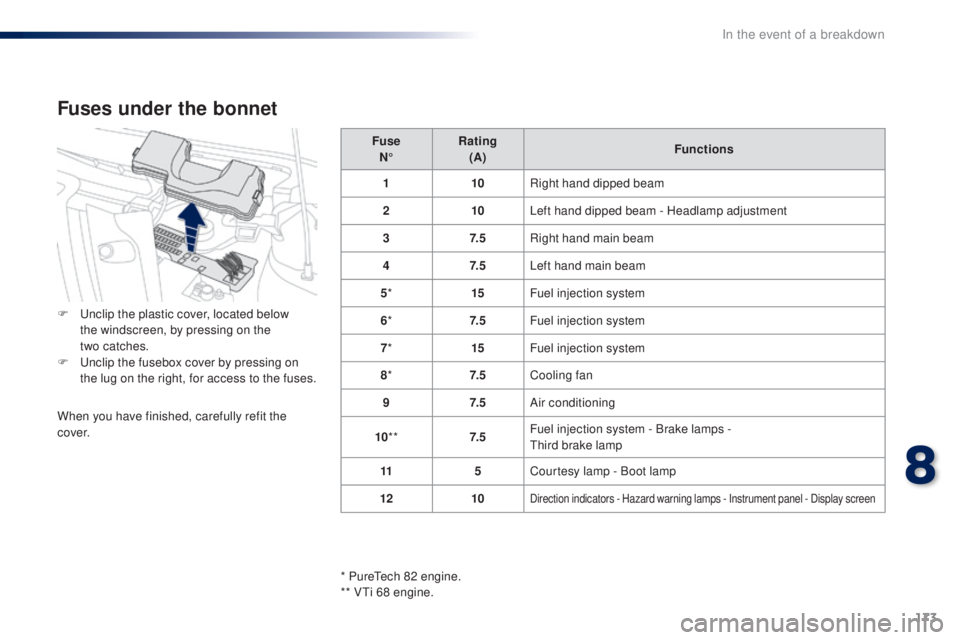
Fuses under the bonnet
F unclip the plastic cover, located below
the windscreen, by pressing on the
two
catches.
F
u
n
clip the fusebox cover by pressing on
the lug on the right, for access to the fuses.
When you have finished, carefully refit the
c ove r.
* Pure
te
ch 82 engine.
** V
ti 6
8 engine.
8
In the event of a breakdown
Page 176 of 268
174
108_en_Chap08_en-cas-pannes_ed01-2016
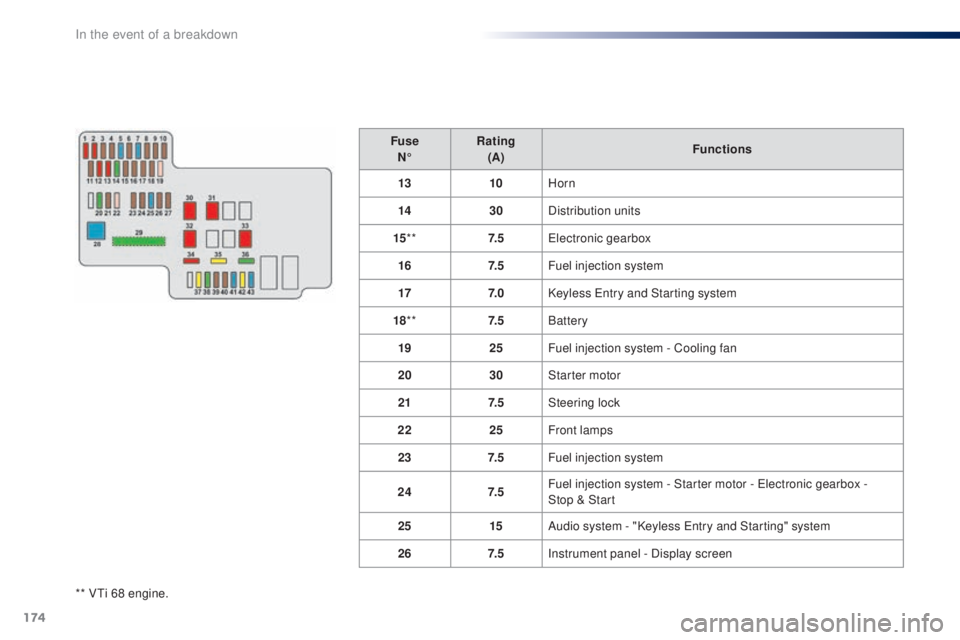
** Vti 68 engine.Fuse
N° Rating
(A) Functions
13 10Horn
14 30Distribution units
15 ** 7. 5
ele
ctronic gearbox
16 7. 5Fuel injection system
17 7. 0Keyless e
n
try and Starting system
18 ** 7. 5Battery
19 25Fuel injection system - Cooling fan
20 30Starter motor
21 7. 5Steering lock
22 25Front lamps
23 7. 5Fuel injection system
24 7. 5Fuel injection system - Starter motor - e
l
ectronic gearbox -
Stop
& Start
25 15Audio system - "Keyless e
n
try and Starting" system
26 7. 5Instrument panel - Display screen
In the event of a breakdown
Page 178 of 268
176
108_en_Chap08_en-cas-pannes_ed01-2016
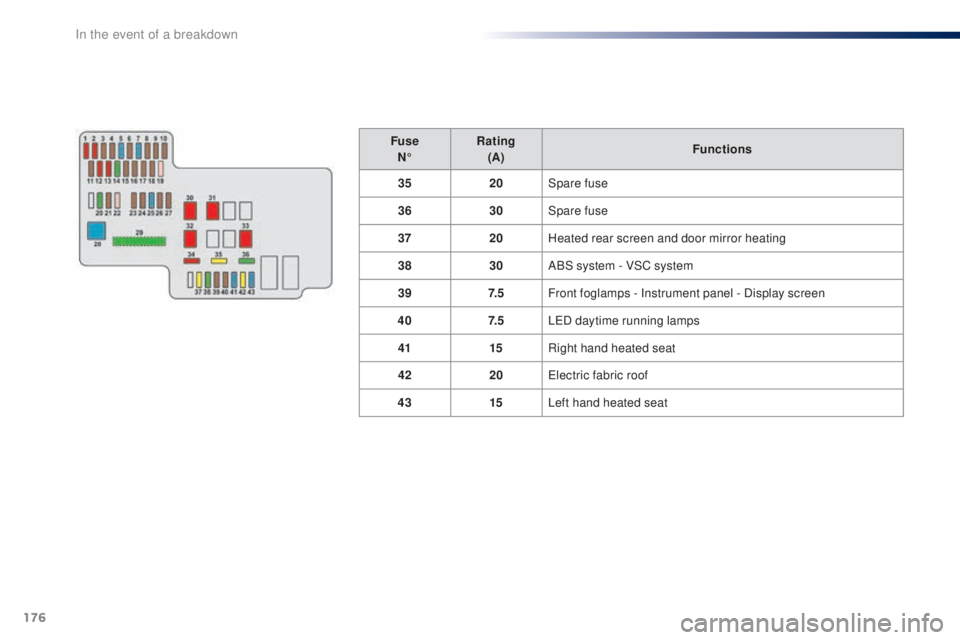
FuseN° Rating
(A) Functions
35 20Spare fuse
36 30Spare fuse
37 20Heated rear screen and door mirror heating
38 30ABS system - VSC system
39 7. 5Front foglamps - Instrument panel - Display screen
40 7. 5L
e
D
daytime running lamps
41 15Right hand heated seat
42 20
ele
ctric fabric roof
43 15Left hand heated seat
In the event of a breakdown
Page 195 of 268
193
108_en_Chap10a_Autoradio-toyota-tactile-1_ed01-2016
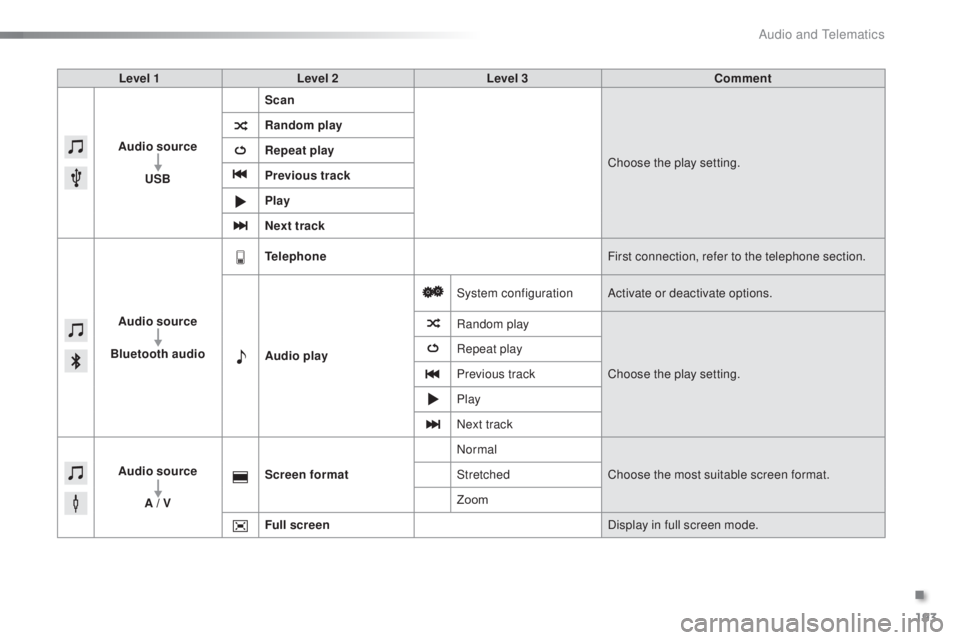
Level 1 Level 2 Level 3 Comment
Audio source
u
SB Scan
Choose the play setting.
Random play
Repeat play
Previous track
Play
Next track
Audio source
Bluetooth audio
tel
ephone First connection, refer to the telephone section.
Audio play System configuration
Activate or deactivate options.
Random play
Choose the play setting.
Repeat play
Previous track
Play
Next track
Audio source A / V Screen format
Normal
Choose the most suitable screen format.
Stretched
Zoom
Full screen Display in full screen mode.
.
Audio and telematics
Page 196 of 268
194
108_en_Chap10a_Autoradio-toyota-tactile-1_ed01-2016
Radio
* Depending on equipment.
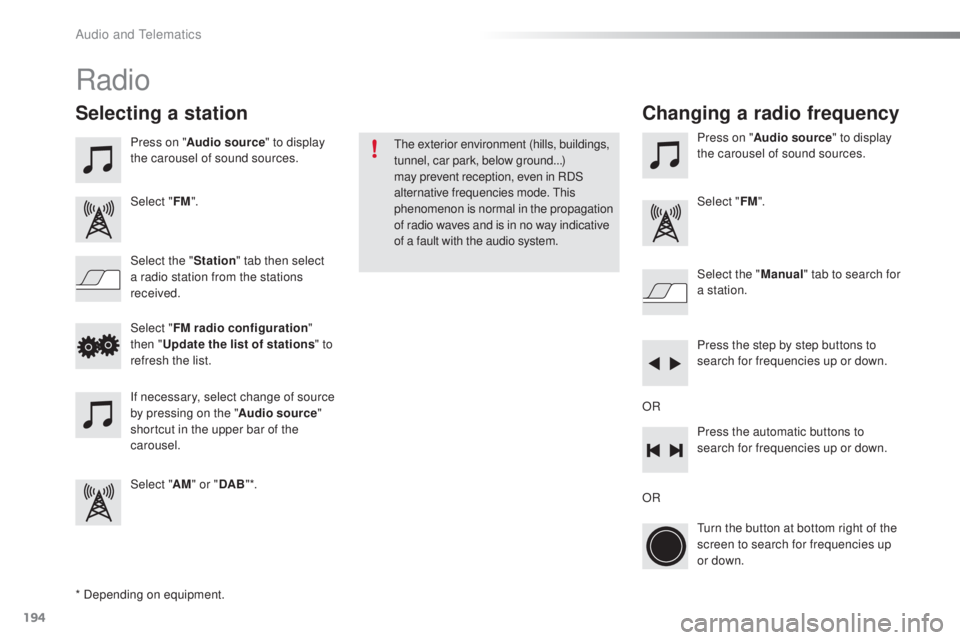
Selecting a station
Press on "Audio source " to display
the carousel of sound sources.
Select " FM".
Select the " Station" tab then select
a radio station from the stations
received. Select the "
Manual" tab to search for
a station.
Select " FM radio configuration "
then "
up
date the list of stations " to
refresh the list.
If necessary, select change of source
by pressing on the " Audio source"
shortcut in the upper bar of the
carousel.
Select " AM" or " DAB" *. Press on "
Audio source " to display
the carousel of sound sources.
Select " FM".
Press the step by step buttons to
search for frequencies up or down.
Press the automatic buttons to
search for frequencies up or down.
tu
rn the button at bottom right of the
screen to search for frequencies up
or down.
OR ORthe
exterior environment (hills, buildings,
tunnel, car park, below ground...)
may prevent reception, even in RDS
alternative frequencies mode.
t
h
is
phenomenon is normal in the propagation
of radio waves and is in no way indicative
of a fault with the audio system.
Changing a radio frequency
Audio and telematics
Page 197 of 268
195
108_en_Chap10a_Autoradio-toyota-tactile-1_ed01-2016
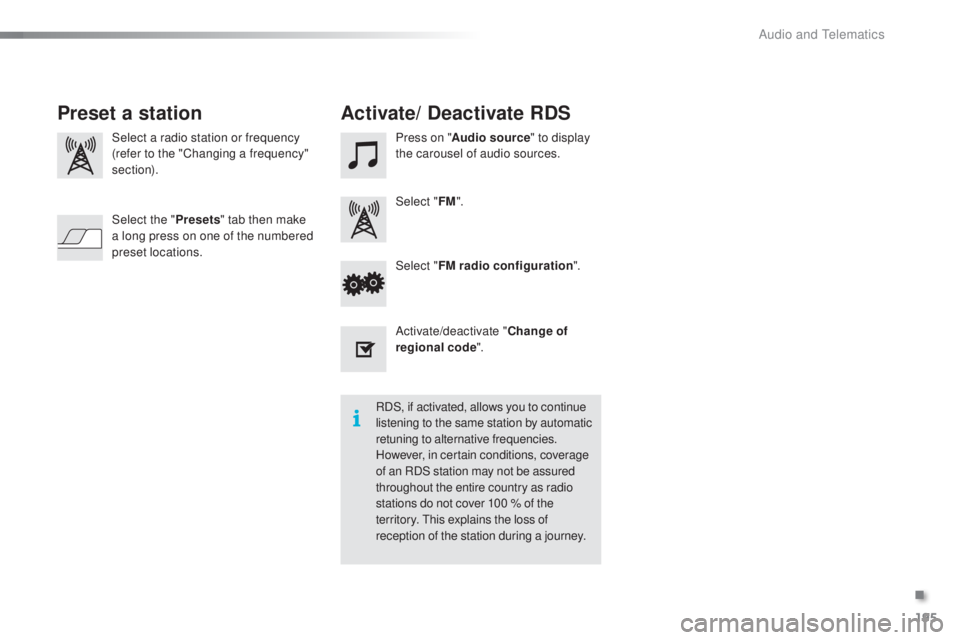
Select a radio station or frequency
(refer to the "Changing a frequency"
section). Press on "
Audio source " to display
the carousel of audio sources.
Select " FM".
Select " FM radio configuration ".
Activate/deactivate " Change of
regional code ".
Select the "
Presets" tab then make
a long press on one of the numbered
preset locations.
Preset a station Activate/ Deactivate RDS
RDS, if activated, allows you to continue
listening to the same station by automatic
retuning to alternative frequencies.
However, in certain conditions, coverage
of an RDS station may not be assured
throughout the entire country as radio
stations do not cover 100 % of the
territory.
t
h
is explains the loss of
reception of the station during a journey.
.
Audio and telematics
Page 198 of 268
196
108_en_Chap10a_Autoradio-toyota-tactile-1_ed01-2016
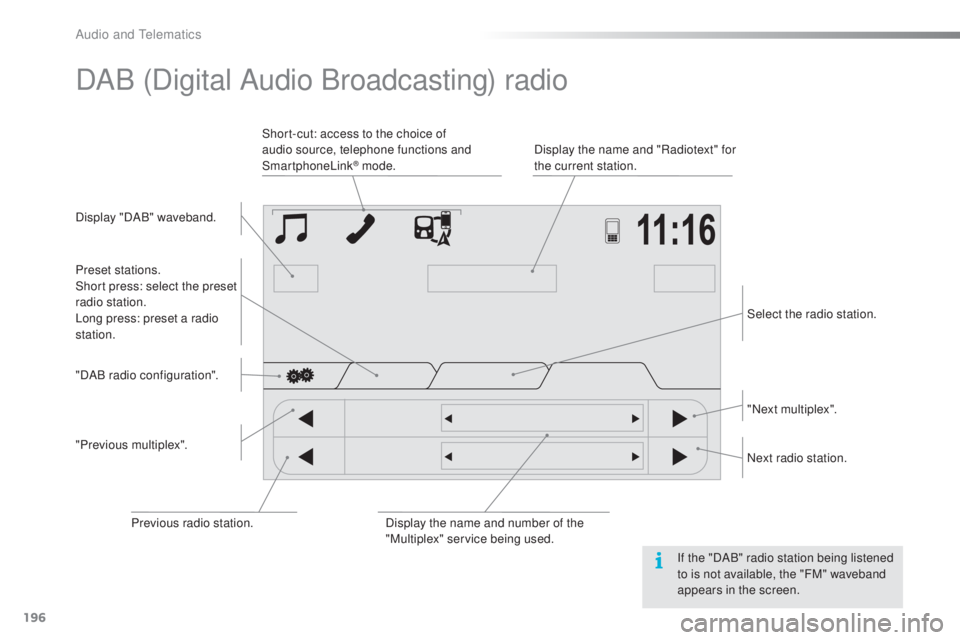
DAB (Digital Audio Broadcasting) radio
Display "DAB" waveband. Display the name and "Radiotext" for
the current station.
Short-cut: access to the choice of
audio source, telephone functions and
SmartphoneLink
® mode.
Select the radio station.
Preset stations.
Short press: select the preset
radio station.
Long press: preset a radio
station.
"Next multiplex".
Next radio station.
Display the name and number of the
"Multiplex" service being used.
"Previous multiplex". "DAB radio configuration".
Previous radio station. If the "DAB" radio station being listened
to is not available, the "FM" waveband
appears in the screen.
Audio and telematics
Page 199 of 268
197
108_en_Chap10a_Autoradio-toyota-tactile-1_ed01-2016
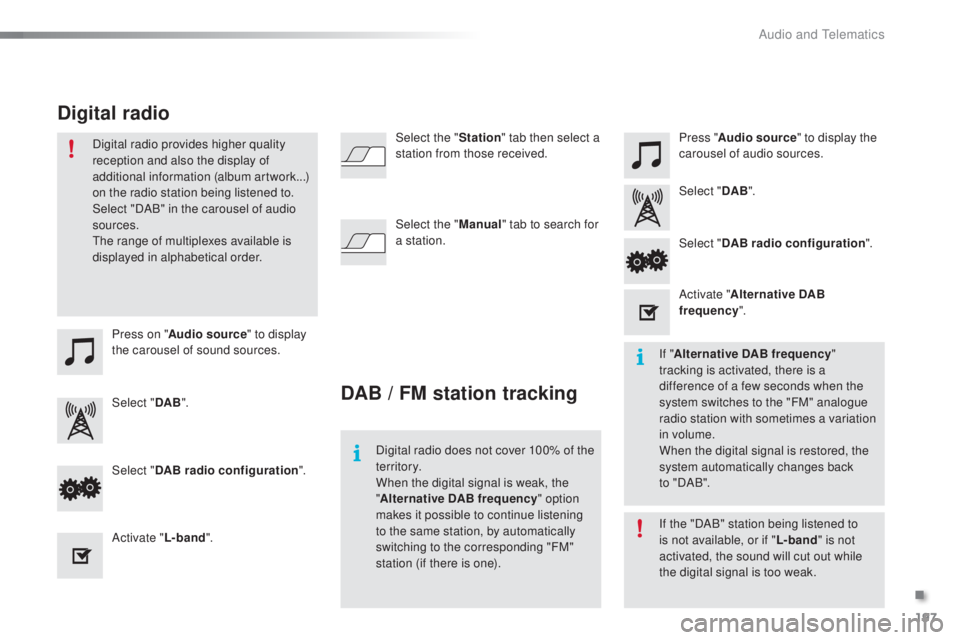
Press on "Audio source " to display
the carousel of sound sources. Press "
Audio source " to display the
carousel of audio sources.
Select " DAB". Select "
DAB".
Select " DAB radio configuration ".
Activate " L-band". Select "
DAB radio configuration ".
Activate " Alternative DAB
frequency ".
Select the "
Station" tab then select a
station from those received.
Select the " Manual" tab to search for
a station.
Digital radio provides higher quality
reception and also the display of
additional information (album artwork...)
on the radio station being listened to.
Select "DAB" in the carousel of audio
sources.
th
e range of multiplexes available is
displayed in alphabetical order.
Digital radio does not cover 100% of the
te r r i to r y.
When the digital signal is weak, the
"Alternative DAB frequency " option
makes it possible to continue listening
to the same station, by automatically
switching to the corresponding "FM"
station (if there is one). If the "DAB" station being listened to
is not available, or if "
L-band" is not
activated, the sound will cut out while
the digital signal is too weak. If " Alternative DAB frequency "
tracking is activated, there is a
difference of a few seconds when the
system switches to the "FM" analogue
radio station with sometimes a variation
in volume.
When the digital signal is restored, the
system automatically changes back
to
" DA B ".
DAB / FM station tracking
Digital radio
.
Audio and telematics