ECO mode PEUGEOT 108 2018 User Guide
[x] Cancel search | Manufacturer: PEUGEOT, Model Year: 2018, Model line: 108, Model: PEUGEOT 108 2018Pages: 180, PDF Size: 7.14 MB
Page 84 of 180
82
Operating fault
In the event of a fault with the
s ystem, this warning lamp flashes in
the instrument panel.
Have it checked by a
PEUGEOT dealer or
a
qualified workshop.
Maintenance
Before doing anything under the bonnet,
deactivate the Stop & Start system to
avoid any risk of injury resulting from an
automatic change to START mode.
The Stop & Start system requires a
12 V
battery of specific technology and
specification.
All work on this type of battery must be
carried out only by a
PEUGEOT dealer or
a
qualified workshop.
For more information on the 12
V batter y,
refer to the corresponding section. Driving on flooded roads
Before driving in a
flooded area, it is
strongly recommended that you deactivate
the Stop & Start system.
For more information on Driving advice ,
particularly on flooded roads, refer to the
corresponding section.
Deactivation/Manual
reactivation
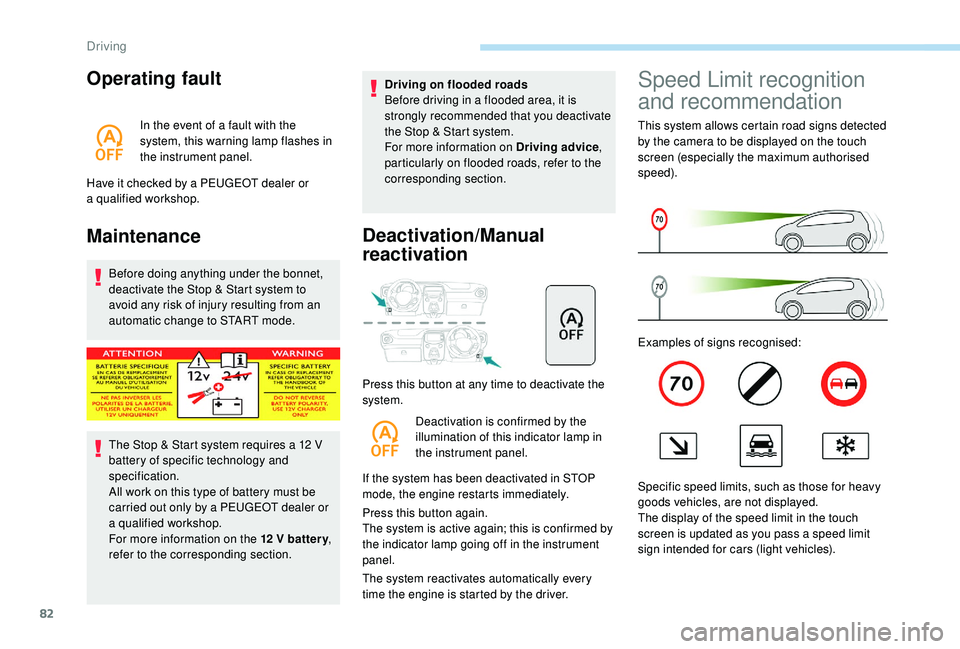
Press this button at any time to deactivate the
system.
Deactivation is confirmed by the
illumination of this indicator lamp in
the instrument panel.
If the system has been deactivated in STOP
mode, the engine restarts immediately.
Press this button again.
The system is active again; this is confirmed by
the indicator lamp going off in the instrument
panel.
The system reactivates automatically every
time the engine is started by the driver.
Speed Limit recognition
and recommendation
This system allows certain road signs detected
by the camera to be displayed on the touch
screen (especially the maximum authorised
speed).
Examples of signs recognised:
Specific speed limits, such as those for heavy
goods vehicles, are not displayed.
The display of the speed limit in the touch
screen is updated as you pass a
speed limit
sign intended for cars (light vehicles).
Driving
Page 95 of 180
93
F If you have a compressor (for example the
one provided in the temporary puncture
repair kit), check the pressure of all four
tyres. If it is not possible to do this check
immediately, drive carefully at reduced
speed.
or
F
I
n the event of a puncture, use the
temporary puncture repair kit or the spare
wheel (depending on equipment).
The alert is kept active until the system is
reinitialised.
Reinitialisation
Before reinitialising the system, ensure
that the pressures of the four tyres
are correct for the conditions of use
of the vehicle and conform to the
recommendations on the tyre pressure
label.
The under-inflation alert can only be relied
on if the reinitialisation of the system has
been done with the pressures in the four
tyres correctly adjusted.
The under-inflation detection system
does not give a
warning if a pressure is
incorrect at the time of reinitialisation. The system must be reset with the ignition on
(switch in the " ON" position or " ON" mode) and
the vehicle stationary.
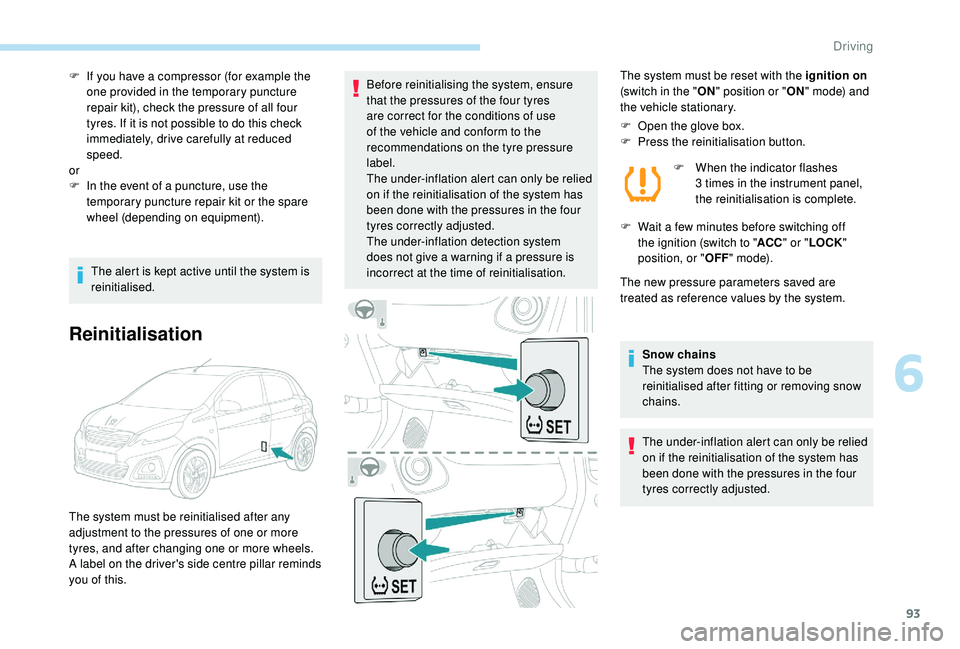
F
O
pen the glove box.
F
P
ress the reinitialisation button.F
W
hen the indicator flashes
3
times in the instrument panel,
the reinitialisation is complete.
F
W
ait a few minutes before switching off
the ignition (switch to " ACC" or " LOCK "
position, or " OFF" m o d e).
The new pressure parameters saved are
treated as reference values by the system.
Snow chains
The system does not have to be
reinitialised after fitting or removing snow
chains.
The under-inflation alert can only be relied
on if the reinitialisation of the system has
been done with the pressures in the four
tyres correctly adjusted.
The system must be reinitialised after any
adjustment to the pressures of one or more
tyres, and after changing one or more wheels.
A label on the driver's side centre pillar reminds
you of this.
6
Driving
Page 100 of 180
98
Energy economy mode
(Only for vehicles equipped with the Keyless
Entry and Starting system.)
System which manages the duration of use of
certain functions to conser ve a sufficient level
of charge in the battery.
After the engine has stopped, you can still
use functions such as the audio system,
windscreen wipers, dipped beam headlamps,
courtesy lamps, etc. for a
max. combined time
of 20
minutes.
This period may be greatly reduced if the
battery is not fully charged.
Entry into the mode
Once this time has elapsed, the active
functions are put on standby.
Exiting the mode
These functions will be automatically restored
the next time the vehicle is used.
To restore the use of these functions
immediately, start the engine and allow it run
for at least 5
minutes. Let the engine run for the duration
specified to ensure that the battery charge
is sufficient.
Do not repeatedly and continuously restart
the engine in order to charge the battery.
A flat battery prevents the engine from
starting.
For more information on the 12
V batter y
,
refer to the corresponding section.
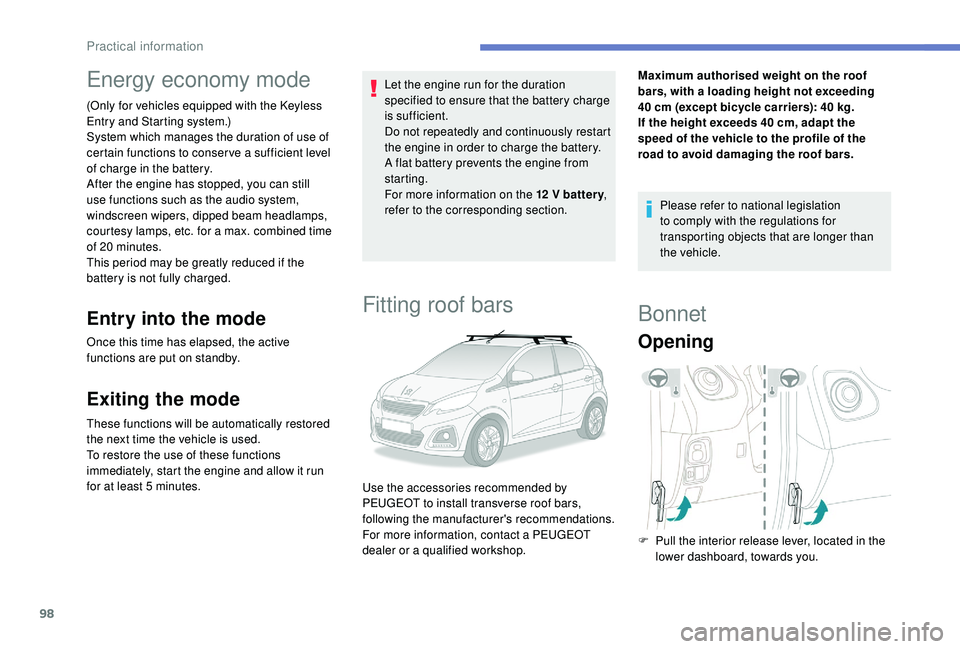
Fitting roof bars
Maximum authorised weight on the roof
bars, with a loading height not exceeding
40
cm (except bicycle carriers): 40 kg.
If the height exceeds 40
cm, adapt the
speed of the vehicle to the profile of the
road to avoid damaging the roof bars.
Please refer to national legislation
to comply with the regulations for
transporting objects that are longer than
the vehicle.
Use the accessories recommended by
PEUGEOT to install transverse roof bars,
following the manufacturer's recommendations.
For more information, contact a
PEUGEOT
dealer or a
qualified workshop.
Bonnet
Opening
F Pull the interior release lever, located in the lower dashboard, towards you.
Practical information
Page 131 of 180
1
MODE
Radio
Contents
Audio system glossary
2
F
irst steps
5
S
teering mounted controls
6
R
adio
7
D
AB radio (Digital Audio Broadcasting)
8
M
edia
9
T
elephone
1
0
Bluetooth
® 13
S
ettings
1 4
Frequently asked questions
1
5The different functions and settings
described vary according to the version
and configuration of your vehicle. As a safety measure, the driver must only
carry out operations which require close
attention while the vehicle is stationary .
On vehicles equipped with Keyless Entry
And Starting, to protect the battery, the
system shuts down after activation of the
energy economy mode, 20 minutes after
the engine has been stopped.
.
Radio
Page 132 of 180
2
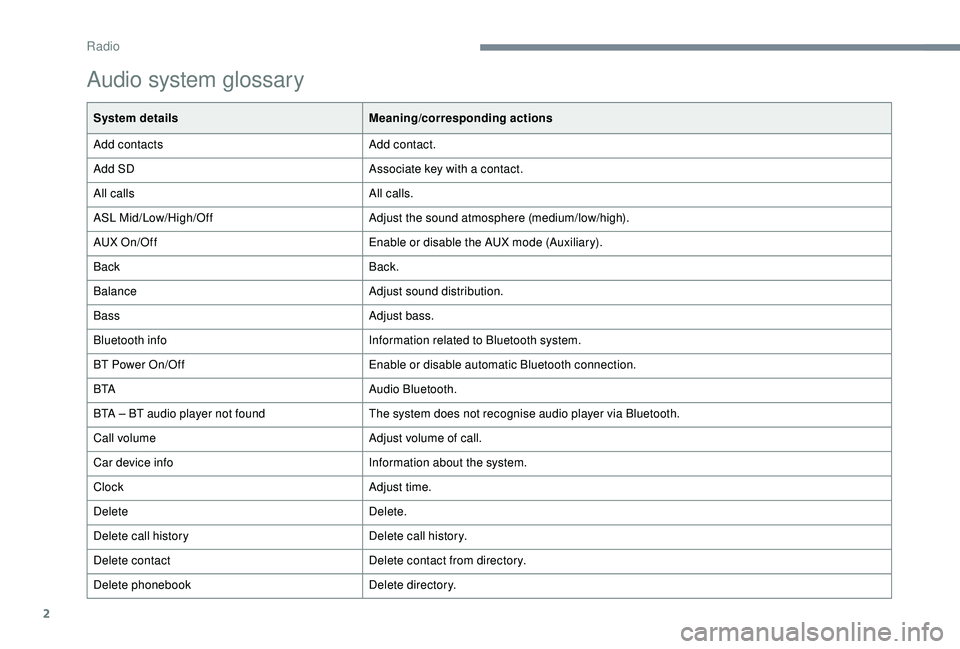
Audio system glossary
System detailsMeaning/corresponding actions
Add contacts Add contact.
Add SD Associate key with a
contact.
All calls All calls.
ASL Mid/Low/High/Off Adjust the sound atmosphere (medium/low/high).
AUX On/Off Enable or disable the AUX mode (Auxiliary).
Back Back.
Balance Adjust sound distribution.
Bass Adjust bass.
Bluetooth info Information related to Bluetooth system.
BT Power On/Off Enable or disable automatic Bluetooth connection.
B TA Audio Bluetooth.
BTA – BT audio player not found The system does not recognise audio player via Bluetooth.
Call volume Adjust volume of call.
Car device info Information about the system.
Clock Adjust time.
Delete Delete.
Delete call history Delete call history.
Delete contact Delete contact from directory.
Delete phonebook Delete directory.
Radio
Page 140 of 180
10
The system can play audio files alternately
via the Bluetooth® system and the USB
port.
It is recommended that the USB cable for
the mobile device is used.
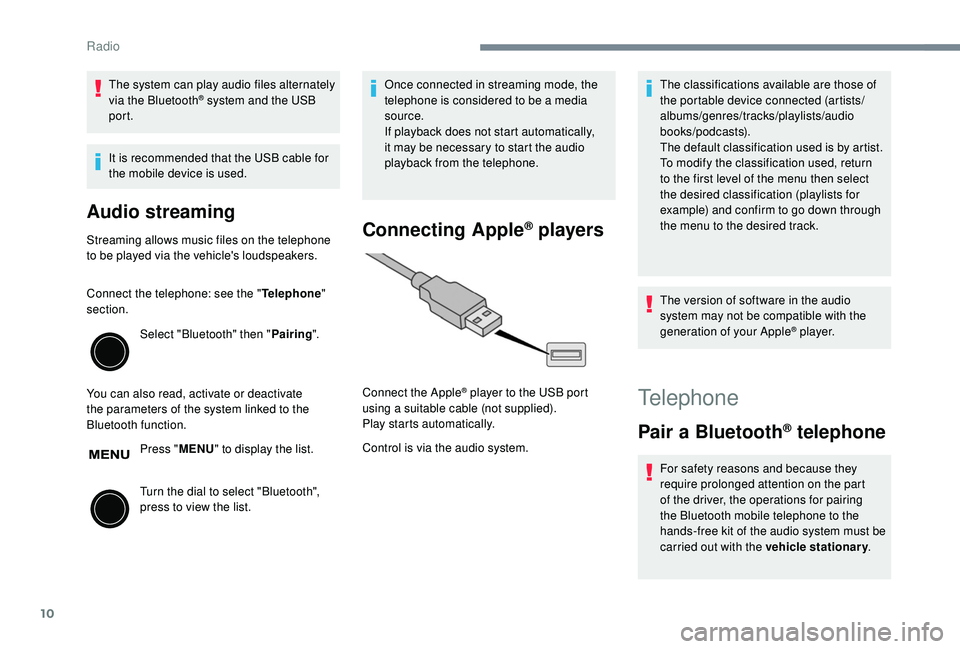
Audio streaming
Streaming allows music files on the telephone
to be played via the vehicle's loudspeakers.
Connect the telephone: see the " Telephone"
section.
Select "Bluetooth" then " Pairing".
You can also read, activate or deactivate
the parameters of the system linked to the
Bluetooth function. Press "MENU" to display the list.
Turn the dial to select "Bluetooth",
press to view the list. Once connected in streaming mode, the
telephone is considered to be a
media
source.
If playback does not start automatically,
it may be necessary to start the audio
playback from the telephone.Connecting Apple® players
Control is via the audio system. The classifications available are those of
the portable device connected (artists/
albums/genres/tracks/playlists/audio
books/podcasts).
The default classification used is by artist.
To modify the classification used, return
to the first level of the menu then select
the desired classification (playlists for
example) and confirm to go down through
the menu to the desired track.
The version of software in the audio
system may not be compatible with the
generation of your Apple
® p l aye r.
Connect the Apple
® player to the USB port
using a
suitable cable (not supplied).
Play starts automatically.Telephone
Pair a Bluetooth® telephone
For safety reasons and because they
require prolonged attention on the part
of the driver, the operations for pairing
the Bluetooth mobile telephone to the
hands-free kit of the audio system must be
carried out with the vehicle stationary .
Radio
Page 146 of 180
16
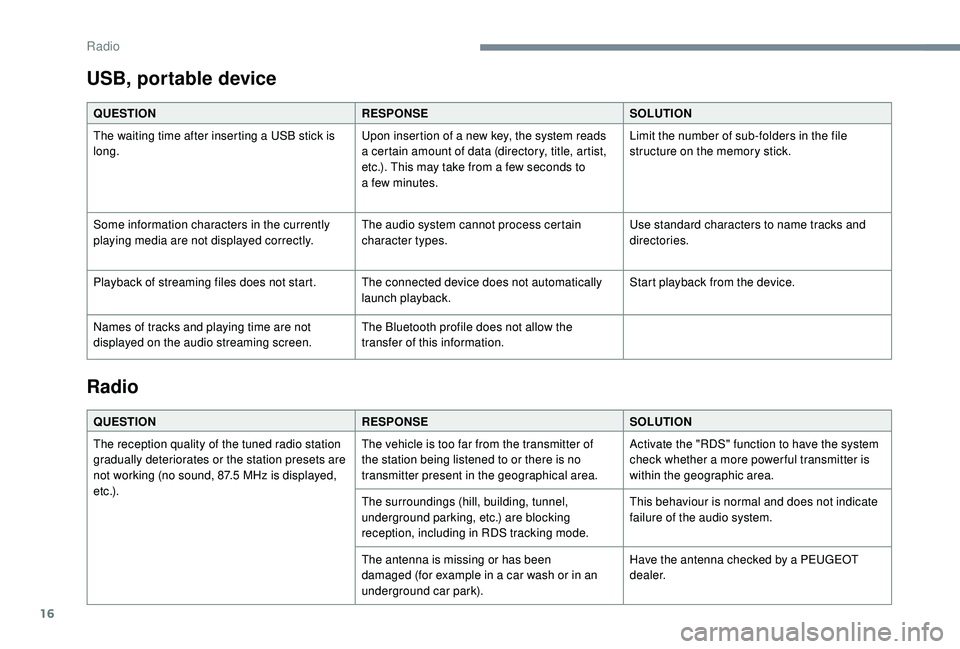
USB, portable device
QUESTIONRESPONSESOLUTION
The waiting time after inserting a USB stick is
long. Upon insertion of a
new key, the system reads
a
certain amount of data (directory, title, artist,
etc.). This may take from a
few seconds to
a
few minutes.Limit the number of sub-folders in the file
structure on the memory stick.
Some information characters in the currently
playing media are not displayed correctly. The audio system cannot process certain
character types.Use standard characters to name tracks and
directories.
Playback of streaming files does not start. The connected device does not automatically launch playback.Start playback from the device.
Names of tracks and playing time are not
displayed on the audio streaming screen. The Bluetooth profile does not allow the
transfer of this information.
Radio
QUESTION
RESPONSESOLUTION
The reception quality of the tuned radio station
gradually deteriorates or the station presets are
not working (no sound, 87.5
MHz is displayed,
e t c .) . The vehicle is too far from the transmitter of
the station being listened to or there is no
transmitter present in the geographical area.
Activate the "RDS" function to have the system
check whether a
more power ful transmitter is
within the geographic area.
The surroundings (hill, building, tunnel,
underground parking, etc.) are blocking
reception, including in RDS tracking mode. This behaviour is normal and does not indicate
failure of the audio system.
The antenna is missing or has been
damaged (for example in a
car wash or in an
underground car park). Have the antenna checked by a
PEUGEOT
dealer.
Radio
Page 147 of 180
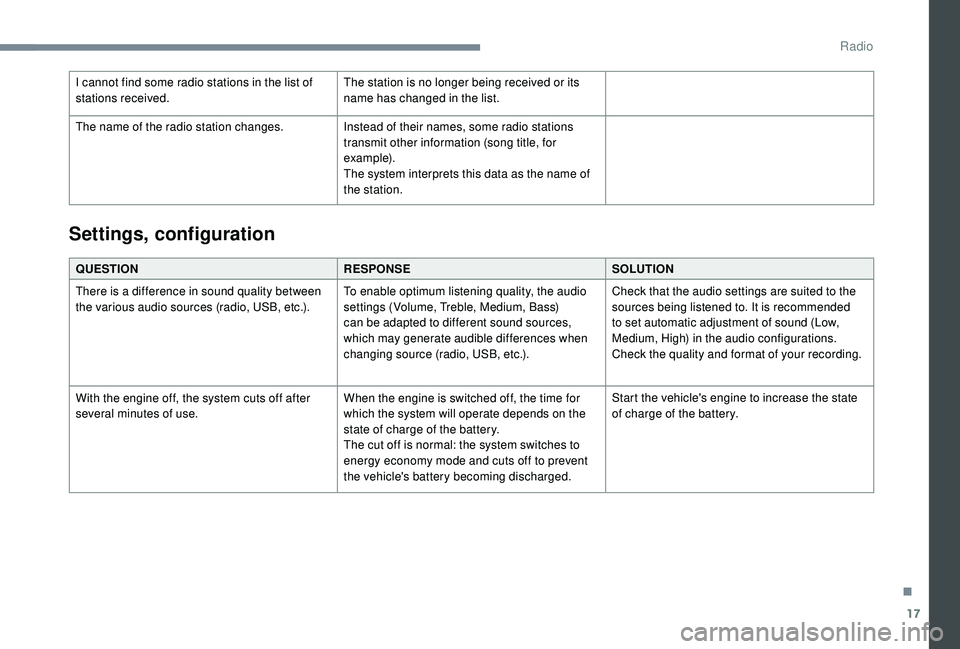
17
I cannot find some radio stations in the list of
stations received.The station is no longer being received or its
name has changed in the list.
The name of the radio station changes. Instead of their names, some radio stations
transmit other information (song title, for
example).
The system interprets this data as the name of
the station.
QUESTION RESPONSESOLUTION
There is a
difference in sound quality between
the various audio sources (radio, USB, etc.). To enable optimum listening quality, the audio
settings (Volume, Treble, Medium, Bass)
can be adapted to different sound sources,
which may generate audible differences when
changing source (radio, USB, etc.).Check that the audio settings are suited to the
sources being listened to. It is recommended
to set automatic adjustment of sound (Low,
Medium, High) in the audio configurations.
Check the quality and format of your recording.
With the engine off, the system cuts off after
several minutes of use. When the engine is switched off, the time for
which the system will operate depends on the
state of charge of the battery.
The cut off is normal: the system switches to
energy economy mode and cuts off to prevent
the vehicle's battery becoming discharged.Start the vehicle's engine to increase the state
of charge of the battery.
Settings, configuration
.
Radio
Page 149 of 180
1
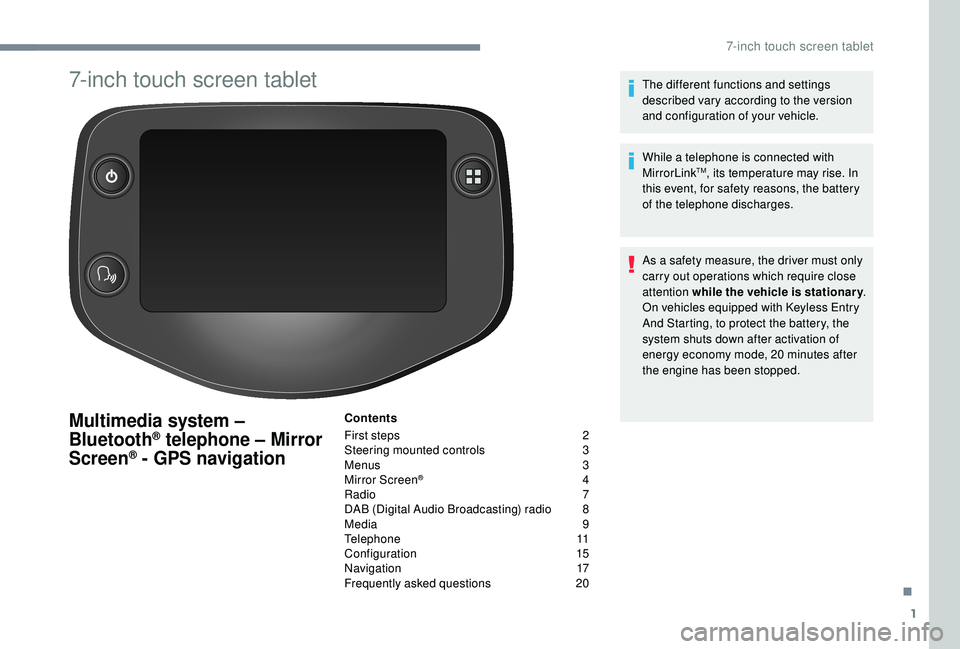
7-inch touch screen tablet
Multimedia system –
Bluetooth® telephone – Mirror
Screen® - GPS navigation
Contents
First steps
2
S
teering mounted controls
3
M
enus
3
M
irror Screen
® 4
R
adio
7
D
AB (Digital Audio Broadcasting) radio
8
M
edia
9
T
elephone
1
1
Configuration
1
5
Navigation
1
7
Frequently asked questions
20T
he different functions and settings
described vary according to the version
and configuration of your vehicle.
While a telephone is connected with
MirrorLink
TM, its temperature may rise. In
this event, for safety reasons, the battery
of the telephone discharges.
As a
safety measure, the driver must only
carry out operations which require close
attention while the vehicle is stationary .
On vehicles equipped with Keyless Entry
And Starting, to protect the battery, the
system shuts down after activation of
energy economy mode, 20
minutes after
the engine has been stopped.
.
7-inch touch screen tablet
Page 150 of 180
2
First steps
* Depending on equipment
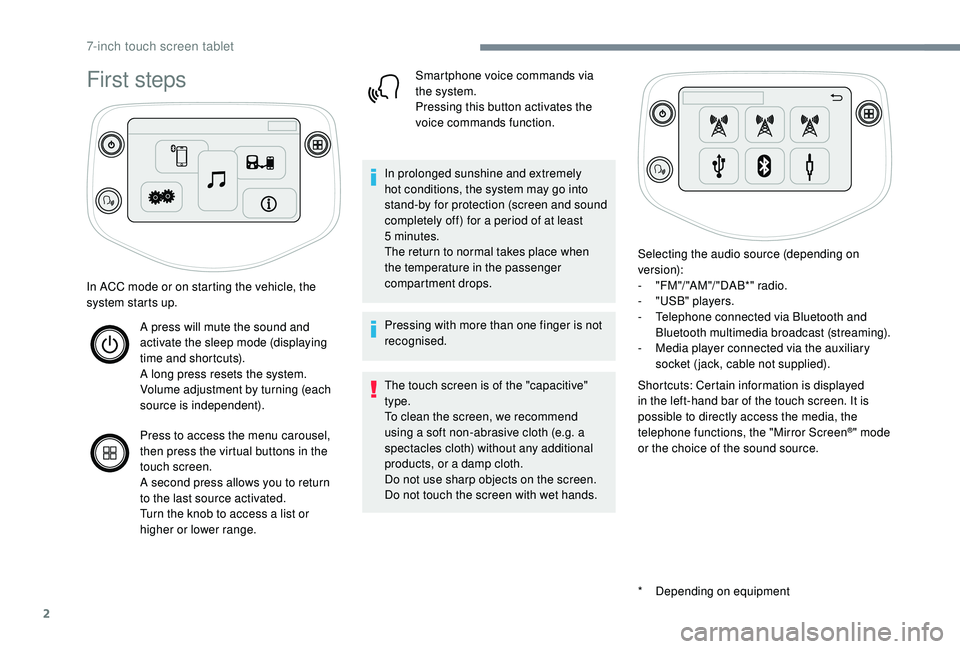
In ACC mode or on starting the vehicle, the
system starts up.
A press will mute the sound and
activate the sleep mode (displaying
time and shortcuts).
A long press resets the system.
Volume adjustment by turning (each
source is independent).
Press to access the menu carousel,
then press the virtual buttons in the
touch screen.
A second press allows you to return
to the last source activated.
Turn the knob to access a
list or
higher or lower range. Smartphone voice commands via
the system.
Pressing this button activates the
voice commands function.
In prolonged sunshine and extremely
hot conditions, the system may go into
stand-by for protection (screen and sound
completely off) for a
period of at least
5
minutes.
The return to normal takes place when
the temperature in the passenger
compartment drops.
Pressing with more than one finger is not
recognised.
The touch screen is of the "capacitive"
type.
To clean the screen, we recommend
using a
soft non-abrasive cloth (e.g. a
spectacles cloth) without any additional
products, or a
damp cloth.
Do not use sharp objects on the screen.
Do not touch the screen with wet hands. Selecting the audio source (depending on
version):
-
"
FM "/ "AM "/ " DAB*" radio.
-
"
USB" players.
-
T
elephone connected via Bluetooth and
Bluetooth multimedia broadcast (streaming).
-
M
edia player connected via the auxiliary
socket (jack, cable not supplied).
Shortcuts: Certain information is displayed
in the left-hand bar of the touch screen. It is
possible to directly access the media, the
telephone functions, the "Mirror Screen
®" mode
or the choice of the sound source.
7-inch touch screen tablet