ECO mode PEUGEOT 108 2018 Owner's Manual
[x] Cancel search | Manufacturer: PEUGEOT, Model Year: 2018, Model line: 108, Model: PEUGEOT 108 2018Pages: 180, PDF Size: 7.14 MB
Page 153 of 180
5
The synchronisation of the smartphone
allows users to display smartphone
applications, which are compatible with
the CarPlay
® technology, on the vehicle's
screen when the smartphone's CarPlay®
function has been previously activated.
As the processes and standards are
constantly changing, it is recommended
that you keep your smar tphone's
operating system updated .
For the list of eligible smartphones, go
to the Brand's internet website in your
c o u nt r y.
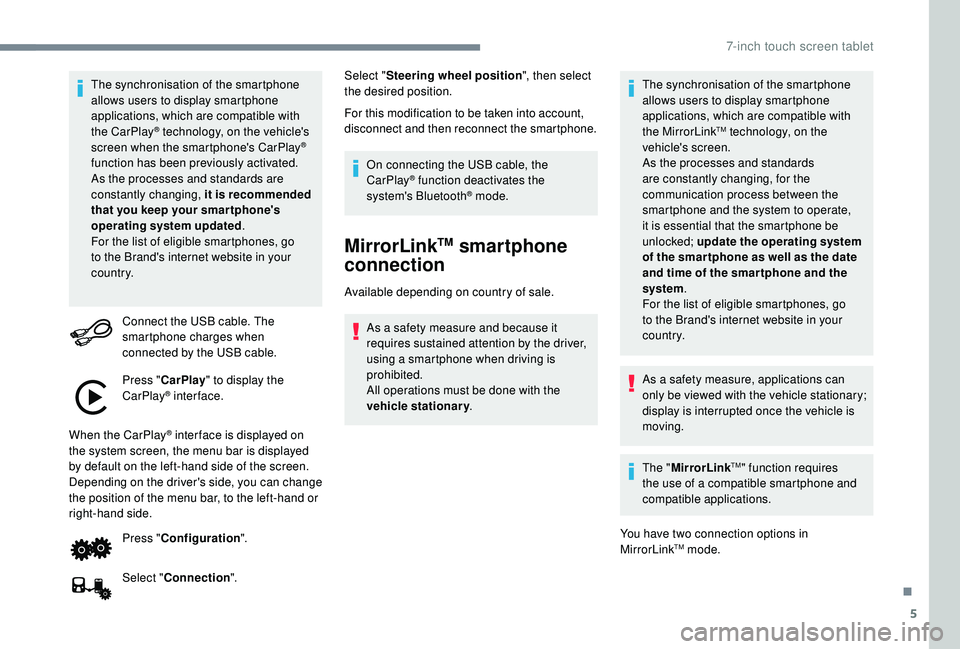
Connect the USB cable. The
smartphone charges when
connected by the USB cable.
Press " CarPlay " to display the
CarPlay
® inter face.
When the CarPlay
® inter face is displayed on
the system screen, the menu bar is displayed
by default on the left-hand side of the screen.
Depending on the driver's side, you can change
the position of the menu bar, to the left-hand or
right-hand side.
Press "Configuration ".
Select " Connection ". Select "
Steering wheel position ", then select
the desired position.
For this modification to be taken into account,
disconnect and then reconnect the smartphone.
On connecting the USB cable, the
CarPlay® function deactivates the
system's Bluetooth® mode.
MirrorLinkTM smartphone
connection
Available depending on country of sale.
As a safety measure and because it
requires sustained attention by the driver,
using a
smartphone when driving is
prohibited.
All operations must be done with the
vehicle stationary . The synchronisation of the smartphone
allows users to display smartphone
applications, which are compatible with
the MirrorLink
TM technology, on the
vehicle's screen.
As the processes and standards
are constantly changing, for the
communication process between the
smartphone and the system to operate,
it is essential that the smartphone be
unlocked; update the operating system
of the smar tphone as well as the date
and time of the smar tphone and the
system .
For the list of eligible smartphones, go
to the Brand's internet website in your
c o u nt r y.
As a
safety measure, applications can
only be viewed with the vehicle stationary;
display is interrupted once the vehicle is
moving.
The " MirrorLink
TM" function requires
the use of a
compatible smartphone and
compatible applications.
You have two connection options in
MirrorLink
TM mode.
.
7-inch touch screen tablet
Page 158 of 180
10
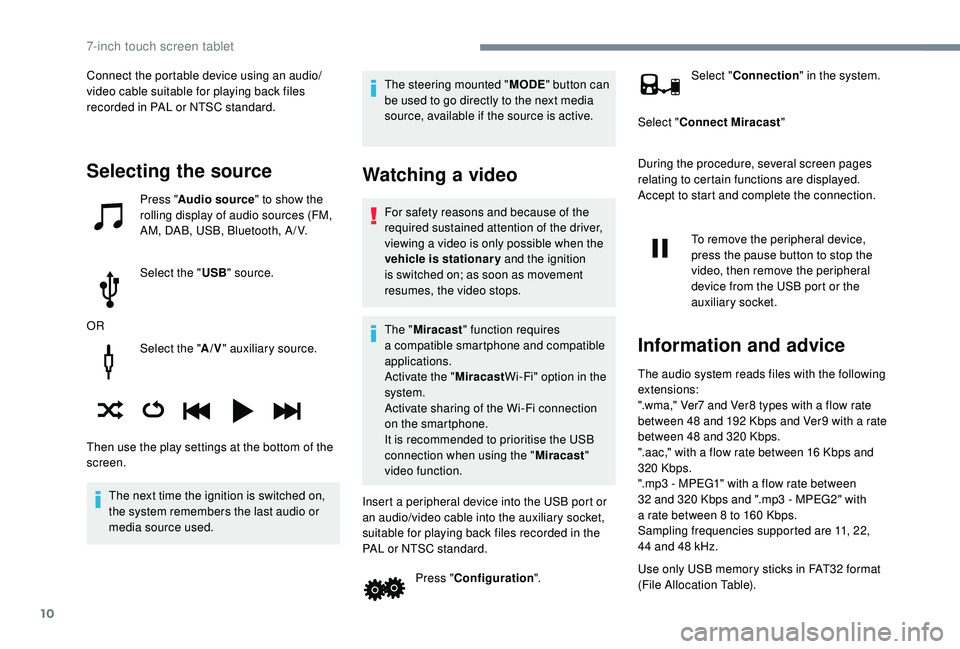
Select the "A/V" auxiliary source.
The next time the ignition is switched on,
the system remembers the last audio or
media source used. The steering mounted "
MODE" button can
be used to go directly to the next media
source, available if the source is active.
Watching a video
For safety reasons and because of the
required sustained attention of the driver,
viewing a
video is only possible when the
vehicle is stationary and the ignition
is switched on; as soon as movement
resumes, the video stops.
The " Miracast " function requires
a
compatible smartphone and compatible
applications.
Activate the " MiracastWi-Fi" option in the
system.
Activate sharing of the Wi-Fi connection
on the smartphone.
It is recommended to prioritise the USB
connection when using the " Miracast"
video function.
Insert a peripheral device into the USB port or
an audio/video cable into the auxiliary socket,
suitable for playing back files recorded in the
PAL or NTSC standard. Press "Configuration ". Select "
Connection " in the system.
Select " Connect Miracast "
During the procedure, several screen pages
relating to certain functions are displayed.
Accept to start and complete the connection.
To remove the peripheral device,
press the pause button to stop the
video, then remove the peripheral
device from the USB port or the
auxiliary socket.
Information and advice
The audio system reads files with the following
extensions:
".wma," Ver7 and Ver8 types with a flow rate
between 48
and 192 Kbps and Ver9 with a rate
between 48
and 320 Kbps.
".aac," with a
flow rate between 16 Kbps and
320
Kbps.
".mp3 - MPEG1" with a
flow rate between
32
and 320 Kbps and ".mp3 - MPEG2" with
a
rate between 8 to 160 Kbps.
Sampling frequencies supported are 11, 22,
44
and 48 kHz.
Use only USB memory sticks in FAT32
format
(File Allocation Table).
Selecting the source
Press " Audio source " to show the
rolling display of audio sources (FM,
AM, DAB, USB, Bluetooth, A / V.
Select the " USB" source.
OR
Then use the play settings at the bottom of the
screen. Connect the portable device using an audio/
video cable suitable for playing back files
recorded in PAL or NTSC standard.
7-inch touch screen tablet
Page 159 of 180
11
To avoid any playback or display issues, it is
advisable to create file names that have less
than 20
characters and without using any
special characters ((e.g. : " " ?.; ù).
The system supports mobile USB Mass
Storage players or Apple
® players at
the USB ports. An adapter cable is not
supplied.
Device management is done by the audio
system controls.
Other devices not recognised by the
system during connection must be
connected to the auxiliary socket using
a
Jack cable (not supplied).
The system can play audio files alternately
via the Bluetooth
® system and the USB
port.
It is recommended that the USB cable for
the mobile device is used.
Audio streaming
Streaming allows music files on the
telephone to be played via the vehicle's
loudspeakers. Connect the telephone: see the "
Telephone"
section, then " Bluetooth".
Choose the profile " Connect all" or "Connect
as audio player ".
If playback does not start automatically, it may
be necessary to start the audio playback from
the telephone.
Control is from the portable device or by using
the audio system's buttons.
Once connected in streaming mode, the
telephone is considered to be a media
source.
It is recommended that you activate
" Repeat " on the Bluetooth portable device.
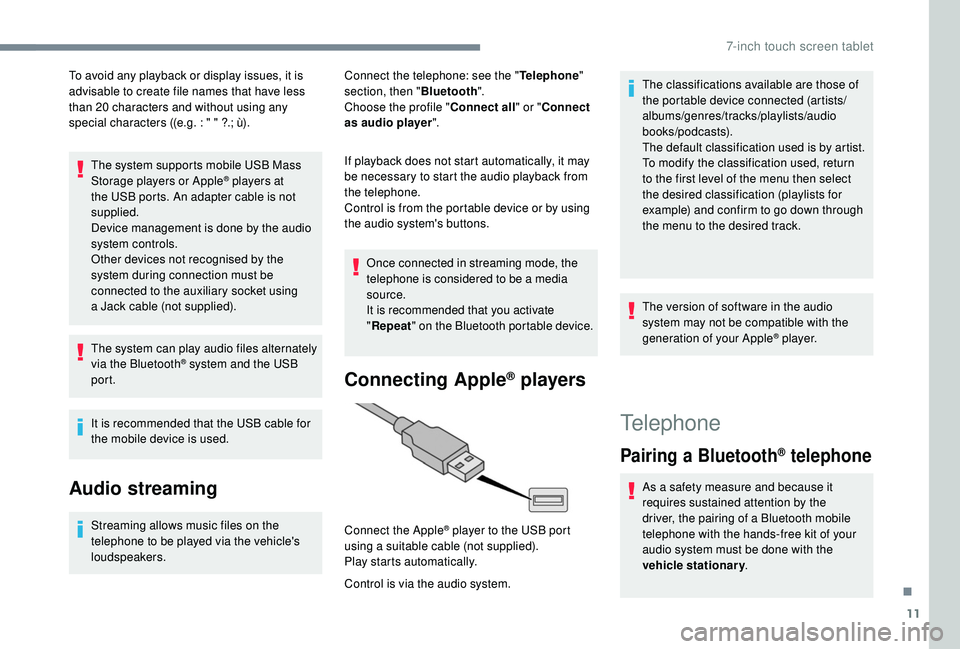
Connecting Apple® players
Control is via the audio system. Connect the Apple
® player to the USB port
using a
suitable cable (not supplied).
Play starts automatically. The classifications available are those of
the portable device connected (artists/
albums/genres/tracks/playlists/audio
books/podcasts).
The default classification used is by artist.
To modify the classification used, return
to the first level of the menu then select
the desired classification (playlists for
example) and confirm to go down through
the menu to the desired track.
The version of software in the audio
system may not be compatible with the
generation of your Apple
® p l aye r.
Telephone
Pairing a
Bluetooth® telephone
As a safety measure and because it
r equires sustained attention by the
driver, the pairing of a
Bluetooth mobile
telephone with the hands-free kit of your
audio system must be done with the
vehicle stationary .
.
7-inch touch screen tablet
Page 160 of 180
12
Activate the Bluetooth function on the
telephone and ensure that it is "visible to all"
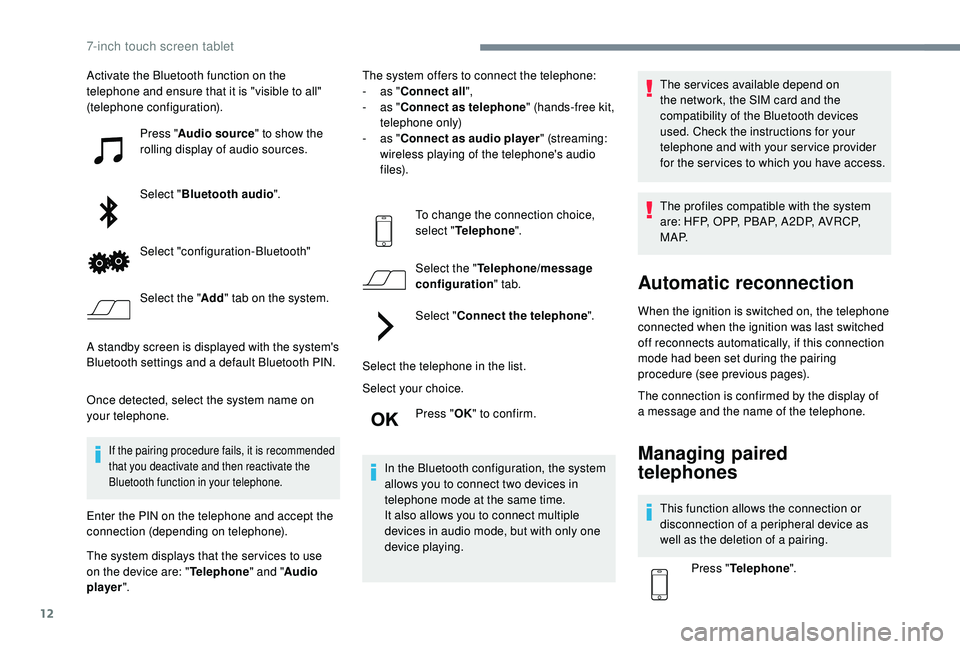
(telephone configuration).Press "Audio source " to show the
rolling display of audio sources.
Select " Bluetooth audio ".
Select "configuration-Bluetooth"
Select the " Add" tab on the system.
A standby screen is displayed with the system's
Bluetooth settings and a
default Bluetooth PIN.
Once detected, select the system name on
your telephone.
If the pairing procedure fails, it is recommended
that you deactivate and then reactivate the
Bluetooth function in your telephone.
Enter the PIN on the telephone and accept the
connection (depending on telephone).
The system displays that the ser vices to use
on the device are: " Telephone" and "Audio
player ". The system offers to connect the telephone:
-
a
s "
Connect all",
-
a
s "
Connect as telephone " (hands-free kit,
telephone only)
-
a
s "
Connect as audio player " (streaming:
wireless playing of the telephone's audio
f i l e s).
To change the connection choice,
select " Telephone ".
Select the " Telephone/message
configuration " tab.
Select " Connect the telephone ".
Select the telephone in the list.
Select your choice. Press "OK" to confirm.
In the Bluetooth configuration, the system
allows you to connect two devices in
telephone mode at the same time.
It also allows you to connect multiple
devices in audio mode, but with only one
device playing. The services available depend on
the network, the SIM card and the
compatibility of the Bluetooth devices
used. Check the instructions for your
telephone and with your service provider
for the ser vices to which you have access.
The profiles compatible with the system
are: HFP, OPP, PBAP, A 2DP, AVRCP,
M A P.
Automatic reconnection
When the ignition is switched on, the telephone
connected when the ignition was last switched
off reconnects automatically, if this connection
mode had been set during the pairing
procedure (see previous pages).
The connection is confirmed by the display of
a
message and the name of the telephone.
Managing paired
telephones
This function allows the connection or
disconnection of a peripheral device as
well as the deletion of a
pairing.
Press " Telephone ".
7-inch touch screen tablet
Page 167 of 180
19
98765
43210
S
N
N
E
44
009
23
21
21
32
EW
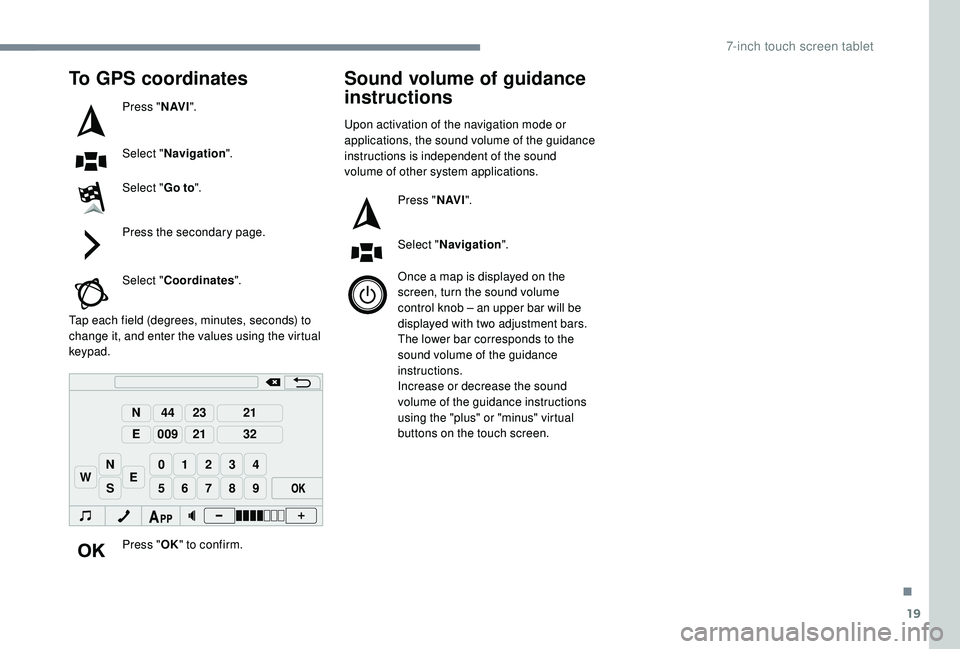
To GPS coordinates
Press "N AV I".
Select " Navigation ".
Select " Go to".
Press the secondary page.
Select " Coordinates ".
Tap each field (degrees, minutes, seconds) to
change it, and enter the values using the virtual
keypad.
Press "OK" to confirm.
Sound volume of guidance
instructions
Upon activation of the navigation mode or
applications, the sound volume of the guidance
instructions is independent of the sound
volume of other system applications.
Press "N AV I".
Select " Navigation ".
Once a
map is displayed on the
screen, turn the sound volume
control knob – an upper bar will be
displayed with two adjustment bars.
The lower bar corresponds to the
sound volume of the guidance
instructions.
Increase or decrease the sound
volume of the guidance instructions
using the "plus" or "minus" virtual
buttons on the touch screen.
.
7-inch touch screen tablet
Page 171 of 180
23
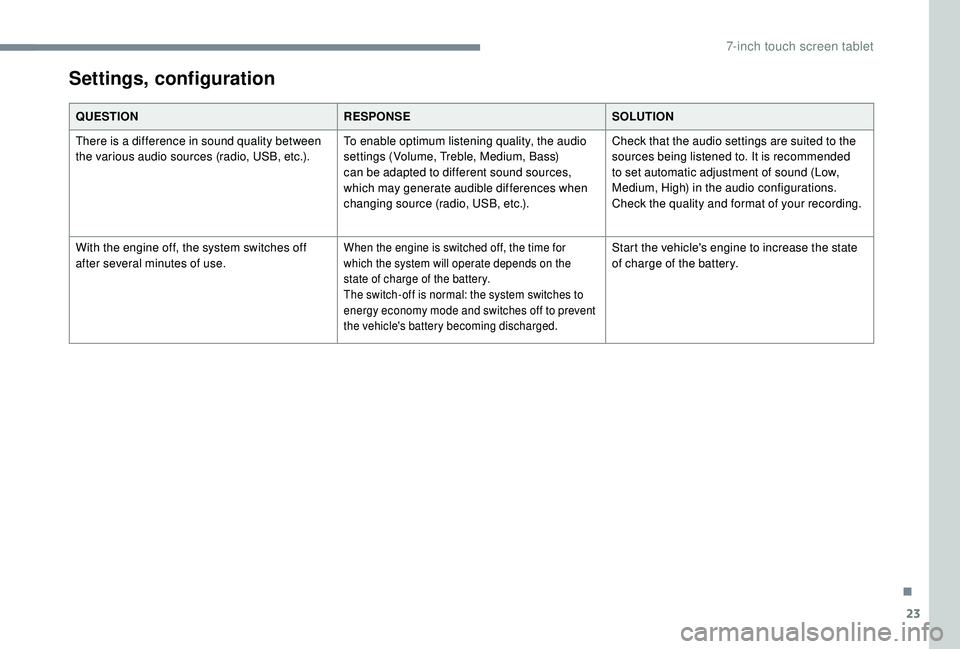
QUESTIONRESPONSESOLUTION
There is a difference in sound quality between
the various audio sources (radio, USB, etc.). To enable optimum listening quality, the audio
settings (Volume, Treble, Medium, Bass)
can be adapted to different sound sources,
which may generate audible differences when
changing source (radio, USB, etc.).Check that the audio settings are suited to the
sources being listened to. It is recommended
to set automatic adjustment of sound (Low,
Medium, High) in the audio configurations.
Check the quality and format of your recording.
With the engine off, the system switches off
after several minutes of use.
When the engine is switched off, the time for
which the system will operate depends on the
state of charge of the battery.
The switch-off is normal: the system switches to
energy economy mode and switches off to prevent
the vehicle's battery becoming discharged.Start the vehicle's engine to increase the state
of charge of the battery.
Settings, configuration
.
7-inch touch screen tablet
Page 173 of 180
171
EBFD ............................................................... 52
Eco-driving (advice) .......................................... 6
Economy mode
............................................... 98
E
lectronic brake force distribution (EBFD)
.....52
Emergency braking assistance (EBA)
............52
Emergency warning lamps
.............................52
Energy economy mode
................................... 98
E
ngine, petrol
...............................
.....97, 99, 125
Engine compartment
...................................... 99
E
ngines
......................................................... 125
Environment
...................................................... 6
Filling the fuel tank
.................................... 96 -97
Filter, air
........................................................ 102
Filter, oil
................
......................................... 102
Filter, passenger compartment
.....................102
Fitting a
wheel ......................... 1 0 7-1 0 8 , 11 0 -111
Fittings, boot
................................................... 45
Fittings, interior
............................................... 42
F
lashing indicators
...........................4 8 , 112 -114
Foglamp, rear
..................................... 16, 47, 113
Foglamps, front
........................................ 4 7, 11 2
Folding the rear seat backrest
........................34
Folding/unfolding the door mirrors
................. 35
F
requency (radio)
........................................... 7- 8
Fuel .................................................. 6, 18, 96 -97
Fuel consumption
.................................. 6, 18, 96
Fusebox, dashboard
.......................114 -11 6 , 11 9
Fusebox, engine compartment
.......114 -11 6 , 11 9
Fuses
............................................... 11
4 -11 6 , 11 9Gauge, fuel
................................................ 18, 9 6
Gearbox, ETG
.........................6, 12, 76 -79, 103
Gearbox, manual
....................6, 76, 81- 82, 102
Gear lever
.........................................................6
Gear lever, manual gearbox
...........................76
Gear shift indicator ~ Gear efficiency indicator
.................................17, 7 9
Glossary, audio system
....................................2
Glove box
........................................................42
Hazard warning lamps
....................................52
headlamp adjustment
.....................................49
Headlamps
....................................................112
Headlamps, automatic illumination
..........46, 48
Headlamps, dipped beam
..................17, 46, 112
Headlamps, main beam
.....................17, 46, 112
Head restraints, rear
.......................................34
Heating
.................................................. 6
, 37, 40
Hill start assist
.................................................80
Hooks
..............................................................45
Horn ................................................................. 51Identification
.................................................. 127
Immobiliser, electronic
....................................75
Indicators, direction
........................................48
Inflating tyres
................................................103
Inflating tyres and accessories (using the kit)
......................................104, 10 6
Instrument panel
...............................................8
ISOFIX
......................................................67- 6 9
ISOFIX mountings ........................................... 66
Jack
...............................
.......1 0 7-1 0 8 , 11 0 -111, 9
Jump starting
................................................12 2
Key
..................................................................22
Key, electronic
...........................................23-26
Keyless Entry and Starting
......1
6, 23 -24, 73 -74
Kit, hands-free
..................................... 1
0 , 11 -12
Kit, temporary puncture repair
........45, 104, 10 6E
F
G
H
I
J
K
.
Alphabetical index