ad blue PEUGEOT 108 2018 User Guide
[x] Cancel search | Manufacturer: PEUGEOT, Model Year: 2018, Model line: 108, Model: PEUGEOT 108 2018Pages: 180, PDF Size: 7.14 MB
Page 141 of 180
11
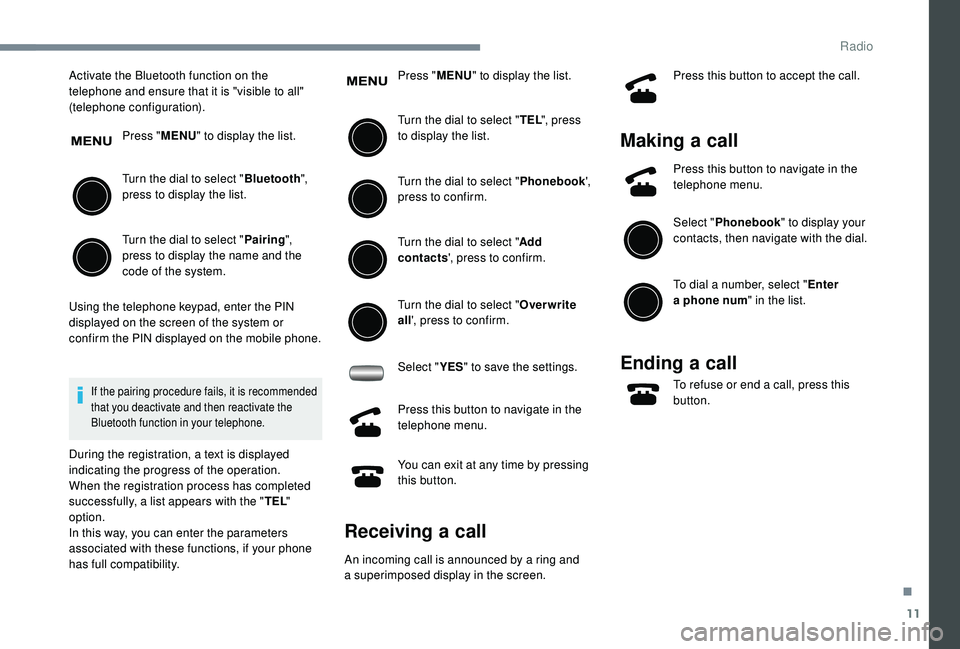
Activate the Bluetooth function on the
telephone and ensure that it is "visible to all"
(telephone configuration).Press "MENU" to display the list.
Turn the dial to select " Bluetooth",
press to display the list.
Turn the dial to select " Pairing",
press to display the name and the
code of the system.
Using the telephone keypad, enter the PIN
displayed on the screen of the system or
confirm the PIN displayed on the mobile phone.
If the pairing procedure fails, it is recommended
that you deactivate and then reactivate the
Bluetooth function in your telephone.
During the registration, a text is displayed
indicating the progress of the operation.
When the registration process has completed
successfully, a list appears with the " TEL"
option.
In this way, you can enter the parameters
associated with these functions, if your phone
has full compatibility. Press "
MENU" to display the list.
Turn the dial to select " TEL", press
to display the list.
Turn the dial to select " Phonebook',
press to confirm.
Turn the dial to select " Add
contacts ', press to confirm.
Turn the dial to select " Overwrite
all ', press to confirm.
Select " YES" to save the settings.
Press this button to navigate in the
telephone menu.
You can exit at any time by pressing
this button.
Receiving a call
An incoming call is announced by a ring and
a superimposed display in the screen. Press this button to accept the call.
Making a
call
Press this button to navigate in the
telephone menu.
Select "Phonebook " to display your
contacts, then navigate with the dial.
To dial a
number, select " Enter
a
phone num " in the list.
Ending a call
To refuse or end a call, press this
b utton.
.
Radio
Page 143 of 180
13
Bluetooth®
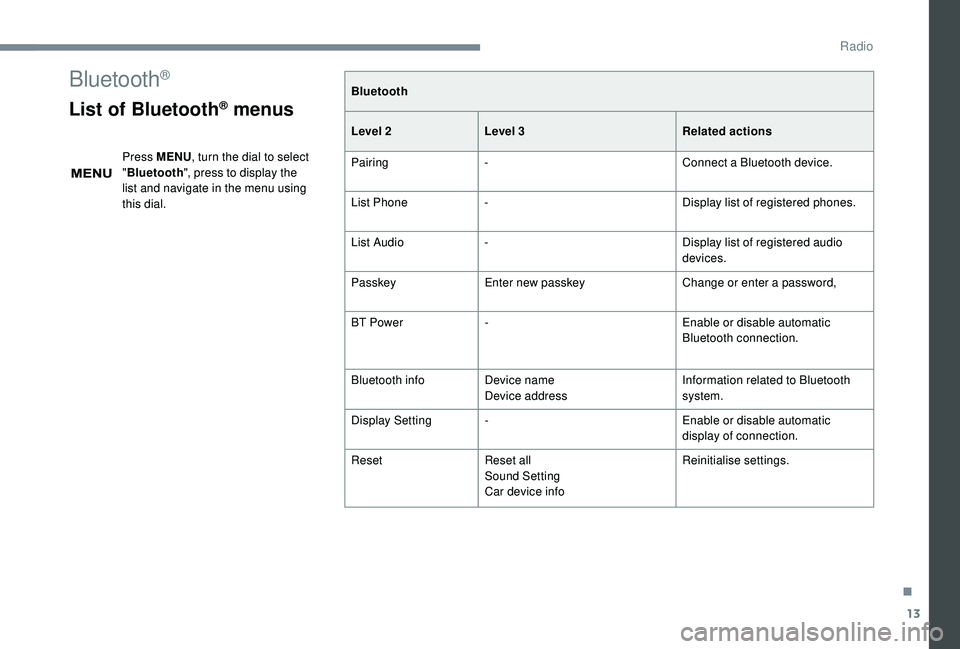
List of Bluetooth® menus
Press MENU, turn the dial to select
" Bluetooth ", press to display the
list and navigate in the menu using
this dial. Bluetooth
Level 2
Level 3 Related actions
Pairing - Connect a
Bluetooth device.
List Phone - Display list of registered phones.
List Audio - Display list of registered audio
devices.
Passkey Enter new passkey Change or enter a
password,
BT Power - Enable or disable automatic
Bluetooth connection.
Bluetooth info Device name
Device address Information related to Bluetooth
system.
Display Setting - Enable or disable automatic
display of connection.
Reset Reset all
Sound Setting
Car device info Reinitialise settings.
.
Radio
Page 144 of 180
14
Settings
System settings
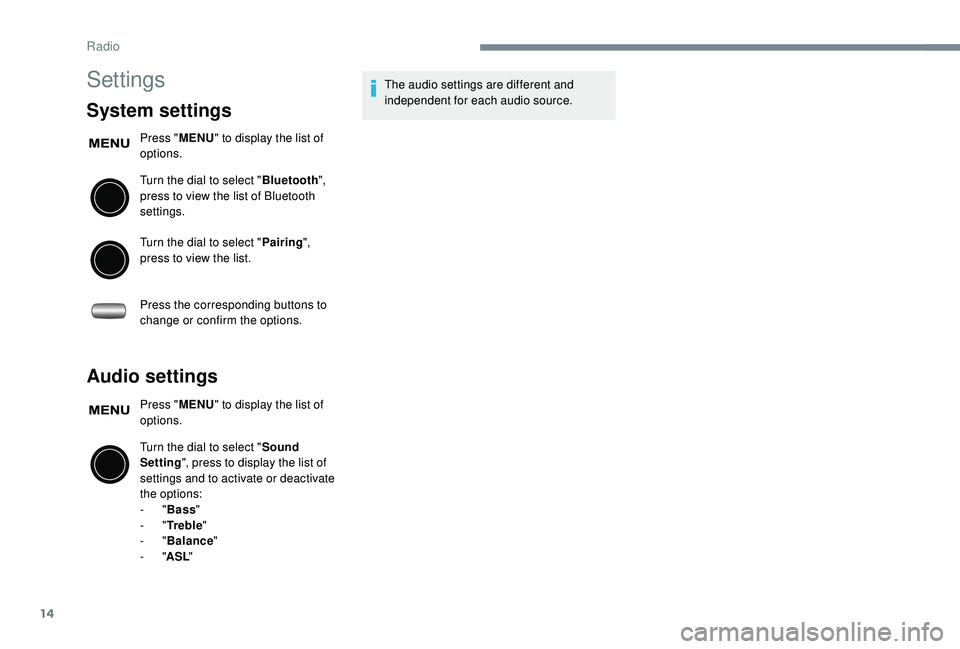
Press "MENU" to display the list of
options.
Turn the dial to select " Bluetooth",
press to view the list of Bluetooth
settings.
Turn the dial to select " Pairing",
press to view the list.
Press the corresponding buttons to
change or confirm the options.
Audio settings
Press " MENU" to display the list of
options.
Turn the dial to select " Sound
Setting ", press to display the list of
settings and to activate or deactivate
the options:
-
"Bass "
-
"Tr e b l e "
-
"Balance "
-
"ASL " The audio settings are different and
independent for each audio source.
Radio
Page 145 of 180
15
Frequently asked questions
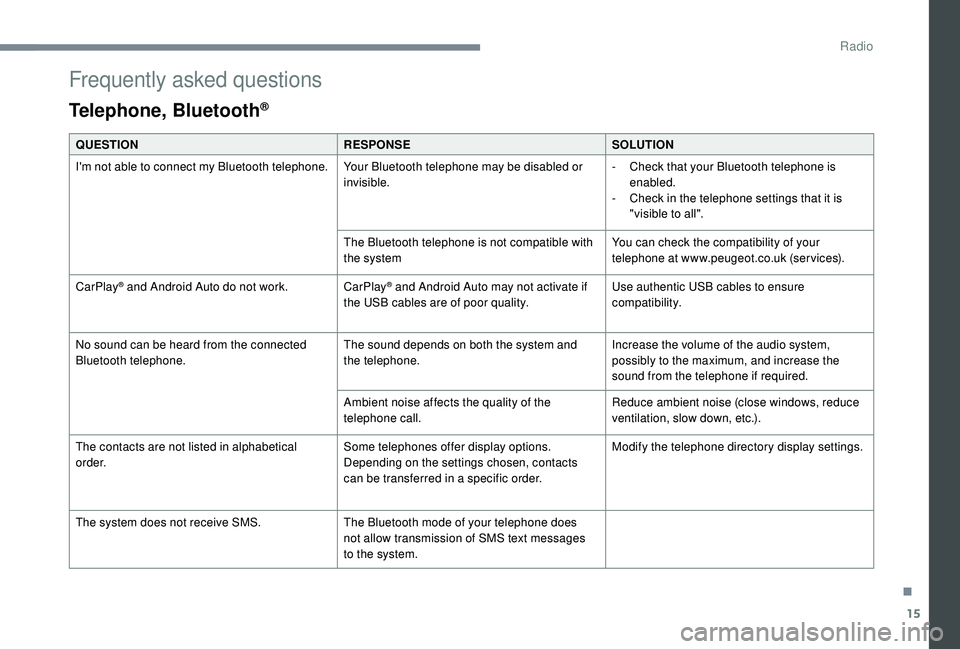
Telephone, Bluetooth®
QUESTIONRESPONSESOLUTION
I'm not able to connect my Bluetooth telephone. Your Bluetooth telephone may be disabled or
invisible.-
C
heck that your Bluetooth telephone is
enabled.
-
C
heck in the telephone settings that it is
"visible to all".
The Bluetooth telephone is not compatible with
the system You can check the compatibility of your
telephone at www.peugeot.co.uk (services).
CarPlay
® and Android Auto do not work. CarPlay® and Android Auto may not activate if
the USB cables are of poor quality. Use authentic USB cables to ensure
compatibility.
No sound can be heard from the connected
Bluetooth telephone. The sound depends on both the system and
the telephone.Increase the volume of the audio system,
possibly to the maximum, and increase the
sound from the telephone if required.
Ambient noise affects the quality of the
telephone call. Reduce ambient noise (close windows, reduce
ventilation, slow down, etc.).
The contacts are not listed in alphabetical
o r d e r. Some telephones offer display options.
Depending on the settings chosen, contacts
can be transferred in a
specific order. Modify the telephone directory display settings.
The system does not receive SMS. The Bluetooth mode of your telephone does
not allow transmission of SMS text messages
to the system.
.
Radio
Page 146 of 180
16
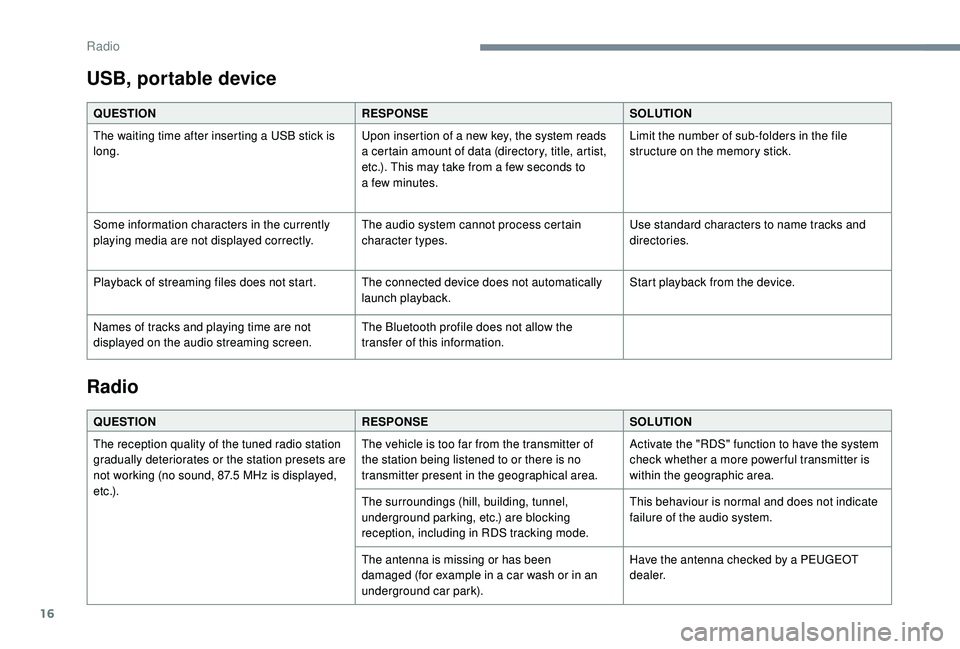
USB, portable device
QUESTIONRESPONSESOLUTION
The waiting time after inserting a USB stick is
long. Upon insertion of a
new key, the system reads
a
certain amount of data (directory, title, artist,
etc.). This may take from a
few seconds to
a
few minutes.Limit the number of sub-folders in the file
structure on the memory stick.
Some information characters in the currently
playing media are not displayed correctly. The audio system cannot process certain
character types.Use standard characters to name tracks and
directories.
Playback of streaming files does not start. The connected device does not automatically launch playback.Start playback from the device.
Names of tracks and playing time are not
displayed on the audio streaming screen. The Bluetooth profile does not allow the
transfer of this information.
Radio
QUESTION
RESPONSESOLUTION
The reception quality of the tuned radio station
gradually deteriorates or the station presets are
not working (no sound, 87.5
MHz is displayed,
e t c .) . The vehicle is too far from the transmitter of
the station being listened to or there is no
transmitter present in the geographical area.
Activate the "RDS" function to have the system
check whether a
more power ful transmitter is
within the geographic area.
The surroundings (hill, building, tunnel,
underground parking, etc.) are blocking
reception, including in RDS tracking mode. This behaviour is normal and does not indicate
failure of the audio system.
The antenna is missing or has been
damaged (for example in a
car wash or in an
underground car park). Have the antenna checked by a
PEUGEOT
dealer.
Radio
Page 149 of 180
1
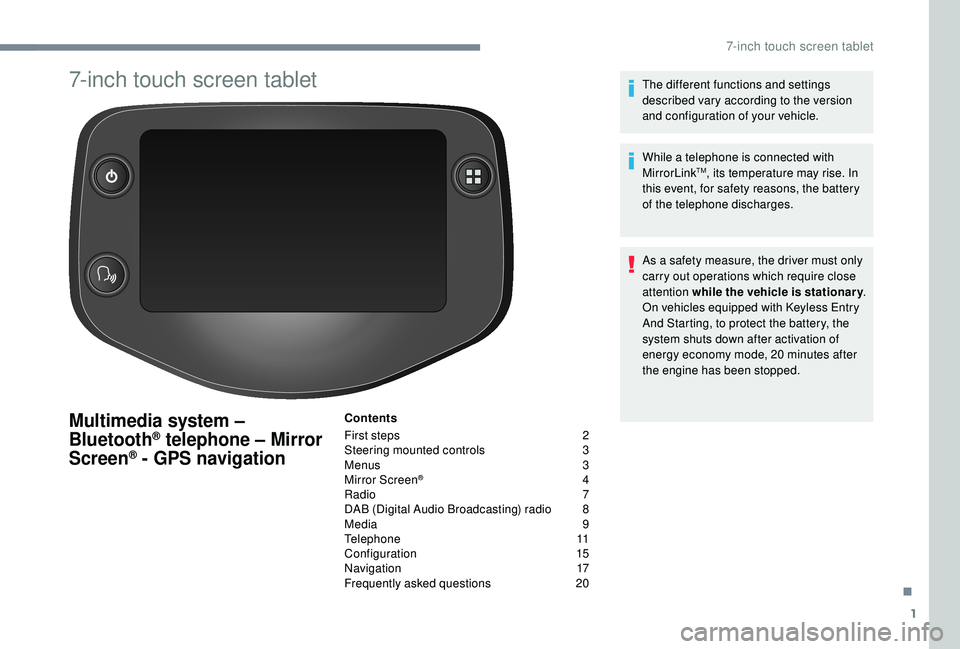
7-inch touch screen tablet
Multimedia system –
Bluetooth® telephone – Mirror
Screen® - GPS navigation
Contents
First steps
2
S
teering mounted controls
3
M
enus
3
M
irror Screen
® 4
R
adio
7
D
AB (Digital Audio Broadcasting) radio
8
M
edia
9
T
elephone
1
1
Configuration
1
5
Navigation
1
7
Frequently asked questions
20T
he different functions and settings
described vary according to the version
and configuration of your vehicle.
While a telephone is connected with
MirrorLink
TM, its temperature may rise. In
this event, for safety reasons, the battery
of the telephone discharges.
As a
safety measure, the driver must only
carry out operations which require close
attention while the vehicle is stationary .
On vehicles equipped with Keyless Entry
And Starting, to protect the battery, the
system shuts down after activation of
energy economy mode, 20
minutes after
the engine has been stopped.
.
7-inch touch screen tablet
Page 150 of 180
2
First steps
* Depending on equipment
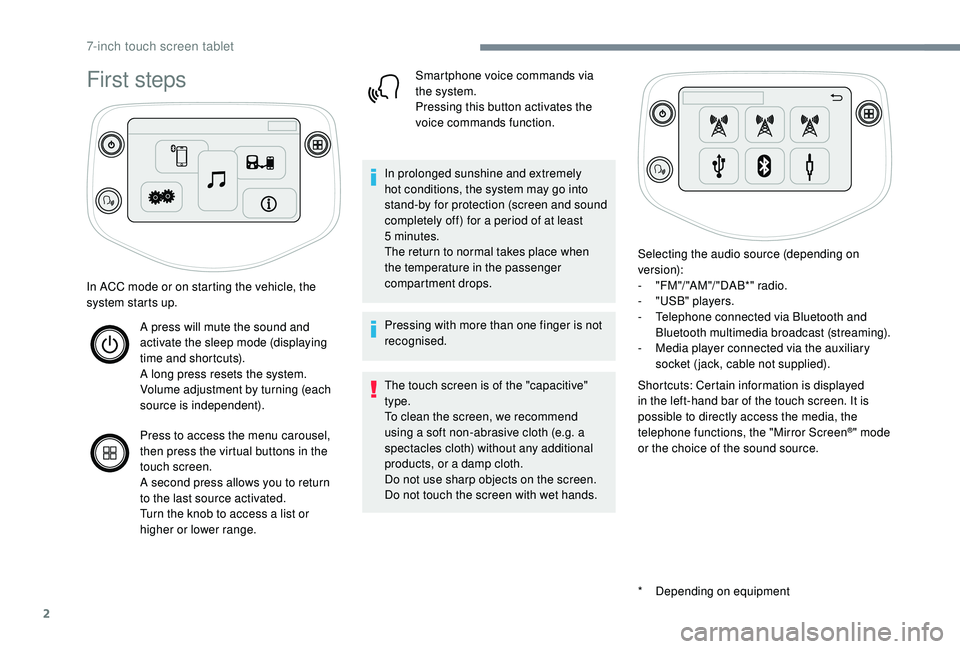
In ACC mode or on starting the vehicle, the
system starts up.
A press will mute the sound and
activate the sleep mode (displaying
time and shortcuts).
A long press resets the system.
Volume adjustment by turning (each
source is independent).
Press to access the menu carousel,
then press the virtual buttons in the
touch screen.
A second press allows you to return
to the last source activated.
Turn the knob to access a
list or
higher or lower range. Smartphone voice commands via
the system.
Pressing this button activates the
voice commands function.
In prolonged sunshine and extremely
hot conditions, the system may go into
stand-by for protection (screen and sound
completely off) for a
period of at least
5
minutes.
The return to normal takes place when
the temperature in the passenger
compartment drops.
Pressing with more than one finger is not
recognised.
The touch screen is of the "capacitive"
type.
To clean the screen, we recommend
using a
soft non-abrasive cloth (e.g. a
spectacles cloth) without any additional
products, or a
damp cloth.
Do not use sharp objects on the screen.
Do not touch the screen with wet hands. Selecting the audio source (depending on
version):
-
"
FM "/ "AM "/ " DAB*" radio.
-
"
USB" players.
-
T
elephone connected via Bluetooth and
Bluetooth multimedia broadcast (streaming).
-
M
edia player connected via the auxiliary
socket (jack, cable not supplied).
Shortcuts: Certain information is displayed
in the left-hand bar of the touch screen. It is
possible to directly access the media, the
telephone functions, the "Mirror Screen
®" mode
or the choice of the sound source.
7-inch touch screen tablet
Page 153 of 180
5
The synchronisation of the smartphone
allows users to display smartphone
applications, which are compatible with
the CarPlay
® technology, on the vehicle's
screen when the smartphone's CarPlay®
function has been previously activated.
As the processes and standards are
constantly changing, it is recommended
that you keep your smar tphone's
operating system updated .
For the list of eligible smartphones, go
to the Brand's internet website in your
c o u nt r y.
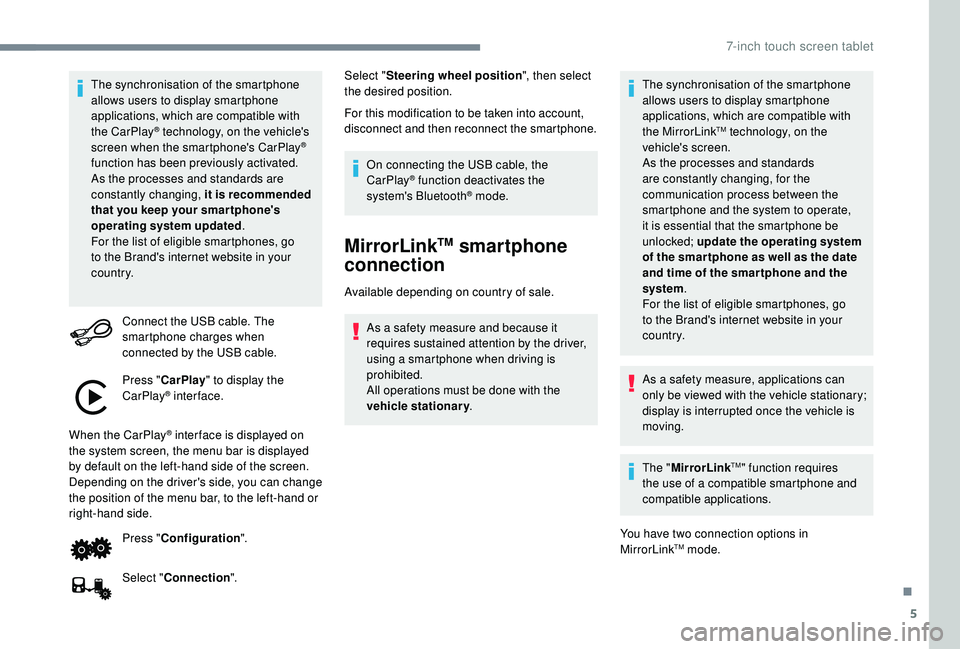
Connect the USB cable. The
smartphone charges when
connected by the USB cable.
Press " CarPlay " to display the
CarPlay
® inter face.
When the CarPlay
® inter face is displayed on
the system screen, the menu bar is displayed
by default on the left-hand side of the screen.
Depending on the driver's side, you can change
the position of the menu bar, to the left-hand or
right-hand side.
Press "Configuration ".
Select " Connection ". Select "
Steering wheel position ", then select
the desired position.
For this modification to be taken into account,
disconnect and then reconnect the smartphone.
On connecting the USB cable, the
CarPlay® function deactivates the
system's Bluetooth® mode.
MirrorLinkTM smartphone
connection
Available depending on country of sale.
As a safety measure and because it
requires sustained attention by the driver,
using a
smartphone when driving is
prohibited.
All operations must be done with the
vehicle stationary . The synchronisation of the smartphone
allows users to display smartphone
applications, which are compatible with
the MirrorLink
TM technology, on the
vehicle's screen.
As the processes and standards
are constantly changing, for the
communication process between the
smartphone and the system to operate,
it is essential that the smartphone be
unlocked; update the operating system
of the smar tphone as well as the date
and time of the smar tphone and the
system .
For the list of eligible smartphones, go
to the Brand's internet website in your
c o u nt r y.
As a
safety measure, applications can
only be viewed with the vehicle stationary;
display is interrupted once the vehicle is
moving.
The " MirrorLink
TM" function requires
the use of a
compatible smartphone and
compatible applications.
You have two connection options in
MirrorLink
TM mode.
.
7-inch touch screen tablet
Page 154 of 180
6
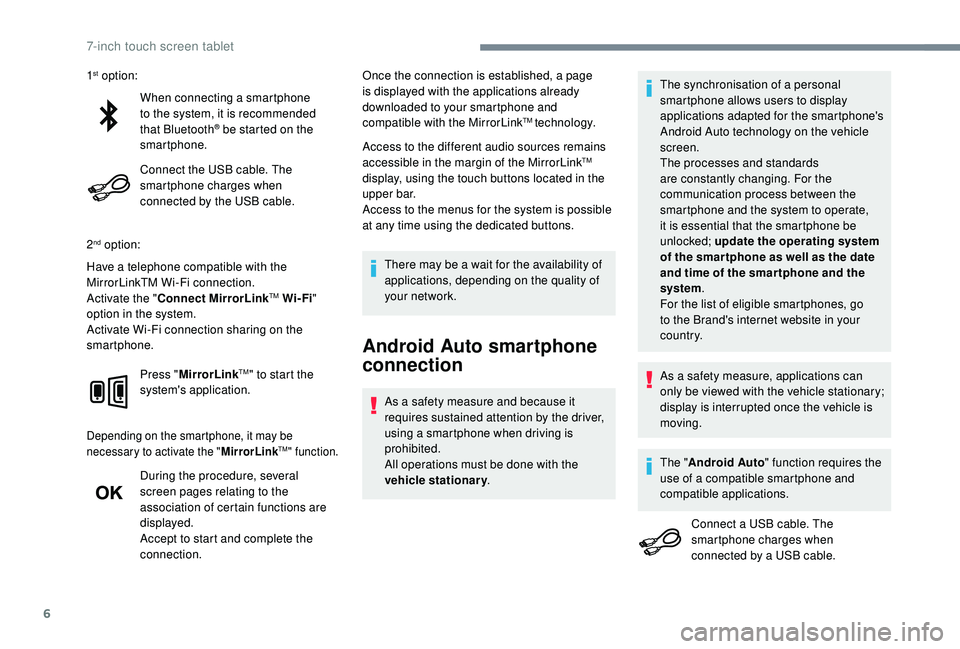
When connecting a smartphone
t o the system, it is recommended
that Bluetooth
® be started on the
smartphone.
Connect the USB cable. The
smartphone charges when
connected by the USB cable.
2
nd option:
Have a telephone compatible with the
MirrorLinkTM Wi-Fi connection.
Activate the " Connect MirrorLink
TM Wi-Fi"
option in the system.
Activate Wi-Fi connection sharing on the
smartphone.
Press "MirrorLink
TM" to start the
system's application.
Depending on the smartphone, it may be
necessary to activate the " MirrorLinkTM" function.
During the procedure, several
screen pages relating to the
association of certain functions are
displayed.
Accept to start and complete the
connection. Once the connection is established, a page
is displayed with the applications already
downloaded to your smartphone and
compatible with the MirrorLink
TM technology.
Access to the different audio sources remains
accessible in the margin of the MirrorLink
TM
display, using the touch buttons located in the
u p p e r b a r.
Access to the menus for the system is possible
at any time using the dedicated buttons.
There may be a
wait for the availability of
applications, depending on the quality of
your network.
Android Auto smartphone
connection
As a safety measure and because it
r equires sustained attention by the driver,
using a
smartphone when driving is
prohibited.
All operations must be done with the
vehicle stationary . The synchronisation of a
personal
smartphone allows users to display
applications adapted for the smartphone's
Android Auto technology on the vehicle
screen.
The processes and standards
are constantly changing. For the
communication process between the
smartphone and the system to operate,
it is essential that the smartphone be
unlocked; update the operating system
of the smar tphone as well as the date
and time of the smar tphone and the
system .
For the list of eligible smartphones, go
to the Brand's internet website in your
c o u nt r y.
1
st option:
As a safety measure, applications can
only be viewed with the vehicle stationary;
display is interrupted once the vehicle is
moving.
The " Android Auto " function requires the
use of a
compatible smartphone and
compatible applications.
Connect a
USB cable. The
smartphone charges when
connected by a
USB cable.
7-inch touch screen tablet
Page 158 of 180
10
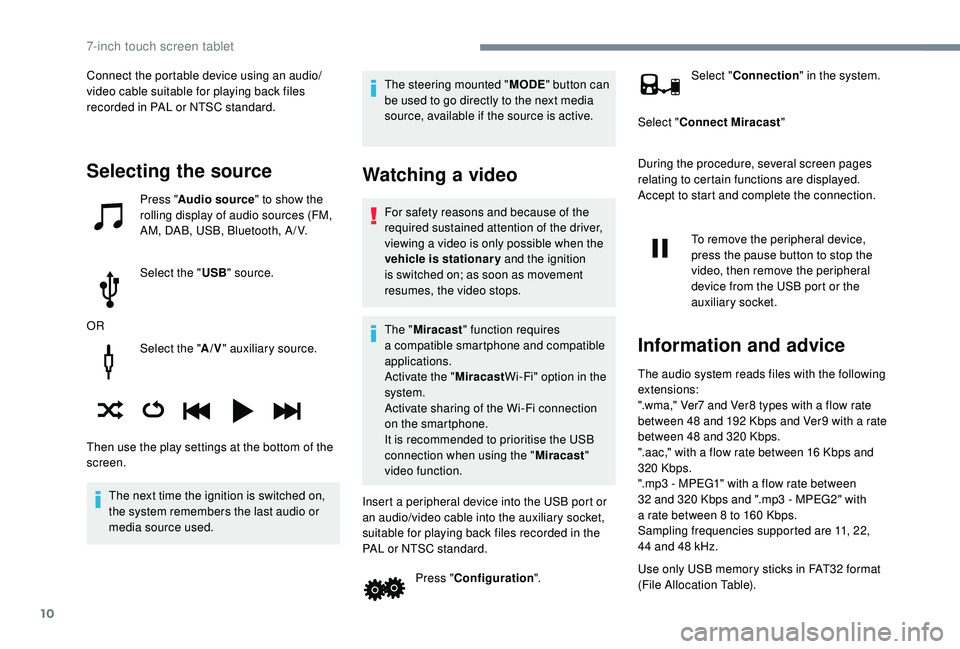
Select the "A/V" auxiliary source.
The next time the ignition is switched on,
the system remembers the last audio or
media source used. The steering mounted "
MODE" button can
be used to go directly to the next media
source, available if the source is active.
Watching a video
For safety reasons and because of the
required sustained attention of the driver,
viewing a
video is only possible when the
vehicle is stationary and the ignition
is switched on; as soon as movement
resumes, the video stops.
The " Miracast " function requires
a
compatible smartphone and compatible
applications.
Activate the " MiracastWi-Fi" option in the
system.
Activate sharing of the Wi-Fi connection
on the smartphone.
It is recommended to prioritise the USB
connection when using the " Miracast"
video function.
Insert a peripheral device into the USB port or
an audio/video cable into the auxiliary socket,
suitable for playing back files recorded in the
PAL or NTSC standard. Press "Configuration ". Select "
Connection " in the system.
Select " Connect Miracast "
During the procedure, several screen pages
relating to certain functions are displayed.
Accept to start and complete the connection.
To remove the peripheral device,
press the pause button to stop the
video, then remove the peripheral
device from the USB port or the
auxiliary socket.
Information and advice
The audio system reads files with the following
extensions:
".wma," Ver7 and Ver8 types with a flow rate
between 48
and 192 Kbps and Ver9 with a rate
between 48
and 320 Kbps.
".aac," with a
flow rate between 16 Kbps and
320
Kbps.
".mp3 - MPEG1" with a
flow rate between
32
and 320 Kbps and ".mp3 - MPEG2" with
a
rate between 8 to 160 Kbps.
Sampling frequencies supported are 11, 22,
44
and 48 kHz.
Use only USB memory sticks in FAT32
format
(File Allocation Table).
Selecting the source
Press " Audio source " to show the
rolling display of audio sources (FM,
AM, DAB, USB, Bluetooth, A / V.
Select the " USB" source.
OR
Then use the play settings at the bottom of the
screen. Connect the portable device using an audio/
video cable suitable for playing back files
recorded in PAL or NTSC standard.
7-inch touch screen tablet