change time PEUGEOT 108 2018 Owner's Manual
[x] Cancel search | Manufacturer: PEUGEOT, Model Year: 2018, Model line: 108, Model: PEUGEOT 108 2018Pages: 180, PDF Size: 7.14 MB
Page 157 of 180
9
DAB/FM tracking
Digital radio does not cover 100% of the
c o u nt r y.
When the quality of the digital signal is
poor, the "Alternative DAB frequency "
option allows you to continue listening
to the same station by automatically
switching to the corresponding FM
analogue radio station (if it exists).
Press " Audio source " to show the
rolling display of audio sources.
Select " DAB".
Select the " DAB radio configuration "
tab.
Activate " Alternative DAB
frequency ".
If " Alternative DAB frequency " tracking
is enabled, there is a
lag of a few seconds
while the system switches to analogue
radio, sometimes with a
change in volume.
Once the digital signal quality becomes
good again, the system automatically
changes back to "DAB". If the "DAB" station being listened to is not
available, or if "
L- Band" is not enabled,
the sound cuts out when the quality of the
digital signal becomes too weak.
Media
USB port
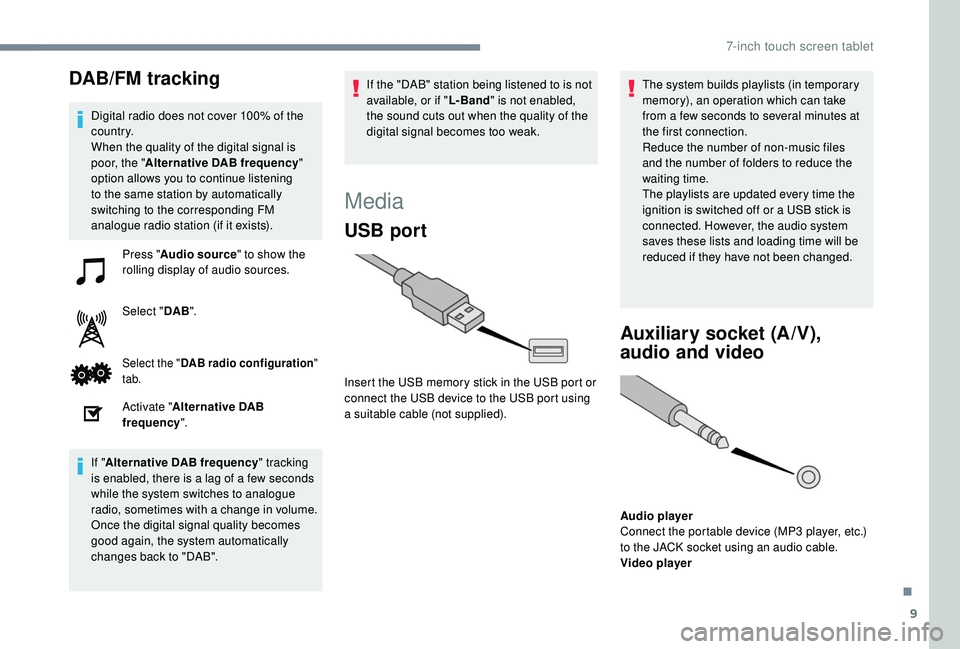
Insert the USB memory stick in the USB port or
connect the USB device to the USB port using
a
suitable cable (not supplied). The system builds playlists (in temporary
memory), an operation which can take
from a
few seconds to several minutes at
the first connection.
Reduce the number of non-music files
and the number of folders to reduce the
waiting time.
The playlists are updated every time the
ignition is switched off or a USB stick is
connected. However, the audio system
saves these lists and loading time will be
reduced if they have not been changed.
Auxiliary socket (A/V),
audio and video
Audio player
Connect the portable device (MP3 player, etc.)
to the JACK socket using an audio cable.
Video player
.
7-inch touch screen tablet
Page 160 of 180
12
Activate the Bluetooth function on the
telephone and ensure that it is "visible to all"
(telephone configuration).Press "Audio source " to show the
rolling display of audio sources.
Select " Bluetooth audio ".
Select "configuration-Bluetooth"
Select the " Add" tab on the system.
A standby screen is displayed with the system's
Bluetooth settings and a
default Bluetooth PIN.
Once detected, select the system name on
your telephone.
If the pairing procedure fails, it is recommended
that you deactivate and then reactivate the
Bluetooth function in your telephone.
Enter the PIN on the telephone and accept the
connection (depending on telephone).
The system displays that the ser vices to use
on the device are: " Telephone" and "Audio
player ". The system offers to connect the telephone:
-
a
s "
Connect all",
-
a
s "
Connect as telephone " (hands-free kit,
telephone only)
-
a
s "
Connect as audio player " (streaming:
wireless playing of the telephone's audio
f i l e s).
To change the connection choice,
select " Telephone ".
Select the " Telephone/message
configuration " tab.
Select " Connect the telephone ".
Select the telephone in the list.
Select your choice. Press "OK" to confirm.
In the Bluetooth configuration, the system
allows you to connect two devices in
telephone mode at the same time.
It also allows you to connect multiple
devices in audio mode, but with only one
device playing. The services available depend on
the network, the SIM card and the
compatibility of the Bluetooth devices
used. Check the instructions for your
telephone and with your service provider
for the ser vices to which you have access.
The profiles compatible with the system
are: HFP, OPP, PBAP, A 2DP, AVRCP,
M A P.
Automatic reconnection
When the ignition is switched on, the telephone
connected when the ignition was last switched
off reconnects automatically, if this connection
mode had been set during the pairing
procedure (see previous pages).
The connection is confirmed by the display of
a
message and the name of the telephone.
Managing paired
telephones
This function allows the connection or
disconnection of a peripheral device as
well as the deletion of a
pairing.
Press " Telephone ".
7-inch touch screen tablet