light PEUGEOT 2008 2015 User Guide
[x] Cancel search | Manufacturer: PEUGEOT, Model Year: 2015, Model line: 2008, Model: PEUGEOT 2008 2015Pages: 340, PDF Size: 8.4 MB
Page 34 of 340
32
Coolant temperature gauge
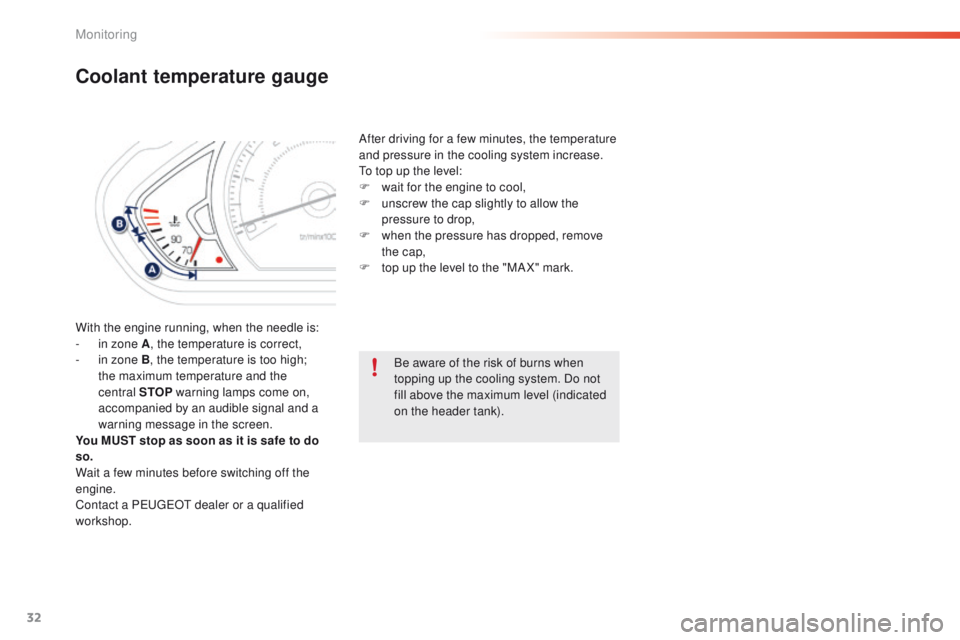
With the engine running, when the needle is:
- i n zone A , the temperature is correct,
-
i
n zone B, the temperature is too high;
the maximum temperature and the
central STOP warning lamps come on,
accompanied by an audible signal and a
warning message in the screen.
You MUST stop as soon as it is safe to do
so.
Wait a few minutes before switching off the
engine.
Contact a PEUGEOT dealer or a qualified
workshop. After driving for a few minutes, the temperature
and pressure in the cooling system increase.
To top up the level:
F
w
ait for the engine to cool,
F
u
nscrew the cap slightly to allow the
pressure to drop,
F
w
hen the pressure has dropped, remove
the cap,
F
t
op up the level to the "MA X" mark.
Be aware of the risk of burns when
topping up the cooling system. Do not
fill above the maximum level (indicated
on the header tank).
Monitoring
Page 35 of 340
33
2008_en_Chap01_controle-de-marche_ed01-2015
Touch screen
For reasons of safety, the driver
should only carr y out operations
that require close attention, with the
vehicle stationary.
Some functions are not accessible
when driving.
It gives access to:
-
m
enus for adjusting settings for vehicle
functions and systems,
-
a
udio and display configuration menus,
-
a
udio system and telephone controls and
the display of associated information.
And, depending on equipment, it allows:
-
t
he display of alert messages and the
visual parking sensors information,
-
a
ccess to the controls for the navigation
system and Internet services, and the
display of associated information.
General operation
Recommendations
It is necessary to press firmly, particularly for
"flick" gestures (scrolling through lists, moving
the map...).
A light wipe is not enough.
The screen does not recognise pressing with
more than one finger.
This technology allows use at all temperatures
and when wearing gloves.
Do not use pointed objects on the touch
screen.
Do not touch the touch screen with wet hands.
Uses a soft clean cloth to clean the touch
screen.
State of indicator lamps
Some buttons contain an indicator lamp that
gives the state of the corresponding function.
Green indicator: you have switched on the
corresponding function.
Orange indicator: you have switched off the
corresponding function.
Principles
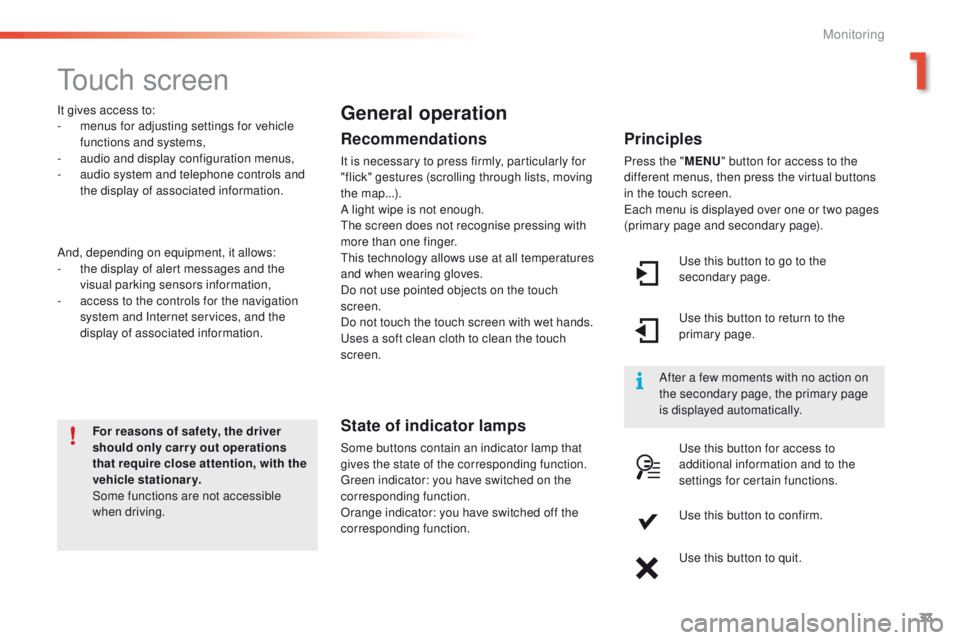
Press the " MENU" button for access to the
different menus, then press the virtual buttons
in the touch screen.
Each menu is displayed over one or two pages
(primary page and secondary page).
Use this button to go to the
secondary page.
After a few moments with no action on
the secondary page, the primary page
is displayed automatically. Use this button to return to the
primary page.
Use this button for access to
additional information and to the
settings for certain functions.
Use this button to confirm.
Use this button to quit.
1
Monitoring
Page 38 of 340
36
"Driving" menu
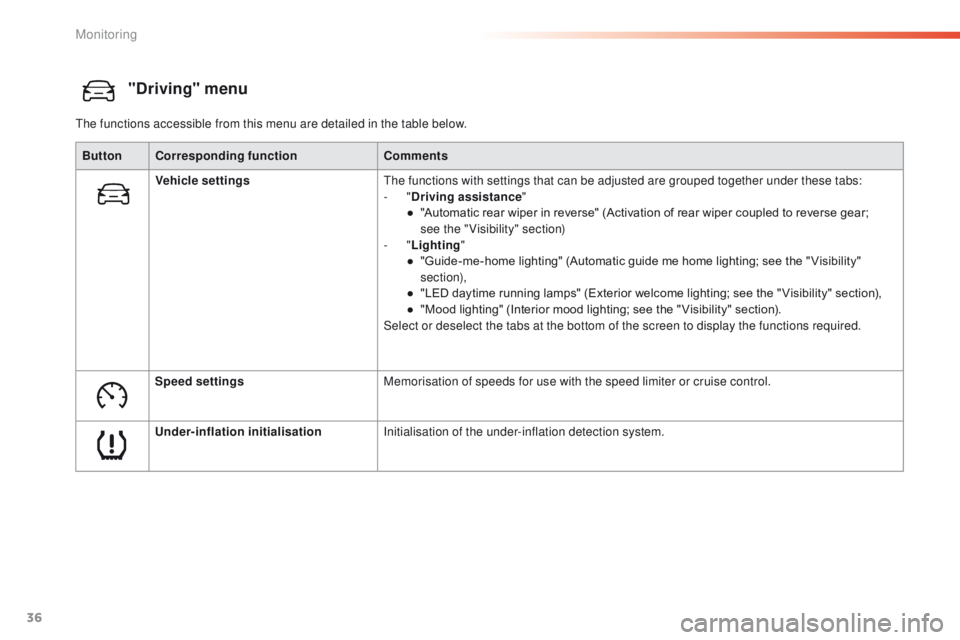
The functions accessible from this menu are detailed in the table below.Button Corresponding function Comments
Vehicle settings The functions with settings that can be adjusted are grouped together under these tabs:
-
"Driving assistance "
●
"
Automatic rear wiper in reverse" (Activation of rear wiper coupled to reverse gear;
see
the "Visibility" section)
-
"Lighting "
●
"
Guide-me-home lighting" (Automatic guide me home lighting; see the " Visibility"
section),
●
"
LED daytime running lamps" (Exterior welcome lighting; see the " Visibility" section),
●
"
Mood lighting" (Interior mood lighting; see the " Visibility" section).
Select or deselect the tabs at the bottom of the screen to display the functions required.
Speed settings Memorisation of speeds for use with the speed limiter or cruise control.
Under-inflation initialisation Initialisation of the under-inflation detection system.
Monitoring
Page 45 of 340
43
2008_en_Chap02_ouvertures_ed01-2015
Locking is confirmed by fixed
lighting of the direction indicators for
approximately two seconds.
According to version, the door mirrors
fold at the same time.
As a safety measure (children on
board), never leave the vehicle without
taking your key, even for a short period.
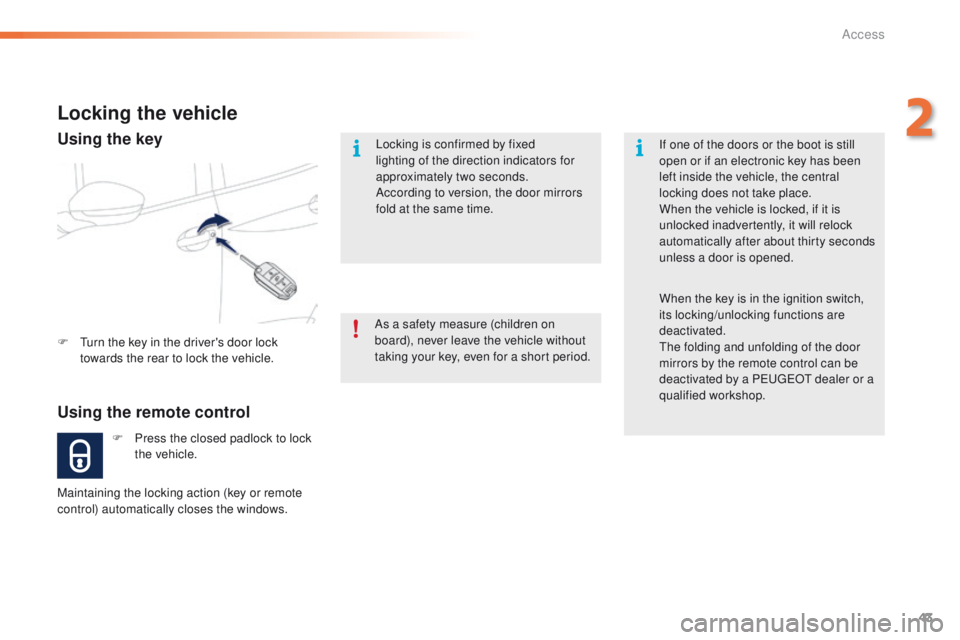
Locking the vehicle
Using the remote control
F Press the closed padlock to lock the vehicle.
F
T
urn the key in the driver's door lock
towards the rear to lock the vehicle.
Maintaining the locking action (key or remote
control) automatically closes the windows. If one of the doors or the boot is still
open or if an electronic key has been
left inside the vehicle, the central
locking does not take place.
When the vehicle is locked, if it is
unlocked inadvertently, it will relock
automatically after about thirty seconds
unless a door is opened.
When the key is in the ignition switch,
its locking/unlocking functions are
deactivated.
The folding and unfolding of the door
mirrors by the remote control can be
deactivated by a PEUGEOT dealer or a
qualified workshop.
Using the key
2
Access
Page 46 of 340
44
2008_en_Chap02_ouvertures_ed01-2015
Folding the key
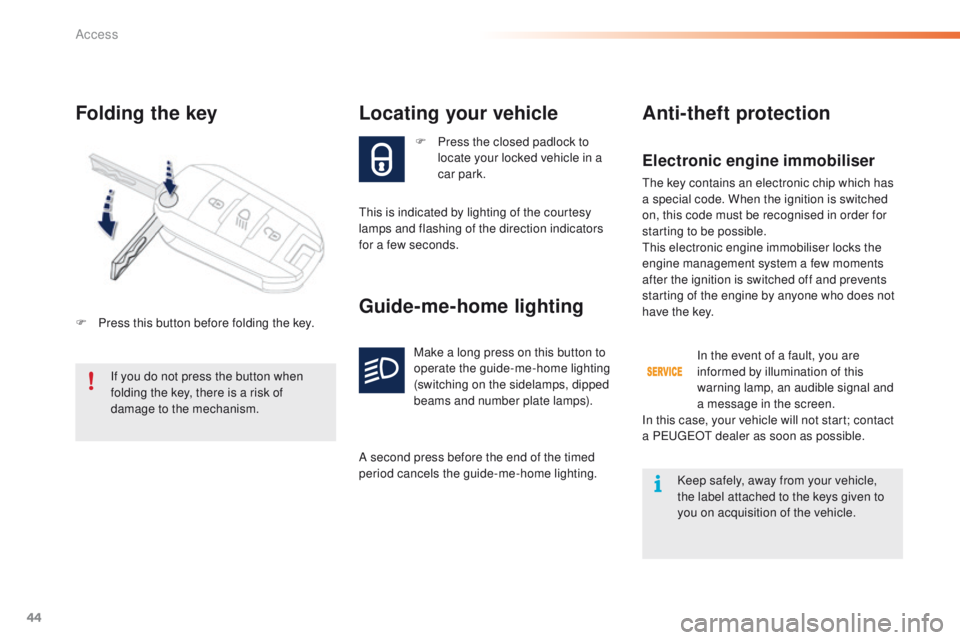
F Press the closed padlock to locate your locked vehicle in a
car park.
Locating your vehicle
This is indicated by lighting of the courtesy
lamps and flashing of the direction indicators
for a few seconds.
If you do not press the button when
folding the key, there is a risk of
damage to the mechanism.
Electronic engine immobiliser
The key contains an electronic chip which has
a special code. When the ignition is switched
on, this code must be recognised in order for
starting to be possible.
This electronic engine immobiliser locks the
engine management system a few moments
after the ignition is switched off and prevents
starting of the engine by anyone who does not
have the key.
Guide-me-home lighting
Make a long press on this button to
operate the guide-me-home lighting
(switching on the sidelamps, dipped
beams and number plate lamps).
A second press before the end of the timed
period cancels the guide-me-home lighting.
Anti-theft protection
In the event of a fault, you are
informed by illumination of this
warning lamp, an audible signal and
a message in the screen.
In this case, your vehicle will not start; contact
a PEUGEOT dealer as soon as possible.
Keep safely, away from your vehicle,
the label attached to the keys given to
you on acquisition of the vehicle.
F
P
ress this button before folding the key.
Access
Page 47 of 340
45
2008_en_Chap02_ouvertures_ed01-2015
Changing the battery
Battery ref.: CR1620 / 3 volts.Do not throw the remote control
batteries away, they contain metals
which are harmful to the environment.
Take them to an approved collection
point.
Remote control problem
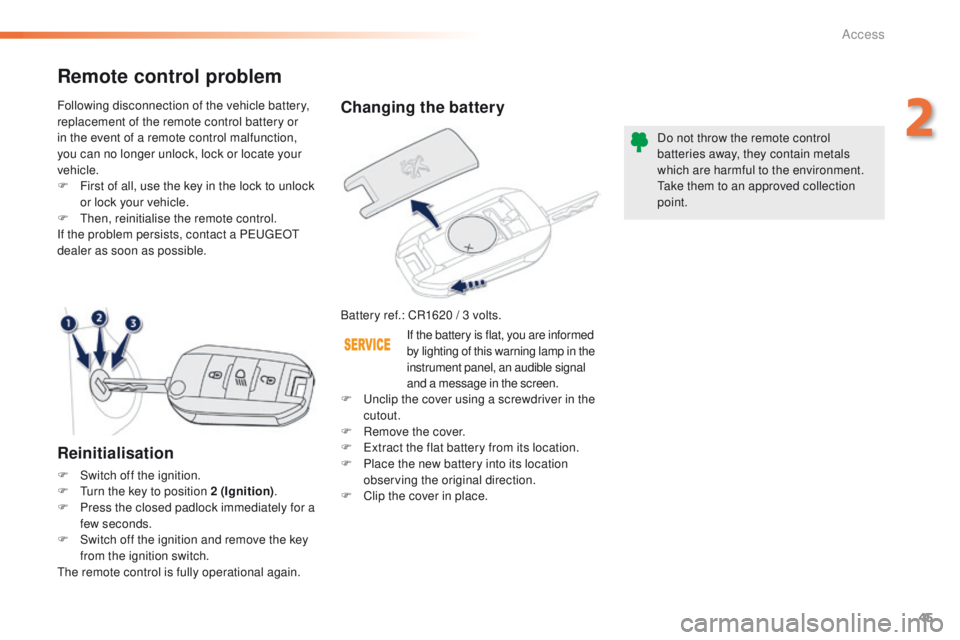
Reinitialisation
F Switch off the ignition.
F
T urn the key to position 2 (Ignition) .
F
P
ress the closed padlock immediately for a
few seconds.
F
S
witch off the ignition and remove the key
from the ignition switch.
The remote control is fully operational again. Following disconnection of the vehicle battery,
replacement of the remote control battery or
in the event of a remote control malfunction,
you can no longer unlock, lock or locate your
vehicle.
F
F
irst of all, use the key in the lock to unlock
or lock your vehicle.
F
T
hen, reinitialise the remote control.
If the problem persists, contact a PEUGEOT
dealer as soon as possible.
If the battery is flat, you are informed
by lighting of this warning lamp in the
instrument panel, an audible signal
and a message in the screen.
F
U
nclip the cover using a screwdriver in the
cutout.
F
R
emove the cover.
F
E
xtract the flat battery from its location.
F P lace the new battery into its location
observing the original direction.
F
C
lip the cover in place.
2
Access
Page 62 of 340
60
2008_en_Chap03_confort_ed01-2015
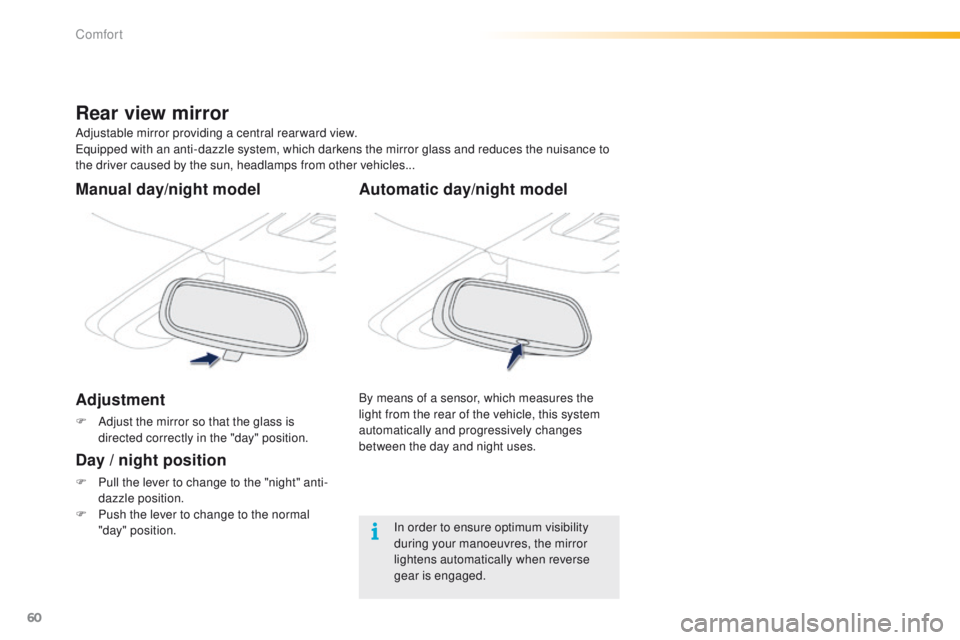
Automatic day/night model
By means of a sensor, which measures the
light from the rear of the vehicle, this system
automatically and progressively changes
between the day and night uses.
Adjustable mirror providing a central rearward view.
Equipped with an anti-dazzle system, which darkens the mirror glass and reduces the nuisance to
the driver caused by the sun, headlamps from other vehicles...
Rear view mirror
Manual day/night model
Adjustment
F Adjust the mirror so that the glass is
directed correctly in the "day" position.
Day / night position
F Pull the lever to change to the "night" anti-dazzle position.
F
P
ush the lever to change to the normal
"day" position. In order to ensure optimum visibility
during your manoeuvres, the mirror
lightens automatically when reverse
gear is engaged.
Comfort
Page 66 of 340
64
2008_en_Chap03_confort_ed01-2015
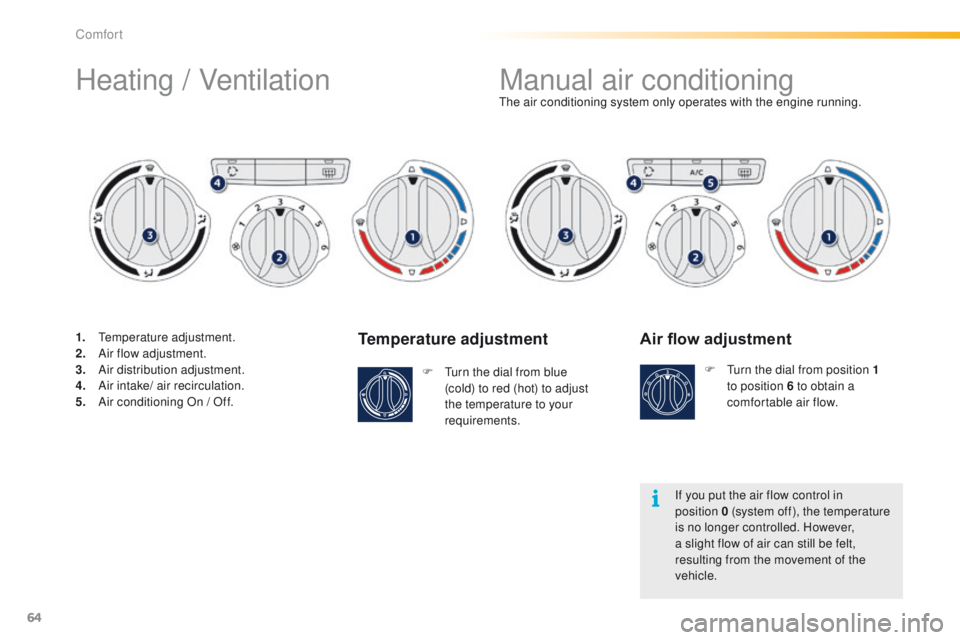
Temperature adjustment
F Turn the dial from blue (cold) to red (hot) to adjust
the temperature to your
requirements. The air conditioning system only operates with the engine running.
Air flow adjustment
F Turn the dial from position
1
to position 6 to obtain a
comfortable air flow.
If you put the air flow control in
position
0 (system off), the temperature
is no longer controlled. However,
a slight flow of air can still be felt,
resulting from the movement of the
vehicle.
Manual air conditioning
Heating / Ventilation
1. Temperature adjustment.
2. A
ir flow adjustment.
3.
A
ir distribution adjustment.
4.
A
ir intake/ air recirculation.
5.
A
ir conditioning On / Off.
Comfort
Page 70 of 340
68
2008_en_Chap03_confort_ed01-2015
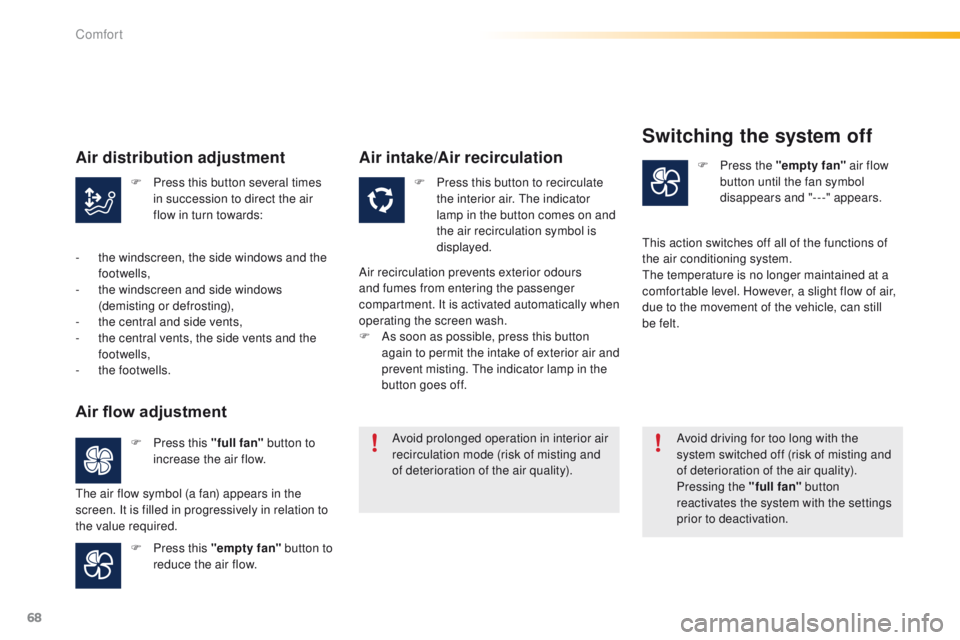
F Press this button several times in succession to direct the air
flow in turn towards: F
P ress this button to recirculate
the interior air. The indicator
lamp in the button comes on and
the air recirculation symbol is
displayed. F
P
ress the "empty fan"
air flow
button until the fan symbol
disappears and "---" appears.
F
P
ress this "full fan" button to
increase the air flow.
F
P
ress this "empty fan" button to
reduce the air flow. Avoid prolonged operation in interior air
recirculation mode (risk of misting and
of deterioration of the air quality).
Avoid driving for too long with the
system switched off (risk of misting and
of deterioration of the air quality).
Pressing the "full fan"
button
reactivates the system with the settings
prior to deactivation.
Air distribution adjustment
- the windscreen, the side windows and the footwells,
-
t
he windscreen and side windows
(demisting or defrosting),
-
t
he central and side vents,
-
t
he central vents, the side vents and the
footwells,
-
t
he footwells.
Air flow adjustment
The air flow symbol (a fan) appears in the
screen. It is filled in progressively in relation to
the value required.
Air intake/Air recirculation
Air recirculation prevents exterior odours
and fumes from entering the passenger
compartment. It is activated automatically when
operating the screen wash.
F
A
s soon as possible, press this button
again to permit the intake of exterior air and
prevent misting. The indicator lamp in the
button goes off.
Switching the system off
This action switches off all of the functions of
the air conditioning system.
The temperature is no longer maintained at a
comfortable level. However, a slight flow of air,
due to the movement of the vehicle, can still
be felt.
Comfort
Page 80 of 340
78
2008_en_Chap05_conduite_ed01-2015
Driving recommendations
Observe the driving regulations and remain
vigilant whatever the traffic conditions.
Pay close attention to the traffic and keep your
hands on the wheel so that you are ready to
react at any time to any eventuality.
On a long journey, a break every two hours is
strongly recommended.
In difficult weather, drive smoothly, anticipate
the need to brake and increase the distance
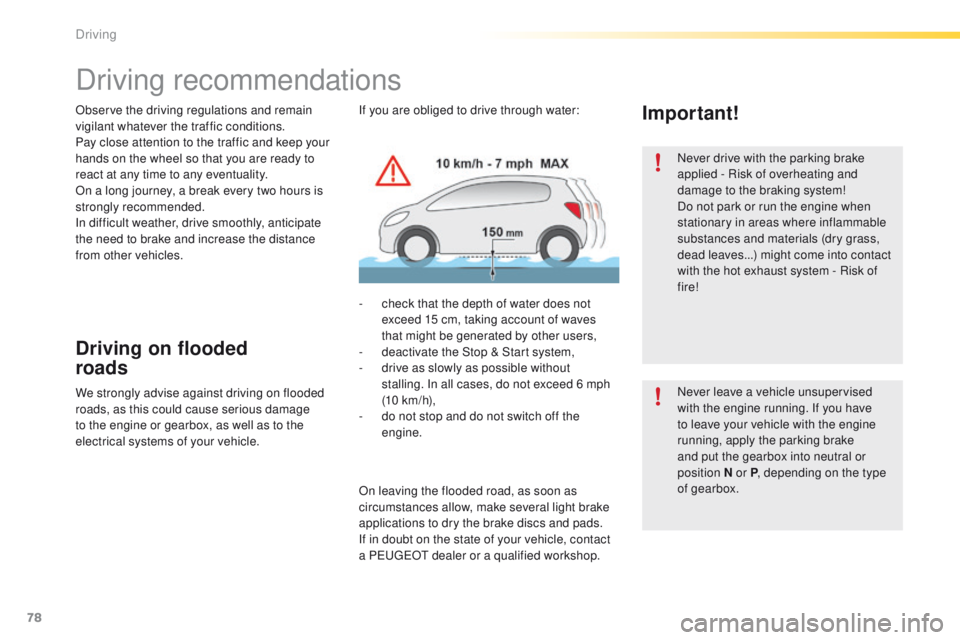
from other vehicles.If you are obliged to drive through water:Important!
Driving on flooded
roads
- check that the depth of water does not exceed 15 cm, taking account of waves
that might be generated by other users,
-
d
eactivate the Stop & Start system,
-
d
rive as slowly as possible without
stalling. In all cases, do not exceed 6 mph
(10
km/h),
-
d
o not stop and do not switch off the
engine.
We strongly advise against driving on flooded
roads, as this could cause serious damage
to the engine or gearbox, as well as to the
electrical systems of your vehicle.
On leaving the flooded road, as soon as
circumstances allow, make several light brake
applications to dry the brake discs and pads.
If in doubt on the state of your vehicle, contact
a PEUGEOT dealer or a qualified workshop. Never drive with the parking brake
applied - Risk of overheating and
damage to the braking system!
Do not park or run the engine when
stationary in areas where inflammable
substances and materials (dry grass,
dead leaves...) might come into contact
with the hot exhaust system - Risk of
fire!
Never leave a vehicle unsupervised
with the engine running. If you have
to leave your vehicle with the engine
running, apply the parking brake
and put the gearbox into neutral or
position
N or P, depending on the type
of gearbox.
Driving