display PEUGEOT 2008 2016 Owners Manual
[x] Cancel search | Manufacturer: PEUGEOT, Model Year: 2016, Model line: 2008, Model: PEUGEOT 2008 2016Pages: 450, PDF Size: 14.16 MB
Page 295 of 450
293
2008_en_Chap12b_SMEGplus_ed01-2016
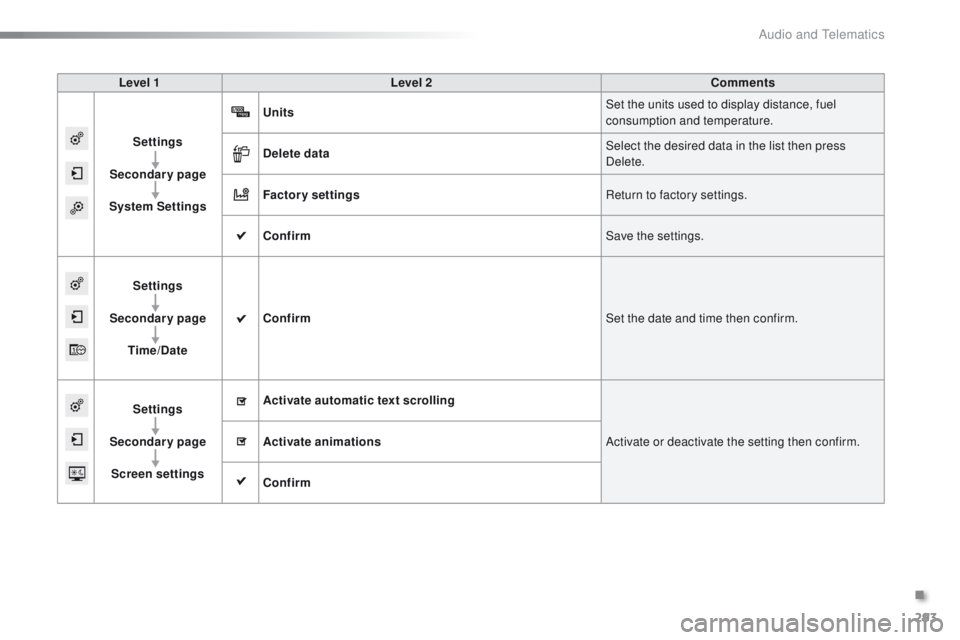
Level 1Level 2 Comments
Settings
Secondary page
System Settings Units
Set the units used to display distance, fuel
consumption and temperature.
Delete data Select the desired data in the list then press
Delete.
Factory settings Return to factory settings.
Confirm Save the settings.
Settings
Secondary page Time/Date Confirm
Set the date and time then confirm.
Settings
Secondary page Screen settings Activate automatic text scrolling
Activate or deactivate the setting then confirm.
Activate animations
Confirm
.
Audio and Telematics
Page 298 of 450
296
2008_en_Chap12b_SMEGplus_ed01-2016
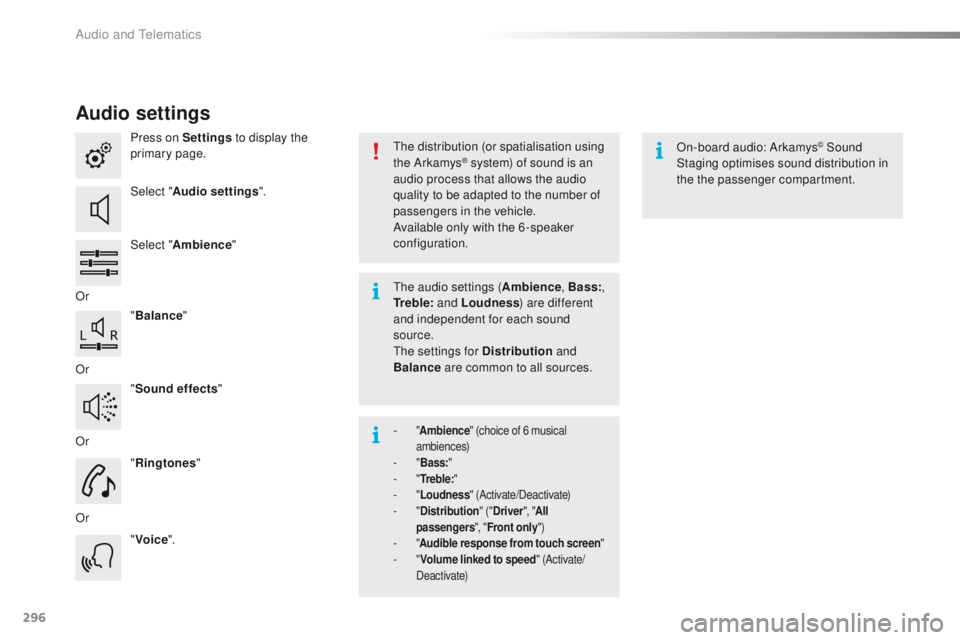
Audio settings
Press on Settings to display the
primary page.
Select " Audio settings ".
Select " Ambience "
Or "Balance "
Or "Sound effects "
Or "Ringtones "
Or "Voice ". On-board audio: Arkamys© Sound
Staging optimises sound distribution in
the the passenger compartment.
The distribution (or spatialisation using
the Arkamys® system) of sound is an
audio process that allows the audio
quality to be adapted to the number of
passengers in the vehicle.
Available only with the 6 -speaker
configuration.
The audio settings ( Ambience, Bass:,
Tr e b l e: and Loudness ) are different
and independent for each sound
source.
The settings for Distribution and
Balance are common to all sources.
-
" Ambience " (choice of 6 musical
ambiences)
-
" B
ass: "
-
" T
r e b l e: "
-
" L
oudness " (Activate/Deactivate)
-
" D
istribution " ("Driver ", "All
passengers ", "Front only ")
-
" A
udible response from touch screen "
-
" V
olume linked to speed " (Activate/
Deactivate)
Audio and Telematics
Page 299 of 450
297
2008_en_Chap12b_SMEGplus_ed01-2016
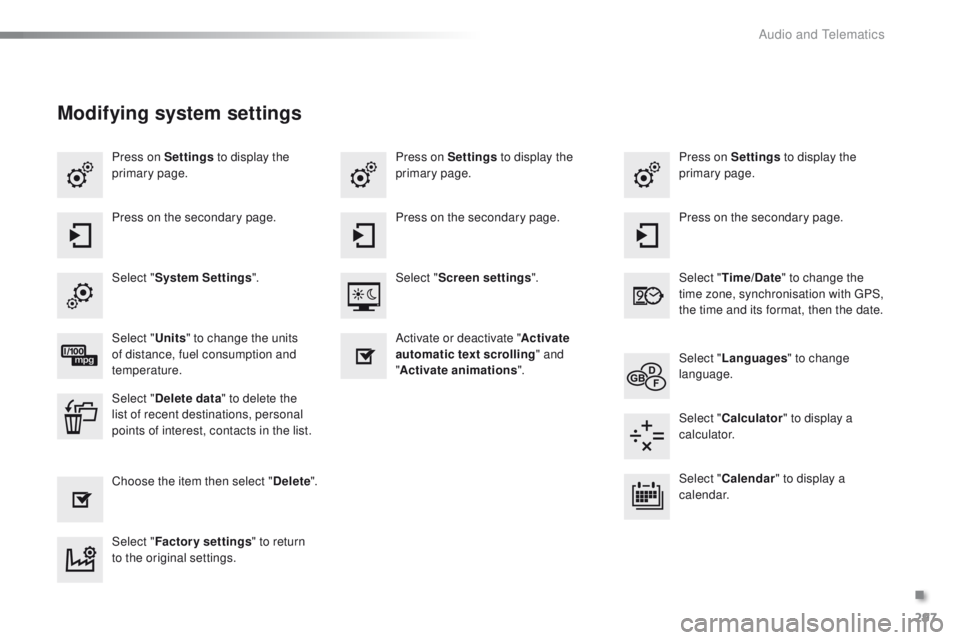
Press on Settings to display the
primary page. Press on Settings
to display the
primary page.
Press on Settings
to display the
primary page.
Press on the secondary page. Press on the secondary page.
Press on the secondary page.
Select " System Settings ". Select "Time/Date " to change the
time zone, synchronisation with GPS,
the time and its format, then the date.
Select "
Screen settings ".
Select " Units" to change the units
of distance, fuel consumption and
temperature. Select "
Languages " to change
language.
Activate or deactivate "
Activate
automatic text scrolling " and
" Activate animations ".
Select " Delete data " to delete the
list of recent destinations, personal
points of interest, contacts in the list. Select "
Calculator " to display a
calculator.
Choose the item then select " Delete". Select "
Calendar " to display a
calendar.
Select " Factory settings " to return
to the original settings.
Modifying system settings
.
Audio and Telematics
Page 301 of 450
299
2008_en_Chap12b_SMEGplus_ed01-2016
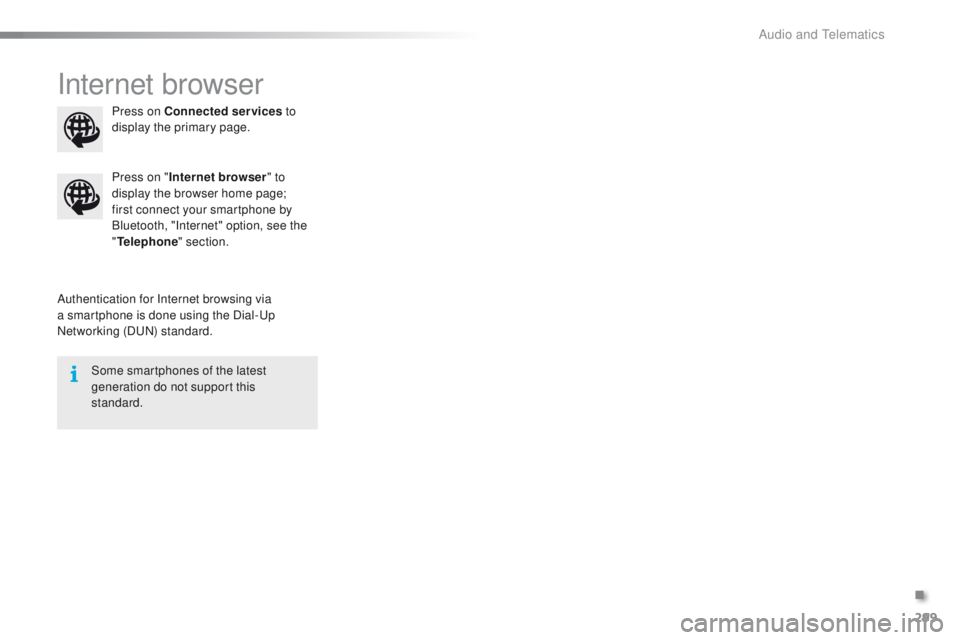
Internet browser
Authentication for Internet browsing via
a smartphone is done using the Dial-Up
Networking (DUN) standard.Press on "
Internet browser " to
display the browser home page;
first connect your smartphone by
Bluetooth, "Internet" option, see the
" Telephone " section.
Some smartphones of the latest
generation do not support this
standard. Press on Connected services
to
display the primary page.
.
Audio and Telematics
Page 303 of 450
301
2008_en_Chap12b_SMEGplus_ed01-2016
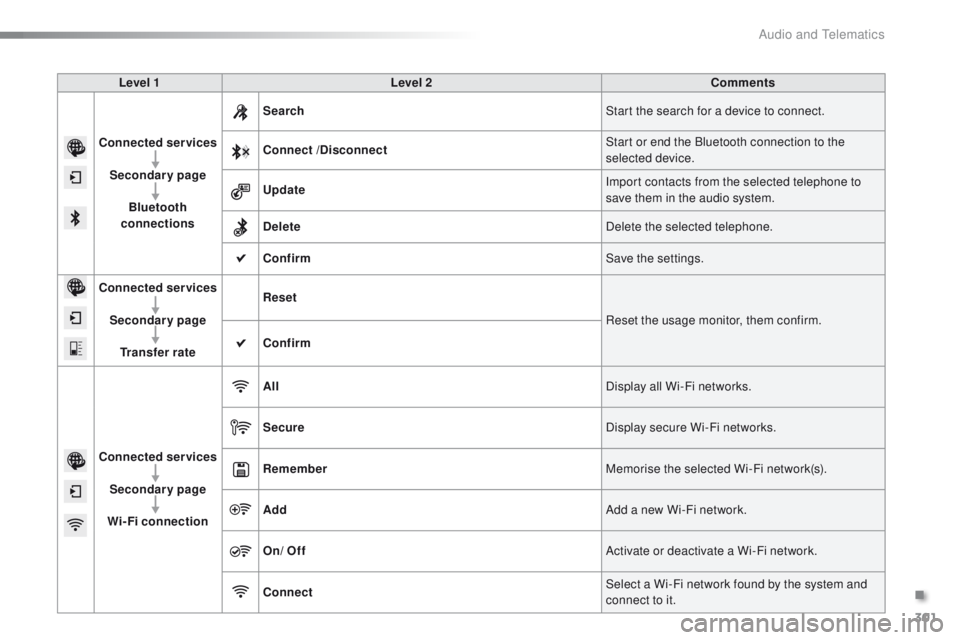
Level 1Level 2 Comments
Connected services Secondary page Bluetooth
connections Search
Start the search for a device to connect.
Connect /Disconnect Start or end the Bluetooth connection to the
selected device.
Update Import contacts from the selected telephone to
save them in the audio system.
Delete Delete the selected telephone.
Confirm Save the settings.
Connected services
Secondary pageTransfer rate Reset
Reset the usage monitor, them confirm.
Confirm
Connected services Secondary page
Wi-Fi connection All
Display all Wi-Fi networks.
Secure Display secure Wi-Fi networks.
Remember Memorise the selected Wi-Fi network(s).
Add Add a new Wi-Fi network.
On/ Off Activate or deactivate a Wi-Fi network.
Connect Select a Wi-Fi network found by the system and
connect to it.
.
Audio and Telematics
Page 305 of 450
303
2008_en_Chap12b_SMEGplus_ed01-2016
As a safety measure and because it
requires sustained attention by the
driver, using a smartphone when
driving is prohibited.
All operations must be done with the
vehicle stationary.
The synchronisation of a
smartphone allows applications on a
smartphone that are adapted to the
MirrorLink
TM technology to be displayed
i
n the vehicle's screen.
The principles and standards
are constantly evolving. For the
communication process between the
smartphone and the system to work
correctly, the smartphone must be
unlocked; update the operating system
of your smartphone as well as the date
and time in the smartphone and the
system.
For the list of eligible smartphones,
connect to the brand's internet website
in your country. As a safety measure, applications
can only be viewed with the vehicle
stationary; display is interrupted once
the vehicle is moving.When connecting a smartphone to
the system, it is recommended that
Bluetooth
® be started on the smartphone.
Start the application on the
smartphone (optional, depending
on the smartphone and operating
syste m).
Access to the different audio sources remains
accessible in the margin of the MirrorLink
TM
display, using touch buttons in the upper bar.
Access to the menus for the system is possible
at any time using the dedicated buttons. During the procedure, several screen
pages relating to certain functions
are displayed.
Accept to start and end the
connection.
Connect a USB cable. The
smartphone charges when
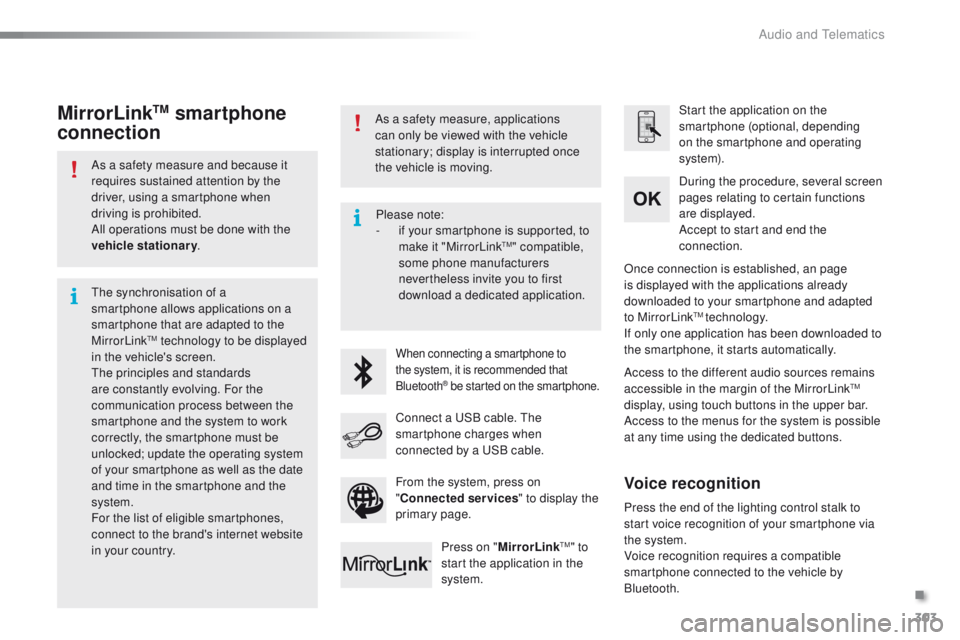
connected by a USB cable. Press on " MirrorLink
TM" to
start the application in the
system. Once connection is established, an page
is displayed with the applications already
downloaded to your smartphone and adapted
to MirrorLink
TM technology.
If only one application has been downloaded to
the smartphone, it starts automatically.
MirrorLinkTM smartphone
connection
Press the end of the lighting control stalk to
start voice recognition of your smartphone via
the system.
Voice recognition requires a compatible
smartphone connected to the vehicle by
Bluetooth.
Voice recognition
Please note:
-
i f your smartphone is supported, to
make it "MirrorLink
TM" compatible,
some phone manufacturers
nevertheless invite you to first
download a dedicated application.
From the system, press on
" Connected services " to display the
primary page.
.
Audio and Telematics
Page 309 of 450
307
2008_en_Chap12b_SMEGplus_ed01-2016
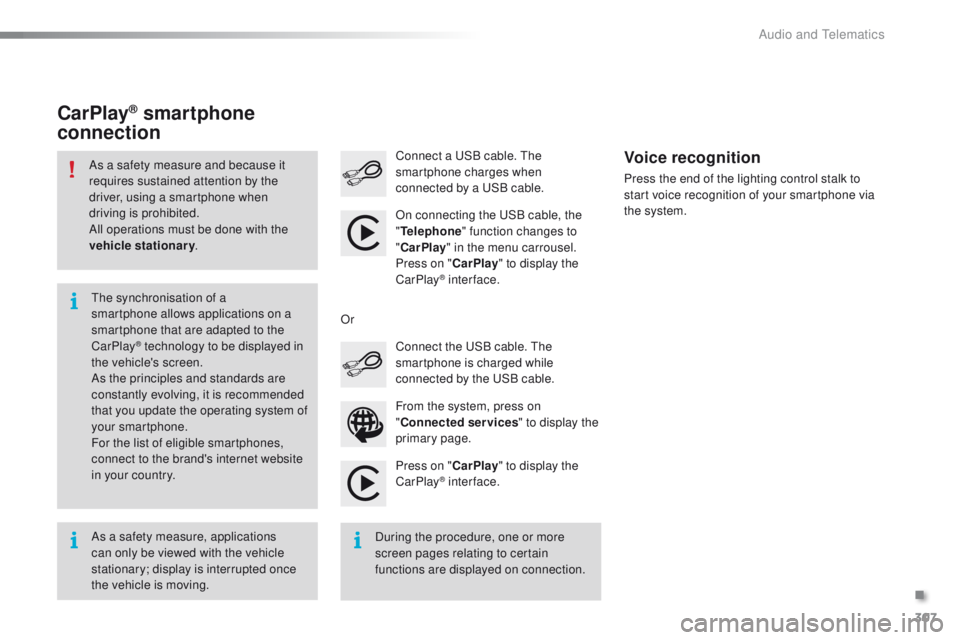
Press on "CarPlay" to display the
CarPlay® inter face.
Connect a USB cable. The
smartphone charges when
connected by a USB cable.
Press the end of the lighting control stalk to
start voice recognition of your smartphone via
the system.
CarPlay® smartphone
connection
From the system, press on
" Connected services " to display the
primary page. Connect the USB cable. The
smartphone is charged while
connected by the USB cable.
Or
Voice recognition
As a safety measure, applications
can only be viewed with the vehicle
stationary; display is interrupted once
the vehicle is moving. The synchronisation of a
smartphone allows applications on a
smartphone that are adapted to the
CarPlay
® technology to be displayed in
t
he vehicle's screen.
As the principles and standards are
constantly evolving, it is recommended
that you update the operating system of
your smartphone.
For the list of eligible smartphones,
connect to the brand's internet website
in your country.
As a safety measure and because it
requires sustained attention by the
driver, using a smartphone when
driving is prohibited.
All operations must be done with the
vehicle stationary
.
During the procedure, one or more
screen pages relating to certain
functions are displayed on connection.On connecting the USB cable, the
"
Telephone " function changes to
" CarPlay " in the menu carrousel.
Press on " CarPlay" to display the
CarPlay
® inter face.
.
Audio and Telematics
Page 311 of 450
309
2008_en_Chap12b_SMEGplus_ed01-2016
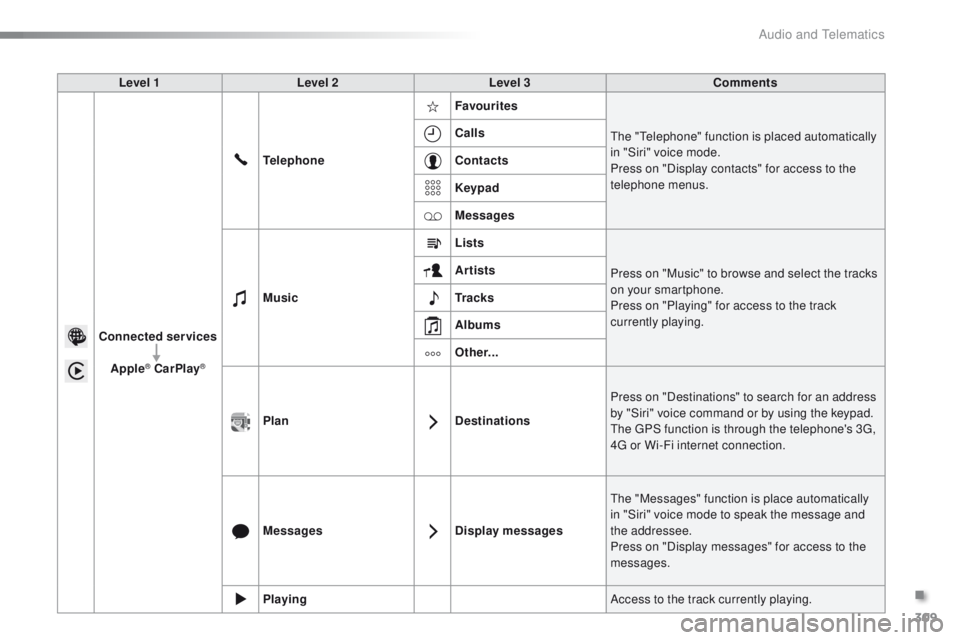
Level 1Level 2 Level 3 Comments
Connected services Apple
® CarPlay®
Telephone Favourites
The "Telephone" function is placed automatically
in "Siri" voice mode.
Press on "Display contacts" for access to the
telephone menus.
Calls
Contacts
Keypad
Messages
Music Lists
Press on "Music" to browse and select the tracks
on your smartphone.
Press on "Playing" for access to the track
currently playing.
Artists
Tr a c k s
Albums
Other...
Plan DestinationsPress on "Destinations" to search for an address
by "Siri" voice command or by using the keypad.
The GPS function is through the telephone's 3G,
4G or Wi-Fi internet connection.
Messages Display messagesThe "Messages" function is place automatically
in "Siri" voice mode to speak the message and
the addressee.
Press on "Display messages" for access to the
messages.
Playing Access to the track currently playing.
.
Audio and Telematics
Page 316 of 450
314
2008_en_Chap12b_SMEGplus_ed01-2016
Pairing a Bluetooth®
telephone
For reasons of safety and because they
require prolonged attention on the part
of the driver, the operations for pairing
the Bluetooth mobile telephone to the
hands-free system of the audio system
must be carried out with the vehicle
stationary .
Procedure (short) from the
telephone
In the Bluetooth menu of your device, select the
system name in the list of devices detected.
Enter a code of at least 4 figures in the device
and confirm.
Enter this same code in the system,
select "OK" and confirm.
Procedure from the system
Activate the telephone's Bluetooth function
and ensure that it is "visible to all" (telephone
configuration).
Press on Telephone to display the
primary page.
Press on the secondary page.
Select " Bluetooth connection ".
Select " Search for devices ".
The list of telephones detected is
displayed.
If the telephone is not detected, it is
recommended that you switch the Bluetooth
function on your telephone off and then on again.
Select the name of the
desired peripheral from the
list and " Confirm ".
Enter a code of at least 4 figures for
the connection then " Confirm".
Enter this same code in the telephone then
accept the connection.
The system offers to connect the telephone:
-
i
n " Telephone " (hands-free kit, telephone
only),
-
i
n " Audio streaming " (streaming: wireless
playing of audio files from the telephone),
-
i
n " Internet " (internet browsing, only if your
telephone is compatible with the "DUN"
Dial-Up Networking Bluetooth standard).
Select one or more profiles and confirm.
Audio and Telematics
Page 317 of 450
315
2008_en_Chap12b_SMEGplus_ed01-2016
The services available depend on
the network, the SIM card and the
compatibility of the Bluetooth telephone
used. Check the telephone manual and
with your network provider for details of
the services available to you.
The ability of the system to connect
with only one profile depends on the
telephone. The three profiles may all
connect by default.
Visit www.peugeot.co.uk for more information
(compatibility, additional help, ...).
The recognised telephone
appears in the list.
Depending on your telephone, you may be
asked to accept automatic connection every
time the ignition is switched on. On return to the vehicle, if the last telephone
connected is present again, it is reconnected
automatically and within around 30 seconds
after switching on the ignition the pairing is
done without any action on your part, with
(Bluetooth activated).
To modify the automatic connection mode,
select the telephone in the list then select the
desired profile.Depending on the type of telephone,
the system will ask you to accept or not
the transfer of your contacts.
If not, select " Update".
Connecting a Bluetooth®
peripheral device
Automatic reconnection
On switching on the ignition, the telephone
connected when the ignition was last switched
off is automatically reconnected, if this
connection mode had been activated during the
pairing procedure.
The connection is confirmed by the display of a
message and the name of the telephone.
Manual connection
Press on Telephone to display the
primary page.
Press on the secondary page.
Select " Bluetooth " to display the list
of paired peripherals.
Select the peripheral to connect. Press on " Search for devices ".
The connection is confirmed by the display of a
message and the name of the telephone.
.
Audio and Telematics