service PEUGEOT 2008 2016 User Guide
[x] Cancel search | Manufacturer: PEUGEOT, Model Year: 2016, Model line: 2008, Model: PEUGEOT 2008 2016Pages: 450, PDF Size: 14.16 MB
Page 31 of 450
29
2008_en_Chap01_controle-de-marche_ed01-2016
Service overdue
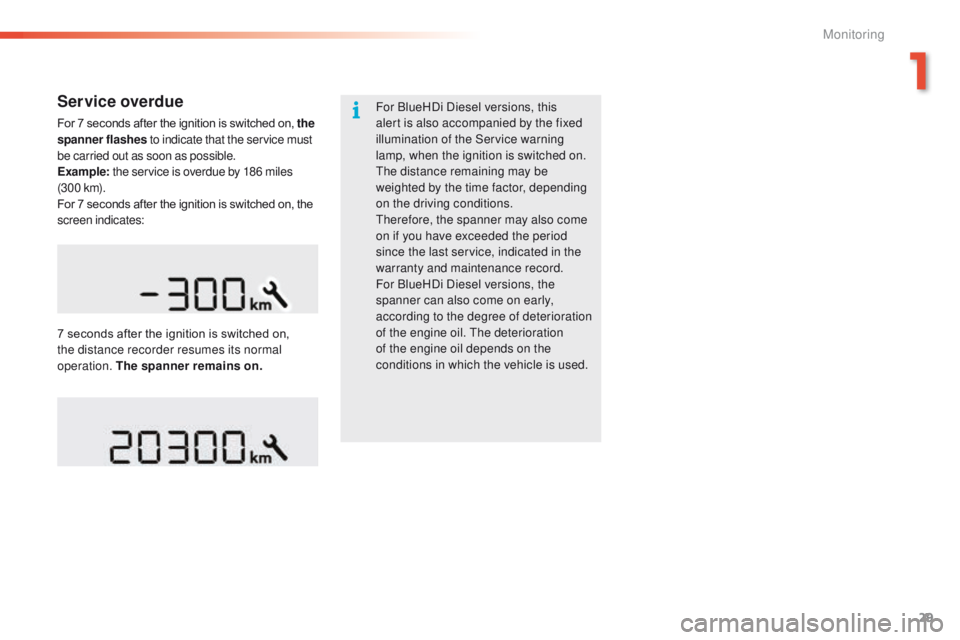
For 7 seconds after the ignition is switched on, the
spanner flashes to indicate that the service must
be carried out as soon as possible.
Example: the service is overdue by 186 miles
(3 0 0 k m).
For 7 seconds after the ignition is switched on, the
screen indicates: For BlueHDi Diesel versions, this
alert is also accompanied by the fixed
illumination of the Service warning
lamp, when the ignition is switched on.
The distance remaining may be
weighted by the time factor, depending
on the driving conditions.
Therefore, the spanner may also come
on if you have exceeded the period
since the last service, indicated in the
warranty and maintenance record.
For BlueHDi Diesel versions, the
spanner can also come on early,
according to the degree of deterioration
of the engine oil. The deterioration
of the engine oil depends on the
conditions in which the vehicle is used.
7 seconds after the ignition is switched on,
the distance recorder resumes its normal
operation. The spanner remains on.
1
Monitoring
Page 32 of 450
30
Retrieving the service
information
You can access the service information at any
time.
F
P
ress the trip distance recorder reset
button.
T
he service information is displayed for a
few seconds, then disappears.
If you have to disconnect the battery
following this operation, lock the vehicle
and wait at least 5 minutes for the reset
to be registered.
Resetting the service
indicator
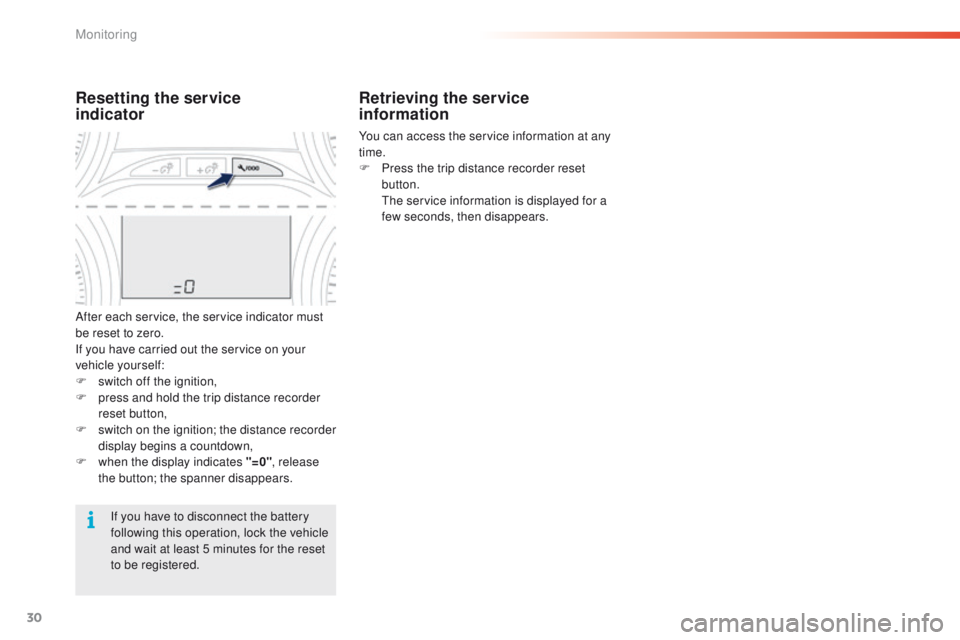
After each service, the service indicator must
be reset to zero.
If you have carried out the service on your
vehicle yourself:
F
s
witch off the ignition,
F
p
ress and hold the trip distance recorder
reset button,
F
s
witch on the ignition; the distance recorder
display begins a countdown,
F
w
hen the display indicates "=0" , release
the button; the spanner disappears.
Monitoring
Page 34 of 450
32
Electronic oil level indicator
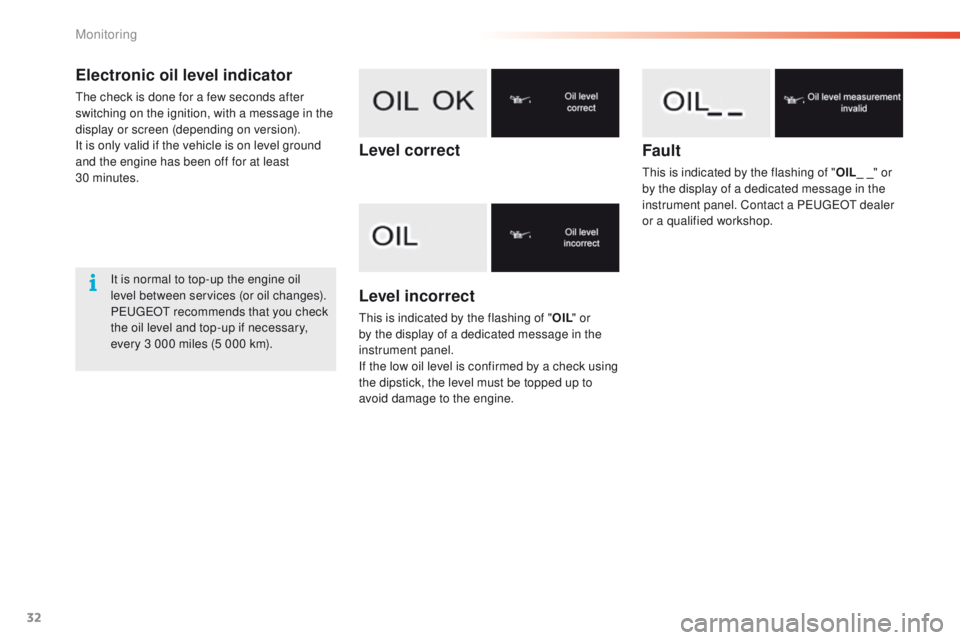
The check is done for a few seconds after
switching on the ignition, with a message in the
display or screen (depending on version).
It is only valid if the vehicle is on level ground
and the engine has been off for at least
30
minutes.
It is normal to top-up the engine oil
level between services (or oil changes).
PEUGEOT recommends that you check
the oil level and top-up if necessary,
every 3 000 miles (5 000 km).
Fault
This is indicated by the flashing of " OIL_ _" or
by the display of a dedicated message in the
instrument panel. Contact a PEUGEOT dealer
or a qualified workshop.
Level correct
Level incorrect
This is indicated by the flashing of " OIL" or
by the display of a dedicated message in the
instrument panel.
If the low oil level is confirmed by a check using
the dipstick, the level must be topped up to
avoid damage to the engine.
Monitoring
Page 36 of 450
34
Touch screen
For reasons of safety, the driver
should only carr y out operations
that require close attention, with the
vehicle stationary.
Some functions are not accessible
when driving.
It gives access to:
-
m
enus for adjusting settings for vehicle
functions and systems,
-
a
udio and display configuration menus,
-
a
udio system and telephone controls and
the display of associated information.
And, depending on equipment, it allows:
-
t
he display of alert messages and the
visual parking sensors information,
-
a
ccess to the controls for the navigation
system and Internet services, and the
display of associated information.
General operation
Recommendations
It is necessary to press firmly, particularly for
"flick" gestures (scrolling through lists, moving
the map...).
A light wipe is not enough.
The screen does not recognise pressing with
more than one finger.
This technology allows use at all temperatures
and when wearing gloves.
Do not use pointed objects on the touch
screen.
Do not touch the touch screen with wet hands.
Uses a soft clean cloth to clean the touch
screen.
State of indicator lamps
Some buttons contain an indicator lamp that
gives the state of the corresponding function.
Green indicator: you have switched on the
corresponding function.
Orange indicator: you have switched off the
corresponding function.
Principles
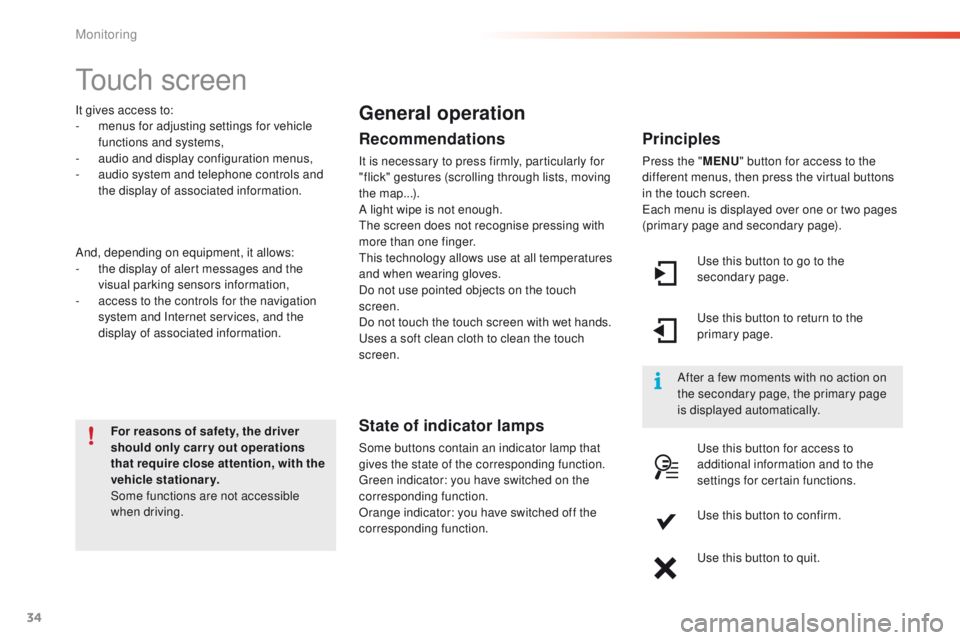
Press the " MENU" button for access to the
different menus, then press the virtual buttons
in the touch screen.
Each menu is displayed over one or two pages
(primary page and secondary page).
Use this button to go to the
secondary page.
After a few moments with no action on
the secondary page, the primary page
is displayed automatically. Use this button to return to the
primary page.
Use this button for access to
additional information and to the
settings for certain functions.
Use this button to confirm.
Use this button to quit.
Monitoring
Page 37 of 450
35
2008_en_Chap01_controle-de-marche_ed01-2016
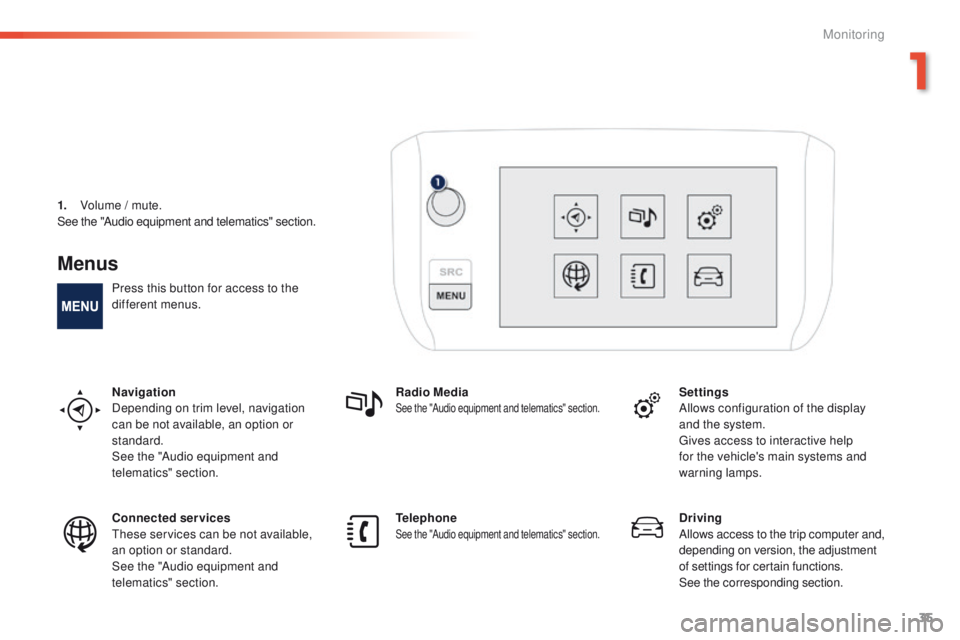
Menus
Press this button for access to the
different menus.
Navigation
Depending on trim level, navigation
can be not available, an option or
standard.
See the "Audio equipment and
telematics" section.Radio Media
See the "Audio equipment and telematics" section.Settings
Allows configuration of the display
and the system.
Gives access to interactive help
for the vehicle's main systems and
warning lamps.
Connected services
These services can be not available,
an option or standard.
See the "Audio equipment and
telematics" section. Telephone
See the "Audio equipment and telematics" section.Driving
Allows access to the trip computer and,
depending on version, the adjustment
of settings for certain functions.
See the corresponding section.
1.
V
olume / mute.
See the "Audio equipment and telematics" section.
1
Monitoring
Page 49 of 450
47
2008_en_Chap02_ouvertures_ed01-2016
Lost keys
Go to a PEUGEOT dealer with the vehicle's registration document, your personal identification documents and if possible the key code label.
The PEUGEOT dealer will be able to look up the key code and the transponder code required to order a new key.
Remote control
The high frequency remote control is a sensitive system; do not operate it while it is in your pocket as there is a possibility that it may unlock the
vehicle, without you being aware of it.
Do not repeatedly press the buttons of your remote control out of range and out of sight of your vehicle. You run the risk of stopping it from
working and the remote control would have to be reinitialised.
No remote control can operate when the key is in the ignition switch, even when the ignition is switched off, except for reinitialisation.
Anti-theft protection
Do not make any modifications to the electronic engine immobiliser system; this could cause malfunctions.
Locked vehicle
Driving with the doors locked may make access to the passenger compartment by the emergency services more difficult in an emergency.
As a safety precaution, never leave children alone in the vehicle, except for a very short period.
In all cases, it is essential to remove the key from the ignition switch when leaving the vehicle.
Second-hand vehicle
Have the pairing of all of the keys in your possession checked by a PEUGEOT dealer, to ensure that only your keys can be used to open and
start the vehicle.
2
Access
Page 53 of 450
51
2008_en_Chap02_ouvertures_ed01-2016
Locking / unlocking from the inside
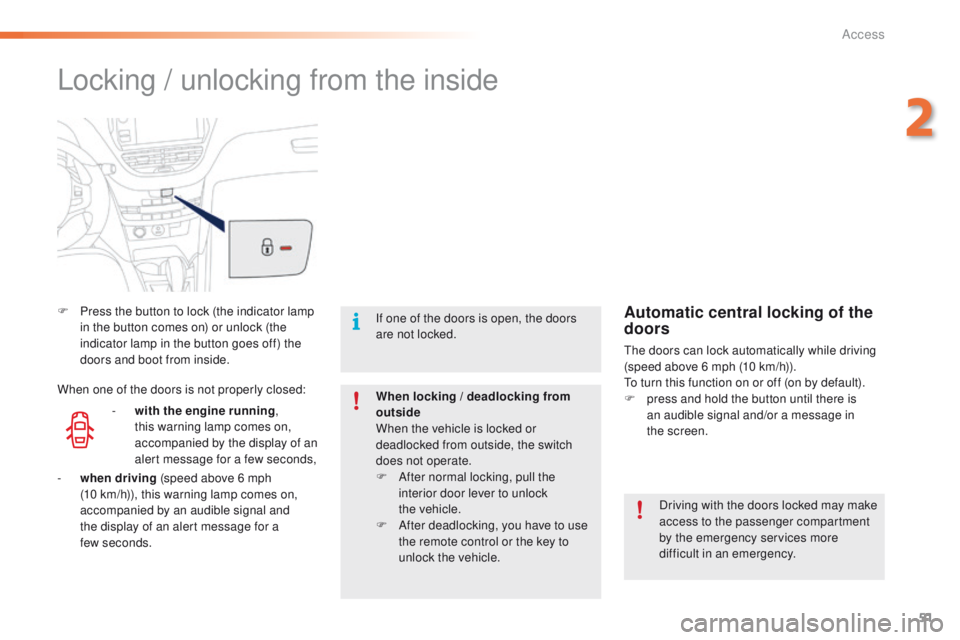
F Press the button to lock (the indicator lamp in the button comes on) or unlock (the
indicator lamp in the button goes off) the
doors and boot from inside.
Driving with the doors locked may make
access to the passenger compartment
by the emergency services more
difficult in an emergency.
If one of the doors is open, the doors
are not locked.
When locking / deadlocking from
outside
When the vehicle is locked or
deadlocked from outside, the switch
does not operate.
F
A
fter normal locking, pull the
interior door lever to unlock
the
vehicle.
F
A
fter deadlocking, you have to use
the remote control or the key to
unlock the vehicle.Automatic central locking of the
doors
The doors can lock automatically while driving
(speed above 6 mph (10 km/h)).
To turn this function on or off (on by default).
F
p
ress and hold the button until there is
an audible signal and/or a message in
the
screen.
-
w
ith the engine running ,
this warning lamp comes on,
accompanied by the display of an
alert message for a few seconds,
When one of the doors is not properly closed:
-
wh
en driving (speed above 6 mph
(10
km/h)), this warning lamp comes on,
accompanied by an audible signal and
the display of an alert message for a
few
seconds.
2
Access
Page 54 of 450
52
2008_en_Chap02_ouvertures_ed01-2016
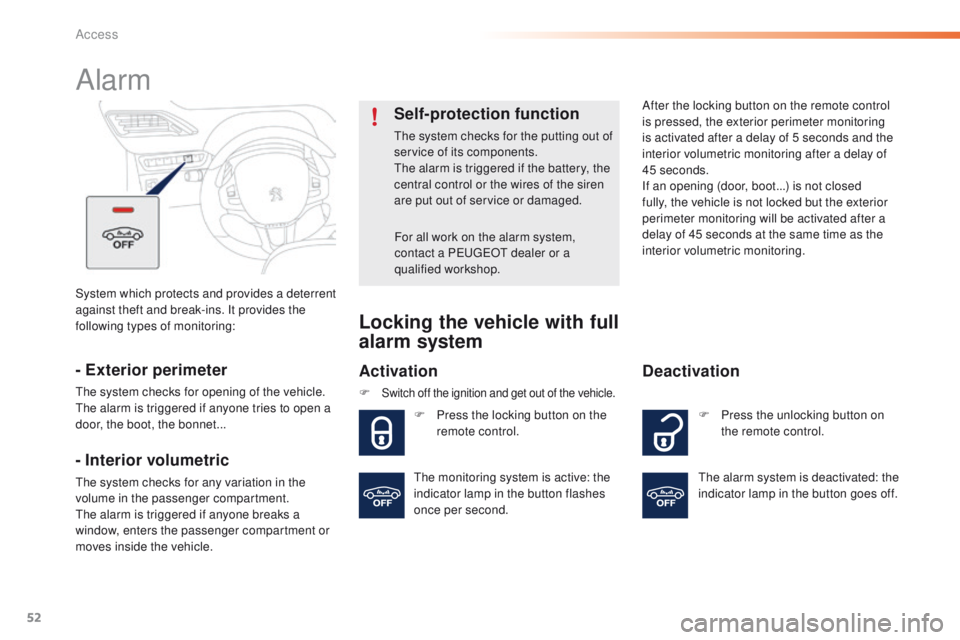
System which protects and provides a deterrent
against theft and break-ins. It provides the
following types of monitoring:
Alarm
- Exterior perimeter
The system checks for opening of the vehicle.
The alarm is triggered if anyone tries to open a
door, the boot, the bonnet...
- Interior volumetric
The system checks for any variation in the
volume in the passenger compartment.
The alarm is triggered if anyone breaks a
window, enters the passenger compartment or
moves inside the vehicle.
Self-protection function
The system checks for the putting out of
service of its components.
The alarm is triggered if the battery, the
central control or the wires of the siren
are put out of service or damaged.For all work on the alarm system,
contact a PEUGEOT dealer or a
qualified workshop.
Locking the vehicle with full
alarm system
Activation
F Switch off the ignition and get out of the vehicle.
F Press the locking button on the remote control. After the locking button on the remote control
is pressed, the exterior perimeter monitoring
is activated after a delay of 5 seconds and the
interior volumetric monitoring after a delay of
45 seconds.
If an opening (door, boot...) is not closed
fully, the vehicle is not locked but the exterior
perimeter monitoring will be activated after a
delay of 45 seconds at the same time as the
interior volumetric monitoring.
F P ress the unlocking button on
the remote control.
Deactivation
The alarm system is deactivated: the
indicator lamp in the button goes off.
The monitoring system is active: the
indicator lamp in the button flashes
once per second.
Access
Page 138 of 450
136
2008_en_Chap07_securite_ed01-2016
Horn
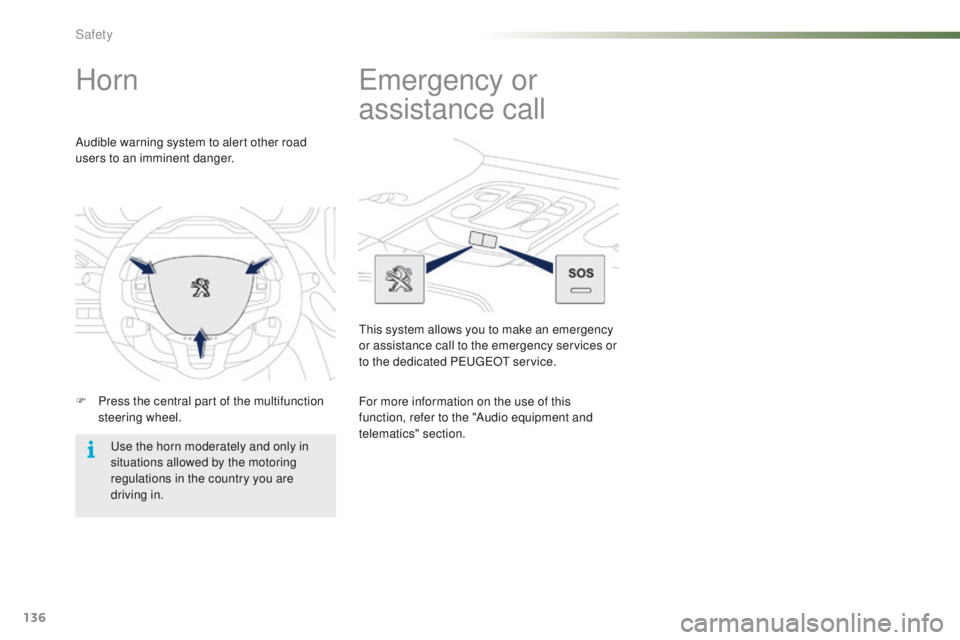
F Press the central part of the multifunction steering wheel.
Audible warning system to alert other road
users to an imminent danger.
Use the horn moderately and only in
situations allowed by the motoring
regulations in the country you are
driving in.
Emergency or
assistance call
This system allows you to make an emergency
or assistance call to the emergency services or
to the dedicated PEUGEOT service.
For more information on the use of this
function, refer to the "Audio equipment and
telematics" section.
Safety
Page 141 of 450
139
2008_en_Chap07_securite_ed01-2016
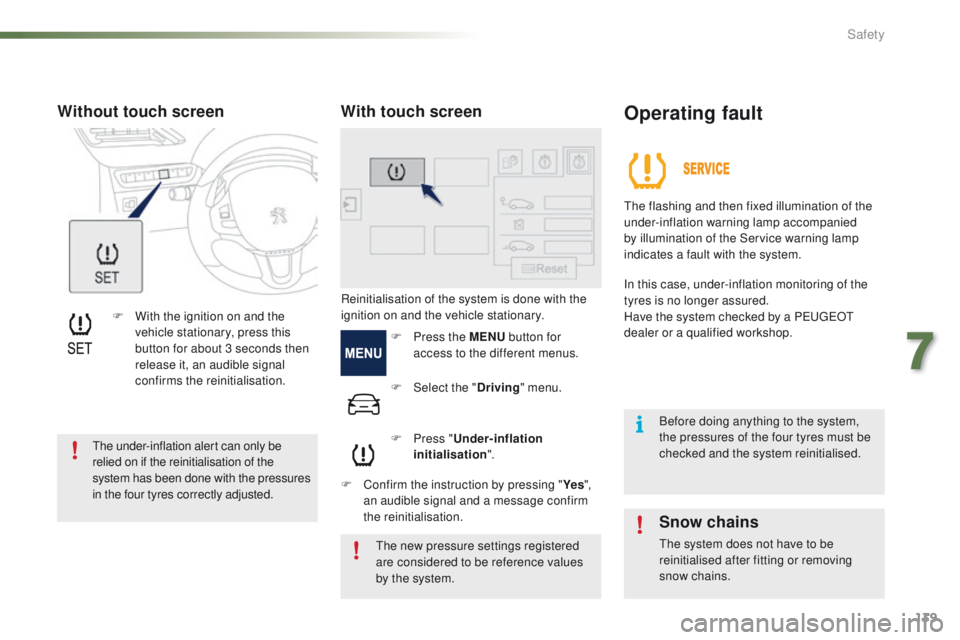
F With the ignition on and the vehicle stationary, press this
button for about 3 seconds then
release it, an audible signal
confirms the reinitialisation.
Snow chains
The system does not have to be
reinitialised after fitting or removing
snow chains.
The flashing and then fixed illumination of the
under-inflation warning lamp accompanied
by illumination of the Service warning lamp
indicates a fault with the system.
Before doing anything to the system,
the pressures of the four tyres must be
checked and the system reinitialised.
Operating fault
In this case, under-inflation monitoring of the
tyres is no longer assured.
Have the system checked by a PEUGEOT
dealer or a qualified workshop.
Reinitialisation of the system is done with the
ignition on and the vehicle stationary.
F
P
ress the MENU button for
access to the different menus.
F
Sel
ect the " Driving" menu.
F
P
ress " Under-inflation
initialisation ".
The new pressure settings registered
are considered to be reference values
by the system.
With touch screen
F Confirm the instruction by pressing " Ye s",
an audible signal and a message confirm
the reinitialisation.
Without touch screen
The under-inflation alert can only be
relied on if the reinitialisation of the
system has been done with the pressures
in the four tyres correctly adjusted.
7
Safety