service PEUGEOT 2008 2016 Workshop Manual
[x] Cancel search | Manufacturer: PEUGEOT, Model Year: 2016, Model line: 2008, Model: PEUGEOT 2008 2016Pages: 450, PDF Size: 14.16 MB
Page 378 of 450
1
3
Monitoring
2008-additif_en_Chap01_controle-de-marche_ed01-2016
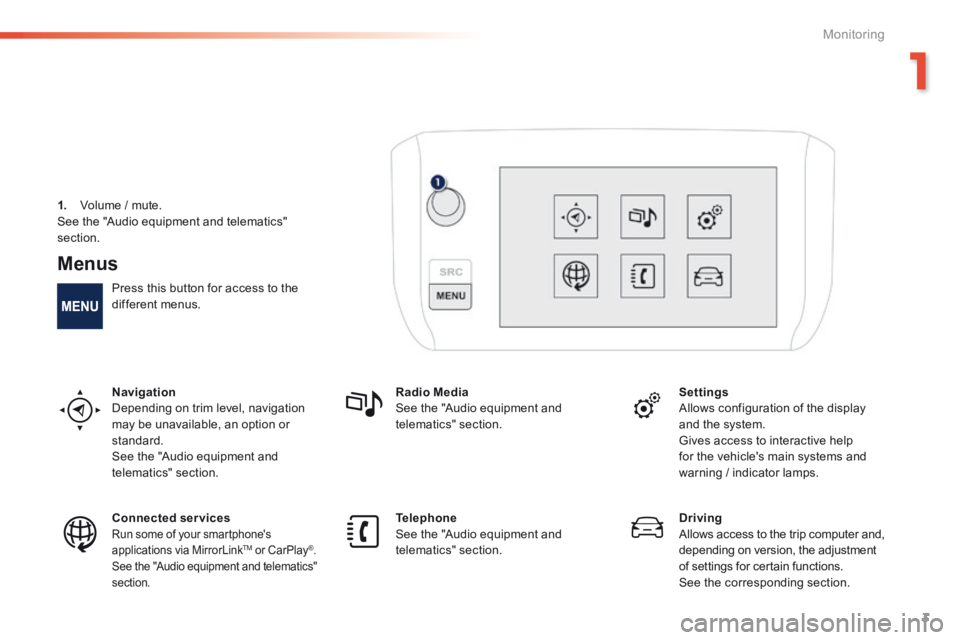
Menus
Press this button for access to the different menus.
Navigation Depending on trim level, navigation may be unavailable, an option or standard. See the "Audio equipment and telematics" section.
Radio Media See the "Audio equipment and telematics" section.
Settings Allows configuration of the display and the system.
Gives access to interactive help for the vehicle's main systems and warning / indicator lamps.
Connected services Run some of your smartphone's applications via MirrorLink TMapplications via MirrorLink TMapplications via MirrorLink or CarPlay®. See the "Audio equipment and telematics" section.
Telephone See the "Audio equipment and telematics" section.
Driving Allows access to the trip computer and, depending on version, the adjustment of settings for certain functions. See the corresponding section.
1. Volume / mute. See the "Audio equipment and telematics"
section.
Page 383 of 450
Audio and Telematics
8
2008-additif_en_Chap12a_BTA-2-BTA-3R_ed01-2016
Emergency or assistance call
PEUGEOT Connect SOS
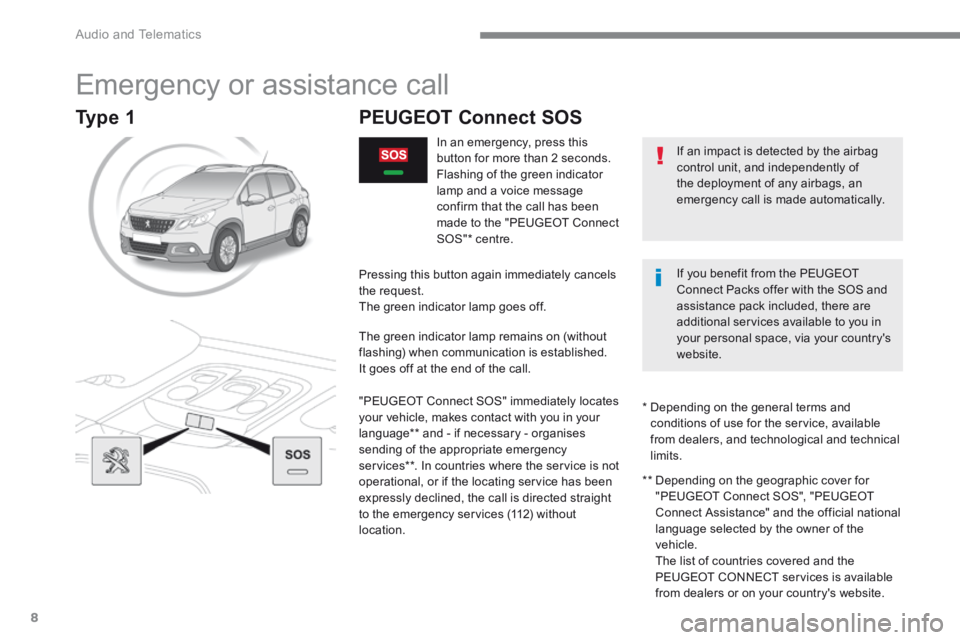
In an emergency, press this button for more than 2 seconds. Flashing of the green indicator lamp and a voice message confirm that the call has been made to the "PEUGEOT Connect SOS" * centre.
Pressing this button again immediately cancels the request. The green indicator lamp goes off.
The green indicator lamp remains on (without flashing) when communication is established. It goes off at the end of the call.
"PEUGEOT Connect SOS" immediately locates your vehicle, makes contact with you in your language ** and - if necessary - organises sending of the appropriate emergency services ** . In countries where the service is not operational, or if the locating service has been expressly declined, the call is directed straight to the emergency services (112) without location.
** Depending on the geographic cover for "PEUGEOT Connect SOS", "PEUGEOT Connect Assistance" and the official national language selected by the owner of the vehicle. The list of countries covered and the PEUGEOT CONNECT services is available
from dealers or on your country's website.
* Depending on the general terms and conditions of use for the service, available from dealers, and technological and technical limits.
If an impact is detected by the airbag control unit, and independently of the deployment of any airbags, an emergency call is made automatically.
If you benefit from the PEUGEOT Connect Packs offer with the SOS and assistance pack included, there are additional services available to you in your personal space, via your country's website.
Type 1
Page 384 of 450
.
Audio and Telematics 9
2008-additif_en_Chap12a_BTA-2-BTA-3R_ed01-2016
PEUGEOT Connect Assistance
The fault with the system does not prevent the vehicle being driven.
Press this button for more than 2 seconds to request assistance if the vehicle breaks down. A voice message confirms that the call has been made ** .
Pressing this button again immediately cancels the request. The cancellation is confirmed by a voice message.
Geo-location
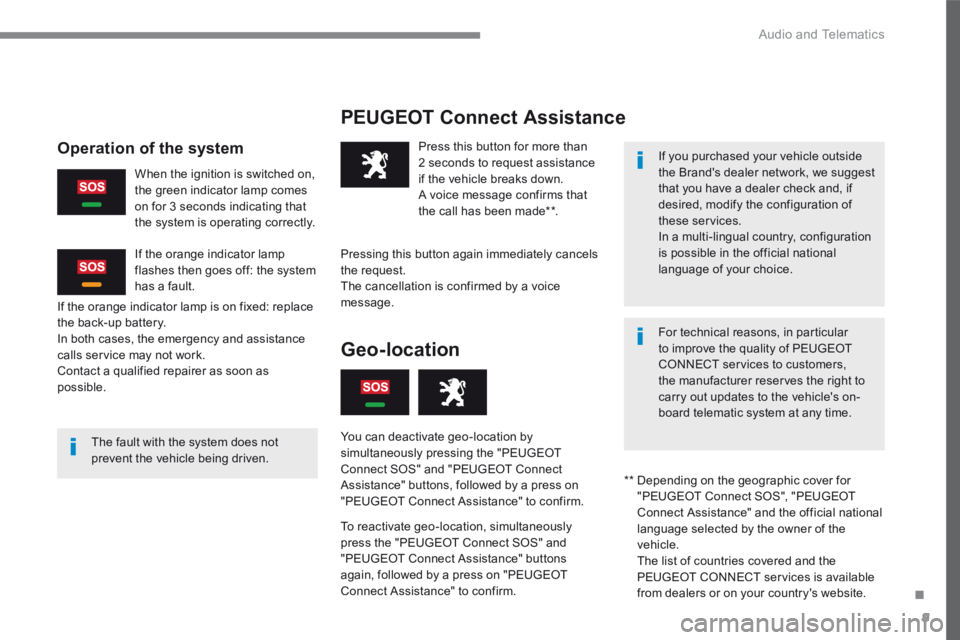
You can deactivate geo-location by simultaneously pressing the "PEUGEOT Connect SOS" and "PEUGEOT Connect Assistance" buttons, followed by a press on "PEUGEOT Connect Assistance" to confirm.
To reactivate geo-location, simultaneously press the "PEUGEOT Connect SOS" and "PEUGEOT Connect Assistance" buttons again, followed by a press on "PEUGEOT Connect Assistance" to confirm.
If the orange indicator lamp is on fixed: replace the back-up battery. In both cases, the emergency and assistance calls service may not work. Contact a qualified repairer as soon as possible.
Operation of the system
When the ignition is switched on, the green indicator lamp comes on for 3 seconds indicating that the system is operating correctly.
If the orange indicator lamp flashes then goes off: the system has a fault.
If you purchased your vehicle outside the Brand's dealer network, we suggest that you have a dealer check and, if desired, modify the configuration of these services. In a multi-lingual country, configuration is possible in the official national language of your choice.
For technical reasons, in particular to improve the quality of PEUGEOT CONNECT services to customers, the manufacturer reserves the right to carry out updates to the vehicle's on-board telematic system at any time.
** Depending on the geographic cover for "PEUGEOT Connect SOS", "PEUGEOT Connect Assistance" and the official national language selected by the owner of the vehicle. The list of countries covered and the PEUGEOT CONNECT services is available
from dealers or on your country's website.
Page 385 of 450
Audio and Telematics
10
2008-additif_en_Chap12a_BTA-2-BTA-3R_ed01-2016
Emergency or assistance call
If an impact is detected by the airbag control unit, and independently of the deployment of any airbags, an emergency call is made automatically.
PEUGEOT Connect SOS
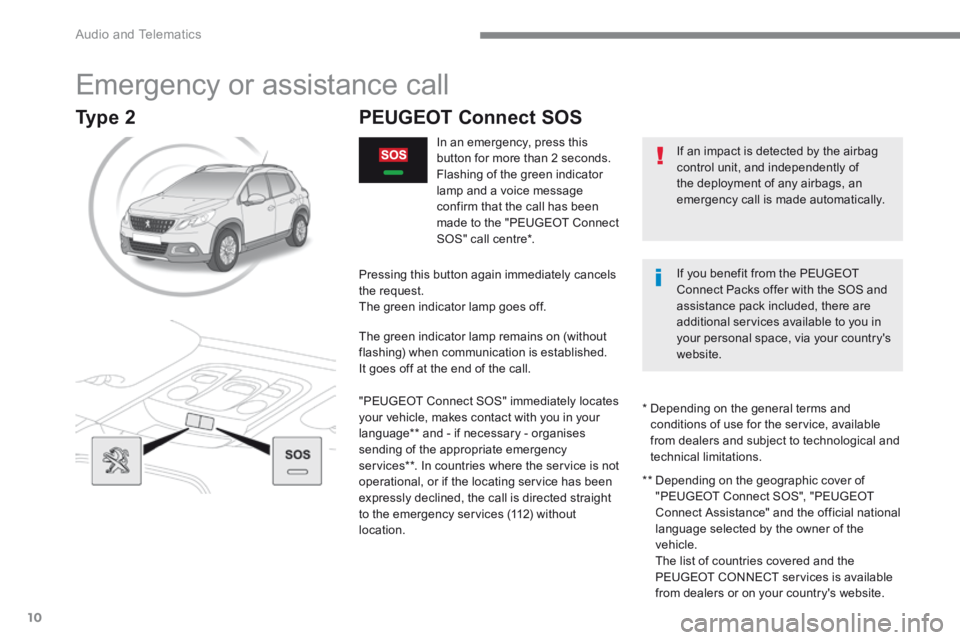
In an emergency, press this button for more than 2 seconds. Flashing of the green indicator lamp and a voice message confirm that the call has been made to the "PEUGEOT Connect SOS" call centre * .
Pressing this button again immediately cancels the request. The green indicator lamp goes off.
The green indicator lamp remains on (without flashing) when communication is established. It goes off at the end of the call.
"PEUGEOT Connect SOS" immediately locates your vehicle, makes contact with you in your language ** and - if necessary - organises sending of the appropriate emergency services ** . In countries where the service is not operational, or if the locating service has been expressly declined, the call is directed straight to the emergency services (112) without location.
** Depending on the geographic cover of "PEUGEOT Connect SOS", "PEUGEOT Connect Assistance" and the official national language selected by the owner of the vehicle. The list of countries covered and the PEUGEOT CONNECT services is available
from dealers or on your country's website.
* Depending on the general terms and conditions of use for the service, available from dealers and subject to technological and technical limitations.
If you benefit from the PEUGEOT Connect Packs offer with the SOS and assistance pack included, there are additional services available to you in your personal space, via your country's website.
Type 2
Page 386 of 450
.
Audio and Telematics 11
2008-additif_en_Chap12a_BTA-2-BTA-3R_ed01-2016
PEUGEOT Connect Assistance
If you purchased your vehicle outside the Brand's dealer network, we suggest that you have a dealer check and, if desired, modify the configuration of these services. In a multi-lingual country, configuration is possible in the official national language of your choice.
For technical reasons, in particular to improve the quality of PEUGEOT CONNECT services to customers, the manufacturer reserves the right to carry out updates to the vehicle's on-board telematic system at any time.
The fault with the system does not
prevent the vehicle being driven.
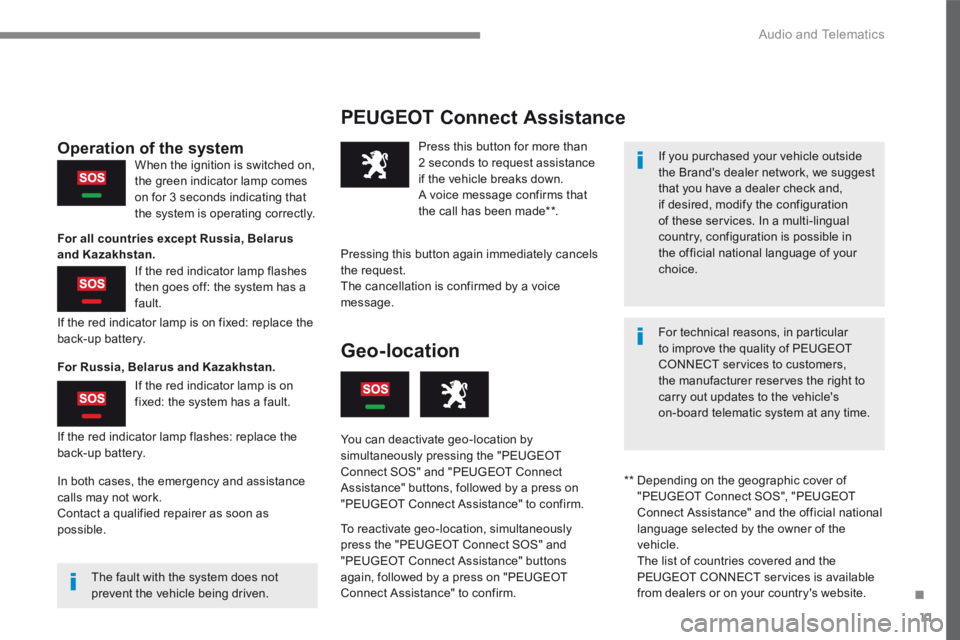
Press this button for more than 2 seconds to request assistance if the vehicle breaks down. A voice message confirms that the call has been made ** .
Pressing this button again immediately cancels the request. The cancellation is confirmed by a voice message.
If the red indicator lamp is on fixed: replace the back-up battery.
If the red indicator lamp flashes: replace the back-up battery.
Operation of the system
For all countries except Russia, Belarus and Kazakhstan.
For Russia, Belarus and Kazakhstan.
When the ignition is switched on, the green indicator lamp comes on for 3 seconds indicating that the system is operating correctly.
If the red indicator lamp flashes then goes off: the system has a fault.
If the red indicator lamp is on fixed: the system has a fault.
** Depending on the geographic cover of "PEUGEOT Connect SOS", "PEUGEOT Connect Assistance" and the official national language selected by the owner of the vehicle. The list of countries covered and the PEUGEOT CONNECT services is available
from dealers or on your country's website.
Geo-location
You can deactivate geo-location by simultaneously pressing the "PEUGEOT Connect SOS" and "PEUGEOT Connect Assistance" buttons, followed by a press on "PEUGEOT Connect Assistance" to confirm.
To reactivate geo-location, simultaneously press the "PEUGEOT Connect SOS" and "PEUGEOT Connect Assistance" buttons again, followed by a press on "PEUGEOT Connect Assistance" to confirm.
In both cases, the emergency and assistance calls may not work. Contact a qualified repairer as soon as possible.
Page 387 of 450
13
2008-additif_en_Chap12b_SMEGplus_ed01-2016
7-inch touch screen
GPS satellite navigation - Multimedia audio - Bluetooth® telephone
Contents
First steps 14
S
teering mounted controls
16
M
e n u s
17
Na
vigation
1
8
Navigation - Guidance
26
Tr
a f fi c
3 0
R
adio Media
32
Ra
dio
3
8
DAB (Digital Audio Broadcasting) radio
40
M
edia
42
S
ettings
4
6
Connected services
54
M
irrorLink
TM 54
Car
Play® 58
Te
lephone
6
0
Frequently asked questions
68
T
he system is protected in such a way that it will only operate in
your vehicle. As a safety measure, the driver should only carry out operations
which require prolonged attention while the vehicle is stationary.
The display of an energy economy mode message signals that
electrical systems operating are going into standby.
Refer to the energy economy mode section.
.
Audio and Telematics
Page 391 of 450
17
2008-additif_en_Chap12b_SMEGplus_ed01-2016
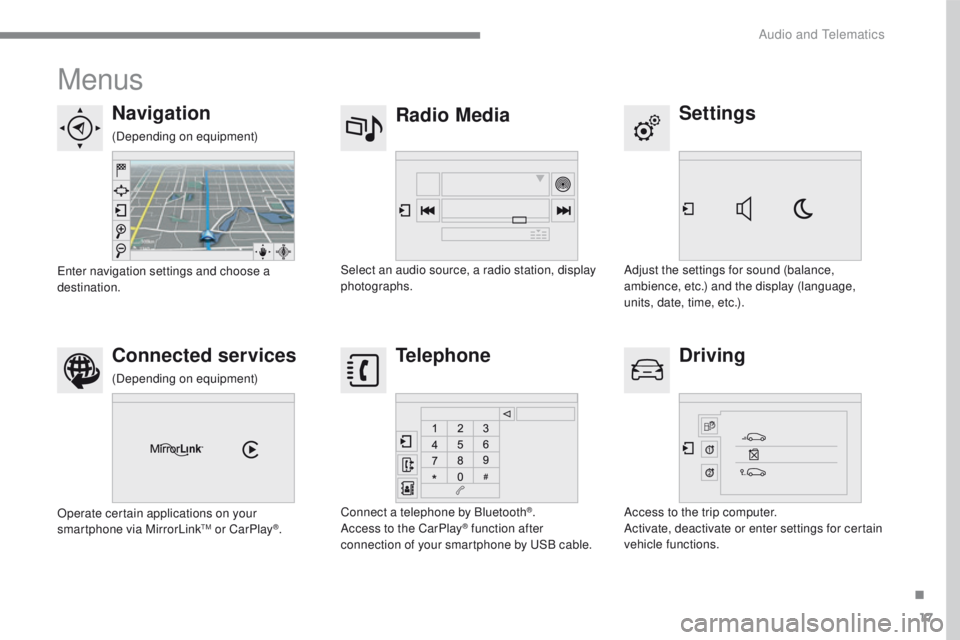
Menus
Settings
Radio Media
Navigation
Driving
Connected services Telephone
Adjust the settings for sound (balance,
ambience, etc.) and the display (language,
units, date, time, etc.).
Select an audio source, a radio station, display
photographs.
Enter navigation settings and choose a
destination.
Access to the trip computer.
Activate, deactivate or enter settings for certain
vehicle functions.
Operate certain applications on your
smartphone via MirrorLink
TM or CarPlay®.
Connect a telephone by Bluetooth
®.
Access to the CarPlay® function after
connection of your smartphone by USB cable.
(Depending on equipment)
(Depending on equipment)
.
Audio and Telematics
Page 414 of 450
40
2008-additif_en_Chap12b_SMEGplus_ed01-2016
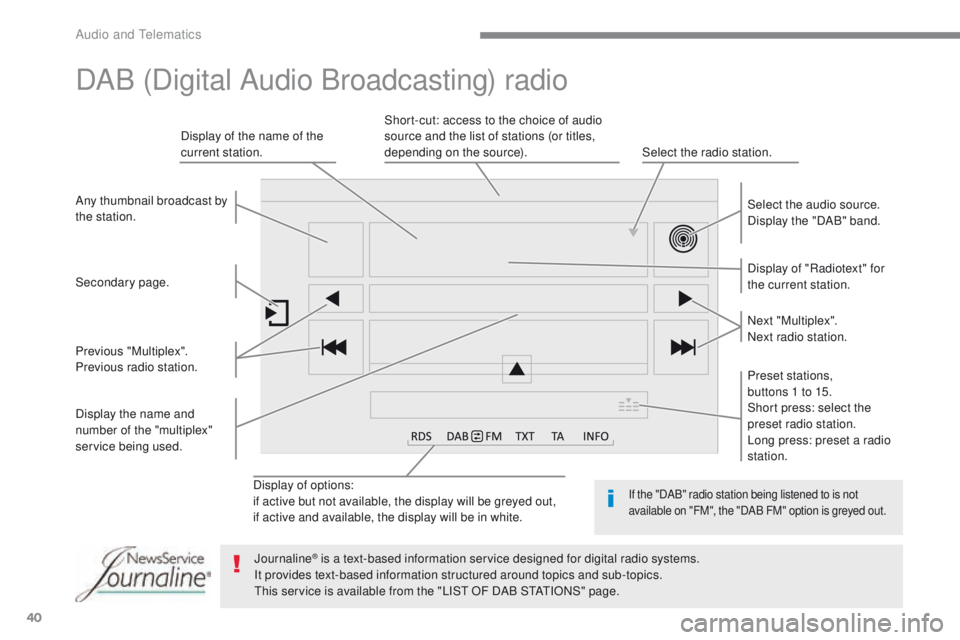
Display of options:
if active but not available, the display will be greyed out,
if active and available, the display will be in white.Display of "Radiotext" for
the current station. Select the audio source.
Display the "DAB" band.
Display of the name of the
current station.
Short-cut: access to the choice of audio
source and the list of stations (or titles,
depending on the source).
Select the radio station.
Any thumbnail broadcast by
the station.
Preset stations,
buttons 1 to 15.
Short press: select the
preset radio station.
Long press: preset a radio
station. Next "Multiplex".
Next radio station.
Secondary page.
Display the name and
number of the "multiplex"
service being used. Previous "Multiplex".
Previous radio station.
DAB (Digital Audio Broadcasting) radio
If the "DAB" radio station being listened to is not
available on "FM", the "DAB FM" option is greyed out.
Journaline® is a text-based information service designed for digital radio systems.
It p
rovides text-based information structured around topics and sub-topics.
This service is available from the "LIST OF DAB STATIONS" page.
Audio and Telematics
Page 428 of 450
54
2008-additif_en_Chap12b_SMEGplus_ed01-2016
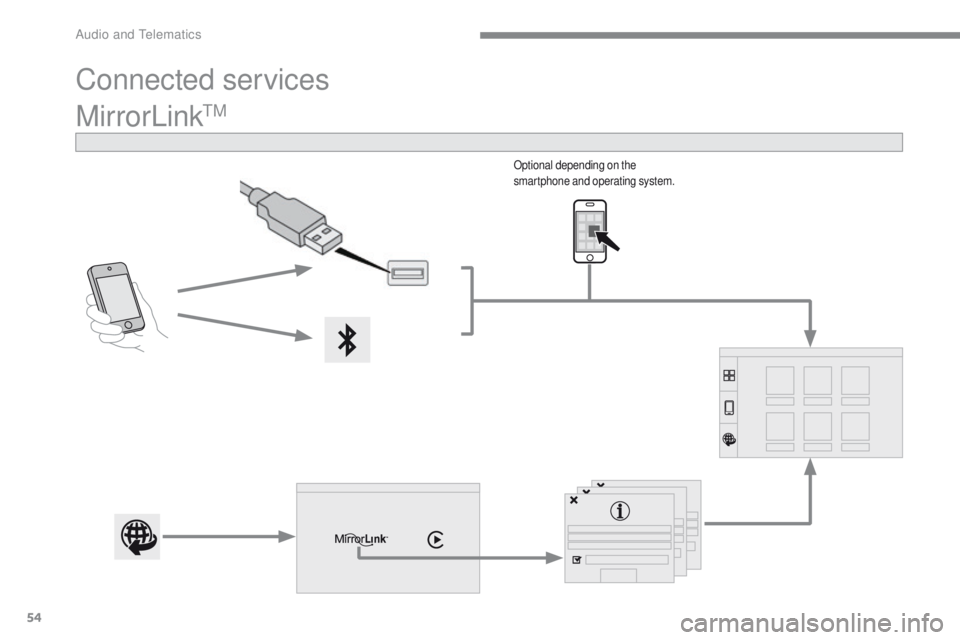
MirrorLinkTM
Optional depending on the
smartphone and operating system.
Connected services
Audio and Telematics
Page 429 of 450
55
2008-additif_en_Chap12b_SMEGplus_ed01-2016
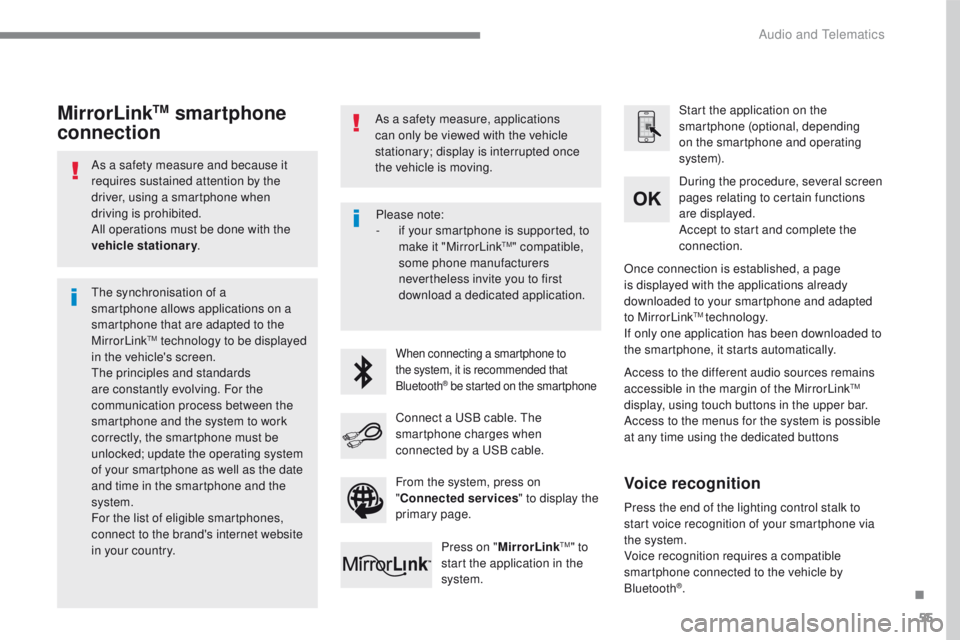
As a safety measure and because it
requires sustained attention by the
driver, using a smartphone when
driving is prohibited.
All operations must be done with the
vehicle stationary.
The synchronisation of a
smartphone allows applications on a
smartphone that are adapted to the
MirrorLink
TM technology to be displayed
in t
he vehicle's screen.
The principles and standards
are constantly evolving. For the
communication process between the
smartphone and the system to work
correctly, the smartphone must be
unlocked; update the operating system
of your smartphone as well as the date
and time in the smartphone and the
system.
For the list of eligible smartphones,
connect to the brand's internet website
in your country. As a safety measure, applications
can only be viewed with the vehicle
stationary; display is interrupted once
the vehicle is moving.When connecting a smartphone to
the system, it is recommended that
Bluetooth
® be started on the smartphone
Start the application on the
smartphone (optional, depending
on the smartphone and operating
syste m).
Access to the different audio sources remains
accessible in the margin of the MirrorLink
TM
display, using touch buttons in the upper bar.
Access to the menus for the system is possible
at any time using the dedicated buttons During the procedure, several screen
pages relating to certain functions
are displayed.
Accept to start and complete the
connection.
Connect a USB cable. The
smartphone charges when
connected by a USB cable. Press on " MirrorLink
TM" to
start the application in the
system. Once connection is established, a page
is displayed with the applications already
downloaded to your smartphone and adapted
to MirrorLink
TM technology.
If only one application has been downloaded to
the smartphone, it starts automatically.
MirrorLinkTM smartphone
connection
Press the end of the lighting control stalk to
start voice recognition of your smartphone via
the system.
Voice recognition requires a compatible
smartphone connected to the vehicle by
Bluetooth
®.
Voice recognition
Please note:
- if y
our smartphone is supported, to
make it "MirrorLink
TM" compatible,
some phone manufacturers
nevertheless invite you to first
download a dedicated application.
From the system, press on
" Connected services " to display the
primary page.
.
Audio and Telematics