tow PEUGEOT 2008 2016 User Guide
[x] Cancel search | Manufacturer: PEUGEOT, Model Year: 2016, Model line: 2008, Model: PEUGEOT 2008 2016Pages: 450, PDF Size: 14.16 MB
Page 72 of 450
70
2008_en_Chap03_confort_ed01-2016
F Switch off the demisting/defrosting of the rear screen and door mirrors
as soon as appropriate, as lower
current consumption results in
reduced fuel consumption.
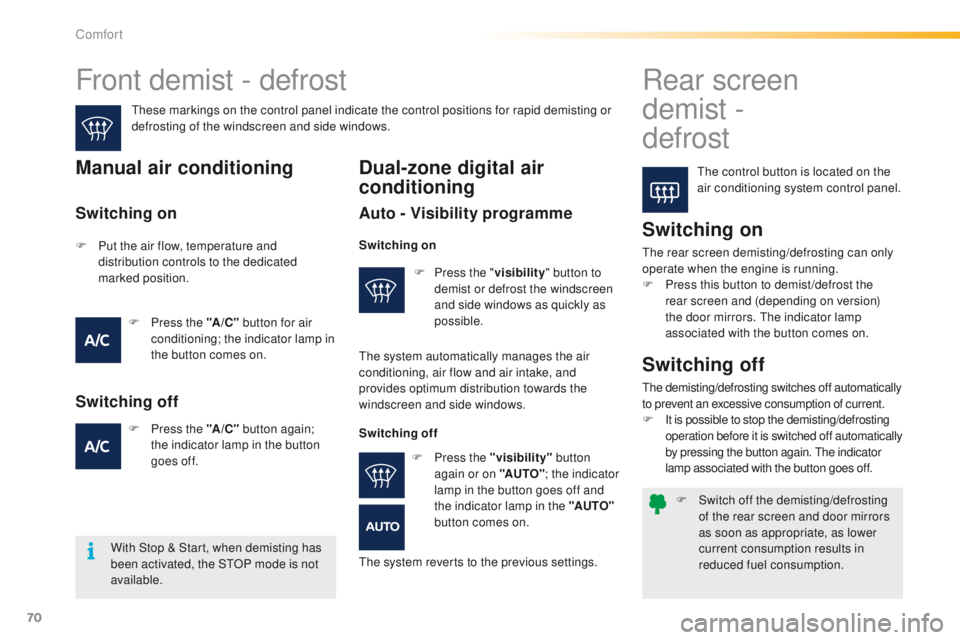
Front demist - defrost Rear screen
demist
-
defrost
The control button is located on the
air conditioning system control panel.
These markings on the control panel indicate the control positions for rapid demisting or
defrosting of the windscreen and side windows.Manual air conditioning
Switching on
The rear screen demisting/defrosting can only
operate when the engine is running.
F
P
ress this button to demist /defrost the
rear screen and (depending on version)
the door mirrors. The indicator lamp
associated with the button comes on.
With Stop & Start, when demisting has
been activated, the STOP mode is not
available.
Switching off
The demisting/defrosting switches off automatically
to prevent an excessive consumption of current.
F
I
t is possible to stop the demisting/defrosting
operation before it is switched off automatically
by pressing the button again. The indicator
lamp associated with the button goes off.
Dual-zone digital air
conditioning
Auto - Visibility programme
F Press the " visibility" button to
demist or defrost the windscreen
and side windows as quickly as
possible.
Switching on
F Put the air flow, temperature and distribution controls to the dedicated
marked position.
F
P
ress the "A /C " button for air
conditioning; the indicator lamp in
the button comes on.
F
P
ress the "A /C " button again;
the indicator lamp in the button
goes
off.
Switching off
Switching on
The system automatically manages the air
conditioning, air flow and air intake, and
provides optimum distribution towards the
windscreen and side windows.
Switching offF
P
ress the "visibility" button
again or on "AUTO" ; the indicator
lamp in the button goes off and
the indicator lamp in the "AUTO"
button comes on.
The system reverts to the previous settings.
Comfort
Page 77 of 450
75
2008_en_Chap04_amenagements_ed01-2016
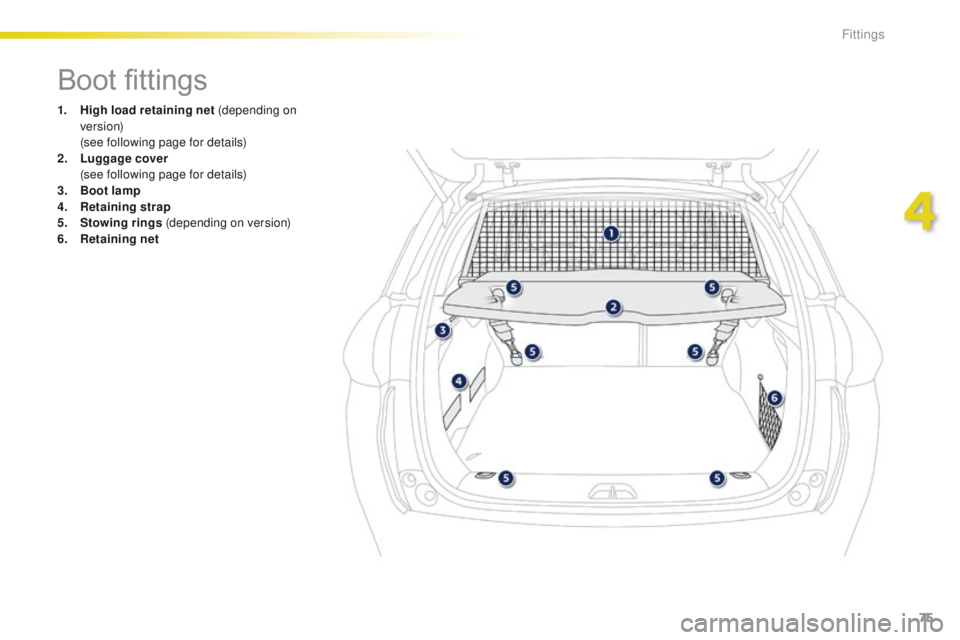
Boot fittings
1. High load retaining net (depending on ve r s i o n)
(
see following page for details)
2.
L
uggage cover
(
see following page for details)
3.
B
oot lamp
4.
R
etaining strap
5.
S
towing rings (depending on version)
6.
R
etaining net
4
Fittings
Page 80 of 450
78
2008_en_Chap04_amenagements_ed01-2016
Warning triangle (stowing)
Before leaving your vehicle to set up
and install the triangle, switch on the
hazard warning lamps and put on your
high visibility vest.
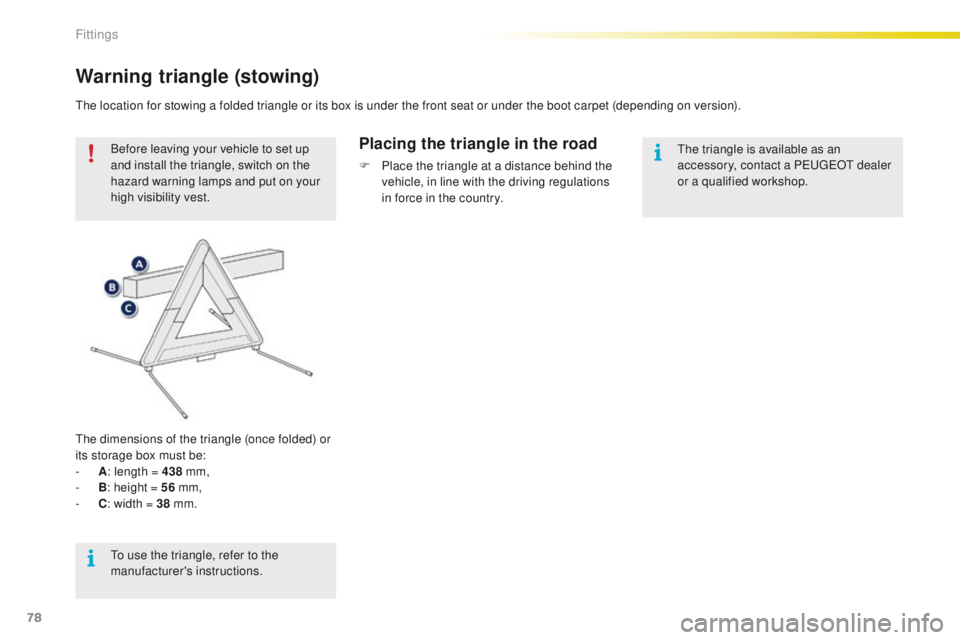
The dimensions of the triangle (once folded) or
its storage box must be:
-
A : l
ength = 438 mm,
-
B : h
eight = 56 mm,
-
C : w
idth = 38 mm.Placing the triangle in the road
F Place the triangle at a distance behind the
vehicle, in line with the driving regulations
in force in the country.
The location for stowing a folded triangle or its box is under the front seat or under the boot carpet (depending on version).
The triangle is available as an
accessory, contact a PEUGEOT dealer
or a qualified workshop.
To use the triangle, refer to the
manufacturer's instructions.
Fittings
Page 82 of 450
80
2008_en_Chap05_conduite_ed01-2016
Starting - Switching off the engine
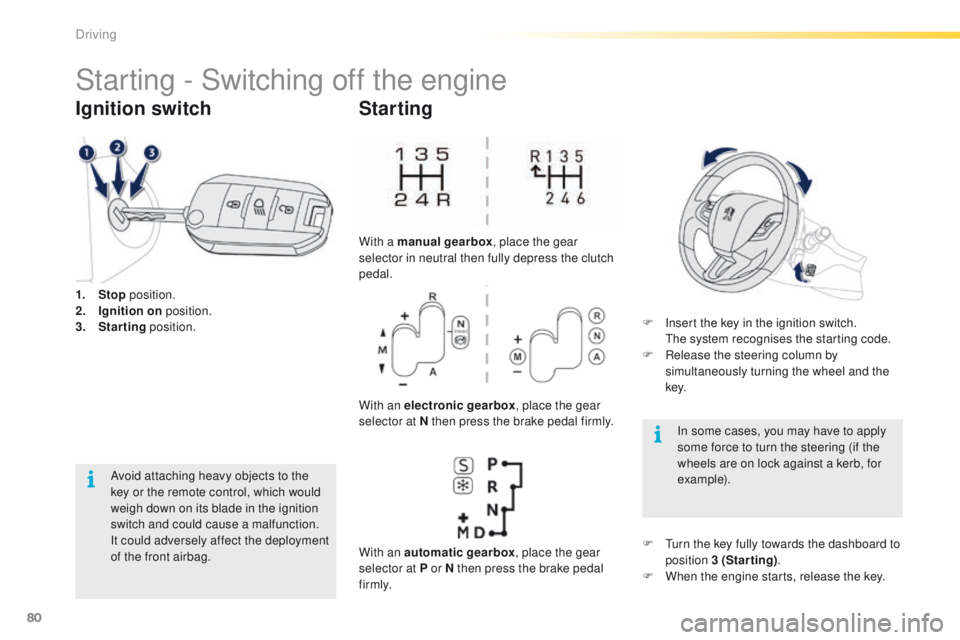
1. Stop position.
2. I gnition on position.
3.
S
tarting position.
Ignition switch
Avoid attaching heavy objects to the
key or the remote control, which would
weigh down on its blade in the ignition
switch and could cause a malfunction.
It could adversely affect the deployment
of the front airbag.
Starting
With a manual gearbox , place the gear
selector in neutral then fully depress the clutch
pedal.
With an electronic gearbox , place the gear
selector at N then press the brake pedal firmly.
With an automatic gearbox , place the gear
selector at P or N then press the brake pedal
f i r m l y. F
I
nsert the key in the ignition switch.
T
he system recognises the starting code.
F
R
elease the steering column by
simultaneously turning the wheel and the
key.
In some cases, you may have to apply
some force to turn the steering (if the
wheels are on lock against a kerb, for
example).
F
T
urn the key fully towards the dashboard to
position 3 (Starting) .
F
W
hen the engine starts, release the key.
Driving
Page 83 of 450
81
2008_en_Chap05_conduite_ed01-2016
Key left in the "Ignition on"
position
If the key has been left in the ignition
switch at position 2 (Ignition on),
the ignition will be switched off
automatically after one hour.
To switch the ignition back on, turn the
key to position 1 (Stop) , then back to
position 2 (Ignition on) .
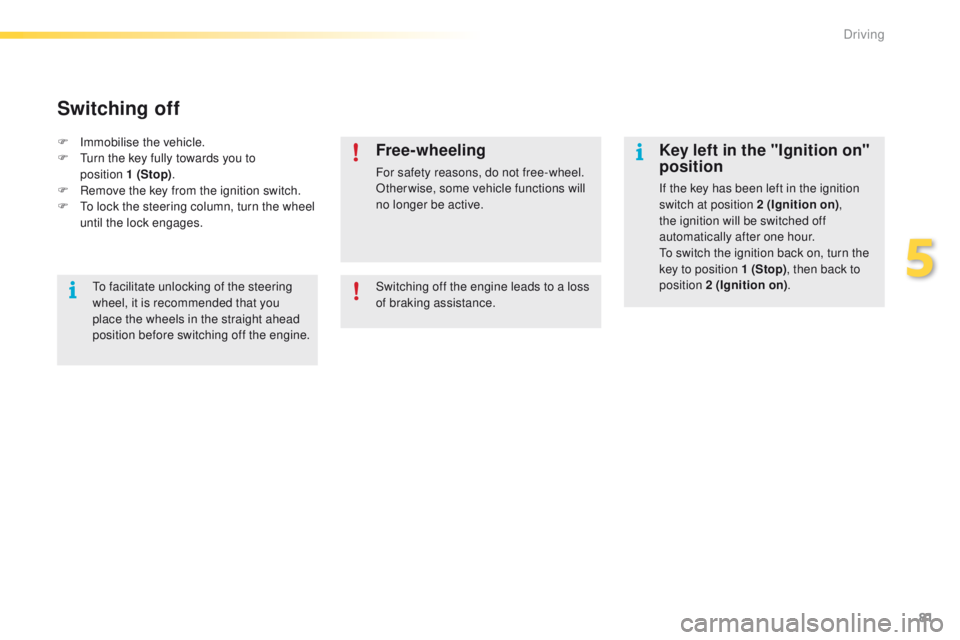
F
Imm
obilise the vehicle.
F
T
urn the key fully towards you to
position 1 (Stop) .
F
R
emove the key from the ignition switch.
F
T
o lock the steering column, turn the wheel
until the lock engages.
Switching off
Free-wheeling
For safety reasons, do not free-wheel.
Other wise, some vehicle functions will
no longer be active.
Switching off the engine leads to a loss
of braking assistance.
To facilitate unlocking of the steering
wheel, it is recommended that you
place the wheels in the straight ahead
position before switching off the engine.
5
Driving
Page 91 of 450
89
2008_en_Chap05_conduite_ed01-2016
At very low speed, if reverse gear
is requested, this will only be taken
into account when the vehicle is
immobilised. A warning lamp appears in
the instrument panel screen.
Manual gear changingManual mode
On sharp acceleration, the gearbox will
not change up unless the driver acts on
the gear lever or the steering mounted
paddles.
Never select neutral N while the vehicle
is moving.
Only engage reverse gear R when the
vehicle is immobilised with the brake
pedal pressed.
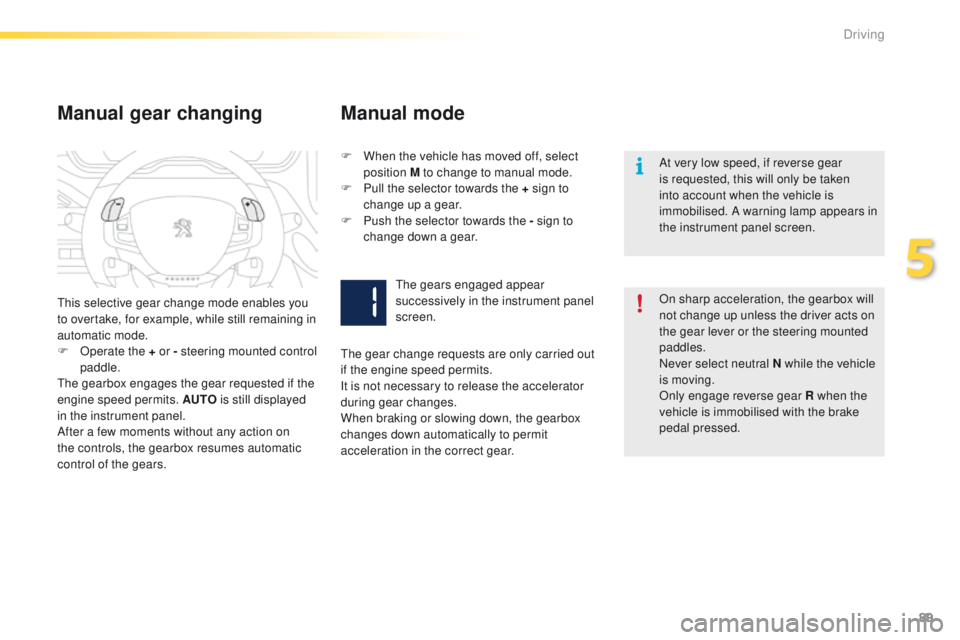
This selective gear change mode enables you
to overtake, for example, while still remaining in
automatic mode.
F
O
perate the + or - steering mounted control
paddle.
The gearbox engages the gear requested if the
engine speed permits. AUTO is still displayed
in the instrument panel.
After a few moments without any action on
the controls, the gearbox resumes automatic
control of the gears. F
W
hen the vehicle has moved off, select
position M to change to manual mode.
F
P
ull the selector towards the +
sign to
change up a gear.
F
P
ush the selector towards the - sign to
change down a gear.
The gears engaged appear
successively in the instrument panel
screen.
The gear change requests are only carried out
if the engine speed permits.
It is not necessary to release the accelerator
during gear changes.
When braking or slowing down, the gearbox
changes down automatically to permit
acceleration in the correct gear.
5
Driving
Page 95 of 450
93
2008_en_Chap05_conduite_ed01-2016
Sport and snow
programmes
Sport programme "S"
F Press button "S", after starting the engine.
The gearbox automatically favours a dynamic
style of driving.
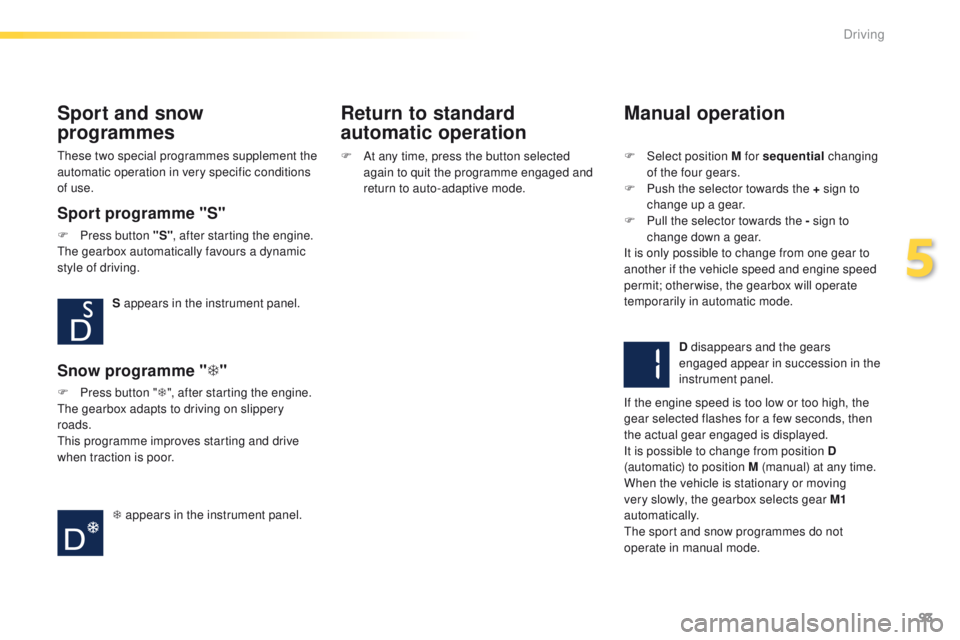
S appears in the instrument panel.
Snow programme " T"
F Press button " T", after starting the engine.
The gearbox adapts to driving on slippery
roads.
This programme improves starting and drive
when traction is poor.
T appears in the instrument panel.
These two special programmes supplement the
automatic operation in very specific conditions
of use.
Return to standard
automatic operation
Manual operation
F Select position M for sequential
changing
of the four gears.
F
P
ush the selector towards the + sign to
change up a gear.
F
P
ull the selector towards the - sign to
change down a gear.
It is only possible to change from one gear to
another if the vehicle speed and engine speed
permit; otherwise, the gearbox will operate
temporarily in automatic mode.
D disappears and the gears
engaged appear in succession in the
instrument panel.
If the engine speed is too low or too high, the
gear selected flashes for a few seconds, then
the actual gear engaged is displayed.
It is possible to change from position D
(automatic) to position M (manual) at any time.
When the vehicle is stationary or moving
very slowly, the gearbox selects gear M1
automatically.
The sport and snow programmes do not
operate in manual mode.
F
A
t any time, press the button selected
again to quit the programme engaged and
return to auto-adaptive mode.
5
Driving
Page 100 of 450
98
2008_en_Chap05_conduite_ed01-2016
If the selector is not in position P,
when the driver's door is opened or
approximately 45 seconds after the
ignition is switched off, a warning
message appears in the screen.
F
R
eturn the selector to position P ;
the message disappears.
When driving on flooded roads or when
crossing a ford, proceed at walking
pace.
Manual operation
Invalid value during manual
operation
Stopping the vehicle
Before switching off the engine, you can
engage position P or N to place the gearbox in
neutral.
In both cases, apply the parking brake to
immobilise the vehicle.
Operating fault
F Select position M for sequential changing
of the six gears.
F
M
ove the selector towards the + sign to
change up a gear.
F
M
ove the selector towards the - sign to
change down a gear.
It is only possible to change from one gear to
another if the vehicle speed and engine speed
permit; otherwise, the gearbox will operate
temporarily in automatic mode.
D disappears and the gears
engaged appear in succession in the
instrument panel.
If the engine speed is too low or too high, the
gear selected flashes for a few seconds, then
the actual gear engaged is displayed.
It is possible to change from position D
(automatic) to position M (manual) at any time.
When the vehicle is stationary or moving
very slowly, the gearbox engages first gear
automatically. With the ignition on, illumination of
this warning lamp, accompanied
by an audible signal and a message in the
multifunction screen, indicates a gearbox fault.
In this case, the gearbox switches to back-up
mode and is locked in 3rd gear. You may feel
a substantial knock when changing from P
to R and from N to R . This will not cause any
damage to the gearbox.
Do not exceed 60 mph (100 km/h), local speed
restrictions permitting.
Contact a PEUGEOT dealer or a qualified
workshop as soon as possible.
This symbol is displayed if a gear
is not engaged correctly (selector
between two positions).
The sport and snow programmes are
not available when operating manually. There is a risk of damage to the
gearbox:
-
i
f you press the accelerator and
brake pedals at the same time,
-
i
f you force the movement of the
selector from the P position to
another position when the battery is
discharged.
To reduce fuel consumption when at
a prolonged standstill with the engine
running (traffic jam...), put the selector
in the N position and apply the parking
brake.
Driving
Page 113 of 450
111
2008_en_Chap05_conduite_ed01-2016
In bad weather or in winter, ensure
that the sensors are not covered with
mud, ice or snow. When reverse gear is
engaged, an audible signal (long beep)
indicates that the sensors may be dirty.
Certain sound sources (motorcycle,
lorry, pneumatic drill, etc.) may trigger
the audible signals of the parking
sensor system.In the event of a malfunction of
the system, when reverse gear
is engaged this warning lamp
is displayed in the instrument panel and/or a
message appears in the screen, accompanied
by an audible signal (short beep).
Contact a PEUGEOT dealer or a qualified
workshop.
Operating fault
The function will be deactivated
automatically if a trailer is being towed
or a bicycle carrier is fitted (vehicle
fitted with a towbar or bicycle carrier
recommended by PEUGEOT).
Front parking sensors*
In addition to the rear parking sensors, the
front parking sensors are triggered when an
obstacle is detected in front and the speed of
the vehicle is still below 6 mph (10 km/h).
The front parking sensors are interrupted if
the vehicle stops for more than 3 seconds
in for ward gear, if no further obstacles are
detected or when the speed of the vehicle
exceeds 6 mph (10 km/h).
* Available only with the Park Assist system. The sound emitted by the speaker (front or
rear) indicates whether the obstacle is in front
or behind.
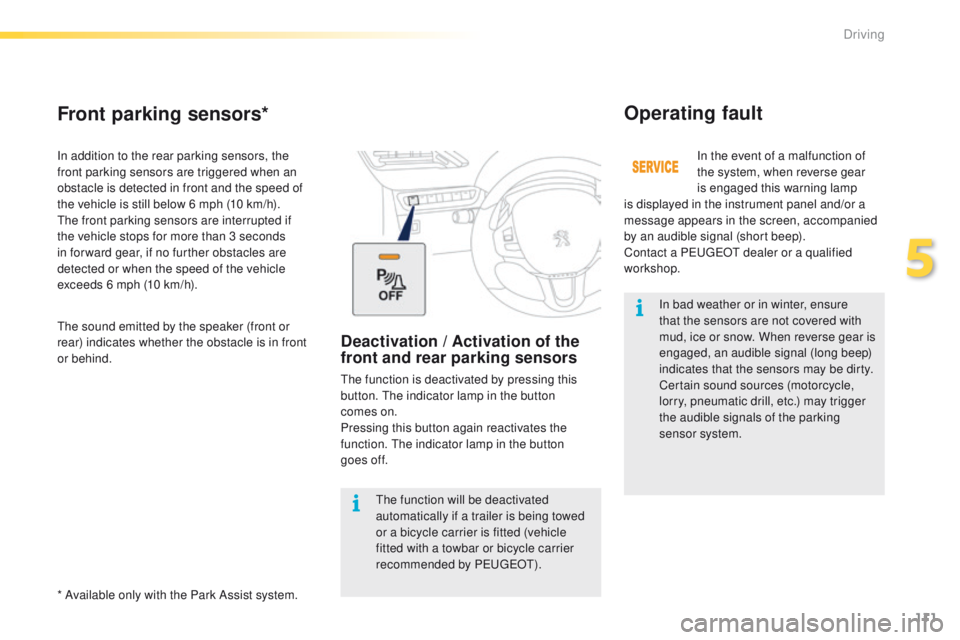
Deactivation / Activation of the
front and rear parking sensors
The function is deactivated by pressing this
button. The indicator lamp in the button
comes
on.
Pressing this button again reactivates the
function. The indicator lamp in the button
goes
off.
5
Driving
Page 118 of 450
116
2008_en_Chap05_conduite_ed01-2016
In bad weather and in winter, ensure
that the sensors are not covered by
road dirt, ice or snow.
In the event of a fault, have the system
checked by a PEUGEOT dealer or a
qualified workshop.
If the system is deactivated during a
manoeuvre, the drive should reactivate
it manually to repeat the measurement. If the lateral distance between your vehicle
and the space is too great, the system may
not be able to measure the space.
Anything projecting beyond the envelope
of the vehicle (long or wide load) is not
taken into account by the Park Assist
system during a manoeuvre.
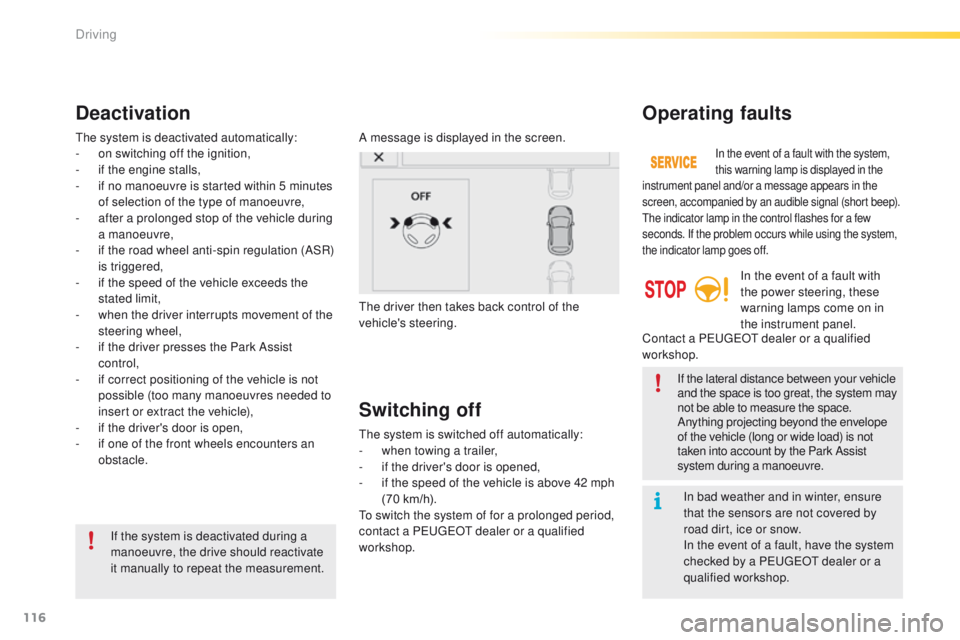
Deactivation
A message is displayed in the screen.
The driver then takes back control of the
vehicle's steering.
The system is deactivated automatically:
-
o
n switching off the ignition,
-
i
f the engine stalls,
-
i
f no manoeuvre is started within 5 minutes
of selection of the type of manoeuvre,
-
a
fter a prolonged stop of the vehicle during
a manoeuvre,
-
i
f the road wheel anti-spin regulation (ASR)
is triggered,
-
i
f the speed of the vehicle exceeds the
stated limit,
-
w
hen the driver interrupts movement of the
steering wheel,
-
i
f the driver presses the Park Assist
control,
-
i
f correct positioning of the vehicle is not
possible (too many manoeuvres needed to
insert or extract the vehicle),
-
i
f the driver's door is open,
-
i
f one of the front wheels encounters an
obstacle.
Switching off
The system is switched off automatically:
- w hen towing a trailer,
-
i
f the driver's door is opened,
-
i
f the speed of the vehicle is above 42 mph
(70 km/h).
To switch the system of for a prolonged period,
contact a PEUGEOT dealer or a qualified
workshop.
Operating faults
In the event of a fault with the system,
this warning lamp is displayed in the
instrument panel and/or a message appears in the
screen, accompanied by an audible signal (short beep).
The indicator lamp in the control flashes for a few
seconds. If the problem occurs while using the system,
the indicator lamp goes off.
In the event of a fault with
the power steering, these
warning lamps come on in
the instrument panel.
Contact a PEUGEOT dealer or a qualified
workshop.
Driving